まだの方は、X(ツイッター)またはマストドンでフォローし、新しい記事の投稿をお知らせください。また、Redditに参加したり、YouTubeに登録して、私たちのコンテンツをチェックしたり、素晴らしいコミュニティと交流してください。応援ありがとうございます!
Beyond Good and Evil may not be a game that has gained mainstream love, but it's a cult classic for a good reason. Even by today's standards, the game holds up and still feels unique and extremely fun in its own right. Before today, we could enjoy the original release from 2003, which was on Steam prior, but now, we have the brand new 20th Anniversary Edition that was released into the wild, and it is pumped with some great new improvements.
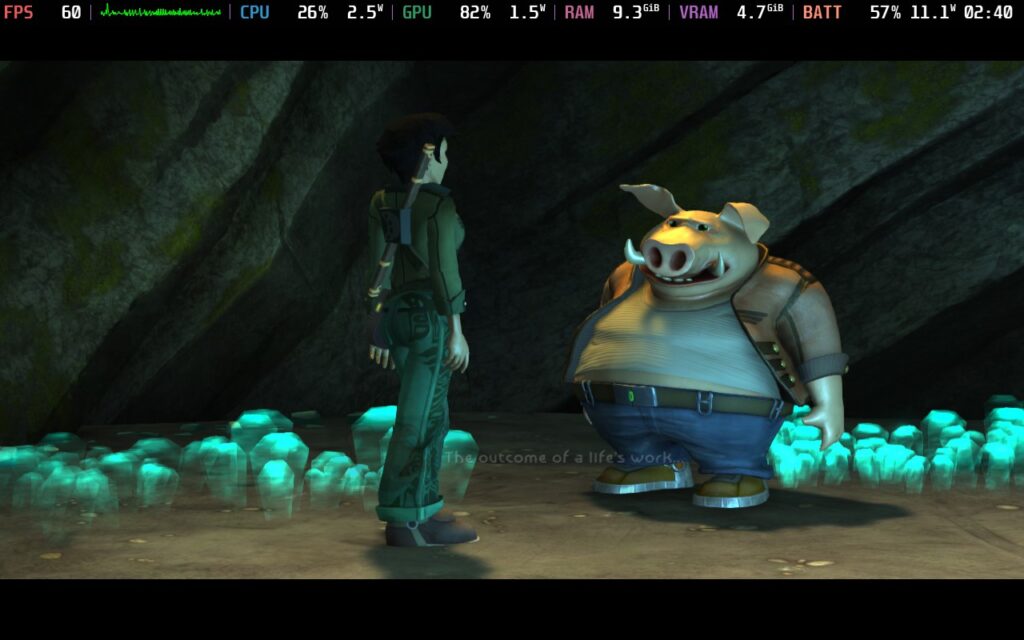
We have better resolution support, which can go up to 4K, 60 FPS support, and some great quality-of-life improvements. These include auto-saving, skip cutscenes, and full controller support. This is coupled with some heavily improved visuals that stun me compared to the previous iteration on Steam.
On top of all of that, we also have a re-recorded soundtrack, updated achievements, a new speedrun mode, some extra behind-the-scenes artwork and videos (with some secret unreleased content), and a new treasure hunt that can get you exclusive cosmetic rewards and give you more information about Jade's childhood. We may even see some hints about her link to Beyond Good and Evil 2, which is still in development.
It's a fantastic offering, and with it being released on Steam, it's hard not to go for it to prepare for the eventual sequel release. But I am sure you are curious how it runs on Steam Deck, and I will say it is very playable.
Beyond Good and Evil 20th Anniversary - Steam Deck Performance
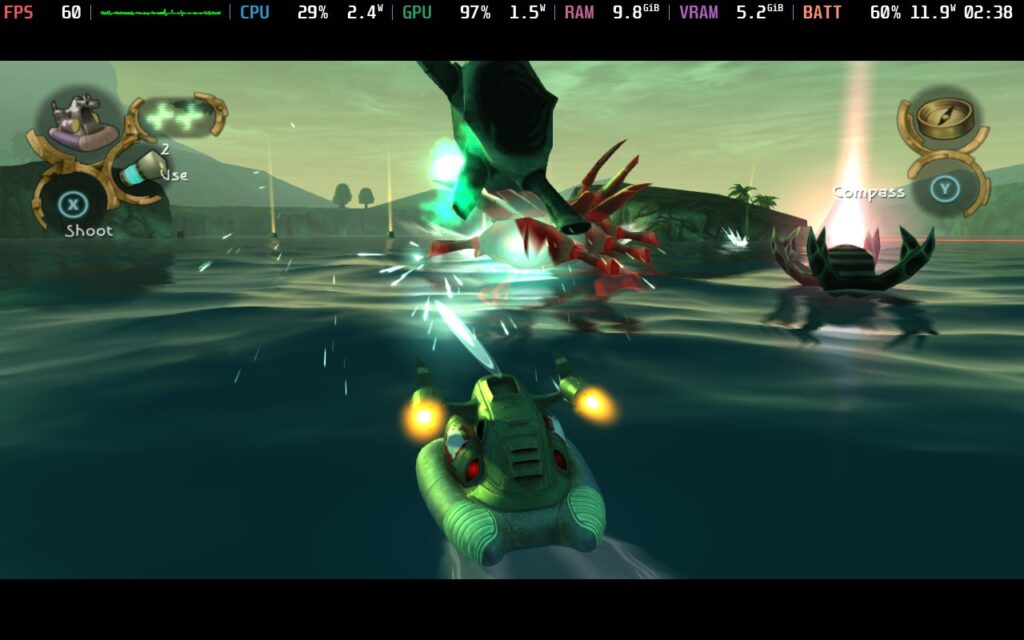
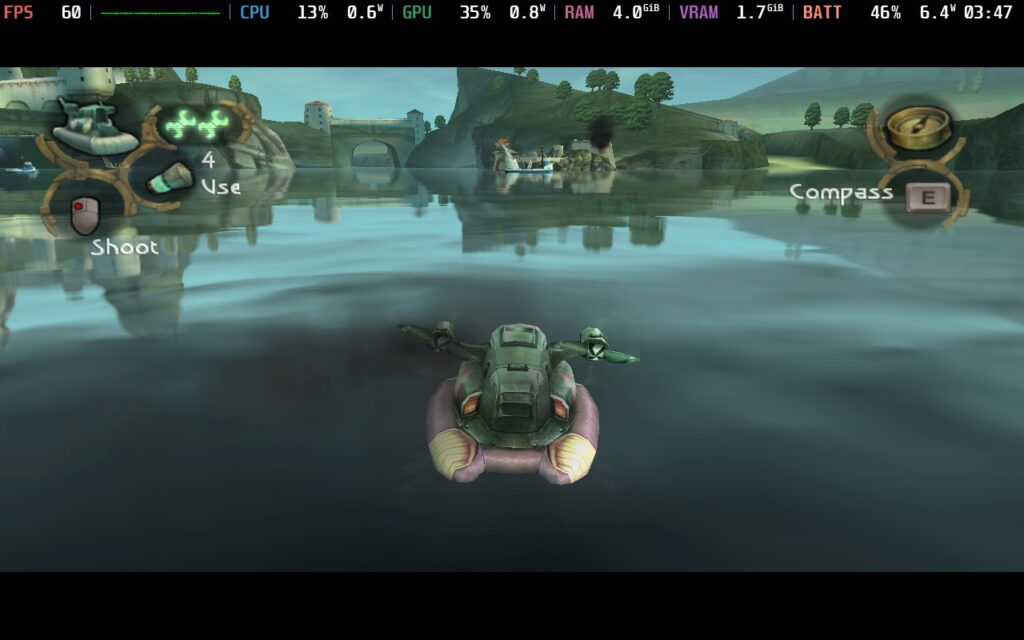
Luckily, for those who missed out on getting the original version before it was removed from the store due to this release, Beyond Good and Evil 20th Anniversary Edition is still a joy to play on the Steam Deck. At the max settings, which is the default, it runs at 60 FPS and looks exquisite. It drains more batteries than I expected, with instances of draining almost 18W, but you can set a TDP limit of 7 to cut down on the battery drain while retaining 60 FPS. It does fluctuate slightly; it wants to use the extra power, but you can add hours to your playtime with it, and the small fluctuations were worthwhile to me.
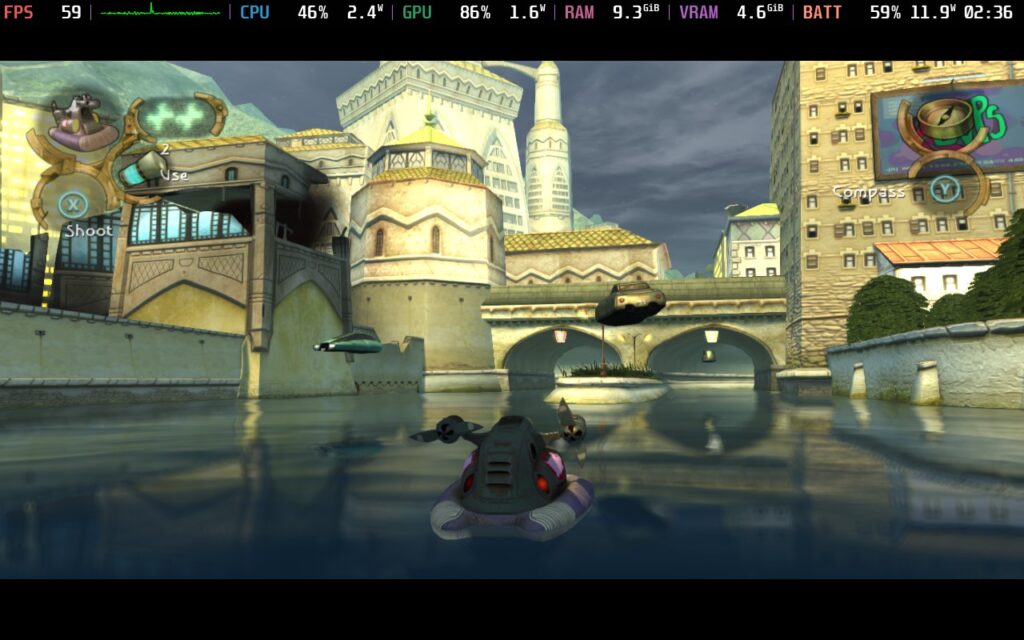
The 20th Anniversary Edition uses Ubisoft Connect, so you must log in. However, I tested it, and you can play the game offline. You will have to use your touchscreen and virtual KB+M to log in, but it shouldn't be much of an issue once done. I also had 2-3 crashes when I was changing up settings while in-game, but this could have been due to me trying to fixate on a specific GPU Clock Speed Frequency. There were no crashes when I wasn't changing settings.

The controls feel fantastic, though, and I think their gamepad implementation is wonderful. The black bars at the top and bottom are bigger than normal, but overall, this is very similar to the original version (which had the same bars even with the correct resolution set). The original also had an external settings menu, so you had to use the launcher to change settings. I am so glad this was trashed, and we can change settings in-game now.
Overall, if you want to play the definitive edition of Beyond Good and Evil, this will be it. It's an intriguing game that still stands tall, even when it's so old, and I am having a blast playing through it. Since I own the original, I can make comparisons now and then, which I enjoy. Still, I can't find any discernable reason other than a lower battery drain to return to the original. The controls alone are so much better, and I love the updated visuals in the new version, so I will stick to it.
Beyond Good and Evil 20th Anniversary Edition is on Steam now for $19.99.
この記事を楽しんでいただけたなら、SteamDeckHQ の他のコンテンツもチェックしてみてください!あなたのゲーム体験に役立つゲームレビューやニュースを幅広く取り揃えています。ニュース、ヒントやチュートリアル、ゲーム設定やレビュー、最新のトレンド情報など、あらゆる情報をお届けします。 カバーしています!

最近のニュース
カテゴリー
Accessories
Anbernic
Android
ASUS ROG Ally
ROG Xbox Ally
Classics on Deck
Community
Cryobyte33
Deals
Deck Mods
Emulation
Events
Featured Post
Game News
Game News
General Game News
HandheldHQ
Hardware
Lenovo
Linux
MagicX
Nintendo
ONE-NETBOOK
Opinion
Other Reviews
Accessory Reviews
Handheld Reviews
PlayStation
Proton
Retro Handhelds
Anbernic
AYANEO
AYN
GPD
MagicX
MANGMI
Retroid
TrimUI
SDHQ
Steam
Steam Machine
SteamOS
The Unsupported Report
Uncategorized
Uncategorized
最近のヒント&GUIDES
新着レビュー