まだの方は、X(Twitter)、Mastodon、Blueskyでフォローし、新しい記事が投稿されたらお知らせください。また、Redditに参加したり、YouTubeに登録して、私たちのコンテンツをチェックしたり、素晴らしいコミュニティと交流してください。応援ありがとうございました!
The Borderlands series has always been one of my favorites, and I can’t wait for Borderlands 4 to release. However, it seems unlikely that we will be able to play it on the Steam Deck, which makes me a little sad. Still, the older games in the series are a ton of fun, and with Borderlands 4 coming soon, I wanted to check them out and see just how playable all of them are on the go.
So, here are all the Borderlands games and how they run on the Steam Deck.
Borderlands GOTY Enhanced Edition
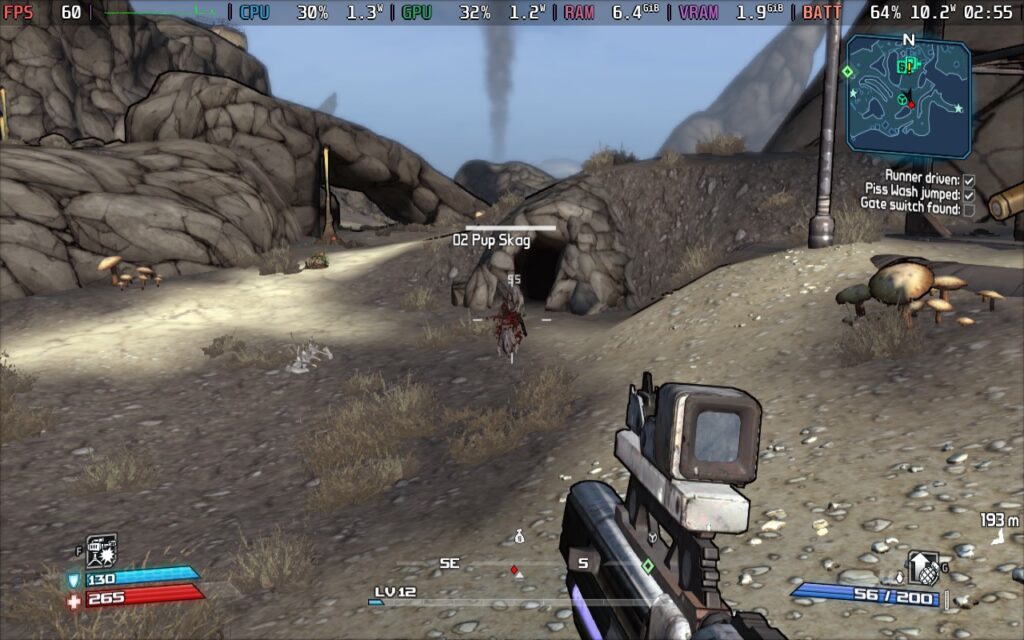
Starting with Borderlands GOTY Enhanced Edition, it plays fantastically on the Steam Deck. Even though it's an updated version, it's still based on an older game. We do still have to go through the launcher, which feels a bit cumbersome, but it's ultimately worthwhile. It will be able to handle 90 FPS at least most of the time, though I did notice a couple of times where battery drain would spike from the average 11W - 13W to 19W. Bringing it down to 60 FPS will mitigate this, and bring the average framerate down to 8W - 11W, but playing at 90 should still be doable.
There are some stutters here and there, but nothing that disrupts gameplay too much. It's still an awesomely playable experience and there's no complaints from me.
Borderlands GOTY Original
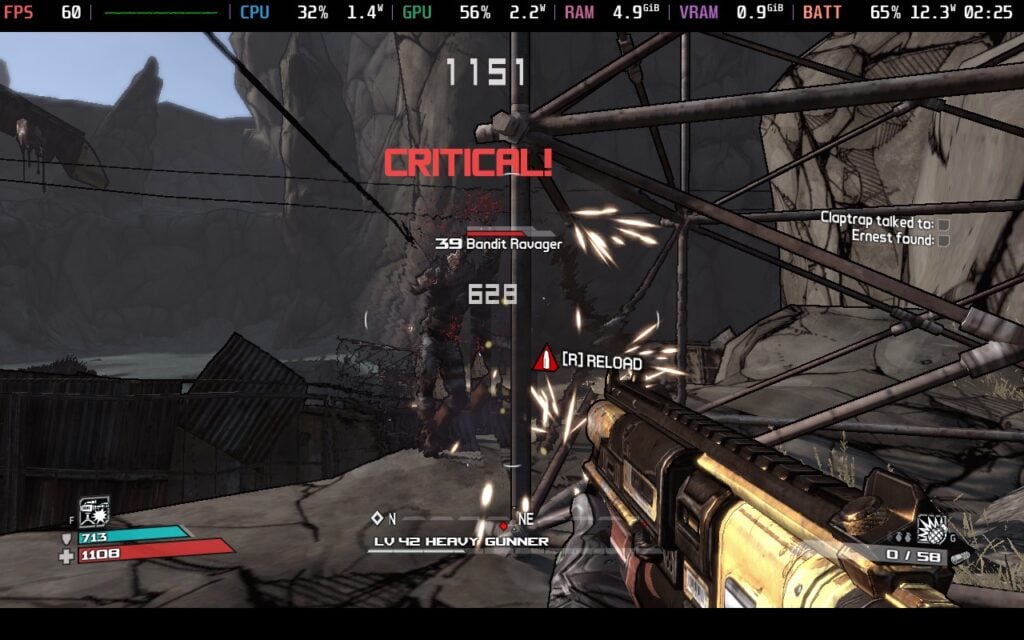
There are two versions available of the game, the normal GOTY edition and enhanced GOTY, which includes updated visuals, new weapons, new customization options, golden chests/keys, and more. Buying the Enhanced Edition comes with the original GOTY version, so this section is dedicated to that version of the game.
However, I see no reason to play this over the enhanced edition when it comes to performance. I turned all the settings to max when I tested, since this is a very old game, but it drains more battery at 60 FPS than the enhanced edition. Granted, I wasn't playing the enhanced edition at max settings, but it's still a little weird how demanding it is. We do have to change the resolution manually as well, but ultimately, it is playable, just not a massive improvement over the enhanced edition above.
Borderlands 2

Coming from playing Borderlands 2 on the PS Vita years ago, booting it up on the Steam Deck felt a bit surreal. For whatever reason, the game starts in an "Undefined" resolution, so I recommend changing that in the settings before beginning to play. Once done and in-game, I can happily say it performs very well. I was able to keep 60 FPS throughout my time in crowded areas and fighting tons of enemies. It did drain a little higher than Borderlands 1, ranging around 11W - 15W, but it was still very playable and looks amazing at the 1280x800 resolution.
There's not much more to say here, but it's going to be a great time. This is my favorite Borderlands game to date, so I love seeing how it has evolved from the questionable Vita port.
Borderlands: The Pre-Sequel
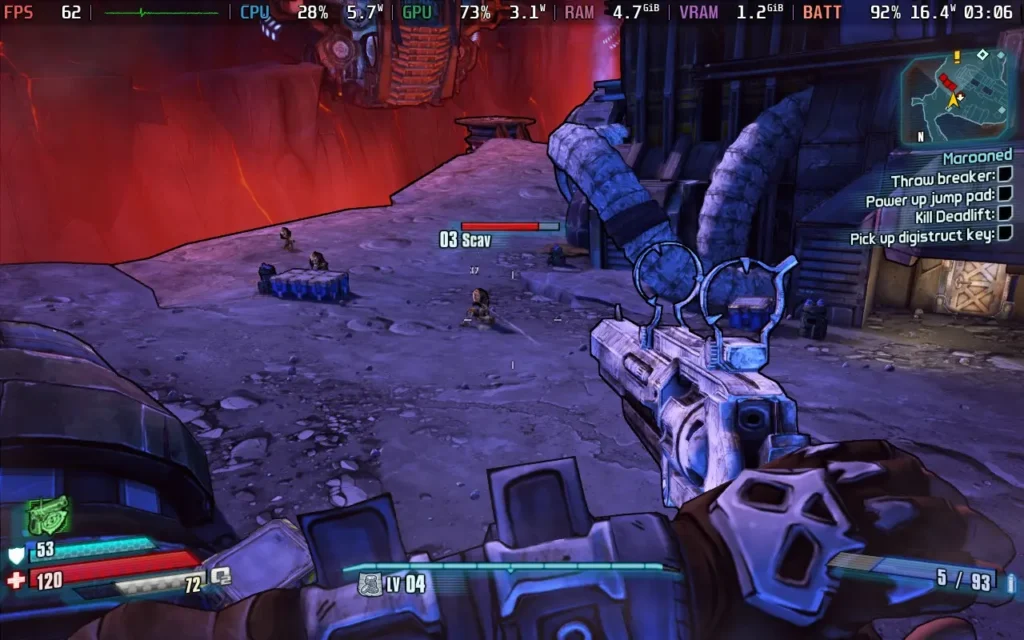
Borderlands: The Pre-Sequel has a native Linux build, but you shouldn't use it; it has poor CPU performance, meaning you can't play at 60 FPS, and doesn't support multiplayer matchmaking, so instead, force the use of Proton Experimental, and use the -nolauncher launch option in your Steam Game Properties.
With these selected, you can go ahead and ramp all the graphical options up to max, and select 1280x800 as the resolution; it all works perfectly, and you should get a stable 60 FPS experience, with some nice-looking visuals too.
Power draw is usually around the 11-15W range, so very similar to Borderlands 2 in that regard.
ボーダーランズ3
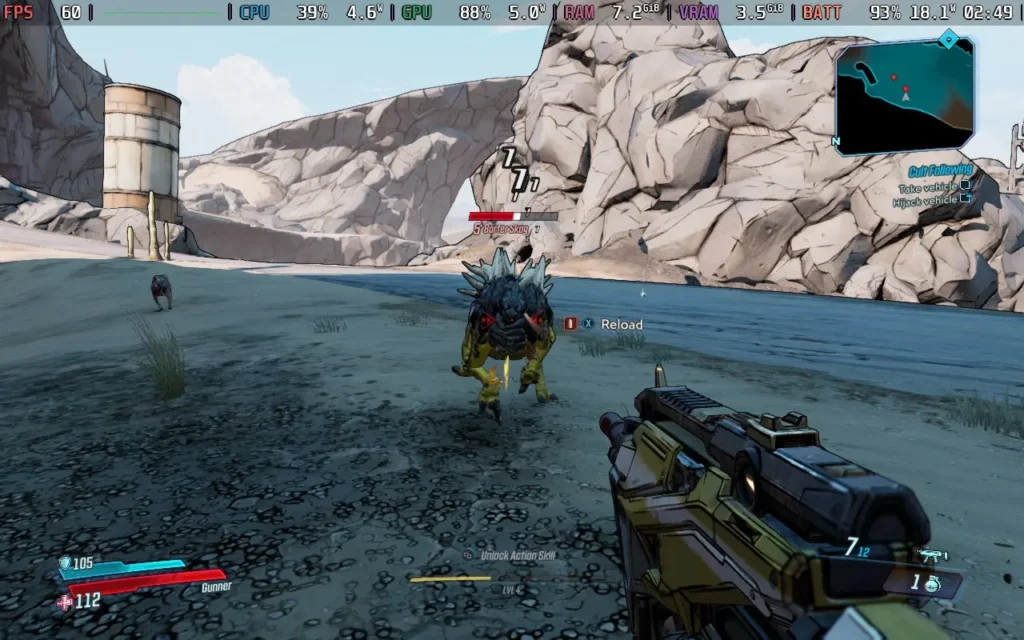
Borderlands 3 is where things get harder to run. The game defaults to Low settings, and you should keep them there. At low, you can run at 60 FPS for a decent amount of the time, but do expect some dips in more intense situations. This one also supports 1280x800 as a resolution. The game still looks pretty decent at low settings, though.
Power draw is around 19-21W, so expect a lower battery life than the previous entries in the series.
Tiny Tina's Wonderlands
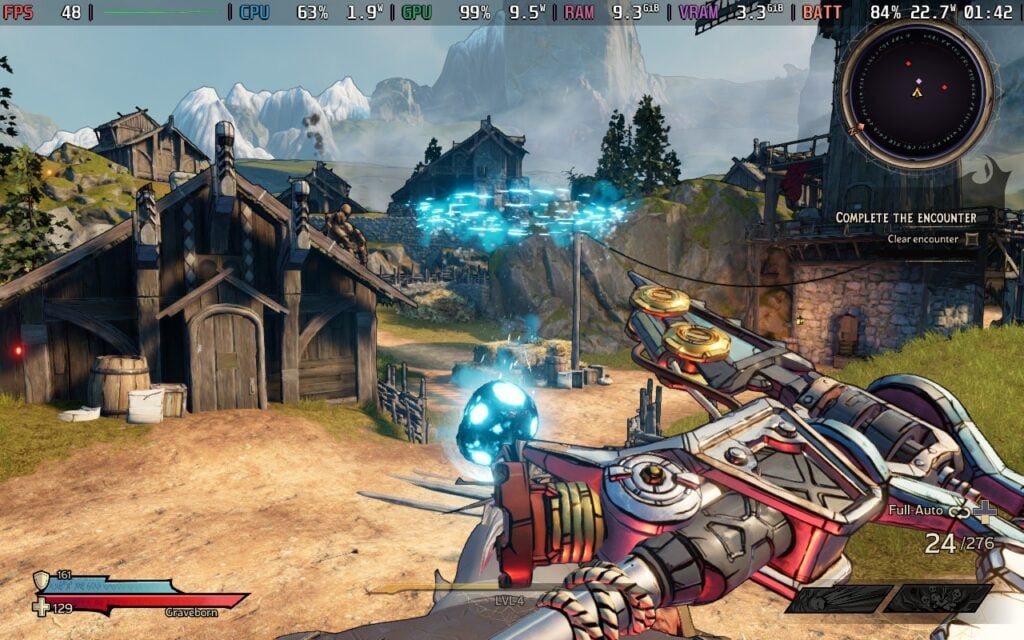
While Tiny Tina's Wonderlands is technically a spin-off of Borderlands, it still retains the first-person looter shooter mechanics that the series is known for. Performance in general is very similar to Borderlands 3, but it can handle higher quality settings due to levels being more contained. The default has a mix of high settings and can keep performance around 45 FPS on average with a high battery drain. To get the most stable experience, I recommend setting it to 40 FPS, but even if you set it to 45, it will still be a great experience.
Tales From the Borderlands

While not one of the mainline games that shares its core gameplay loop, Tales From the Borderlands is still a fantastic experience, taking place in the Borderlands world. Developed by Telltale Games, this entry is very story-focused with almost no first-person gunplay. Because it's not as open, and a relatively older game, it runs like a charm. It sticks around 8W - 11W battery drain on the default highest settings and 90 FPS. There's no launcher, but you will have to change the resolution to 1280x800 manually.
New Tales From the Borderlands
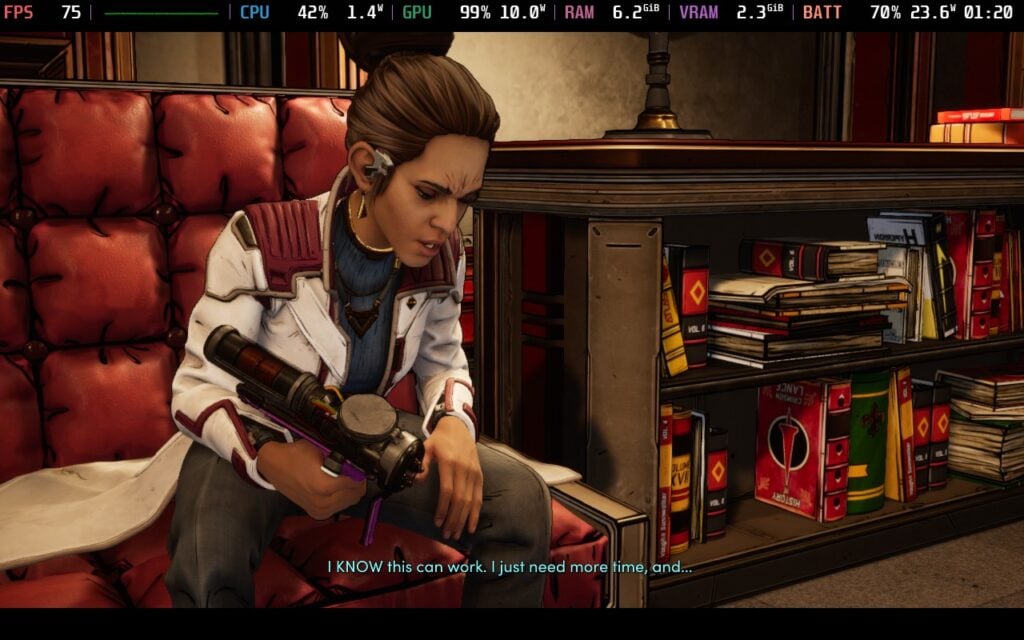
The next game to come out in the Tales From the Borderlands spinoff series. It wasn't actually developed by Telltale, moving in-house to Gearbox, but it still has the same style of story-based gameplay. For the most part, it runs relatively well, but there are more instances of drops when out in the city and using some technology. Some angles in the city can drop, but it sticks above 60. However, when using some technology like holograms or your goggles, the framerate can drop below.
Regardless, I would still consider it playable. 45 FPS lock should cover throughout the whole game, while 60 FPS will cover the majority of it. 90 FPS will not be stable throughout the game, so I don't recommend it.
この記事を楽しんでいただけたなら、SteamDeckHQ の他のコンテンツもチェックしてみてください!あなたのゲーム体験に役立つゲームレビューやニュースを幅広く取り揃えています。ニュース、ヒントやチュートリアル、ゲーム設定やレビュー、最新のトレンド情報など、あらゆる情報をお届けします。 カバーしています!

最近のニュース
カテゴリー
Accessories
Anbernic
Android
ASUS ROG Ally
ROG Xbox Ally
Classics on Deck
Community
Cryobyte33
Deals
Deck Mods
Emulation
Events
Featured Post
Game News
Game News
General Game News
HandheldHQ
Hardware
Lenovo
Linux
MagicX
Nintendo
ONE-NETBOOK
Opinion
Other Reviews
Accessory Reviews
Handheld Reviews
PlayStation
Proton
Retro Handhelds
Anbernic
AYANEO
AYN
GPD
MagicX
MANGMI
Retroid
TrimUI
SDHQ
Steam
Steam Machine
SteamOS
The Unsupported Report
Uncategorized
Uncategorized
最近のヒント&GUIDES
新着レビュー