Silent Hill: Townfall was provided by Konami for review. Thank you!
I may be a big baby when it comes to horror games, but there are certain ones that really speak to me. I love it when they mix fantastic action with a scary premise (like Dead Space or Resident Evil), or when they go all in on psychological horror to creep us out without relying on jump scares. I especially love the latter, and happily get behind games that truly utilize the environment, atmosphere, sound, and story to drive home just how creepy it is. Silent Hill: Townfall is one of those games, and not only does it succeed on every front, but it has also easily become one of the best horror games that I’ve ever played.
Before actually playing the game, I already had my hopes high. I was excited to see how they were going to translate the psychological horror of Silent Hill and translate it to a first-person experience. They are also sharing publishing duties with Annapurna Interactive, which actually gave me more confidence in how unique the game will be. And, after playing it from start to finish, I feel confident that this is one of the best Silent Hill experiences out there.
The narrative takes center stage, with its interesting premise and evolving storyline. We play as Simon Ordell, who is washed up on the shore of the town of St. Amelia. He has been called back by someone named Richard and tasked with finding a woman named Zoe to help him reach Richard. However, as we travel through the town, we will learn more about what actually transpired and how it has influenced the abandoned town.
I don’t want to spoil anything, but Silent Hill: Townfall's story is fantastic. It has great pacing, surprising revelations, and is told with enough nuance that it invokes critical thinking to put the pieces together as the story continues. I was completely taken back by some of the revelations towards the end of the game, and it makes some of the pieces that are revealed earlier start to make sense in an entirely different way. Even with the game having multiple endings, it all flows wonderfully.
The characters and their voice acting are done beautifully, but if I had to criticize, there were a few unbelievable moments. What’s happening is clearly unreal, but there are a few times where it just seems Simon isn’t shocked at all. It might make sense in some interpretation of the story, but it felt a little too unbelievable with all the events happening around him. However, I’d consider this nitpicky, and the majority of the story is fantastic.
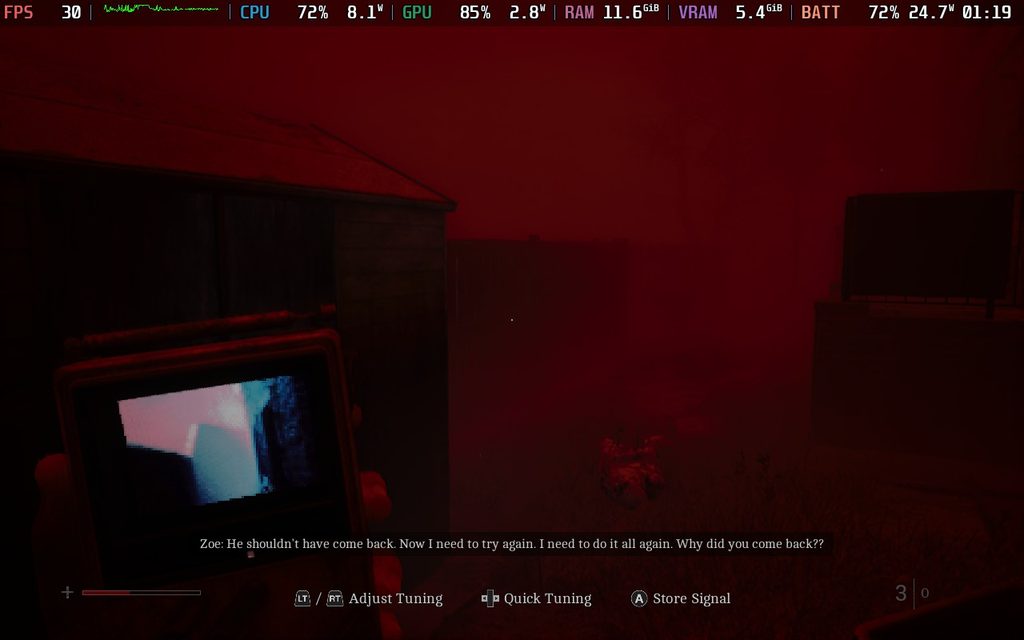
A few elements are also told through the CRTV we carry with us. We may get messages from time to time on that small screen, and we need to tune the frequency to listen in. They provide more clues as to what happened in the story, while also being told in a way that induces more horror vibes. Whether it’s the breathy voice, static sound effects, or the way the video is being shown, it all blends together to make me feel creeped out.
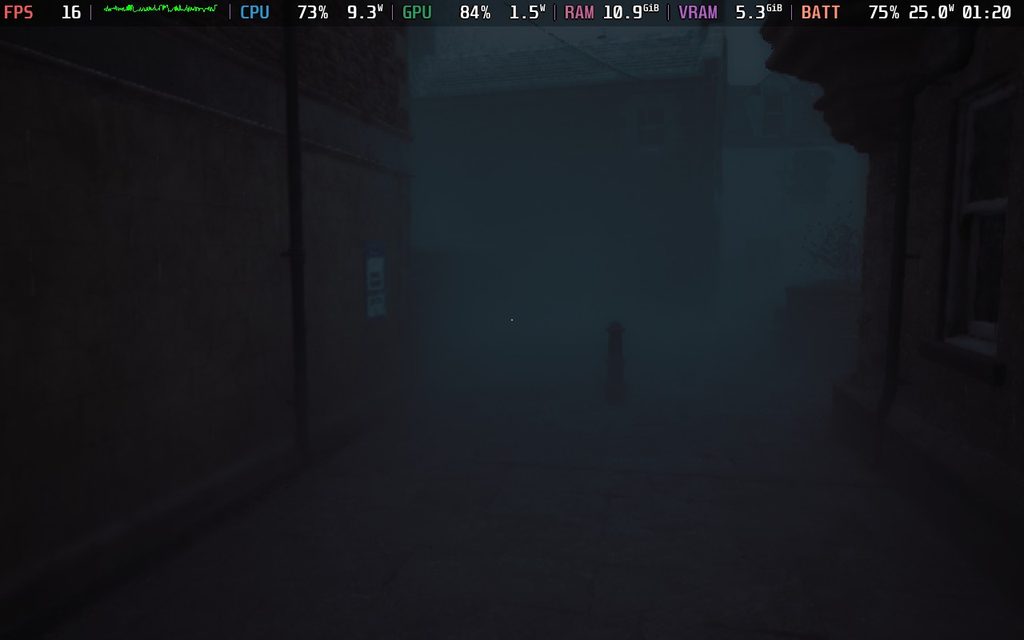
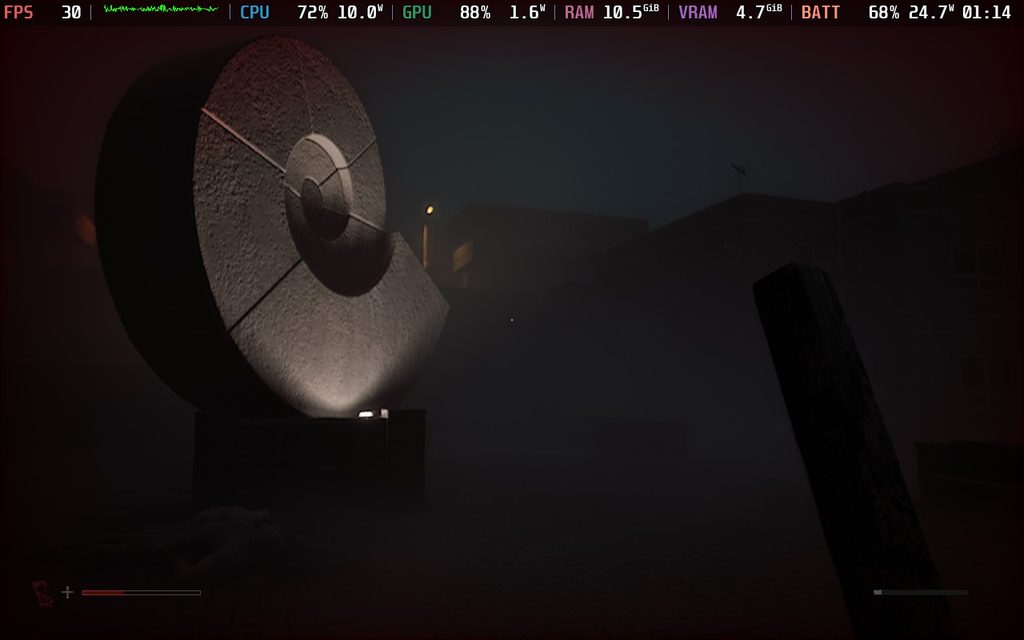
It also weaves well into what is the best part of Townfall: its atmosphere. St. Amelia has been transformed into a creepy, fog-ridden shell of its former self, and just walking around it was enough to put me on my toes. The lighting (or lack thereof) felt almost perfect at times, while the fog provided a necessary backdrop to keep me wondering if there were any monsters hiding and waiting for me to turn the corner. The abandoned town, stores stripped of their supplies, and remnants of protests all started to paint a picture of a place that nobody should be in anymore, and as the story develops, it all starts to click.
The atmosphere stunned me, but it was the sound design that came out on top. Hearing the monsters howl in the distance under the guise of the fog, or the footsteps of creatures looking for me as I was hiding near them, was nerve-racking in all the right ways, while the creakiness of doors opening, turning valves, and slamming doors open to hide all worked together to create this air of creepy uncertainty for what could happen next.
It didn’t really hit me how great the sound design was until one specific part later in the game, as we have to deal with these crawling enemies that move extremely fast towards you. You can hear the sound of them slapping their hands against the concrete, which would always freak me out as I had to get my weapon ready and find where it’s coming from immediately. I would get constantly scared, but it was moments like that which made me appreciate just how great the design is.
The majority of the game will consist of walking around the town of St. Amelia, solving puzzles to figure out what’s actually going on, and sneaking around or fighting monsters when necessary. The puzzles are intricate and interesting, and feel so satisfying to complete. There wasn’t one that I felt was too difficult, and a majority of them required critical thinking to complete. There’s a setting to make puzzles easier by highlighting the items you may need for it, but even without it, I found it relatively obvious what items were needed for which puzzle.
There’s going to be a lot of them to complete, but that’s part of why I enjoy Silent Hill. I always found puzzles to be the main attraction in its gameplay loop over action, and I love that aspect here.
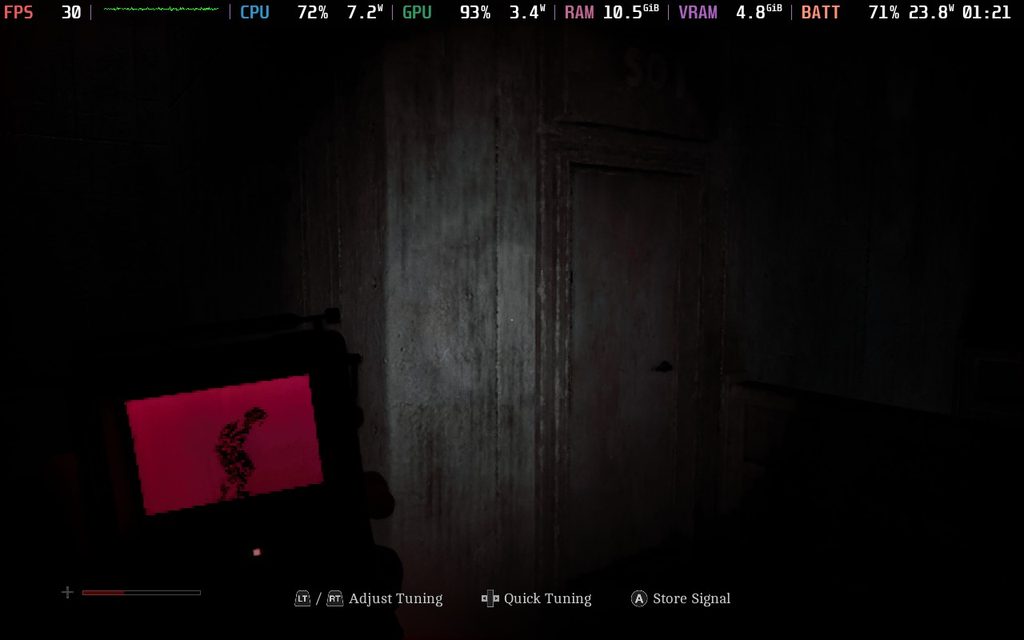
However, I have to admit that fending off monsters or getting around them fits in wonderfully. Finding ammo and weapons to defend yourself in Townfall is rare, so it’s recommended to find ways to sneak past or distract the monsters skulking around the town. Not only can we find bottles and such to throw and distract them, but we also have a CRTV that essentially locks onto the frequencies of each monster, and we can see them through walls. This gives us a major edge in finding them, but we do have drawbacks, like only being able to see one at a time, and it’s on a relatively small screen with static. It perfectly adds to the horror element with its static noises, red filter, and the stress of only being able to see one monster at a time. Some of them can turn around at any moment as well, so even though we can see them, it’s not always going to help us get past them without a scratch.
For the ones we can’t get past, we can fight. We have melee weapons that have durability, and guns that have limited ammo. Both of which can be used effectively to defend ourselves, but melee weapons are preferred since they don’t make as much noise and have less of a chance of attracting other monsters. Towards the end of the game, we do have to rely more on fighting than sneaking, but I didn’t feel like it took away from the overall experience.
What I did dislike is how some enemies know exactly where we are at all times, unnaturally. There are a couple of spots where we have to hide from certain monsters, and for whatever reason, these monsters always know exactly where I am and will patrol the area that I’m in even if I don’t make a noise. It felt a little unfair when all I would do was crouch, walk upstairs, and go into a room, and somehow the monster knows. I just entered that room, and it comes to investigate. From there, it will only patrol that area until I find a way to leave and go to a different area for it to follow me, even if I didn’t make any extra noise. There are only a few enemies that actually do this, so it’s not a common problem, but I did get annoyed from time to time when just trying to get to the exit.
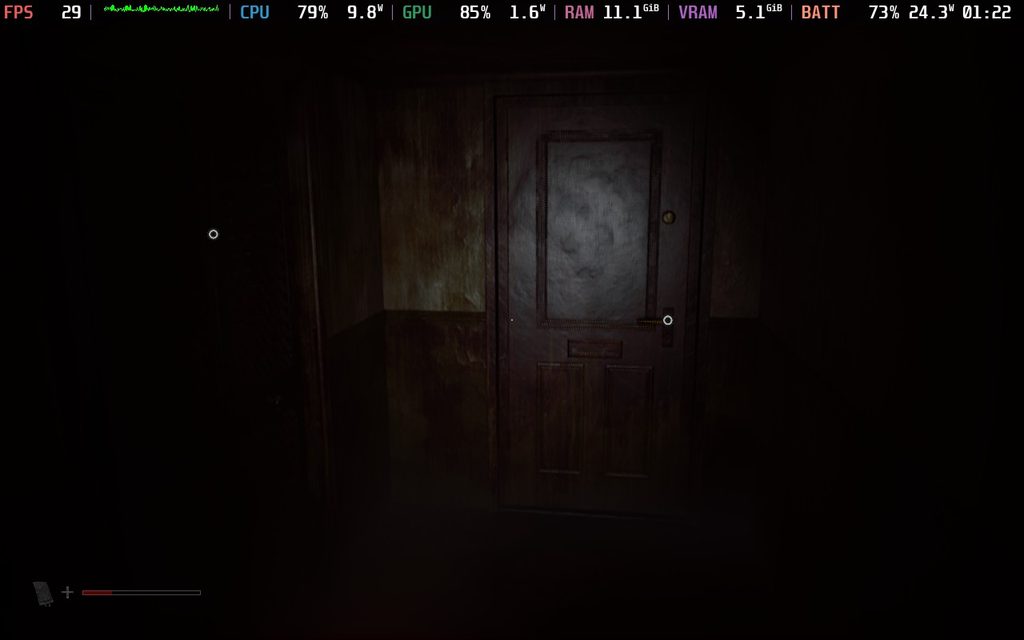
With Silent Hill: Townfall, I was hoping that it would perform decently and be fully playable on the Steam Deck. After playing and testing the settings, I would consider it borderline playable, with a major caveat that could be annoying for a lot of people who want stable performance.
For the most part, if you’re taking your time and walking around, the game will stick to 30 FPS at the low settings with TSR or FSR upscaling at Performance or Ultra Performance. It’s a pretty demanding game, and you’ll have high battery drain no matter what, but playing this way is doable, and I can only see possibly one or two areas that will drop no matter what.
TSR and FSR upscaling both felt very similar in terms of performance, but I prefer the visuals with TSR upscaling. The glistening from FSR is easily noticeable and distracting, and that glistening is pretty much eliminated when using TSR. With similar performance, I see no reason not to go with TSR upscaling in this case.
The major caveat is that trying to run through the town, or in some more complicated areas, will induce frame rate drops. It can be pretty consistent, dropping down into the 10 FPS range at times. It’s a lot of stuttering, and if we’re running away from enemies, it can feel jarring. I could see this being a CPU bottleneck or shader compilation issue, and if it’s the latter, it could be fixed with Steam’s shared shader cache a few days after it releases. However, I’m not 100% sure, so I’d err on the cautious side when getting this game to play on the Steam Deck.
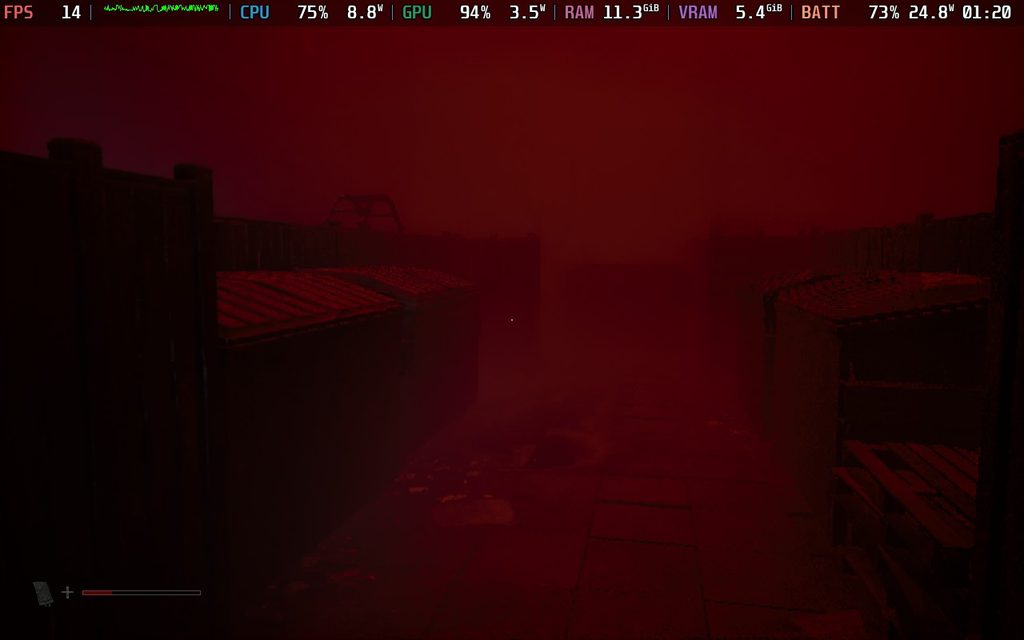
This is another one of those games that I would give 2.5 stars if we did half-stars for our Steam Deck performance score. However, I will round up to 3 stars because it is technically playable. However, expect drops that could cause stuttering often.
I also did try the game with lossless scaling and MAKO frame generation, but the result isn't great. It does feel smoother when it works, and I didn't feel much input lag, but the base framerate being erratic creates more stuttering that is worse. It
Silent Hill: Townfall is exactly the kind of horror game that I love. It focuses on atmospheric horror, creepy puzzles, and incredible sound design to keep me on my toes. The combat and sneaking around were better than I expected, and the trusty CRTV gave a nice edge while adding to the creepiness. There are some minor issues with how Simon reacts to the events of the game, and some enemies feel a little bit too obnoxious, but at the end of the day, this is one of the best horror games I’ve ever played.
It's borderline playable on the Steam Deck, and can hold 30 FPS more often than not when taking things slow and in smaller areas. However, even on the lowest settings, there are drops when running around the town or turning around in some areas. It's not the best experience, but I would consider it playable.
このレビューはPC版に基づいています。
このレビューをお楽しみいただけたなら、SteamDeckHQ の他のコンテンツもぜひご覧ください!あなたのゲーム体験に役立つゲームレビューやニュースを幅広く取り揃えています。ニュース、ヒントやチュートリアル、ゲーム設定やレビューをお探しの方も、最新のトレンドを知りたい方も、ぜひご利用ください。
The game was provided by Koei Tecmo for review. Thank you!
Despite being a big baby, I always tend to find myself playing and enjoying horror games. My favorites are generally ones that lean into psychological horror over jump scares, like Visage and Layers of Fear. However, Fatal Frame 2: Crimson Butterfly Remake has flipped the script. With a balance of atmosphere and jump scares, I found myself enchanted and horrified, as well as frustrated, but I still enjoyed my time with it.
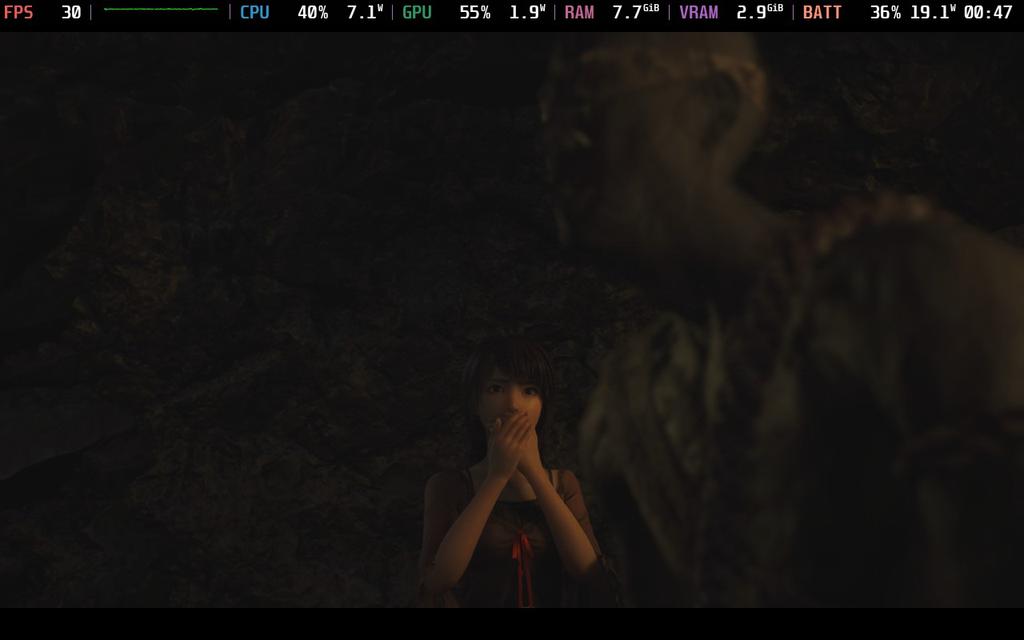
Fatal Frame 2 Remake is…well, a remake of Fatal Frame 2. The game originally released on the PS2 in 2003, and was later remade for the Wii in 2012, making this the second remake of the game. However, the visuals have been massively overhauled, we have a more refined third-person viewpoint, new side stories have been added, some new mechanics, a new ending, and more. There's enough here that even veterans of the original game should find a worthwhile reason to come back.
If there’s one thing Fatal Frame 2 Remake nails right off the bat, it’s atmosphere. The gorgeous new visuals mix extremely well with the ambient atmosphere and sounds to make this creepy, ghost-ridden town actually feel haunted. I generally don’t like jump scare horror, generally preferring psychological horror that doesn’t get in your face, but this game uses it in such a unique way that I couldn’t help but enjoy it. Of course, the environment is creepy in its own right, so it’s kind of a combination of both that work in tandem to complete the experience.
This extends to the story as well. You play as Mio, who is almost constantly searching for her twin, Mayu, in Minakami Village, where they stumbled upon. Ultimately, the two of them get caught up in a weird story, filled with wraiths trying to get them, and a ritual that the two of them are slowly being coerced into completing. Armed with the Camera Obscura, a special camera that can capture (an attack) ghosts, Mio will have to find a way out and save her sister. The story hooked me in way more than I expected in the beginning, and it held my attention all the way through thanks to the interesting premise and side stories that gave me some extra insight into other people who have been caught up in this village nightmare.

On top of that, I was interested enough to keep playing and discover the multiple endings in the game. There aren't many games that can convince me to come back and play again, but Fatal Frame 2 did, and it earned my respect.
Now, as much as I enjoyed playing the game, I could not fully enjoy the gameplay. There are some fun moments, especially once you fully get used to using the Camera Obscura, but I regularly found it frustrating. When I used the right film and captured ghosts with all the focal points for maximum damage, it felt great. But, I also regularly missed, or ghosts moved as soon as I snapped a picture, or some would just disappear and reappear inside a wall I was standing next to, and quickly come out and attack me. This got way worse when trying to attack multiple ghosts coming at me at the same time. It was already difficult to manage one, especially without Type-90 film, so adding another was an extra special burden.
Still, when it works, it’s a really cool idea that has its upsides. The camera acts like a gun, allowing us to attack ghosts using different kinds of film we find throughout the world. By lining up our shot, taking into account zoom and focus, we can hit more focal points and maximize our damage. All the film we find has different power and reload speeds, and while you may think high power would be the best, using low power and fast reload speeds (Type-14) regularly became my go-to. We can stun ghosts as they are attacking to stagger them and possibly deal significant damage, so faster reloading meant more chance to stagger.

We will also have to manage both our health and willpower. The willpower acts similarly to the armor in DOOM, where if you have it, ghosts won’t take your health down as much until it’s gone. However, you can also use willpower to use special shots with different effects, which don’t take up any film. It’s very handy when you have to use film that takes forever to reload.
Then, we have different filters, which have their own uses in and out of combat. They all have their own effect on power and reload speeds, and can interact with the world, showing us paths that people have walked in the past or even exposing hidden areas or objects in the village. Picking and choosing the right filter and film for each situation will help immensely, and it’s easy to switch between them to make it happen. I did accidentally switch film a couple of times, which restarts the reload process and leads to my death more than once, so that wasn’t great.
Regardless, there was this uniqueness to the system that compelled me enough to keep coming back. Is the combat frustrating? Absolutely. Has it led to my death more than once, where I felt it was on the unfair side? For sure. But I still wanted to keep coming back and try to get better. Not only that, the camera just adds to the horror.

It was frustrating, obnoxious, and downright rage-inducing in combat, but the Camera Obscura adds so much to the experience that I find it hard not to call it compelling. The horror level felt higher when I was in combat because of the limited view, and I love how it can be used to interact with the world. It’s a very clear love-hate relationship, but no matter how tough it could make my life, it still won me over.
Throughout the village, there will be items to find. These can range from usable items to replenish health or Prayer Beads to upgrade our camera and filters. There’s even a point system that awards you points based on how good your pictures are, and you can redeem them for items or charms that can be equipped for passive bonuses. And if you can find twin dolls throughout the village, the variety of items you can purchase will increase. It would have been nice to find more Prayer Beads earlier on, but the upgrades were worthwhile (for the most part). And using the point system to stock up on items was very helpful.

Fatal Frame 2 Remake may be based on a PS2 game, but the enhancements have made it a little bit tough to run on the Steam Deck. The game defaults to standard settings with FSR2 upscaling, but we still won’t be able to get a solid 30 FPS throughout. Almost every cutscene has frame rate drops, sometimes going down to the 15 range. Regular gameplay will largely stick to 30, but there were some drops when running around Minakami Village.
However, we can turn down the settings to help with performance during the gameplay sections. By switching the preset to “Best Performance”, we can get a near-solid 30 FPS when running around the village. There are some sacrifices in visual quality, including some lighting and shadows, and there will be some noticeable pop-in from buildings and foliage, but it will run better. I wouldn’t say it hurts the experience too much, but it is a noticeable change that affects the world and makes it slightly less scary.
However, there will still be drops here and there. Even with the TDP limit gone, there will still be moments where framerate can fluctuate more than I would like. I would consider the game playable, but there are definitely considerations that need to be made in terms of visual quality and stability.
Fatal Frame 2: Crimson Butterfly Remake does so many things right, and even the mechanics that give me nightmares turned out to be high points in my experience. The atmosphere and setting are creepy, and the great use of jump scares, camera angles, and an engaging story heightened the horror I felt deep within. The use of the Camera Obscura to interact with the world is great, and it ups the horror factor more than I expected, but the combat can be extremely frustrating to the point that I had to take breaks. Still, I always felt compelled to come back, and I am glad I did.
I was a little disappointed with the performance on the Steam Deck, and the compromises to visuals necessary for a stable framerate did take away some of the creepiness. Still, with these changes, I would consider it playable and enjoyable, just not to the extent that the game can offer.
このレビューはPC版に基づいています。
このレビューをお楽しみいただけたなら、SteamDeckHQ の他のコンテンツもぜひご覧ください!あなたのゲーム体験に役立つゲームレビューやニュースを幅広く取り揃えています。ニュース、ヒントやチュートリアル、ゲーム設定やレビューをお探しの方も、最新のトレンドを知りたい方も、ぜひご利用ください。
Resident Evil Requiem was provided by Capcom for review. Thank you!
Since I can remember, Resident Evil has been a consistent series I have always come back to. Even with more controversial titles, like Resident Evil 6, I have been a long-time fan. Then, we have the soft reboot with Resident Evil 7, which brought the series back to its horror roots in a new way, and Resident Evil 8, which took more inspiration from Resident Evil 4 and included more action. Now, the next mainline entry in the series, Resident Evil Requiem, is here, seeking to combine the elements of the previous two games into a dual-protagonist story that will be a joy to fans of the series.

Requiem gets us started quickly. We start off with Grace, who goes to investigate the hotel where her mother, Alyssa Ashcroft (from Resident Evil Outbreak), was killed. This gets her abducted and brought to a facility that has been overrun by infected. At the same time, series veteran Leon S. Kennedy is investigating deaths related to the survivors of the Raccoon City incident in 1998 and will ultimately cross paths with Grace at this very facility. As their stories intertwine, they will learn about how they are connected, what Dr. Victor Gideon is after, and the secrets behind Elpis.
Throughout the game, we will be swapping between the two, completing the compelling story from different viewpoints. The narrative itself was a treat, and for fans of the series, the multitude of surprises with the return of Raccoon City is going to be extremely fulfilling. I was jumping out of my seat as we made it back to Raccoon City, letting waves of nostalgia rush over me. This was a feeling I felt more often than I expected in Requiem, and it will be apparent why for those familiar with the series.
I enjoyed the swapping between Grace and Leon in the second half of the game, but the first half felt forced. There were multiple moments where we played as Grace for 1 hour, then switched to Leon for 5 minutes, and then back to Grace for another hour. I wouldn’t say it harmed the story or pacing, but it would have been more fluid if maybe we just played as Grace and skipped the couple of minute sections with Leon.

Grace and Leon also have wildly different mechanics between them, giving us two styles of gameplay that wouldn’t normally mix. Grace takes on the RE7 mechanics, focusing more on sneaking around, avoiding enemies, and completing puzzles in first-person. She is not built for killing, and getting cornered by just one zombie can be the death of us. It all makes sense given that she is a younger FBI agent who hasn’t had to face the horrors from previous outbreaks.
Luckily, we do have a couple of extra tools at our disposal to help. We do have a gun in case of emergency, and it’s really the only gun she will be using, but it will alert the infected to the sound it makes. So, to get around that, we can find broken bottles to throw and create diversions, along with Hemolytic Injectors that we can use to stealth-kill infected. The maps in Requiem are more open or have more pathways, which gives us ample opportunity to get by without killing, if we play our cards right.
Crafting also makes a return in a new, weirder way. We utilize this new type of technology where we can collect blood and combine it with scrap to create items like handgun ammo and injectors. It’s an odd system, but finding enough blood on the ground to absorb and craft with was almost never an issue.

Apart from that, we don’t have many ways we can upgrade Grace or her gun. We can find some Antique Coins to unlock some upgrades, like a Hip Pouch and stabilizer to increase our firepower slightly, but that’s about it. I like this minimal approach to Grace’s progression, and it makes a lot of sense in the context of who she is and what she’s capable of.
As for Leon, he is essentially the polar opposite. He’s a seasoned fighter with a gameplay style that matches his mechanics in RE4. He goes around killing infected left and right, using a wealth of guns, like his pistol, shotgun, or rifle, and his trusty new hatchet, in third-person. We will be disposing of zombies left and right in brutal fashion with plenty of ammo to go around. The action will be consistent and utilize his expertise in hand-to-hand combat and shooting that he has gathered from years and years of fighting against bioterrorism.
Some of his previous mechanics return, like melee attacks that can knock back or kill zombies, but we have some new moves in the arsenal that are greatly appreciated. Most of these revolve around his new hatchet, which can be used to decapitate some zombies that need it and parry attacks. It does have durability and will need to be sharpened from time to time, but it’s extremely useful against the more mutated zombies that start to pose a bigger threat (and lead to some awesome action scenes). We can also interact with larger weapons around the environment, like throwing makeshift spears, swinging large axes, and picking up chainsaws to attack whatever zombies are around us. And it’s all integrated nicely into the flow of combat, which is a treat.

With that in mind, zombies also tend to be a little smarter than usual in Requiem. Those makeshift weapons that I just mentioned? Well, zombies can pick up, use, and throw them as well. Some of them can come out of the ground, while others can play dead and grab us as we walk by them. They are still zombies and exhibit the usual characteristics zombies have, but I did find them marginally more challenging than in previous games. These zombies may also exhibit characteristics from when they were alive and be affected by light and sound, which will mostly affect Grace as she is stealthily moving around them, but it also affects Leon.
Requiem aims to balance both of these staple Resident Evil gameplay styles through Grace and Leon, and it does well. In a way, it feels like a swan song, showing the greatest hits of the different eras of the series. Grace’s emphasis on stealth and great level design to allow us to make combat optional drives up the horror element as we try to get through with limited resources. Leon goes all in on combat, reliving his glorious Resident Evil 4 days, with action-packed sequences, intense camera angles of zombies being smashed, and blood flying everywhere.
I also appreciate that it offers options to modify the playthrough how we want to, with a big nod to allowing us to change camera angles for Grace and Leon. We can choose whether we want first or third person, which is another nice nod to the newer and older styles of gameplay through Resident Evil past. I can't say I recommend changing them, the default angles fit perfectly for their respective gameplay, but I do appreciate the option.
Unfortunately, we were not able to get a PC review code of Requiem before launch, so we will have our full recommendations for settings a day or two after release. However, you can check out some early impressions from our guest contributor on how it is running in the early areas of the game.
Resident Evil Requiem finds a way to bring the newer and older gameplay styles that have defined the franchise into an exceptionally enjoyable experience that is perfect for fans of the series. The meshing of Grace's slower, stealthier gameplay with Leon's action-packed killing works wonderfully, giving us the best of both worlds. Combined with an exciting story with some fantastic twists and turns and a gorgeous setting with recognizable locations, Requiem stands above its minor issues to become one of my favorite survival horror experiences I’ve played.
Our review is based on the PS5 version of this game.
このレビューをお楽しみいただけたなら、SteamDeckHQ の他のコンテンツもぜひご覧ください!あなたのゲーム体験に役立つゲームレビューやニュースを幅広く取り揃えています。ニュース、ヒントやチュートリアル、ゲーム設定やレビューをお探しの方も、最新のトレンドを知りたい方も、ぜひご利用ください。
REANIMAL was provided by THQ Nordic for review. Thank you!
I remember way back in the day when I first played Little Nightmares. I was captivated by the gorgeous, surreal world with larger-than-life proportions, portraying some of our deepest fears in glorious, creepy ways. While the developers were replaced for Little Nightmares 3, the original developers, Tarsier Studios, went ahead with their own vision for the evolution of their horror series they created. Now, their game, REANIMAL, is here, and it shows that Tarsier hasn't lost their step one bit, and they ultimately created one of my favorite atmospheric experiences I have played this year.
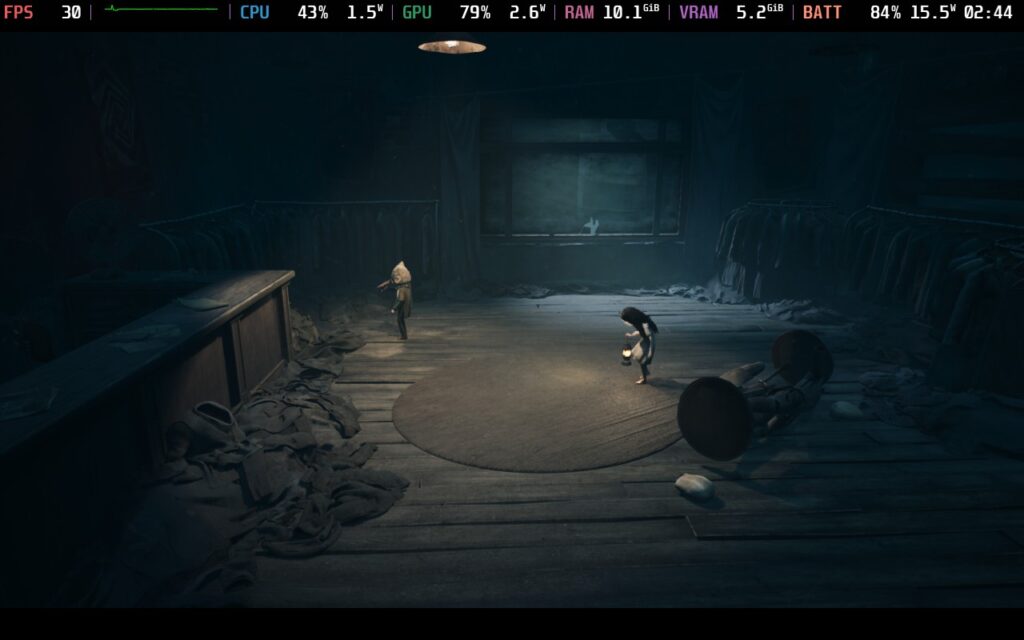
REANIMAL's setting goes in a very different direction than what they have done before. With Little Nightmares, we were running around in a surreal world where everything was much larger than normal, and everything felt off. With this game, we get a more life-like world where the proportions of the environment are more in line with realistic standards, relying more on the deteriorating world and horrifying monsters that lurk around.
I love this change, and I can say with certainty that this is where REANIMAL shines brightest. The haunting world and atmosphere, coupled with the design of the characters and mutilated humanoids that try to capture you, elevate the experience wonderfully. The world, filled with crumbling cities, sprawling forests, and neon-lit cinemas, is one we have to navigate slowly, which lets the carefully crafted surroundings shine.
There were certain camera angles that just felt near-perfect, giving this haunting cinematic vibe. The way the camera perfectly pans backwards as we are moving our mine cart into the mine, getting the trees around slightly illuminated with the deep dark cave engulfing us, gave me chills. Add in the dim lighting that comes from our characters, and it becomes a spectacle on the eyes that is hard to look away from, no matter how much I want to.
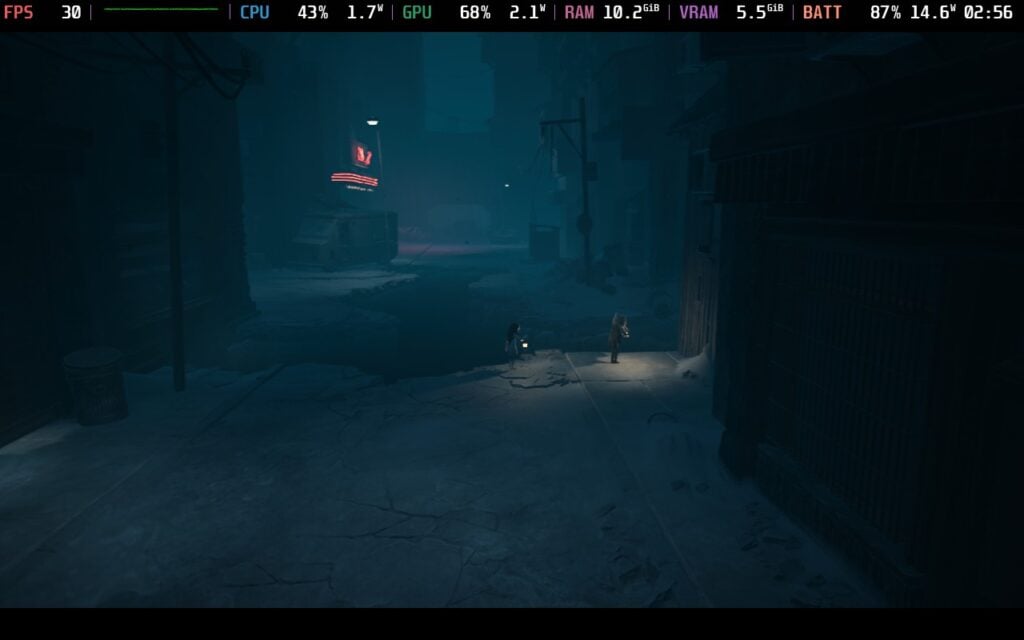
The story, while short, gives off a similarly haunting vibe, though it didn't captivate me as much as I had hoped it would. We play as siblings who go back to their hell to rescue their friends who previously weren't able to escape with them. We will have to rely on each other to survive the horrors of the island, save our friends, and hopefully survive to make it off the island once again.
While the ending wasn't what I expected, and didn't give me the resolution I hoped for, the journey to get there was interesting. I wouldn't say the story is one to write home about, but it upped the creepiness factor as I made my way throughout the island to discover what was actually going on. It was equally unnerving, with the feeling of malice seeping through every inch of whatever we had to do.
The gameplay is very similar to Little Nightmares as well, which helps drive home how much of a spiritual successor this is. We will run around locations, trying to keep moving forward by completing puzzles and avoiding monsters. There will be a lot of interaction with the world, whether it be tools like crowbars to open doors or picking up objects to throw and break windows, or crouching behind objects or under tables to avoid lurkers trying to capture us.
However, the world is more open, with a larger emphasis on decent-sized 3D planes instead of smaller 2.5D-like sections, which feels unlike Little Nightmares. This lends itself nicely to some of the chasing sequences, or leading to one of my favorite moments early game, when we are driving a car and have to escape from the slithering man. It also helps the world feel more cohesive. In Little Nightmares, each area felt like going from one stage after another, but for the most part, I feel like I am going from one connected area to another in REANIMAL.
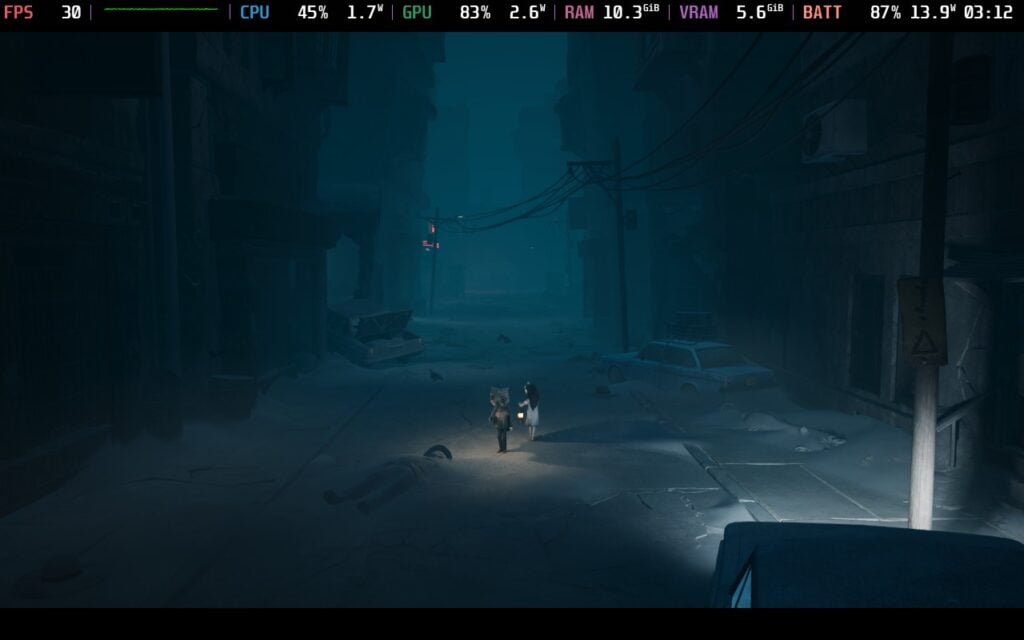
I expected the game to feel a lot like Tarsier's previous games, and while I still did enjoy it, I couldn't help but find myself wanting something more. In most cases, it feels like Tarsier played it very safe to what they know, and I wish they had gone a little further. It's not that REANIMAL is bad, and it is a great horror game, but I wanted to see something that stands out more.
When it comes to REANIMAL on the Steam Deck, it is playable, but it's a little difficult to find the best settings. It reacts oddly when changing them, especially when it comes to turning on and off Nanite. I had encountered issues where I had turned it on, then turned it off by changing the overall quality setting. I had to set Nanite to "On" to actually turn it off. However, I would say it's still doable, and we can improve it without many sacrifices.
The other oddity I found is when limiting the framerate. Without any limiter, some scenes will run at 35 FPS max with 23W battery drain at our recommended settings, but with a 30 FPS limit, it will bring the drain down to 12W. Such a drastic change in battery life for the framerate difference is odd to me, so it must be putting a cap on another issue to make the battery drain go down so much. Still, for a game like this, I think a 30 FPS cap is more than okay.
No matter what the settings are, though, there will be some drops when loading in new models or scenes. These can happen quite frequently, and there will be some stutters and slowdowns for about 2-3 seconds each time. It's not the end of the world, but it does happen frequently enough to be mentioned.
REANIMAL is a beautiful game, and horror games like this tend to be best when they look as good as they can. So, with my recommended settings, I wanted to push visuals as much as I could while balancing battery life.
Through my testing, I found that Post Processing is the biggest resource sucker. It does make sense why, there are some big changes in visual quality in some scenes that make them look darker and more atmospheric, but it can cause a lot of drops. However, by turning it down to Low, we can basically put every other setting on Medium or High, we can even turn Nanite on, and it won't drain as much. It's pretty crazy to see such a change all come from Post Processing, but for a stable framerate, we will need to keep it on Low.
Even when setting Post Processing to Medium and everything else to Low, it will suck the Deck's resources more than any other setting, so I would say keeping it to Low is going to be best for the Deck. But with the 30 FPS cap, we can get around 3.5-4 hours of gameplay at a stable framerate, which is great.


There are also some settings we can change, including language, subtitles, vibration, and audio settings. However, that's about it, as there isn't any dedicated accessibility tab.
このゲームは16:10の解像度をサポートしていないが、クラウドセーブとコントローラーをサポートしている。HDR設定はない。
REANIMAL is a fantastic horror game from the Little Nightmare veterans. The atmosphere and world are wonderfully crafted with a disturbing story and creepy characters. The gameplay differences help it stand out, though it still feels a little too close to home in some cases, but that doesn't detract from how great an experience the game is as a whole. This is a horror game worth adding to your library, especially if you are a fan of Little Nightmares.
And while it's weird on the Steam Deck, it's still very playable and enjoyable. We do have to sacrifice the Post Processing, which adds to the game's atmosphere, but it isn't the end of the world. We can put almost everything else on "High", get a stable 30 FPS, and survive the horrors with a good-looking experience on the go.
このレビューはPC版に基づいています。
このレビューをお楽しみいただけたなら、SteamDeckHQ の他のコンテンツもぜひご覧ください!あなたのゲーム体験に役立つゲームレビューやニュースを幅広く取り揃えています。ニュース、ヒントやチュートリアル、ゲーム設定やレビューをお探しの方も、最新のトレンドを知りたい方も、ぜひご利用ください。
SLEEP AWAKE was provided by Blumhouse Games for review. Thank you!
I love horror games, especially when they feel largely unique in a way I have never seen before. However, most horror games tend to follow similar patterns, and while there can be new stories, it's almost never fully new experiences that make me do a double-take. However, SLEEP AWAKE does. It has a premise that I have really never seen before, while also creating a world that I found intoxicating in its crazy weirdness. It ultimately creates an experience that I fell in love with, and I can't help but recommend playing through.
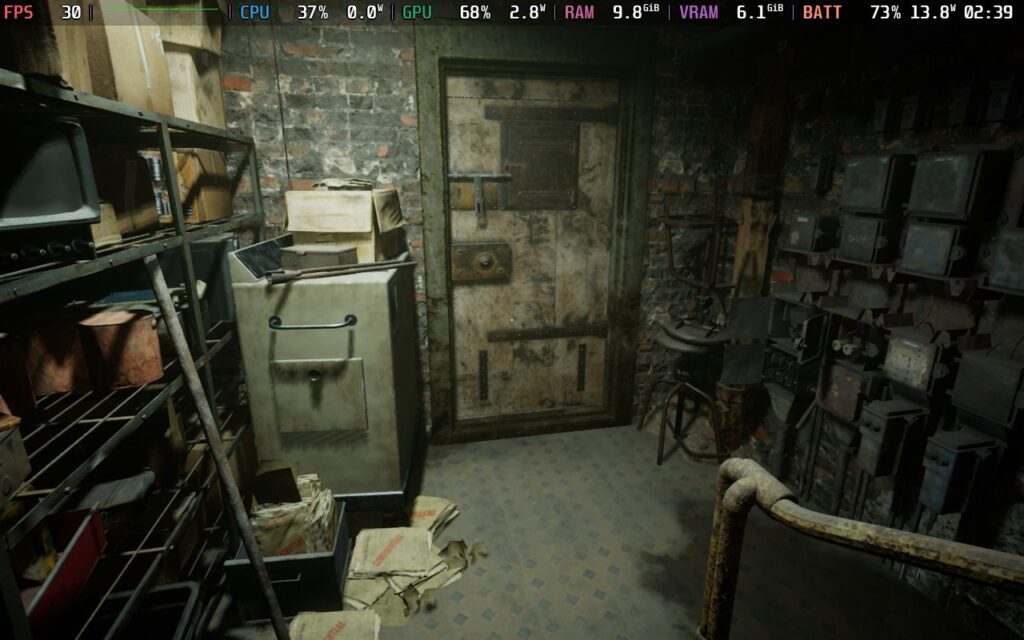
The biggest hook of SLEEP AWAKE has to be its story, which almost immediately hooked me. Basically, whenever people fall asleep, this evil force, the Hush, will make you disappear. So, it’s either find ways to stay awake, which includes taking drugs and hallucinating your way through life, or letting yourself be taken. This has led to the world deteriorating, cults popping up, and an overzealous police force senselessly killing people they deem threats.
I’ve never seen a premise like this one before, and I love it. I would say most people would deem sleep as a blessing, but in this world, sleep is essentially death. That’s what our protagonist, Katja, comes in. We have to survive, basically solving puzzles to keep herself awake, while also figuring out what she will have to do next to ensure her survival, even at the cost of her own sanity.
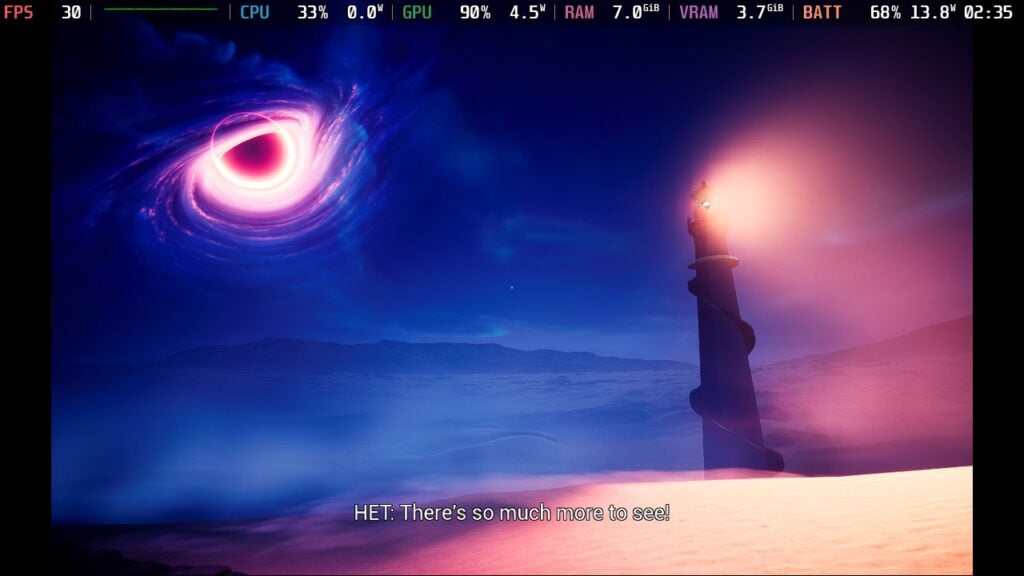
And boy, is that sanity tested. The game is marketed as a psychedelic experience, and I’d consider that a little bit of an understatement. With how we are hallucinating and going in and out of sleep and dreams, or just putting on our sketchy eye drops, the world will morph randomly. Hands can come out of walls, lights can change on a dime, we can be walking one minute and then floating through bedframes into these hexagons to put the shadows of people who have been taken by the Hush to rest, and much more. I wouldn’t necessarily consider it a traditional horror experience, but it is thrilling, creepy, and unnerving all the same.
I also want to commend the use of real footage instead of relying only on digital. Because the game teeters on the cusp of dreams and reality, the splicing of real-life footage drives home the surrealistic aspects of SLEEP AWAKE, which only improve the overall experience.
Despite some awkward dialogue delivery from some of the voice actors from time to time, SLEEP AWAKE's story felt unique and captured its own horror-filled essence. The reliance on psychedelic scenery and vibrant changes makes sense within the context of the game, and it's implemented well enough not to get old. The scenery just oozes charm and creepiness, from the broken-down apartment we live in to the vibrant world outside, stained with the deaths of those taken by the Hush. The world is haunting and creepy, and it does exactly what it needs to create this aura of uneasiness when walking around, and is complemented perfectly by the booming soundtrack that encompasses the game.

The gameplay itself strikes a good balance between puzzles and sneaking past people. Most of the game will be us walking around, taking in the sights, completing puzzles, and witnessing some crazy events transpiring in front of us. There will be some spots where we have to sneak by people, and while the mechanics are sound, none of it felt forced or stuck around longer than it should have. It all felt nicely balanced, with the environment being entertaining enough to gaze at and take my time walking through.
However, getting caught when sneaking was the worst. If you get caught, you will go to a loading screen and then have to very slowly walk through a corridor to make it back to the real world. It feels like it takes a full 30 seconds to just revive, which is way too long. It was probably the only gameplay moment that took me completely out of the game. Still, this was a minor issue, and the bulk of the game didn't make me feel this way.
I would say the gameplay does well for this type of game. Unless it's a survival-horror game, I expect more reliance on the world-building, creepiness, and story, which I feel SLEEP AWAKE did. There were only one or two puzzles that I felt were a little too difficult to figure out as easily as the others, but it's not impossible to complete. The gorgeous, creepy world is so much fun to walk around, and there always seems to be something new to see around the corner that is just as interesting.
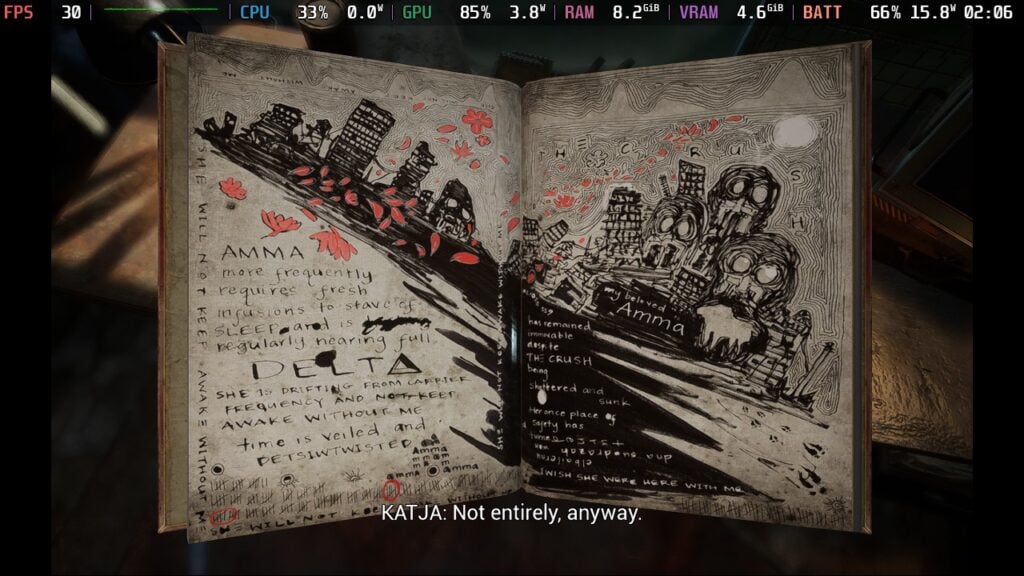
When all is said and done, SLEEP AWAKE is a surprisingly optimized game. Even at the lowest settings, the game looks and performs quite well on the Steam Deck, which I wouldn’t have expected. As a horror game, this is something I’d consider essential for portable play, and I’m glad they were able to do it. However, it isn’t perfect.
The game will stick above 30 FPS almost the entire time, and will usually hang around 40-50 at the default lowest settings, but there are still a few hiccups. Specifically, when loading into a new area, the framerate will drop to the 20s, and there are some areas that have too much going on and will drop to the 20s or even the 17-18 FPS range. There aren’t many places like this, but they exist and are enough to disrupt the flow.
Since nothing can be done, and the majority of areas aren’t this draining, I actually increased the graphical quality overall. I was able to get away with increasing the resolution scale to 75%, as well as bringing textures and anti-aliasing up. Ultimately, the game stuck above 30 FPS still, and those draining areas went down from 25 FPS to 21 FPS on average. Yes, it is more taxing, but the difference in visual quality is significant and improves the experience.
Because the game doesn’t have a consistent framerate at the default settings, I wouldn’t say it deserves the verified badge. But it is still playable and very enjoyable. If you can deal with these few areas, 85% of the game that does run well will be phenomenal.
We can change the language, subtitles, invert camera controls, hide the crosshair, change audio settings, and change camera sensitivity, but that's about it in the settings.
The game does support 16:10 resolutions, cloud saves, and controllers. There are HDR settings you can turn on, and it does recognize the Steam Deck OLED screen.
SLEEP AWAKE is by far one of my favorite horror games I have played this year. The story is creative and intriguing, hooking me until the end so I could see what would happen next. The gameplay has a nice balance that I would expect a horror game like this to have, even though a couple of the puzzles are a little hard to solve, and dying takes way too long to come back. Still, this is one of the more creative horror games I have played, and it is one of my favorites that I have played this year.
While it isn't completely solid throughout, the game is still very playable on the Steam Deck. It runs decently in most areas, though there are some unavoidable drops that could go below 20 FPS. Still, it doesn't happen often, and I still recommend playing it on the Steam Deck.
このレビューはPC版に基づいています。
このレビューをお楽しみいただけたなら、SteamDeckHQ の他のコンテンツもぜひご覧ください!あなたのゲーム体験に役立つゲームレビューやニュースを幅広く取り揃えています。ニュース、ヒントやチュートリアル、ゲーム設定やレビューをお探しの方も、最新のトレンドを知りたい方も、ぜひご利用ください。
A.I.L.A. was provided by Fireshine Games for review. Thank you!
In today's world, it isn't insane to have a fear of the possibility of what AI could become. It's scary seeing it seep into almost everything we do online now, and it can feel a bit crazy. Still, it's interesting to think about where it could head, and that makes some games with overly intelligent AI quite intriguing. A.I.L.A is one of these stories, taking on what a game-focused AI could do if given control of our ever-evolving world of tech and how it integrates into our daily lives. Despite a predictable story and combat I wish I could avoid, A.I.L.A succeeds in creating a horrific experience that kept me on my toes and shows off a variety of locations that kept me hooked until the end.
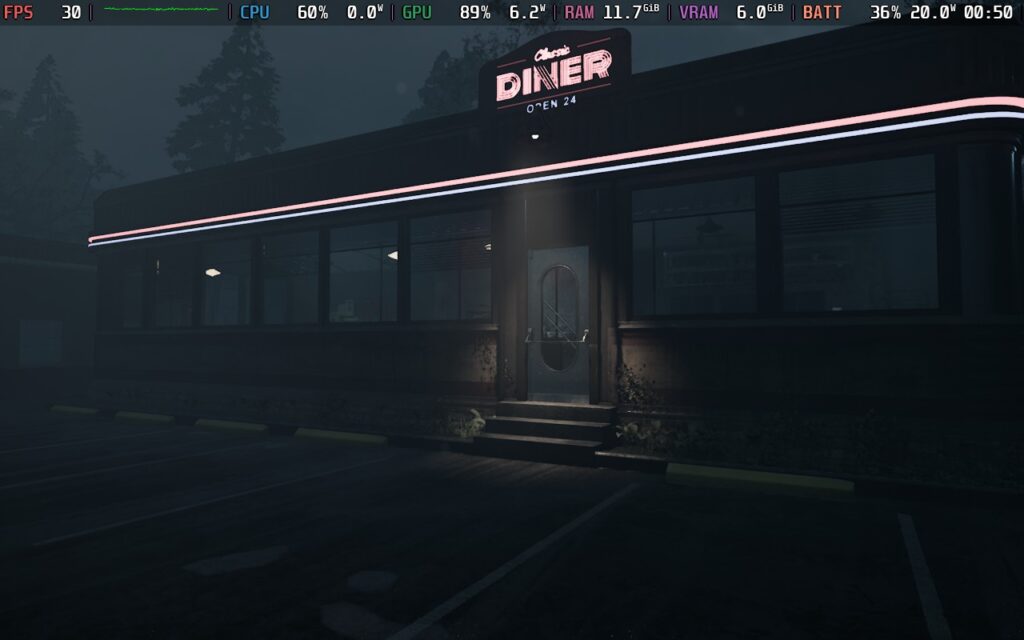
A.I.L.A’s story is a bit on the predictable side, but that didn’t stop it from being entertaining. We play as Samuel, a game tester who is testing out a brand new product called A.I.L.A. This unit packs an advanced AI that can create horror experiences based on the preferences of its user. However, almost immediately, the AI seems to be pushing its limits, and it drives us to new experiences and a loss of control that hits a little bit hard in this current age.
While the whole storyline and AI’s evolution is easy to guess, it’s still a lot of fun to play through. I enjoyed the back and forth, going through the unique levels A.I.L.A creates, which range from creepy apartment complexes to medieval landscapes. The pacing does feel a little off at times, with some levels taking up a lot of time to just get back to our apartment for a few minutes of story development, but I loved the variety that each level brought to the table. It felt like condensed, unique horror experiences all put into one game, which was interesting. And with meaningful choices involved that can lead to multiple different endings, there are reasons to dive back in and play multiple times.
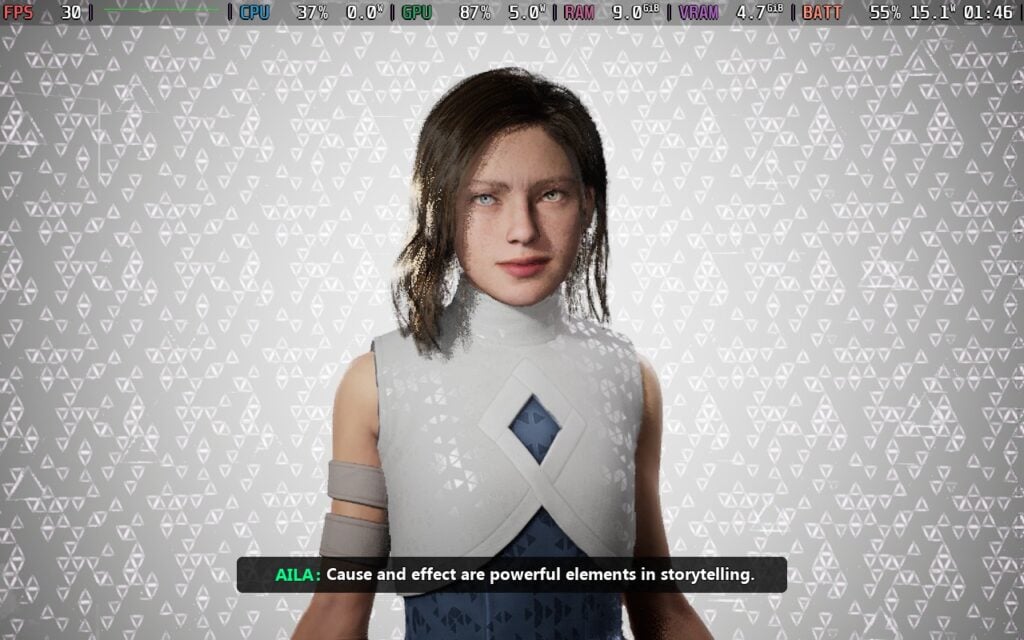
In today’s day and age, AI stories tend to hit a little harder than they used to. With the rise of AI and all the products being created with it, it’s a justifiable fear to think AI could become self-aware. It’s because of this possible eventuality that A.I.L.A’s story just hits different. It’s not necessarily a bad thing; it makes the story a little more impactful than it would be otherwise, which I would consider good.
For horror games, visuals are a very important aspect to creating a haunting experience, and A.I.L.A takes this to heart. The visuals are stunning and creepy, which made me want to take things slow and steady to get through each level. And because of the variety of each level, due to the way the game is structured, it always felt like there was something unique in each place.
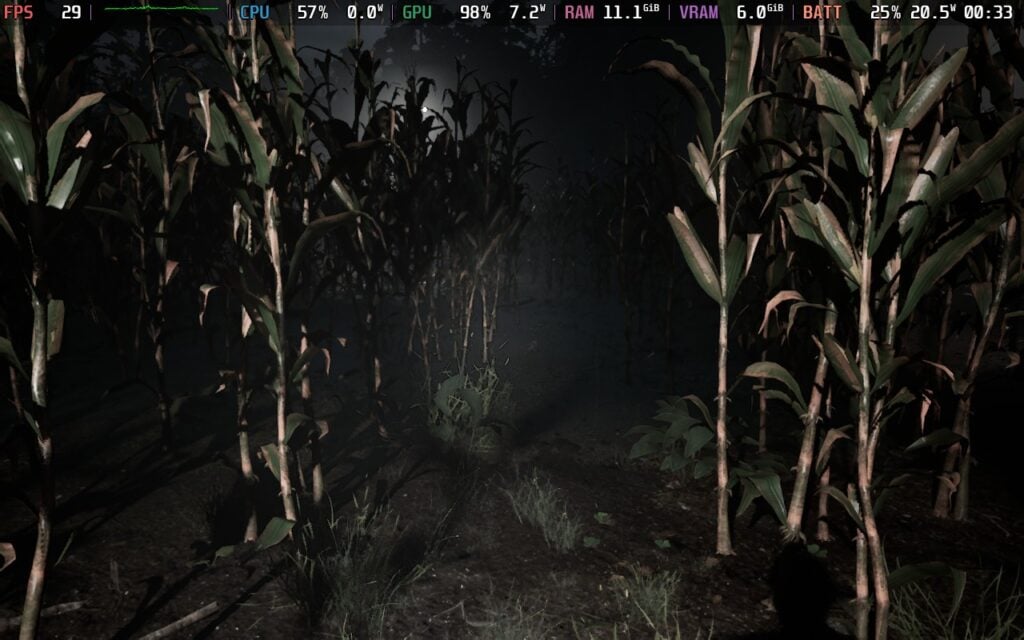
The gameplay is pretty straightforward for horror games, feeling reminiscent of the newer Resident Evil games that take place in first person. You walk around each level and solve puzzles to continue the story along, experiencing horrors as you go. I would say 95% of the puzzles are pretty straightforward, but do require some thought to complete, as well as utilizing objects we find scattered around to complete them. There are some directions on what to do next, like whether to find the right fingerprint to unlock a door or fix a car, but it’s up to you to figure it out.
There are some puzzles that I found a little too difficult, but the majority of them can be figured out with a little bit of thought. Still, it never got to a frustrating point, and ultimately, it was fun to figure out.
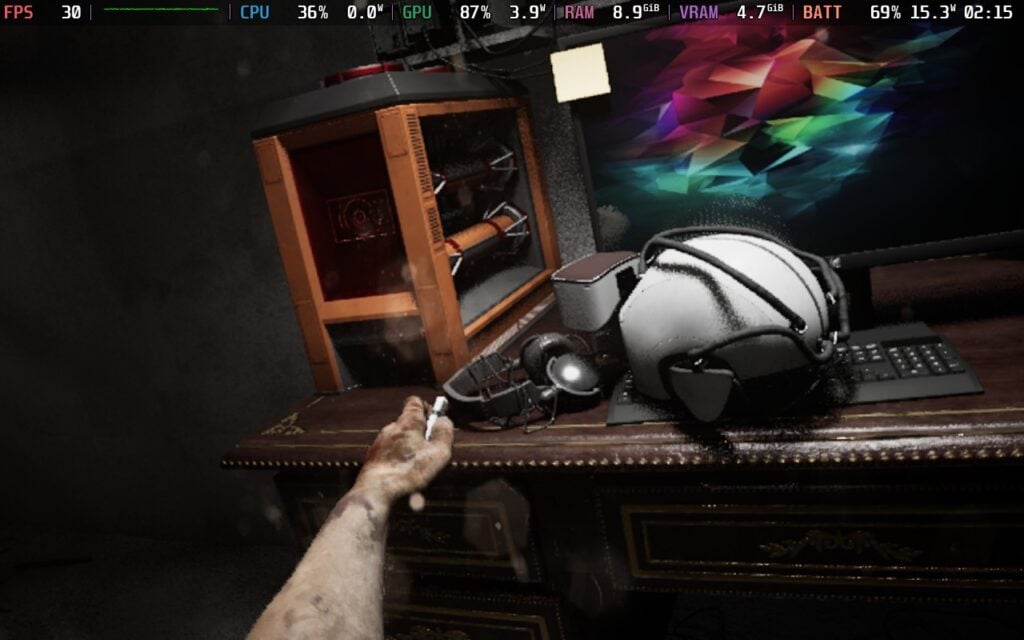
However, I wish combat weren’t as prominent as it is. There are some levels where fighting enemies becomes a necessity, and the mechanics just don’t feel great. There are both melee weapons and guns we can use, but it feels half-baked with enemies that feel like bullet sponges. There are some generous aspects, like respawning at full health if you die and the shotgun being decently powerful, but it’s still borderline aggravating. I wanted to avoid these sections completely without my more powerful weapons, but they didn’t frustrate me enough to ruin the overall experience. I didn’t like them, and it just felt clunky with some areas not having enough ammo, and melee combat feeling floaty, but it was something I could overlook.
A.I.L.A is a bit of an odd one on the Steam Deck. It did get Verified ahead of its launch, and I would say it technically deserves the badge due to its default settings going straight to the lowest, but this makes some of the levels look terrible. The lighting completely changes the game, and it makes the scene look either devoid of shadows or devoid of color. Some places look terrible, like our apartment and the first two levels we will play through.
However, there are also some levels that look better at low quality. The third level, where we are at a farm, performs significantly better on Low over Medium, but visually, it looks about the same or better. It's an odd conundrum that makes it hard to choose settings to recommend. On one hand, we can go with low visuals with a good chunk of the game looking bad, but performing well. But on the other hand, we can get solid visuals with some drops in other levels.
Personally, I actually preferred dealing with the drops. There are a couple of extra changes that I made to stabilize the framerate a little more, like turning FSR to Performance upscaling and View Distance to Low, but it still looks fantastic. For horror games like this, visuals can be a big part of the experience, and while there is some pixelation from upscaling, the lighting makes a huge difference. It does drain battery life a bit more as well, but this is a demanding game in general, and I found the trade-offs worth it.
The only big issue is that every time the game is booted up, the settings will default back to Low. It's a little annoying to have to change each time, so I can understand defaulting to just staying at Low, but the game looks significantly better in most areas at Medium, so it's hard not to change it each time.
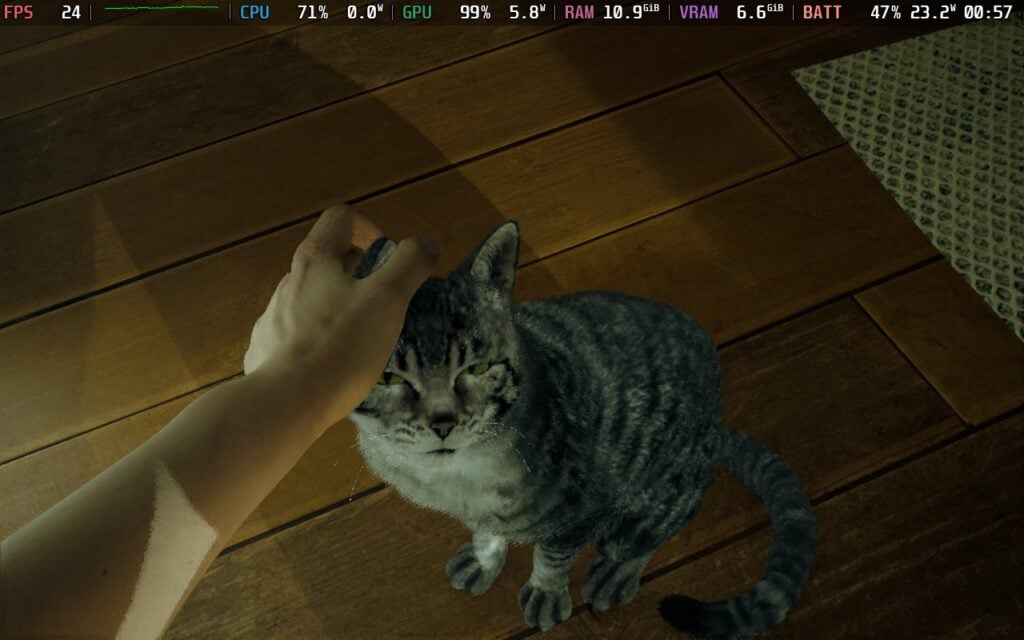
There is a dedicated Accessibility tab in the game, which includes options for subtitles, showing objectives, aim assistance (highly recommended if playing with a controller), Vignette Effect, camera shake, font contour, reticle and interaction icon size, and color blindness options for Protanopia, Deuteranopia, and Tritanopia.
We also have regular options for showing tutorials, auto reloading, camera blend, bloodscreen, showing the reticle at all, controller sensitivity, running mode, changing the controller scheme, switching between English and Portuguese voiceovers, and changing audio volume.
The game does support 16:10 resolutions, cloud saves, and controllers. There are no HDR settings.
A.I.L.A is a solid horror game that shines thanks to its gorgeous visuals and interesting story. Despite it being a bit predictable, I was entertained and enjoyed seeing everything play out, and the variety of locations made the experience overall feel very unique and kept me interested. Combat parts of gameplay weren't that enjoyable, but I had a great time figuring out the puzzles, and it strikes a nice balance with its difficulty. Still, it's an overall unique and enjoyable time that fans of horror will enjoy.
And even though it isn't the greatest experience out of the box, it's playable on the Steam Deck. It doesn't save the changed settings on a new boot, but the visuals look significantly better set to Medium over Low for the most part. Still, either way, it's playable and enjoyable on the go.
このレビューはPC版に基づいています。
このレビューをお楽しみいただけたなら、SteamDeckHQ の他のコンテンツもぜひご覧ください!あなたのゲーム体験に役立つゲームレビューやニュースを幅広く取り揃えています。ニュース、ヒントやチュートリアル、ゲーム設定やレビューをお探しの方も、最新のトレンドを知りたい方も、ぜひご利用ください。
Silent Hill f was provided by Konami for review. Thank you!
Konami is on a roll lately. While they have most notably released collections of some of their classic titles, like Castlevania, they recently released the Metal Gear Solid (MGS): Snake Eater remake, which I loved. It became one of the few games that actually captivated me enough to play through a second time, and that’s not something I normally do. A month after its release, Silent Hill f is here, and just like MGS, it completely hooked me to the point where I felt the need to go back and start a second playthrough. I didn’t expect it to rope me in like it did, but not only did it successfully do exactly that, it took almost all my worries and made them disappear.

In the game, we play as Hinako, a schoolgirl who is sucked into what feels like an alternative dimension. She will go to search for her friends and find a way out, while dealing with her own self-doubts and problems that she has to face from her destructive household and sense of self-worth.
The story is where Silent Hill f shines, and I don’t want to go too deep into it so I can avoid spoilers at all cost. However, expect an emotional rollercoaster with twists that got me in ways I didn’t expect. It felt like the story could go one way or the other based on clues littered throughout the documents we can pick up, but in the end, we just go a whole different direction than I initially expected, and it made so much sense.
One of the big reasons I decided to quickly start the second playthrough is the changes from New Game+ and the alternate endings we can get. After completing the game, there are four more endings to unlock that are all detailed, and as soon as I saw what we had to do to unlock them, I was immediately brought in. It feels like the entire game and outcome could completely change with what we’d need to do to get those endings, and boy is it a treat.
Expect the game to be very coded and loose with its storytelling. There isn’t much that is outright explained, especially on the first playthrough, so it’s going to be a lot of guessing. It’s not necessarily bad, and it helps knowing there are other endings and more to do after beating the game, but it did leave me wondering and very curious initially.

Visually, the game is just stunning. The monochrome town with the iconic Silent Hill fog, the vibrant red flowers that erupt, and the gorgeous lighting of the more classic Japanese world we will have to explore just blew my mind at times. The haunting soundtrack and solid voice acting helped bring it all together. However, their lip movements didn’t always sync with the English dub, but it didn’t detract from the experience.
I wasn’t really worried about the story or visuals going into the game, but the gameplay was another story. I had heard previews comparing the combat to soulslikes and there being a big focus on it. I didn’t know how to feel hearing all of this, but I kept an open mind going in, and I’m glad I did.
Combat starts off relatively simple. We have a weak and strong attack, as well as the ability to dodge. Our weak attack doesn’t do a lot of damage, but is relatively fast, while the strong attack is slow and deals more damage. Using the strong attack can also stun the enemy, which will receive extra damage when attacked, and makes weak attacks worthwhile to use. All of your moves use up stamina, which can be replenished by not attacking or dodging for some time or timing your dodge perfectly, which will fully refill your stamina.
As we keep playing, we will learn new types of moves and mechanics to master. We learn how to counter fairly quickly to put enemies into a stun, though the indicator of when to counter is hard to see, and the timeframe is quite short. And following that up, we learn about our focus and sanity bars. Focus allows us to charge up a weapon to do a special move that will usually stun the enemy, and this costs Sanity. However, while in focus mode, the timeframe to counter is extended as well. So, if you know your enemy’s attack patterns, you can strategically get into focus to ensure you land a good counter.
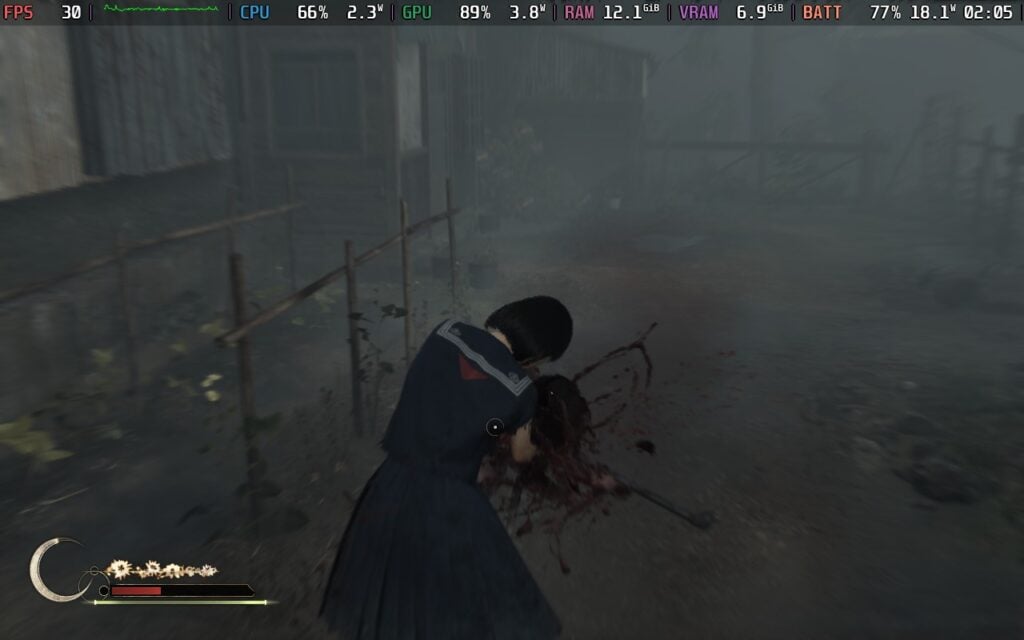
Combat grew on me, and while there’s a lot of it, it’s enjoyable. It reminded me a lot of God of War 2018 and Ragnarok’s combat systems, with some small soulslike elements like the stamina bar. I didn’t mind the stamina bar much, but I did mind the weapon durability system. There were a few times in the beginning of my first playthrough where I almost ran out of weapons and had to resort to running away and dodging through enemies. This changed later on, and there are plenty of weapons to find with an item that can restore durability, but it was a nuisance at first.
I would say the only time I was genuinely aggravated in combat was having to fight multiple enemies at once. The mechanics feel perfect for one-on-one fights, and they shine in these moments and the boss fights against these crazy monsters. But mix in 2-3 enemies at a time, with all of them attacking at once or right after each other, and it was just too much. I’d have to exhaust my stamina just to dodge away and hope they weren’t fast enough to catch up to me as I was trying to heal. There were a couple of times it just felt way too much, and that brought the experience down a little.
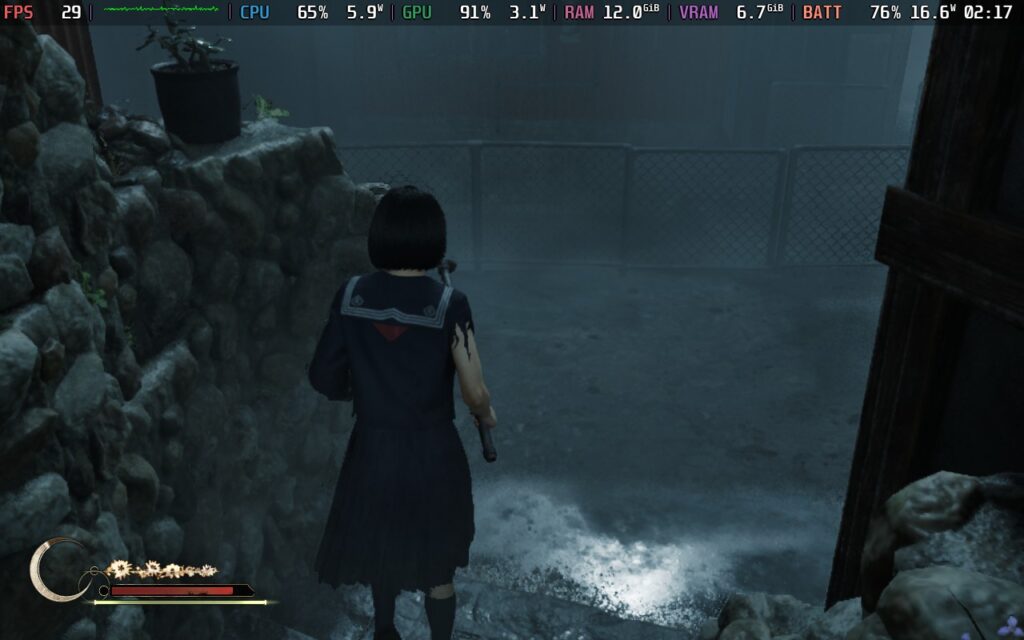
The other big element of Silent Hill f is its puzzles, and boy, can they be difficult. When choosing a new game, you can decide the difficulty of the combat and the puzzle difficulty, which I found interesting. I started off hard, and there were definitely moments I hit a snag. One puzzle in the middle school had me in my head thinking it was more complicated than it was, but some of the others actually were. Reading clues and using your journal with logged information is going to be a lifesaver here. Documents are going to be key here, both in terms of story and to help get through puzzles.
I actually want to praise the team specifically for how they implemented the UI. The journal sorts the relevant clues for each puzzle, while the map does an excellent job of telling us where we have and hadn’t gone yet, with some landmarks to give us an idea of what’s in the rooms we’ve already been to. Some areas can get very confusing to walk around in, with winding corridors and many rooms, so the map with the clear real-time updates is a life saver.
There are ways to improve yourself with upgrades, which give a nice touch for the most part. We can find Ema to use with accumulated faith and upgrade Health, Stamina, Sanity, and the number of Omamori we can hold. Omamori gives us some passive buffs, like getting some health back after an enemy is defeated or increasing the potency of healing items. We can find these around the world or use Faith to gain a random one. Faith is mainly gathered from offering up objects or items at Shrines, which stems from one other problem I had with the game: inventory management.
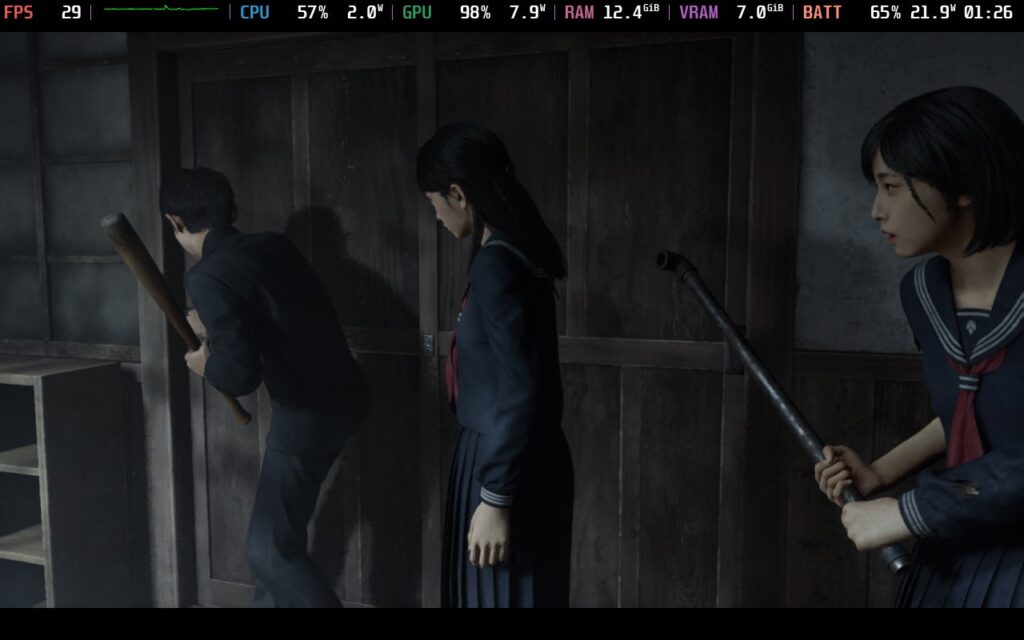
Silent Hill f has eight inventory slots for items you pick up, and with how many healing items there are for health, sanity, stamina, and special objects that can give lots of faith when offered, it very quickly becomes a problem. There are items you can find to increase your inventory space, but I found them far and few on my first playthrough. I was getting rid of items very often because I wanted to keep my faith items to upgrade, but I ultimately had to sacrifice healing items that would have come in handy not much later. Starting New Game+ with more space completely alleviated the problem.
I was pretty surprised when I saw Silent Hill f get the Steam Deck Playable rating, especially after the release of Metal Gear Solid Delta. With the reasons it was rated Playable due to small text and needing to manually set the graphical options, I went in worried. However, after playing around with the settings, I can say that it is more playable than I expected, but there are some compromises.
There is one spot in particular that I was able to test effectively to make sure the settings are the best they can be. There’s an early semi-early on where we are engulfed in fog and have to find the correct dolls to show us the way to get out. For whatever reason, there’s one section of this that’s very demanding, so I chose to optimize there.
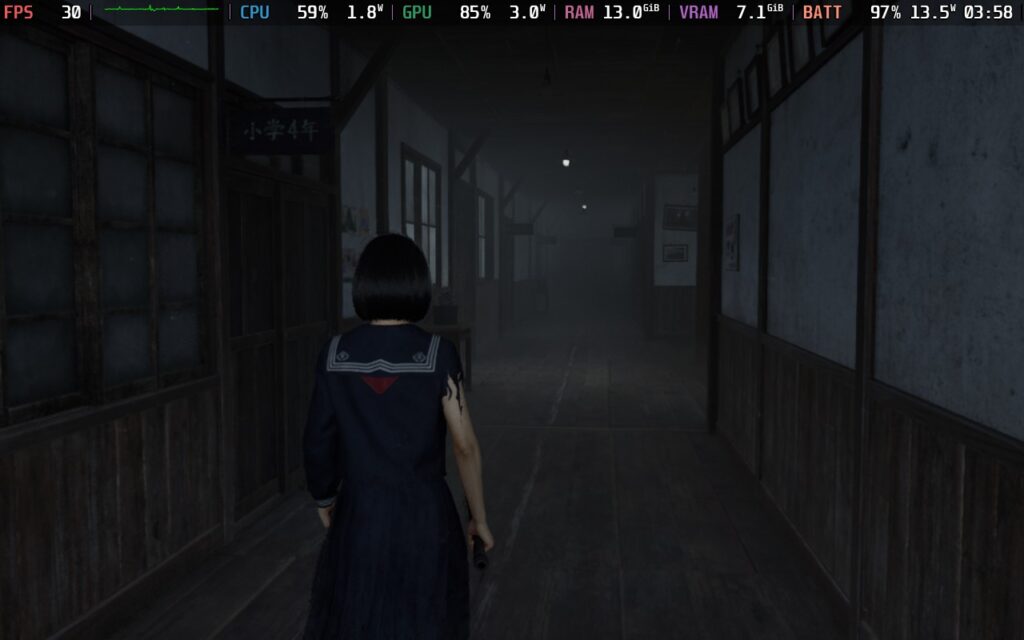
Regardless of the upscalers I chose, whether it be FSR or TSR, as well as just changing the rendering scale without upscalers, I ultimately found that FSR on Balanced provided the best performance and visual quality balance. I had also played around with shadows and view distance to find a balance between better visuals, especially in the town, and performance. With those combined, I came to a compromise with FSR balanced, view distance, shadows, and textures on medium, and everything else on Low.
I also decided to keep the indirect lighting set to "Lumen High" instead of off and reflections set to Screen Space Reflections (SSR). Lumen and SSR are usually a very intensive setting to have on, and while I would usually turn it off, it changes the entire look of the world for the worse. Specifically, the iconic fog that defines Silent Hill games and the flowers that define this entry either disappear or become completely colorless. It changes the look and feel of the world, and that effectively ruins the experience. It's still playable with these settings on, but with some extra little stutters here and there. Still, I wouldn't have it any other way.
The doll area still had some drops, but stuck above 25 FPS. With it being the only area I’ve found to behave this way, apart from some cutscenes and the Journal menu, I felt the small drops justified the better visuals. There are some small stutters here and there when running around and going to new parts of the areas you are exploring, but taking it slow, in combat, and completing puzzles generally stuck to 30 and above. There are even some areas that can go up to 40, but there are many more that drop, so I recommend just sticking to 30 FPS for the most stable experience.
While there may be some areas that don’t drain battery as much, expect to be pushing the Deck to its limits. There will also be some lighting pop-in and some shadows may have a slight grainy effect at the ends of them, but it ultimately looks better and stays stable overall.
Against my initial worries, Silent Hill f is still playable and enjoyable on the Steam Deck. It may not have the visual fidelity that can come from more powerful computers and consoles, but it’s definitely enjoyable while looking decent, and that's just a treat.
We can change options for controls like camera sensitivity, inverted style, vibrations, how to toggle running, change language, subtitle size, color, and audio settings.
The game does support 16:10 resolutions, cloud saves, and controllers. The game does have HDR settings and recognizes the Steam Deck OLED screen.
Silent Hill f does have flaws, but the pros heavily outweigh the cons. The story sucked me in and combat was more fun than I expected. I am being more nit-picky with the issues I’m bringing up, but they ultimately never affected my enjoyment of the game, nor made me think twice about getting back into it for round 2. And a lot of the issues I had were erased as soon as New Game+ started, which was like a weight lifted off my shoulders.
On top of that, it actually runs quite well on the Steam Deck. It’s definitely not perfect and needs compromises to run effectively, but the game is playable on the Deck and can look gorgeous. It may cost a little extra performance in 3-4 scenes, but they include graphical improvements I’d consider necessary to enjoy.
In the end, Silent Hill f is a thrilling game, and if this keeps up, the future of AAA releases from Konami is going to look very bright.
このレビューはPC版に基づいています。
このレビューをお楽しみいただけたなら、SteamDeckHQ の他のコンテンツもぜひご覧ください!あなたのゲーム体験に役立つゲームレビューやニュースを幅広く取り揃えています。ニュース、ヒントやチュートリアル、ゲーム設定やレビューをお探しの方も、最新のトレンドを知りたい方も、ぜひご利用ください。
No, I'm Not a Human』はCritical Reflex社からレビュー用に提供されたものです。ありがとうございました!
私の頭の中には、存在感が薄く、もっと注目されるべきだと感じる開発スタジオやパブリッシャースタジオがいくつかある。そのひとつがCritical Reflexだ。過去2年間、彼らは『Lunacid』、『Arctic Eggs』、『Threshold』、そして私のお気に入りのひとつである『Mothwashing』といった素晴らしいゲームを世に送り出してきた。彼らは今後数週間にわたって新作ゲームをリリースするが、『No, I'm Not a Human』もそのひとつだ。短いゲームだが、プレイ中ずっとハラハラドキドキさせられた。
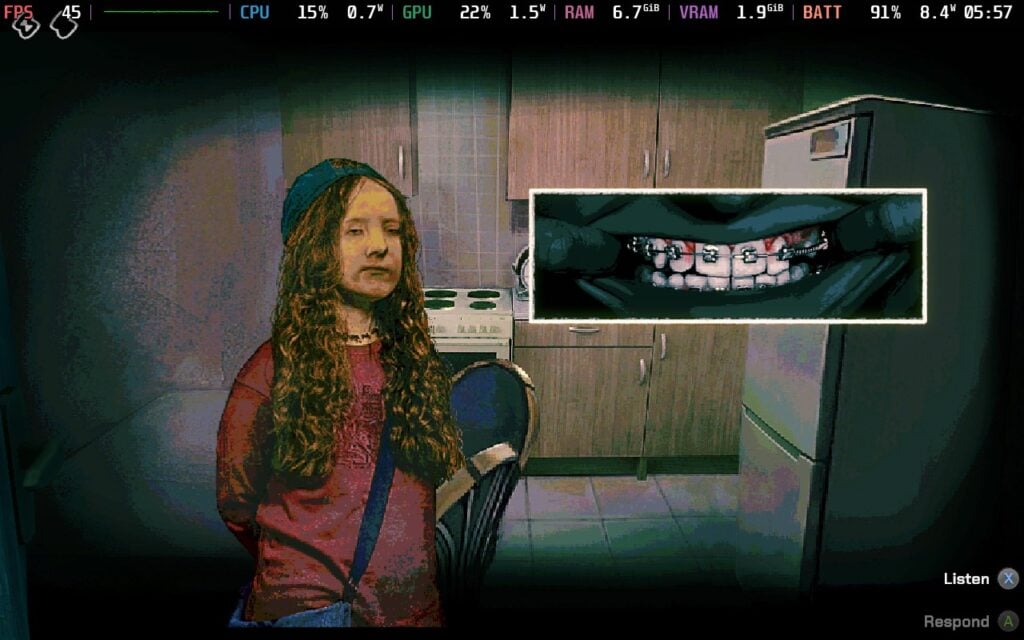
No, I'm Not a Human』は、ゲーム全体を通して、その独特なアートスタイルを使って、不気味な不安感を伝える素晴らしい仕事をしている。夜の深緑の色調や、ドアを訪ねてくる人間の変身した顔、家の部屋の見え方やドアの開き方など、あらゆる面がこの不安な雰囲気に対応し、高めるために綿密に作り込まれているように感じられる。
私がこのゲームで最も気に入っている点だろう。基本的なゲームプレイはともかく、世界観はとても魅力的で、私を飽きさせない素晴らしい仕事をしてくれる。家の中を歩いてドアを開けるだけで、あるいは玄関ののぞき穴から顔を出して振り向くだけで、人の見た目がさらに変化するので、私の妄想はどんどん膨らんでいった。
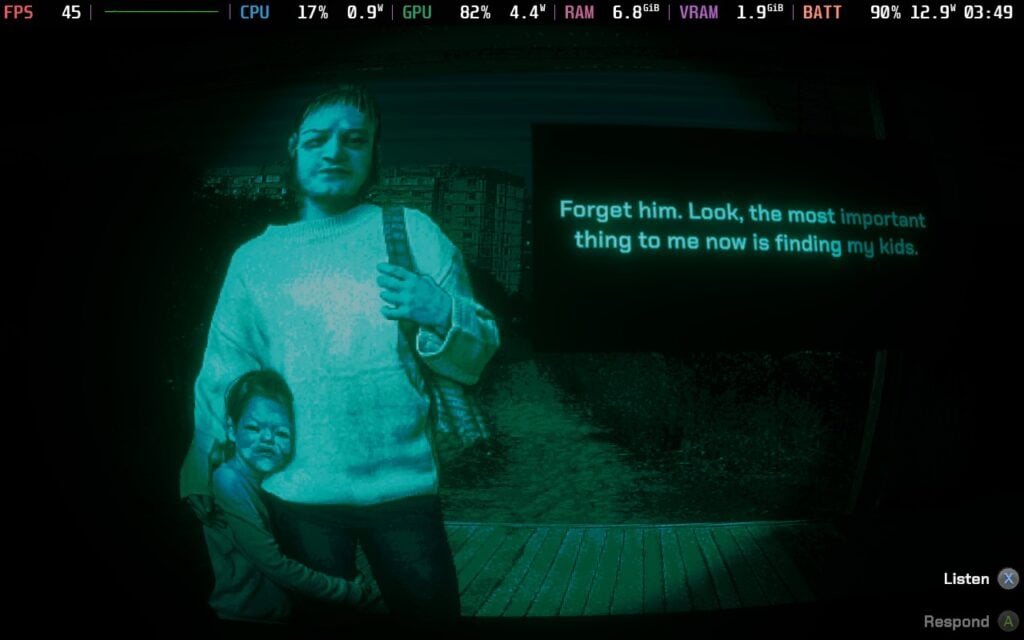
太陽が噴火を始め、世界が終わろうとしている中、あなたは地上から上がってくるようなビジターと呼ばれる未知の存在から生き延びる方法を見つけなければならない。しかし、生き残るためには家の中で人と一緒に暮らさなければならないので、誰が入ってくるのか、誰が人間で誰がビジターなのか、そして誰が死ぬ必要があるのかを見極めるのはあなた次第だ。深いストーリーではありませんが、ゲームの文脈にぴったり合っています。
No, I'm Not a Human』は、その不安感を煽る雰囲気から輝きを放ち、ゲームプレイの仕組みがそれをさらに高めている。毎晩、あなたの家のドアに人がやってきて、彼らを家に入れるか入れないかを決めなければならない。その選択はあなた次第だが、日中は彼らをテストし、彼らが人々を殺害する地下の訪問者であるかどうかを見極めなければならない。毎日、新しいテストが導入され、新しい症状を調べる必要があるため、限られたエネルギーを使って戦略的に行動し、この訪問者でない限り、できるだけ多くの人を受け入れるようにしなければならない。
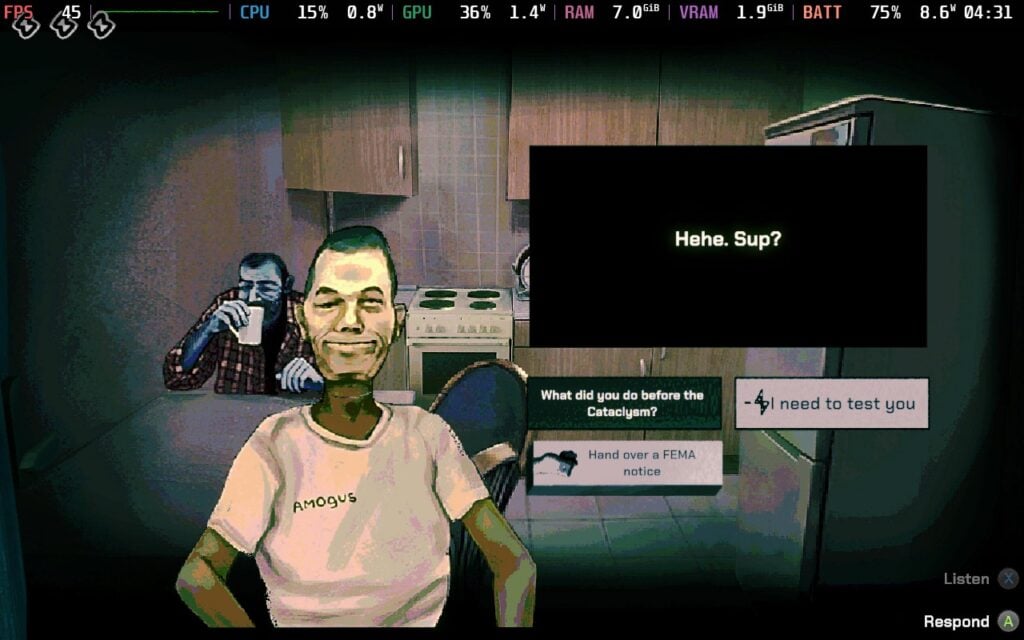
表面的にはとてもシンプルだ。人を中に入れ、テストをして、歯、手、目、その他の体の部位をチェックし、兆候が見られたら、射殺するかどうかを決めるのだ。すべての人間や訪問者は奇妙な行動をとる傾向があるので、テストは誰が誰であるかを把握する確実な方法となる。しかし、2、3の兆候を示す人もいれば、1つだけ示す人もいる。彼らの話や兆候を示す理由を聞けば、射殺するかどうかの判断が変わるかもしれない。それでも不気味さの手を緩めることはなく、人をチェックするアニメーションは特に不気味だ。
ゲームのプレイスルーは比較的短いと思われるかもしれないし、実際そうなのだが、何度も戻ってプレイする理由がある。アンロックできるエンディングは10種類あり、アンロック方法が比較的複雑なものもあれば、比較的簡単なものもある。それに加えて、秘密を暴くものや、人と話すことで展開する特別なイベントもある。すぐに終わってしまうが、また戻ってプレイする理由は十分にある。それでも、この不気味な世界に戻る口実があれば、私は喜んでそれを手に入れるだろう。

プレイを通じて、エネルギーを増やすアイテムも手に入れることができ、家の中にいる人が人間かどうか確かめるために他人を試すのにとても役立つ。しかし、アイテムは便利で面白いものが多いが、セーブシステムがアイテムと連動しているのが気に入らない。ゲームをセーブする唯一の方法はコンブチャを飲むことだが、このゲームの短さを考えれば、セーブが一般的でないのも納得がいく。それでも、プレイ中に何度かバグに遭遇してゲームを終了せざるを得なくなり、結局やり直すか、かなり遠くまで戻ることになった。
このレビューを書き始めてから何度かアップデートがあったので、私が見つけたこれらの問題が修正されている可能性はあるが、それでもセーブシステムがアイテムにリンクされていることよりも、もっとアクセスしやすいものであってほしかった。
No, I'm Not a Human』はSteamデッキでプレイするには素晴らしいゲームで、おおむねうまく動作するが、完璧ではない。私は、このゲームが必要以上に電力を消費することに気づいた。このゲームは基本的に、2Dの人間が出入りする家の3Dモデルだ。60FPSの場合、玄関ののぞき穴から外を見るとバッテリーの消耗が18W以上になり、家の中を歩き回ると15.5Wになる。部屋の中を覗けばバッテリーの消耗は抑えられるが、ここまで高くなるのは奇妙だ。
この対策として、フレームレートを45FPSに設定することをお勧めする。スムーズな操作感を維持しつつ、消費電力を抑えることができる。まだ比較的高いが、のぞき穴から外を見ると17Wではなく13Wになり、これはいい減少だ。他に変更するグラフィック設定がないので、できることはこれくらいだ。
コントロールにもいくつか問題があった。カーソルが完全に消えてしまうのだ。これでは進行が完全に止まってしまい、会話する相手も選べないし、ベッドも選べないので眠ることもできない。キーボードとマウスのコントローラー方式に切り替えると一瞬は直るが、元に戻すとカーソルが隠れたままになる。また、コントローラーの選択が消えてしまうこともあるので、再起動しなければならないこともある。
限られたセーブシステムと相まって、これに対処してやり直さなければならないのは煩わしいことだ。このレビューを書いてからいくつかアップデートがあったので、改善されているかもしれないが、それでも対処しなければならないのは不愉快だった。発売前はゲームの既知の問題としても挙げられていたが、ゲームパッドがサポートされ、ストアページにサポートが掲載されたため、私の経験も含めたいと思った。

言語の変更、ボリュームの変更、バイブレーションの切り替え、コントローラーの感度の変更ができるが、それだけだ。変更できる設定はそれほど多くない。
このゲームは16:10の解像度をサポートし、クラウドセーブがあり、コントローラーをサポートしている。HDR設定はない。
No, I'm Not a Human』は、パラノイアを誘発するような無敵の雰囲気を持つ、短いホラー物語を作り出そうとしており、それは完全に成功している。色彩、3Dと2Dを組み合わせたビジュアル、人の顔を変形させ決して普通には見えない不気味なアートワークのおかげで、このゲームは最初から最後まで気が気でない。短いゲームだが、Trioskazの目指す雰囲気は、私がプレイした他の多くのホラーゲームの雰囲気を凌駕している。
操作性やバッテリーの消耗の激しさなど、ちょっとした問題を除けば、Steam Deckではかなり快適に動作する。玄関の覗き穴から覗くとバッテリーの消耗が激しくなるのは、まだ少し違和感があるが、それで終わりというわけではない。45FPSのロックが大いに役立ち、ベッドで寄り添ってプレイするには最高のゲームだ。
このレビューはPC版に基づいています。
このレビューをお楽しみいただけたなら、SteamDeckHQ の他のコンテンツもぜひご覧ください!あなたのゲーム体験に役立つゲームレビューやニュースを幅広く取り揃えています。ニュース、ヒントやチュートリアル、ゲーム設定やレビューをお探しの方も、最新のトレンドを知りたい方も、ぜひご利用ください。
クロノス新しい夜明け』はBloober Teamよりレビュー用に提供された。ありがとうございました!
デベロッパーのBloober Teamは、紛れもなく最高のホラースタジオのひとつだ。彼らは2016年に『Layers of Fear』でその名を知られるようになり、『Observer』や『Blair Witch』で着実に知名度を上げ、『Silent Hill 2』リメイクのリリースで最高潮に達した。そして今、Blooberは全く新しいIP「Cronos」でセルフパブリッシングに戻ろうとしている:クロノス:ザ・ニュー・ドーン」だ。私が最初にこのゲームに注目したのは、私が大好きな『Dead Space』にビジュアルが似ていたからだが、ゴージャスなビジュアル、興味をそそるストーリー、不気味な雰囲気、スローペースのゲームプレイのおかげですっかり引き込まれた。

出だしが遅かったとはいえ、ストーリーは比較的早く私を夢中にさせた。私たちはトラベラーとして、荒涼とした地球のさまざまな場所を訪れ、過去の人々の魂を取り出すための裂け目を探す。世界は謎の疫病によって荒廃し、人間はグロテスクな怪物へと変貌し、実質的に地球を支配している。私たちの目標は、このパンデミックによる終末の起源を明らかにすることであり、それを成し遂げることである。
この種のストーリーは私の好みにぴったりだ。SF的で近未来的な美学と、荒廃した世界を舞台にした終末的なシナリオを盛り込めば、私は大賛成だ。クロノス:新たなる夜明け』は、まさに私が大好きなタイプの物語のわかりやすい例だ。このパンデミックの原因を突き止めるために過去を垣間見たり、さまざまなクレイジーな人々と交流したり、今後の展開に影響を与えるような選択をしたりする。この巨大な球体のマスクが私たちの顔を覆っているため、それほど感情移入はできないが、それでも物語を続けたり、過去ログの伝承を読んだりする楽しみを損なうことはなかった。
ストーリーは私の心を完全にとらえたが、ただひとつだけ楽しめない部分があった。クロノス』を通して、他の旅人と議論を交わす場面があるのだが、2人とも荒いロボットのような声で話しているのを聞くのは、私にはちょっと耳障りすぎるのだ。主人公の単発的な声のセリフや、他の人間と話すときの声はそれほど悪くないのだが、2人ともこのような声で議論しているのは、私にはちょっと酷すぎる。全体的な体験を害するものではなかったが、言及する価値はあるだろう。
視覚的には、本当にすごいとしか言いようがない。Bloober Teamはゲームをステップアップさせ、非常に不気味で緊張感のある世界を作り上げた。グロテスクに脈打つ壁や天井の肉、重力を乱す浮遊物、見渡す限りの破壊、そして肩のライトだけが照らす闇に包まれた雰囲気。それはサウンドトラックと連動しており、私をより不気味にさせ、戦いの中で私を奮い立たせることができる。徹頭徹尾、素晴らしい。
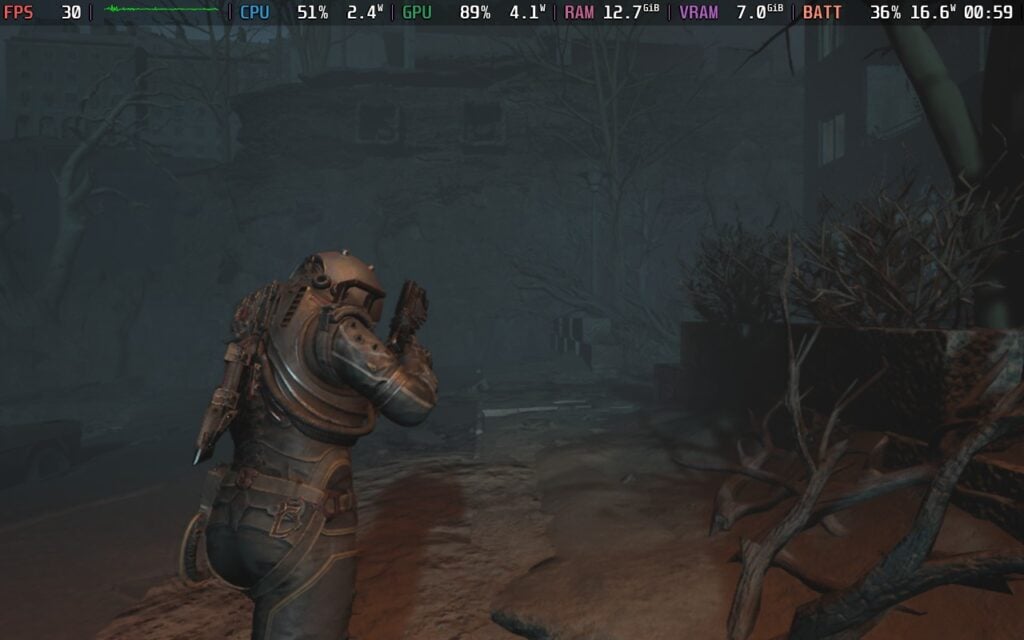
戦闘に重点が置かれているため、『クロノス』は期待していたホラー体験よりもスリラーに近いものに感じられるのではないかと少し心配していた。その心配は杞憂に終わってよかった。三人称視点での戦闘、クラフト、よりアクション指向のメカニクスがあっても、ホラーに重点を置くには十分な場面がある。敵が肉体の中から飛び出してきたり、死体に命が宿ったり、ランダムな音、ゆっくり歩く必要性、雰囲気など、すべてが緊張感を保つために作用している。
クロノスの世界を堪能するには、時間をかけ、ゆっくり進み、できるだけ注意深く行動することが必要だ。いたるところに敵が潜んでいるかもしれないし、資源や弾薬がいかに乏しいかを考えると、慎重に、持てるものすべてを節約しなければならない。あちこちにうまく配置された資源があり、探索は余分な弾薬やクラフト材料、通貨でうまく報われる。時間をかけてスキャンし、チェーンでロックされたドアや壁の隙間を見つけることで、すり抜けることができる。
幸い、戦闘に参加するのはまだ楽しいが、ただ野放しにするわけにはいかない。油断していると敵に簡単にやられてしまうし、弾薬を使いたがるばかりではあっという間に尽きてしまう。だから、時間をかけて、足など特定の部位を撃って転倒させ、近接攻撃しなければならない。近接攻撃には注意が必要で、敵は殴られたり踏みつけられたりしてもひるまないことがあるので、タイミングを見計らい、敵の唾や腕に当たらないように離れるタイミングを見極める必要がある。
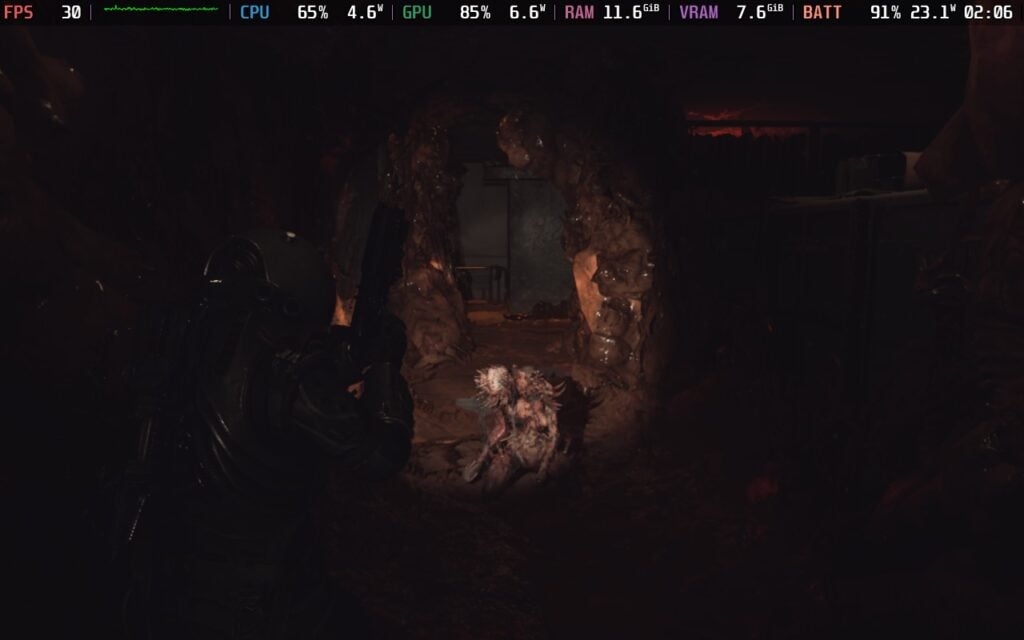
その上、周囲の状況にも気を配らなければならない。複数の敵を分散させたり、手強い敵に大ダメージを与えたりできる爆発バレルが役に立つだけでなく、敵は倒れた仲間と合体してかなり強くなることがある。敵は3回まで合体することができ、合体させると最終的に破滅する。これに対抗するため、周囲の死体を燃やすカプセルを地面に撃ち込む。他の資源と同様、このカプセルにも限りがあり、他の資源に比べれば簡単に手に入るが、それでも注意が必要だ。
緊張感があり、クロノスの魅力に拍車をかけているが、場合によってはイライラすることもある。一度合体した敵と戦わなければならず、非常に狭いスペースで敵を倒さなければならない戦いがいくつか思い浮かぶ。カメラの位置が邪魔になることもあれば、複数の敵やより強力な敵を処理しながら死なないようにするのが難しいこともあった。このような死は不公平に感じられ、中には死んだときにセーブポイントを遥か昔に戻されるものもあり、苛立ちを感じ始めた。このようなことが頻繁に起こるわけではなく、ゲームを閉じて休憩するほどではなかったが、それでもイライラすることはあった。
私たちを助けるために、これらのクラフト材料や通貨を使って、必要なアイテムをクラフトしたり、アップグレードしたり、購入したりすることができる。アップグレードは便利で、特にインベントリ・アイテムを増やすのに役立つが、武器のアップグレードには時間がかかる。必要な時にアイテムを手に入れたり、アップグレードするために通貨がどれだけ必要かを考えると、私は定期的に欲しいアップグレードを手に入れるには少し足りないことに気づいた。これは、持っている武器の品揃えの使い道を一貫して見つけられた数少ないゲームの1つで、それ自体は達成感があるが、作りたいアップグレードが増えるということでもあり、財布を圧迫した。
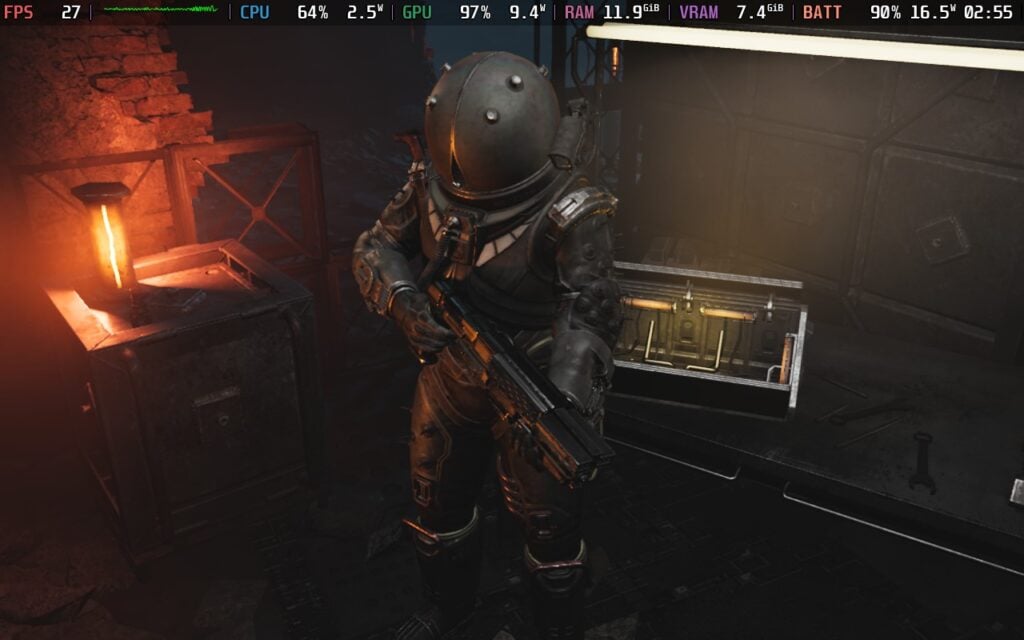
しかし、この緊張と心配がクロノスの大きな魅力だと言える:新たなる夜明け」は、とても魅力的だ。緊張感があって難しいはずなのに、戦略を練って持ち物を節約し、死なないように賢い選択を迫られる。戦いの中には難しすぎて挫折しそうになるものもあるが、それでもプレイを続けたくなる。
最初にクロノスをSteamデッキにロードしたとき、私は少し心配だった。Steamストアのページには表示されていないにもかかわらず、ネイティブのLinuxビルドがあり、これがDeckのデフォルトになっている。しかし、このビルドではゲームはイマイチだ。閉め切ったエリアでは最低設定で30FPSを出すのがやっとで、TSR以外のアップスケーリングオプションはほとんどなかった。特に、このゲームはNintendo Switch 2でもリリースされる予定なので、私には違和感があった。しかし、修正できてうれしいし、実際、当初思っていたよりずっとデッキでプレイできるようになった。
この修正は、Proton互換レイヤーを強制し、ネイティブのLinuxビルドの代わりにWindowsバージョンを使用することで行われる。SteamストアのページにはWindowsのアイコンしか表示されていなかったので、Linuxビルドの存在すら知らなかった。結局、大きな違いが生まれ、閉ざされたエリアではVery Low設定で50FPS近くを叩き出し、何があってもずっと30FPS以上を維持し、残りのアップスケーラーに使える選択肢を与えてくれた。
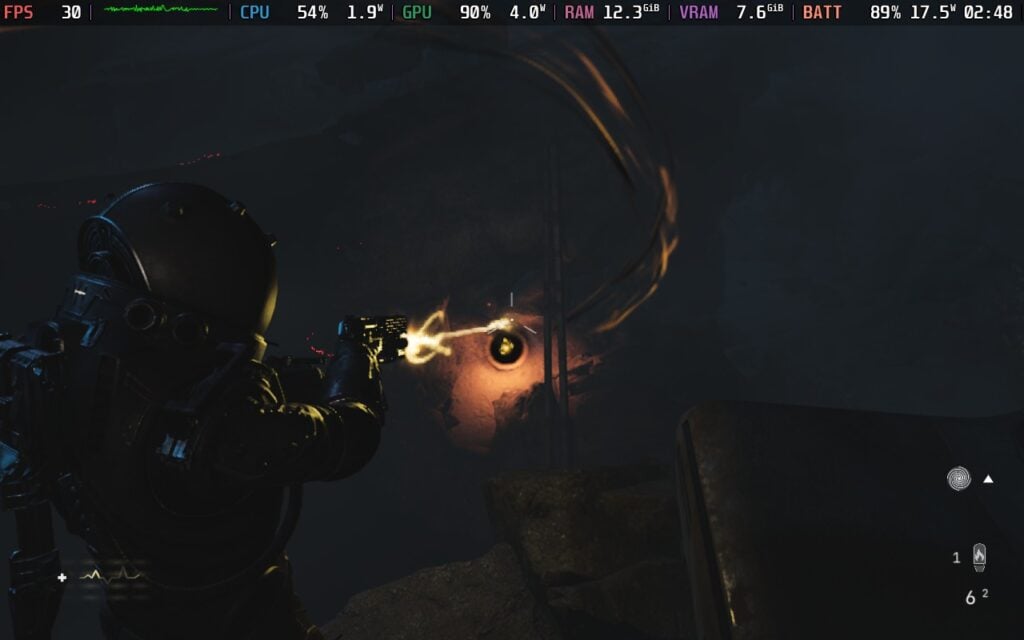
レビューを書いている最中に、このゲームに1日目のパッチが適用され、Linuxビルドでのパフォーマンスが向上した。FSRとXeSSの両方はまだ表示されないが、箱から出してVery Low設定でプレイできるようになった。
さて、ゲームが意図したとおりに動いている今、Steamデッキで実際にとてもプレイしやすいとも言える。ただし、プレイする方法は1つしかない。結局のところ、Cronosの「Very Low」プリセットだけがDeckで動作し、それ以上のプリセットではよりオープンなエリアでフレームレートがパンクしてしまう。低画質プリセットでアップスケーリングをオンにしても、すべての詳細設定を「低」またはオフに設定しても、フレームレートは30に届かない。Steamデッキでプレイするには、Very Lowプリセットを使うしかない。
FSRやXeSSのアップスケーリングをオンにすることはできますが、ビジュアルやパフォーマンスはあまり変わりません。私の推測では、Very Lowプリセットは特別に作られたもので、あらかじめ定義された設定を変更することはできない。それでも、このプリセットではゲームはかなり素晴らしく見え、クロノスの特徴である不気味な雰囲気が出ていると言える。新しいエリアでロードしたり、混雑したエリアを走ったりすると、パフォーマンスに多少の変動があるが、概ね30以上を維持し、バッテリーの消耗は14Wから19Wの範囲だ。
しかし、すべてが完璧というわけではない。パフォーマンスが向上したとはいえ、あちこちでクラッシュに遭遇した。ゲームをリロードして同じシーンをプレイすると直るようだが、これはRAMの使用量によるものだろう。クラッシュすることなく戻って同じシーンをプレイできるので、プレイは可能だと思う。
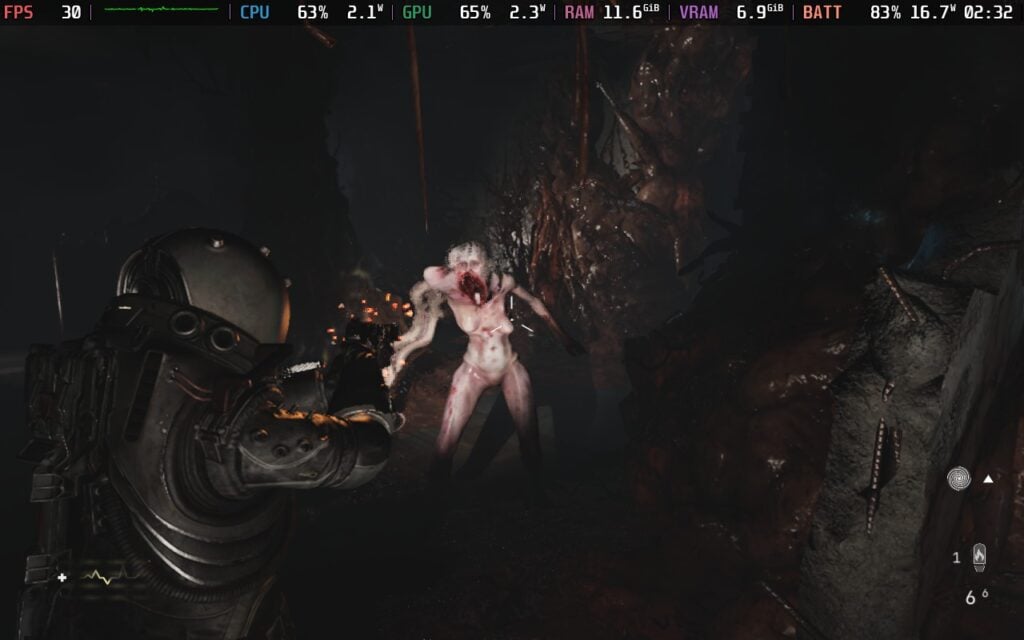
ゲーム内のフレーム生成も試してみたが、パフォーマンスが向上するかどうかはわからなかった。入力ラグが大きくなり、まったくプレイできなくなった。一方、ロスレス・スケーリングは格段に良くなった。よりスムーズで、余分な入力ラグがほとんどなく、まったくもたつきを感じない。スローダウンがより顕著に感じられるものもあるが、これを解決するために、フレームレート制限を無効にして、画面のリフレッシュレートを60に変更した。これにより、問題は目立たなくなり、バッテリーの消耗も減った。問題はまだあったが、速度低下はそれほど感じなかった。
ロスレス・スケーリングが必要だとは言わないが、あると便利なオプションだ。ロスレス・スケーリングをオンにすると、ゴーストが目立つようになり、周囲に奇妙な泡のようなエフェクトが表示されるシーンもある。発狂するほどではないが、確かに存在する。このエフェクトは3xや4xではさらに悪化し、入力ラグも増えるので、フレーム生成で最高の体験をするには2xにしておくことをお勧めする。ただし、ロスレス・スケーリングなしで30FPSでプレイした方が全体的に安定するので、個人的にはそちらをお勧めする。
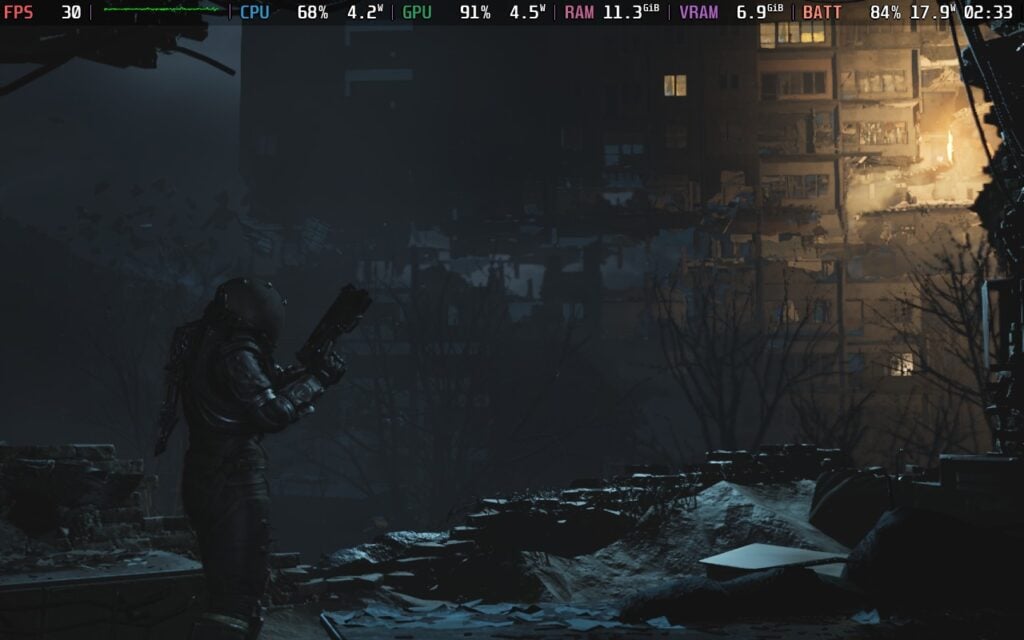
それでも結局のところ、『クロノス』はSteamデッキで非常にプレイしやすく、クラッシュの可能性があちこちにあるにせよ、お勧めできる作品だと言える。復帰が難しいものは1つもなかったし、2回目の挑戦ですぐに通過できた。たしかに煩わしいが、Steam Deckでしかゲームをプレイできない人や、ここぞというときにベッドでプレイしたい人には最適だ。
アクセシビリティ・タブには、クイックタイムイベント、振動の強さ、照準アシスト、乗り物酔い対策のセンタードットなどのオプションが用意されている。また、Deuteranopia、Tritanopia、Protanopia用の色覚異常モードや、Dyslexicフォントスタイルもある。これら以外にも、インタラクションインジケーターのスタイラー、アイテムのシェーダー、レチクルの設定、HUD要素、言語、字幕、テキストサイズによる書き起こしの詳細、チュートリアルとローディングヒントのオプション、オーディオスライダーを変更できます。
このゲームは16:10の解像度をサポートしており、クラウドセーブとコントローラーの両方をサポートしている。ゲームにはHDRがあり、OLEDスクリーンを認識しているようだが、クイック設定では有効になっているとは表示されない。HDRを使用したい場合は、スクリーンモードがフルスクリーンまたはボーダレスに設定されていることを確認してください。
クロノス新たなる夜明け』は、私のお気に入りのホラーゲームのひとつになった。ストーリーは完全に私の心を打ち、SF的、未来的、終末的な雰囲気が終始漂っているのが気に入った。一般的なゲームプレイは、時に少し苛立たしさを感じるものの、必要な資源と弾薬をすべて確保し、死なないようにするための戦略性を感じる。ビジュアルとサウンドトラックはまさに衝撃的で、最終的にはそれらが一体となって、不気味で雰囲気のある、恐怖を誘う体験を創り出し、めったなことでは飽きさせない。これぞサバイバルホラーの極みだ。
その上、このゲームはSteamデッキで予想以上によく動く。まともに見えながら30FPSを維持でき、(ロスレス・スケーリングによる)フレーム生成に価値があり、体験を向上させると感じた唯一のゲームの1つだ。全体として、これは持ち運びに最適な素晴らしいゲームであり、お薦めしきれない!
このレビューはPC版に基づいています。
このレビューをお楽しみいただけたなら、SteamDeckHQ の他のコンテンツもぜひご覧ください!あなたのゲーム体験に役立つゲームレビューやニュースを幅広く取り揃えています。ニュース、ヒントやチュートリアル、ゲーム設定やレビューをお探しの方も、最新のトレンドを知りたい方も、ぜひご利用ください。
Dead Take was provided by Pocketpair Publishing for review. Thank you!
I am a mixed bag when it comes to horror games. I enjoy them, but I get scared very easily. Still, I enjoy and respect the artistry behind them and how they can make something so haunting, creepy, and scary. Dead Take is one of those horror games that I not only loved, but came out with a new appreciation and respect for developer Surgent Studios. Even with its short runtime, this is an experience worth having and will be one of the few horror games I will remember.
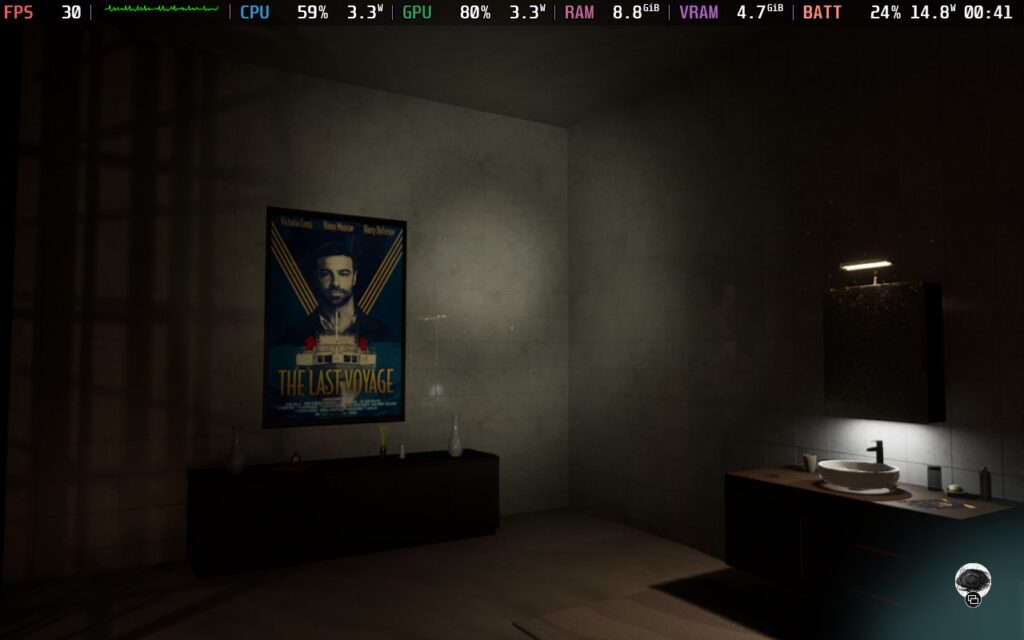
The crux of what makes Dead Take so memorable is its story and presentation. You play as Chase, an actor, who is vying for the role of Willie in Duke Cain's latest picture: The Last Voyage. However, your friend Vinny has secured the part, but afterward, has gone missing. He was last at Duke's mansion for a party. Worried about his friend, Chase will travel into the mansion to figure out exactly what went down there and where Vinny is.
What happens next is a journey into the actions of an egocentric, traumatized mind that is willing to do whatever it takes for his artistry. The story is told in a non-traditional format, with the bulk of the details being written in documents and emails that can be found across the mansion. Usually, I don't enjoy this kind of storytelling much; I like being a more active component and seeing events play out in front of me, but the subject matter was interesting enough to keep reading on, and I am so glad it was.
We also have real-life video to find and watch in the cinema, which gives us more clues about who Duke Cain is and the psyche of our two main characters, Chase and Vinny, our other actors, and how they were affected by Duke's crooked methodology. This was awesome to experience. Not only did it give a real look at who these people are and their personalities, which are as complex as our twisted director, but are expertly portrayed by some of the best video game actors and actresses, including Neil Newbon, Ben Starr, Jane Perry, Alanah Pearce, and even features some smaller appearances from Sam Lake, Laura Bailey, and more. Watching these real actors in the videos was captivating and helped their virtual counterparts feel more alive.

The surrealist environment, coupled with these videos, created an unnerving atmosphere that was difficult to get rid of. The short runtime of the game helped make sure its creepy surroundings never overstayed their welcome. Just walking around put me on edge, and I love when horror games are able to evoke that kind of response without resorting to cheaper jump scares.
Speaking of the horror elements, I love the emphasis on atmospheric and psychological horror. The creepy sound effects continually made me nervous as I walked around the dimly lit rooms. There are some of those jump scares, which I very much dislike, but the bulk of the horror was created through the environment and frightening performances of the actors, Duke Cain's chilling voice messages, and the overall message throughout.
Gameplay-wise, Dead Take is more on the basic side. We walk through the mansion, solving countless puzzles to move the story along. The puzzles are primarily enjoyable, with most not being too hard to solve and making me feel smarter afterwards, but there are a couple that just felt impossible to complete. There were a few, with one puzzle with four weapons in particular, that took me significantly longer to complete. There's little direction with some of the puzzles, like that one, and it made it more difficult than it should have been. I wouldn't say it was aggravating or frustrating, but it wasn't enjoyable.

There are some cool aspects to the gameplay mechanics, like finding USB drives and splicing together individual videos we find to create new ones. This leads into the side content, where people can unlock additional footage by finding specific notes and documents throughout the mansion. It isn't straightforward for this either, but I actually enjoyed it here. Figuring out what to do to get this extra footage was something I discovered by chance, and I felt great afterwards.
Dead Take's gameplay isn't too deep, and generally is easy to grasp. We will find a bunch of items and have our own inventory, where we can interact with some of them to uncover the next clue. However, unlike other games that have more basic gameplay, I wasn't longing for more depth. This was a short, sweet, horror-filled experience, and it fulfills it with clear quality and passion from Surgent Studios.
Dead Take was rated Steam Deck Verified ahead of its launch, and while it is playable, it definitely needs some compromises to run well. Even though this is a small game overall, it is very demanding. There are some spots that do run very well when there aren't many objects around you, but it can be quite draining on resources in more complex or outside areas. Finding a balance for visuals with these scenes isn't the easiest, but in the end, I would consider it solid at 30 FPS with some sacrifices.
The game has XeSS 2, TSR, and Nvidia Image upscaling, but neither of them will provide a stable 30 FPS at their lowest possible settings. TSR at 33% render scaling will get a mostly stable 30 FPS, but there are areas towards the end of the game that will have some drops. Putting the rendering scale that low also makes the game look blurry, and text will sometimes linger on the screen when looking away, so I don't recommend going too low.
The three upscalers look very similar to each other, so I would comfortably say you can go with any of them. However, when comparing between all three, I found that TSR at 60% rendering scale was the sweet spot. XeSS 2 had some pixelation around where light was being cast that TSR didn't and Nvidia Image Scaling had more noticeable ghosting.
While some areas of the mansion run well, there are more areas that drop more heavily. Because of that, we can set it to 30 FPS and raise some quality settings, like Texture, above their default Low preset. It does say the Low preset is best for Steam Deck in-game, which I appreciate a lot. There is a "Lowest" preset as well, but I don't recommend using it since it changes the way the game looks completely, for the worse. Still, at these settings, it's very playable and I enjoyed it on the Deck.
The game does have an accessibility tab, which contains options for controller sensitivity, vibrations, analog stick and trigger deadzones, toggles for motion blur and screen shake, and a slider to change how much the camera bobs when moving or standing still. We can also change the text size, which I recommend setting to large, language, showing the reticle, changing different controller presets, and moving audio sliders.
I would also recommend increasing controller sensitivity, as the default movement speed is too low for my taste.
The game does support 16:10 resolutions and has both cloud saves and controller support. There are no HDR settings.
Dead Take is a horrifying game that uses its short run time to create a memorable time. The way Surgent Studios uses surrealistic architecture, creepy atmosphere, and real-life videos to tell its disturbing story is wonderful. While some puzzles can be a little difficult to figure out without any help, the bulk of the game's basic gameplay is enjoyable when considering how brief the game is. Still, this is clearly a quality over quantity discussion, and I would say this is a quality experience that is worth playing through.
Even with some compromises to visuals and the need for upscaling, it's a great game to enjoy on the Steam Deck. Sitting in my bed and playing Dead Take at night was awesome, even though it had ended up scaring me shitless.
このレビューはPC版に基づいています。
このレビューをお楽しみいただけたなら、SteamDeckHQ の他のコンテンツもぜひご覧ください!私たちはあなたのゲーム体験に役立つこと間違いなしの様々なゲームレビューやニュースを取り揃えています。ニュース、ヒントやチュートリアル、ゲーム設定やレビューをお探しの方も、最新のトレンドを知りたい方も、ぜひご利用ください!



