Corsair Cove was provided by Hooded Horse for review. Thank You!
I have to admit, it's been some time since I last played a pirate strategy game, let alone a pirate city builder, but Corsair Cove might be the best reintroduction I could have hoped for. Whether you like city-building or just pirates in general, you'll probably find the game appealing thanks to a mixture of gameplay and the great setting the game is based in.
Corsair Cove is a game of two halves. The first half is the city building, and as far as city builders go, it's not too unique. Your buildings primarily serve as housing and production, with a few "special" buildings here and there that you can use to your advantage in certain situations.
Where you can build is perhaps the most unique part of this half of the game, in that you can construct your buildings just about anywhere. Place a building on the side of a cliff, and you'll create a platform that you can build a lift or a ladder up to. This is a great feature, as it means you can fit far more buildings on your island than you otherwise might think. And that's needed, as you only get one island that you can build on.
The production chains in the game are deep enough where you'll need to consider them when laying out your base, but not deep enough to overwhelm or frustrate players. Plus, the game highlights which buildings rely on each other when you place them, and will warn you if you're placing a building too far away from another in the chain, thus making it inefficient for the workers to transport resources, a very appreciated feature that should be a standard in this genre.
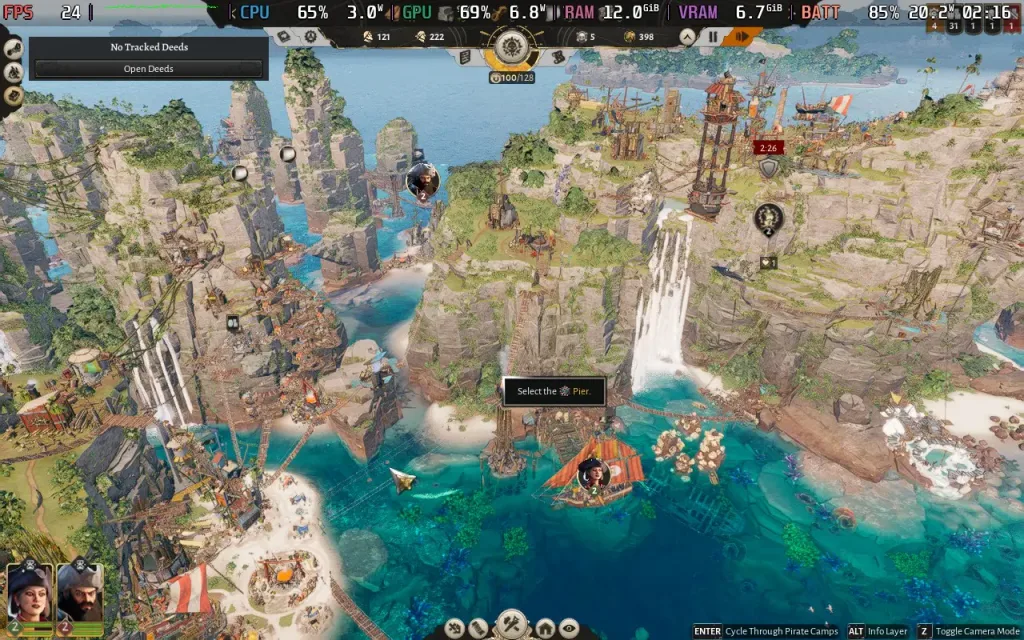
You will also occasionally get attacked by "The Crown", the game's primary antagonistic faction. They'll launch assaults on your pirate haven, requiring you to have defensive structures (supplied with ammo) around your island to fight back their ships, and this leads us into the second half of the game: the ship gameplay.
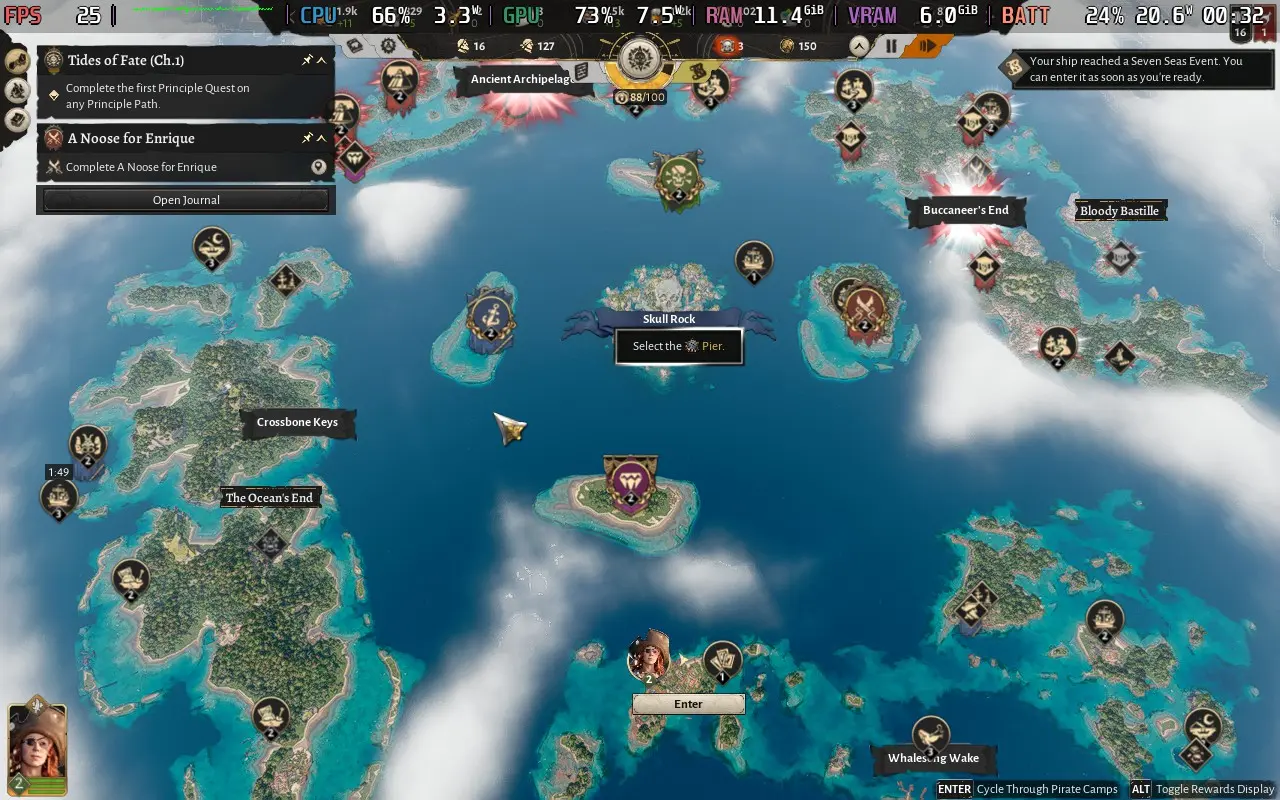
This is arguably more exciting than the city building aspect of the game, and fortunately, both run side-by-side. Once you get your first ship, you'll be able to send it off to various Points of Interest around the map, all the while continuing your city management as it sails, and once it's arrived, you can start an event to (hopefully) get some booty!
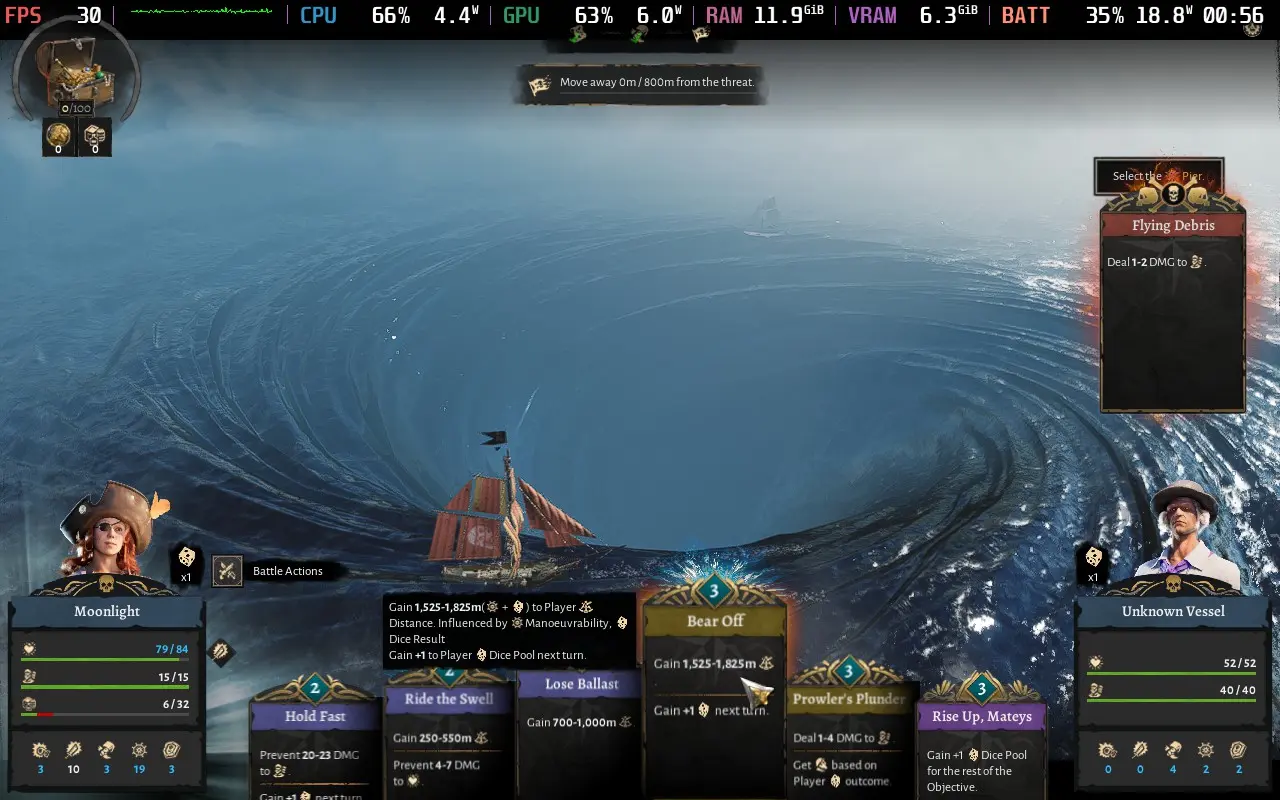
Sometimes the event is a simple pickup of goods; other times it may be a battle or some other challenge that must be overcome. In the event of a battle (or challenge), you'll have to balance the resources of your ship (health, crew, and supplies) against your opponents, playing different cards to deal damage to your opponent, while keeping your own ship afloat. The difficulty errs on the easy side, perhaps too easy, and you are made aware of what stats your ship should have before you begin an event.
I loved this mix of two mechanics; the city-building is exciting to see your base expand across the island, while your fleet is out exploring the oceans and uncovering new islands, factions, and events. Interwoven between both of these is the game's progression system, in the form of a large tech tree.
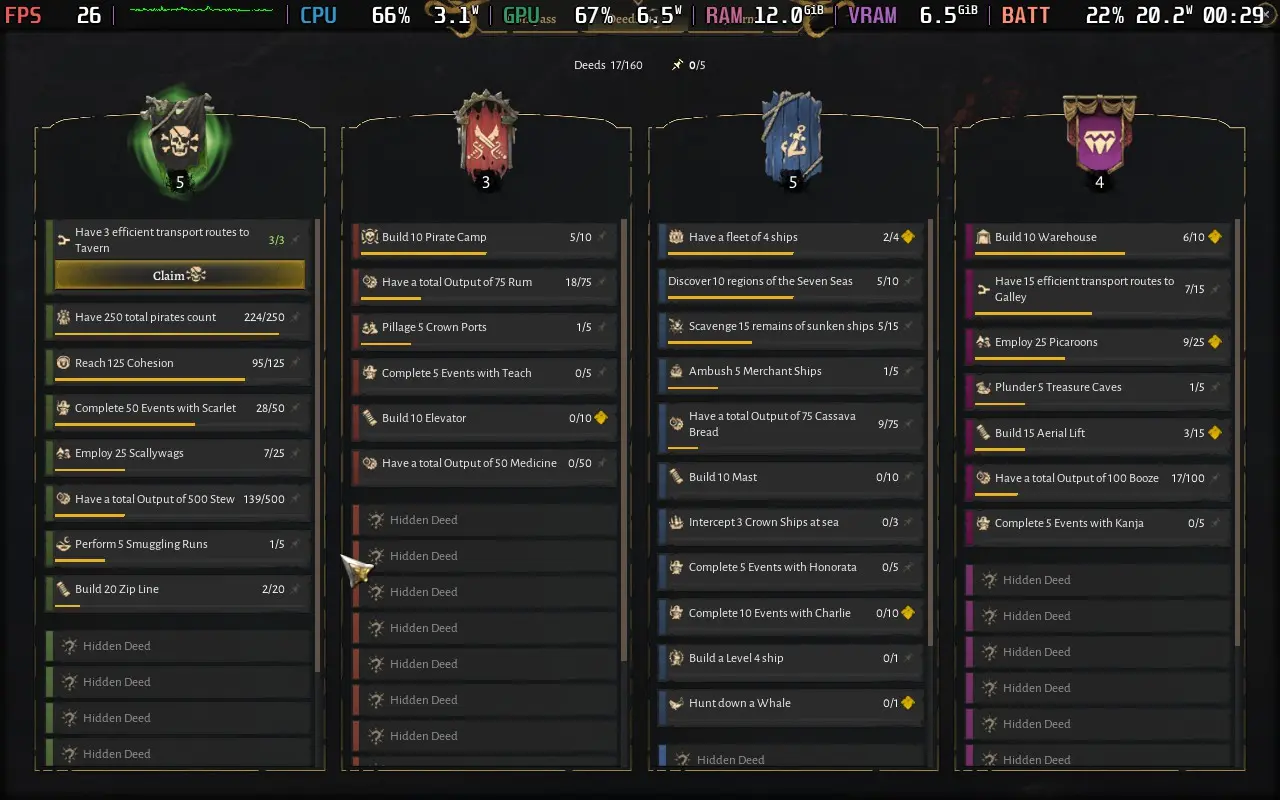
The tech tree is unlocked by performing "deeds", which are various tasks you can accomplish, each one giving you a point to spend on the tech tree to make your colony better. This was my favorite part of the game, and there's plenty to unlock; they really nailed the progression in Corsair Cove, giving you plenty to do while introducing fun, bite-sized tasks to the game.
Finally, the story of Corsair Cove isn't much to write home about. It's there; it gives a reason for you to be doing the quests you're doing, but it does feel as though it's been pretty hastily put together, and for the subject matter (pirates), the story is on the light-hearted, sometimes comedic side of things. It only pops up here and there when completing specific quests, and it was pretty much a non-factor to me.
Corsair Cove was generally bug-free, although I did have an instance where my ship could travel through solid objects, thus cutting down travel time quite markedly.
Corsair Cove supports 1280x800 as a resolution, but it does not have controller support, so you'll need to use the Keyboard (WASD) + Mouse layout or a community-created layout to control the game.
Performance is quite bad at the default settings, with constant sub-30 FPS. Lower all the quality settings to their lowest, then switch the Upscaling to AMD FSR and set it to Quality. Limit the framerate to 30 FPS using the in-game settings, then go into your Quick Access Menu and force a manual GPU clock of 1600MHz; this helps keep the framerate much more stable.
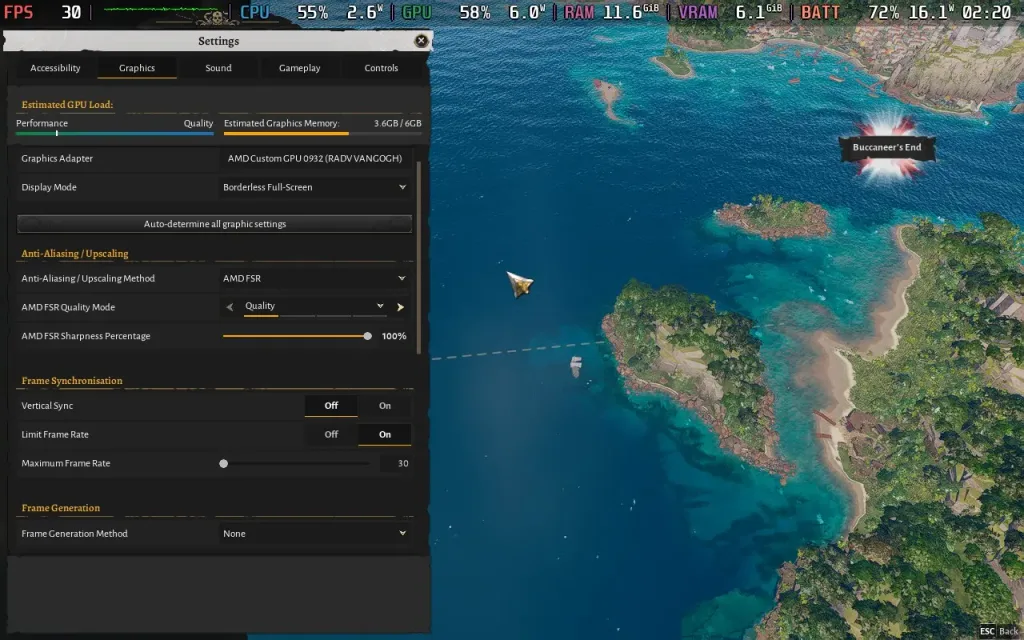
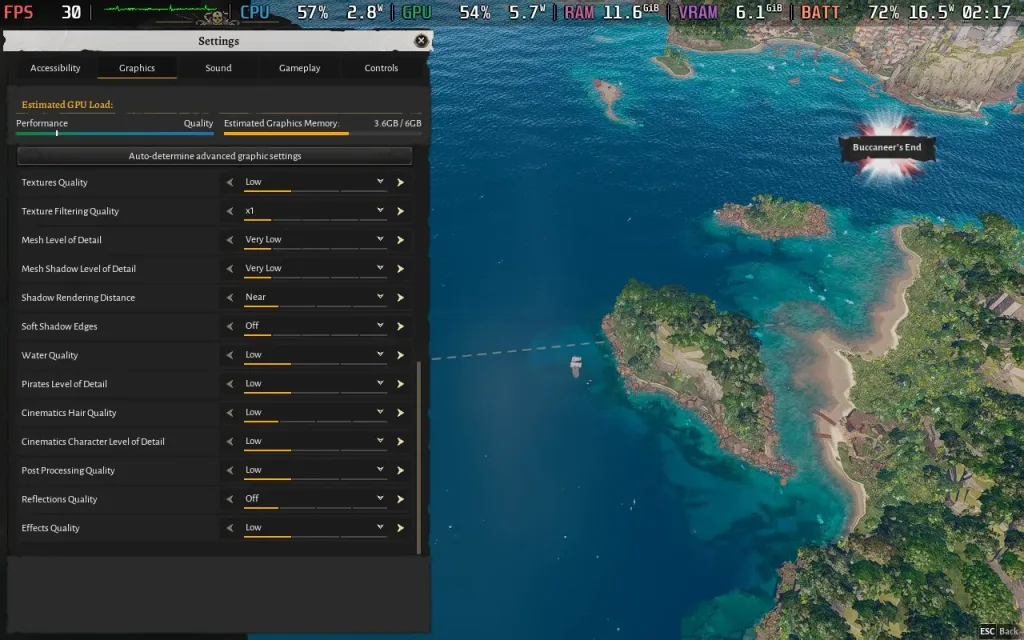
With these settings, you can expect the early game (the first couple of hours) to maintain 30 FPS, but as you expand your base, the CPU demands become greater, meaning the CPU and GPU vie for the Steam Deck's power. Unfortunately, this does mean that mid-sized bases will drop you into the mid-20s, and towards the latter stages of the game, to around 20, regardless of graphical settings. Given the slow-paced, managerial nature of the game, that may still be playable depending on what you can tolerate.
There is an option for Frame Generation, but the input lag is unpleasant, even in a strategy setting.
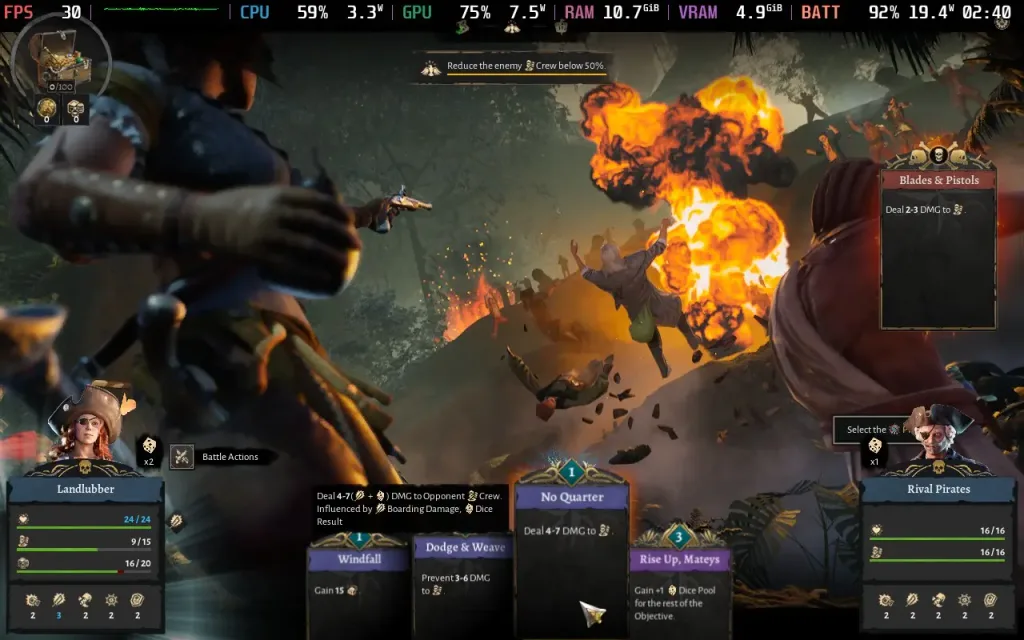
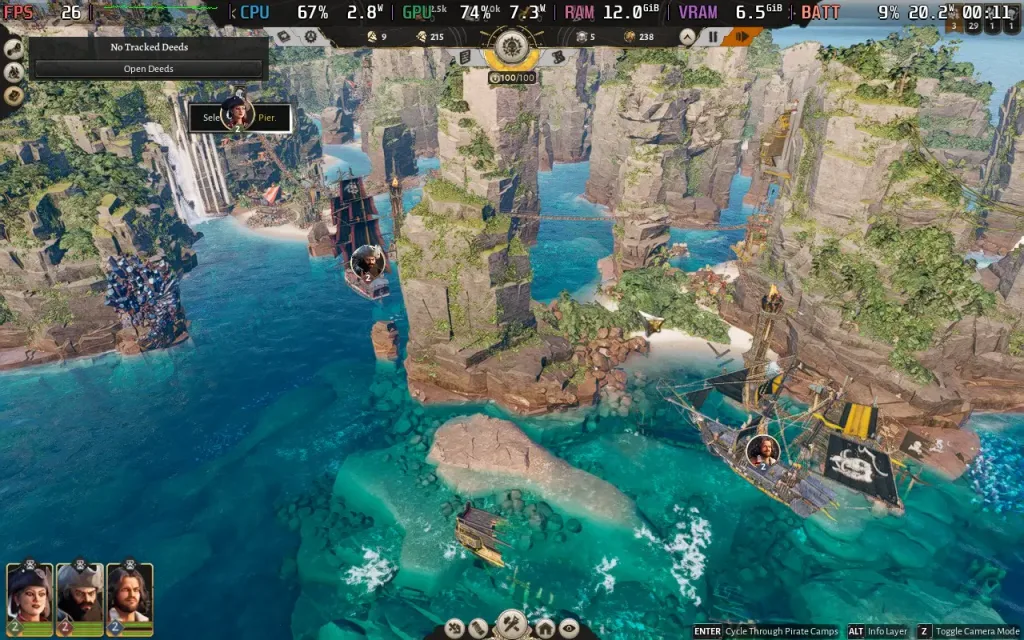
Because Corsair Cove pushes the Steam Deck almost the entire time, expect a power draw of around 18-21W regardless of what you're doing. This means battery life is on the lower side, around 2.5 Hours on a Steam Deck OLED, and around 1.5 Hours on a Steam Deck LCD. Temperatures were largely staying around 70C.
Corsair Cove does have subtitles for its voiced lines; it also has UI scaling which defaults to the max of 250% on the Steam Deck. The text is still a little hard to read in places, but it's OK. There are also color blind filters.
Corsair Cove cleverly combines city building with seafaring exploration and alternates enough to prevent either from getting stale. With a beautiful environment combined with a sizable tech tree, there's plenty to keep you entertained here.
Steam Deck performance isn't where I'd like it to be. It's so close to being a 30 FPS experience, but as your base expands, the CPU demands start to become too much for the Steam Deck to handle. The controls also require some slight configuration to be at their best. You'd be best playing Corsair Cove on a desktop PC or laptop.
このレビューはPC版に基づいています。
このレビューをお楽しみいただけたなら、SteamDeckHQ の他のコンテンツもぜひご覧ください!あなたのゲーム体験に役立つゲームレビューやニュースを幅広く取り揃えています。ニュース、ヒントやチュートリアル、ゲーム設定やレビューをお探しの方も、最新のトレンドを知りたい方も、ぜひご利用ください。
Airborne Empire was provided by Stray Fawn Publishing for review. Thank you!
When it comes to the city-builder genre, I'm amazed by how one of the oldest video game genres is still finding new ways to present unique challenges and gameplay mechanics. Airborne Empire is one such example, putting players in charge of an airship that is entirely customizable as they embark on a journey to explore the world from above.
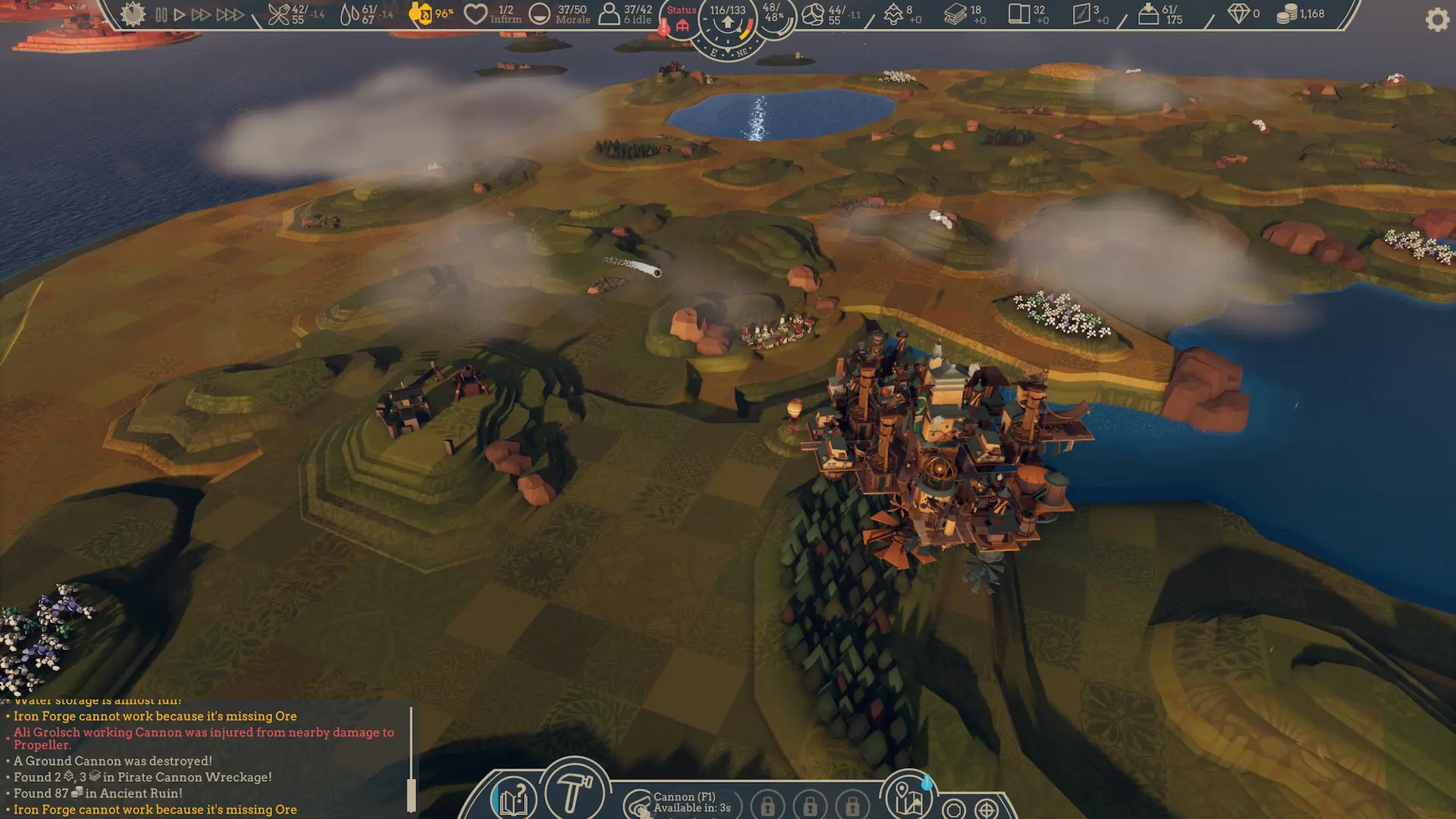
While there are survival elements to Airborne Empire, I wouldn't necessarily bunch this one in with your traditional games in that genre, such as Banished or Frostpunk. Yes, you do have to gather food, water, and fuel for your airship to survive, but the focus is on expanding and improving its capabilities, not just on providing the essentials.
The purpose of the game is to explore new areas and eliminate the pirate threat in that area to prevent the sky pirates from attacking both your airship and the defenseless kingdoms on the ground. While you do this, you'll have to provide for your citizens, research new structures, and complete the odd sidequest for some juicy loot, such as blueprints for new structures.
Airborne Empire's structure puts it at odds with your traditional city-builders. While you can build whatever you want on your airship, the game feels less like an open-ended sandbox and more akin to what the developers sell it as, an RPG. You will largely be doing quests for the kingdoms below, which often involve traveling to somewhere nearby and expending some of your resources to aid them, and there's little reason to do anything but the quests in the game.
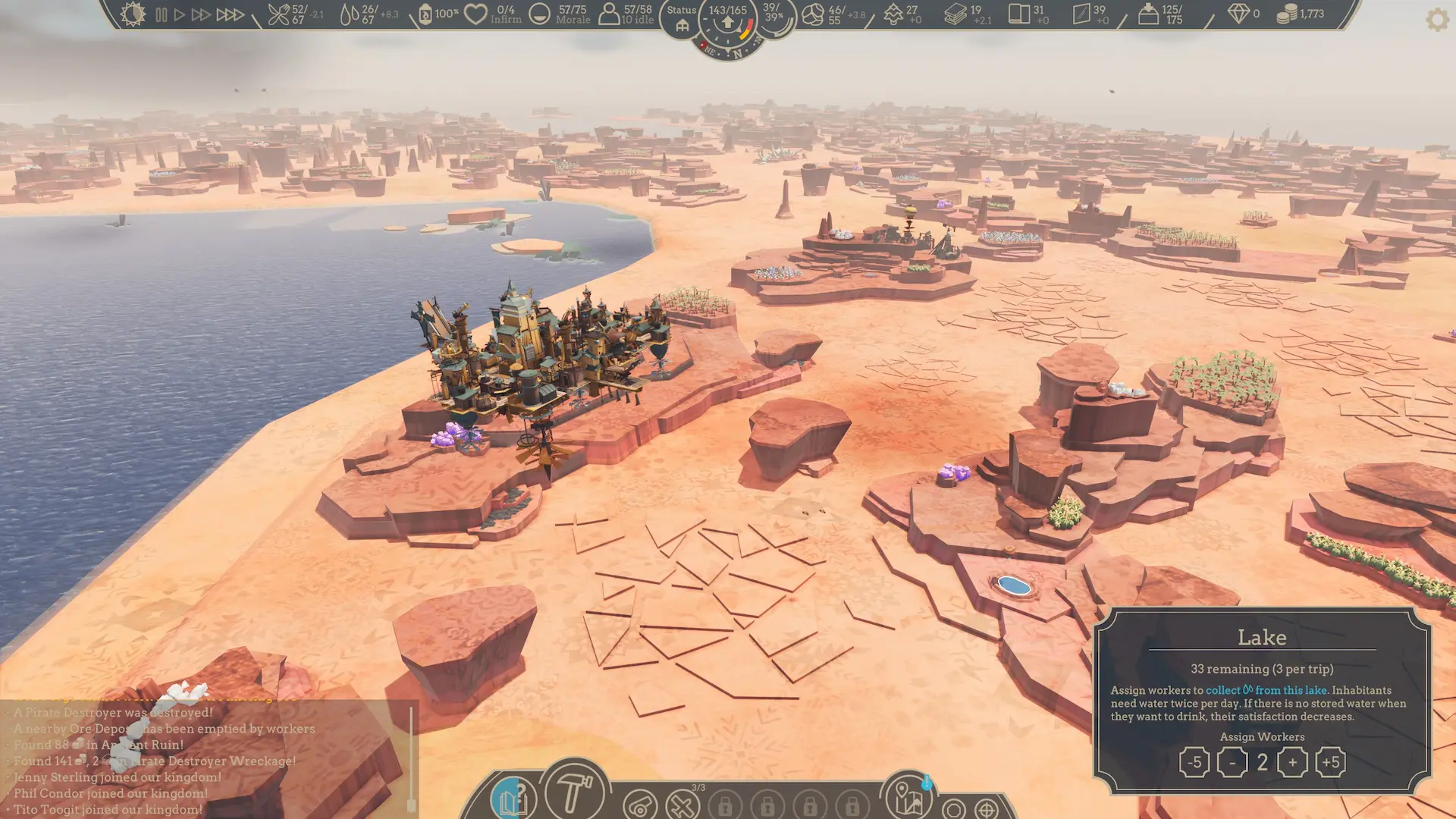
The game is fully open world and quite large, but it does feel as though certain parts of the map serve little purpose. There are only a few resource types in the game, which are fairly abundant pretty much everywhere from the start, and the focus will be on visiting a city, completing its quests, and moving on to the next city. Admittedly, there are some optional side quests that encourage you to explore further, but even then, some parts of the map feel a little superfluous.
Then we move on to the combat in Airborne Empire, which is fairly laid back. Your main defense against the sky pirates will be your Defense Towers and, later on, your own planes. The Defense Towers are pretty place-and-forget structures; assign workers to them, and they will automatically fire at any enemy within range. Then you have manual weapons, like cannons for ground structures and combat planes for other aircraft, which are as simple as selecting them, clicking the enemy you wish to attack, and letting your workers handle it from there. There is little "action" to the combat, but that suits a city-builder like this.
Fulfilling the basic needs of your citizens is a non-issue, and "progress" is made in the form of expanding your arsenal of weapons in order to take down the sky pirate threat pretty early on. As you expand, your citizens will demand more of you, but by that point, I either already had the resources or acquiring them was easy, so I could immediately fulfill their needs.
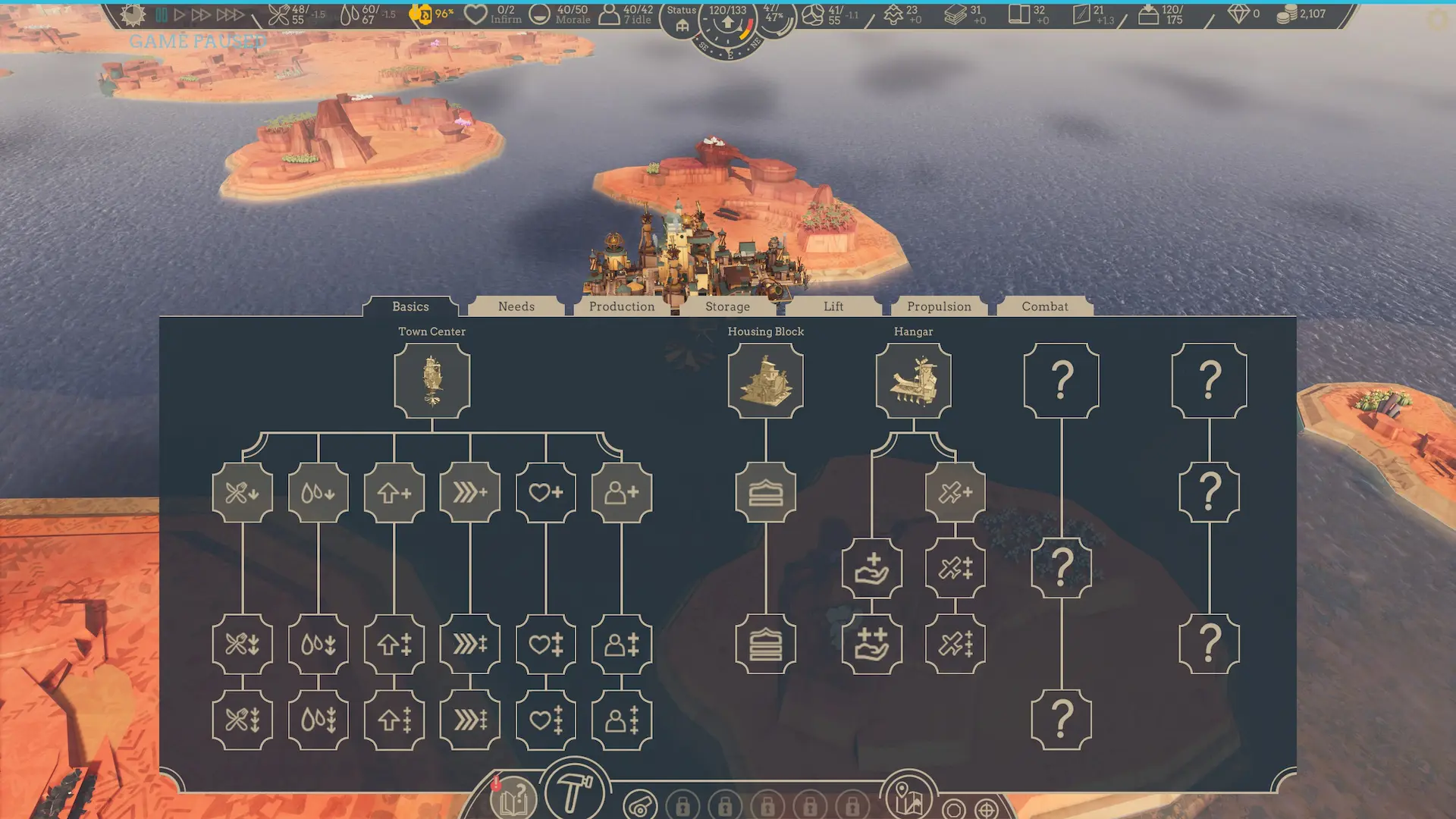
Airborne Empire is an enjoyable time. It's an odd mix of a role-playing adventure mixed with a city-builder, although neither side has too much depth to it. There are quests, but they follow a similar "go here and spend resources, then return" pattern. While I'm sure you could make a pretty airship, my build was rather utilitarian, and there are limited benefits to designing a well-organized and structured base, as area-of-effect buildings aren't really a thing in Airborne Empire. A clinic on one side of your airship will serve the other side, no problem, for example.
As is often the case with strategy games, controls are an issue for Airborne Empire on the Steam Deck. You'll need to use a custom controller layout as the game has no built-in controller support. Fortunately, there are already custom layouts available made by the community, so head into the Steam Input community layouts for the game and pick one that suits your preferred scheme.
Airborne Empire supports 1280x800 as a resolution, but the graphics don't scale well. I would recommend choosing the "Custom" graphics option and setting everything to "Very Low". The "Very Low" preset itself doesn't actually set everything to Very Low, for some reason.
The game exhibits strange behavior, and in certain areas, performance tanks to 20 FPS for seemingly no reason. My only suggestion to mitigate this is to set the GPU clock manually to 1600 MHz, as the Steam Deck doesn't seem to ramp up the GPU to handle this sudden performance hit. With the manual GPU clock, you can mostly hold 30 FPS.
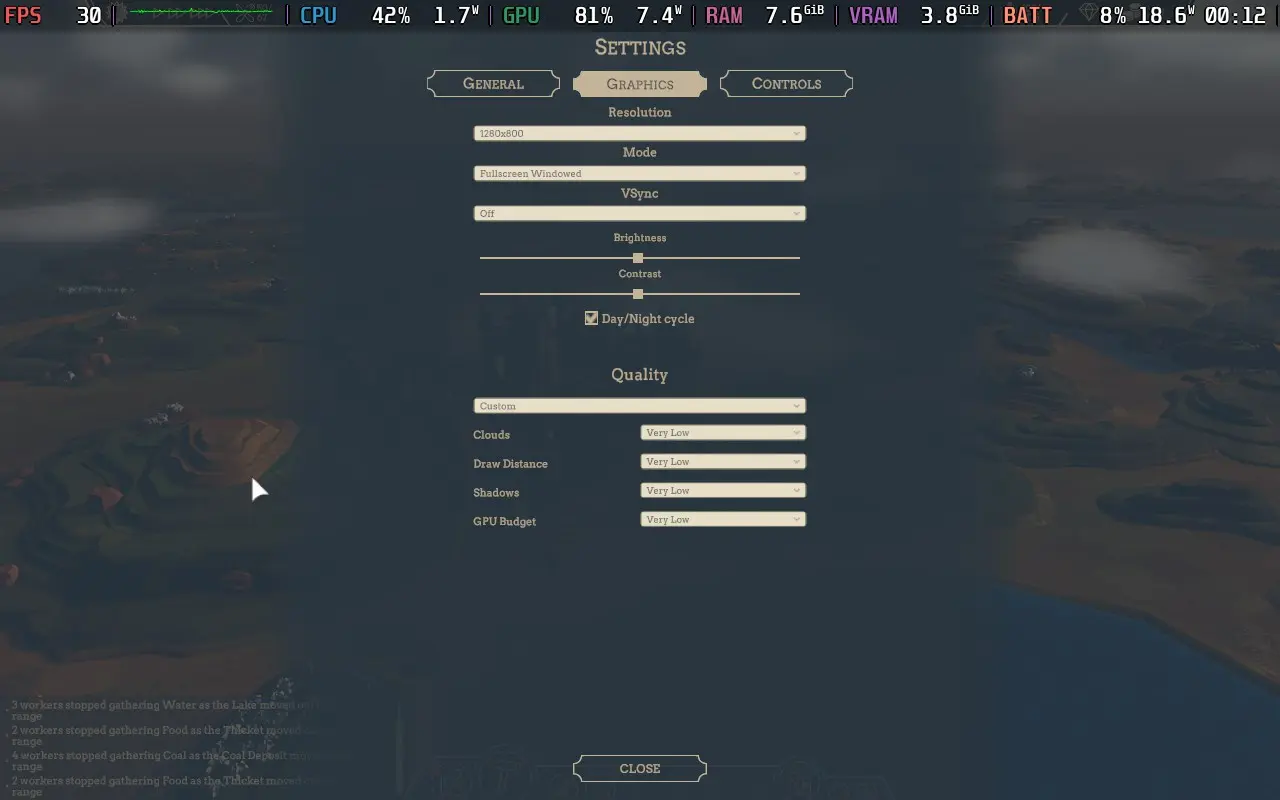
Using the Very Low settings, you can generally expect to play at 30 FPS, but occasionally you will experience drops into the 20s. There is also occasional stutter, usually when rotating the camera to look at new pieces of the world, or when visual effects play for the first time in a while, likely due to loading new assets. As well as the 20 FPS issue described above, but the game is on the cusp of playability, I would say.
If you are very desperate to avoid frame rate drops, you can disable the day/night cycle in the options menu, which does improve performance slightly; you will get drops, but they are less severe, mostly to around 27-28 FPS.
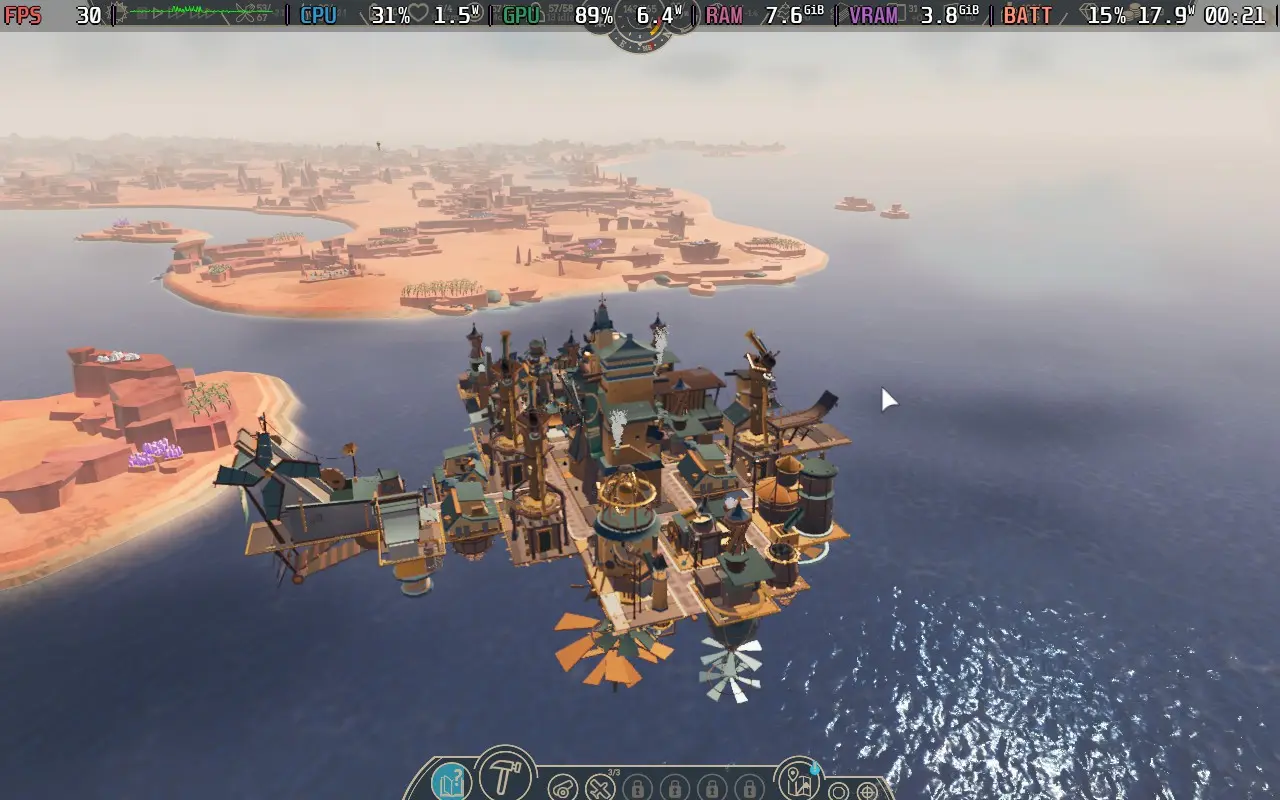
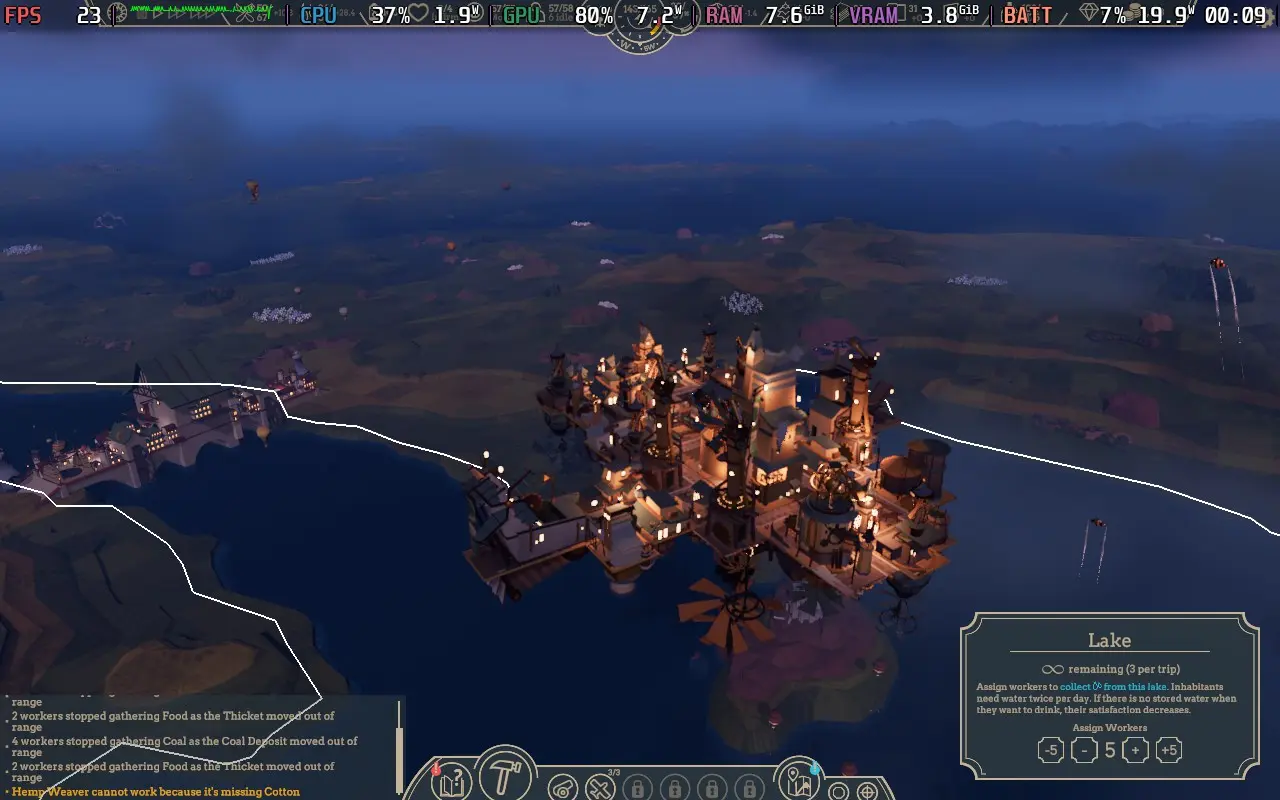
Power draw was around 18W-20W due to the manual GPU clock; without the manual clock, usage is more around 16-18W. Temperatures were around 65-70 °C. Expect battery life to be around 2.5 hours on a Steam Deck OLED and around 1.5 hours on a Steam Deck LCD.
Airborne Empire has little in the way of accessibility. All dialogue is text-based, and you can reduce the effect of sudden light flashes. There is no UI scaling, which can be problematic as certain text is small and somewhat hard to read on the Steam Deck, but it is legible.
Airborne Empire tries to merge a role-playing adventure experience with a city-builder, and while neither area excels at what they do, the game is enjoyable for a playthrough of the Adventure Mode. I can't see myself returning for repeats or trying out the non-story modes, though.
Performance on the Steam Deck is rather poor, though, given the game's slow-paced nature, arguably still playable. Do expect to have to fiddle a little with the controls, though. If possible, Airborne Empire is best enjoyed on a more powerful device than the Steam Deck.
このレビューはPC版に基づいています。
このレビューをお楽しみいただけたなら、SteamDeckHQ の他のコンテンツもぜひご覧ください!あなたのゲーム体験に役立つゲームレビューやニュースを幅広く取り揃えています。ニュース、ヒントやチュートリアル、ゲーム設定やレビューをお探しの方も、最新のトレンドを知りたい方も、ぜひご利用ください。
ALL WILL FALL was provided by tinyBuild for review. Thank you!
After trying out a playtest of ALL WILL FALL over a year ago, I was excited to jump back into it for this review and see what had changed. While the core gameplay (which was good) hasn't changed much, there are plenty of optimizations, quality-of-life features, and a lot of new content.
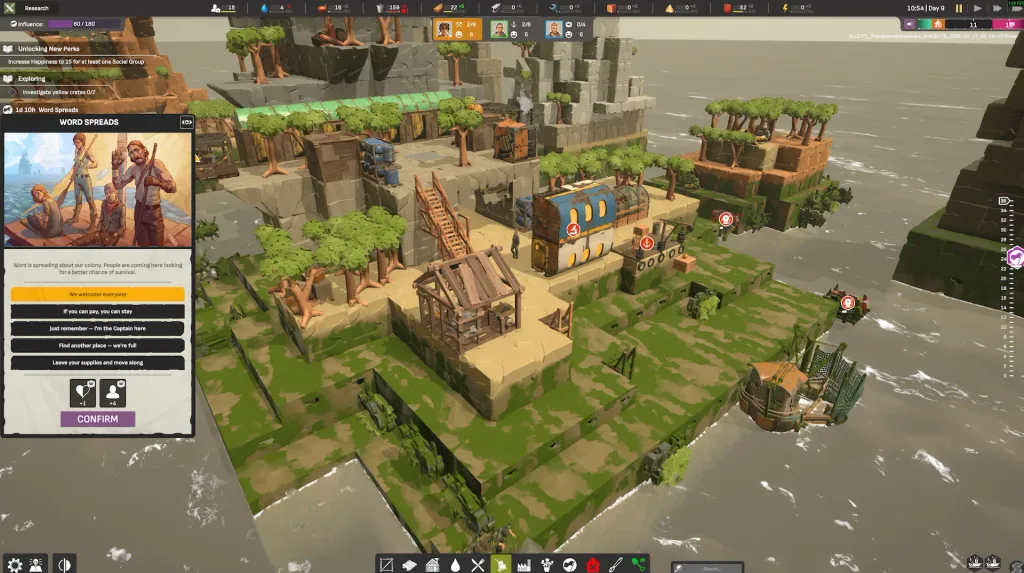
The gameplay of ALL WILL FALL revolves around surviving in a flooded world. Using more permanent structures, such as old skyscrapers and boats, you will construct scaffolding and walkways between them to expand your colony and acquire new resources. It's a pretty unique concept as far as "city-builders" go, and it makes some refreshing changes compared to others.
Rather than focusing on luxuries, ALL WILL FALL places the emphasis on providing essentials. A good chunk of your time will be spent on researching and setting up good water and food production chains. Because of this, there aren't too many resources to concern yourself with, and your citizens' needs are pretty much just food, water, and leisure.
Despite this, the game still feels engaging and challenging. As your colony expands, you need to invest in new research to find new ways of gathering resources, such as fishing and salvaging boats, cranes to lift up debris that floats past your colony, and more advanced ways of demolishing ruins to acquire their resources.
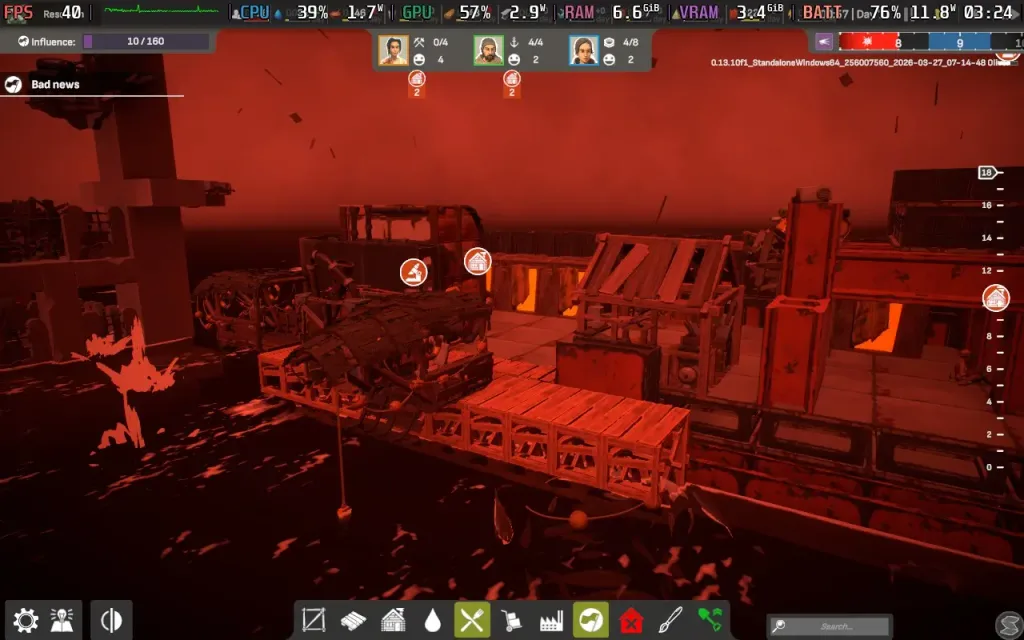
But what really makes ALL WILL FALL stand apart is the dynamic world you live in. Depending on the scenario/mission you're playing, you will have to build around unique challenges. Perhaps the sea level is always falling, maybe it's always rising? You'll have to design your colony so that it can be flexible and move with the changing sea levels, not to mention the natural disasters that can happen, which can entirely annihilate your colony if not built correctly (I lost over an hour's progress to a Hell Rain storm, as seen below).
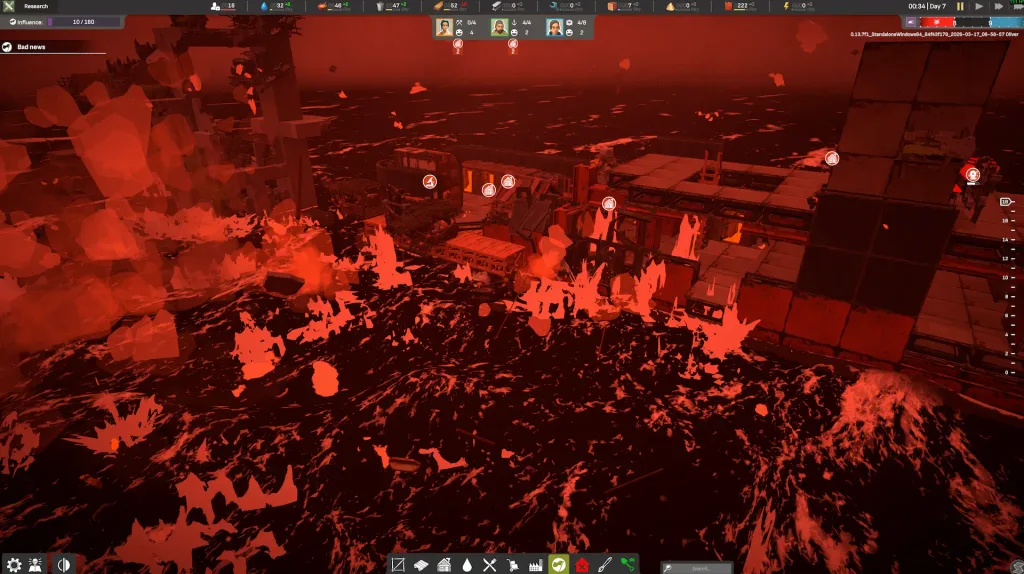
This, combined with the physics simulation that requires stable structures, makes ALL WILL FALL a challenging experience. This isn't a fire-and-forget game, where you get your basic production in place and forget about it, because almost certainly something will go wrong and you'll be scrambling to find a fix for the situation.
There are also random events in the game, which can throw up interesting scenarios that can help or harm you. The effects of these are usually on the minor side, but they are a welcome sight as they often include a goal or target for you to work toward. Plus, they often give you little rewards for doing well, which helps out a lot.
While there is a "campaign", it's more like 8 fairly distinct scenarios that have unlock conditions that can only be achieved in previous scenarios. They don't necessarily follow on from each other, and all of them are technically available from the start. Game progress comes in the form of researching new buildings and structures in the tech-tree, which resets with each scenario, so you may well find yourself sticking to a preferred scenario instead of trying to work through the "campaign."
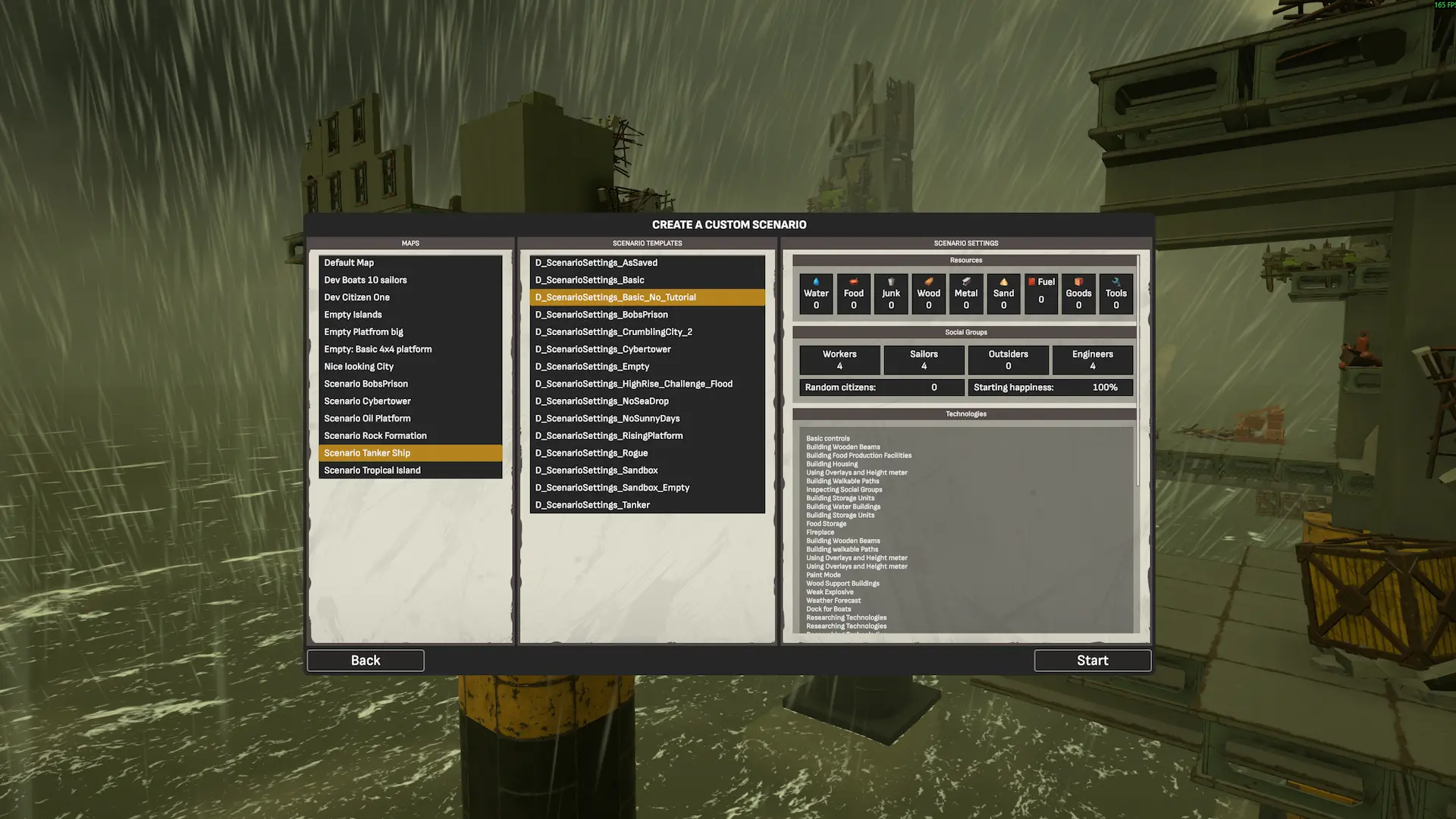
Rather than a typical Sandbox mode, where players are given infinite resources and an easy ride, ALL WILL FALL's Sandbox mode allows you to select a map, as well as a scenario type (such as constantly rising water you must adapt to), and then specify the amount of colonists and resources you start with. There's Steam Workshop support for custom maps, which will definitely help increase the game's replayability. It will be interesting to see what unique and challenging maps the community comes up with.
I don't really have many issues. Yes, sometimes building can be difficult on certain maps due to their verticality, which can add a bit of confusion depending on your viewing angle. And given the fairly limited number of colonists, I would have perhaps liked to have seen more personal traits on each colonist so we could get to know them a little better, a la Rimworld, as opposed to them just being a number. But by and large, this ticks the boxes it sets out to, being a challenging city-builder that presents problems most others fail to.
After playing a playtest of ALL WILL FALL back in January 2025, I was concerned about how the game would perform on the Steam Deck, particularly as that build gave us unplayable performance. I'm pleased to say that plenty of optimization has occurred in the meantime.
Another new addition is support for controllers/gamepads. It was disabled by default for me, but you can go into the game options on the main menu and under the Controls tab, tick "Enable Gamepad". It isn't perfect, at least not in the review build I had, so I would recommend remapping your right touchpad to function as a mouse and clicking the right touchpad as a left click, which makes building much easier. For camera controls, the gamepad support does work well. You can also rebind some controls using the in-game settings menu.
Thanks to the aforementioned optimizations, ALL WILL FALL can hold 40 FPS (with occasional stutters) on the Steam Deck with the right settings. The CPU usage is fairly low, so the performance difference between small and large bases is quite minimal.
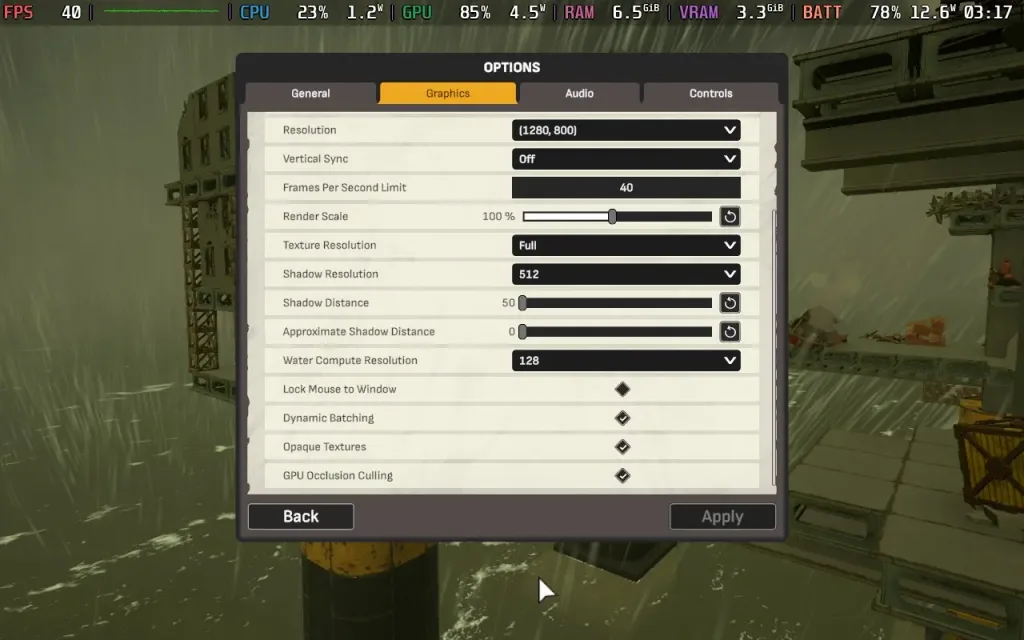
We drop the Shadow Resolution down to 512, which still allows decent-looking shadows on the small Steam Deck screen. The low Shadow Distance doesn't actually affect much, as the game is fairly generous with its shadow distances. Faraway objects lack shadows, but anything close still looks good.
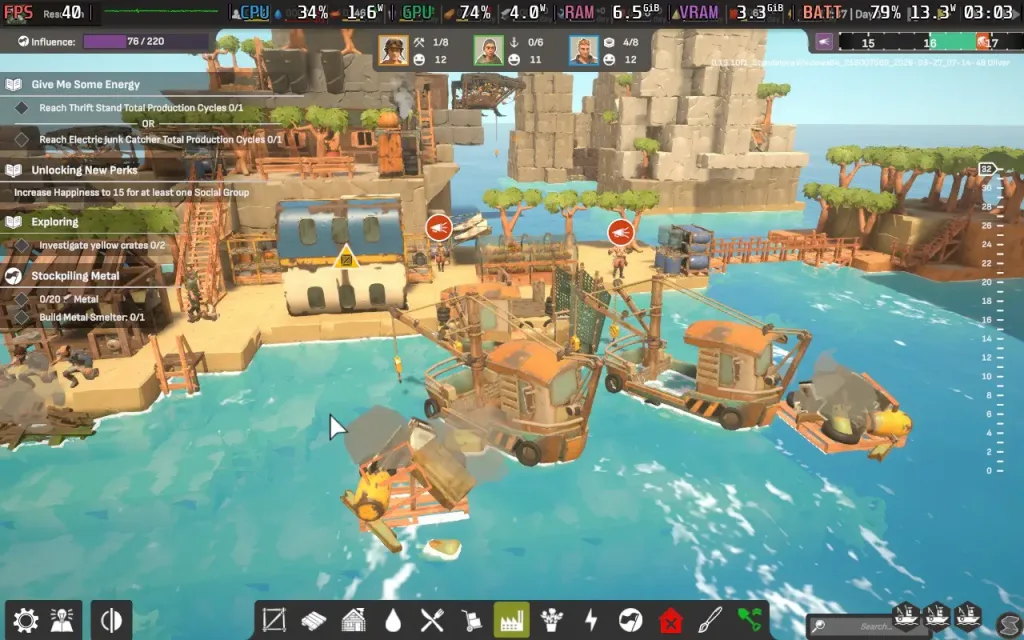
Power draw stays fairly average thanks to generally low-end CPU usage, and was around the 12W-14W range, so you can expect a playtime of about 3.5-4 hours on a Steam Deck OLED, and around 2.5-3 hours on a Steam Deck LCD. The game doesn't push the Steam Deck too hard, so temperatures were around 60 °C.
I would also recommend setting the UI Scale in the Graphics Options to 90%, which gives us the largest possible text size without causing overlap between UI elements. This makes the text and UI elements fairly easy to read.
ALL WILL FALL doesn't have many accessibility options. You can disable screen shake, adjust UI scaling, and rebind controls. All dialogue is also in written form.
ALL WILL FALL puts an interesting twist on the city-builder genre. Whether it's the natural disasters, changing sea levels, or the complaints of your citizens, the game keeps you on your toes, and everything can literally "fall" in moments. A little more personal detail on your colonists wouldn't have gone amiss, however.
Performance on Steam Deck is much improved since the earlier playtests, and I'm happy to say that the game is fully playable on the Deck at 40 FPS with some slight stutters, as long as you modify the controls slightly to your liking.
このレビューはPC版に基づいています。
このレビューをお楽しみいただけたなら、SteamDeckHQ の他のコンテンツもぜひご覧ください!あなたのゲーム体験に役立つゲームレビューやニュースを幅広く取り揃えています。ニュース、ヒントやチュートリアル、ゲーム設定やレビューをお探しの方も、最新のトレンドを知りたい方も、ぜひご利用ください。
Nova Roma was provided by Hooded Horse for review. Thankyou!
Nova Roma is what I like from my city-builders. I get to develop my grand Roman empire from scratch while making sure the citizens do what I tell them to prevent the gods from massacring them. I’ve always liked games where you can use godly influences to lord over a population, but that is probably because I have a god complex. Ahem. Moving on! Developed by Lion Shield, the same folks who made the excellent Kingdoms and Castles, Nova Roma feels like their previous title writ large, with some great atmosphere to boot. Although it is still in development, I couldn’t help but get excited about this one.
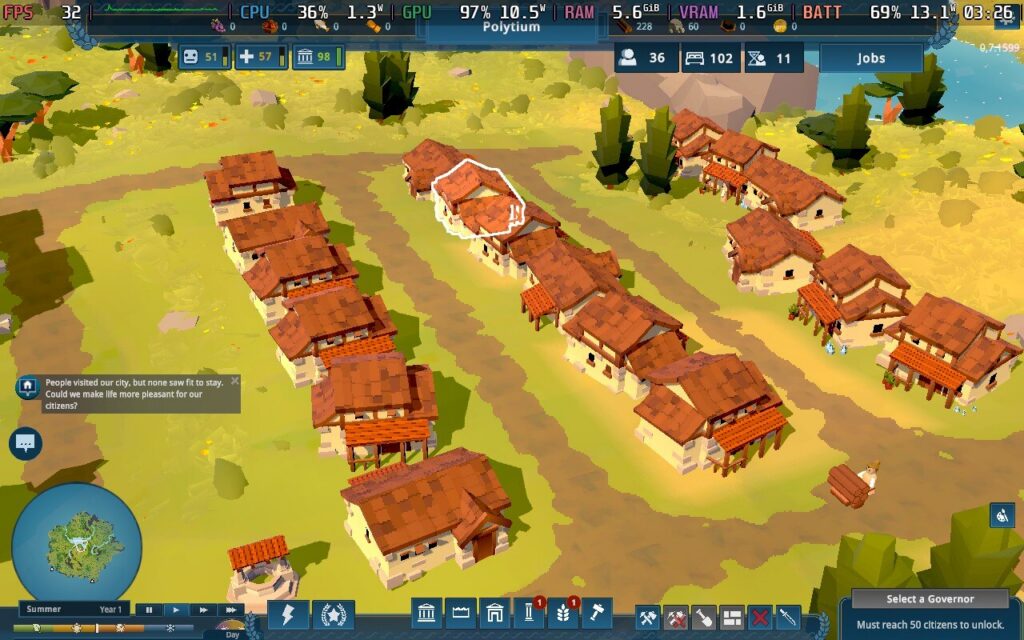
Nova Roma takes the foot off the gas pedal when it comes to difficulty, focusing instead on a gentler, sandbox experience that rewards creativity when planning a city. If you have played Kingdoms and Castles before, the aesthetic in the game is very similar to Lion Shield’s first title. The visuals remind me a little of playing with Play-Doh when I was a kid, with little stick people living out their lives.
It is a different contrast to what I’ve seen from other citybuilders on the market, such as the recently released Timberborn, Heart of the Machine, Whiskerwood, and Farthest Frontier, but this is what Lion Shield is good at. Sometimes it’s nice to play a cozier city builder, although that doesn’t mean Nova Roma will pet your head and bring you snacks.
Nova Roma’s current Early Access content is said to be content-complete, with both a sandbox and story mode in the game from launch. All the core mechanics are already in place, with additional content and polishing to come during the Early Access development. As I like to remind people when I write reviews of Early Access titles, this is for the current product, as it is available to everyone, without taking anything into account, such as future updates. Roadmaps and patches are always part of modern gaming, especially for games in Early Access, but things can and will go wrong. I like being transparent about this because it’s easier to determine whether a game is worth playing now than in a hypothetical better state. Promises are all well and good, but results matter most.
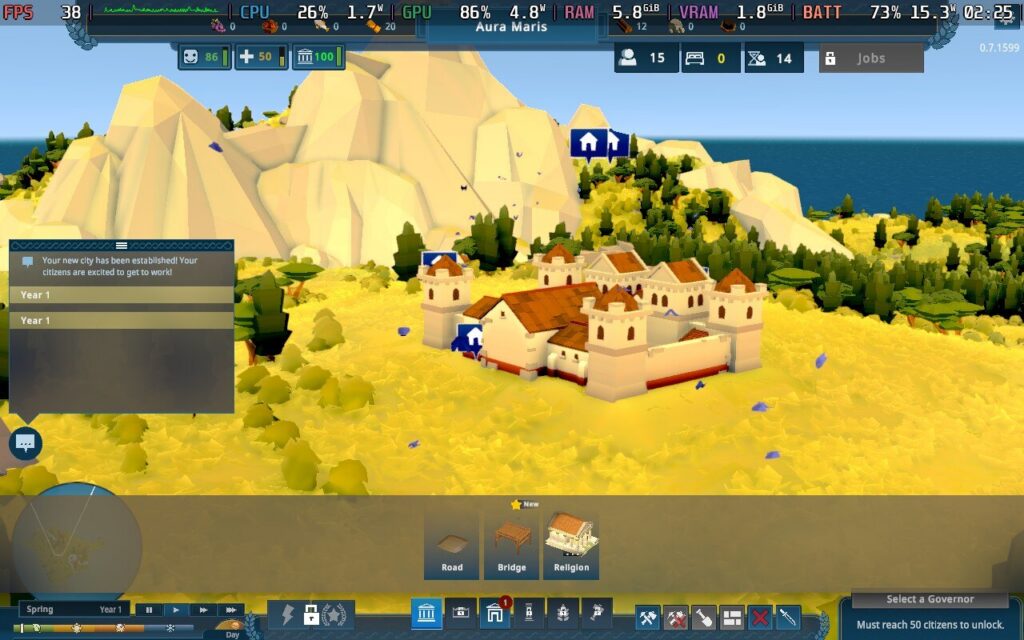
Regardless, I think Nova Roma does a couple of things really well: the core gameplay and the atmosphere. The city-building mechanics are surprisingly deep, with full control over where to place buildings. I have always preferred this free-building system because it allows for creativity rather than plopping down sites exactly where the game tells you to, and I get to build the Roman city of my dreams! That is the long-term plan in the normal mode, as it takes a while to get going. The core is simple. The Roman Empire is in deep decline, and you decide to break away and rebuild.
The usual survival mechanics in citybuilders involve keeping your citizens happy and providing them with food, water, and housing so they don’t freeze to death in winter. Dead villagers might make decent kindling, but they do a poor job tending to crops. There’s a ton of different buildings to add to your Roman metropolis, with more to unlock through research.
I also enjoy how research points are unlocked, which brings us to the way Nova Roma differs from other games in the genre. While developing your city, you must build temples to the gods while picking a deity to cater to. There are five available in the game at launch, with others to come later, and each comes with its perks and downsides. A temple is tied to a single deity, although you can have multiple temples of the same god and vice versa, which is cool for freedom.
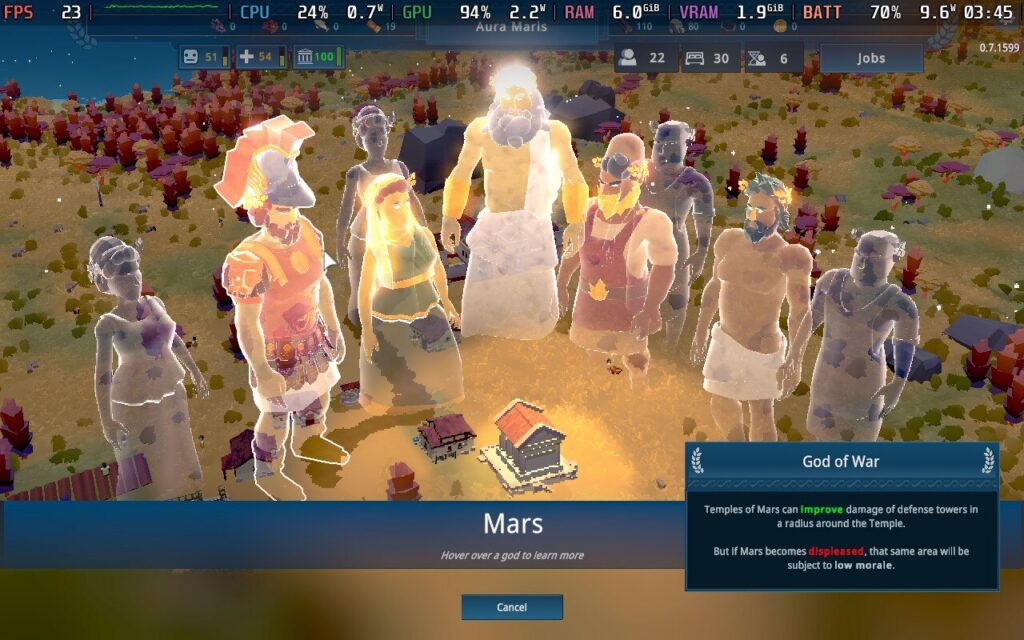
These bonuses include things such as improving happiness and crop fertility, but these gods are prickly and are needier than kittens. Fail to meet their demands in the form of quests, and they make their displeasure felt through divine lightning strikes and fires. It certainly adds a spice to the traditional city-building model, and while the godly missions aren’t anything special, they add a good reason for progression.
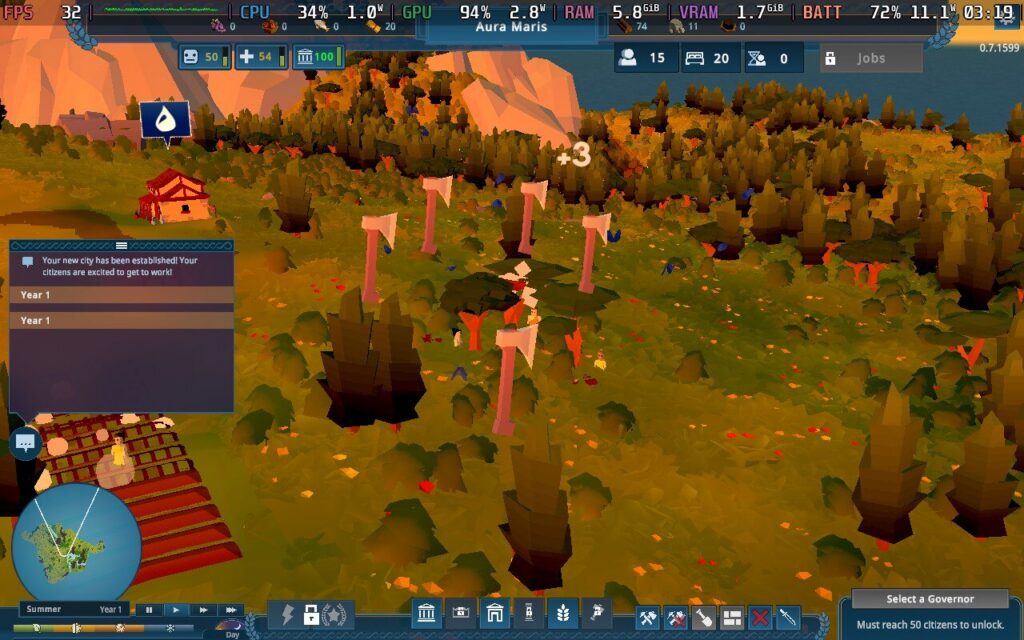
The water physics and how they impact gameplay are also one of the most impressive systems I have seen in a city builder. Rivers dynamically wind through landscapes, and floods devastate communities with some awesome physics. It reminds me of From Dust from the early 2010’s, which embodied god games like Black and White by manipulating water and land to progress. You need to build your economy and infrastructure around the rivers and sea to survive, and it adds a ton of strategic depth to the game.
Creative mode is also in the game if you fancy building without the stress of catering to annoying godlike beings for the glory of Rome, with plenty of modifiers to adjust while you play. It’s nice when citybuilders give me the option for sandbox as well as a standard playstyle, as I have grown to appreciate progression systems in these games. You can spawn citizens and resources, enable free build,
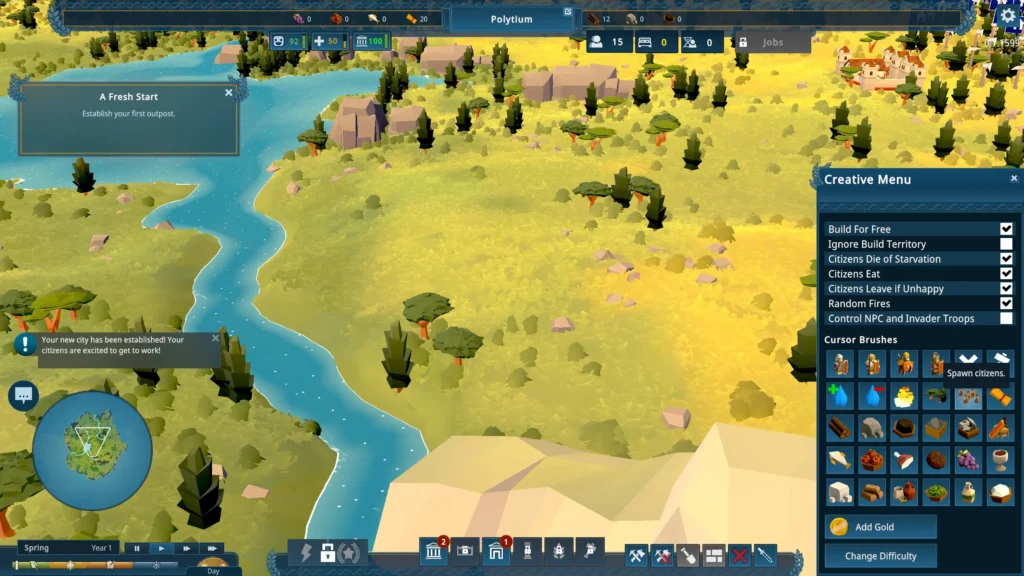
The guts of Nova Roma are solid, and I’m a big fan of the core gameplay. It’s like sinking into a deep, warm bath with the cute graphics, and just like Kingdoms and Castles, it is just enjoyable to build a town. Balancing appeasing the gods while juggling the development of your budding empire has a nice mix of challenges that is sorely needed, and for a game early in development, there is a lot to like. My only real concern right now is the middling performance. I saw plenty of frame drops on PC despite the modest system requirements, and I had a couple of crashes here and there. These should be easy fixes with some patches, but it’s something to consider.
Nova Roma has been given a Playable rating by Valve before the launch, while ProtonDB has a Platinum rating due to the generous demo that has been around for several weeks.
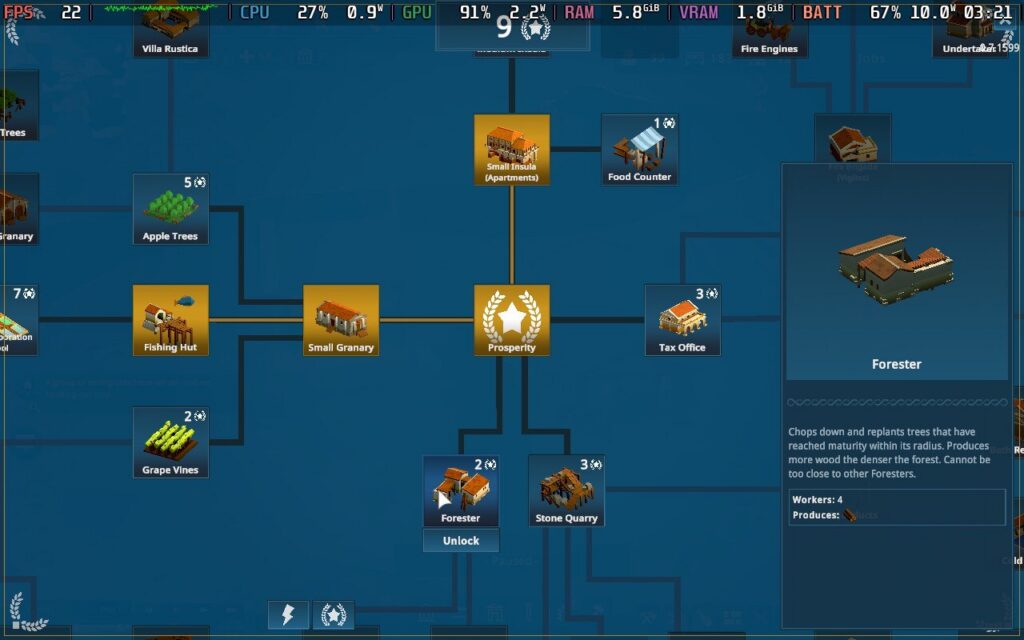
On paper, this is most certainly true, and you can play it on the Steam Deck with a tolerable experience. In practice, I found things more compromised. That doesn’t make the game unplayable, as it does play nicely with the Steam Deck’s trackpads, but I wasn’t able to get even 50FPS on average. There is definitely some work with optimization that needs to happen, and we don’t get many options to work with. That seems to have been a trend with my last few reviews on here!
With this in mind, I just kept all the graphical settings turned on with a 30FPS framerate cap to make things as consistent as possible. There is not much point in fiddling with the TDP ratings before the devs get the chance to make some performance updates. Performance and the default control scheme are solid enough, and I had no issues going about my omniscient city-building business.
I would not expect much with battery life like this, of course, as Nova Roma sucks up power like a vacuum cleaner. Average power draw was around 15 watts, and sometimes it spiked as high as 20 watts, although capping the refresh rate to 50Hz on the Steam Deck OLED helps a little. Regardless, I got around 3 hours of battery life on average.
The game is available in English, German, French, Spanish, Portuguese, Italian, Polish, Czech, Hungarian, Turkish, Ukrainian, Russian, Brazilian Portuguese, Simplified Chinese, Traditional Chinese, Korean, and Japanese.
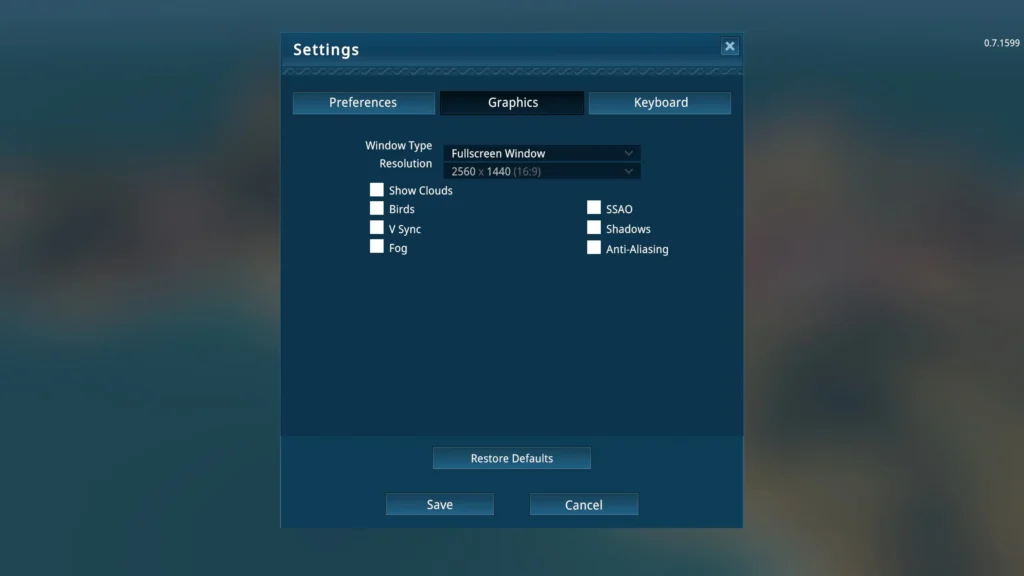
While the game lacks some important options, such as colorblind support and dedicated controller support, it does have some things, including Vsync, UI scaling, invert camera, edge scrolling, camera panning speed, and move speed. Not being able to change texture settings is unfortunate, but you can toggle shadows, clouds, birds, and anti-aliasing.
Nova Roma is in a good place, and Lion Shield has clearly learned a lot from developing Kingdoms and Castles over the years. The blend of Roman architecture, appeasing the Roman gods, and mechanics makes for an excellent experience. It may lack the insane depth of games such as Farthest Frontier and Heart of the Machine, but there is a great foundation so far.
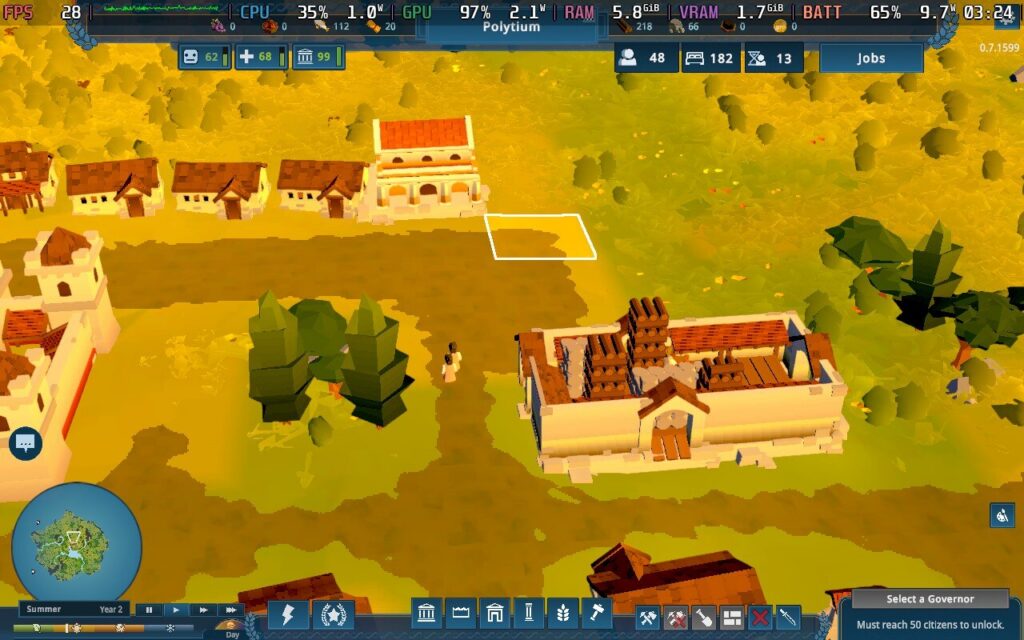
There’s work to be done regarding performance, and the Steam Deck experience, while playable, needs some optimization passes before I’m confident recommending it solely for the Deck. Nova Roma is great fun, and I’m excited to see how Lion Shield progresses their next game.
このレビューはPC版に基づいています。
このレビューをお楽しみいただけたなら、SteamDeckHQ の他のコンテンツもぜひご覧ください!あなたのゲーム体験に役立つゲームレビューやニュースを幅広く取り揃えています。ニュース、ヒントやチュートリアル、ゲーム設定やレビューをお探しの方も、最新のトレンドを知りたい方も、ぜひご利用ください。
Town to City was provided by Kwalee for review. Thank you!
This is an early access title, so our final thoughts on Town to City will most likely change as it develops. This review is based on our thoughts of the initial release of the game.
If you're after a relaxing take on a city builder, then Town to City is probably right up your alley. Rather than managing busy traffic intersections and power needs, Town to City takes us back to the basics with an emphasis on designing the layout of your city above all else. Then, it's simply a case of placing the necessities near your housing and it's smiley faces all around!
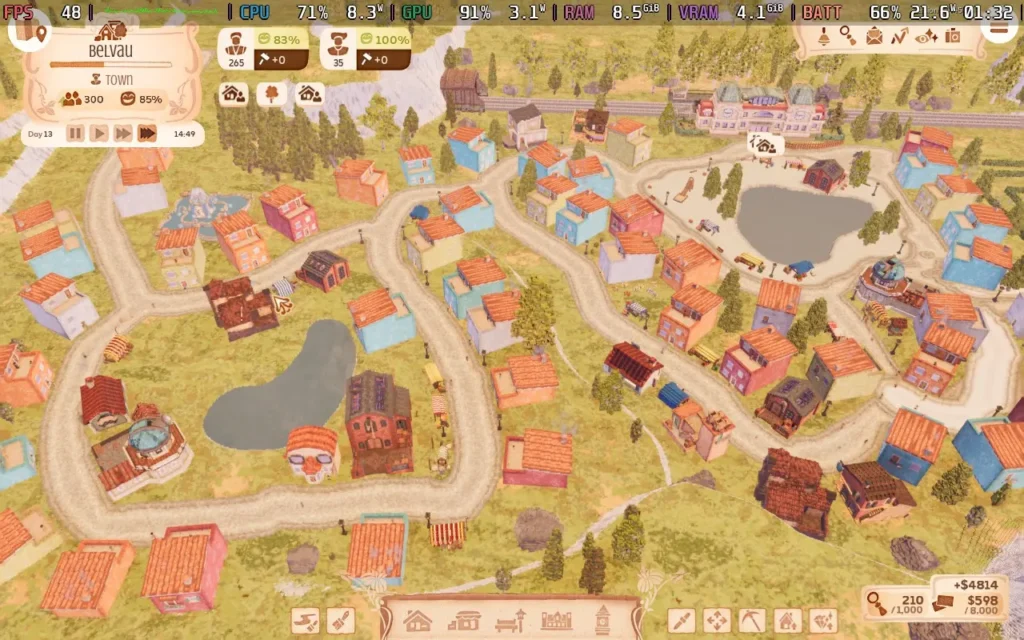
That is, of course, a double-edged sword. If you are after an in-depth city builder that requires complex planning and strategic thinking, then Town to City might not be for you, but if you do want to have complete control over how your city looks and get joy out of crafting your ideal town, then this is the game you want.
You'll start the game with an empty plot of land, with only a railway station to deliver your first citizens. As your citizens arrive, each will have different desires. Some may want to be in a house near water, others near cliffs, and some might want to be away from other houses. It's your job to build homes in the right positions and relocate families to maximize their "happiness", allowing you to move in more inhabitants, letting you progress through the game's tech tree and unlock new buildings to bring even more happiness.
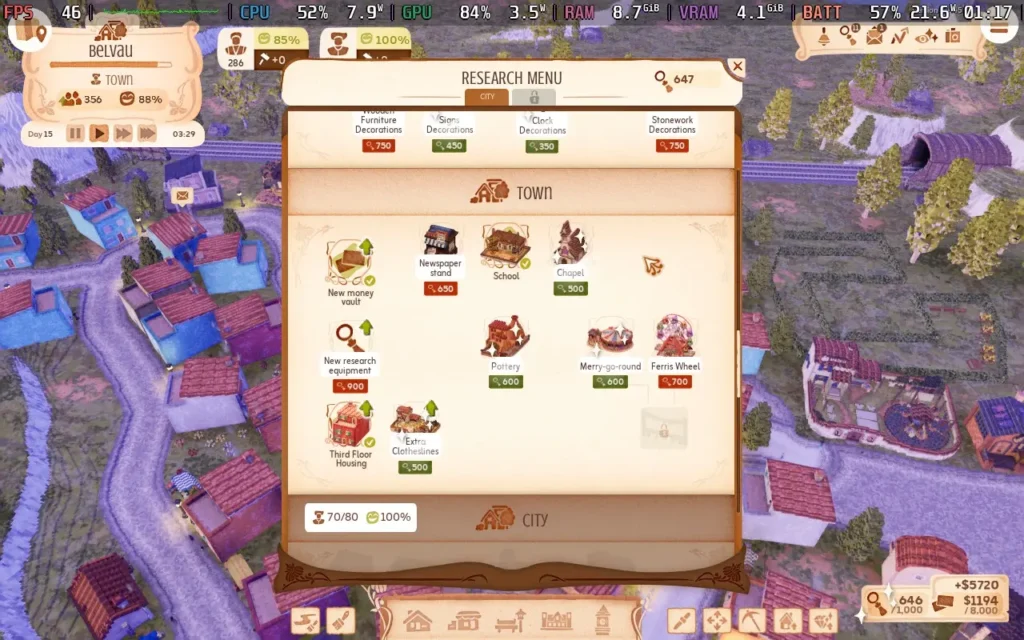
The progression is relaxed, and like everything in Town to City, you can do it at your own pace. You passively earn research points over time, which you can then spend to unlock new buildings, upgrades, or decorations. This gradually changes the appearance of your city over time, from quaint single-story buildings to more advanced multi-story structures.
As you progress, you will get more "demanding" citizens, but really, their demands are quite trivial compared to most city builders. They merely want to be somewhat near a shoemaker or near some other luxury building, but they have large ranges, so it's pretty lenient. Plus, relocating citizens is easy, with just a click of a button to change their house.
Your citizens can also request that you do favors for them, like beautifying the area around their house, in exchange for money, but again, this can be done at your own time and pace. This game is all about design and form, not necessarily efficiency and strategy. You'll spend just as much time placing fences, trees, and flowers as drawing free-form roads and placing buildings.
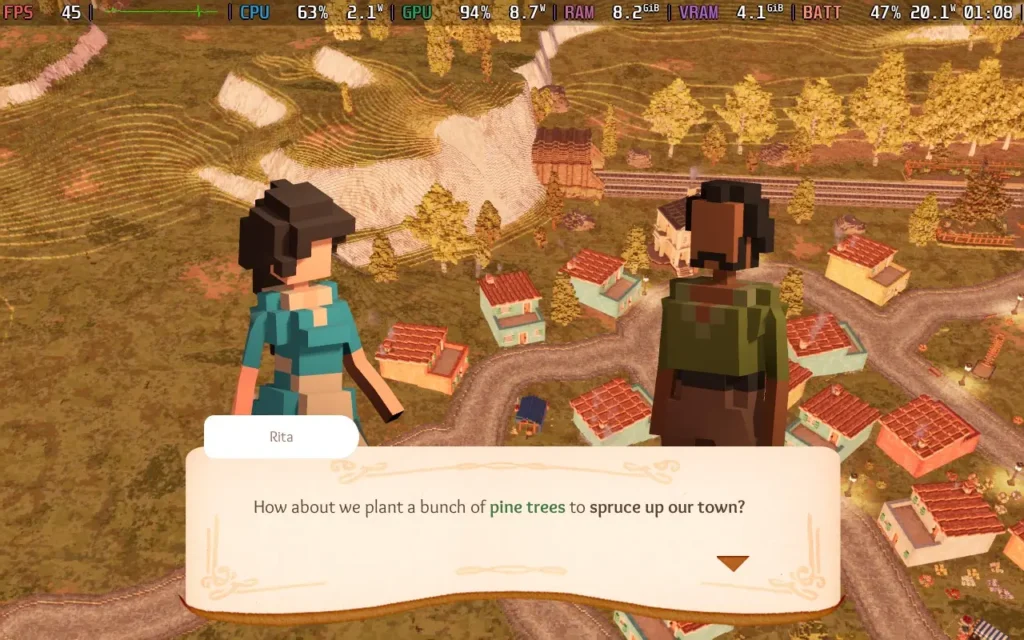
Visually, Town to City keeps the quaint theme going, with a bright and warm, though not cartoony, feel. It really lends itself to the relaxing and carefree nature of the game. The music likewise is very laidback in its vibe, using accordions and other instruments you might envisage on a Parisian street. Some background birdsong and bug noises exemplify the rural nature of your "city."
As far as I can tell, you can't really lose; you're always gaining money, and you can divert your workforce to the relevant places if you make a mistake, so if you are after a citybuilder that's more on the relaxing side, give this one a look, manually drawing your roads, placing buildings and decorations that aren't snapped to grids, they're a luxury in this genre, and the game does it well.
As an early access title, the game will undergo more changes before its 1.0 launch. According to the Steam store page, they plan to add a new town with its own mechanics, additional buildings and animals, and some quality-of-life tweaks.
Town to City doesn't strictly have controller support, but it has been designed with Steam Deck in mind, and the game does run you through a quick overview of Deck controls when you start a game if you are playing on a Deck. The game also runs in 1280x800 resolution.
Continuing the Steam Deck support theme, the game defaults to a "Steam Deck" preset, and I think it's good, so I wouldn't adjust your graphical settings. The game looks pretty decent, and it should hold 30 FPS fairly well, even later. We use 1280x800 as the resolution and a 30 FPS in-game frame limit.
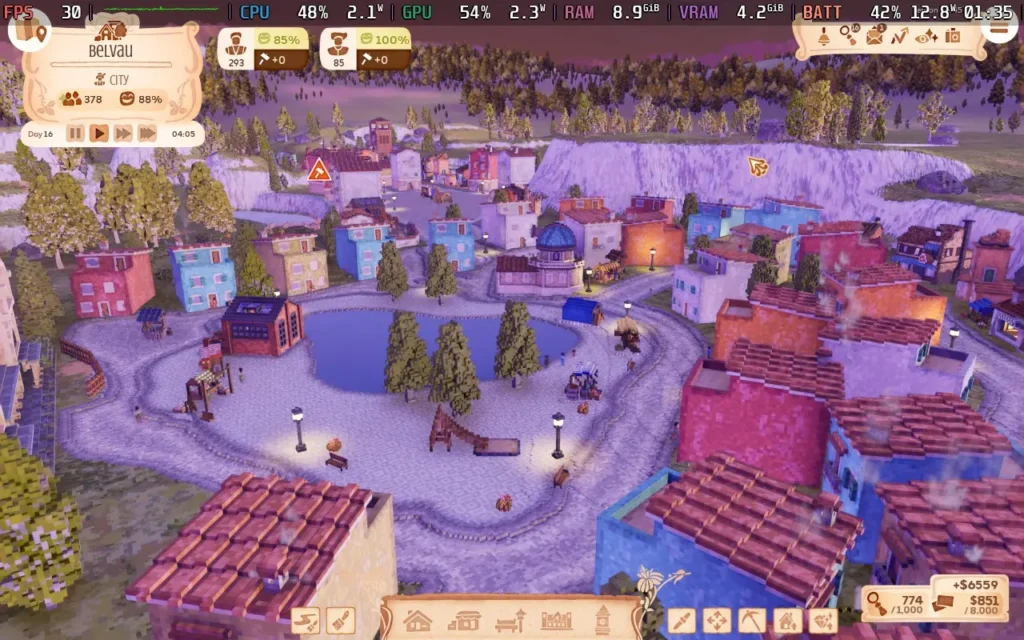

In my town, which reached 400 citizens (out of a max of 1000, although you can limit the game to 500 and still unlock everything), the game was still running around 40-50 FPS, meaning a stable 30 is easily possible. The power draw was around 12-15W, with temperatures around 60 °C. Steam Deck OLEDs should get around 3.5 hours of playtime, with LCDs around 2.5 hours.
All dialogue in Town to City is text-based. The UI scaling defaults to max (120%), which helps make most text easy to read.
Town to City is a delightfully relaxing city builder. This one is all about the little details, and people who want their city will enjoy all the little decorations you can place around your city. Those who want production chains and strategy should look elsewhere, as there's none here.
Performance on the Steam Deck is pretty good, and it should hold a stable 30 FPS throughout, even with a larger city. Plus, the developers have clearly put time into the game on Deck, thanks to pre-optimized settings and a tutorial pop-up explaining the controls.
このレビューはPC版に基づいています。
このレビューをお楽しみいただけたなら、SteamDeckHQ の他のコンテンツもぜひご覧ください!あなたのゲーム体験に役立つゲームレビューやニュースを幅広く取り揃えています。ニュース、ヒントやチュートリアル、ゲーム設定やレビューをお探しの方も、最新のトレンドを知りたい方も、ぜひご利用ください。
This review was created using an LCD Steam Deck. OLED testing will be carried out soon.
2023 was a massive year for gaming. While Baldur’s Gate 3 eventually won my personal GOTY, dotAGE ran it incredibly close. Who expected a city-builder roguelike to work so well? Not only does dotAGE succeed, but it also succeeds in leaps and bounds. dotAGE was one of the best indie games of 2023, and it’s still getting better! It is also great news for Steam Deck owners, as dotAGE performs very well on our favorite handheld.
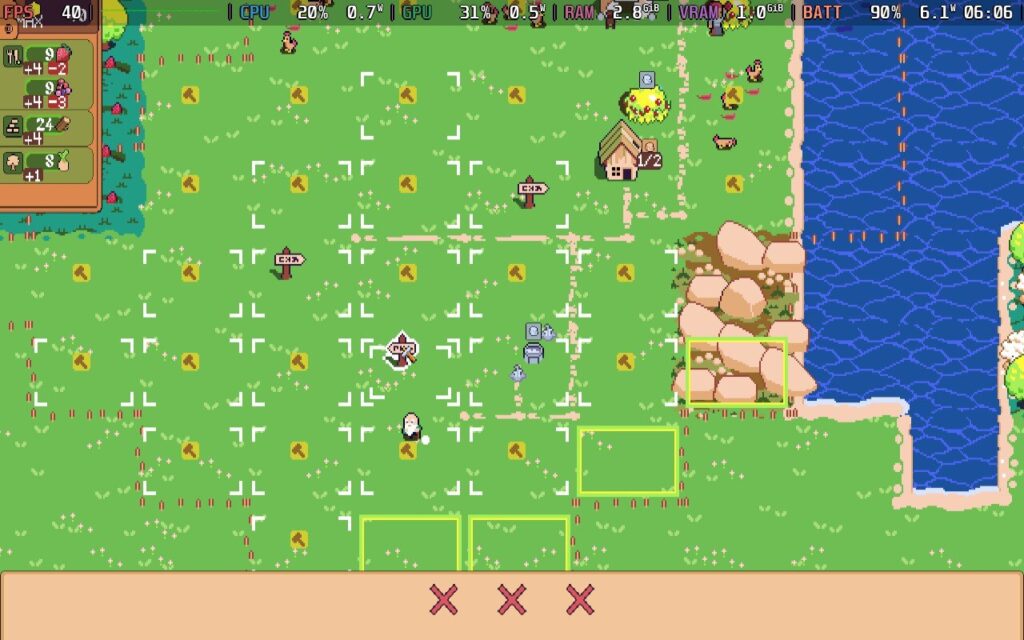
The concept of dotAGE opens from humble beginnings. You start on a randomized map with a few followers and their leader, an elderly bloke who has consumed too much booze. Somehow, he can see the upcoming apocalypse, and it's up to you to save them all or die trying. No pressure! While dotAGE’s pixel graphics are modest, they still look clean. Every villager and building has its animation, and while it won’t win any awards for visual design, it goes beyond what I expected from a 2D city builder.
While dotAGE can be brutal, it bucks the trend city-builders follow by favoring a turn-based system. In other city-builders, juggling the ongoing disasters that plague your settlement can be frantic. In dotAGE, you can take as much time as you need. That’s just as well because there are many decisions to make.

The key to dotAGE is population control. More followers mean access to more resources and buildings, but each follower consumes an item of food. You get more followers by getting them to shack up and make kids who can’t provide any labor until they become adults. This is increasingly important since everyone can only work on one building simultaneously.
A staggering number of buildings and mechanics in the game can also be unlocked through the game's knowledge system. Because the elderly leader has forgotten everything, he only remembers things when encountering them, including everything from resources to new buildings and mechanics. As you play, you will unlock knowledge points from the buildings you make, which are used to unlock new ones.
In the end, dotAGE is all about survival. Threats come in Doomsday scenarios, weather events, plagues, and disasters. Despite the massive amount of information to learn, the game does an excellent job teaching players with a great tutorial, a full in-game codex that tracks everything players unlock, and a diverse range of difficulty settings. In its base form, dotAGE is challenging, but I love how you can customize the experience. Do you want to relax? Put it in cozy mode. If you fancy the masochist life, there are many difficulty modifiers to dial it up.

With these features, dotAGE has something for everyone. Despite its depth, I found it deeply engrossing. Every move brings choice and consequences. Do I sacrifice production for a turn so they can make children? Ignore the upcoming threat, knowing I cannot tip the balance in my favor, instead focusing on building up resources to potentially survive the doomsday event. Sometimes, these random events can mess you up. Once, I had a great village going and my best run yet until a rogue lightning event paralyzed six of my twelve villagers. With half my population unable to do anything, I could not stop the cascade. Ten days later, my settlement was destroyed, and I had to start over again.
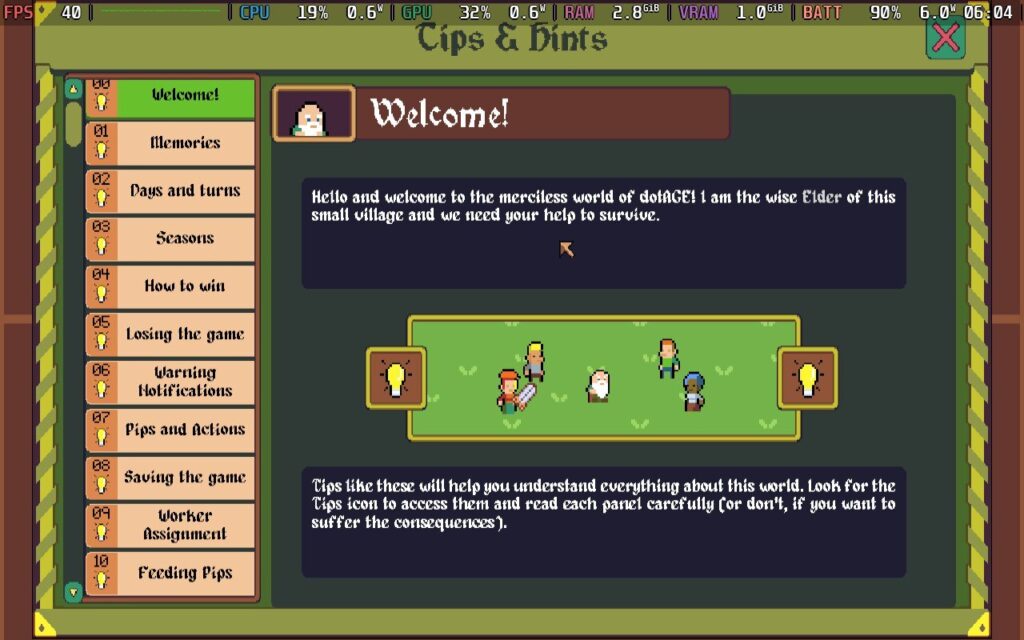
In other roguelikes, I’d just get pissed off, but dotAGE never made me feel like I was hopeless. It's just one of those games with a brilliant gameplay loop with tons of content and depth and is easy enough for anybody to pick up and play.
dotAGE is fairly kind on the Steam Deck. Even when it lacked full controller support at launch, I could play it using the Keyboard and Mouse controller profile without problems. It showcased another advantage of Steam Deck over its competitors: those trackpads have so many uses!
As of December 2023, the developer added that missing controller support to the game, earning it a Verified badge from Valve. I found that dotAGE deserves the Verified status, although there are a few things to look out for.
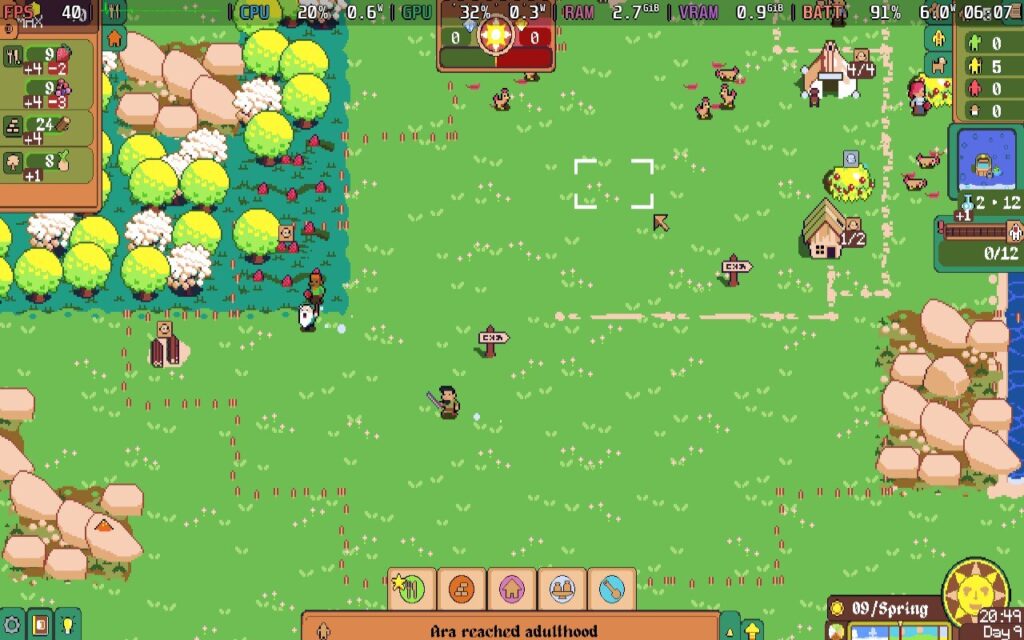
At the stock settings (60hz/FPS and nothing tweaked), dotAGE will run beautifully, but given it is a 2D turn-based game, that should be expected. With the TDP uncapped, dotAGE is surprisingly intensive, sipping around 12-13w during a normal turn. Fortunately, dotAGE performs well with greatly decreased TDP. It’s even a contender for my upcoming 3 Watt Challenge series!
As I discovered, you can play dotAGE at 40hz at 4W TDP while maintaining a steady 40FPS. Being a turn-based game works heavily in dotAGE’s favor, and I played through about 30 turns in this mode comfortably.
When booting into the intro screen or loading up your map, you will see some framerate drops. This crops up in vanilla settings and even on powerful PCs, so it isn’t much of a concern. The main game runs smoothly enough, with improved battery life. At this battery-saving mode, dotAGE sips between 6-7W, giving the LCD Steam Deck an estimated 5-6 hours of battery life. I cannot reliably test things there because I don't own an OLED model.
If you don’t mind a few frame drops in loading the game, I recommend using the low TDP/40hz mode for dotAGE. There isn’t much of an advantage to going 60FPS, and you’ll massively increase the battery life.
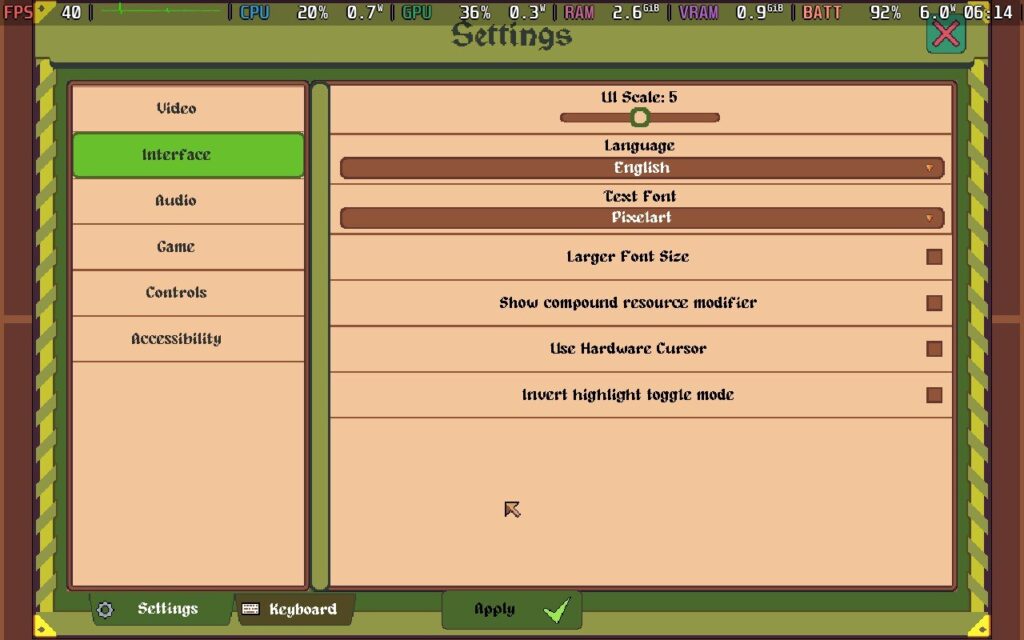
While dotAGE lacks specific graphical settings you can tweak, it does a decent job with other settings. You can turn on colorblind mode, change the pixel font, increase font size and screen resolution, toggle controller settings, invert the X and Y axis, and change the cursor sensitivity.
You can also disable blood, screenshake, and flashes in the settings. It is also playable in French, German, Italian, Polish, and Simplifed Chinese.

dotAGE is a masterpiece. It combines the best parts of city-building and roguelike mechanics into a truly addictive experience. Being so playable on the Steam Deck is just icing on the cake, and it is light enough that you can play it for hours on a single charge if you want to. Trust me, after picking up the game, you won't stop playing it either!
このレビューはPC版に基づいています。
If you enjoyed this review, be sure to check out the rest of the content on SteamDeckHQ! We have a wide variety of game reviews and news that are sure to help your gaming experience. Whether you're looking for news, tips and tutorials, game settings and reviews, or just want to stay up-to-date on the latest trends, we've got your back.
SteamWorld Build was provided by Thunderful Publishing for review. Thank you!
This game was tested with a Steam Deck LCD. OLED testing is coming soon.
I hadn't had much experience with the SteamWorld franchise before reviewing this game besides playing SteamWorld Dig on the PlayStation Vita many years ago. As it turns out, playing SteamWorld Dig did not prepare me in any way for SteamWorld Build, because whereas "Dig" is a 2D platforming adventure, "Build" is a 3D city builder. And I love city builders!
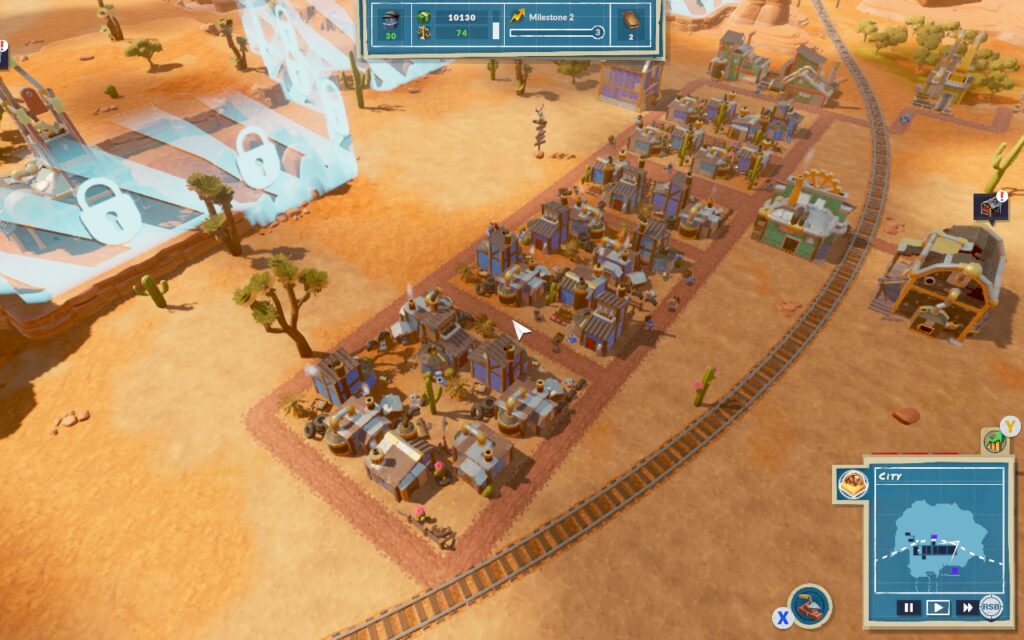
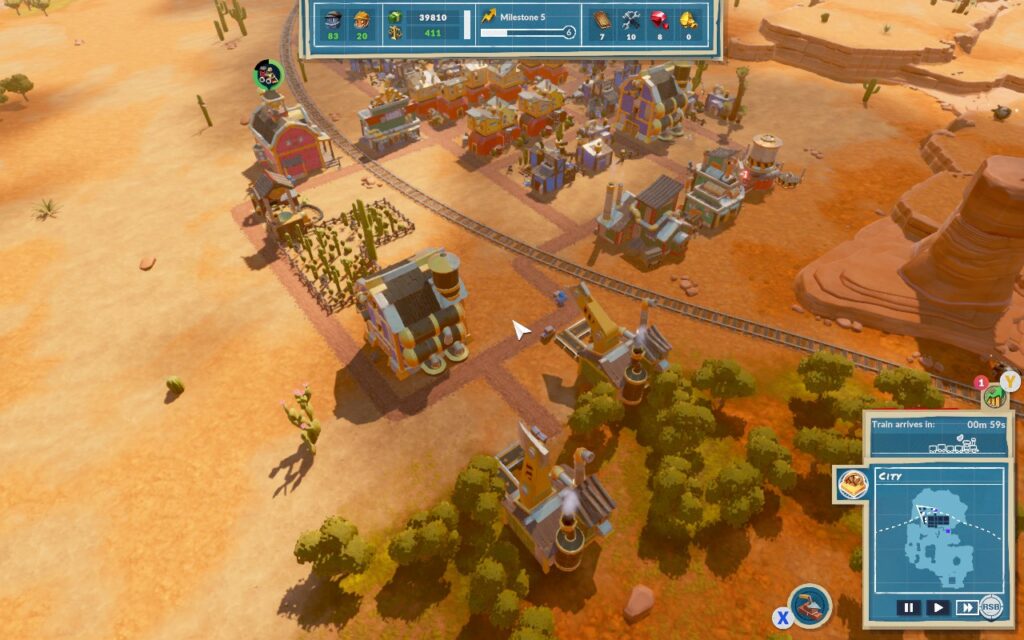
SteamWorld Build takes many cues from other games in the city-building genre, namely the Anno series. It has the same citizen "class" mechanic as Anno, where you start with Workers with fairly basic needs. Once those basic needs are fulfilled, you can upgrade them to Engineers, with more complex needs requiring more production lines and economical management, and you can keep upgrading them further. It also uses an identical "warehouse and road" system as Anno, where your warehouses will store all your economic goods, and production buildings need access to one to work.
As you upgrade your citizens, new buildings and production lines will unlock, creating a satisfying loop with rewards of new opportunities and the ability to progress further to create more complex production lines.
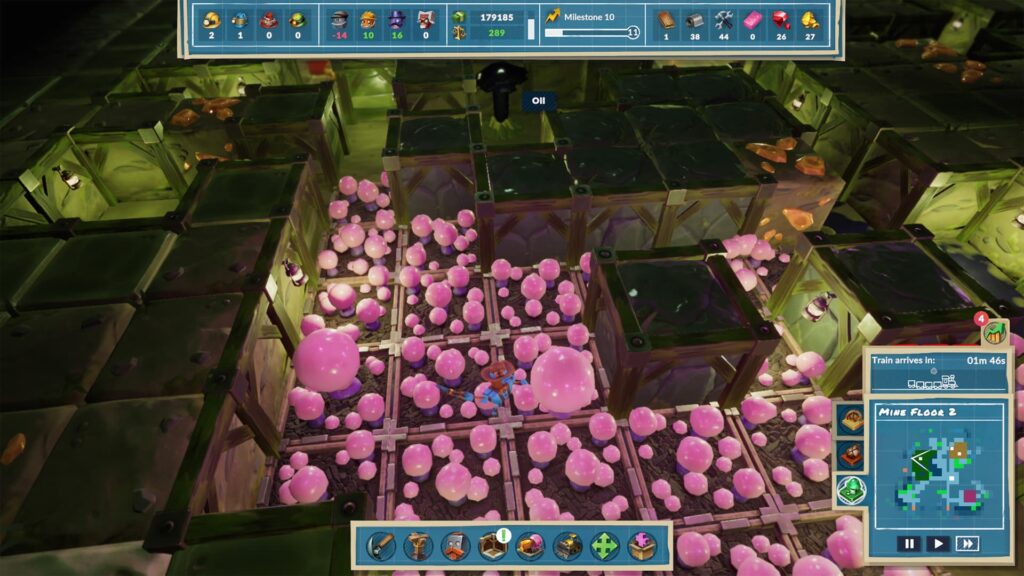
It's not just the surface you need to worry about in SteamWorld Build, as you must watch out for the underground. As you might expect with a SteamWorld game, mining plays a large part in the economy. This means you will have a complete underground section of the game, utilizing miners, prospectors, and mechanics to excavate and harvest any resources your town may need.
The transition between the surface and the mines is seamless, and it's a cool addition to the game. Creating your mine network is both satisfying and rewarding.
Speaking of "satisfying" and "rewarding," those two words sum up my time with SteamWorld Build. It's a game that rewards the effort you put into it, and the rewards you receive are suitably satisfying. The constant unlocking of new production lines and economic requirements keeps you trying out new things and forces you to push the limits of your logistical network. The visuals are both pleasing and charming despite the world being in a desert that could often be seen as a bland environment.
My first impressions of SteamWorld Build are good. The game boots with a 16:10 resolution, 1280x800 to be precise, and you can fully navigate the menus with a controller.
In the game itself, the controls are just as good. Rather than making you use a touchpad to move a cursor around the screen, you instead use the "X" button to switch between managing UI elements and "cursor" mode, where the cursor is locked to the middle of the screen, and you can move the camera with the analog stick to select buildings. This works well and is much more preferable than using a touchpad to move a cursor around the screen.
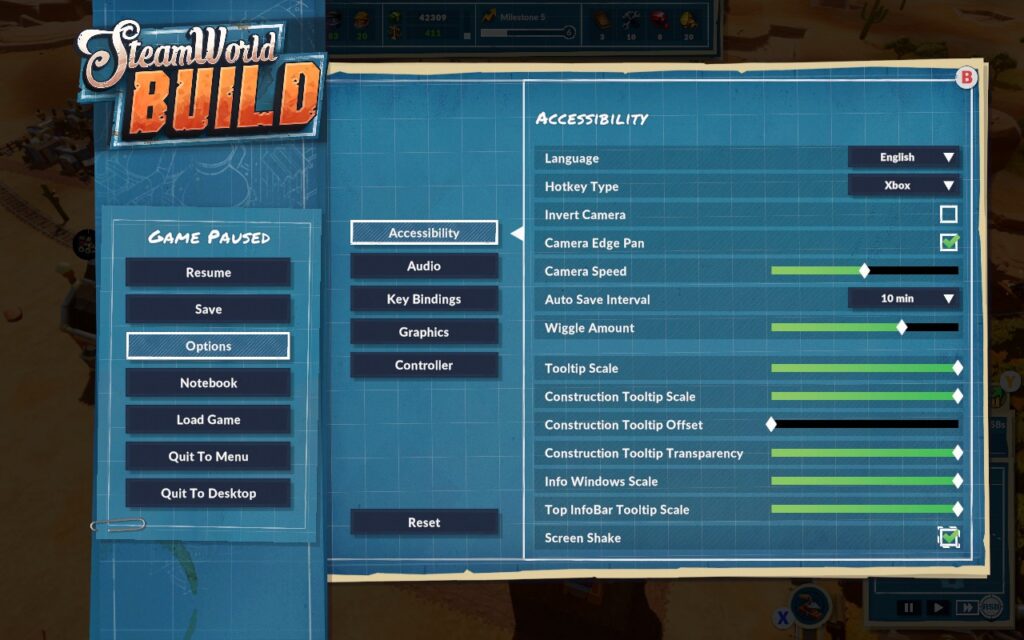
There are also a few UI scaling options for tooltips and more. I recommend sliding all of the "scale" options to the max, as that makes them perfectly readable on the Deck's display, and they still don't take up an obnoxious amount of space on the max either.
We don't have too many graphical options to choose from, but there are a few, and they do offer some scalability, so I have two different preset settings that you can choose from, depending on your preference.
First, we'll set a 30 FPS / 60Hz lock in our SteamOS settings, then put a 7W TDP limit on. This 7W Limit holds a pretty constant 30 FPS for us, and we get to set some pretty nice visuals because of the lower framerate.
For these settings, we keep our resolution at 1280x800, turn off V-Sync, and set our Shadow Quality, Texture Quality, Bloom Effect, and Ambient Occlusion all to "High." I'm disabling Motion Blur and Depth of Field out of personal preference, and it also saves some performance. Enable Soft Particles and keep Lod Quality at 50%.
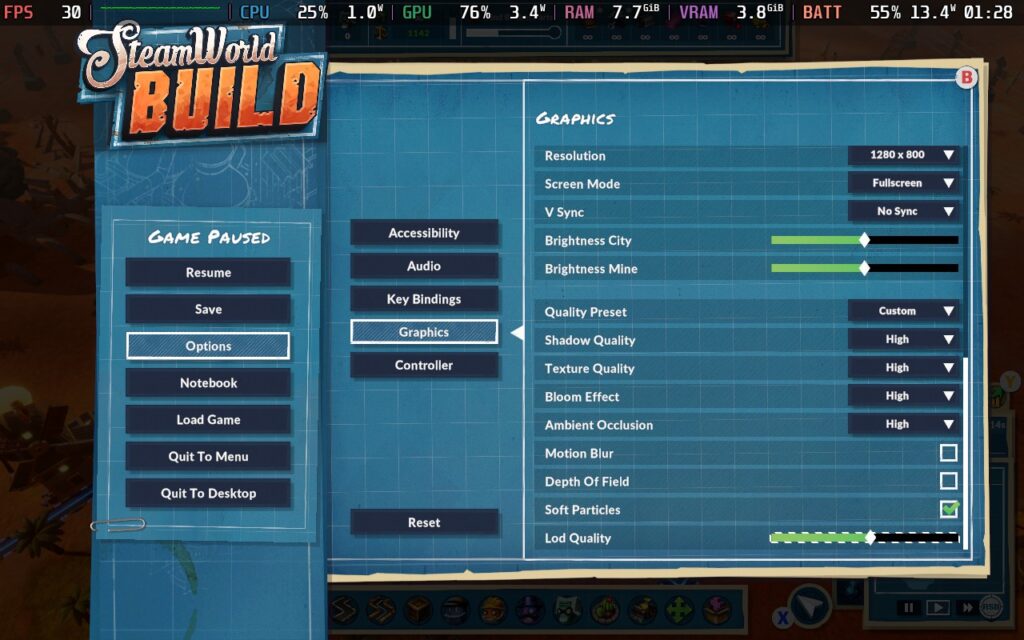
This creates a nice-looking game, with the bloom effect looking especially nice when all the lights on the buildings are lit up. Plus, with our low TDP limit, we still get a decent battery life of just over 3 hours. I can't complain about that!
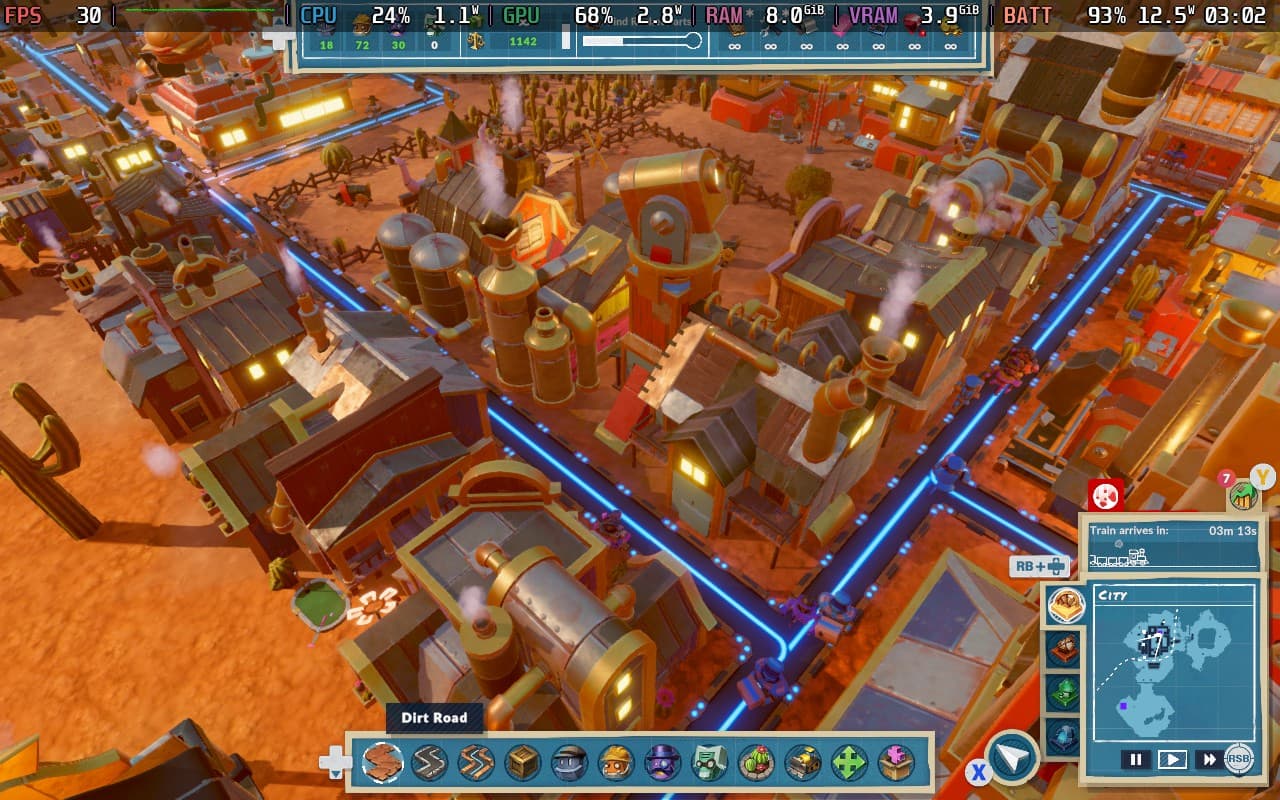
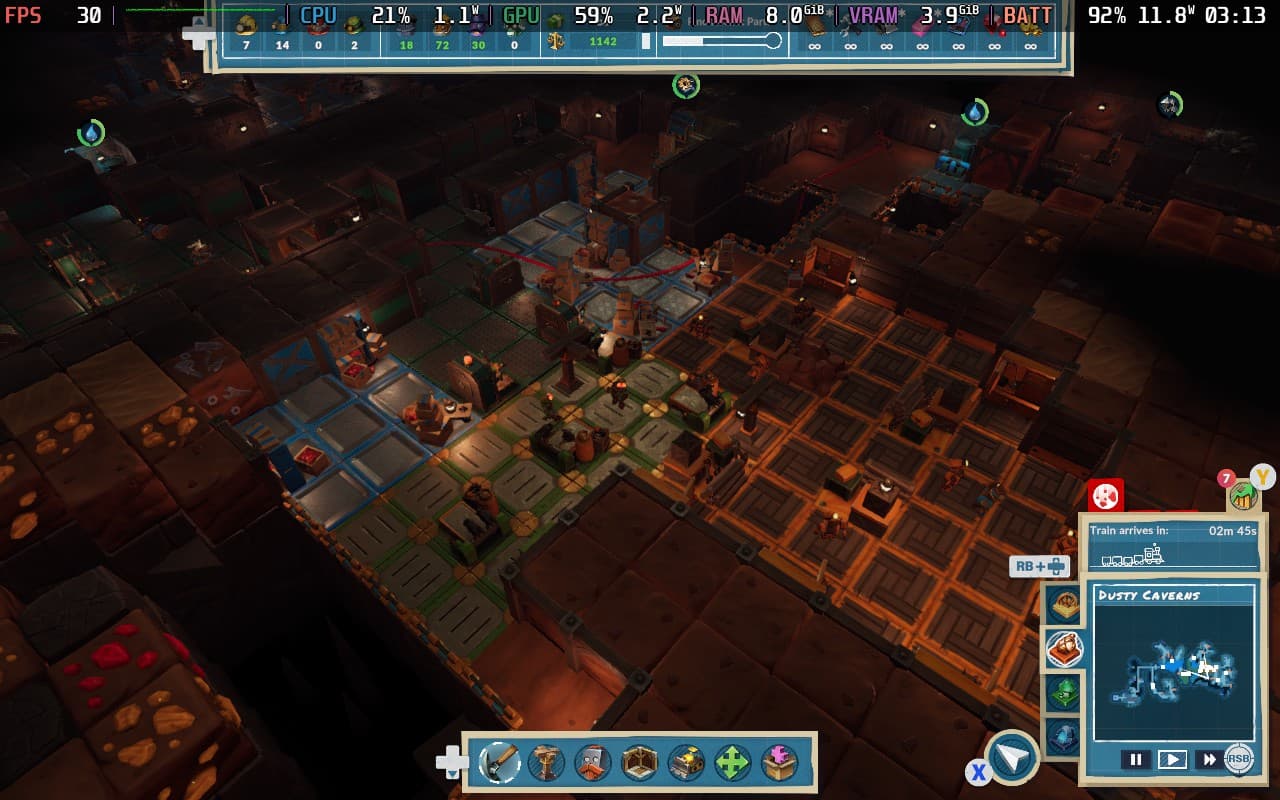
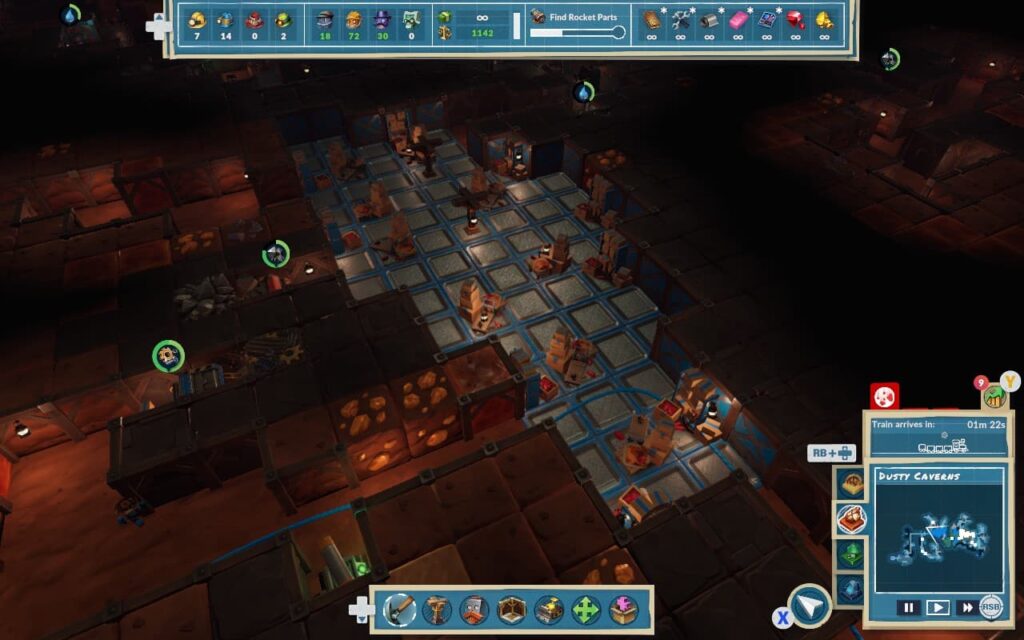
Given the slower-paced nature of this game, I'm recommending the 30 FPS settings that save battery life and allow higher visual quality, but if you're all about that smooth life, here's how you can achieve it.
First set a 60 FPS/Hz lock in SteamOS, and set a TDP Limit of 10W.
We're keeping our resolution at 1280x800, disabling V-Sync, setting Shadow Quality to "Off", Texture Quality to "High", Bloom Effect and Ambient Occlusion to "Off". We're then disabling Motion Blur, Depth of Field, and Soft Particles, and we're keeping Lod Quality at 50%.
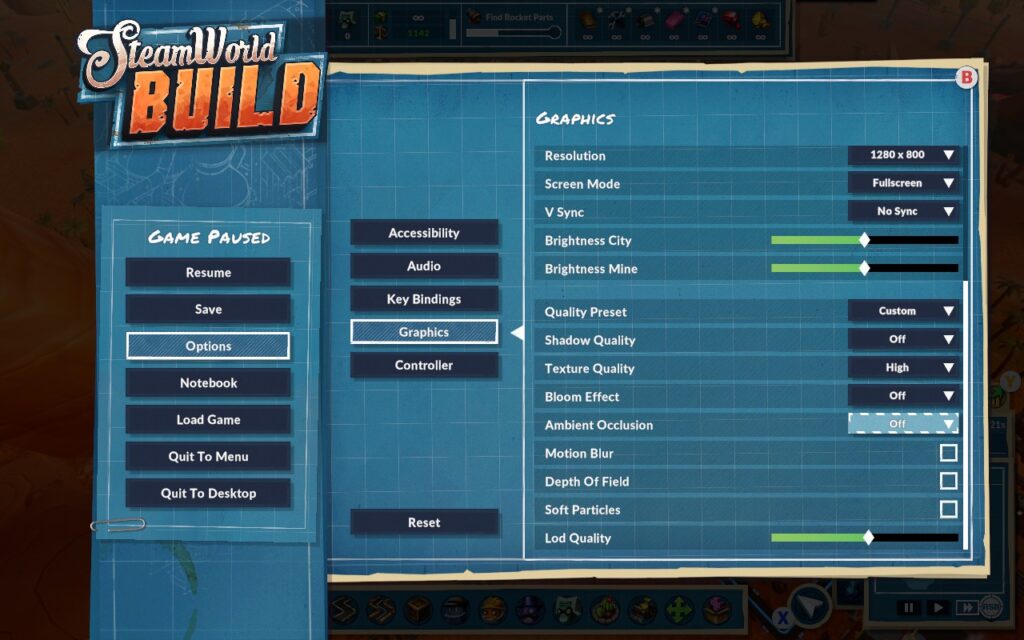
We can just about hold 60 FPS in a fairly large city using these settings. In my experience, FPS increases when underground, so if your city runs well, your underground areas should be fine. Our battery life does take a hit for trying to hold 60 FPS, though, and you shouldn't expect much more than 2 hours out of a full charge.
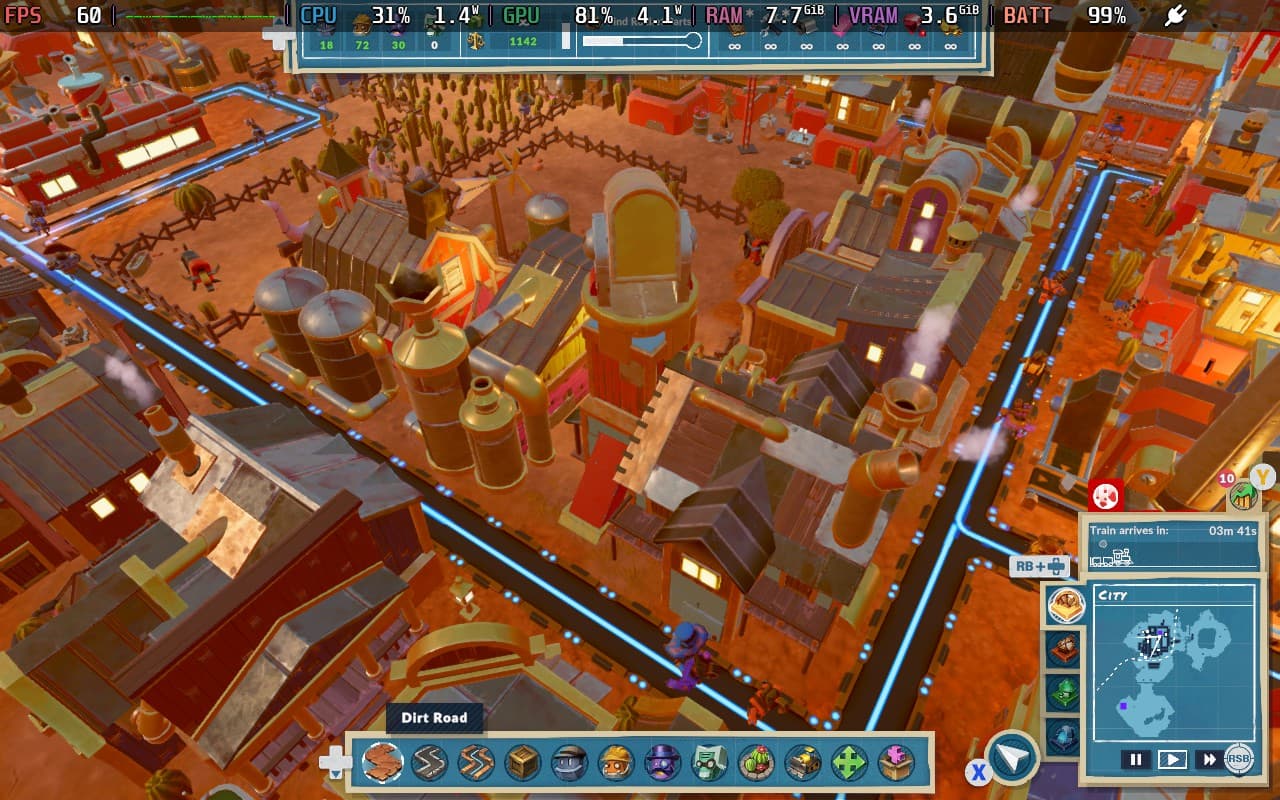
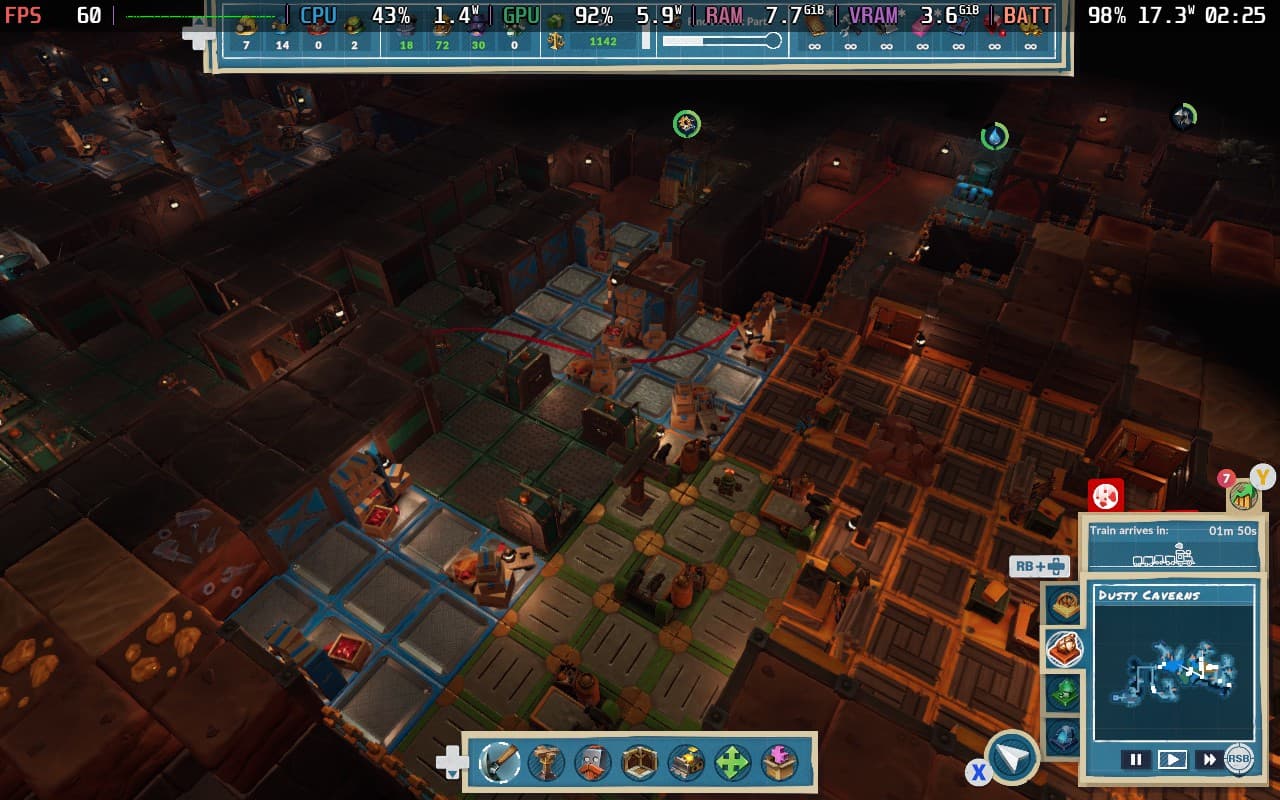
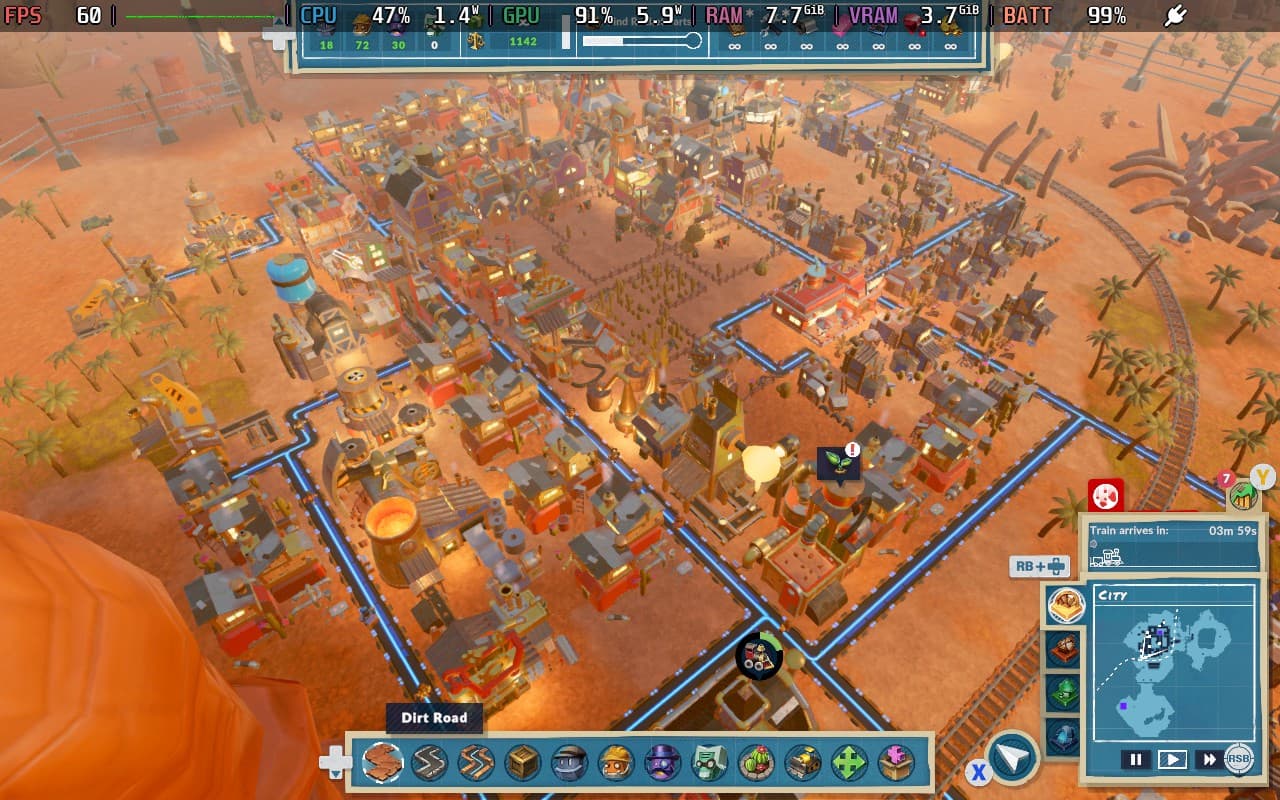
SteamWorld Build has an accessibility menu that has a few options for you. It allows the disabling of screen shaking, changing between Xbox and PlayStation buttons, camera movement speed, and the UI scaling settings that we recommend you set to 100% for Steam Deck. You can see how I had my settings set below.
SteamWorld Build doesn't revolutionize the City-Builder genre, but it does put another feather in its cap. This isn't the best game in the genre, but it's worth checking out if you want a city builder that's perhaps not as complex as Anno or as performance-intensive as Cities Skylines. This game is a treat to play on the Deck. The controls work well, the graphics look good, and the gameplay loop is satisfying.
As of writing this review, it holds "Mostly Positive" user reviews on Steam and has a Steam Deck compatibility rating of "Playable". The only reason it isn't "Verified" is because of small in-game text. However, I think the text is pretty readable with the UI scaling set to 100%.
So, if you're looking for a city builder to sit back and relax with on the Deck, give SteamWorld Build a spot on your list!
このレビューはPC版に基づいています。
このレビューをお楽しみいただけたなら、SteamDeckHQ の他のコンテンツもぜひご覧ください!あなたのゲーム体験に役立つゲームレビューやニュースを幅広く取り揃えています。ニュース、ヒントやチュートリアル、ゲーム設定やレビューをお探しの方も、最新のトレンドを知りたい方も、ぜひご利用ください。



