Demon Tides was provided by Fabraz for review. Thank you!
3D platformers have long been dominated by a few games, with the top of them being occupied by the Super Mario series. Nintendo has nearly perfected the mechanics, keeping Mario's moveset fluid and giving us sandboxes to utilize it in creative ways. While there have been a lot of excellent 3D platformers that have been released, it has been very hard for a game to come close to the level of excellence that Nintendo has commanded. However, Demon Tides comes closer than any other game I have played, and in some ways, exceeds what I would expect from a top-tier 3D platformer.
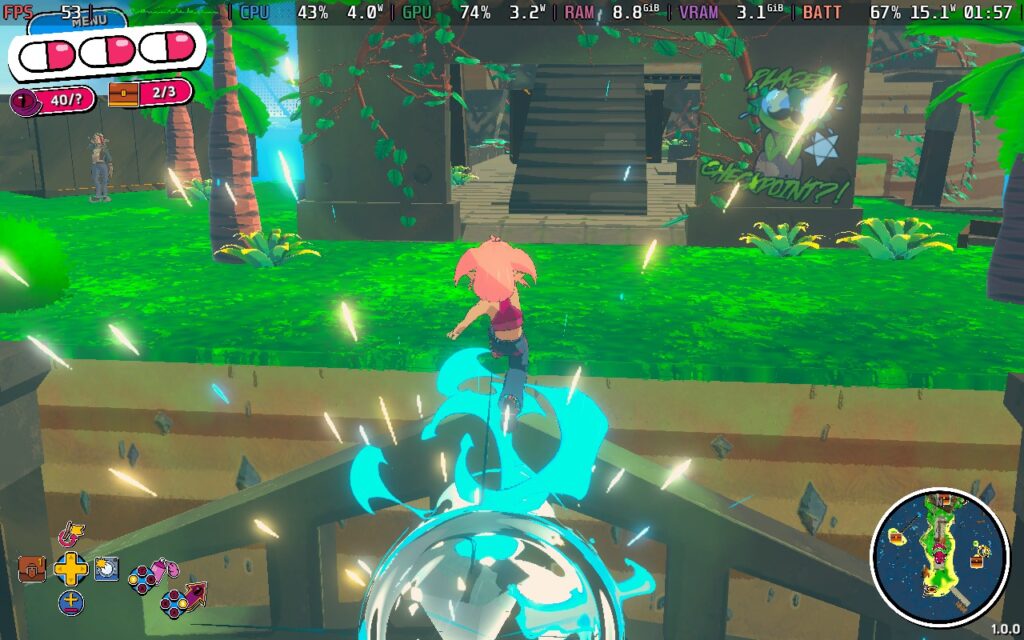
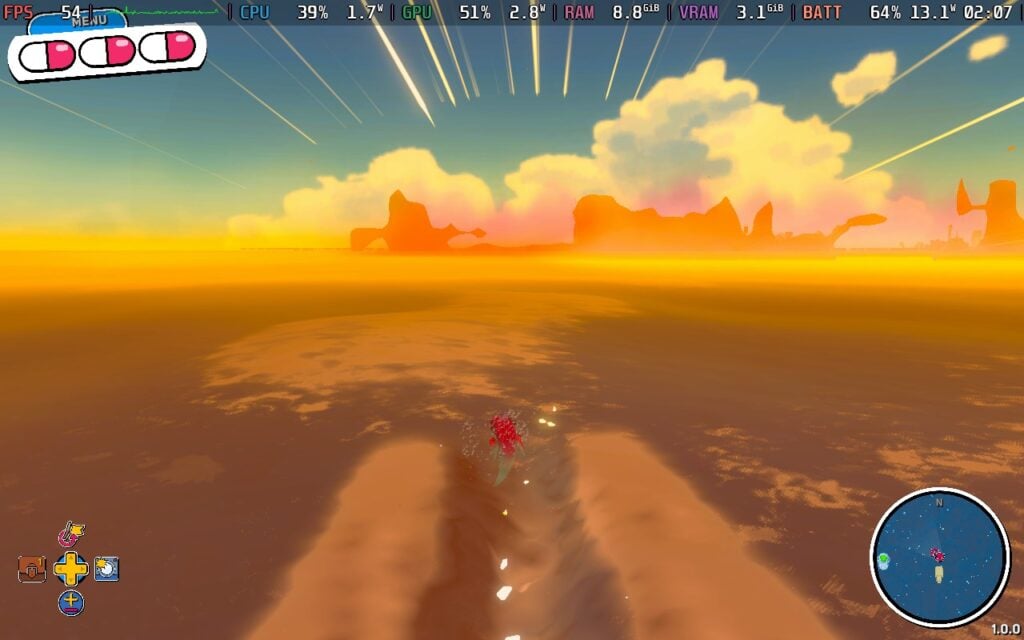
Movement in 3D platformers is key, and Demon Tides does not disappoint with the expansive moveset we have at our disposal. The staples of the genre that I would expect are all here, but they get pushed to the limit depending on how you use them. We have our usual jumps, which can go into wall-jumping and climbing, and boost to gain some temporary speed, but they can be complemented by a multitude of forms to push this further. We can turn into a bat to double jump, get into our Spin form to glide through the air, and hop into our Snake form to gain major speed across land or in the water.
But that's not all! Boosting while in the Bat form brings us into a dive, which bounces off the ground, we can jump as we leave Snake form to get some major air, and Spin form can turn into an extra jump, fast drill downwards, and even a cannonball that can be used as an attack on enemies around. It gives me Super Mario Odyssey vibes, with such a malleable moveset that gives us so many ways to tackle any of the many platforming challenges. Even though these challenges tend to have obvious ways to get through them, the toolset we have can break past that, and it's so satisfying.
However, we aren't finished yet! Throughout the game, we can also find Talismans to equip that further augment our abilities. Want to add a glide in Snake form to go further with more speed? Add a second jump to our Bat form? Allow our Spin form to create a whirlwind on the ground to get a nice jump boost from the ground? Just equip their respective Talisman, and your moveset immediately changes. Being able to modify your moves is the coolest thing, giving even more options for us to tackle challenges the way we want to.
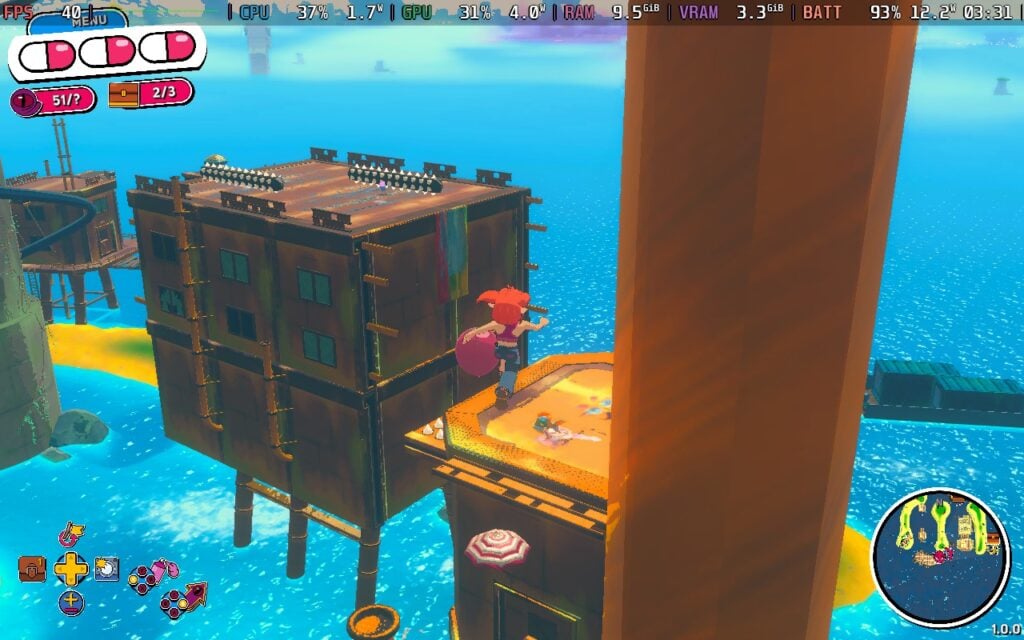
In the beginning, it did take a little bit of time to get used to and learn all of the moves, but as soon as it clicks, it's just phenomenal. Despite some slight stiffness from time to time, using all of the moves in conjunction just feels great. I tend to have a high bar for these kinds of games after playing Super Mario, and Demon Tides just hits all the right marks. Fabraz has done an excellent job putting together a compelling 3D platformer that feels just right.
The game combines structured and unstructured progression, which can feel a little at odds. In general, we will swim fast through the ocean to discover small islands filled with currency to collect and challenges to conquer to unlock gears, Talismans, and outfits. Getting to the islands is completely freeform, relying on us to travel across the sea and find them. However, the sea is divided into three sections, and we will have to collect a specific amount of gears to unlock them. I understand why this is done, but it can still feel a little odd to make it so reliant on player-driven exploration, and then lock away sections to force players to find enough gears. It's not necessarily a turn-off, but I would have liked to be able to travel throughout the world without any walls.
Still, I find it hard to discover any negatives when it comes to Demon Tides. There are some minor nuisances that occasionally pop up, but I rarely feel them as I skate across the water, run along walls, and jump from platform to platform. There are also some nice little quality-of-life features, like pressing B to bring up an arrow showing where to go next, and even a photo mode. There is a checkpoint system, which is a little confusing, but it's nice to have as an option.
Story-wise, I was actually quite surprised by how deep it was. Beebz and her friends are invited to Ragnar's Rock by her absentee father, and after getting a very explosive welcome, gets caught in a war between her father, Ragnar, and revolutionaries who want to be freed. It was much more thought-provoking and meaningful than I expected, although some of the conversations can be a little cringy. It's a worthwhile story to experience, and a nice follow-up to Demon Turf (the previous game in the series).
As for Steam Deck performance, I was a little disappointed. I have seen how well Fabraz's games can run on the Deck, including the upcoming Bubsy 4D, so I expected Demon Tides to be better. Unfortunately, there are lots of compromises here that still don't hit the performance metrics that I was hoping it would hit.
Games like this feel amazing at 60 FPS, and at the beginning, it was able to hit 60. However, as I kept playing, I realized that it wouldn't be able to stick to it. The game has its own Steam Deck-focused graphical preset, but it doesn't fully utilize the GPU, which causes the framerate to throttle. We can fix this by forcing the GPU clock speed to 1600MHz, but it won't help in some areas, like Jester's Minery. Even on the lowest possible settings, it won't be able to hit 60 FPS.
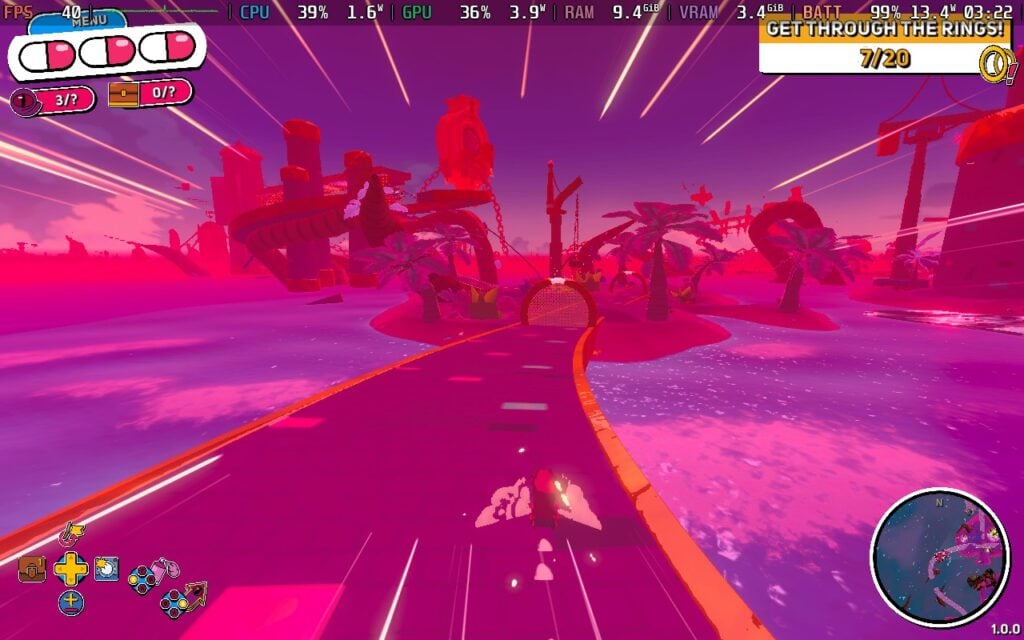
So, there's really only one way to play in the most stable way throughout the entirety of the game. To keep it as smooth as possible, I recommend setting it to a 40 FPS/80Hz lock. It isn't as smooth as 60, but it still feels great at 40 FPS. I also recommend keeping the game at the Steam Deck preset to balance battery life. We can play at the Medium graphical quality, but the battery drain will go up to 18W with some slight framerate drops here and there, so sticking to the Steam Deck preset works well here (12W - 14W battery drain).
It's not perfect, and I do wish the preset didn't have so many pop-ins, but the game renders a huge world, and that could be affecting it a little too much. It's still very playable and enjoyable, but there are definitely some visual compromises to be made to fully enjoy the game on the Deck.
In the settings, we can toggle whether we skip cutscenes and the tutorial, hide some UI elements, and change the game speed and whether we are invincible or not. We can also turn on a first-person mode, which is interesting to use, change keybindings, and adjust audio volume.
The game does support 16:10 resolutions, cloud saves, and controllers. There are no HDR settings.
Demon Tides exceeded almost all of my expectations for this 3D platformer. The mechanics are tight and sound, with a great level of customization to modify our moveset in unique ways that cater to how we want to play. The open world and player-driven exploration make finding islands with platforming challenges more engaging, while the rewards for completing these were worthwhile and motivating. There are some minor issues here and there, but none of them take away from how well-built the game is.
The performance on the Steam Deck is a little disappointing, but it's still very playable and enjoyable on the go. 40 FPS still feels decently smooth, and the battery drain isn't bad for an open-world game like this, but the compromises are obvious, which can impact the enjoyment of the game.
このレビューはPC版に基づいています。
このレビューをお楽しみいただけたなら、SteamDeckHQ の他のコンテンツもぜひご覧ください!あなたのゲーム体験に役立つゲームレビューやニュースを幅広く取り揃えています。ニュース、ヒントやチュートリアル、ゲーム設定やレビューをお探しの方も、最新のトレンドを知りたい方も、ぜひご利用ください。
Styx: Blades of Greed was provided by NACON for review. Thank you!
Styx: Blades of Greed should have been the point where this series finally stepped out of the shadows of its own limitations. Instead, it feels like it’s clumsily stumbled backwards into them.
The earlier Styx games were rough around the edges, sure, but they had a clarity of purpose. They understood that tension comes from vulnerability, and they built tight, focused stealth sandboxes around that idea. Blades of Greed keeps the vulnerability but loses much of the control that made it satisfying. Styx still can’t win a fair fight, as expected, but here that fragility often translates into frustration rather than tension. Detection can feel erratic, patrol behaviours inconsistent, and when things go wrong, they unravel in ways that feel less like consequences of your decisions and more like systems buckling under pressure. It's an entirely frustrating experience, all in all.
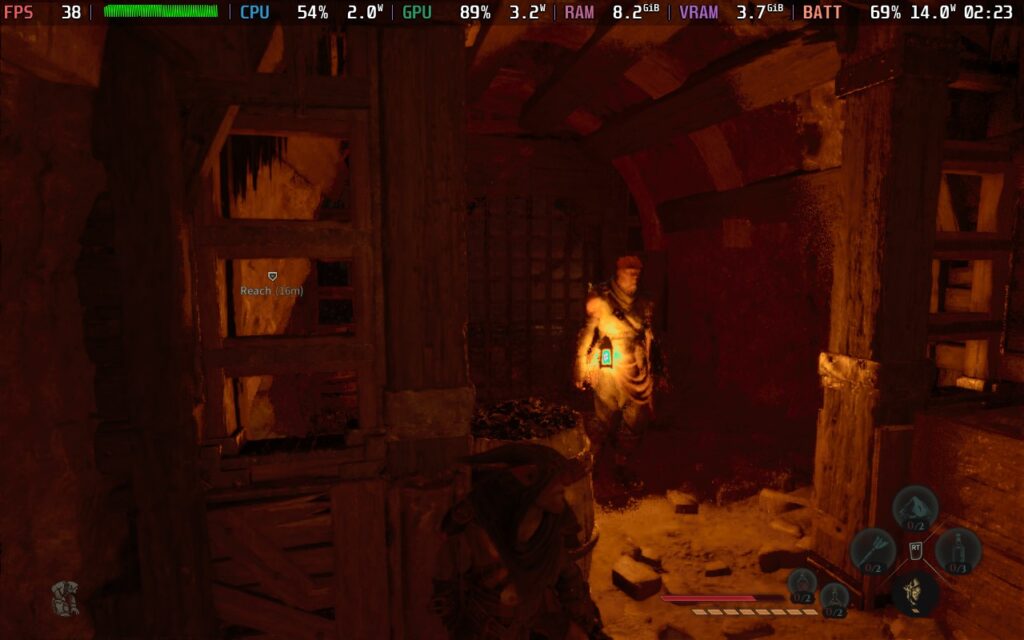
Movement is where the cracks show most clearly. A stealth game lives and dies on how it feels in the navigate space, and despite the appreciated addition of a grappling hook and glider, traversal rarely feels fluid. Animations are stiff, transitions between climbing and perching lack smoothness, and there’s a persistent sense of input lag between intention and action. In a series that once thrived on carefully reading patrol routes and slipping between sightlines, that slight disconnect becomes exhausting over time.
The expanded environments should have been the headline improvement. They’re larger, more vertical, and visibly more ambitious. On paper, that sounds like exactly what Styx needed. In practice, the scale exposes how uneven the mechanics are. When the act of climbing a tower or moving across rooftops feels awkward, the sandbox's size becomes a liability. Instead of empowering experimentation, the game often makes you hesitant to engage with its own spaces because you’re never fully confident the systems will behave cleanly.
Abilities return and expand, with amber powers complemented by new quartz-based tricks. But rather than feeling like meaningful evolutions of the stealth toolkit, they often come across as compensatory. You’re not using them to create elegant solutions; you’re using them to patch over moments where AI awareness spikes unpredictably or where level geometry behaves strangely. That subtle shift, from creative expression to damage control, is telling.
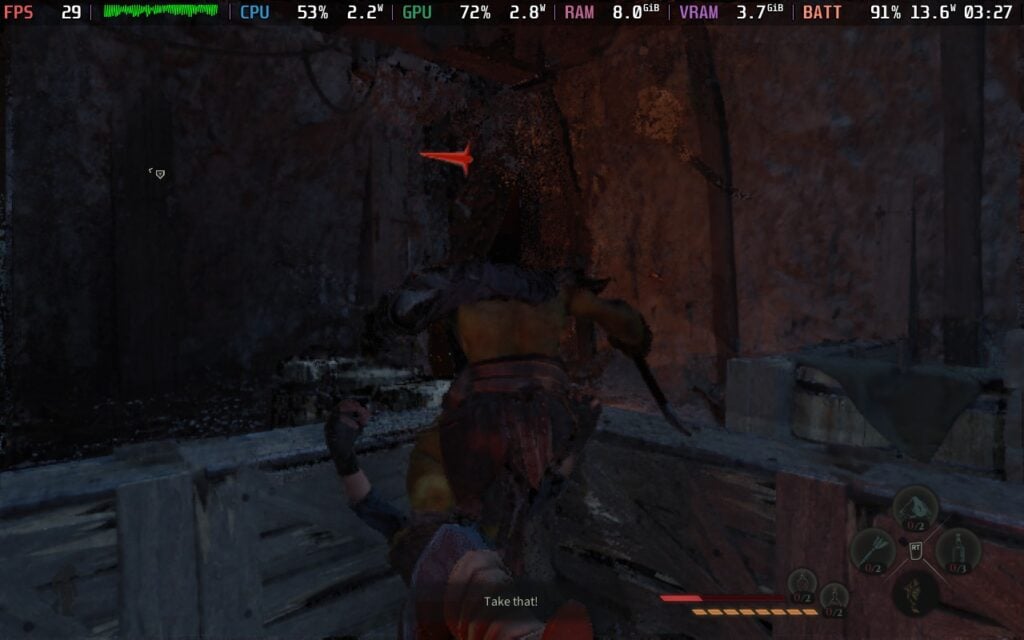
Visually, Blades of Greed occupies an uncomfortable middle ground. It carries the budget and scope of a modern release, yet much of its presentation recalls mid-tier PlayStation 3-era AA titles, and not in a charming, throwback way. Character models lack nuance, animations feel dated, and environmental detail swings between impressive exteriors and oddly sterile - or, conversely, convoluted and "busy" - interiors. Lighting, crucial in a stealth game, sometimes struggles with clarity, making exposure feel arbitrary rather than readable. When stealth depends on trust between player and system, that lack of clarity chips away at the experience.
Even the tone feels slightly adrift. Styx’s sardonic edge once grounded the series, but here it rarely elevates the narrative or sharpens the tension. The story framework exists, but it feels functional rather than compelling, moving you between objectives without building much momentum. Combined with the mechanical frustrations, it leaves the whole experience feeling heavier than it should.
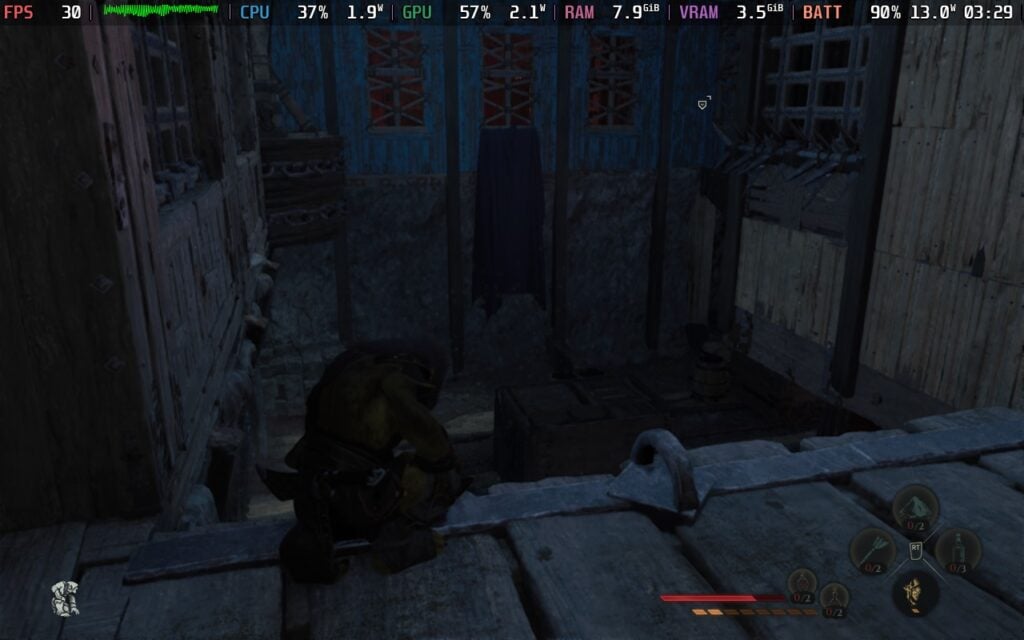
Performance on Steam Deck with Styx: Blades of Greed is, bluntly, a mess. Even with every setting dragged to its absolute lowest, shadows pared back, textures dropped, post-processing stripped out, the frame rate refuses to behave. In quieter interior spaces, it might flirt with the mid-30s, but the moment you step into a wider area or anything remotely busy, it nosedives into the low 20s before scrambling back up again. The fluctuations are constant and distracting, making stealth, a genre that lives and dies on precision and timing, feel oddly unreliable.
You can claw back something resembling stability by forcing a 30fps cap through the Steam Deck’s performance menu, and for stretches it does hold… technically. But even then, the image quality introduces a new problem. There’s a strange, warping shimmer across surfaces, as though every texture is subtly shifting or reloading in real time. It creates an effect not unlike watching a 480p YouTube video that never quite finishes buffering: soft, smeared detail with a persistent, crawling instability. It’s not just low resolution; it feels unstable. The result is a compromised experience that looks and plays worse than it should, especially for a game that isn’t exactly pushing visual boundaries.
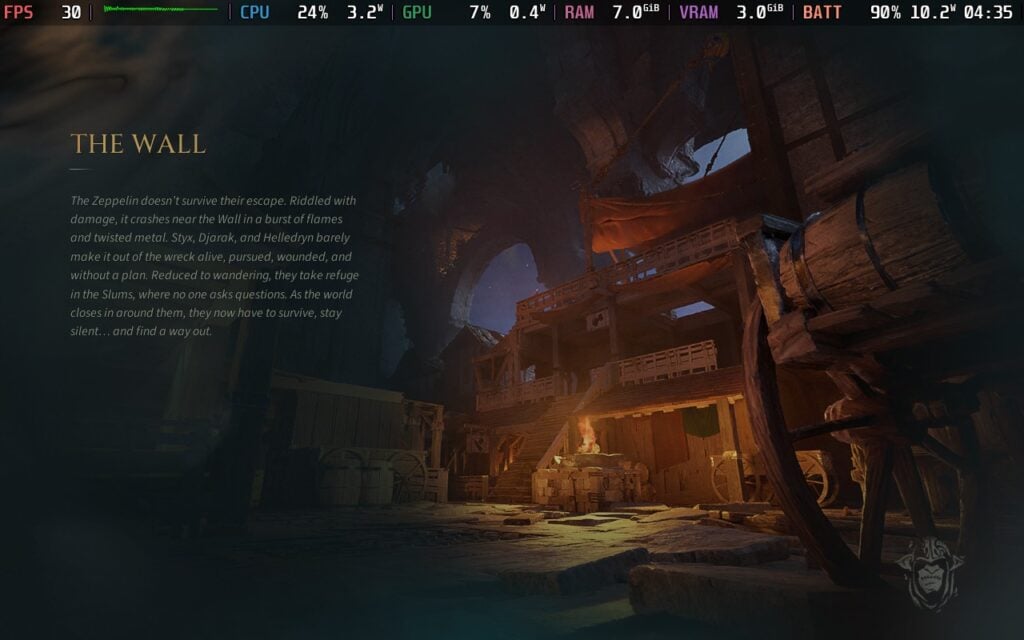
That 30fps cap does come with one major upside, though: efficiency. With the frame rate locked, power draw drops significantly, falling from the low 20-watt range down to roughly 12W. In practical terms, that translates to an estimated 4 hours of battery life during testing, a genuinely impressive turnaround compared to the barely 2 hours of drain seen when the system is left to run uncapped. It’s a rare case where reining in the game doesn’t just stabilise performance but also meaningfully improves portability.
Unfortunately, technical issues don’t stop at frame pacing. Multiple crashes occurred during the review period, necessitating full restarts. Even when the game was running, it was far from stable. Audio would intermittently crackle during busier scenes, while on a handful of occasions it simply cut out altogether, leaving entire stretches eerily silent until a reboot. Combined with the inconsistent visuals and erratic performance, it makes for a version of the game that feels not just unoptimised, but fundamentally unreliable on Valve’s handheld.
Very few accessibility options are available in Styx: Blades of Greed, with the present few being able to change the Colour Vision Deficiency Type, and further changing the severity and shift colour spectrum of said setting.
What makes Blades of Greed disappointing isn’t that it lacks ideas. The ambition is visible everywhere, in its scale, its expanded systems, and its attempt to modernise traversal. But ambition without refinement magnifies flaws. Where previous entries felt lean and focused, this one feels bloated and less confident in its own fundamentals.
For a series that once carved out a respectable niche in the stealth genre, this instalment feels strangely dated and less polished than what came before. Instead of a confident evolution, it lands as a reminder that scale and new mechanics mean little if the core feel isn’t there. Blades of Greed isn’t just underwhelming, it’s a frustrating step down from a formula that, until now, had at least known its own strengths.
このレビューはPC版に基づいています。
このレビューをお楽しみいただけたなら、SteamDeckHQ の他のコンテンツもぜひご覧ください!あなたのゲーム体験に役立つゲームレビューやニュースを幅広く取り揃えています。ニュース、ヒントやチュートリアル、ゲーム設定やレビューをお探しの方も、最新のトレンドを知りたい方も、ぜひご利用ください。
Romeo is a Dead Man was provided by Grasshopper Manufacture for review. Thank you!
There are a lot of games that are released every year, and a lot of them have similar mechanics and styles to them. It makes sense why. These are tried and true implementations that have been proven to work. However, there are a few developers that break away from these traditions, and one of those is SUDA51. His games tend to break away from the norms, finding ways to create a compelling and enjoyable experience without needing to rely on the usuals. Romeo is a Dead Man is another great example of this, and while it is definitely my favorite SUDA51 game to date, it still has some fundamental issues that keep it from greatness.
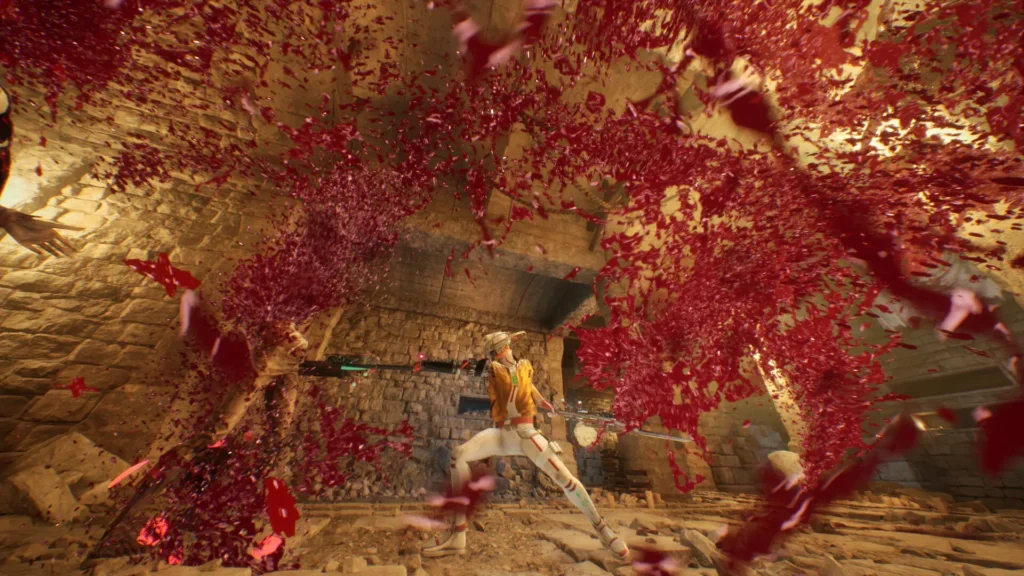
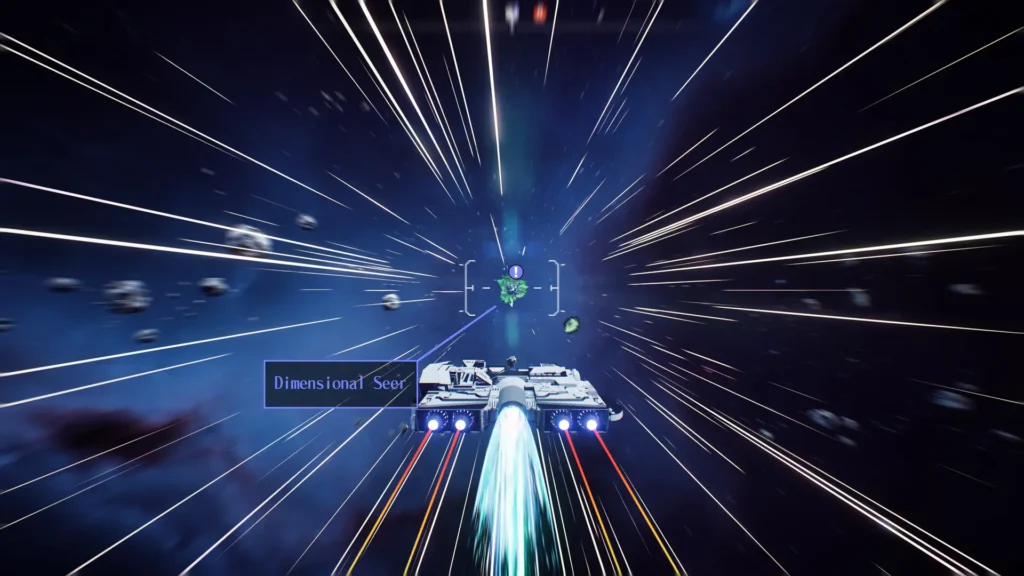
It’s extremely easy to tell which games he has had a hand in creating, and Romeo is a Dead Man doesn’t shy away from his signature style. We constantly swap between multiple art styles, starting with 3D cutscenes, then comic book cutscenes, then going into our pixelated spaceship, and then swapping to full 3D models for the actual gameplay. Instead of it being jarring, I found the multitude of styles appealing and exciting. From the blood exploding every time we hit enemies and UI design, to the weird story and gameplay mechanics, it all feels characteristically SUDA51, for better and worse.
It’s kind of crazy to think about, but the story is a take on Romeo and Juliet that I never would have expected. We play as Romeo Stargazer, a deputy sheriff who finds a girl, Juliet, on the ground with amnesia. They strike up a romance, meeting at a diner, until she fails to show up and Romeo gets malled by a “White Devil.” With his face torn apart and arm ripped off, his grandfather, Benjamin, comes out of nowhere and fuses the Deadgear onto him. Now, with the power of the Deadgear, Romeo will join the Space-Time Force to take down threats across Space-Time, and hopefully find out where Juliet is.
If it sounds like a bonkers story, well, that’s because it is. I love weird stories like this, and boy, is this an interesting one. I was always curious about what would happen next and who Juliet actually is. The characters all have their own weirdness to them, too, ranging from our grandpa, who has become a 2D figure on our back, to our starship crew, which includes a humanoid cat, a scorched man, and a woman who is so snarky that we aren’t 100% sure what she even does. The crew also includes Romeo’s mother and sister for some reason, and there are some great conversations to be had with your sister throughout your playtime.
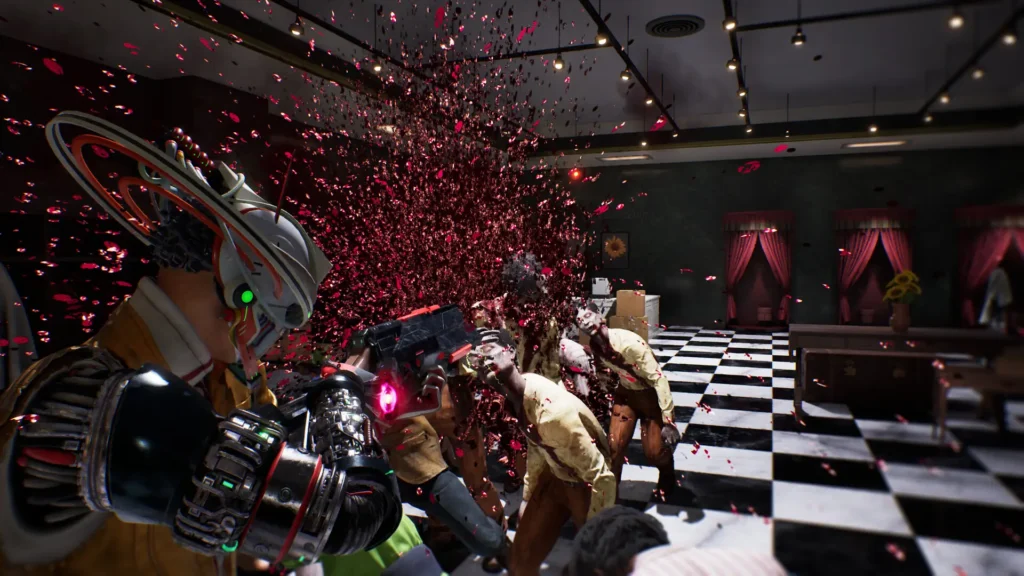
However, the actual storytelling feels disjointed, especially at the beginning. It starts off with Romeo’s dream where he is attacked and becomes Deadman, but then it goes into a comic-book cutscene detailing how he actually becomes Deadman, which is very different than his dream. Then, we skip ahead to where we are part of the Space-Time Force and taking down criminals who all seem to have some connection to Juliet. And as we complete these chapters, we get actual cutscenes of how Romeo and Juliet actually met and what they did. It wasn’t impossible to follow, but it was confusing to figure out what was actually happening and what wasn’t.
It all makes sense in reference to what Romeo is a Dead Man is about. We are traveling through space and going to different time periods to fight criminals, but it just doesn’t do enough to separate what’s reality and what’s not. This ultimately makes it tougher to follow along without extra questions about what’s actually happening.
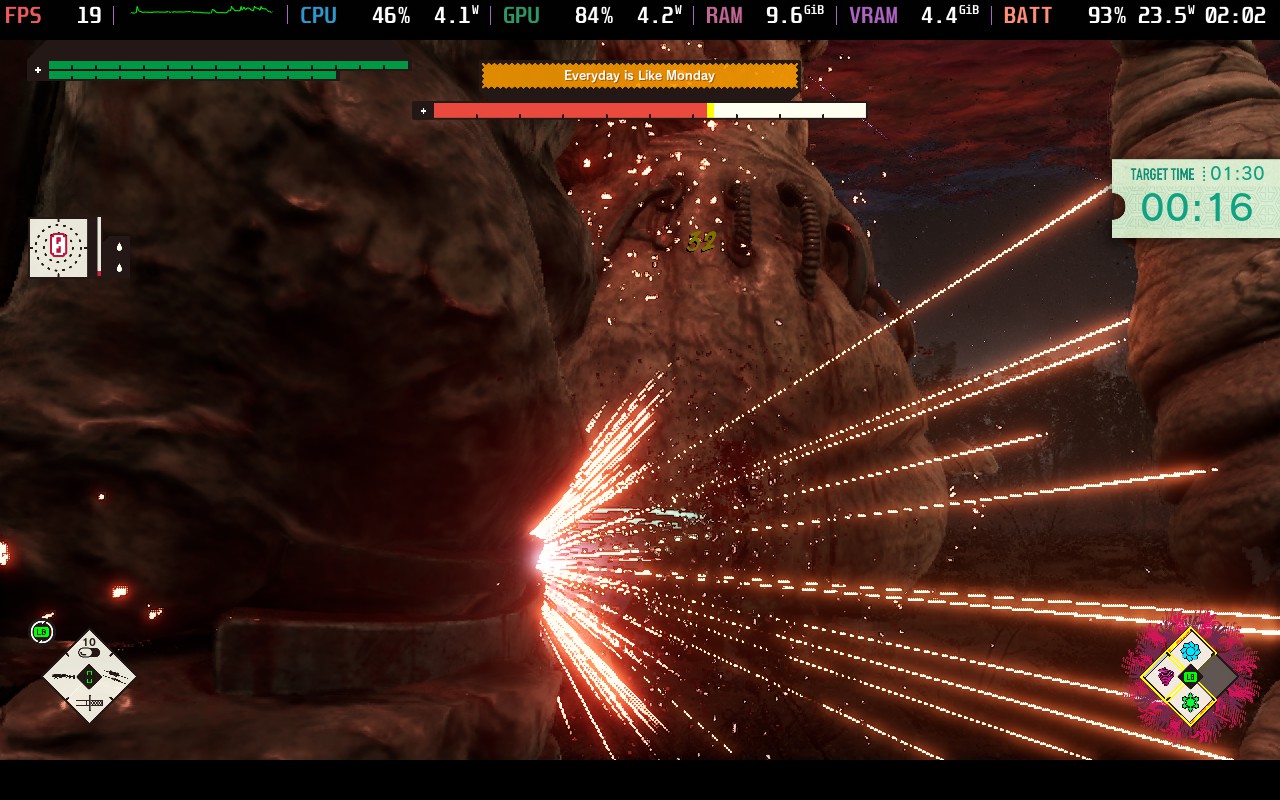
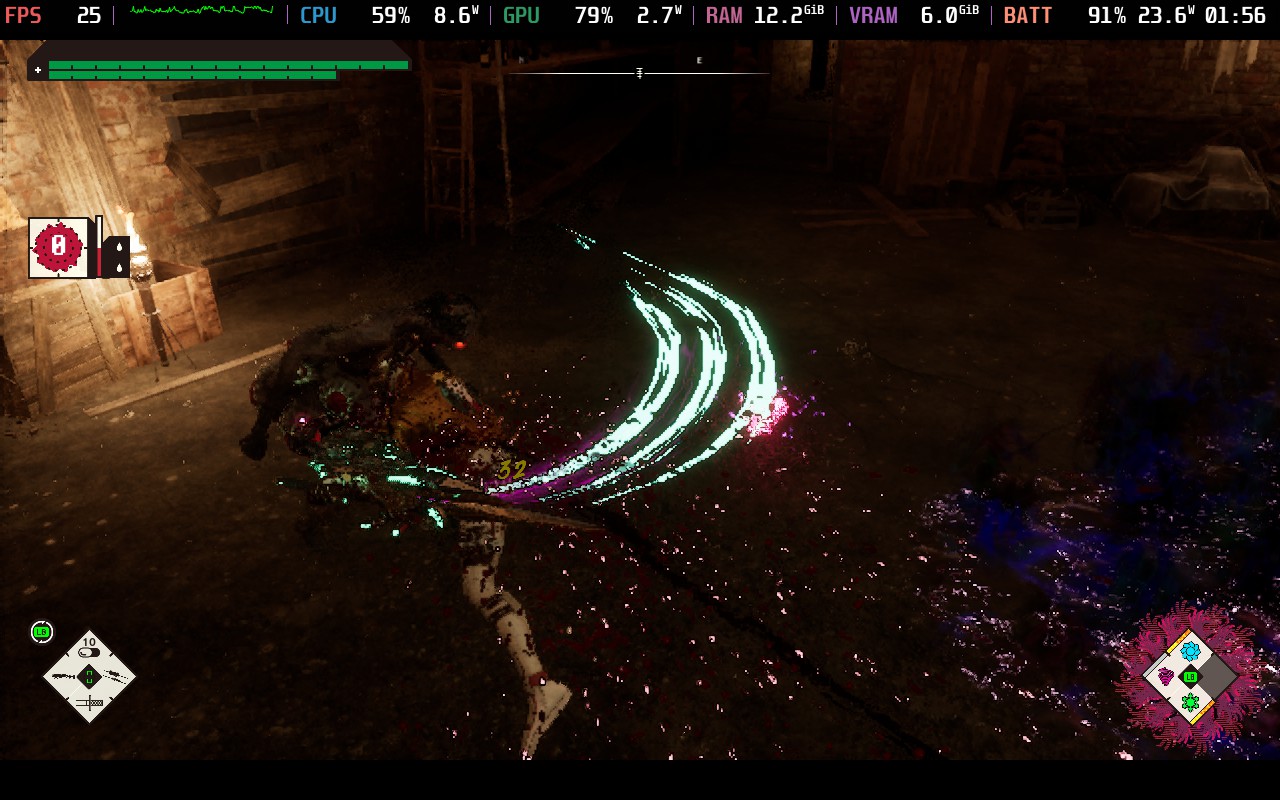
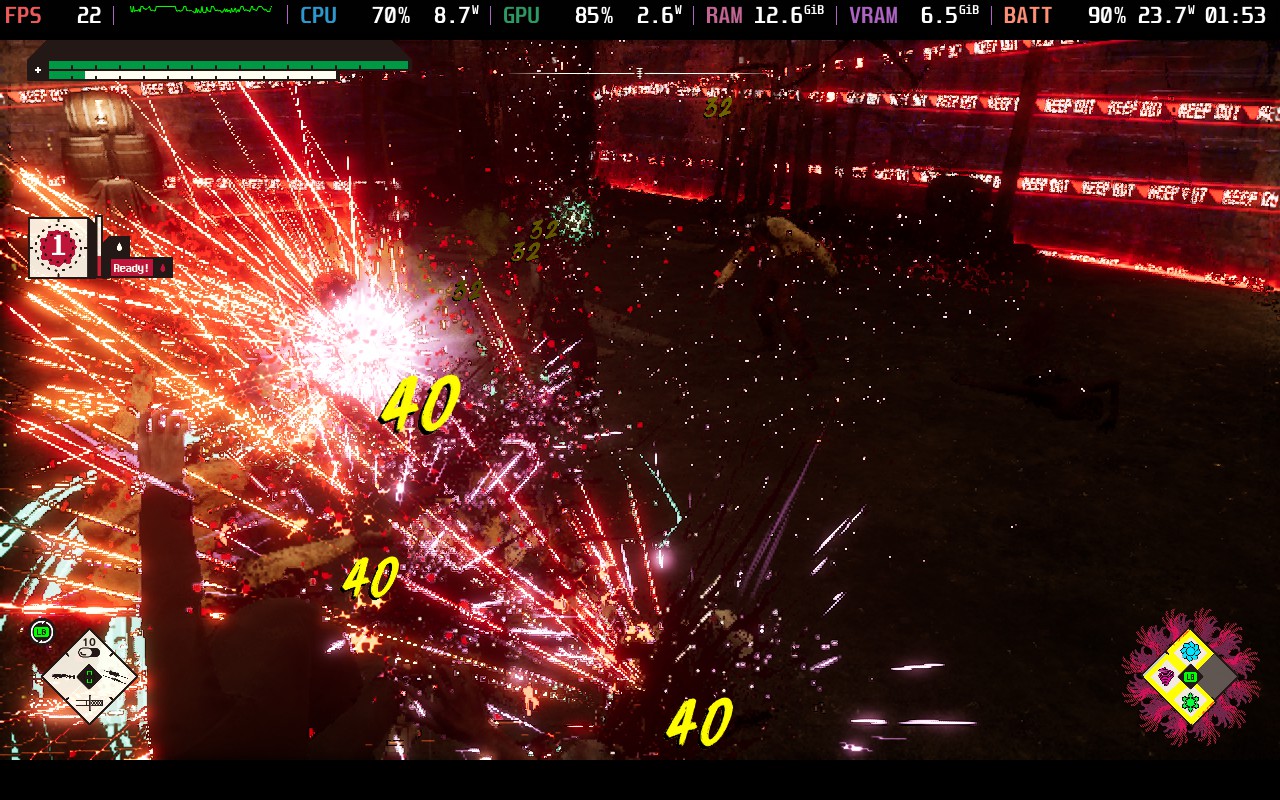
Once we find our way to the dimensions to fight the criminals, we will mostly be spending our time in combat. The controls are pretty simple. We have the weak and heavy attack, as well as dodging, and an ultimate move. We can combo the weak and heavy attacks into each other to maximize our damage. We also have a gun that we can take into battle with us. Combat is flashy, with blood effects all around and dazzling lighting as we use our ultimate attack or even just switch to our gun. On one hand, it’s enjoyable to just see what happens as we fight.
On the other hand, the actual fighting feels stiff. There is no blocking or parrying in the game, so I would’ve expected the dodging to be more responsive and easier to use to make up for it. However, not only does it not feel great, but there were multiple times where I still got hit or died because the dodge wasn’t covering a long enough distance. The actual weapon swings can feel a little slow, and there were many times when I found myself surrounded and couldn’t move at all. I could still fight, but I would find myself getting attacked, which could ultimately lead to my death.
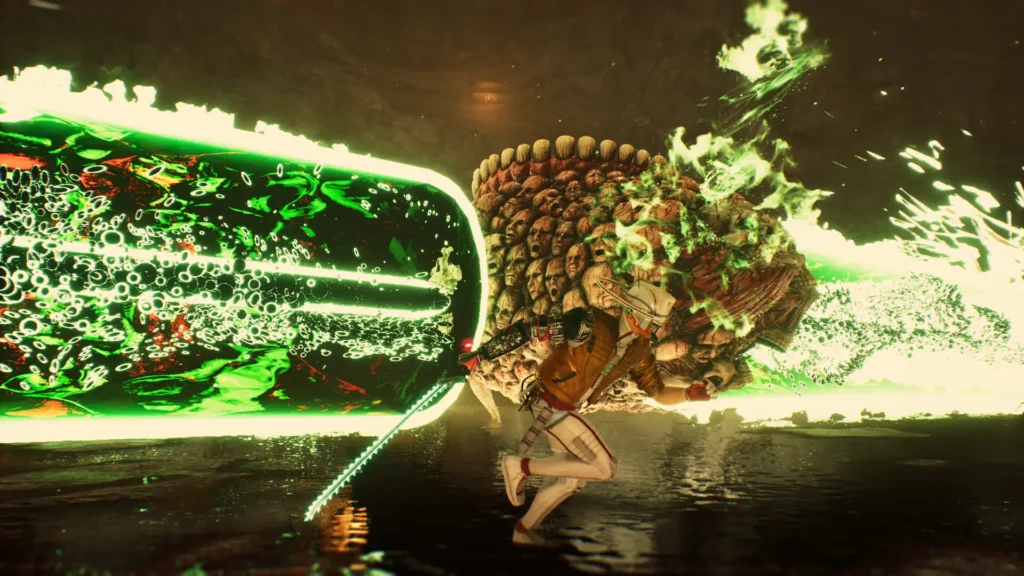
Bosses gave me mixed feelings as well. I enjoyed their design and liked the challenge, but it sometimes felt too challenging, and I had to rely on dying and coming back with a buff to beat them. The weakpoints some of them have are near impossible to hit, and need a lot of dodging to survive long enough to whittle them down. Some of the fights were manageable, but others were just obnoxious (Magrus is a nightmare).
There are four different melee weapons and guns to unlock, and while all of them feel unique from each other. I did have a preferred combination of weapons to use: Arcadia (Twin Spears) and Diaspora (Shotgun), and I liked the balance between using those. It was also nice being able to switch between them during combat as desired, which gave me a good feel of each weapon. However, I always found myself going back to my comfort zone.
To make things more interesting, we have Bastards. These are creatures that we grow like vegetables that we can equip and use special abilities. The best way I can describe it is a fusion between Personas and Pokémon. We will find seeds as we play, and once we get them appraised, we can plant them and equip them once they are ready to be harvested. Each Bastard has their own stats, and we have a Persona-esque fusion system to make them more powerful. With each having their own ability, like a suicide bomber or freezing the enemy, it can make combat more engaging, and despite some faults in general, I found myself enjoying the combat enough to keep grinding. There are also badges we can equip to augment our stats in some situations, but Bastards take the cake here.
If you are just playing through the game normally, progression can feel lacking, but there are some great ways to easily grind and get more materials and currency to get stronger. We will use our main currency from killing enemies to upgrade Romeo's stats from this Pac-Man-esque board, while we will use Sentry to increase our weapon stats. We won't get enough of these without grinding, but it's extremely easy to do. Dungeons can give us Sentry, while we can farm boss trials to get more of the main currency, and we can access both of these fairly early in the game.
While I wish Romeo is a Dead Man was playable on the Steam Deck, it unfortunately isn't able to keep a stable framerate. Even at the lowest possible settings with FSR 3 upscaling set to Performance, the framerate will drop in combat down to the low 20s or even the high 10s. It makes combat very difficult to handle, especially when there are a lot of enemies around. There isn't much we can do to improve the game on the Deck, so this will be one to avoid playing on the go.
Despite the issues here and there, Romeo is a Dead Man feels like a SUDA51 game through and through, which is a compliment. There aren't many games that challenge status quos when it comes to their mechanics and style, but SUDA51 does. Does it work? Not all of the time. Can it be frustrating? Sometimes. However, there aren't many games that embrace this style and structure that direct correlates what the norms are. Thankfully, despite the hiccups, the game is still a ton of fun, and if you are a fan of SUDA's other games, like No More Heroes and Killer, this is going to be a must-have.
I do wish it performed better on the Steam Deck. This would be a wonderful game to take on the go and grind, but there isn't much more we can do to make it more playable.
このレビューはPC版に基づいています。
このレビューをお楽しみいただけたなら、SteamDeckHQ の他のコンテンツもぜひご覧ください!あなたのゲーム体験に役立つゲームレビューやニュースを幅広く取り揃えています。ニュース、ヒントやチュートリアル、ゲーム設定やレビューをお探しの方も、最新のトレンドを知りたい方も、ぜひご利用ください。
Access to Arknights: Endfield was provided by GRYPHLINE for review. Thank you!
Arknights: Endfield doesn’t just step out of the shadow of its predecessor; it actively burns the bridge behind it. This is not tower defence with a new coat of paint, nor is it interested in gently onboarding you from the original Arknights. Instead, developer Hypergryph swings for something far bolder: a moody, deliberate action-RPG that trusts its audience to keep up, even when it’s being dense, bleak, or unapologetically slow.
From the moment you set foot on Talos-II, the game makes its intentions clear. This is a world that doesn’t care if you’re comfortable. Vast industrial complexes loom over scorched landscapes, technology feels barely under control, and every location carries the weight of something having gone catastrophically wrong. Endfield thrives on atmosphere, and it’s at its best when it lets environments do the talking rather than spelling everything out through exposition. Even standing still can feel oppressive, in the best possible way.
That tone carries directly into the story, which is equal parts fascinating and frustrating. You play as the Endministrator, a figure of authority navigating political tension, environmental collapse, and the consequences of industrial ambition. The writing is smart, but indulgent. Early on, the game absolutely loves the sound of its own terminology, and it’s easy to bounce off the sheer volume of names, concepts, and factions thrown at you. Stick with it, though, and the narrative slowly reveals a confidence and maturity that’s rare in the genre. When Endfield slows down and focuses on people rather than systems, it lands its emotional beats with surprising force.
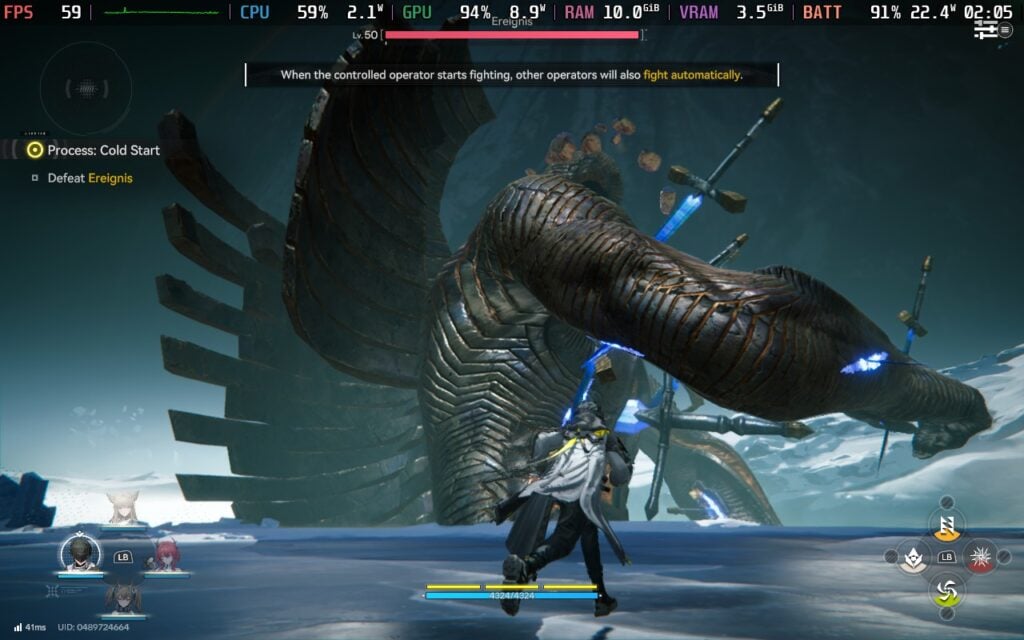
Combat is where all that brooding energy finally gets to cut loose. Endfield’s real-time, party-based action is slick, weighty, and far more thoughtful than it first appears. This isn’t a button-masher pretending to be clever — success comes from reading enemy patterns, knowing when to swap characters, and committing to your decisions. Each character feels distinct, not just cosmetically but mechanically, and building a rhythm between them mid-fight is deeply satisfying. Yes, some encounters blur together over time, but the moment-to-moment feel of combat is strong enough to carry the experience.
Exploration strikes a smart balance between freedom and focus. Rather than dropping you into an overwhelming open world, Endfield offers tightly connected spaces that encourage poking around without killing momentum. Movement feels good, traversal options keep things snappy, and there’s a pleasing sense of forward motion that stops the game from bogging down between combat and story. It respects your time more than its early pacing might suggest.
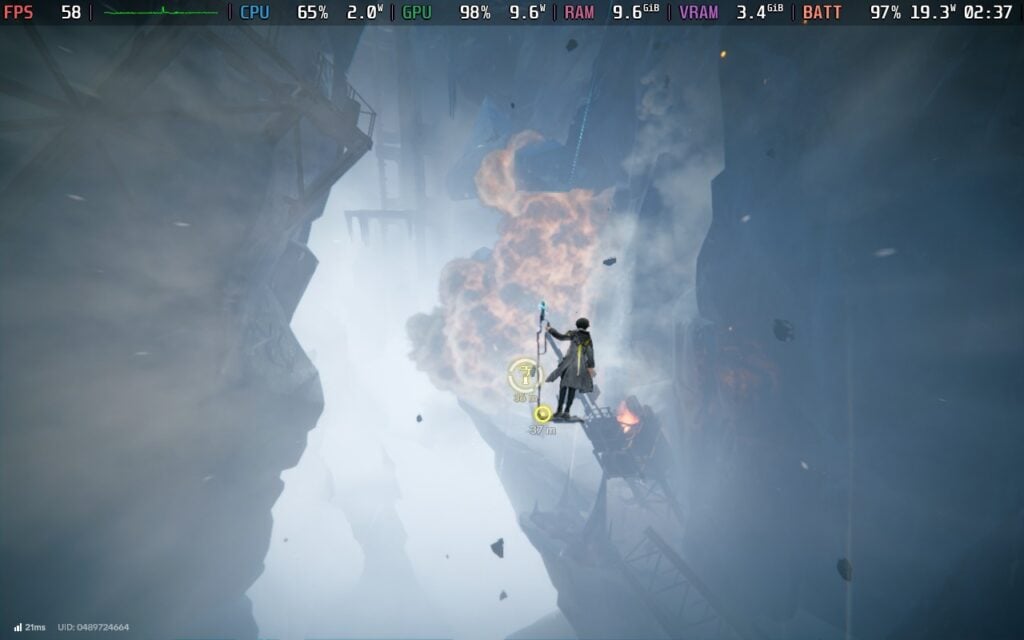
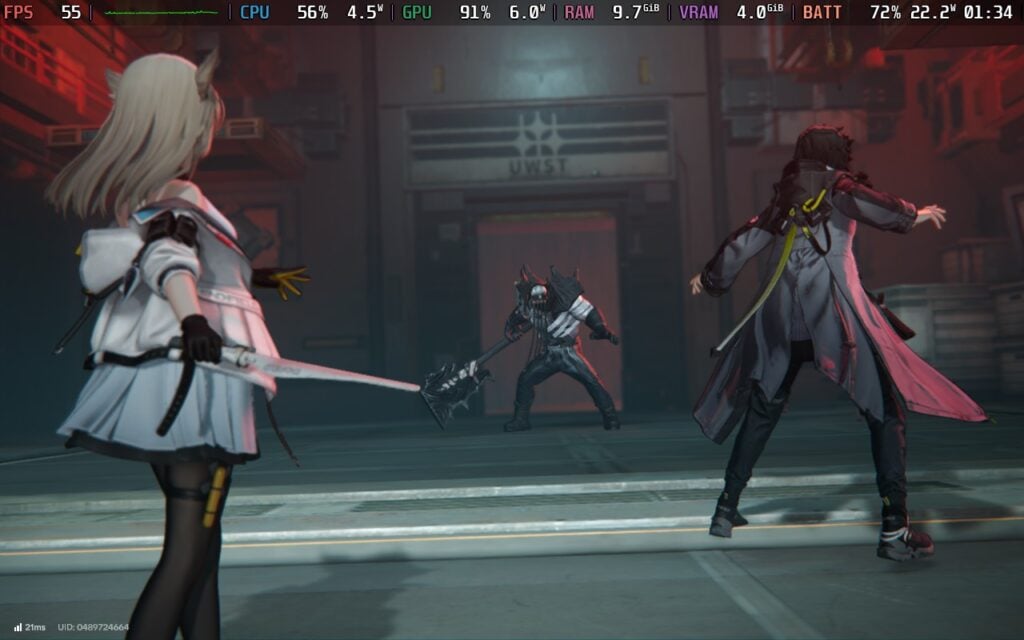
Visually, the game is a knockout. Character models are sharp and expressive, cutscenes are framed with confidence, and the use of scale gives Talos-II a genuinely cinematic presence. The soundtrack quietly does a lot of heavy lifting too, underscoring the game’s melancholy without ever screaming for attention. That said, the interface can get noisy during intense moments, occasionally fighting the player for clarity when things kick off.
Being free-to-play inevitably brings baggage, and Endfield doesn’t pretend otherwise. Progression systems sit in the background like a low hum, never quite going away. While the game is generous enough early on and avoids constantly shoving spending prompts in your face, players with little tolerance for gacha conventions will still feel the friction over time. It’s not the defining feature of the experience, but it is a persistent one.
To play Arknights: Endfield on the Steam Deck, you will have to install it from a third-party. This could be from Epic using the Heroic Games Launcher or NonSteamLaunchers, or installing the launcher directly and adding it to Steam.
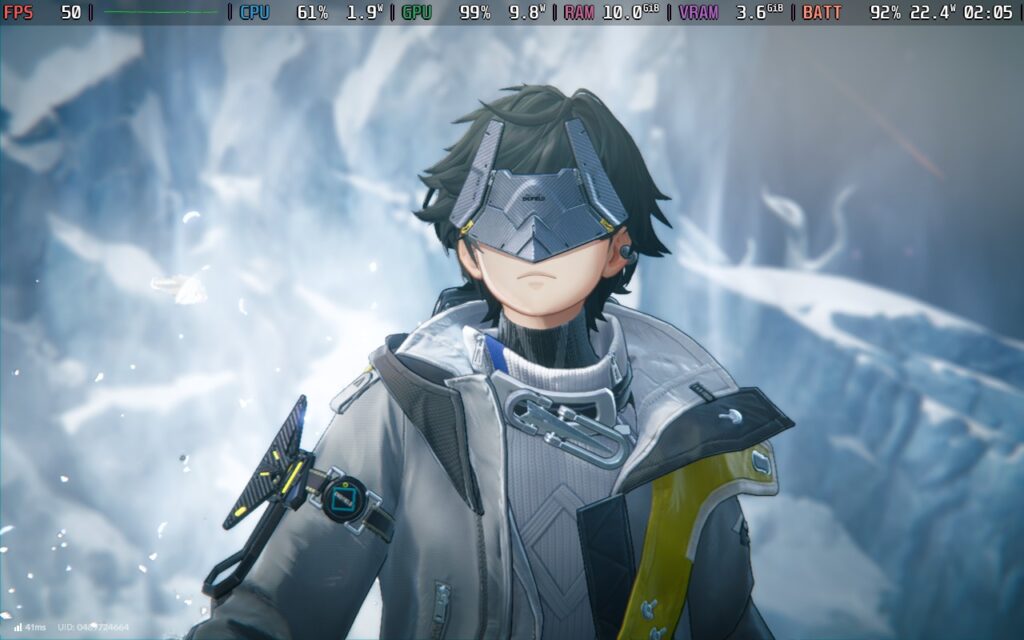
Arknights: Endfield performs better than might be expected for a visually dense, PC-first release. With sensible settings in place, specifically keeping it at the "Very Low" preset, albeit with an FPS cap of 60, the game is certainly capable of mostly holding that 60fps target, delivering a surprisingly smooth experience during exploration and combat alike. While there can be the occasional dip during busier moments, overall performance feels stable enough to comfortably justify a higher frame-rate cap rather than settling for 30fps, which helps the game feel more responsive on Valve’s handheld.
That performance does come at a cost, however. Power draw typically sits in the 22–24W range, putting sustained pressure on the Steam Deck’s battery. In real-world use, that translates to an expected battery life of around two hours at best, and sometimes less depending on brightness and background processes. It’s very much a “play near a charger” experience, but for shorter sessions, Endfield proves that the Steam Deck can deliver strong performance, even if endurance takes a predictable hit.
No accessibility options are available.
In the end, Arknights: Endfield feels like a game made with quiet confidence. It’s dense, occasionally stubborn, and absolutely uninterested in chasing mass appeal. That won’t work for everyone, and it doesn’t try to. But for players willing to meet it on its own terms, Endfield offers a richly atmospheric, mechanically engaging experience that feels rare in the free-to-play space. It’s flawed, sometimes frustrating, and often brilliant, a game that knows exactly what it wants to be, even if it makes you work a little to appreciate it. As with every GaaS, however, especially the Gacha-based ones, its survival is contingent on future content and on whether the systems implemented, both present and future, feel fair to the burgeoning playerbase.
このレビューはPC版に基づいています。
このレビューをお楽しみいただけたなら、SteamDeckHQ の他のコンテンツもぜひご覧ください!あなたのゲーム体験に役立つゲームレビューやニュースを幅広く取り揃えています。ニュース、ヒントやチュートリアル、ゲーム設定やレビューをお探しの方も、最新のトレンドを知りたい方も、ぜひご利用ください。
Big Hops was provided by Luckshot Games for review. Thank you!
I am not usually a big fan of platformer games, largely because of my considerable lack of skill with them. 3D platformers have a habit of making me plunge to my death, or at least the furry avatar that represents me in the game I’m playing. It is certainly a skill issue on my part! However, it has been a while since I played a platformer with as much heart as Big Hops. The last one I played I was a huge fan of was A Hat in Time, so it took just over eight years to bring me another game in the genre worth playing. It was a long time coming, and although Big Hops has a couple of small issues, it's a great start to the year for video games.
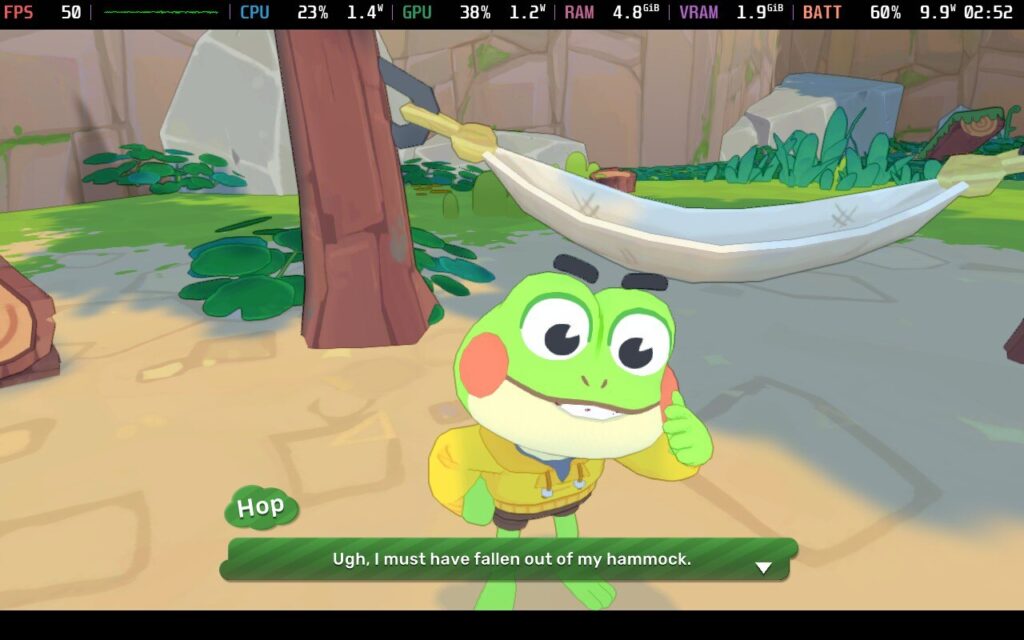
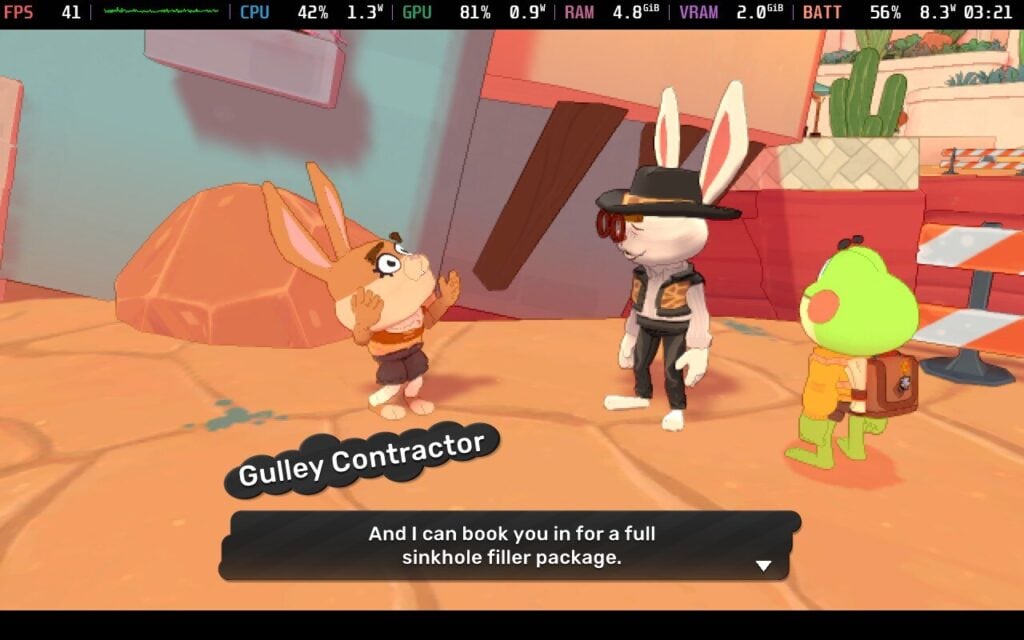
Big Hops makes a big leap forward from the get-go, and the game is easy on the eyes and fairly simple to understand. A family of cute frogs is doing typical family business when the siblings get lost. While the little sister manages okay, you (Hops) end up on a grand adventure across the world. Narratives in platformers are rarely a standout in gaming, but while it isn’t winning any Oscars for story, I liked the characters enough to stay engaged, and the dialogue and voice acting were both charming and entertaining.
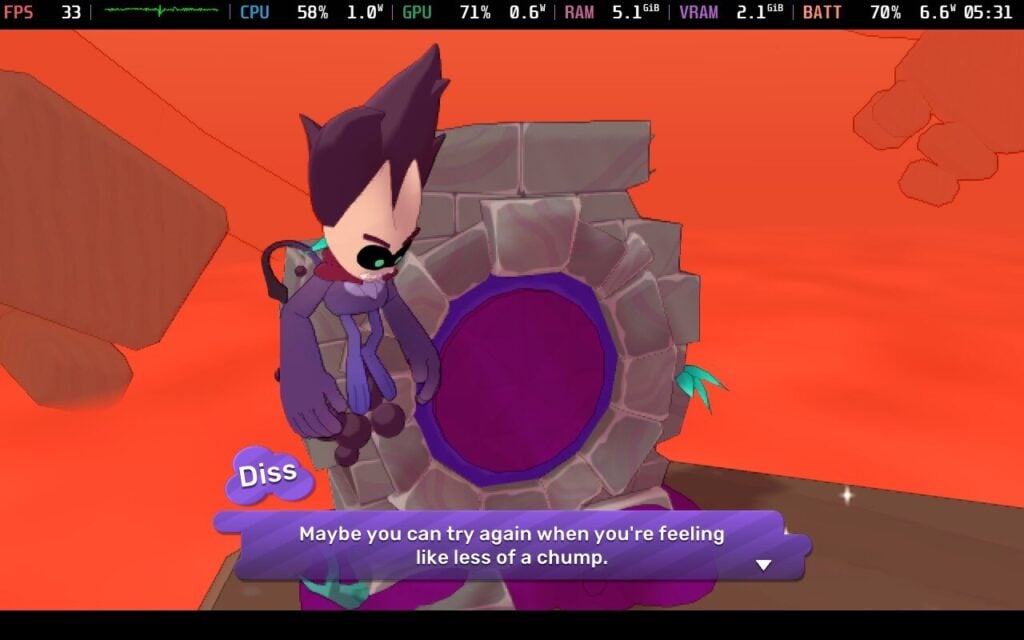
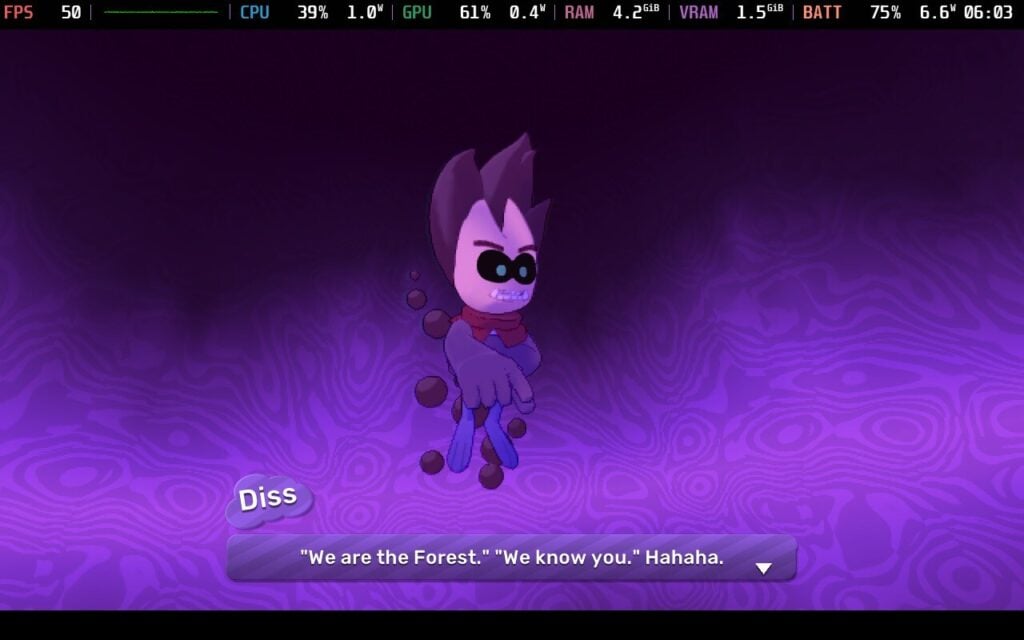
Then, things take a drastic turn into the supernatural, completely taking me off guard. Hops gets sucked into a portal by a weird spirit thing called Diss that traps him until we help him acquire these ‘Dark Balls’. It completely drew me in, and the world really opened up as we helped gather supplies for an eccentric mechanic to build an airship to get home while navigating this strange new world.
The classic platforming mechanics are all here, although Big Hops has some unique mechanics, given that the main character is a frog. You navigate all sorts of puzzles and treacherous drops by using your long tongue, and the creativity this game shows with this single mechanic is impressive. You use the tongue to grab onto objects, collect critters for the completionist records, and eat things to gain health back. I must give developer Luckshot Games a bunch of credit for how realistic everything feels, and I was pretty immersed in the world.
Big Hops rewards exploration above everything else, and the gameplay leans heavily on that. That isn’t to say the game is easy, and some puzzles will frustrate players who don’t play these games often. Despite copious swearing on my part while trying to complete some challenges, the game does not punish mistakes much. Failing a jump and falling into oblivion only takes a sliver of health, and getting health back is easy with so many consumables around the world.
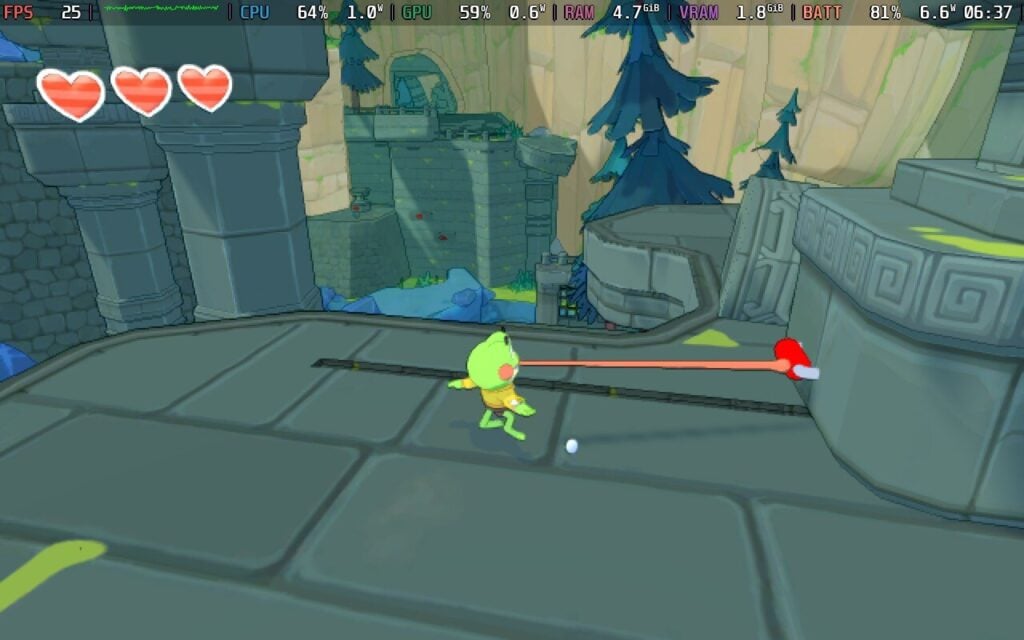
Growing mushrooms and trees to navigate platforming can also be eaten to get health back, and those respawn infinitely from what I’ve tested. This might sound like the game is deliberately making things easy, but the varied puzzles make a perfect balance. I occasionally got frustrated with puzzles, but the game gives you all the tools you need. As you progress through the game, you get access to shops that offer items to improve the incredibly low stamina bar and backpack space, as well as choose perks to add to your repertoire.
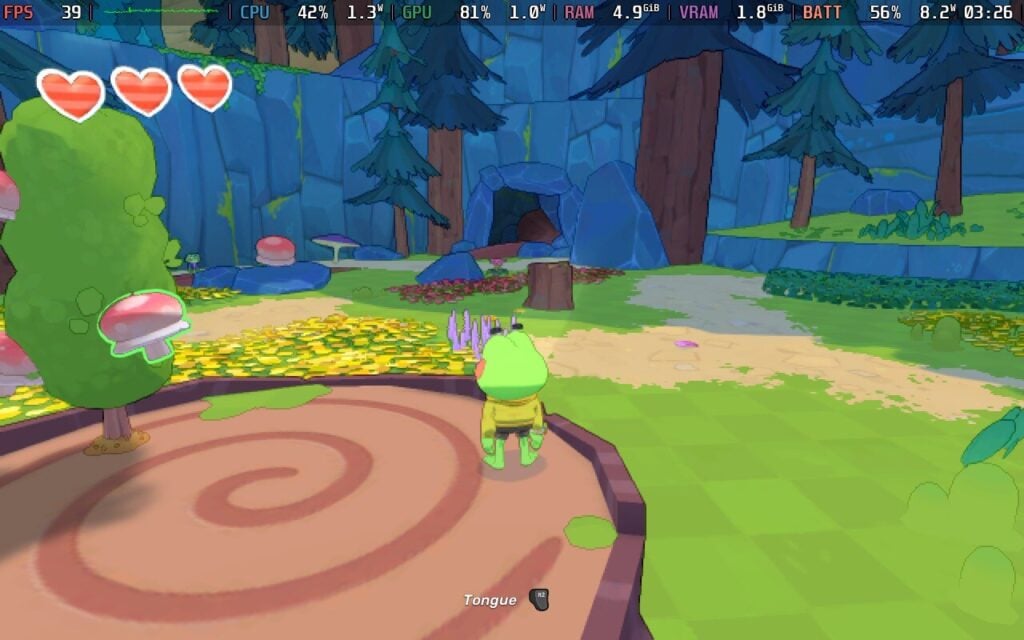
The best way I can describe the game’s presentation is that I treated it like an interactive cartoon. The graphics look great, with colorful biomes, and the music has a peppy theme that makes playing the game a joy.
I haven’t come across many bugs (the annoying video game kind, not the little ones you find in the world) apart from Hop occasionally getting caught up on a rock and the camera zooming up his bottom, but Big Hops has one major annoyance for me, and that’s the save system. The game relies on an autosave that doesn’t tell the player anything. There are obvious breather sections that look like checkpoints in other games, but I wish the game had a more reliable way to save. While I would prefer a manual saving system, I know platformers don’t usually use those.
Overall, however, Big Hops carries a lot of weight on its little green shoulders. The developer's clear joy in the game is evident, and the mechanics and exploration are very attractive to platformer fans.
Big Hops has received a Verified Badge by Valve just before the launch, which is good. Hopeful fans can hop to it, because Big Hops has been a great experience on the Steam Deck overall.

There aren’t many options we can play with in the game, unfortunately. With no adjustable controls or graphic options beyond screen resolution, this is one of those games where it is one size fits all for gameplay. Fortunately, Big Hops comes with full controller support, and the game runs great overall.
With our options limited, there is only one preset we can really use. With a native resolution, 60hz refresh rate, and default TDP, Big Hops holds a steady 60FPS even in the open areas. The controls are fluid despite there being no way to adjust them. I won’t be surprised to see Big Hops get the Verified badge on the Steam Deck.

With the full TDP running, I found Big Hops draws quite a lot of power. You will see an average power draw of around 13 watts, with spikes up to 16 watts during scenes with heavy on-screen action. This got me a little under 4 hours of battery life on the Steam Deck OLED. I tried tinkering with the TDP to improve battery life, and a 5-watt TDP kept the framerate around 30 FPS with a 9-watt average power draw. While this was an improvement, I recommend keeping things at their defaults for the smoothest gameplay. As Big Hops is a platformer, you need all the reaction time you can get.
Big Hops is available in English, Spanish (Spain), Russian, Portuguese, and Simplified Chinese, although only English has full audio.

This is a strange case where Big Hops has some good accessibility settings but is woefully lacking in others. Font scaling, Vsync, and controller sensitivity are nice to have, especially with the former on a smaller screen like the Steam Deck. However, there are no colorblind options, no way to change keybinds or button prompts, and no graphical settings that can be adjusted right now.
Big Hops did something interesting today: it charmed a player who is terrible at platformers into liking it. The gameplay offers plenty of variety with its different mechanics, and I’ve found the story and characters charming. It isn’t perfect, of course, with some irritating camera bugs, a general lack of customization for game settings, and some very frustrating moments at times. None of these are dealbreakers, however, and I can heartily recommend Big Hops as a solid game in its genre.
If you fancy a new platformer game with both charm and depth, and one that is a great addition to your Steam Deck library, this is a great way to kick off 2026!
このレビューはPC版に基づいています。
このレビューをお楽しみいただけたなら、SteamDeckHQ の他のコンテンツもぜひご覧ください!あなたのゲーム体験に役立つゲームレビューやニュースを幅広く取り揃えています。ニュース、ヒントやチュートリアル、ゲーム設定やレビューをお探しの方も、最新のトレンドを知りたい方も、ぜひご利用ください。
ワンス・アポン・ア・カタマリはバンダイナムコからレビューのために提供されました。ありがとうございました!
PS2時代といえば、『キングダムハーツ』や『NARUTO -ナルト- アルティメットニンジャ』のようなお気に入りのゲームを除けば、頭に残るゲームはあまりなかった。しかし、『カタマリ・デイマシー』ほど印象に残っているゲームはない。ゲーム機で印象に残っているゲームのほとんどと比べると、とても奇妙なゲームだったが、とても中毒性があり、面白かった。それから15年近く経って、ようやくシリーズの新作が発売されることになり、これほど嬉しいことはない。もっとカタマリが欲しいと思っていたが、『ワンス・アポン・ア・カタマリ』ではまさに期待していたものを手に入れた。
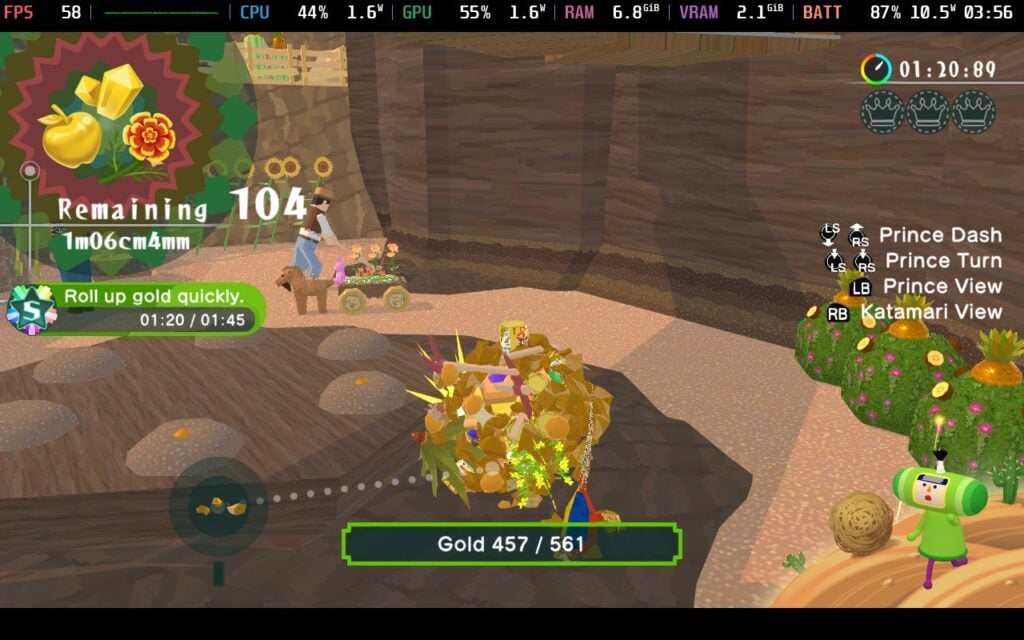
それは奇妙な問題のように聞こえるし、そう考える自分も奇妙だと思った。ワンス・アポン・ア・カタマリ』は、私が覚えているのとまったく同じようにプレイできる。ボールを転がして、そこにできるだけ多くのオブジェクトをくっつけて、制限時間内にできるだけ大きくしていく。自分のボールがどんどん大きくなり、最終的には動物や人間を吸い取っていくのを見て、PS2時代と同じような目まぐるしい感覚を覚えた。過去の作品の素晴らしい思い出がたくさんよみがえってきて、とても楽しかった。
レベルは、途中で起こりうる複数の変化とパワーアップのおかげで面白く保たれている。いくつかのレベルでは、ボールを成長させると、新しいエリアがアンロックされたり、レベルが変化したりする。建物の外に出られるようになったり、はしごを下りて屋上にアクセスできるようになったり、まったく新しい海賊船が隣に現れたりする。さらに、磁石を使えばボールにフィットするオブジェクトを取り込めるし、ロケットを使えばマップを縦横無尽に飛び回ることができる。
また、各レベルには収集品がある。王冠が3つ、王子のいとこが1人、そしてプレゼントがある。王冠はどちらかというと収集品に近く、王子のいとこを見つけると新しいプレイアブルキャラクターが手に入る。プレゼントについては、プレイアブルキャラクターをカスタマイズするためのコスチュームアイテムが手に入る。これらは結局のところ小さな追加要素だが、プレイアブルキャラクターとその見た目の両方をカスタマイズできるちょっとした部分が気に入っている。

ワンス・アポン・ア・カタマリにはかなりの数のレベルがあり、私はその構成が大好きだ。コスモスの王が再びコスモスを破壊してしまった。そのために、私たちはさまざまな時代を旅し、新しい星を作りながら進んでいく。似たような前提ではあるが、それぞれにまったく異なる感じのする興味深いレベルが用意されている。恐竜と一緒に歩き回ろうが、日本の江戸時代をトレッキングしようが、私はその間の視覚的なバラエティを楽しんだ。
しかし、少し荒れ始めたのはレベルのバラエティだ。時間内にできるだけ大きくしなければならない通常のレベルもあるが、特定のアイテムをいくつも手に入れなければならないレベル、巻き上げられる数の制限内で特定のアイテムを手に入れなければならないレベル、そしてそれらのさまざまなバリエーションもある。最初は良かったのだが、こうしたバリエーションは思った以上に頻繁に起こり、ボールをできるだけ大きくするだけの古いスタイルのレベルが恋しくなった。人を丸めて食べ物で太らせるなど、私が惚れ込んだ特殊なレベルもあるが、思ったほど多くはなかった。
シリーズのユーモアが相変わらず生きているのが嬉しかった。レベルの展開、キャラクターや動物たちの行動、コスモスの王の行動、そして女王のさまざまな時代での冒険を示す小さなカットシーンまで、すべてがブランドどおりで、ただただ愉快だった。各レベルの開始時にコスモスの王と話す小さなカットシーンは少し不愉快だったが、スキップしようと思えばすぐにできるのでありがたかった。
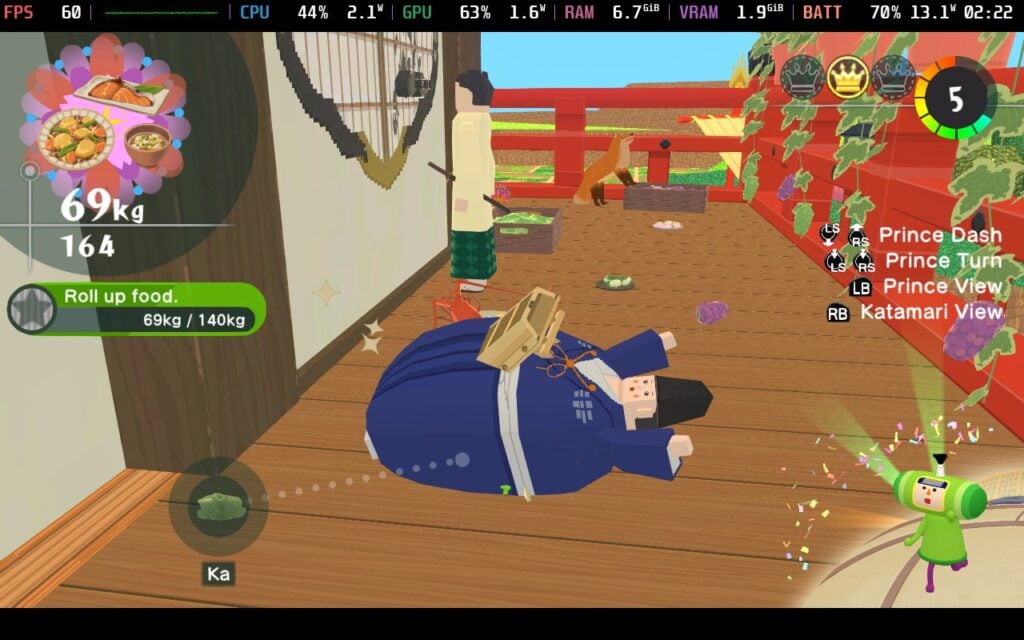
通常のレベル以外にも、KatamariBallで遊ぶことができる。これは特別な小さなモードで、3人の対戦相手とボールをできるだけ大きくして、集めたオブジェクトを提出して得点を競います。制限時間終了時に最も多くのポイントを獲得した人が勝利となる。KatamariBallはオンライン対戦が可能で、勝つと自分のレベルが上がり、新しいボールなどがアンロックされる。また、手に入れた通貨を使って、ハブの表情やその他のカスタマイズ可能なアイテムをアンロックすることもできる。
ワンス・アポン・ア・カタマリはSteamデッキで一般的にかなりうまくプレイできるが、予想より少し重かった。ゲームは60FPSにロックされるため、できるだけスムーズなパフォーマンスを得るためには、フレームレート/リフレッシュレートを変更する必要がある。しかし、デフォルトの設定では、バッテリーの消耗が予想以上に激しくなる瞬間があり、17Wや18Wに達することもあったし、非常に混雑したレベルでは40まで落ちることもあった。このようなゲームには、もっといいものを期待していたが、解決策があることをうれしく思う。
シャドウを「低」にすることで、問題の大部分を取り除くことができ、平均で6W~7Wほど消費電力が減り、バッテリー駆動時間を2時間近く節約できる。奇妙なことに、これによって視覚的な変化はあまりなく、ゲームは依然として素晴らしく見え、その特徴的な魅力を保っている。低画質では小さな影が消えたり、遠くの影のディテールが薄くなったりすることもあるが、最終的には、最小限の視覚的な違いによるバッテリー寿命の節約で、長所が短所を上回っている。
一般的には、98%の時間は60FPSでプレイできるはずだが、グラフィックにほとんど差がないのにバッテリーが節約できるので、変更をお勧めする。また、レベルアップ時のスムーズさに比べて、ハブの感覚が少しずれていることに気づいた。正確な理由はわからないが、ハブが少しもたつく感じがする。
コントロールタイプの変更、ランブル、レチクル、ヒントガイドの切り替え、カメラの反転、サウンドバーの変更、キーバインディングの変更などが可能だが、設定としてはそれだけだ。
このゲームは16:10の解像度をサポートしていないが、クラウドセーブとコントローラーをサポートしている。HDR設定はない。
結局のところ、『ワンス・アポン・ア・カタマリ』は私が期待していた通りの作品だった。コアなゲームプレイに変化がない分、旧作で味わった素晴らしい感覚を呼び起こすことができたし、追加の収集物やパワーアップ、レベル変更もあり、新鮮でエキサイティングに感じた。コスモスの王が引き起こしたダメージを修復するために、さまざまな時代へ旅しなければならないおかげで、レベルの美学もバラエティに富んでいた。レベルのバリエーションが少なければ、大好きになったクラシックなゲームプレイをもっとプレイできたのにと思う。それでも、収集品、カスタマイズ、マルチプレイヤーなど、本作はシリーズに新たに加わった素晴らしい作品であり、本作が存在することを喜べない。
Steamデッキでのプレイも素晴らしい。シャドウをローに変更すると、私が遭遇した小さな問題のいくつかが修正されるだけでなく、バッテリー寿命のかなりの部分が節約され、最終的には、4~4.5時間程度のバッテリー寿命でしっかりした60 FPSが期待できる。これは持ち運びに最適なゲームであり、強くお勧めする。
このレビューはPC版に基づいています。
このレビューをお楽しみいただけたなら、SteamDeckHQ の他のコンテンツもぜひご覧ください!あなたのゲーム体験に役立つゲームレビューやニュースを幅広く取り揃えています。ニュース、ヒントやチュートリアル、ゲーム設定やレビューをお探しの方も、最新のトレンドを知りたい方も、ぜひご利用ください。
Escape From Duckovはbilibiliよりレビューのために提供された。ありがとうございました!
Escape From Duckov(ダコフからの脱出)」というなんとも情けない名前の本作がついに登場した。その名が示すとおり(「タルコフからの脱出」をもじっている)、本作は脱出シューターなのだが、他の作品とは一線を画す何かを持っている。しかし、ユニークな体験ではあるが、私は葛藤を感じている。
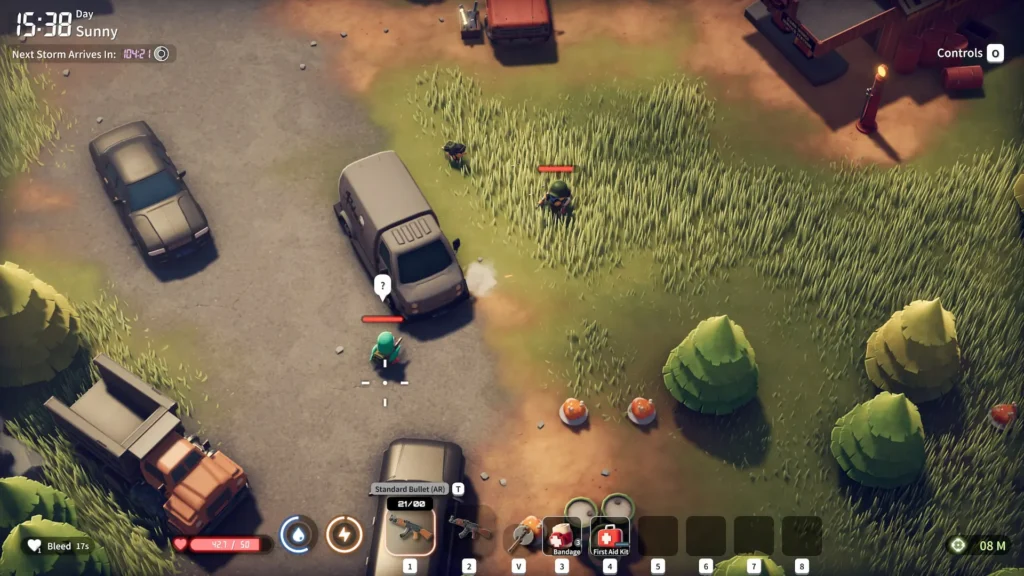
Escape From Duckov』ほど、ゲームに対して葛藤を感じたことはない。シングルプレイの脱出シューティングというコンセプトは楽しいが、このジャンルの主な問題は、(たいていは)対戦型のマルチプレイであることで、これは私の好みではない。Escape From Duckovのガンプレイは良い。武器は強力で使いやすく、敵は挑戦的で、自分の武器の長所を生かし、装備を万全にする必要がある。
また、アヒルを強化するための多くのアップグレードや、より強力なアイテムを作ったり新しいアンロックを手に入れたりできる新しい家具でアップグレードできるバンカーなど、ちゃんとしたプログレッション・システムもある。本当に、このゲームは私の好きなものの数々が1つのゲームに凝縮されているはずだ。
問題は、これらのシステムにはそれぞれ小さな欠点があり、それらをすべて合わせると、このゲームは本当にちょっと......まあ、まばらな感じだ。
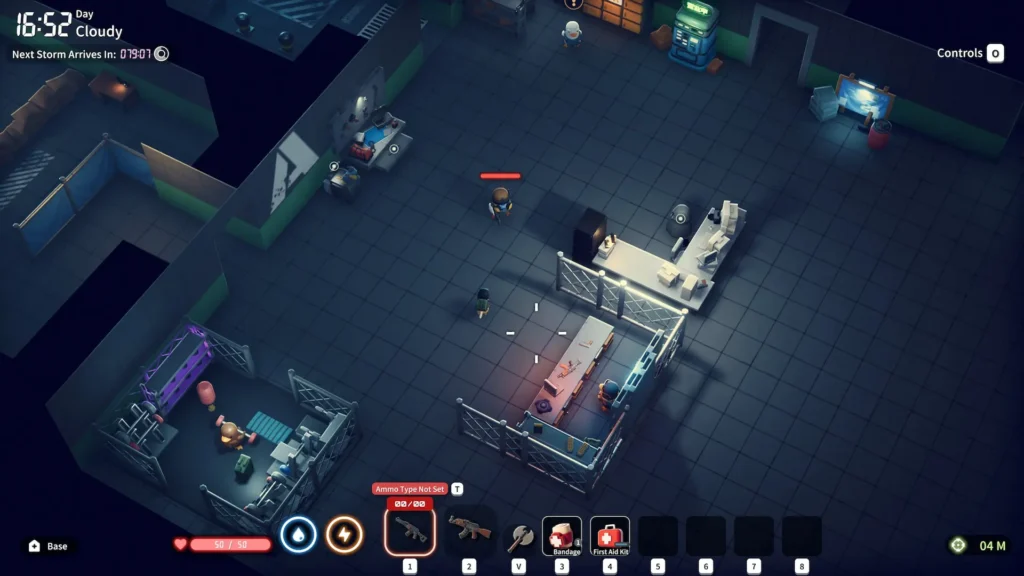
このゲームのシングルプレイという側面は、当初私には魅力的だったが、実際にはマイナス面になってしまった。エスケープ・フロム・ダッコフ」には、物事を進行させるストーリーがないのだ。マルチプレイヤーゲームにストーリーは必要ない。モチベーションや満足感は、他のプレイヤーに勝ったり、自分の装備を友達に見せびらかしたりすることで得られるものだ。Escape From Duckov』では、何をモチベーションにゲームを進めればいいのだろう?すぐに手に入るゲームではない。進行には時間がかかるし、同じマップを何度かプレイしてランダム生成される戦利品を見つけると、シングルプレイの研磨ゲームのように少し感じる。
そこに、私がこのゲームの進行に抱いている問題がある。新しい武器やクラフトステーション、アヒルのアップグレードされたステータスなど、たくさんある。問題は、進行に時間がかかることだ。アップグレードに必要なアイテムが必要なだけでなく、それがマップに出現するかどうかはちょっとしたRNGになりうる。さらに、アップグレードによってはリサーチに時間がかかるものもあり、シングルプレイのゲームとしては不可解だ。ヘルスアップグレードを研究するのに、なぜ数分も待たされるのか?
マップの進行も同様に少し面倒に感じる。マップ全体を探索することはできるが、難易度の高い敵は他のマップから大きくステップアップしているように感じられる。つまり、最後の敵に挑む前に、絶対的に最高の装備を手に入れるためにしばらくの間奮闘しなければならないのだ。

ゲーム中の音声も非常にまちまちだ。銃の音は素晴らしく、銃の種類やサイレンスの有無によって音が異なる。しかし、音楽はゲーム中の他のどの音よりも大きく、まれに再生されることもあった。また、ネット上の喫茶店の雰囲気ビデオで見かけるような奇妙なローファイ・リラクゼーション・ミックスで、「ダッコフからの脱出」のようなゲームにはあまりふさわしくない。
ドッジロールの音も、他の音に比べて異常に大きい。アンビエントサウンドはこのゲームにはほとんどないが、敵の足音を聞くことは視界外の位置を把握するのに不可欠なので、ある程度理解できる。
Escape From Duckovは解像度として1280x800をサポートしているので、Steam Deckのディスプレイ全体を活用できる。
悲しいことに、このゲームはコントローラーをサポートしておらず、照準の仕組みを考えるとかなりイライラする。私が思いついた最善の方法は、デフォルトのキーボード(WASD)とマウスのレイアウトを使い、左のタッチパッドでホットバーを操作して放射状のメニューを表示させ、右のアナログスティックの感度を好みに合わせて調整することである。
Steam Deckでのゲームのパフォーマンスについては、かなり安定した45FPSを体験したければ、シャドウをLowに上げるのは別として、最低設定でプレイする必要がある。
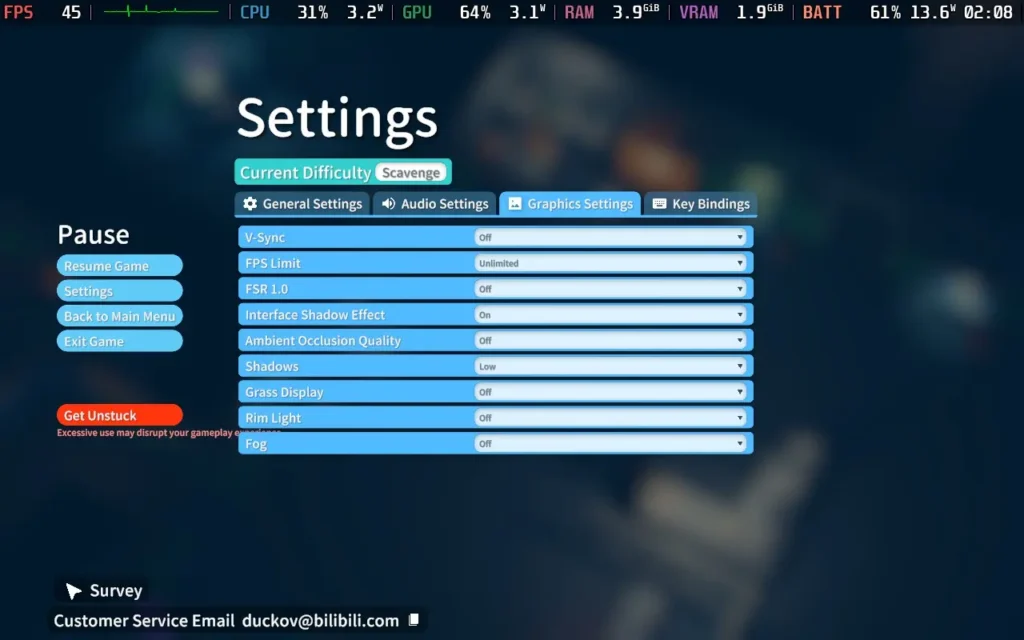
シャドウを完全に無効にすれば、60FPSに近い速度で動作させることができるが、ゲームの見栄えが悪くなり、安定性も悪くなるので、40~45FPSの範囲でゲームを固定することをお勧めする。
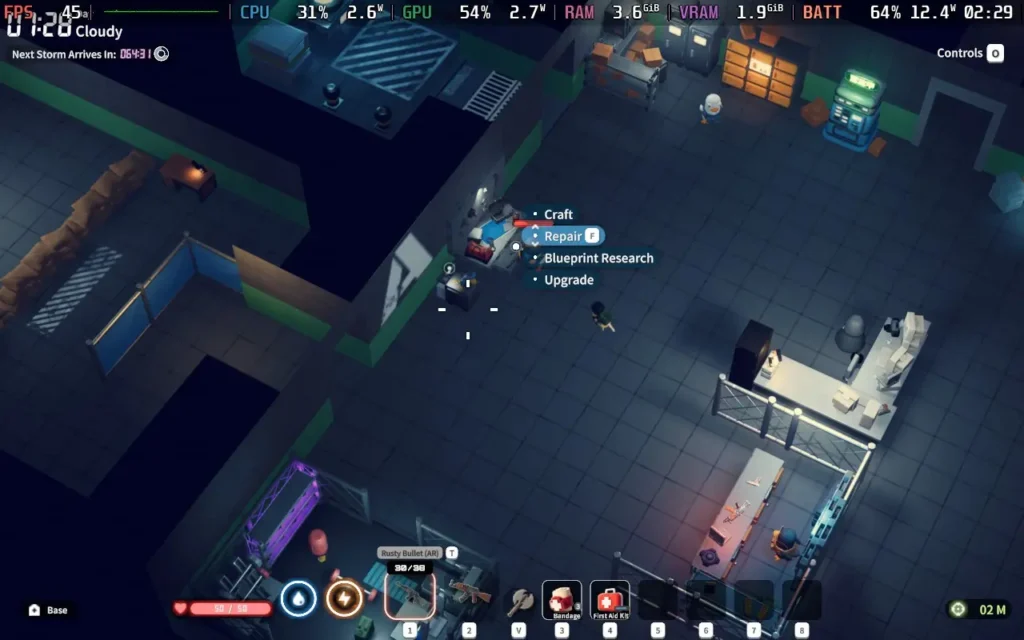
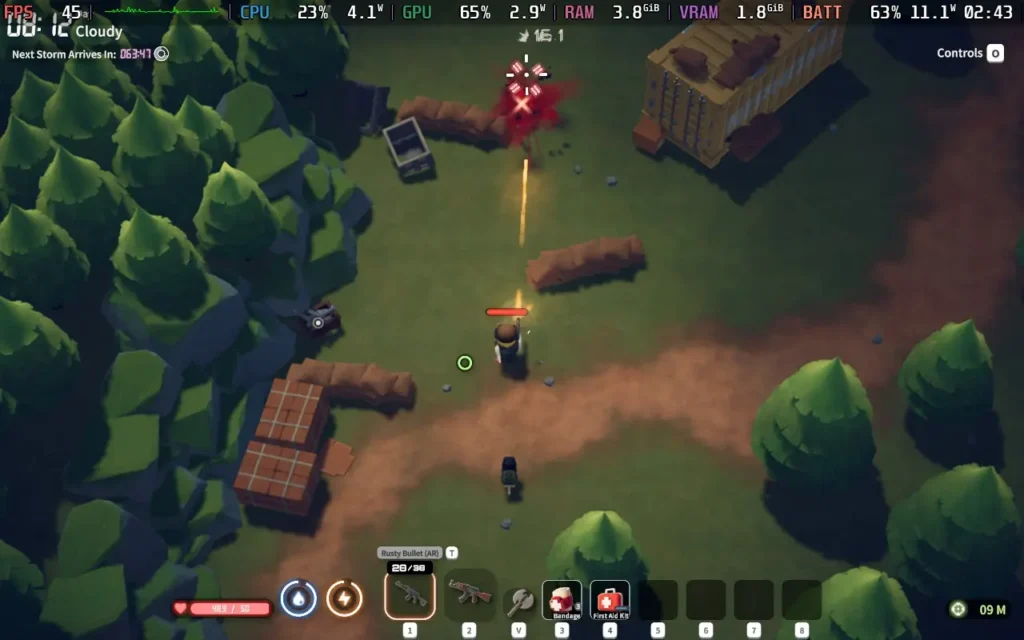
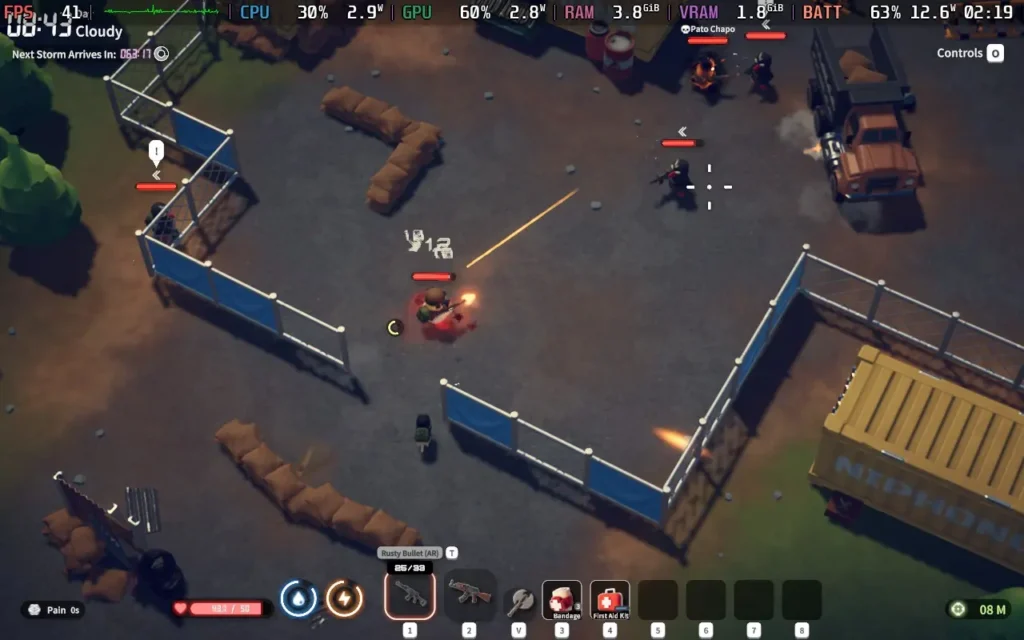
消費電力は約11W~14W、温度は約55~60℃だった。バッテリー駆動時間は、スチームデッキOLEDで約4時間、スチームデッキLCDで約3時間を見込んでいる。
コントロールはリバインド可能で、ダイアログはすべてテキスト形式。Escape From Duckovにはアクセシビリティのオプションはありません。難易度は自由に設定できるので、デフォルトの難易度よりもずっと簡単(または難しい)にすることができる。
Escape From Duckov」には素晴らしい可能性があるが、急ごしらえのゲームという感じがする。実際のゲームプレイは素晴らしく、敵と戦ったり戦利品を見つけたりするのは魅力的で満足感があるが、進行システムはシングルプレイ用ゲームとしては凝りすぎていて長く感じる。
協力プレイは、私がこのゲームに抱いている問題を解決するのに大いに役立ってくれるだろう。新しい戦利品を友人に見せびらかすことができるし、必要な1つのアイテムを探し続けるのは自分だけでなく、グループ間で進行の負担を分かち合うこともできる。
Escape From Duckov」はSteamデッキで問題なく動作する。パフォーマンスは問題なく、ここでは安定した45FPSを体験できる。しかし、操作性は理想的とは言えないので、将来的には実際のコントローラーに対応してほしい。
このレビューはPC版に基づいています。
このレビューをお楽しみいただけたなら、SteamDeckHQ の他のコンテンツもぜひご覧ください!あなたのゲーム体験に役立つゲームレビューやニュースを幅広く取り揃えています。ニュース、ヒントやチュートリアル、ゲーム設定やレビューをお探しの方も、最新のトレンドを知りたい方も、ぜひご利用ください。
Hirogami was provided by Kakehashi Games for review. Thank you!
3D Platformers aren't a hugely popular genre these days, so I'm always excited when we see a new game try something different. Hirogami is aiming to do exactly that, offering a paper aesthetic similar to Sony's Tearaway and a unique "folding" mechanic that lets you change the player character's movement and abilities on the fly.

Hirogami puts you in the role of Hiro, a master of the art of "folding", which is the game's main unique mechanic, the ability to fold into different creatures and inherit their abilities.
After the "Blight" has reached your homeland, it's up to you to fight back and restore peace to the land. There isn't too much of a "storyline" in Hirogami; the Blight appears out of nowhere after a short monologue of the protagonist hinting at his past, before quickly meeting up with 2 fellow villagers, Ruz Pappy and Shiori, in order to embark on a journey to protect the village. You'll meet the occasional animal that you save from the Blight, but they don't really have much to say, and nothing that adds to the story.
Movement is key in a 3D Platformer, and while Hirogami does feel OK, it also feels off. I can't quite focus on exactly what feels off about the movement, but it almost feels stiff or stilted, and it isn't quite as responsive as I'd like. It's serviceable, but you often feel slow or the character doesn't move the way you would hope. This is perhaps exacerbated by the different forms of Hiro behaving differently in movement and physics.
The folding mechanics are the highlight, and it is a neat feature. Being able to fold your character at will into a frog or an armadillo, even a paper plane, is always a treat. The game rarely tells you what shape you should be to proceed, but it's intuitive enough that you can figure it out pretty quickly. Some areas can be a little annoying in that they require you to switch between shapes constantly to proceed, and in these cases, I wish the level design allowed you to stick to 1 form for a bit longer, rather than every new jump or puzzle requiring a different form.

One thing I really took issue with in Hirogami, however, is the camera system. The game uses a fixed camera perspective that you can merely pan with the right thumbstick. Unfortunately, this method really does not suit a 3D Platformer. Not having a traditional third-person camera that can be rotated and zoomed in really hurts the experience, and within the first 30 seconds of playing the game, I was getting irritated.
The fixed perspectives prevent you from looking around the level as you wish, and you also sometimes don't follow the character close enough to see dangers ahead of you. This caused some problems with depth perception, which can be a struggle when walking away from the camera.

Visually, Hirogami is quite nice to look at. The stop-motion animation style might not be everyone's cup of tea, but you get used to it, and the visual style itself is well-suited to the paper theming. Sound design is also quite nice, with paper sound effects as you perform certain actions and a Japanese-inspired soundtrack that blends in nicely.
It isn't a long game by any means, and most players will probably see the end within 5 hours of playtime, but there are secondary objectives that you can aim to get by retrying each level. The game is priced at $29.99, which I think is fair given its short length.
Hirogami is best played with a controller, so we have no issues with the controls. Unfortunately, the game doesn't support 16:10 resolutions, so we do have black borders along the top and bottom, as we have to play at 1280x720 resolution.
I personally would recommend that you use the "Medium" quality setting, then the in-game frame limiter set to 60. Depth of Field I turned off, as I don't like the effect, and it does cost some performance.
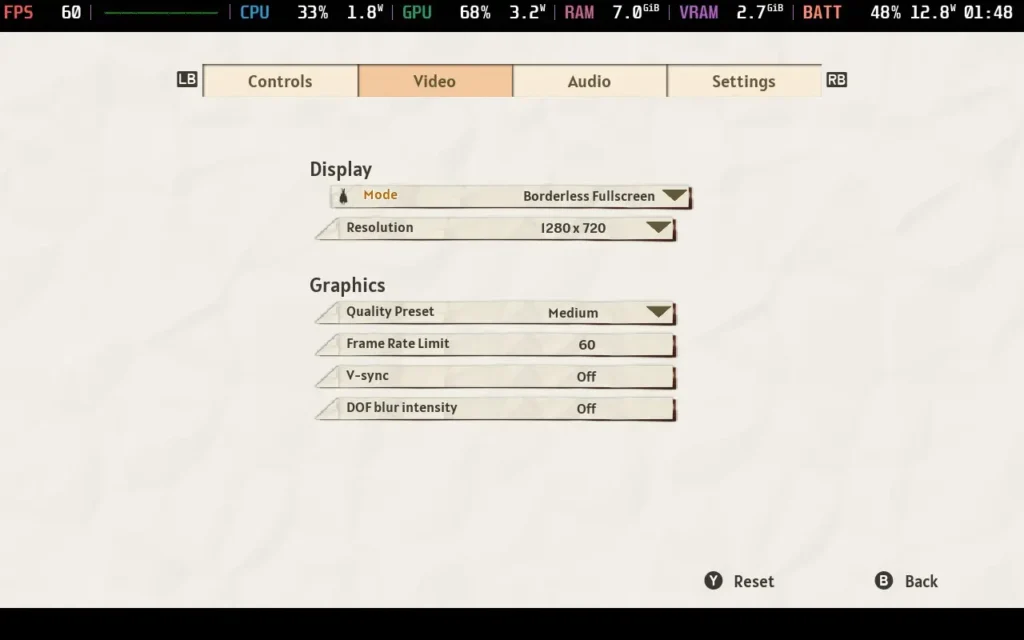
Unfortunately, even with these settings, the game struggles to hold a locked 60 FPS; some levels frequently run in the low 50s. Even more disappointing, the game's "Low" quality settings look awful, employing raw resolution scaling (No FSR/XeSS here) and eliminating most lighting/shading, making it preferable to deal with the frame drops than the poor image quality.
Strangely, the game hits the Steam Deck's CPU hard, meaning we're always drawing significant amounts of power even when nothing is happening. Expect to draw around 19W-21W from the battery, giving us about 2.5 hours of playtime on a Steam Deck OLED and about 1.5 hours on an LCD model.
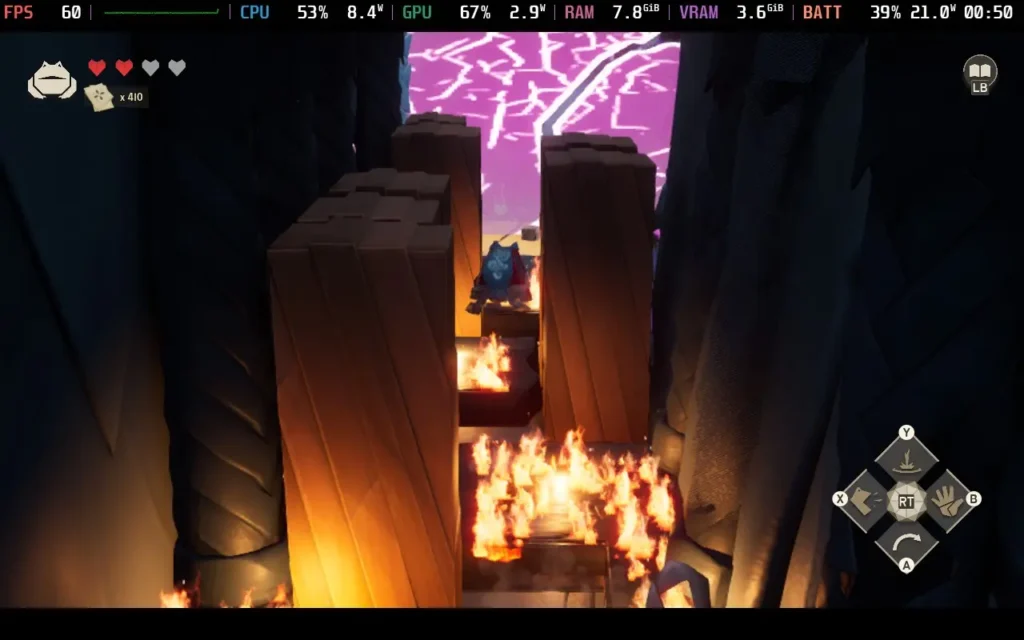
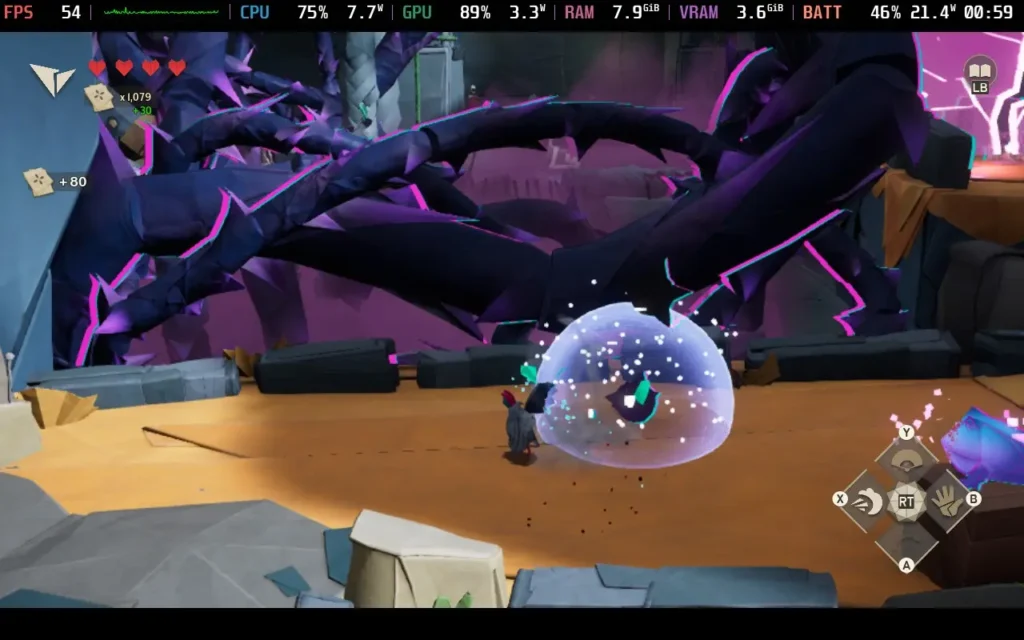

The temperatures were generally in the 65 °C - 75 °C range. The fan does ramp up in order to keep the CPU cool, which gets hammered in Hirogami.
Hirogami has no accessibility options.
Hirogami has some missed potential. If the movement was tighter, things worked a little smoother, and the game was optimized, it would be an easy recommendation for me. There are some redeeming qualities still, like how cool the folding mechanic is, but even this feels a little forced too often. However, for the price, especially considering the game's short length, I have difficulty saying this is a good buy.
As you can imagine, with the optimization issues, the Steam Deck's performance is fine but disappointing. It's certainly playable, generally staying above 50 FPS, but I was expecting to run a game like this at 90 FPS, not 50.
このレビューはPC版に基づいています。
このレビューをお楽しみいただけたなら、SteamDeckHQ の他のコンテンツもぜひご覧ください!あなたのゲーム体験に役立つゲームレビューやニュースを幅広く取り揃えています。ニュース、ヒントやチュートリアル、ゲーム設定やレビューをお探しの方も、最新のトレンドを知りたい方も、ぜひご利用ください。
Hell is Us was provided by Nacon for review. Thank you!
Leading up to the Hell is Us release, I tried to avoid any spoilers and discussions about the game. I loved the initial trailer, and I wanted to go into the game as blind as I could. Honestly, I think this was the best decision I could have made. I went back and watched the other trailers after I finished the game for this review, and I would have thought it was way closer to a soulslike. Instead, Hell is Us is a third-person action-adventure with little to no hand-holding and intense combat, and I loved it.
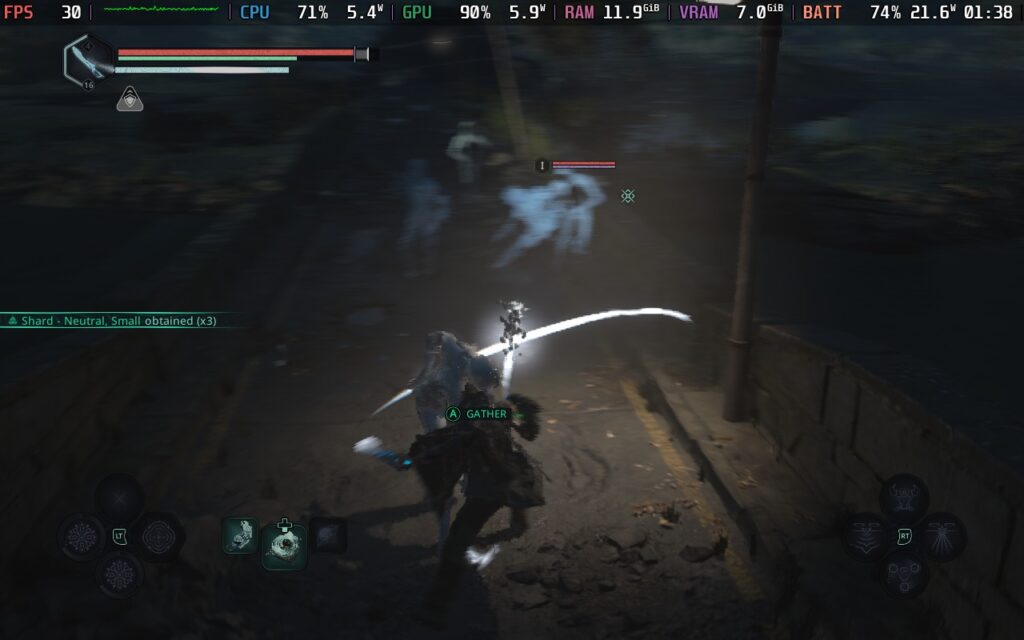
The story is one of the biggest elements of the game, and I grew to love it the more I played. We take control of Remi, an expat who has returned to his home country of Hadea to meet his parents and learn why he was sent away. However, he is met with these ghoulish monsters and thrust into a fight for the country to not only save the people there, but also learn about what happened in this desolate land that made it so horrifying in the first place.
On the surface, a mysterious calamity caused some big event that unleashed supernatural forces that are impervious to modern weapons, but deep down, Hell is Us is a look into human nature and how evil we can be. Hadea collapsed not just because of these monsters but also because of the civil war that erupted across the land. Most of what happened in the past is told through the environment, conversations, and discovered items, which makes it more interesting. There were some moments I was confused at the time, but the more I ran around and read and listened to audio logs, the more it all made sense.
This way of storytelling does mean it could be easy to miss some optional logs that help tell the story, but there are many benefits to exploring beyond lore, so I found many reasons to run around. Learning about the world this way makes it feel more fulfilling overall, since we are making a ton of effort to figure the plot and history out for ourselves. It's a deep tale about how evil humans can be, how religion can incite conflict, and how important it is to piece together the past.
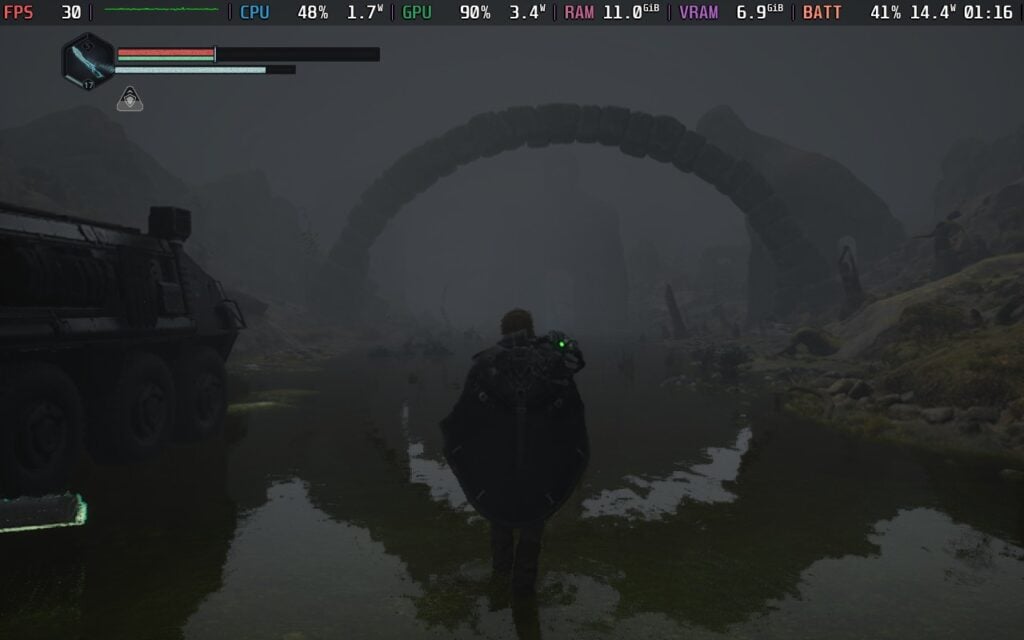
If you enjoy games where you have a map, quest markers, a journal with a list of side quests, and the game gives a general idea of what you have to do next at any given time, this won't be for you. Hell is Us prides itself on giving you all the clues within pictures you pick up and notes you find, and you have to figure out what to do with all of them. There is no guide on where to go next or how to unlock new locations to progress the story; it's all implied or told through the objects you find around the world.
I have a love-hate relationship with this kind of emphasis, but it's ultimately why I fell in love with the game. It forced me to pay more attention to the world, clues left around buildings, details hidden in notebooks, and information from conversations, and it made me feel more connected. When I could piece a puzzle together, I felt so satisfied. Every document, monument, slab with cryptic writing, and computer could contain important information necessary later to complete a puzzle or go to a new location. Of course, it could just be lore as well, but it motivated me to listen, read, scan, and engross myself in the world of Hell is Us.
Now, while I found a lot of enjoyment, there were also some moments of frustration. There were multiple times I found myself at a loss on where to go next or how to complete a puzzle, and I found myself going around the entirety of each location just searching for the next clue. On one hand, this added hours of playtime that I could have been spending keeping the story moving. However, I also found other secrets and tools like Limbic Rods to open Limbic Chests and get new weapons, armor, and glyphs. Even if it was frustrating not to know where to go next, I never felt like it was wasting my time. Each location, even if it doesn't seem like it, has its purpose and secrets to discover.
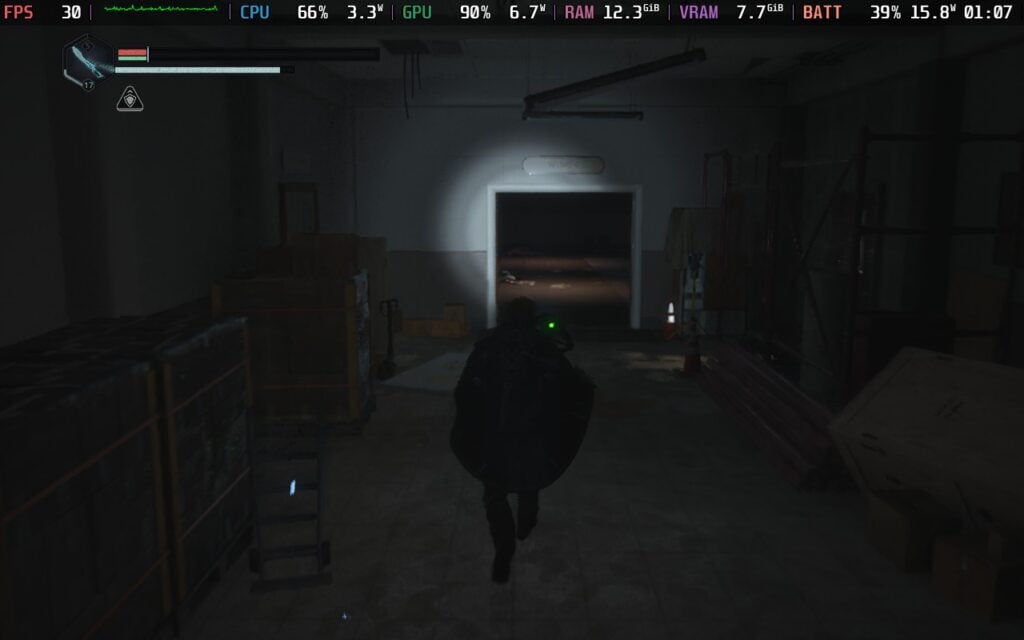
Luckily, I wasn't completely navigating blind. Hell is Us has an Investigation window that shows us key information we learn from findings and conversations with people we meet, and an exploration tab to show where some Limbic Chests and other findings are. It never says exactly where they are, and there's no map or minimap to look at for your position, but that's a big part of the game. It compiles the clues we find to give us some idea of where to investigate next, but leaves out enough to make us search out our next objective.
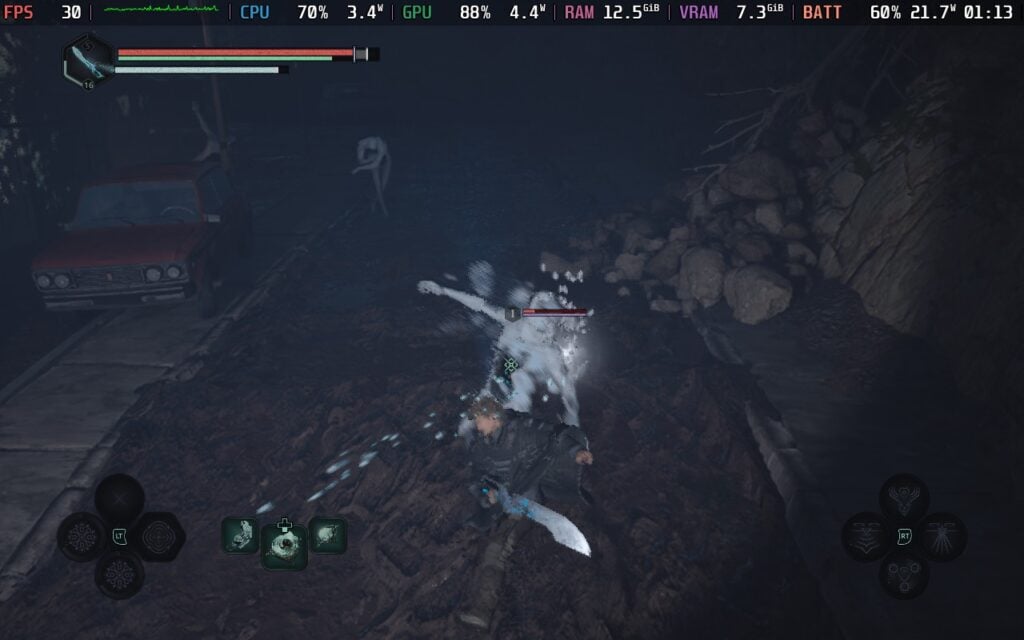
Besides the hands-off exploration, we will also participate in many fights against these mysterious creatures. I would consider it a mix of soulslike combat, but it has some Action-esque mechanics snuck in there. Like soulslikes, it's slower-paced and difficult, and monster attacks can get overwhelming and kill you, but the actual progression system is more like a regular Action or RPG game. We have a multitude of unique weapons we can find, each of which has a different moveset with a light and a chargeable heavy attack. We will have to utilize dodges and blocks to help us survive these encounters, finding the right time to strike and take them down.
To mix up combat, we have different abilities we can use as well. Our trusty drone can have four different skills that can be equipped, while our weapons can have three different glyphs equipped that give it its own abilities. Ultimately, you will have seven skills to use at any given time, and each one has a variety of effects. I attribute the drone skills to being similar to physical abilities, while the glyphs on the weapon are closer to magical abilities. They all have their own benefits, and I found a use for them as the game progressed. It made fights feel much more engaging and made the more difficult fights much more enjoyable.

There will still be some frustrating fights, with a few I noticed where the camera angle was near impossible to get to an optimal spot, but the majority of fights are great. There is a small variety of enemies, but each has three different ranks and can sometimes summon an internal emotion that manifests as a more powerful foe that must be defeated first. Having to navigate each encounter that can change pretty quickly keeps combat interesting, but one wrong move can result in death pretty easily.
Unlike soulslikes, Hell is Us' progression is much closer to a less-intense action RPG. Weapons each have their own level that gets experience and becomes more powerful as you defeat enemies. Defeated foes drop shards, which are used at the smithy to upgrade its Grade, letting you choose one of four emotions to imbue into it and increasing its max level. It's a great balance between the two, and it takes away a lot of the frustration with progression that I have found in soulslikes with trying to collect and keep souls to level up. It does take a little long to get new glyphs, since a lot of them are in these Limbic Chests, where you have to remember where they are and what rods go in them, but the combat is satisfying enough to keep me entertained until I get them.
We also get two Relics to equip that can buff ourselves. One adds an eighth active ability, while the other adds a passive buff. These are nice little changes that can affect or enhance your playstyle, and I liked playing around with them. We can also equip two defensive gear to give us more health and absorb health, but they were tougher to find than I expected. We can enhance them at the smithy as well, which is nice, but it took me a while to find a second piece of equipment after getting the first one through story progress.

While there are a good chunk of different weapons to find, I found myself not caring much to try new types when I found two that worked for me. I did justify going through the weapons to choose two to fill out my loadout, but as soon as I found the ones I liked the most, I focused on leveling them up and not touching the others. There are some items we can find to add EXP to weapons, but trying to level up the others by grinding takes too much time.
Hell is Us also has a feature called Healing Pulse, where you can heal a part of your health and stamina with a well-timed button press. The amount you can heal increases as you attack enemies without getting hit, but as soon as you do, the pulse goes away. I found this mechanic to be wonderful, and it saved me many times from certain death as I would hit once and then dodge to heal. There is an assortment of items you can use, including med packs to heal quickly, but this is a great way to bring health back without any items.
Other than the fights against these creatures out in the open, there are side quests called Good Deeds to complete that may give some extra rewards, mysteries, and secrets across Hadea to discover, and Timeloops to disperse. Each of these gives more information about the world and what has happened in Hadea, while also sometimes providing benefits to help your journey. Nothing is straightforward, and some of these Good Deeds and mysteries may fail or be completely missed, so paying attention and exploring will be helpful.

If you have a notepad, marking down which chests need which Limbic Rods and where some of these Good Deeds are will be helpful. There is a window that shows all of these and lists how many there are in each area, but it won't give more information than that.
When I first started playing Hell is Us, I was worried that it wouldn't run on the Steam Deck. This is a beautiful game with larger open areas, and with the minimum specs being on the higher side, I had my doubts. However, now that I have played through the game, I can say it's surprisingly playable on the Steam Deck, but it will require some compromises.
While there are a lot of areas that actually run very well, and can hit up to 40 FPS, there are many that drop it below. So, for stability purposes, I recommend keeping it at 30 FPS. It will stay at and above 30 in almost every area, with some slight drops to 27 or 28 when running around very crowded areas quickly. Most areas will stick to 30, with a lot of them keeping battery drain relatively low for a game like this (14W - 17W).
To keep this framerate, we will have to keep the game running on Low settings, but we can increase post-processing to Medium and the 3D resolution scale to 45%. They are small changes, but it does very slightly help with blurriness on further away objects. I did try both FSR and XeSS upscaling, but FSR was way too pixelated and shining when moving the camera around, and both upscalers were more intensive than just putting the 3D resolution scale down.

Usually, I would recommend setting Textures higher with games like this, but with how high the RAM usage is, I wouldn't change it. Textures usually influences how much RAM is used with the game, and it regularly hits around 12-13GB.
I did try using FSR 3 frame generation while in-game, but I don't recommend it. Not only does it have difficulty getting to 60 FPS, which I would consider necessary, but the camera movement feels extremely floaty. It doesn't have too much input lag, but it doesn't feel smoother at all. 40 FPS without frame gen feels so much better than the 45 FPS. I also attempted to try Lossless Scaling using the Decky Plugin, but it didn't work. Based on the performance with FSR frame gen on, I would not recommend using it.
Some of the UI and text can be on the small side, especially for researched items or checking out our investigations. It isn't unreasonably small, but keeping the screen further away will make reading much harder. Everything else plays and feels great throughout the game, so there shouldn't be many issues. With how big the game is, I would say expect to hit around 2.5-3 hours of battery life because of the larger and more populated areas, and some slight blurriness on faraway objects. It's still very playable, looks decent, and is pretty awesome to experience on the go.
Hell is Us does have an accessibility tab, which includes settings for camera shake, motion blur, three color blind modes for Deuteranope, Protanope, and Tritanope, and shows directional audio. We can also toggle auto target switching, enabling tutorials, shortening the datapad opening, changing combat difficulty, changing HUD elements, changing audio languages, and changing language and subtitle size.
The game does support 16:10 resolutions, cloud saves, and has controller support. The game does have HDR and recognizes the OLED screen.
Hell is Us is a fantastic experience that I ended up loving, even though I am not generally a fan of this style of game. The lack of hand-holding can be a little frustrating, but it encourages exploration in a way that feels rewarding in terms of general gameplay and the fantastic story. Figuring out where to go and completing puzzles to progress or discover secret items is so satisfying and keeps me wanting more. The combat combines its slower-paced soulslike feel with more Action-focused progression in a great way, with an assortment of skills to equip that help make combat feel more engaging. There are some nuisances with camera angles, but it is generally in good spots.
The game is also surprisingly playable on the Steam Deck. It does need compromises to the visuals and a 30 FPS lock to make sure it runs, but it's ultimately a great experience on the go, and it feels wonderful to enjoy wherever you are.
このレビューはPC版に基づいています。
このレビューをお楽しみいただけたなら、SteamDeckHQ の他のコンテンツもぜひご覧ください!あなたのゲーム体験に役立つゲームレビューやニュースを幅広く取り揃えています。ニュース、ヒントやチュートリアル、ゲーム設定やレビューをお探しの方も、最新のトレンドを知りたい方も、ぜひご利用ください。
The Knightling was provided by Saber Interactive for review. Thank you!
In a time when everything is about survival crafters, roguelikes, or huge open-world sandboxes, it can be nice to go back to the late 1990s, when more focused action-adventure platformers were king. The Knightling really feels like a bridge between the classic 90s formula and a more modern take on the format.
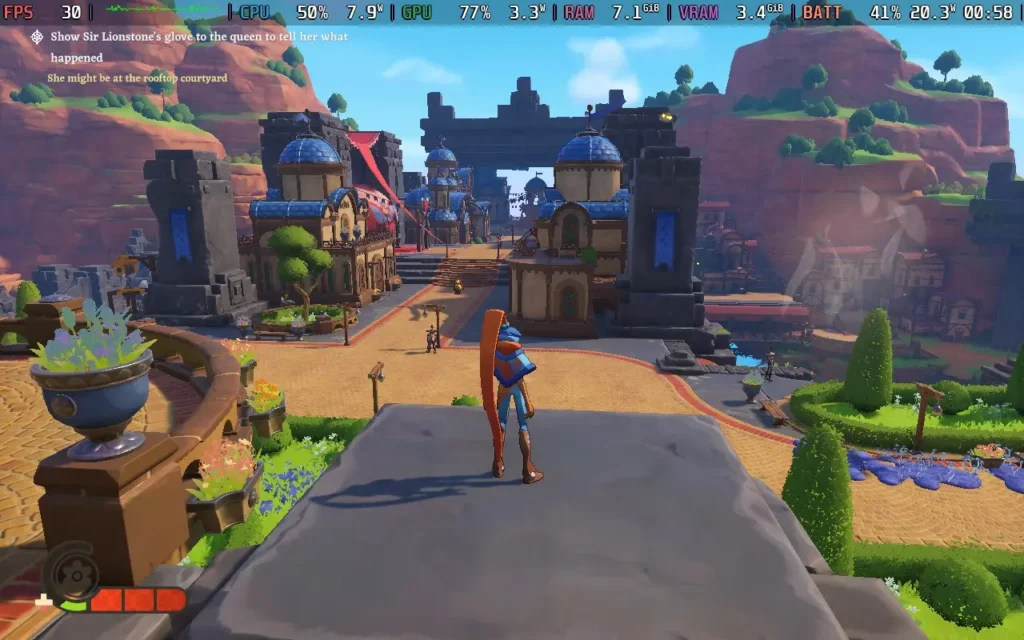
The Knightling puts you in control of, well, the Knightling. The game's prologue places you on an adventure with your mentor, Sir Lionstone, who abruptly goes missing. Now you must step into his shoes with his trusty (and possibly sentient) shield at your hand to help the residents of Clesseia and find out what has happened to Sir Lionstone himself!
The Knightling ticks all the boxes for a fun adventure, with light-hearted dialogue, plenty of puzzles, a decent combat system, and a weird sense of nostalgia. While the game is an open world, it isn't massive. It's more of a similar scale to 1990s platformers, but if all the levels were interconnected, instead of separated by loading screens. There are plenty of side quests, but there isn't an overwhelming checklist of things to do like in a Ubisoft game or a large-scale RPG.
That being said, the game has some Ubisoft-like elements, such as finding "Cartographer Lookouts" to unveil the map. But it's on a smaller scale than your average open-world game, and doesn't feel like a laborious checklist of things to do. In a way, it reminds me a lot of a Legend of Zelda experience.
While there is this main questline to pursue, the game is non-linear, so you can head off and explore, or, as I mentioned, do the plentiful sidequests to help the residents of Clesseia with their day-to-day problems if you want a break from the storyline.

The brightly colored, saturated world and cartoon-style enemies all add to the game's light-hearted aesthetic. None of the dialogue is voiced, but it does aim to be humorous and carefree and pulls it off without being cringe-inducing. You just might hear the city residents complain about kids a lot; no one seems to like children here.
The combat, however, is a little more on the difficult side, which is why I wouldn't say this game is designed for "kids". While not a "souls-like" game, The Knightling heavily features parrying and dodging mechanics, and you will need to learn them to succeed. Some enemies take almost no damage unless their stamina is depleted, and the best way to do that is through successive hits and parrying.
It's not as enjoyable as most soulslike games, but there is a degree of satisfaction when you face an enemy, pull off multiple parries, and whittle that health bar down with combos.
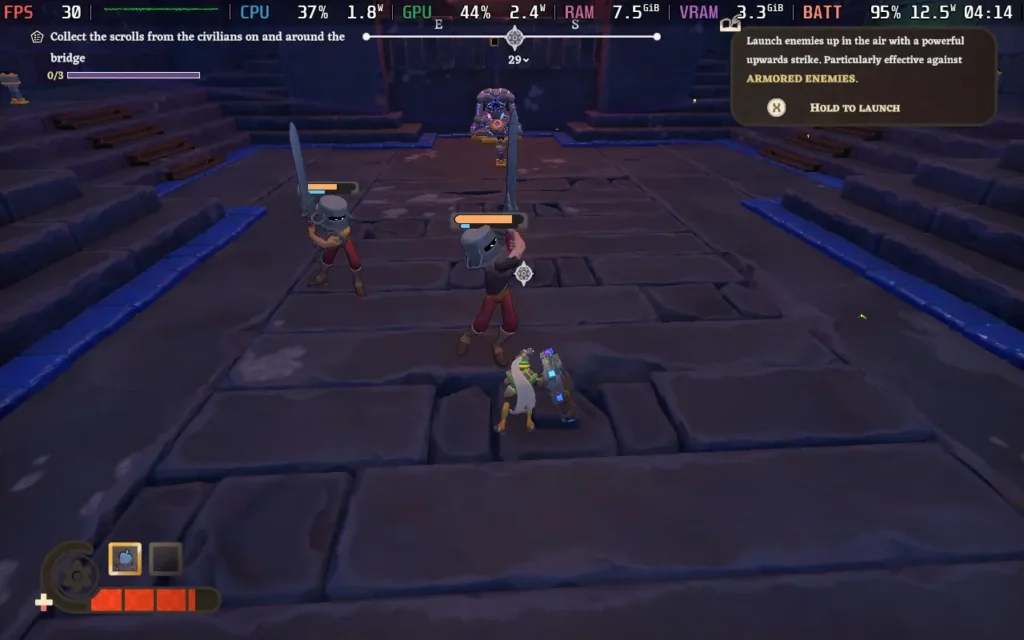
The upgrade system is fairly simple, and there aren't many upgrades, but it does aid the sense of progression. You can earn many upgrades simply by exploring the map, rather than having them locked behind storyline progression. It is great for someone like me who enjoys exploring over just barreling through a storyline.

I encountered a couple of issues during my time with The Knightling. Unfortunately, both of them were quite frustrating. One was a tooltip that stuck on my screen forever, even when exiting and restarting the game, preventing other, more relevant tooltips from appearing, making it difficult to know how to proceed. Secondly, some objectives are just overly vague, or in some cases, don't spawn the required NPCs. The game gives you a task, leaving you with little information on how to accomplish that task. This wasn't helped by the aforementioned issue of being unable to learn new gameplay mechanics due to the bugged tooltip.
The Knightling has great controller support and supports 16:10 resolutions, so we get a nice full screen with no black borders. The game even has UI scaling that can go up to 125%, which I recommend for the Steam Deck, as some text becomes difficult to read at 100%.
Unfortunately, performance is a bit of an issue with The Knightling, and oddly enough, the game is CPU-bound rather than GPU-bound. This does have the advantage of us being able to bump up the graphical settings a little and having some nice shadows and textures, but depending on the area, we can struggle to maintain 30 FPS. You can see the exact settings I used in the images below; you can click to enlarge them.


Using these settings, in combat areas and the vast majority of the game, we can maintain 30 FPS and have a playable experience, even if we do drop frames here and there with some stutters. The town area taxes the CPU quite a lot, so expect some drops to the mid-20s in that area.
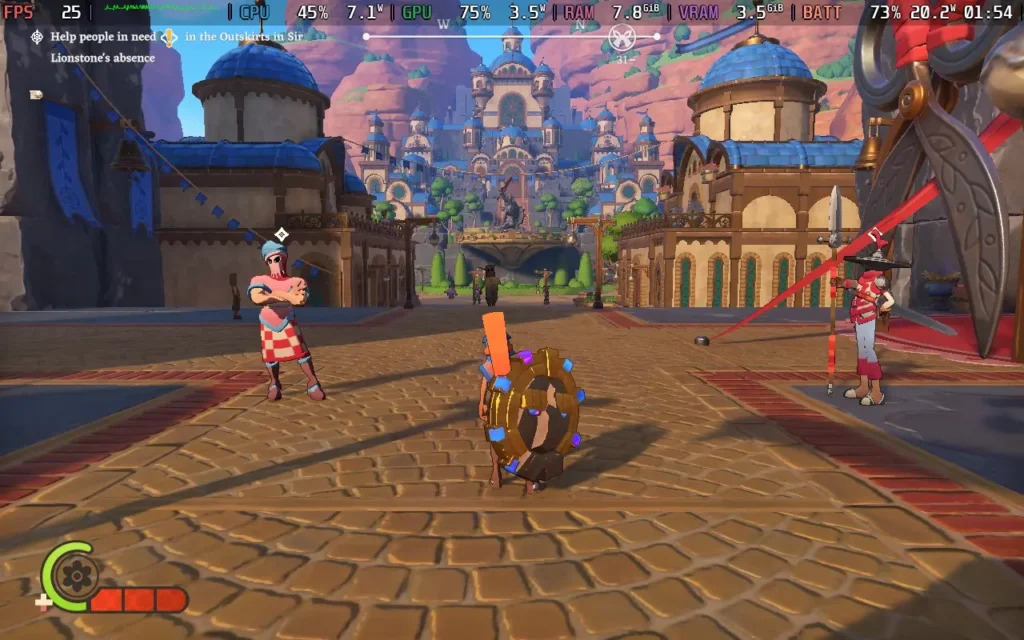
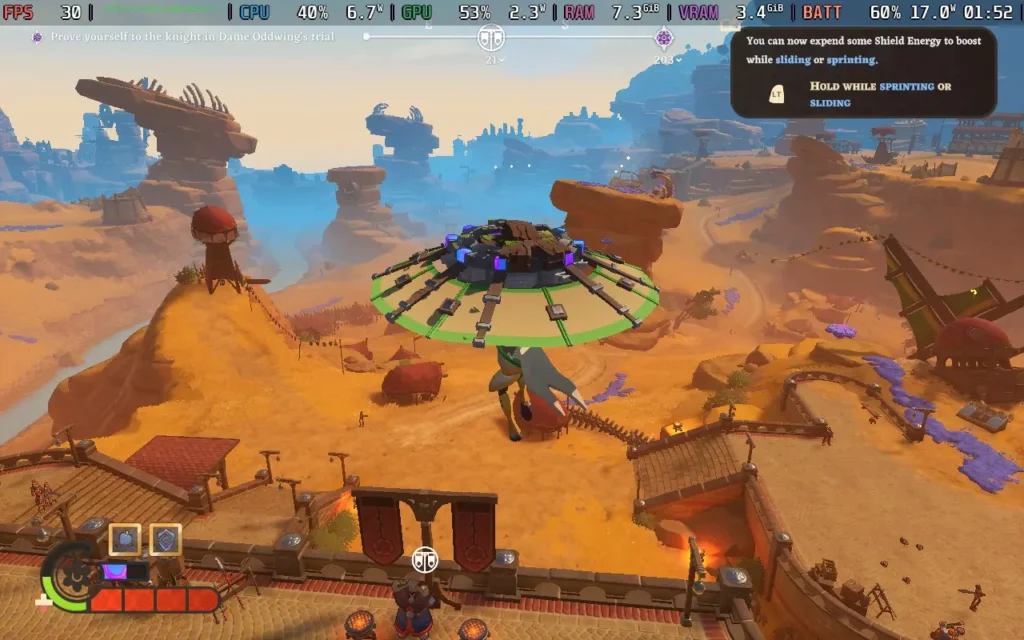

The power draw of the game varies a lot depending on the area, with around 18-20W in the city, about 15-17W in rural areas, and as low as 10-12W when in dungeons. I would estimate battery life at around 3-3.5 hours on a Steam Deck OLED and around 2-2.5 hours on an LCD model. Temperatures were around 70C-80C outside, dropping below 70C in dungeons.
The Knightling does have difficulty options and the option to make the player character immortal. UI scaling affects all UI, including subtitles/dialogue.
The Knightling is a game that fills me with nostalgia for the platforms and adventure games of the 1990s. It's got some rough edges here and there, but despite those issues, it's a really good time. The movement and combat feel nice and smooth, there's a decent amount of content, and the world is interesting. It's a game to check out if you enjoy platformers and feel nostalgia about the good ol' days. It's possibly the closest I've seen to a 3D Zelda game on PC.
Steam Deck performance is a little disappointing; the inability to hold a constant 30 FPS is a shame, especially when it feels like the main reason you can't is because of non-essential background NPCs and their pathfinding. However, in most combat areas and away from the city, the game tends to hold at 30 FPS, making it a playable experience.
このレビューはPC版に基づいています。
このレビューをお楽しみいただけたなら、SteamDeckHQ の他のコンテンツもぜひご覧ください!あなたのゲーム体験に役立つゲームレビューやニュースを幅広く取り揃えています。ニュース、ヒントやチュートリアル、ゲーム設定やレビューをお探しの方も、最新のトレンドを知りたい方も、ぜひご利用ください。



