




Tiny Tina’s Wonderlands is the newest entry in the Borderlands series, but with a unique DND twist. The game retains its looter shooter DNA and rolls in some stat building and a full overworld with random encounters and secrets to explore. This kind of one-off encounters and dungeons are a perfect fit for the Steam Deck’s pick-up and put-down style. Coupled with the Borderlands charm, this is one of the best Borderlands yet!
Gameplay aside, I was astounded by the ease of configuring the game. Due to the graphical style, upscaling through SteamOS FSR brought the 1024x640 resolution looking close to native, while saving a significant chunk on performance and battery.
To change resolution, go to the cog wheel for the game and under the general tab, change the resolution to 1024x640. With my test of FSR 2.0 though, I felt it didn't make a significant enough difference for the recommended build, but helped stabilize the 40 FPS build.
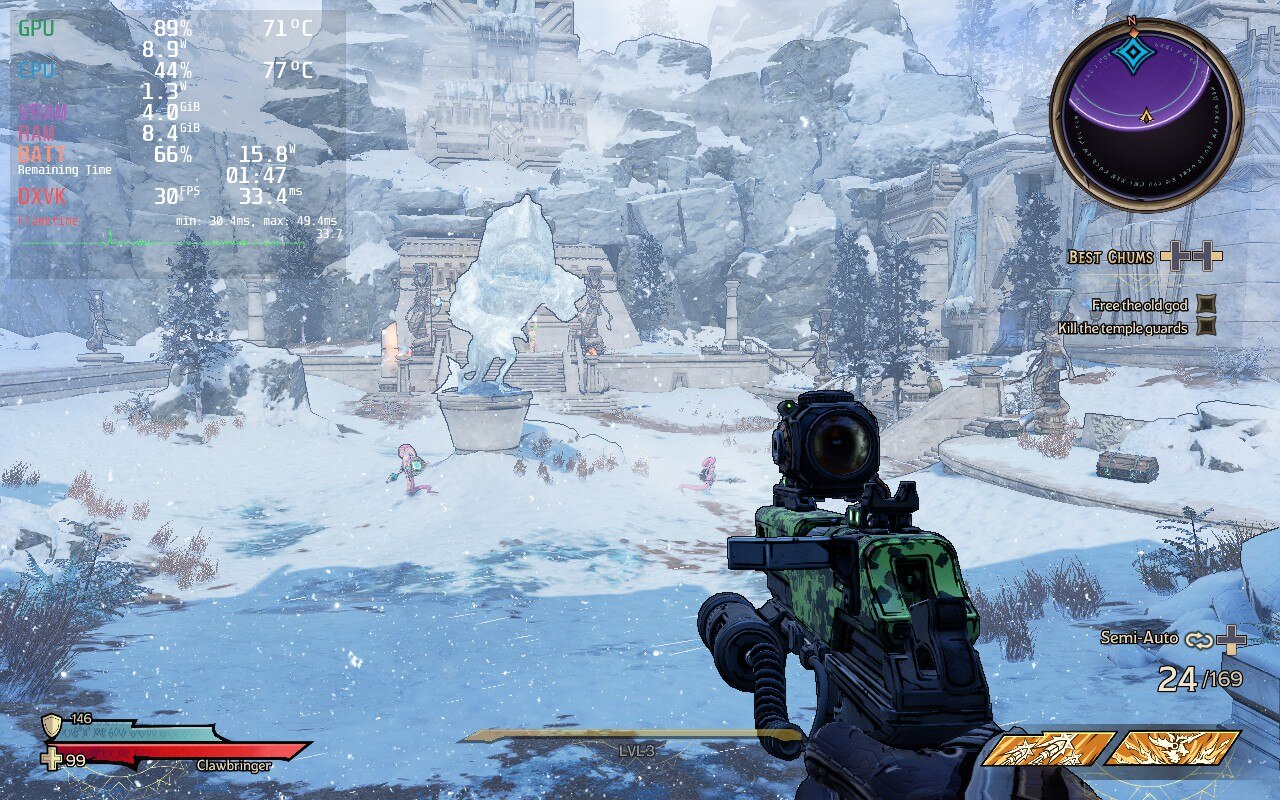
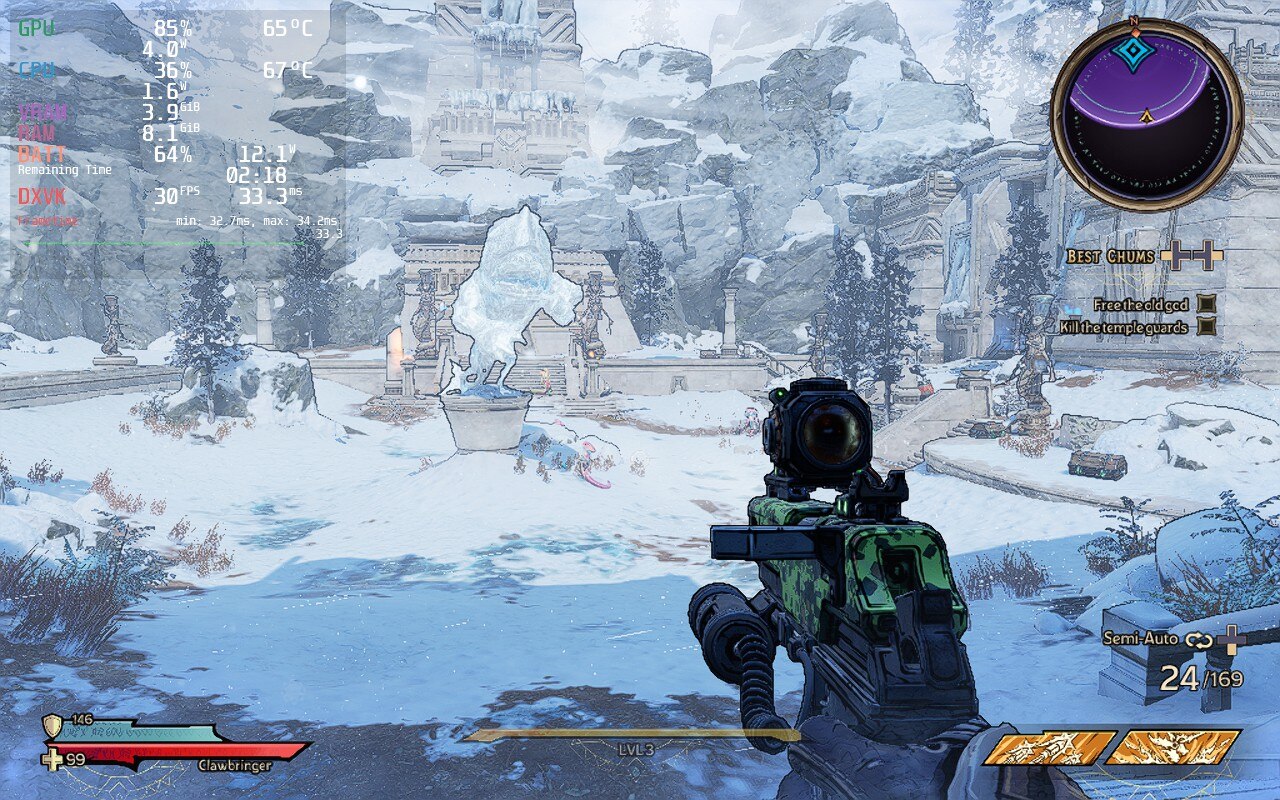
The text is a little blurrier at 1024x640, but the sharpness is noticeably better with a fantastic saving to battery and temps.
30 FPS lock was very stable on Tiny Tina's Wonderlands. I did test 40 FPS a couple times, but my Deck shut itself down from overheating while trying to test it, do not have TDP limit off for 40 FPS.
I also ended up turning the in-game settings to medium, anti-aliasing off, and draw distance to low. I didn’t feel these inhibited the look of the game and ended up saving even more battery while keeping temps to around 65c - 70c.
Proton GE is also required simply due to the videos in the game being broken trying to use regular proton. I also checked DX11 vs DX12 and felt there was minimal difference, so either or can be chosen. Multiplayer did end up increasing battery by 1W, but temps largely remained the same and it still felt stable.
Throughout gameplay, I didn’t really feel any huge bugs or glitches that inhibited my playthrough. I did encounter one bug where when I paused the game and tried to scroll down on the menu, my first button press downwards would bring me back up. I did also have 1 crash trying to go into a mirror in a town, but so far that has been an isolated incident. This is a UE4 game as well, so expect some temp and battery spikes when loading environments in.
Tiny Tina's Wonderlands runs significantly better than I could have expected. For a game that really just came out not long ago, it runs cold and stable most of the time. Other than the spikes from loading the environment in, fights are stable and looking gorgeous. With multiplayer being so easy on the system, this is a perfect fit for a portable device.
If you need help understanding how to use this guide, don't forget to check out the How to use SDHQ tutorial!
このレビューはPC版に基づいています。
このレビューをお楽しみいただけたなら、SteamDeckHQ の他のコンテンツもぜひご覧ください!私たちはあなたのゲーム体験に役立つこと間違いなしの様々なゲームレビューやニュースを取り揃えています。ニュース、ヒントやチュートリアル、ゲーム設定やレビューをお探しの方も、最新のトレンドを知りたい方も、ぜひご利用ください!
Queen Butt-Stallion decrees this game is a must play on the Steam Deck!
Proton GE 7-20
SteamOS:
Resolution Forced to 1024x640
インゲーム:
Limit Framerate: Capped 60 FPS
グラフィックの質ミディアム
Anti Aliasing: None
Texture Streaming and Material Quality: Medium
Draw Distance: Low
SteamOS:
40 FPS Cap with 40 Refresh Rate
ハーフレートシェーディングOFF
TDP Limit 12
プロトン・バージョン
Proton GE 7-20
ゲーム設定:
解像度1280x800
グラフィックの質:低い
Anti Aliasing: None
AMD FSR 2: Quality
FSR2 Sharpness: 1.0
Projected Battery Life/Temps:
15W - 18W
Around 69c - 75c temps for CPU and GPU Average
Around 1.5-2 hours of gameplay







Thanks for this! Was definitely having a problem with temperature for this game, these settings are helping with that, and they look nicer, too.
I tested this after using Cryoutilities 2.0 and it made a huge difference.
Settings
Cryoutilities: recommended settings
Game: Low preset
FSR: Neither in game, nor in SD options
Locked at 50FPS, drops only rarely, looks really good on the small screen.
I’m not surprised! CU2 can help with a lot of games, though our reviews do test vanilla settings. That being said, it has been awhile and we should take a look at the game again now that there’s been updates to SteamOS and the Shader Cache.