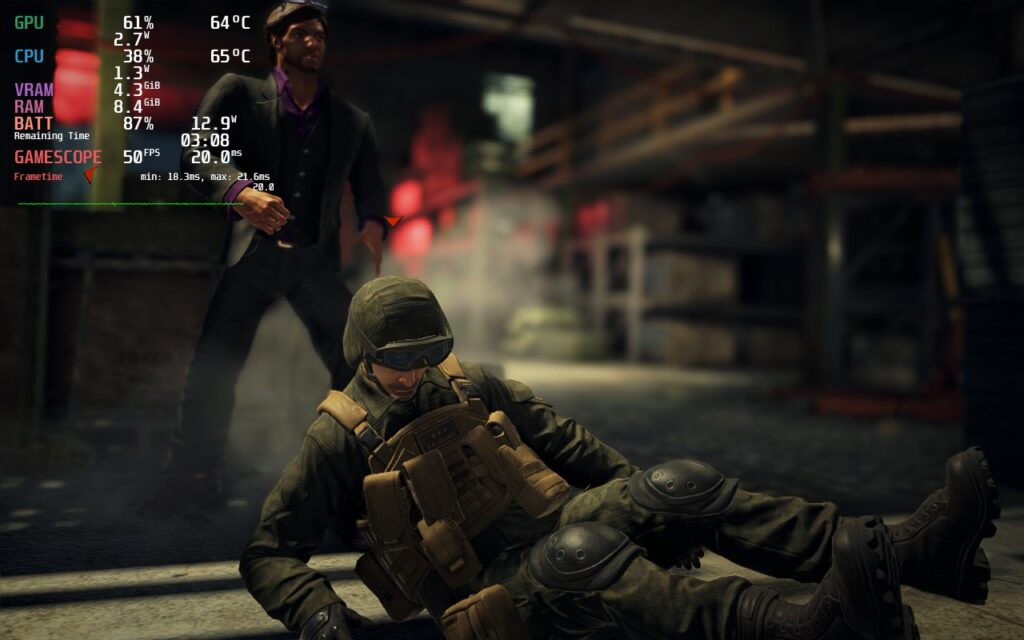
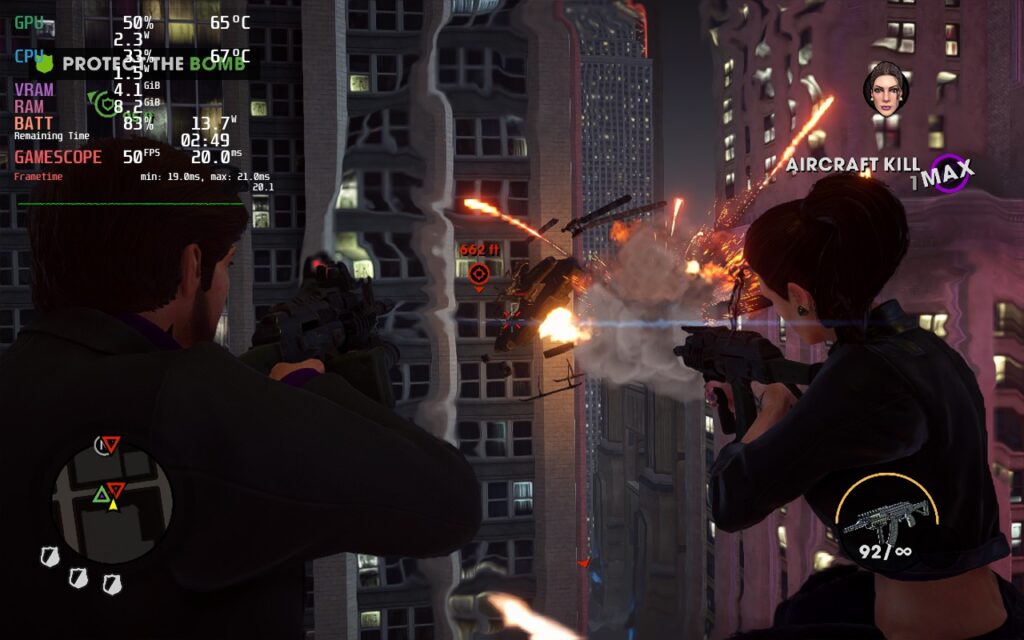
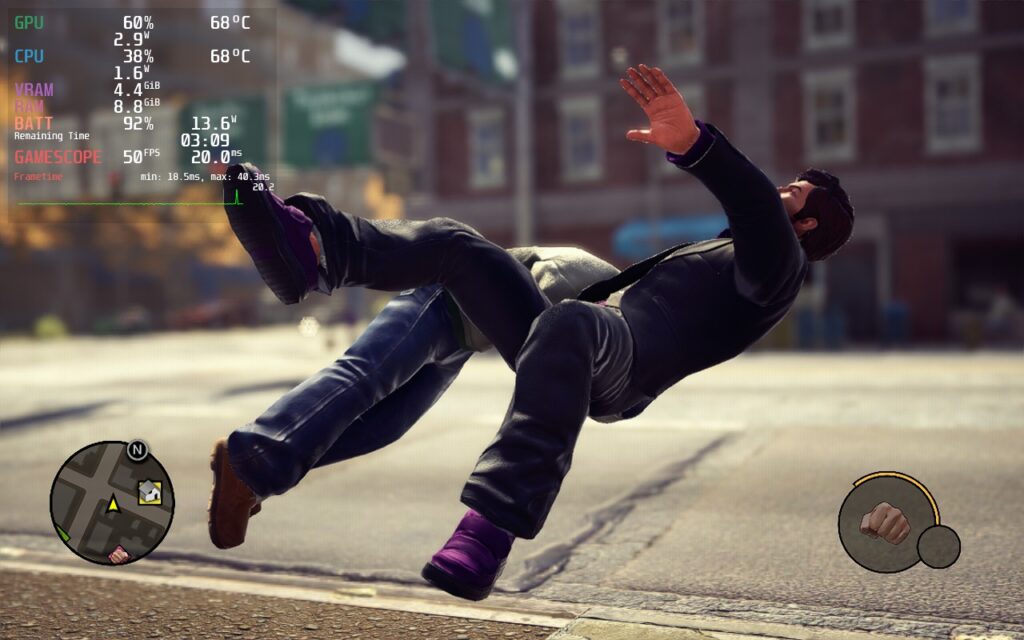
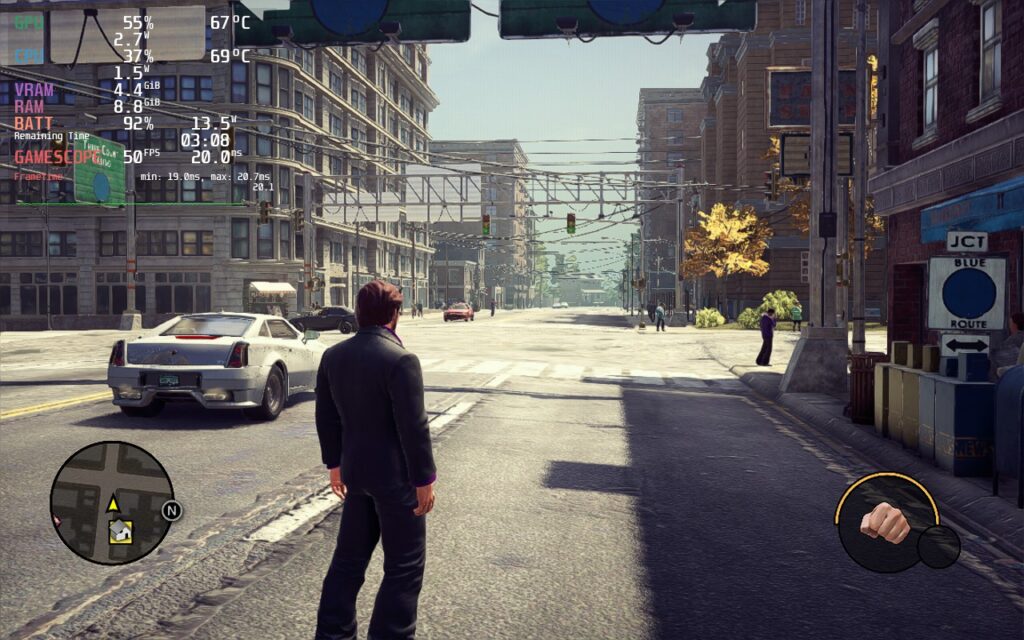
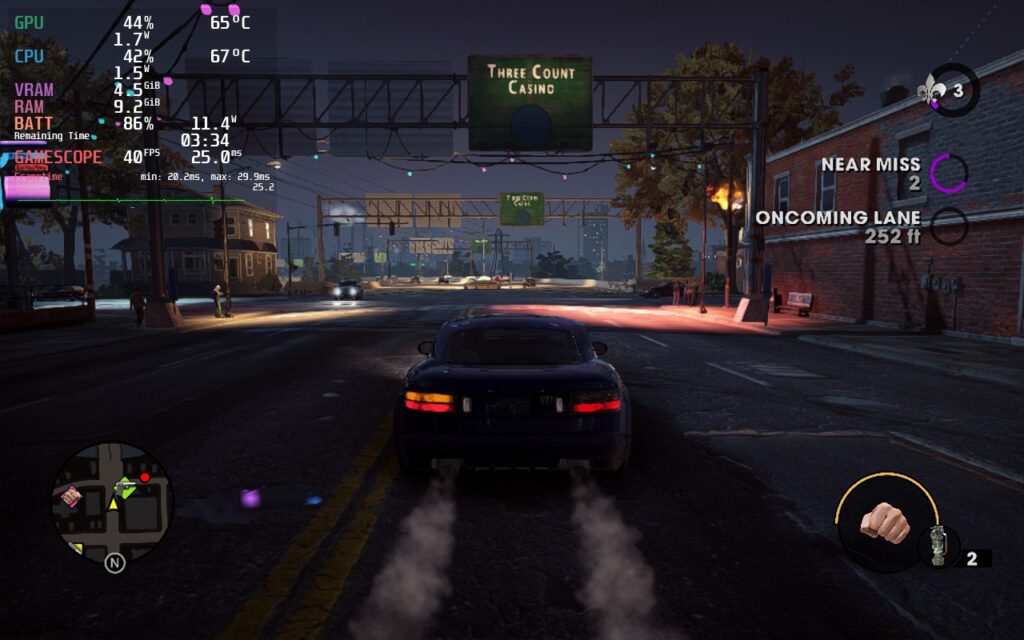
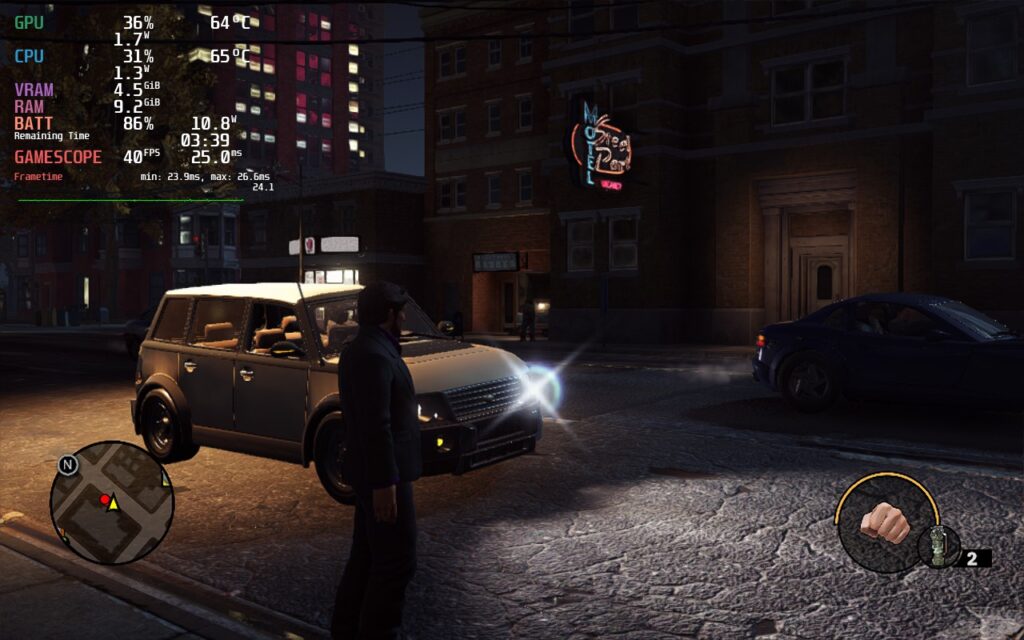
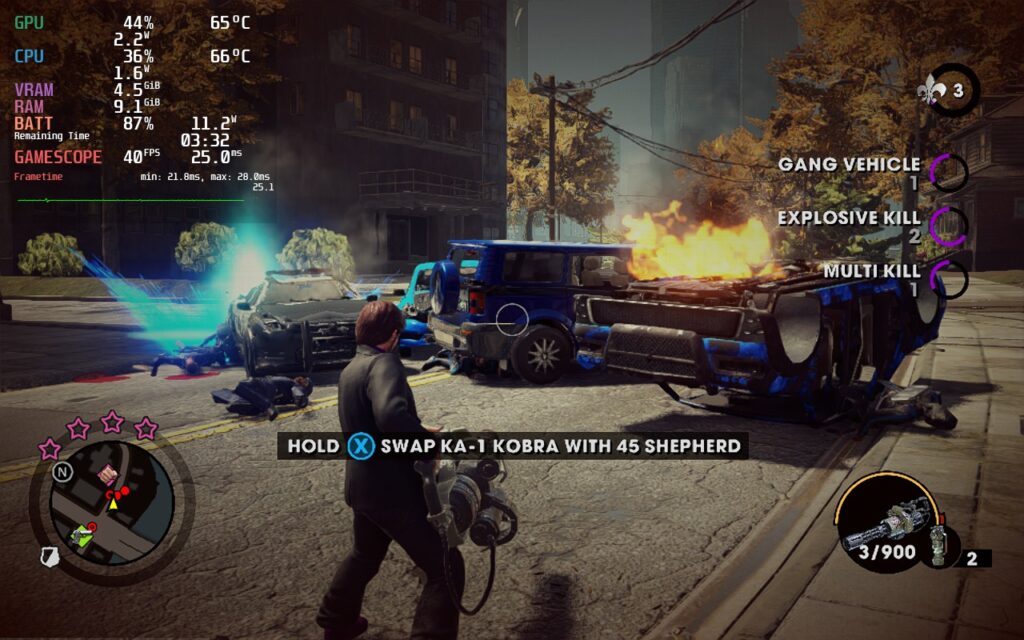
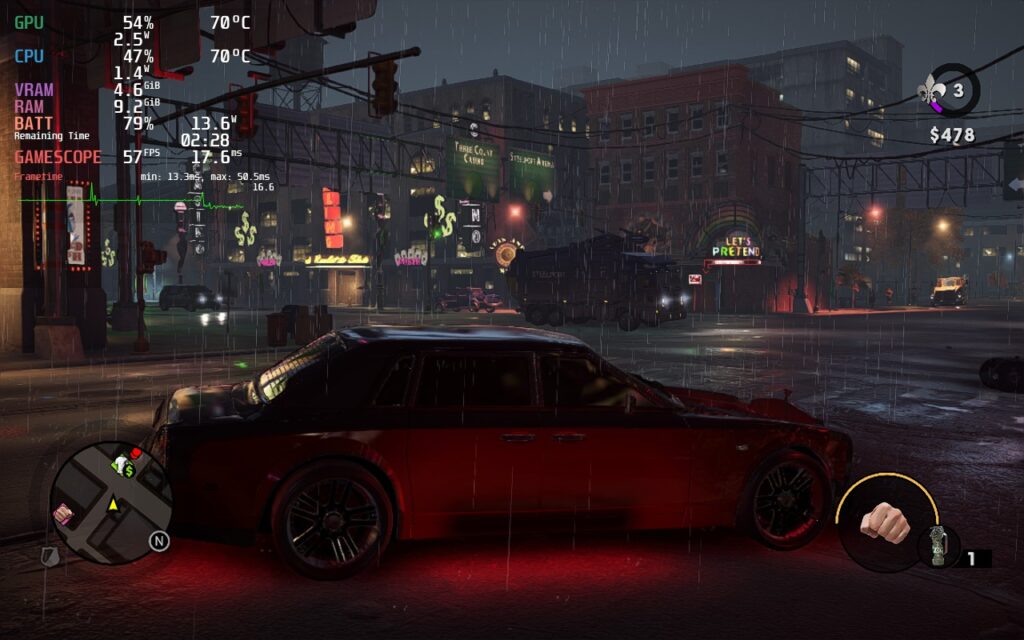
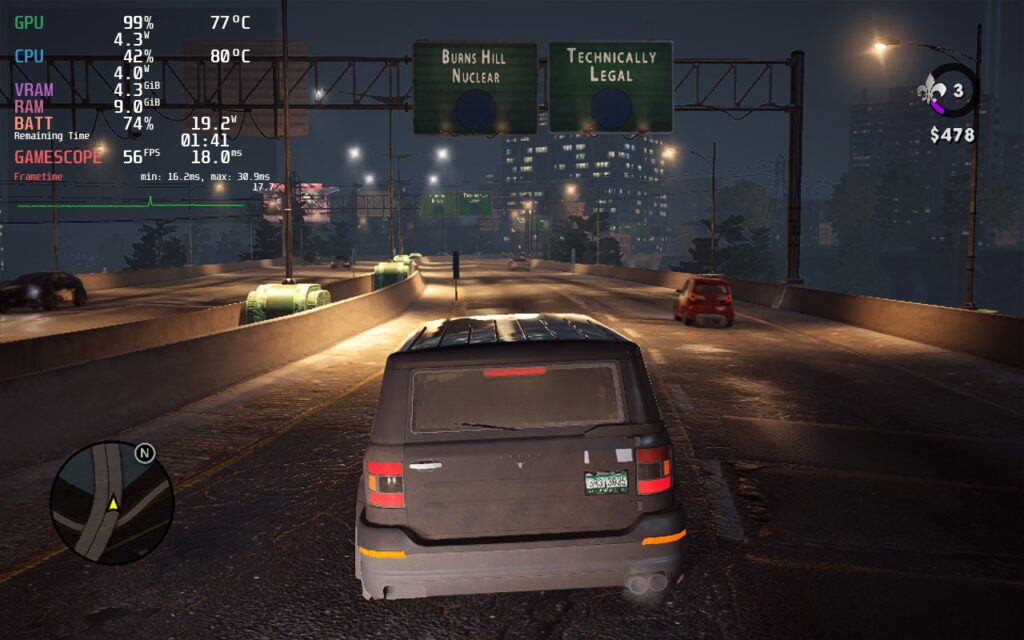
Saints Row the Third: Remastered is a...well remaster of the original SR3 game. Think of this game like the crazy version of GTA. You run around in an open-world, kill whoever you want to, steal vehicles, and much more. You also have insane weapons like a dildo and...well I don't want to spoil TOO much, but it is a great game, my personal favorite in the series.
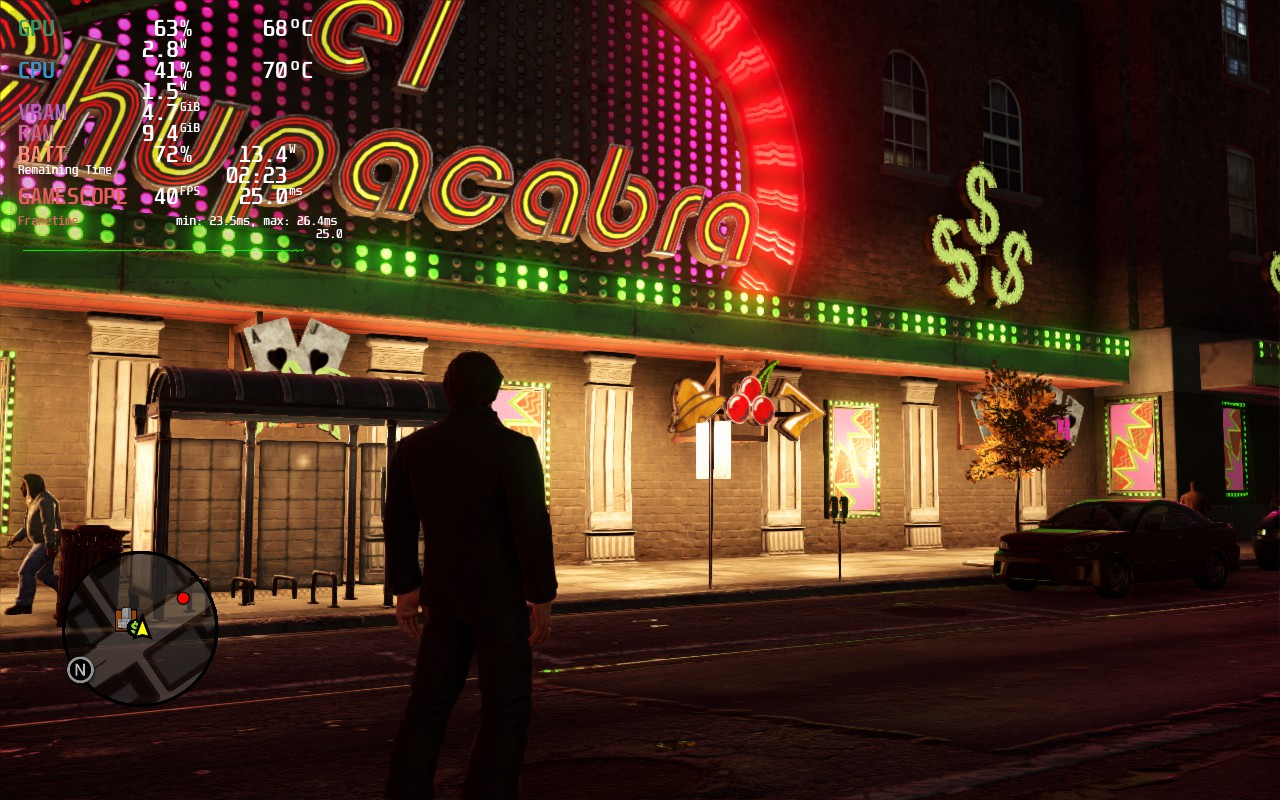
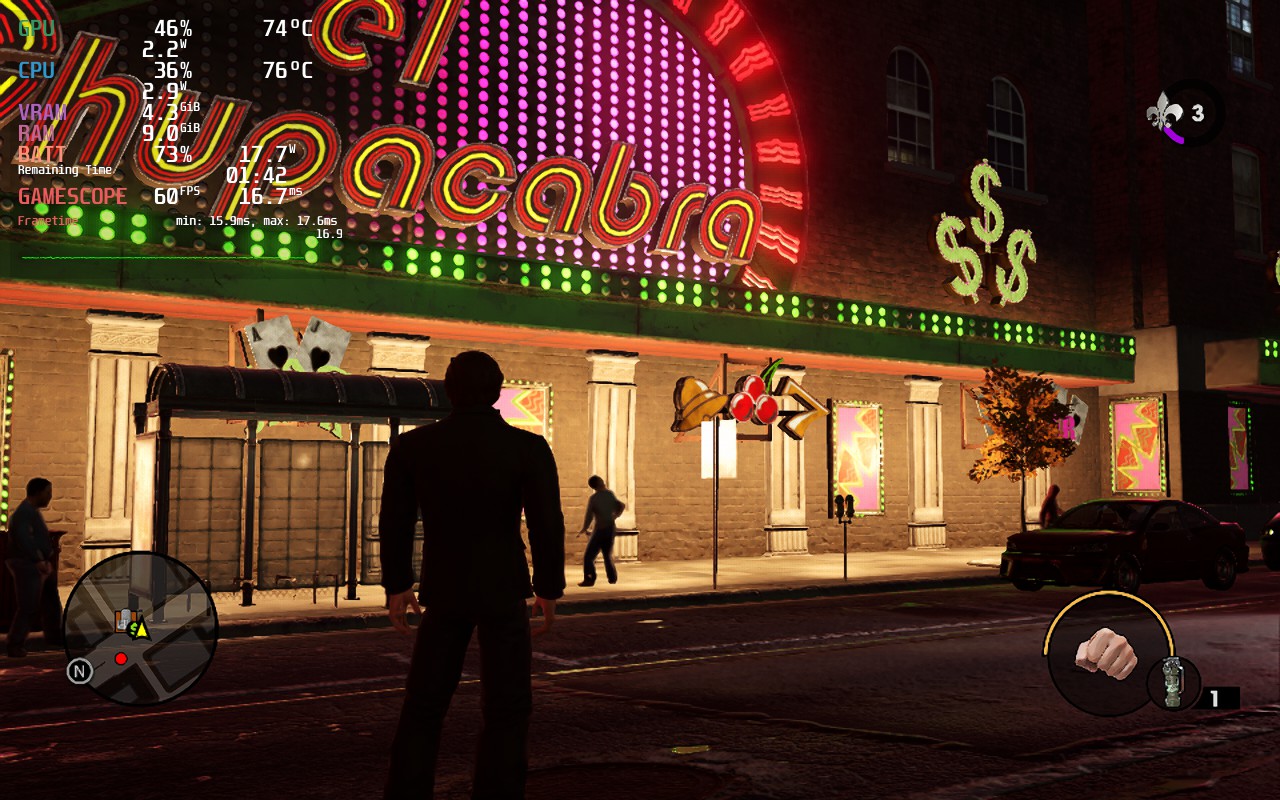
The game does seem to cap itself out at odd times when it comes to the settings. I found a nice couple builds that work well too, perfect for any scenario. The recommended build focuses on a mix of all of them with a slightly higher priority on battery life with primarily medium settings and a 50 FPS cap. The build keeps the game looking nice and sharp with silky smooth gameplay.
The other builds tend to have a couple odd issues, but work fine generally. There are some points where these builds will actually have better temps and battery drain than what I am reporting. I haven't figured out exactly why yet, but it doesn't last that long and everything will spike back up.
Overall, the game runs and looks wonderful on the Steam Deck. It's a great alternative...considering we can't play the new one on SteamOS (there's a possible workaround editing the EXE, but have not tried it yet).
Screenshots:
Recommended Build:
Quality Build:
60 FPS Build:
Comparisons:
Note: This was one of the times the Quality build had lower temps, these shot up as soon as I moved away from this spot.
Our review is based on the PC version of this game.
If you enjoyed this review, be sure to check out the rest of the content on SteamDeckHQ! We have a wide variety game reviews and news that are sure to help your gaming experience. Whether you're looking for news, tips and tutorials, game settings and reviews, or just want to stay up-to-date on the latest trends, we've got your back!
A big thank you to Deckverse for working with us on the Marvel's Spider-Man Remastered review. You can check out his YouTube Deep Dive video below. Anything not under a "SDHQ" header is written by Deckverse.
There’s a reason why Marvel’s Spider-Man from Insomniac Games is considered as one of the best superhero games of all time. It’s an amazing combination of perhaps the most fun way to move around in a game world, a great story, and the brilliant and captivating soundtrack by John Paesano. Of course, you can criticize its Ubisoft-style watchtowers, unnecessary mini-games, quicktime events as well as repetitive side quests... yet in the end Marvel's Spider-Man is a great overall package.
My name is Timo and this is a Deckverse Deep Dive into Marvel's Spiderman Remastered! It has finally been released on PC and although it does indeed look great on a beefy GPU and big screens, it begs the question: how good does it run on the Steam Deck?
Marvel's Spider-Man: Default Settings
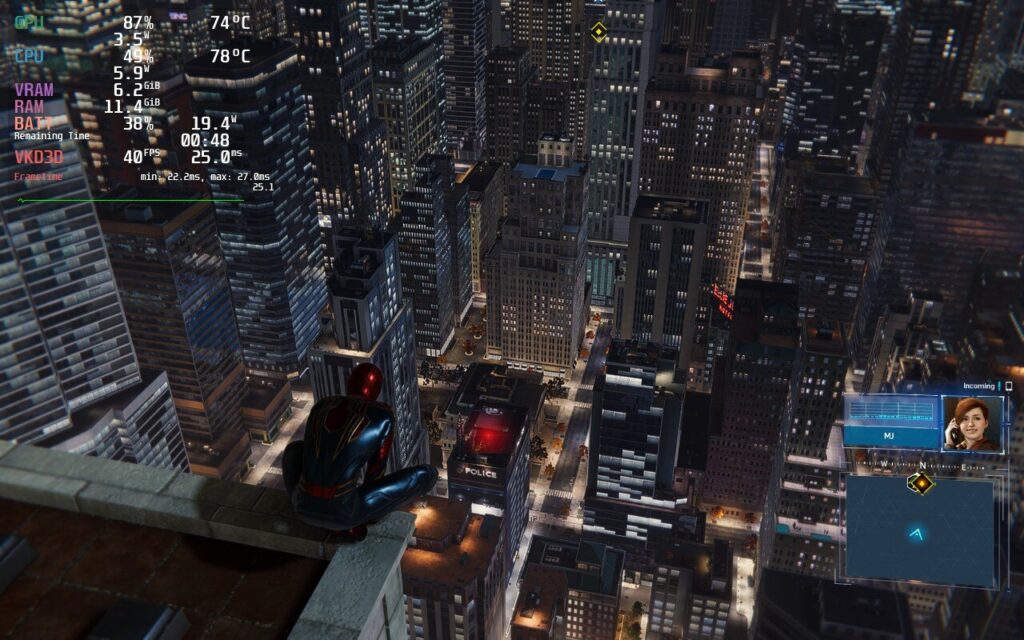
Upon first launch on the Steam Deck, the game resorts to medium settings by default: full screen, upscaling through AMD FSR 2.0 and a dynamic resolution with a frame rate target of 30 FPS. Everything else uses the Medium preset, except Depth of Field, which is on high and Shadow Quality, which is on low. With everything uncapped, this can lead to gigantic drain of 25W with temps going...much higher than they should.
While it can reach 60 FPS, it won't stay there for long and completely overheats the Deck while pushing battery drain to the maximum possible.
Spiderman: Near Perfect 30 FPS
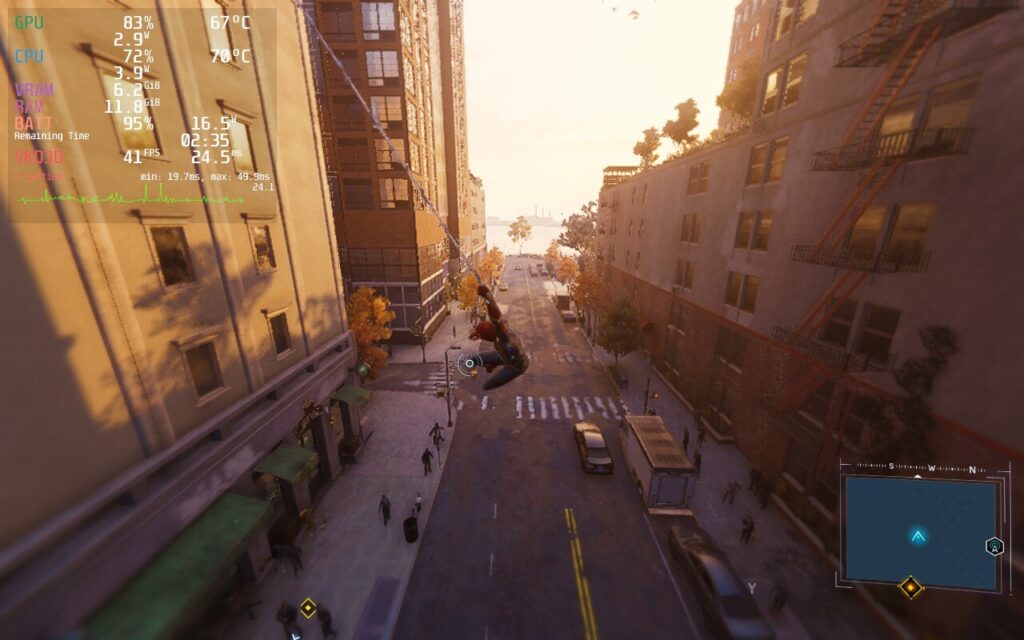
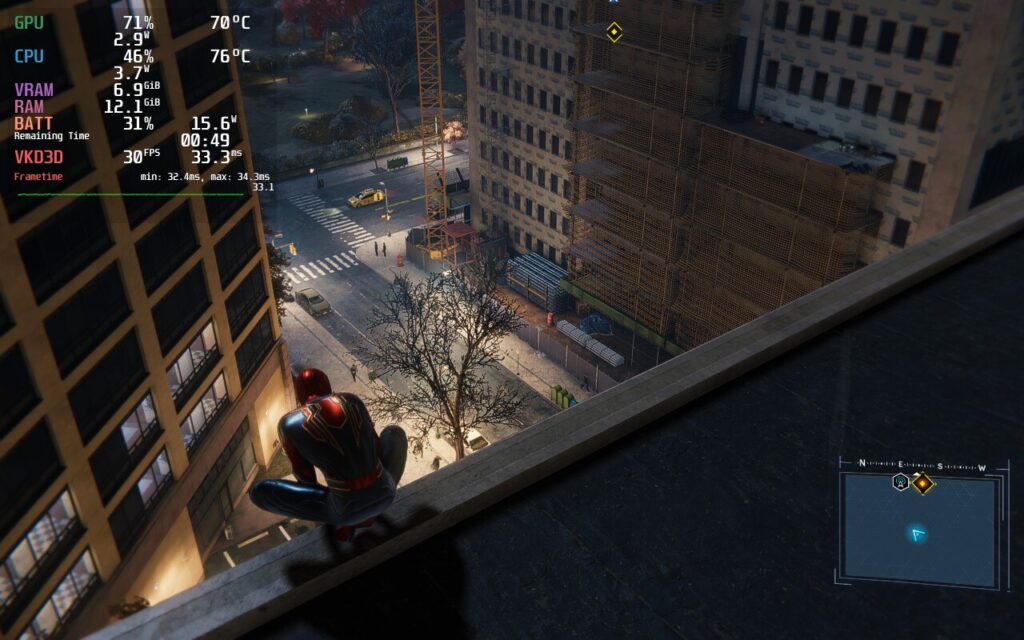
Nixxes Software, who are responsible for the port to the PC, seem to aim for a frame rate target of 30 FPS here, which can successfully be maintained by the Steam Deck in most cases. Only very rarely does the performance drop to around 25FPS for a few seconds, but due to the lack of an in-engine framerate cap there is a constant fluctuation upwards, which results in a very inconsistent gaming experience.
You could indeed use Waylands (SteamOS) framerate limiter you can find in the Deck’s quick access menu, but this will inevitably introduce a massive amount of input lag due to its forced triple buffering. Another valid option would be leveraging half refresh rate V-Sync. In theory while using a refresh rate of 60Hz, this would slice the same amount in half and therefor cap the FPS at 30. Sadly this too won’t work because of a driver-issue with Proton.
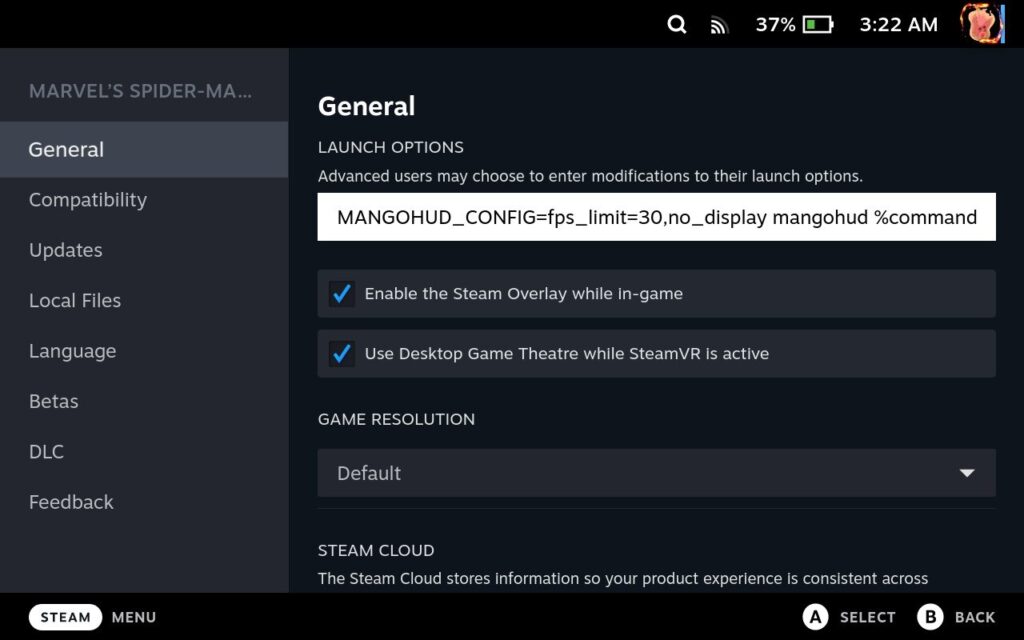
During my testings though, I came up with an idea that revolves around something Simon Hallsten, more widely known as Flightlessmango, created called MangoHUD, which is the statistics overlay pre-installed on every Steam Deck. While it does provide various stats like battery drain, temperature, and individual CPU core speeds, it is capable of much more, including capping framerate without triple buffering!
To do this, you will have to go into your game preferences and set the launch option to: MANGOHUD_CONFIG=fps_limit=30,no_display mangohud %command%
Make sure to uncap the framerate in the quick access menu and keep the screen's refresh rate to 60 FPS. The MangoHUD solution does come with some frametime fluctuations, but personally, I rarely noticed that in my playthrough.
The Golden 40
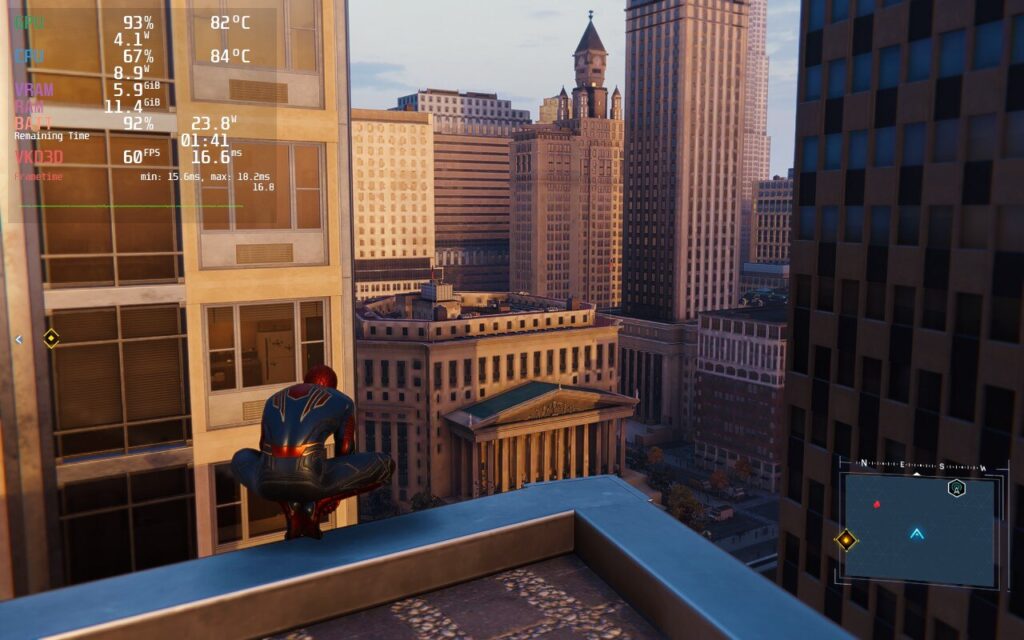
Please keep in mind, that this preset will push your Deck’s hardware to its limit. Expect the device to get pretty hot and the game gnawing through your battery in no time - you can expect a battery life of one and a half hour - in rare cases up to two hours. But with my preset, you will be able to hit that beautifully smooth 40 FPS.
Swinging in the game pushes the builds a bit more and will have inconsistent framerates, but this generally evens out and never gets too bad to be jarring.
First off, I came across some interesting things that I would like to share with you. For example, I was initially very excited about FSR 2.0 in Spider-Man. Especially for the Steam Deck a true blessing, but the way it seems to work in Insomniacs proprietary engine result in both strange short frametime spikes and fuzzy visuals.
So I decided against those and opted for Dynamic Resolution scale on 45 instead, though I would love to see Nixxes add a specific 40 option. I’ve also noticed that the game’s Occlusion Culling isn’t always fast enough to catch up with a fast swinging hero from the neighborhood when using either FSR or ITGI, Insomniacs own upscaling technique.
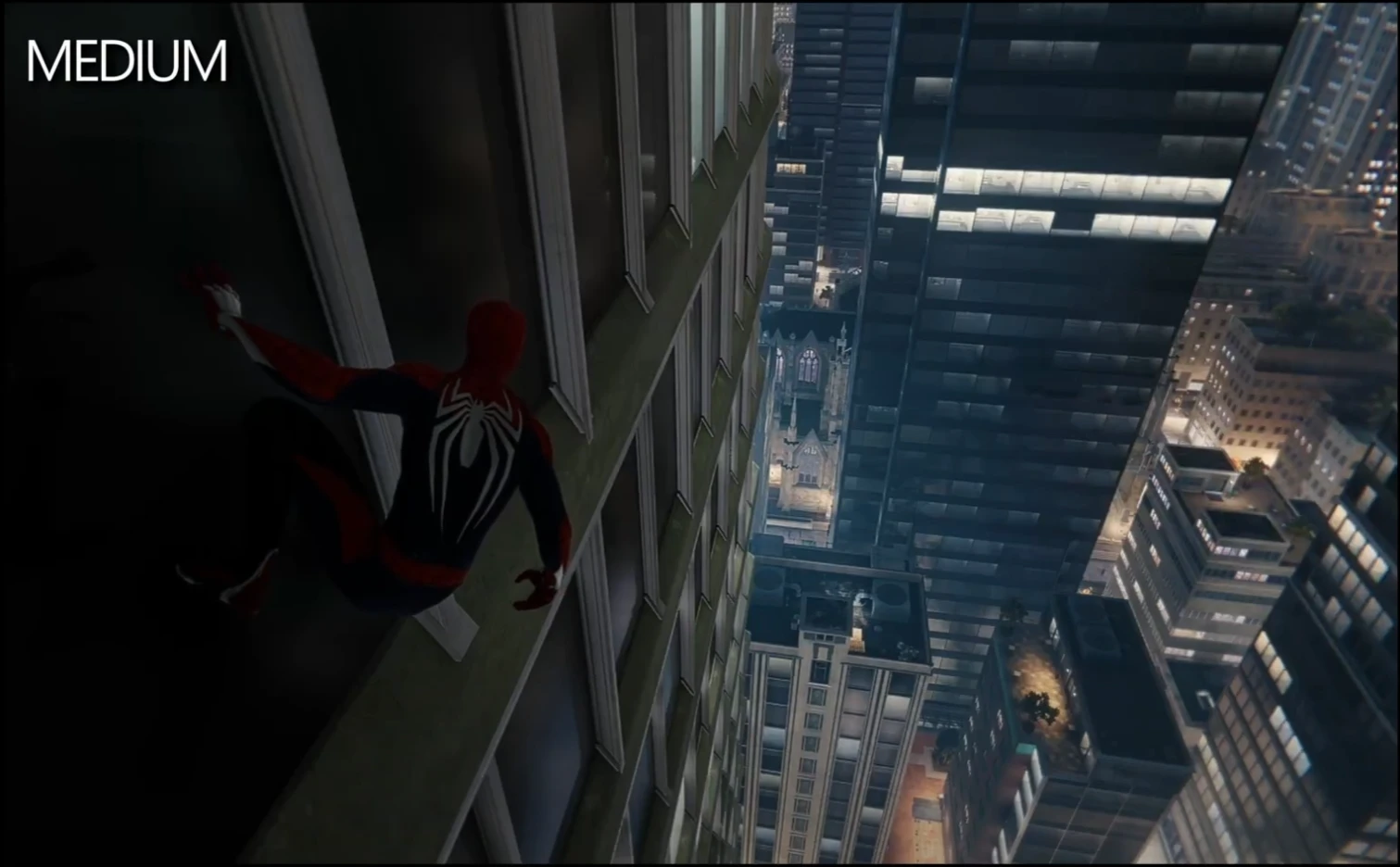
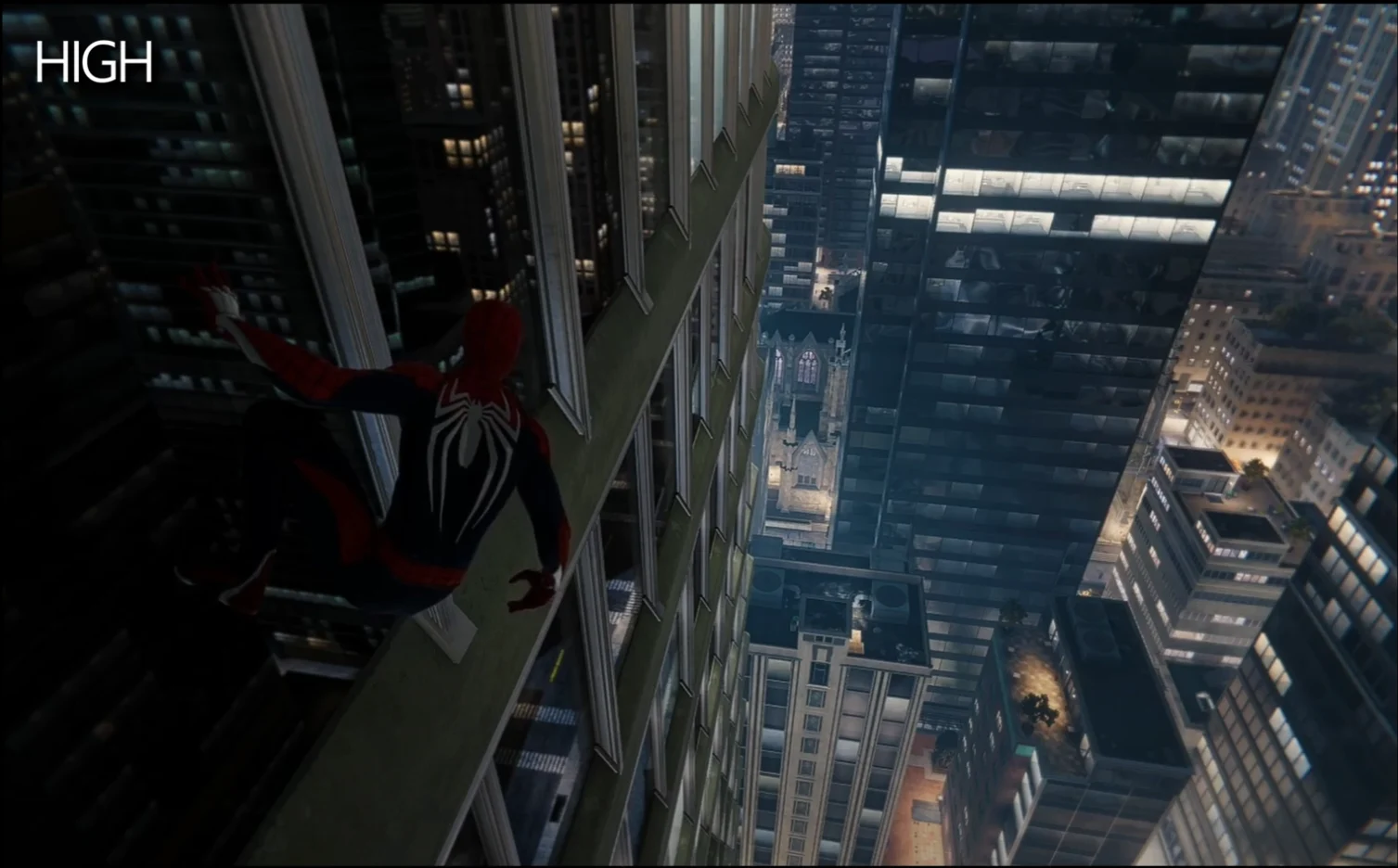
During tweaking I furthermore noticed, that some textures on glassy buildings lack of reflections when set to low or medium. Even with screen space reflections activated, which fundamentally complement stuff like puddles, windows on buildings look rather dull.
Once we set Texture Quality to high, we get fancy cube maps, which mimic their surroundings. I also preferred to leave some of the medium preset unchanged to keep visual quality up, like texture filtering, ambient occlusion, and level of detail. Both Traffic and Crowd Density should be set to low though, as they will massively bloat up the data streaming and result in more framerate dips while traversing through the city.
Texture Quality Medium vs High. Just as an example of the windows reflections showing the big difference between the two settings.
Hair quality seems like a big strain in cutscenes and weather particle quality has also an unexpectedly huge impact to Spider-Man’s open world performance, so we set them both to low as well. Same goes with Depth of field, just make sure to not set it to very low as this ends up quite messy in some cutscenes.
Everything after that relates to personal preference, though I would definitely recommend on leaving Chromatic Aberration activated. Unlike how CA works in other games, here you will instead get a very slight but pleasant blurring towards the screen’s edge. This helps to visually fight aliasing which is often more noticeable in that area due to objects usually being closer to the camera. I personally prefer zero film and lowering motion blur strength to 5, because it still adds to the sense of speed.
We still have to accept some FPS dips while swinging through New York and in intense combat situations. This may be fixed in the long run since it’s related to the data streaming of Insomniacs engine due to the Deck’s limited power budget.
SDHQ SIDENOTE:
Through our testing of the build, we also note it is possible to cap TDP a little bit to curb the intense battery drain of the build. Setting the TDP to 12 stopped it from going over 22W drain and kept temps below 85c, with minimal interruption to stability. If you are okay with some drops when swinging though, you could lower it further. We tested TDP at 8 and it held up pretty well too, but it did compromise stability more.
SDHQ's 30 FPS Battery Build
Utilizing the golden 40 for Spiderman is an incredible way to play and works best for when you aren't leaving the house or only have little bits of time to be able to play. But what if you are going on a longer trip and want to maximize the battery you have? Well that's what SDHQ is here for!
Taking Timo's golden 40 settings, I started off bringing down the framerate using the launch command provided. While it did indeed have some instability, it really wasn't noticeable without the graph being in front of my face. I did end up playing around with some settings to see if I could improve the graphics while keeping battery down, but not much was able to move. Even turning down resolution and upscaling using FSR really looked horrible. This is a AAA game and while I wanted to bring it down further, changing just those allowed me to set a TDP limit of 9 to cap battery drain around 16W - 17W and keep temps below 75c.
With the TDP limit for the 30 FPS Battery build, the game still looks phenomenal and gives around 3 hours of battery life.
SDHQ Bugs and Crashes
In my playthrough, I did encounter some random crashes when changing settings, especially when changing texture quality while in-game. Anytime I tried changing the texture quality from medium to high, or vice versa, while I was in-game (not on the main menu), it would crash. This was, however, my only instance of crashes and otherwise didn't encounter any game-breaking bugs.
SDHQ Conclusion
Marvel's Spider-Man being on PC is something else altogether. Never did I imagine a day where we would be playing it...on our computers. And then adding on top that I would be able to swing through New York on a portable device? I would have called you crazy, yet here we are. Of course, there are definite compromises that need to be taken here, but in the end, you are getting an almost smooth 30 FPS or 40 FPS that would have never been possible before. It is hard to optimize and expect a AAA game to run like a dream come true on a portable device, but for this game, I would say it is one.
Deckverse is a Solo-project providing extensive high quality videos with accurate benchmarks, optimized Game setting presets and in-depth tech content all things Steam Deck. You can check me out on YouTube and can support Deckverse through Patreon!
Our review is based on the PC version of this game.
If you enjoyed this review, be sure to check out the rest of the content on SteamDeckHQ! We have a wide variety game reviews and news that are sure to help your gaming experience. Whether you're looking for news, tips and tutorials, game settings and reviews, or just want to stay up-to-date on the latest trends, we've got your back!
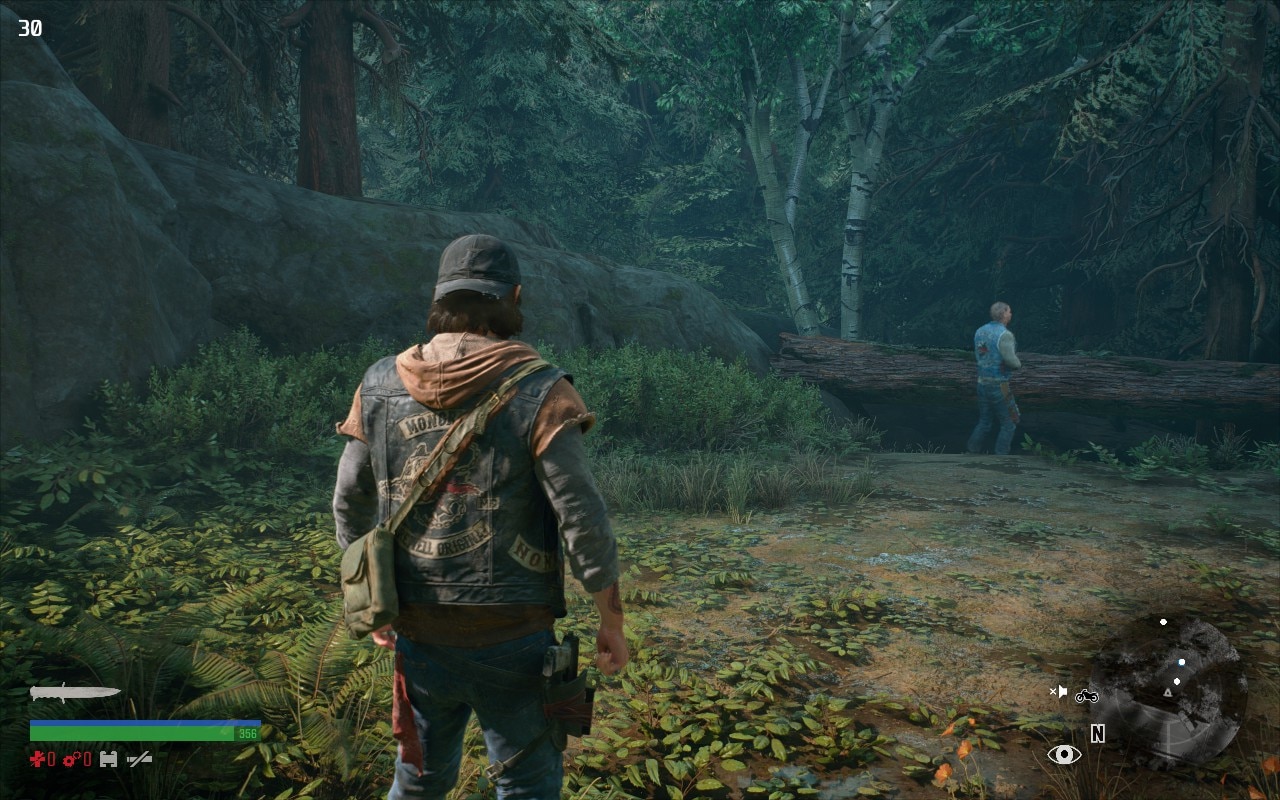
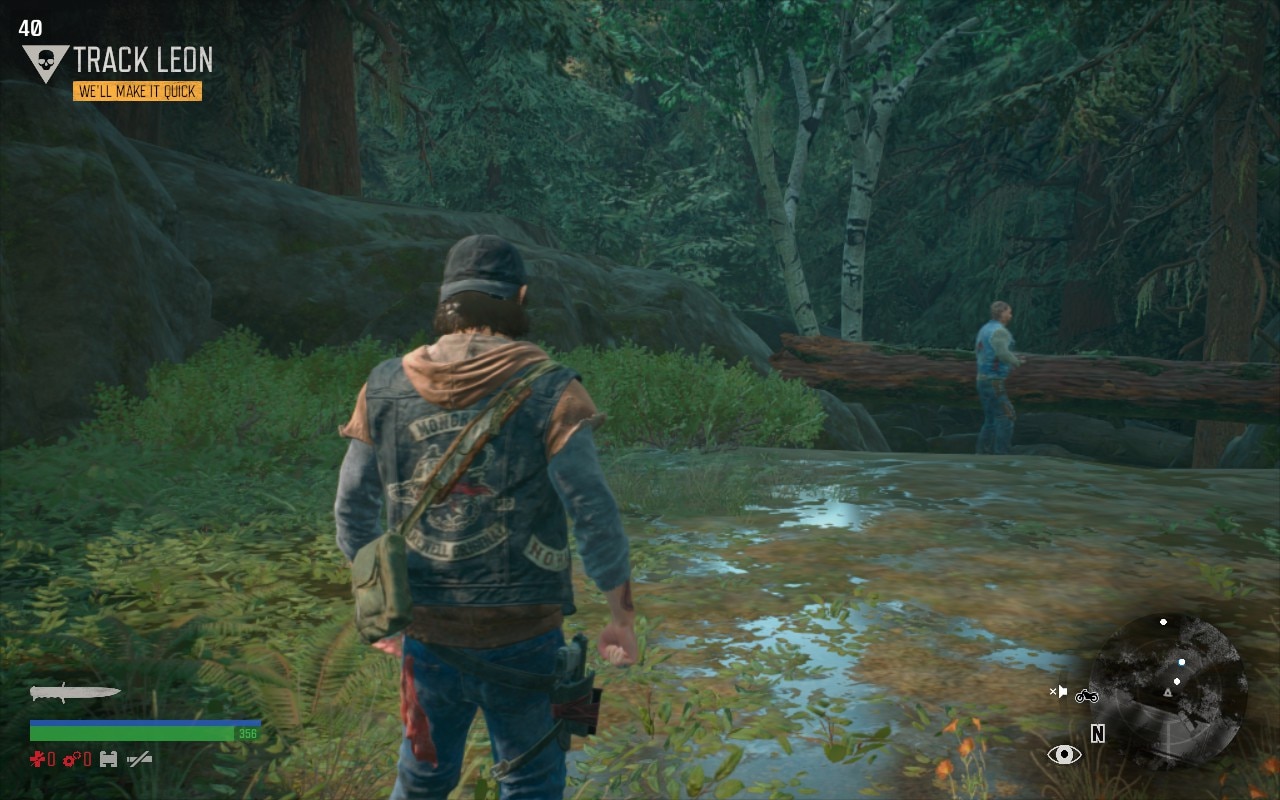
Days Gone is a wild ride from the moment you set foot in its world. You will traverse a beautiful land, driving your motorcycle through the forests and war torn camps filled with other survivors, all from the perspective of a biker who falls into the ride or die stereotype with his crew coming before anything. In a devastated world with Zombies everywhere, you will have to watch out not just for the horde of mindless corpses, but you will also need to help obnoxious survivors…who are arguably worse and make themselves out to be way more important than they are. You will have to do quests for different camps and maintain the relationship with them all to use that favor to customize your bike and unlock a plethora of weapons you can use to fight off the horde. Thankfully, you won’t have to deal with hordes often as you ride your bike through the open world protecting your kin, but when you do, you better be ready for a fight that could cost your life if you aren’t prepared.
Days Gone - Default and Max Settings
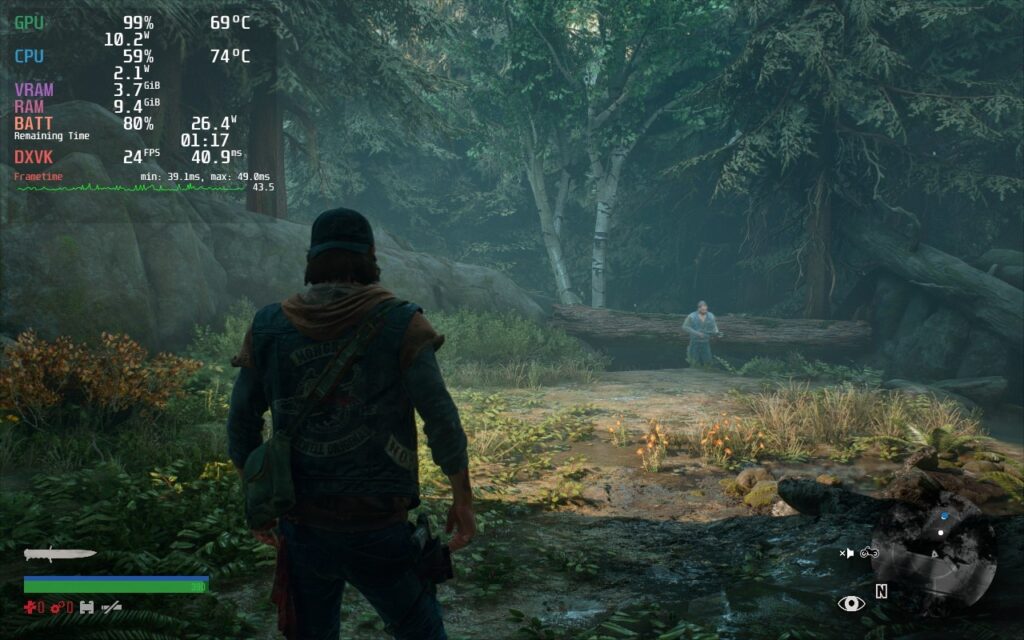
Default settings were able to run pretty well surprisingly, but sadly in the end it wasn't enough for a stable 40 FPS even just in the open world riding around on the bike. It is enough for stable 30 in most of the game but sadly, when hordes come into the equation, it could barely maintain 30 FPS unless you aren’t limiting TDP. The Temps were a lot higher than I would have expected on this game but for the default they were usually around high 80s low 90s for CPU and low to mid 80s for the GPU. Now when it comes to battery life you’d be lucky to hit 1.5hours but during the horde
Max settings sadly were not up to snuff even at max TDP. I was not able to get stable 30 no matter the situation I was in. The good thing is that the max settings only had 1 degree higher temps than the default did and had basically the same wattage. At this rate, I would not recommend trying to play the game at either of these settings. Though it is possible, you will not have a good experience throughout the game.
While temps can go down in certain areas, framerate instability and massive battery drain is much more common.
On the Road to Optimization
The recommended build keeps most of the quality close to max, while both looking and running better than it did on the PS4 version. When it comes to Proton, I ended up choosing the stable 7.0-3. Proton GE 7-27 did cool down CPU and GPU by around 1c-2c, but this was at the cost of framerate which I felt wasn’t a worthwhile tradeoff. Now the game has a very stable framerate, but it did have a few problem areas regarding helicopters flying over you or when you die from a huge horde of zombies with multiple fires around you. Could it have better temps and use less wattage? Yeah, but it still accomplishes what it sets out to do with a mix of high and medium quality settings. I went with lowering shadows and foliage distance first because less items would be on the screen and would help lower the CPU usage. This is necessary thanks to hordes maxing out the CPU with hundreds of zombies moving all at once independently. With the settings at this mix, I was able to set the TDP to 12. This left battery drain around 17W - 22W, while temps never went above 82c, which for a large open-world game with tons of moving models, really impressed me.
The 40FPS build took a lot to achieve. Sadly, I did have to sacrifice basically everything to low and lower the resolution quite a bit just to ensure the fps would stay stable, especially while experiencing a horde. This caused me to see how little a wattage difference these setting caused as well which made me see the pointlessness of a battery build for this game since it would be at 30fps with everything at low yet would only make the 30FPS build last about half an hour longer which does not seem worthwhile.
40 FPS might feel much smoother, the quality of the recommended build, as well as stability and better temps and battery drain, make the choice a no-brainer.
Throughout the entirety of my run, I had a great experience except for four crashes, which were seemingly at random. I hope this will be fixed, but it occurred regardless of the settings and Proton layer I was using, so I deduced this was an issue with the game internally. Otherwise, I didn’t encounter many issues while playing the game.
Conclusion
Going into it, I knew Days Gone wasn’t going to be an easy game to optimize. This is an open-world AAA game that can have hundreds of people on screen at times. I expected it to be on the hotter side of the temps with drain that would only give me around two hours of battery life. What I didn’t expect was that despite all of this, it felt like the premiere way to play this game. With crisp visuals, a 99% stable 30 FPS, and 2 hours of playtime, this game shines where I didn’t expect it to. Of course it could be better, but for what the game is, I am pleased with the performance!
Our review is based on the PC version of this game.
If you enjoyed this review, be sure to check out the rest of the content on SteamDeckHQ! We have a wide variety game reviews and news that are sure to help your gaming experience. Whether you're looking for news, tips and tutorials, game settings and reviews, or just want to stay up-to-date on the latest trends, we've got your back!
Elden Ring is an open world Souls game, which features a large variety of enemies and areas with plenty to explore and experience. With many possible builds to play your way, you will trek across a unique land that makes you want to explore every inch of it. Use magic, swords, halberds, and even prayer, to dispatch a variety of enemies that can range from giant crows to giant shrimp to giant dragons...I might be seeing a pattern here. Be ready though, this game is not for the faint of heart. Plan your strategy wisely and enlist the help of your friends, though this could be your undoing. Now, how does this open-world AAA game that came out last year run on Steam Deck?
Elden Ring Optimization
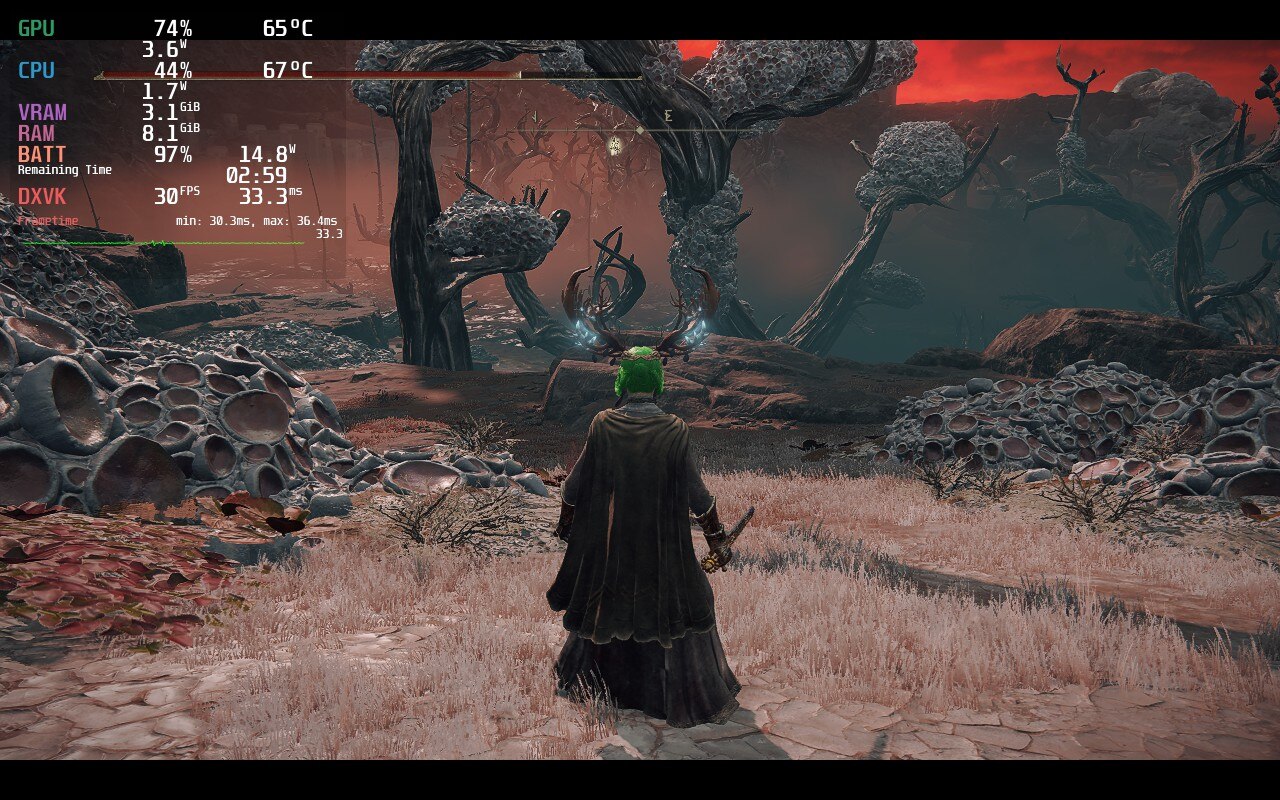
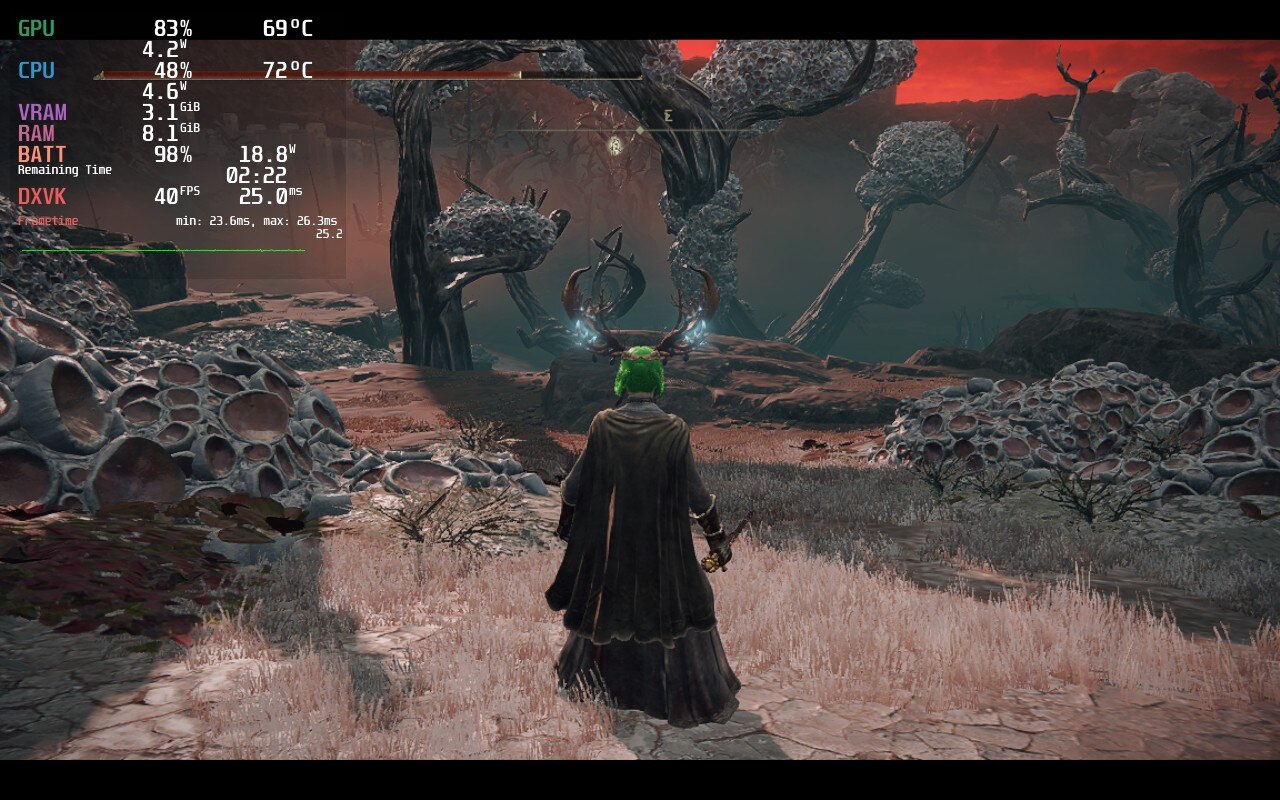
When trying Elden Ring out at max settings, it actually ran ok. It would stick above 30 FPS, which would mean capping it could be do-able. The biggest problem though was temps being around 80c just standing still and a whopping 24.9W battery drain. To me, the best way to play is a combination of high, medium, and low settings, but set to a locked 30 FPS. This was by far the smoothest and most stable way to play, while also allowing a longer battery life. Sadly, the game does have about 6 areas that I can’t list, due to spoilers, that no matter what the settings are, drop 1-2 frames. The good thing is that those frames don’t cause a noticeable stutter so gameplay felt quite smooth. I also locked the TDP to 9, making sure the battery usage doesn't go up much further than 16W almost the entire time. I also tried Elden Ring with this build while docked to my TV and thought the game was still able to look quite appealing even on the larger screen.
I really wanted to do everything I could to get a 40 FPS build up and running. Unfortunately, I couldn’t get a fully stable build for it. I was able to get very close, with framerate dips down to 36-37 that weren’t super noticeable, but it did come with a cost. Pushing the resolution down to 1152x720, and turning graphics settings to lowest, got Elden Ring the closest it possibly could to a stable 40. There is a quite noticeable difference, and the framerate isn’t stable, but it is the closest I believe is possible to hit something higher than 30 FPS without the Deck overheating and losing too much battery.
While both are stable here the recommended has much better temps and battery, while looking much more sharp.
In the end, the game finds it impossible to hit 60 FPS, but can be stable at 30 FPS and low battery usage with some compromises. Elden Ring on the deck is for people that will accept those shortcomings in exchange for portability, which still baffles me. This is a AAA open-world game that just came out and looks sharp and beautiful, but still runs at a stable rate. While it cannot hit 40 FPS, Elden Ring runs like a charm with minimal issues and will be a fantastic addition to anyone’s library for their Deck.
Liked this review? Check out our Game Review page for more reviews and optimizations!
Our review is based on the PC version of this game.
If you enjoyed this review, be sure to check out the rest of the content on SteamDeckHQ! We have a wide variety game reviews and news that are sure to help your gaming experience. Whether you're looking for news, tips and tutorials, game settings and reviews, or just want to stay up-to-date on the latest trends, we've got your back!
Update 9/8/22: Due to the newest update adding in native FSR 2.0, we will be reassessing the builds and updating the review! Consider this one outdated for the time being.
Red Dead Redemption 2 (RDR2) is a third-person open-world game with a heavy emphasis on freedom. You take the reins of Arthur Morgan as he travels with his infamous gang to evade federal agents and bounty hunters during the American wild west of 1899. You can choose to follow the story and see how the deepening internal divisions affect the game in this well-written story, or go on your own and rob, steal, tie people up, or just watch the game’s enjoyable physics do their work. Rockstar, the developers of RDR2, are known for their fine-tuned gameplay and beautiful worlds, and this is definitely one of them.
Before I get into the performance, there have been reports of crashing when playing RDR2 for a period of time, usually around 30 minutes. In my playthrough, I experienced no crashes whatsoever. I installed the game with Proton GE 7-24 and my playthrough of the game had Triple Buffering and Vsync turned off. From reports I have read, this seems to be the main cause of any crashes as well. If you experience crashes, don’t hesitate to send a message on our Discord server so we can troubleshoot and figure out how to remedy it.
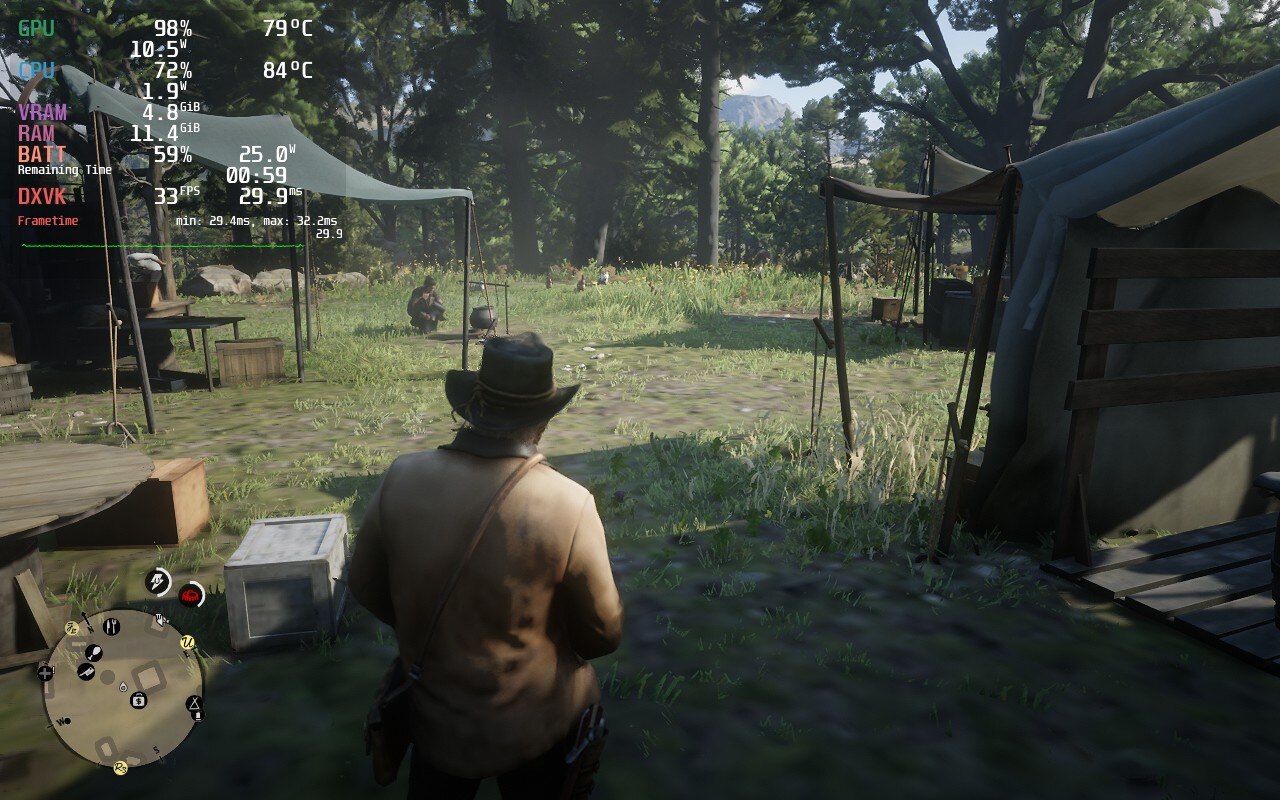
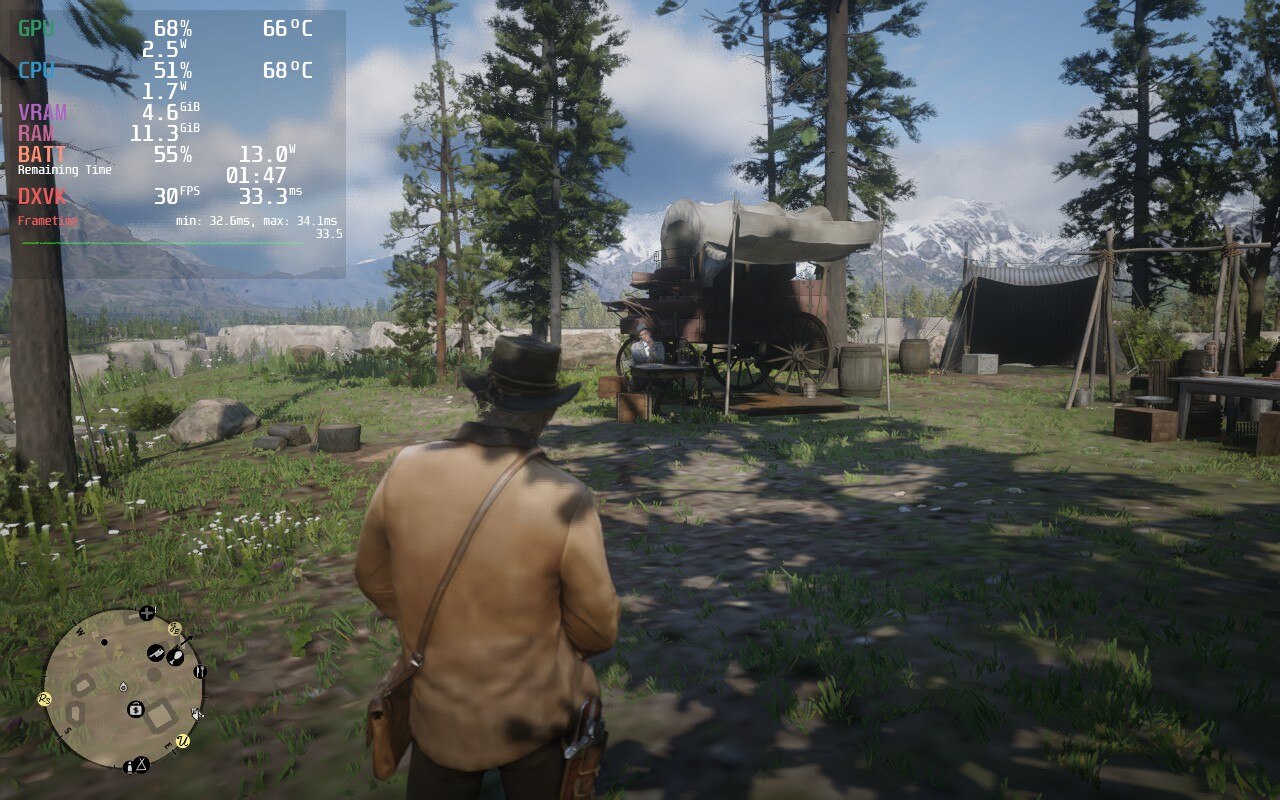
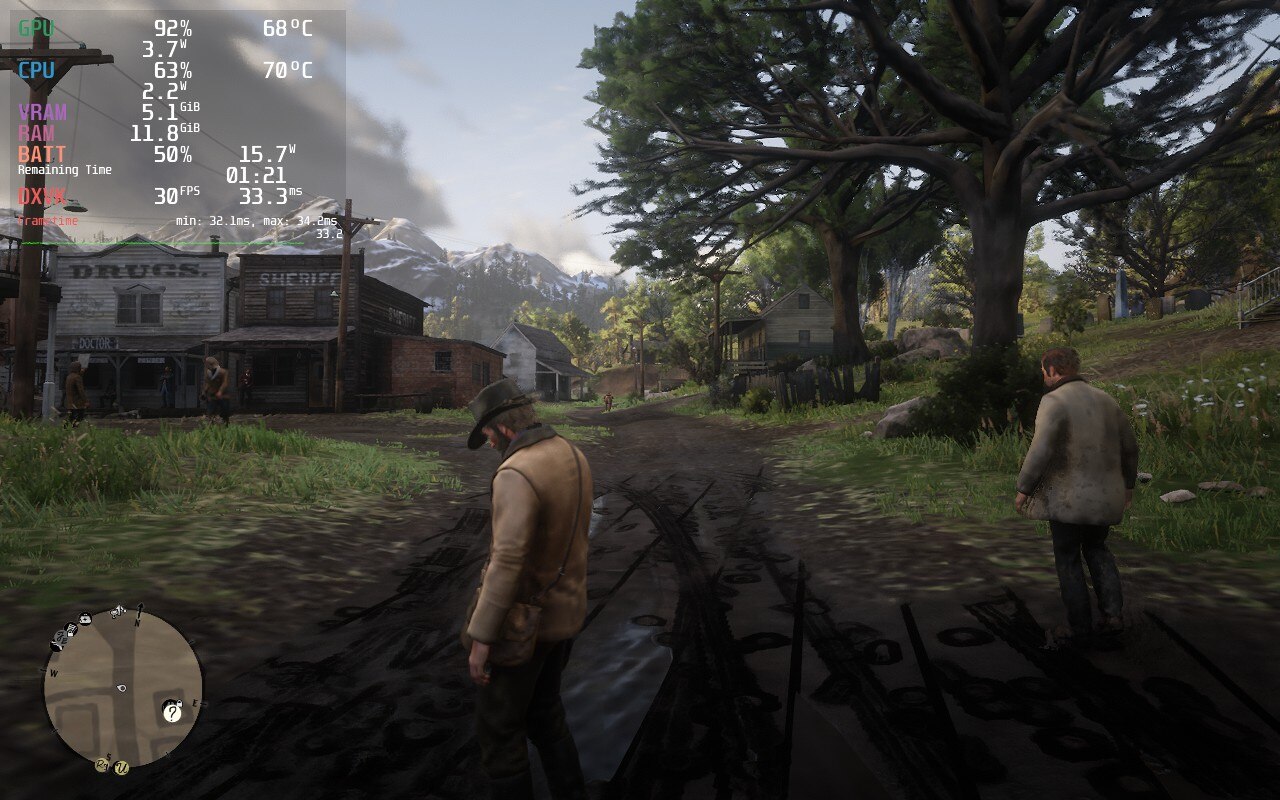
Knowing the kind of game this is, I had a good feeling going in that it would need a good amount of tweaking, and I was most definitely correct. This is a game you shouldn’t expect to get 3+ hours of gameplay with lower temps, this is a full open-world AAA game that tends to be at the forefront of game development. At max settings, with a 60 FPS cap and no TDP limit, I was getting over 80c temps with 25W of battery usage…just standing still in a camp. And even with a 30 FPS cap, battery drain was still much higher than it should have been for just standing still.
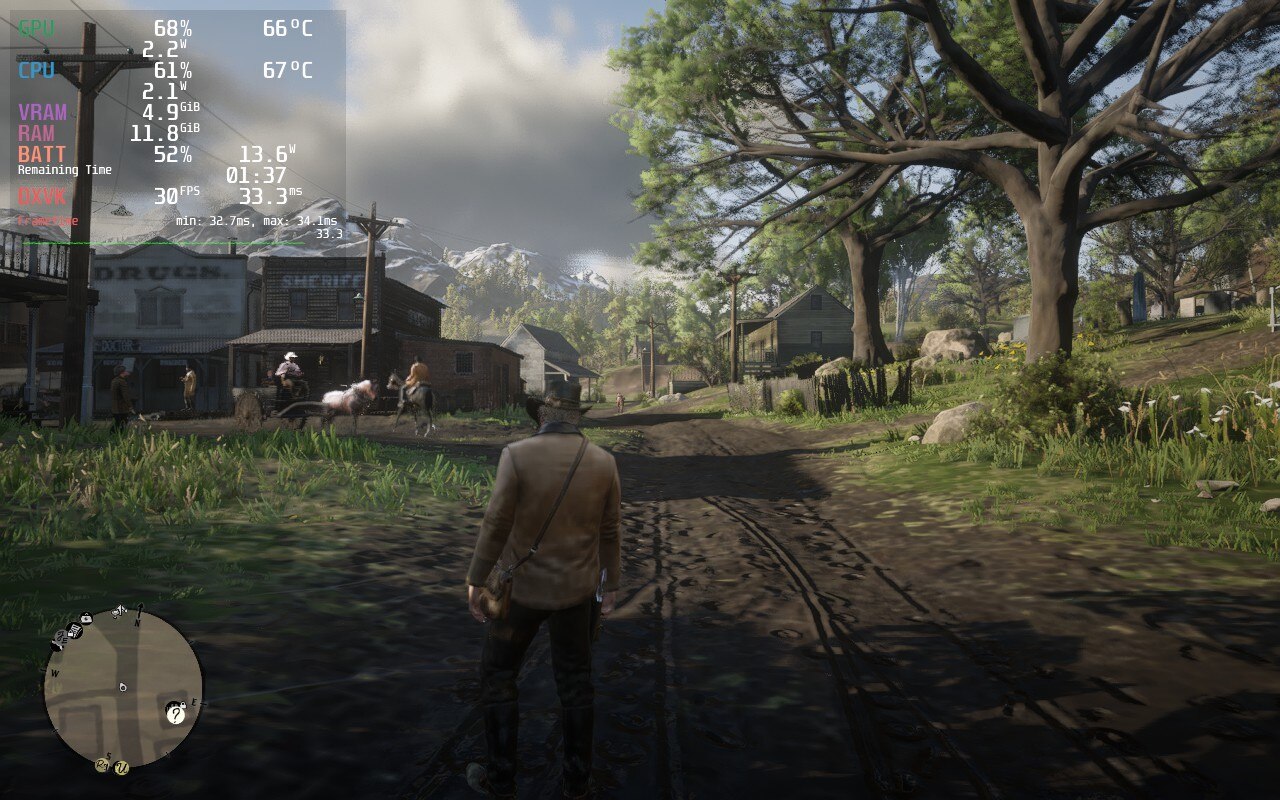
The temps and battery for standing still in max settings is insane, while the recommended battery build in the same area is much cooler overall.
The prologue of the game, up to chapter 2, does experience some instability, but that disappears once you can freely roam the open world. While I knew 40 FPS would be possible, I wanted to focus on a solid 30 FPS build that will strike a good balance of quality without an insane battery drain of over 20W. After playing around with the presets, I did arrive at my goal and was able to get a good quality build with temps that largely stayed under 80c with native resolution and under 20W battery drain. The framerate was stable 99% of the time, but did experience some spikes every now and then. These were far and few though, and without the overlay showing my framerate graph, I wouldn’t have noticed. These spikes are also common across all builds, not just this one. While the visuals look great, the temps and battery drain left more to be desired.
Then comes the battery build. This build for RDR2 is way more competent than I expected. It doesn’t destroy the visuals too much and keeps temps and battery more closely under wraps. By setting everything to low, and using FSR 2.0 in balanced mode, the game keeps a stable 30 FPS while keeping temps under 75c and battery around or below 17W. This is, in-part, thanks to the TDP limit of 8 to keep it lower. It is a great alternative for people that want to preserve battery as much as possible, but keep decent visuals. It was a very close call between this and the quality build, but ultimately, I feel the battery is better suited overall for the Deck.
The 40 FPS build however is for those who only want to play a little while having a better framerate that feels significantly more smooth. While the reduction in quality is very noticeable, it isn’t a deterrent from playing the game. Even with all the quality settings on low and a high TDP limit of 12, the game can run at 40 FPS about 80% of the time. There will still be spikes and dips in framerate that are quite noticeable even without the graph there. With the 80c average temps, I wouldn’t personally use this build, but it is possible and can be done.
The only mod I ended up using was the FSR 2.0 mod, which I feel helps to really stabilize the battery and 40 FPS builds more. You can check out how to get it and follow our quick guide down below. I also, very luckily, did not experience any bugs or glitches that inhibited gameplay. Though, when changing FSR 2.0 settings, it can cause the whole screen to go white. This is remedied by moving around or moving the camera, the world will populate back in. I did find this happen once or twice when going into a town, but I just kept moving around slightly and it would all come back.
Red Dead Redemption 2 is a fantastic game and it is even more amazing that it can be played on Deck regardless of the compromises. This game was not one I expected going in to be playable for 4+ hours with fantastic quality, but what came out of it is what I would consider a marvelous achievement. Plus, you are playing RDR2 in the palm of your hand, I feel something needs to be said about that!
Our review is based on the PC version of this game.
If you enjoyed this review, be sure to check out the rest of the content on SteamDeckHQ! We have a wide variety game reviews and news that are sure to help your gaming experience. Whether you're looking for news, tips and tutorials, game settings and reviews, or just want to stay up-to-date on the latest trends, we've got your back!
Horizon Zero Dawn is an open-world action game taking place on an Earth recovering from a terminator-like event. Developed by Guerilla Games, you play as Aloy, the girl wonder with no parents, who has been tasked to save the world from a corruption taking over the rampant machines roaming the wildlands.
Throughout the journey, you will have to fight, craft, and explore your way to saving this world and figuring out who you are. With a beautiful setting, enjoyable combat, and a unique story, this game is definitely worth your time. I am a sucker for post-apocalyptic settings and open-world games in general, so this already checked so many of my boxes before playing. Just based on the game’s content, I would say it is a worthwhile purchase, but what about the performance on deck?
Horizon Zero Dawn on Steam Deck
After my initial testing, I ended up feeling that 30 FPS was the way to go. While it’s possible to increase it, I felt a much more stable 30 still plays really well and keeps temps and battery further down than I expected. There were some drops still, but they were few and didn’t impact gameplay. Game settings wise, I ended up feeling a slightly lower than native resolution with low settings, shadows at medium, and FSR turned on in-game to Ultra Quality, was the best medium for stable performance and quality visuals. This also kept battery life around 2.5-3 hours with around 14W - 16W usage.
I did see some performance and battery spikes under certain situations though. The biggest one that spiked both was when traveling around the world fast. When running, the world would render more and this would cause spikes in battery, usually up to 17.5W, and some performance hiccups. The only other one I really noticed was when walking around crowded cities, but leaving the immediate area remedied that.
There thankfully wasn’t too many game-breaking bugs that I encountered, though there were two that stick with me. First, when loading into the game, I opened my quick access menu, the button with the ellipses, and it froze on that screen. The game kept playing in the background and I had to power cycle the device since no buttons worked to close it. Second, there was one time I was running around and fighting robots, but my right analog stick randomly stopped working.
I could still press down on it and it responded in game, but I could not move it around. I had to close and re-open the game to fix that one, and luckily, I had just saved the game. Both of these only happened once though and I don’t expect it to be a huge issue. There was some minor audio stuttering at a few points, but that could have been the speakers and wasn’t anything of significance.
Overall, Horizon Zero Dawn ended up running better than I anticipated. Getting around 2.5 - 3 hours of battery life while temps staying around 70c. Framerate was stable 95% of the time at 30 FPS and still looked wonderful with FSR on and resolution slightly under native. It was a blast to play this game as much as I did on the Steam Deck and I cannot wait to see how Horizon Forbidden West and even Marvel’s Spider-Man will fare!
Side Note: For those who have Power Tools installed through the plugin manager, make sure CPU Boost is turned off. When it is turned on, temps and W usage jump a lot due to the CPU overclocking. This is not necessary for the game though and just adds unnecessary temp and battery usage.
Need some help understanding how we got to our score? Check out our Guide to Steam Deck HQ.
Our review is based on the PC version of this game.
If you enjoyed this review, be sure to check out the rest of the content on SteamDeckHQ! We have a wide variety game reviews and news that are sure to help your gaming experience. Whether you're looking for news, tips and tutorials, game settings and reviews, or just want to stay up-to-date on the latest trends, we've got your back!
We use cookies on our website to give you the most relevant experience by remembering your preferences and repeat visits. By clicking “Accept”, you consent to the use of ALL the cookies.
This website uses cookies to improve your experience while you navigate through the website. Out of these, the cookies that are categorized as necessary are stored on your browser as they are essential for the working of basic functionalities of the website. We also use third-party cookies that help us analyze and understand how you use this website. These cookies will be stored in your browser only with your consent. You also have the option to opt-out of these cookies. But opting out of some of these cookies may affect your browsing experience.
Necessary cookies are absolutely essential for the website to function properly. These cookies ensure basic functionalities and security features of the website, anonymously.
Cookie
Duration
Description
cookielawinfo-checkbox-advertisement
1 year
Set by the GDPR Cookie Consent plugin, this cookie is used to record the user consent for the cookies in the "Advertisement" category .
cookielawinfo-checkbox-analytics
11 months
This cookie is set by GDPR Cookie Consent plugin. The cookie is used to store the user consent for the cookies in the category "Analytics".
cookielawinfo-checkbox-functional
11 months
The cookie is set by GDPR cookie consent to record the user consent for the cookies in the category "Functional".
cookielawinfo-checkbox-necessary
11 months
This cookie is set by GDPR Cookie Consent plugin. The cookies is used to store the user consent for the cookies in the category "Necessary".
cookielawinfo-checkbox-others
11 months
This cookie is set by GDPR Cookie Consent plugin. The cookie is used to store the user consent for the cookies in the category "Other.
cookielawinfo-checkbox-performance
11 months
This cookie is set by GDPR Cookie Consent plugin. The cookie is used to store the user consent for the cookies in the category "Performance".
CookieLawInfoConsent
1 year
Records the default button state of the corresponding category & the status of CCPA. It works only in coordination with the primary cookie.
viewed_cookie_policy
11 months
The cookie is set by the GDPR Cookie Consent plugin and is used to store whether or not user has consented to the use of cookies. It does not store any personal data.
Functional cookies help to perform certain functionalities like sharing the content of the website on social media platforms, collect feedbacks, and other third-party features.
Cookie
Duration
Description
loid
2 years
This cookie is set by the Reddit. The cookie enables the sharing of content from the website onto the social media platform.
Performance cookies are used to understand and analyze the key performance indexes of the website which helps in delivering a better user experience for the visitors.
Analytical cookies are used to understand how visitors interact with the website. These cookies help provide information on metrics the number of visitors, bounce rate, traffic source, etc.
Cookie
Duration
Description
__gads
1 year 24 days
The __gads cookie, set by Google, is stored under DoubleClick domain and tracks the number of times users see an advert, measures the success of the campaign and calculates its revenue. This cookie can only be read from the domain they are set on and will not track any data while browsing through other sites.
_ga
2 years
The _ga cookie, installed by Google Analytics, calculates visitor, session and campaign data and also keeps track of site usage for the site's analytics report. The cookie stores information anonymously and assigns a randomly generated number to recognize unique visitors.
_ga_VF6TNG7YS7
2 years
This cookie is installed by Google Analytics.
_gat_gtag_UA_232930512_1
1 minute
Set by Google to distinguish users.
_gid
1 day
Installed by Google Analytics, _gid cookie stores information on how visitors use a website, while also creating an analytics report of the website's performance. Some of the data that are collected include the number of visitors, their source, and the pages they visit anonymously.
CONSENT
2 years
YouTube sets this cookie via embedded youtube-videos and registers anonymous statistical data.
Advertisement cookies are used to provide visitors with relevant ads and marketing campaigns. These cookies track visitors across websites and collect information to provide customized ads.
Cookie
Duration
Description
__gpi
1 year 24 days
Google Ads Service uses this cookie to collect information about from multiple websites for retargeting ads.
edgebucket
session
Reddit sets this cookie to save the information about a log-on Reddit user, for the purpose of advertisement recommendations and updating the content.
IDE
1 year 24 days
Google DoubleClick IDE cookies are used to store information about how the user uses the website to present them with relevant ads and according to the user profile.
session_tracker
2 hours
This cookie is set by the Reddit. This cookie is used to identify trusted web traffic. It also helps in adverstising on the website.
test_cookie
15 minutes
The test_cookie is set by doubleclick.net and is used to determine if the user's browser supports cookies.
VISITOR_INFO1_LIVE
5 months 27 days
A cookie set by YouTube to measure bandwidth that determines whether the user gets the new or old player interface.
YSC
session
YSC cookie is set by Youtube and is used to track the views of embedded videos on Youtube pages.
yt-remote-connected-devices
never
YouTube sets this cookie to store the video preferences of the user using embedded YouTube video.
yt-remote-device-id
never
YouTube sets this cookie to store the video preferences of the user using embedded YouTube video.