



Ninja Gaiden 4 was provided by Xbox Game Studios for review. Thank you!
Xbox has made a lot of interesting decisions lately. There have been some great ones, like prioritizing software and their “anything is an Xbox” motto, and some controversial ones, like the tons of layoffs that affected amazing studios like Tango Gameworks. However, I have been looking forward to their lineup for his month. They started off strong with Keeper, which I loved, but of all the games being released this month, Ninja Gaiden 4 was my most anticipated. From the brutal, gory trailers to the incredible demo I got to try at Tokyo Game Show, I was overwhelmingly excited to dive in. I had high hopes for it, so there was a lot it would have to live up to. Now, after playing through the game, it has become one of my favorites this year.
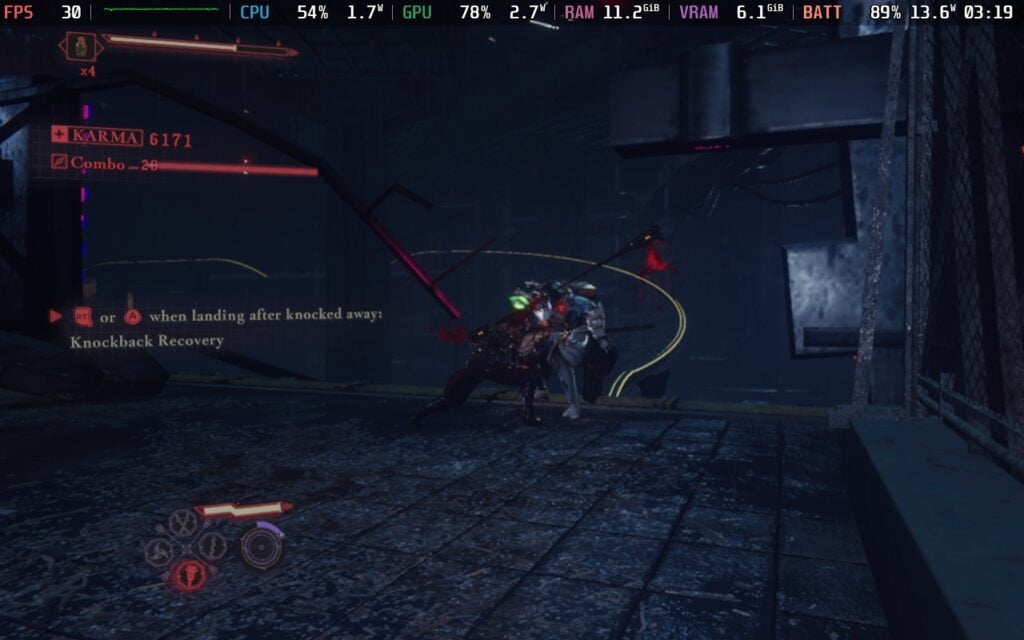
That high-intensity combat that was showcased in trailers and demos was not exaggerated in the full release, and I couldn’t be happier. The intensity was a constant, having to continually juggle multiple enemies at any given time, switching between attacks that can break defenses, and utilizing the wealth of attacks to brutalize the demons and humans we are facing. Developers Team Ninja and PlatinumGames really showed off their strengths here, creating some of the tightest, action-packed combat I have played this year.
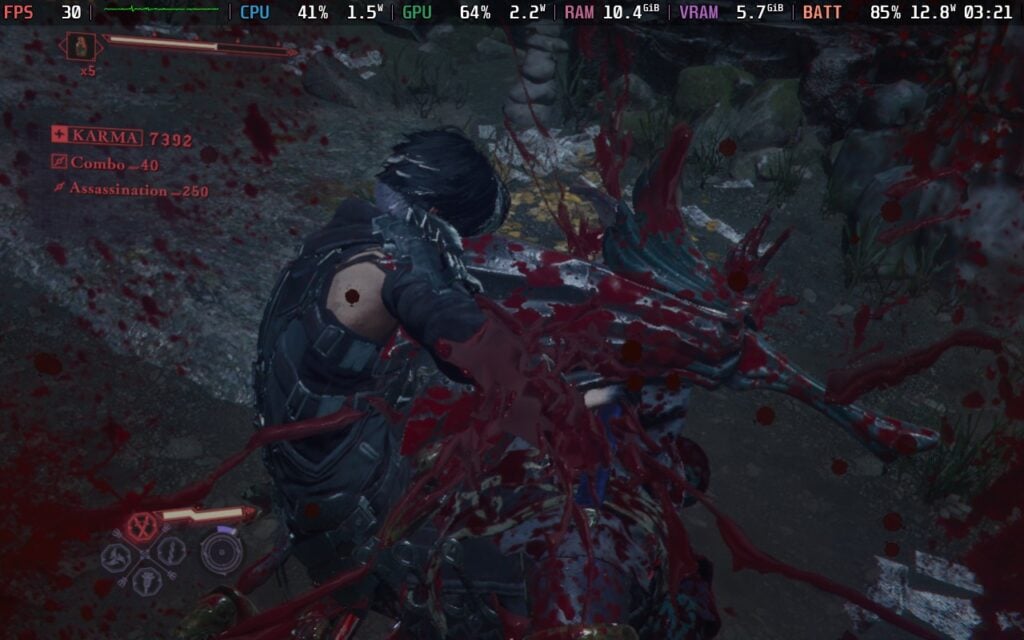
In general, fighting is easy to grasp, complicated enough to have decent depth, and flashy to keep it fun to watch. We only have a basic and strong attack, which can be combined for some unique combos and get into juggling enemies in the air. As we attack, we can dismember as well, and if you press the strong attack when they are dismembered, it will bring us into a short, cinematic attack that brutally tears them apart. We will also have access to our blood weapons, which are a bit slower usually, but deal more damage and can break defenses, and have access to a charged up attack that acts as our ultimate move. We also have a rampage meter that goes up as we play, allowing us to use Bloodbath moves to one-hit kill enemies.
As we continue playing, our moveset will expand as we unlock new techniques like the classic Izuna Drop and special moves. There are also four different weapons, each with its own special blood weapon, and generally have similar styled activations. These similar activations they share equate to the special attacks being activated the same way, but the actual moveset and special moves are completely different. Even though I have one or two favorites, I found something to love with each weapon and consistently found myself switching between them all for fun.
I love fighting games, but special attacks are always my biggest worry. Having to input specific commands to use different moves, with those commands also affecting my fighter, can be a little difficult. That problem just doesn't exist in Ninja Gaiden 4. The extra attacks usually involve moving the joystick up and down or in a circle, then hitting X or Y, and it's not only easy to do, but it also fits in with your already existing combo nicely. I love how easy it was to just activate those attacks while I was already mashing my basic attack button, and it never disrupted what was going on or changed directions.
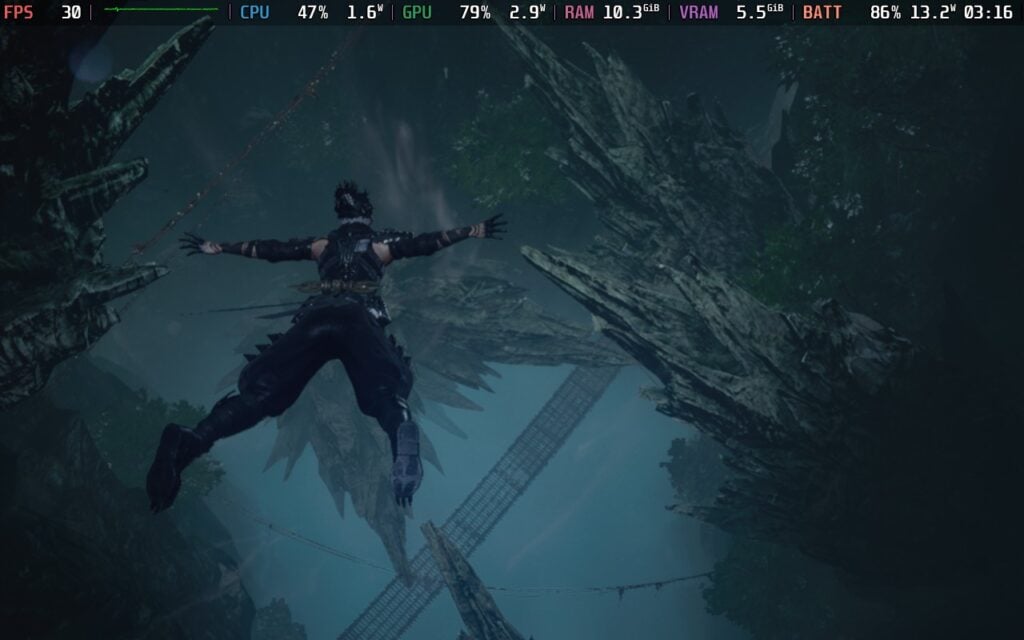
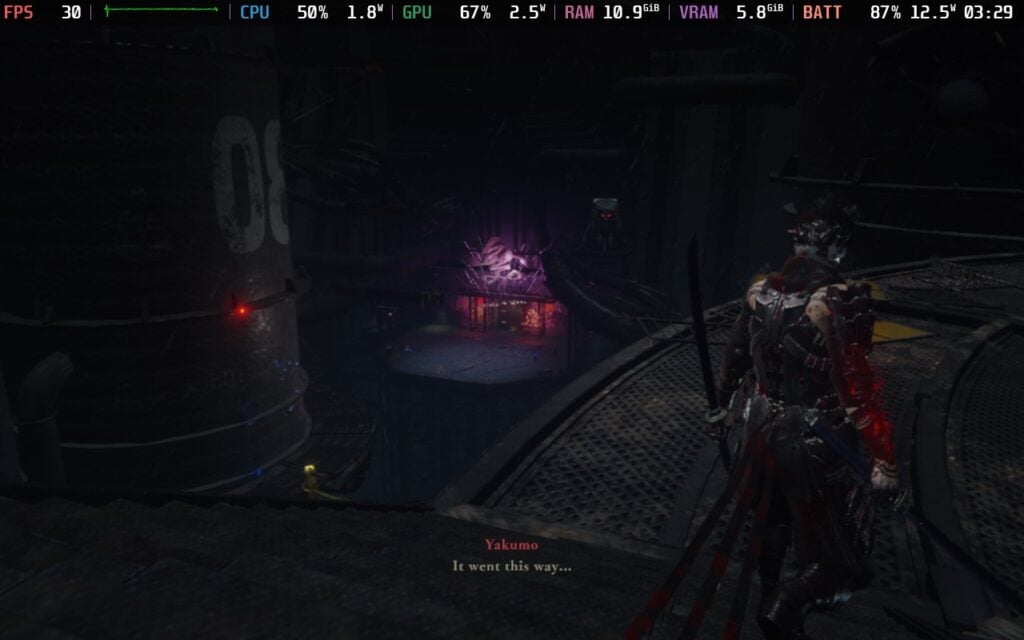
Coupled with the gorgeous visual feast in a multitude of settings, ranging from cyberpunk-esque cities to forest temples and underwater clubs, and the incredible soundtrack, combat was just a treat to experience. Each fight felt engaging and exciting, even if I was doing similar moves over and over. The flashiness of each swing of my weapon, the shine that comes from parrying or blocking at the perfect time, and even the light strobes that comes from our charged up ultimate attack just keep me sucked in. It felt like a perfectly managed symphony of gory brutality, flashy effects, and high-speed intensity that I grew addicted to the more I played.
With each fight, we would also get currency and weapon experience. The currency can be used to buy different items that can heal or temporary boost our attack or defense, as well as buy new techniques like countering after blocking and increasing the amount of accessories we can wear. Weapon experience is what we will use to unlock new moves for the different weapons we have. Accessories and items will come in hand a lot, giving us some necessary boosts to defense and more to help us survive just a little more, and both can be found in crates throughout each chapter. There are also blood orbs that drop from enemies, which can be used to heal as well or charge up our ultimate faster.
While I do like having crates around, I did miss some of them, which led me to miss out on some nice accessories I would have liked to wear. There are also side missions we can take on, as well as little Gourdys to find, and Purgatory Gates, where we can take on waves of enemies for some extra currency and experience. However, a lot of the side missions just sit there and can't be completed until we can go back to previous chapters, which can't be done until we beat the game. It's not necessarily a bad thing, I like having reasons to come back and take on more foes, but I was a little saddened I wouldn't be able to go back and grind for more coins or weapon experience.
I actually wasn't a fan of the progression systems in the beginning, and the separation of specific moves for weapons and techniques confused me, but it grew on me the more I played. It will be difficult to unlock everything from just one playthrough, but that just gave me more reason to dive back in later to play through chapters at higher difficulties, try to fight bosses again, or go and re-challenge Purgatory Gates. Each Purgatory Gate has multiple options where we can sacrifice some max health for extra currency and experience, so being able to go back and try them again is nice and a great way to farm some experience to unlock all the weapon moves.
Ninja Gaiden 4 is all about action and getting back into it, and while most mechanics push that, including the item wheel, but I feel like the other UI and grinding works against it. Unlocking new techniques and moves go through a couple of windows, getting health upgrades takes a little long to watch the two parts it needs combine, and dying and retrying the battle just took more time than I wanted. I also found that grinding was particularly slow most of the time. I was hoping for something a little more fast-paced, and while some future grinding sections are more engaging, the early ones were not.
However, these are extremely small issues, and not ones that actually harmed my experience all that much, but they were noticeable.
It didn't take long to complete the story mode, about 8 hours total, but this is a clear case of quality over quantity. That eight hours was exhilerating, and after beating the game, I found more than enough motivation to go back to chapters to complete side missions, challenge the bosses again, play on higher difficulties and try to finish with a higher score, and try to finish those Purgatory Gates with more max health being taken.
The story was interesting, but it was mostly there to set the stage rather than be a compelling tale. Seeing Ryu again was exciting, and there were some other small surprises littered throughout that I enjoyed, but overall, I didn't care much for the tale. We play primarily as Yakumo, a Raven Clan ninja, who rescues Seori and goes on a quest to unseal the Dark Dragon and purify him permanently.
Ahead of its release, Ninja Gaiden 4 did receive the Steam Deck Verified badge, which made me a little wary. Big releases that get the Verified badge early tend to have some issues, and I was worried that this would fall under the same category. The system requirements were quite beefy too, so it seemed it would fall under it. However, Ninja Gaiden 4 is fantastic on the Steam Deck, and it shocked me to see.
The game has a specific Steam Deck mode, which keeps the game on lower settings with dynamic resolution, FSR prioritizing performance, and a framerate cap of 30 FPS. This is completely playable throughout the entire game, so playing out of the box is definitely doable, and after playing as much as I have, I would keep it here.
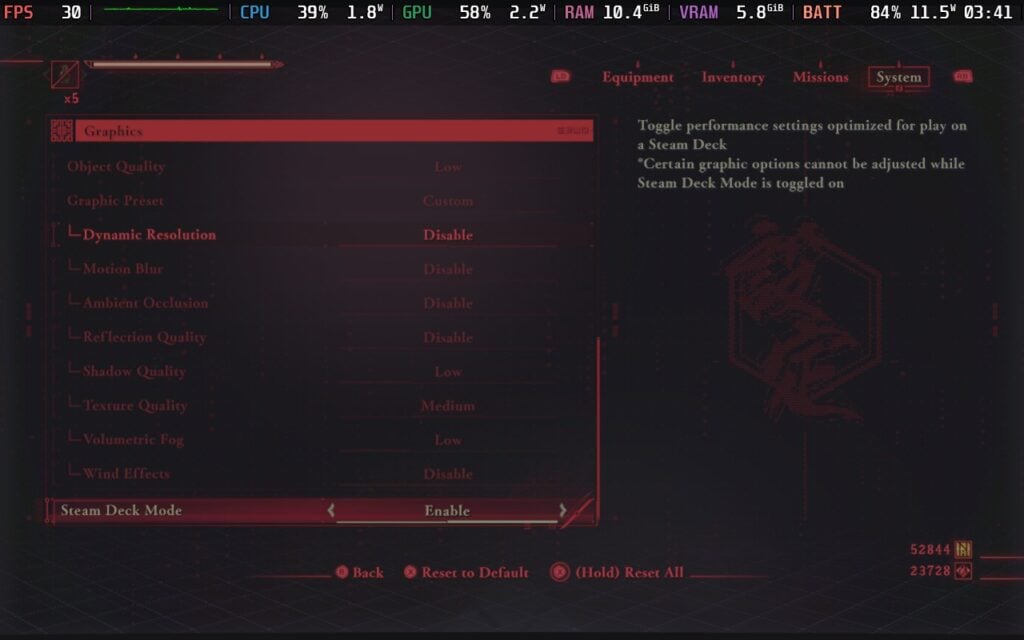
The game can actually hit 60 FPS with the GPU Clock Speed Frequency set to 1600MHz, and you can turn Steam Deck Mode off for some better visuals and lighting. However, the game has continually froze in these scenarios. Sometimes it would freeze in the middle of a fight, sometimes in a loading screen, but it would freeze. And one time, I force quit after a freeze and it completely screwed the game up trying to load back in (though I fixed this by verifying the game files).
It seems as though the game has been tailored for the Deck's hardware specifically. It never fully utilizes everything, and if you try to force it, it will freeze. The freeze also happened when using the SteamDeck=0 %command% launch option, so that wasn't an option. And while turning Steam Deck Mode off can improve lighting, changing from low to high settings didn't change much.
The only other thing we could do to improve the experience is raising the framerate to 45 FPS with Steam Deck Mode on. This will hold strong for most of the game, with slight drops in some boss fights. It does feel a lot better, but that leaves one big problem: Input Lag. Setting the framerate to 45 FPS introduces input lag, and it will get in the way. There were multiple times I should have dodged or blocked, but the slight lag caused me to die. We could set to 60 FPS here as well, but there will be more fluctuations that will cause problems.
Ultimately, as much as I wanted to push the framerate up, it just always came with some downside that isn't worth it. Whether it be the game freezing or input lag that causes death, there will always be some issue that is unavoidable. Steam Deck Mode being on is also essential for higher framerate gameplay, which made trying to use VSync with a lower Hz display rate like 45 impossible since it locks out the setting.
I also tried using lossless scaling, and even at 2X, there is enough input lag to feel noticeable in combat. It also made the game's colors look a little desaturated, sucking out the vibrant color I came to love. This may have been just my device, but I feel it is worth mentioning.
So, while the game can be pushed to a higher framerate, it comes with some pretty big downsides that I wouldn't recommend playing with. It can be played fully at 30 FPS, and should be playable with Steam Deck Mode turned off for better lighting, but to minimize any issues, I recommend playing with Steam Deck Mode on and disabling the framerate limiter so we can eliminate any input lag. It doesn't feel as good as 60 FPS, so there are some big compromises, but it is playable.
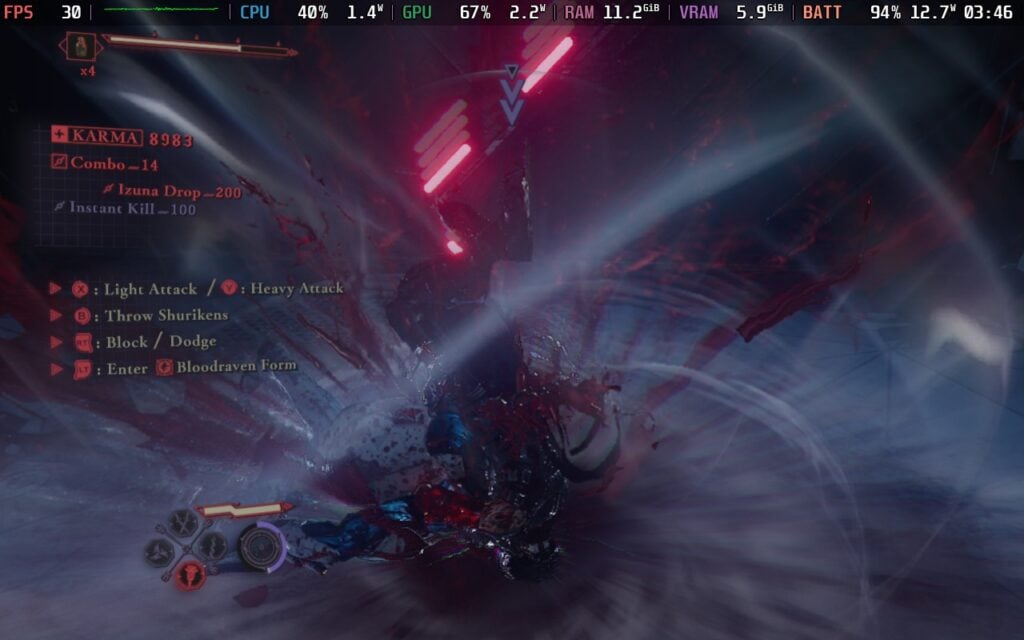
If you want to try playing at 60 FPS, it does work and feels incredible, but it will need Steam Deck Mode turned on, GPU Clock Speed Frequency set to 1600MHz, and runs the risk of random freezing. I was able to complete a chapter or two and a few Purgatory fights before it froze, but it is completely random and has just randomly crashes almost immediately after starting the game and hitting a loading screen.
There are a good chunk of options that we can change. We can modify the HUD display and size, toggle lock-on marker and auto targetting, toggle hit lag and emphasized dismemberment, toggle the bloodbath kill camera, display different messages and UI elements, auto skip cutscenes, turn on auto movement for actions like wallrunning and grinding, reduce gore, highlight different game elements, change controls, including single-hand play and how the item wheel display functions, and change camera sensitivity, inversion, and specific settings like distance and angle.
The game does support 16:10 resolutions, cloud saves, and controller support. There are HDR settings and it recognizes the Steam Deck OLED screen.
Ninja Gaiden 4 is all about quality over quantity, and the quality is just incredible. The combat is fast-paced, brutal, flashy, and engaging, while still feeling accessible enough to use the diverse moveset and still require some skill to utilize to their fullest. With the gorgeous world, head-bopping soundtrack, and side content, I found many reasons to keep coming back for more even after finishing the campaign. There are some minor issues here and there, but nothing that stopped me from enjoying every moment.
It also plays quite nicely on the Steam Deck. It does have a specific Steam Deck Mode that can play at 30 FPS, and while it can handle higher framerates, there are a multitude of issues that keep it from being an amazing experience. Still, it's playable, looks decent, and a solid way to enjoy the game.
Our review is based on the PC version of this game.
If you enjoyed this review, be sure to check out the rest of the content on SteamDeckHQ! We have a wide variety of game reviews and news that are sure to help your gaming experience. Whether you're looking for news, tips and tutorials, game settings and reviews, or just want to stay up-to-date on the latest trends, we've got your back.
Ninja Gaiden 4 is an intense, gorgeous, engaging, and flashy experience that is hard to put down, and it's actually playable on Steam Deck.