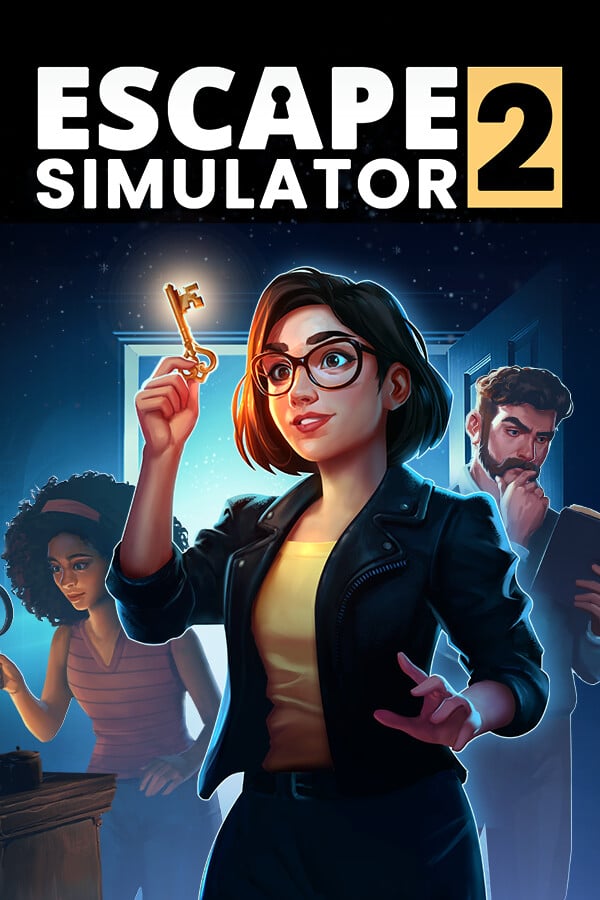





Escape Simulator 2 was provided by Pine Studio for review. Thank you!
In my quest to find amazing co-op games to play with my friends, one game stood out to me: Escape Simulator. Working with friends in a closed-off area, solving multiple puzzles that all relate to each other in some way, and escaping from the room in the nick of time was one of my favorite co-op experiences in recent years. So, as soon as Escape Simulator 2 was announced, I was all in. The shift from the bright, cartoonish visuals to a darker, higher fidelity aesthetic was surprising, and although I wasn't dissuaded by it, I was curious to see where developer Pine Studio would take this new entry. It turns out their goal was to create bigger puzzles, better-looking environments, and wrap it all together in a package that is hard not to love.
In the original levels of the first Escape Simulator, it felt more contained. Smaller levels with 15 minute time-limits where everything was easy to get to and puzzles were quicker to solve. With some of the free extra levels and collaboration DLC, the team started to experiment with larger-scale levels, but it never felt like it evolved from the mechanics from the smaller room.
Escape Simulator 2 takes what the team has learned from the first game and pushes it further. The levels feel significantly larger, more in-depth, more creative puzzles, and even more interesting situations. Some of the levels just sit you down in the room, similar to the previous game, but some start off with a scenario we need to get out of. Whether its getting out of the Hibernation Pods and guessing what the name of our ship is, finding a way out of the upside-down lock we are at in the Crypt, or figuring out how to get our co-op friend out of the carriage they are trapped in in the Courtyard, some levels just start out with unique situations that feel realistic to the level we are in.
Walking around these bigger levels was a little overwhelming at first, especially coming from the previous game, but I easily started to sink back in and solve puzzles one by one. Each puzzle felt more creative and geared towards the level we are in, leaning away from the general feel it could have. We will have to watch the environment, listen up, read, interact with objects, and more. They also felt very interconnected with each other. Items found in the room of one puzzle could be used in another, and items lying around could be useful in ways we don't expect.

There were maybe 1 or 2 puzzles that really stumped me in Escape Simulator 2, as I found no indication whatsoever of what to do for them, but the generous hint system is back and easy to access from the pause menu. Otherwise, figuring out the solutions wasn't too hard, but it definitely required some thought, and that new 45-minute timer to finish is needed. Unlike the previous game, there's no way I could figure out and finish each level in 15 minutes; there are more puzzles for each level, and they feel more detailed and creative, so I needed to spend more time with them.
The puzzles don't have any randomly generated aspects to them, which means once you finish a puzzle, there's little reason to go back and play it again. However, to solve this and add some reason to come back after finishing all the puzzles, we have a couple of features. Each puzzle has collectibles to find, and once a puzzle is completed, you can take on an alternate version of it with more difficult puzzles.

There is also custom puzzle support and an editor, so the community can make and upload their own puzzles for us to try. The editor is solid and decently intuitive, and while I couldn't make anything worth playing, it does open the door for others to make puzzles. We had this in the first Escape Simulator as well, and I loved playing what the community created. This aspect will be very dependent on the community, but if Pine Studio follows the same schedule they had with the original game, there will be more puzzles to enjoy post-release.
The game launches with twelve puzzles, four for each theme. There's the gothic-esque Dracula's Castle, the Space-themed Lost Starship, and the Pirate-esque Cursed Treasure. Each of the four levels within each of these themes feels wholly different from the others, only sharing the overall decorations and atmosphere.
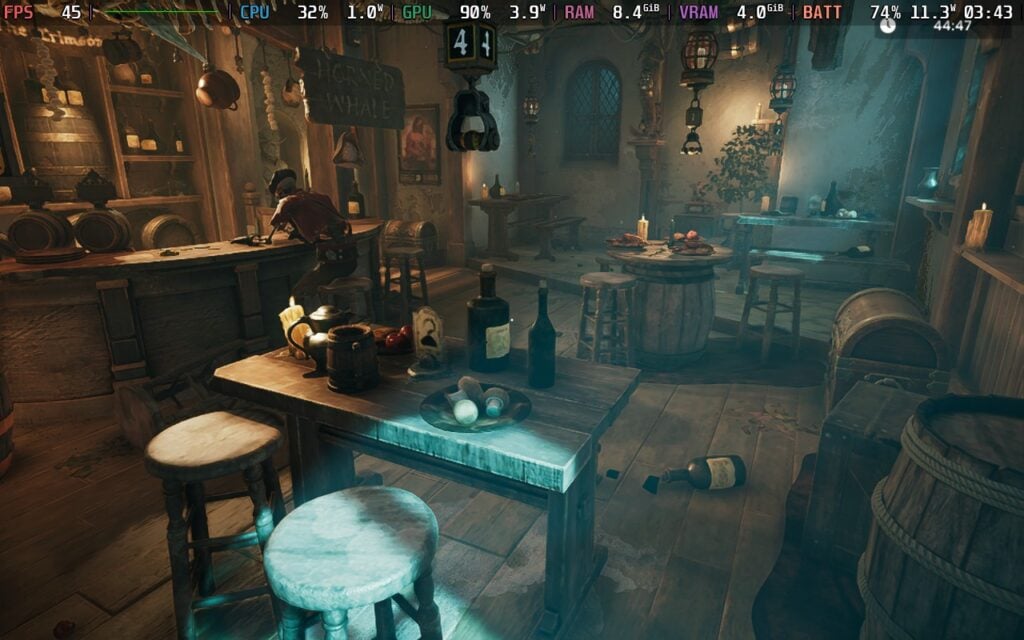
Visually, I was a little worried since I liked the more colorful, cartoonish aesthetic as it allowed the team to create some cool-looking levels and areas, but after playing more of Escape Simulator 2, I am happy to say I was wrong. The higher fidelity, more realistic style was gorgeous and wonderful to experience, and I grew to love it more than I initially expected.

Outside of the general gameplay, we can customize our character a bit, changing our body type, hairstyle, eye color, and outfits. There aren't a ton to change, but it's a nice way to make yourself look the way you want to when playing with friends.
Playing Escape Simulator 2 on the Steam Deck was an odd one for me. Not because it doesn't run well, it actually runs better than I expected with the quality level it has, but it just bewildered me how the settings affected the game. Regardless of the settings, even on the lowest possible, the game will throttle the framerate in certain situations. Sometimes it will get to 60 FPS, but at other times, it will drop to 45, even when there is some obvious room for a higher framerate.
Still, I would consider the game very playable on the Steam Deck. At the highest quality settings, we can play with the game at 45 FPS using the in-game framerate limit just fine, and it's quite nice. There are some little hitches and stutters here and there, but those are unavoidable and happen regardless. However, we do have some extra battery drain, sometimes going up to 22W if we leave it alone and look in a certain direction. On average, I would say to expect 15W - 17W battery drain in most levels if you play this way.
Personally, I would actually change the dynamic resolution and set it to "Fixed" at 0.5. This sounds bad, but it brings down the battery drain from 22W to 13W without affecting visuals too much. At first, I couldn't even tell the difference on the smaller screen, only really seeing it once I saw pictures of the before and after. There are some far-away objects that become a little pixelated, and some details in the ground disappear, but in general, it keeps the aesthetic and visual fidelity high enough to still feel premium.
Turning down the settings didn't change performance much or bring framerate up to 60, so keeping everything at their highest with effects like Ambient Occlusion, Volumetrics, and Screen Space Reflections turned on is the best way to play.

There were some controller issues that I experienced when I first started testing the game, including not being able to interact with needed pieces of the puzzle, but an update that was pushed out today seems to have fixed that, so I am overjoyed!
There are some accessibility settings we can change in the Advanced section of the settings. We can enable anti motion sickness, change movement speed, disable UI overlay in levels, turn on a chat profanity filter, hide item hints, invert camera, change controller sensitivity, and modify audio bars.
The game does support 16:10 resolutions, cloud saves, and controller support. There are no HDR settings.
Escape Simulator 2 is the evolution of Escape Simulator that I was hoping for. The levels are bigger, puzzles are more creative and fit very well within the level, and the new, darker, higher-fidelity aesthetic is just a joy to walk around in. There are some smaller issues here and there with controllers, and some of the reasons to get back into the game after beating the levels will be based on the community, but it's overall a fantastic sequel that is well worth your time, especially if you have someone to play with.
It also runs quite well on the Steam Deck and should be no issue to play on the go. There are a couple of changes I would make for optimal play, and performance is a little weird at times, but it's ultimately fantastic, and I can't wait to play some new puzzles that the community can make.
Our review is based on the PC version of this game.
If you enjoyed this review, be sure to check out the rest of the content on SteamDeckHQ! We have a wide variety of game reviews and news that are sure to help your gaming experience. Whether you're looking for news, tips and tutorials, game settings and reviews, or just want to stay up-to-date on the latest trends, we've got your back.
Escape Simulator 2 is a fantastic evolution over the previous game in terms of puzzle creativity and visual fidelity, and it's a joy to play on the Steam Deck.

No Forced Compatibility
Dynamic Resolution: Fixed
Fixed Scaling: 0.5
Limit Frame Rate: Yes
Target Frame Rate: 45
Screen Space Reflections: On
Ambient Occlusion: On
Bloom: On
Decals: On
Volumetrics: On
Antialiasing: TAA
Geometry: Medium
Textures: Full