inKONBINI was provided by Nagai Industries for review. Thank you!
While there have been so many great, action-packed games recently, it’s nice to sit back and relax sometimes. Some of my relaxing games are still a little bit on the action side, but I do like to just let myself get lost in great music, a calming atmosphere, and just go at my own pace. inKONBINI: One Store. Many Stories is exactly what I’d be looking for. Despite some minor grievances, inKONBINI is a wonderful way to spend an evening chilling out with stories that will ultimately hit hard in the feels.
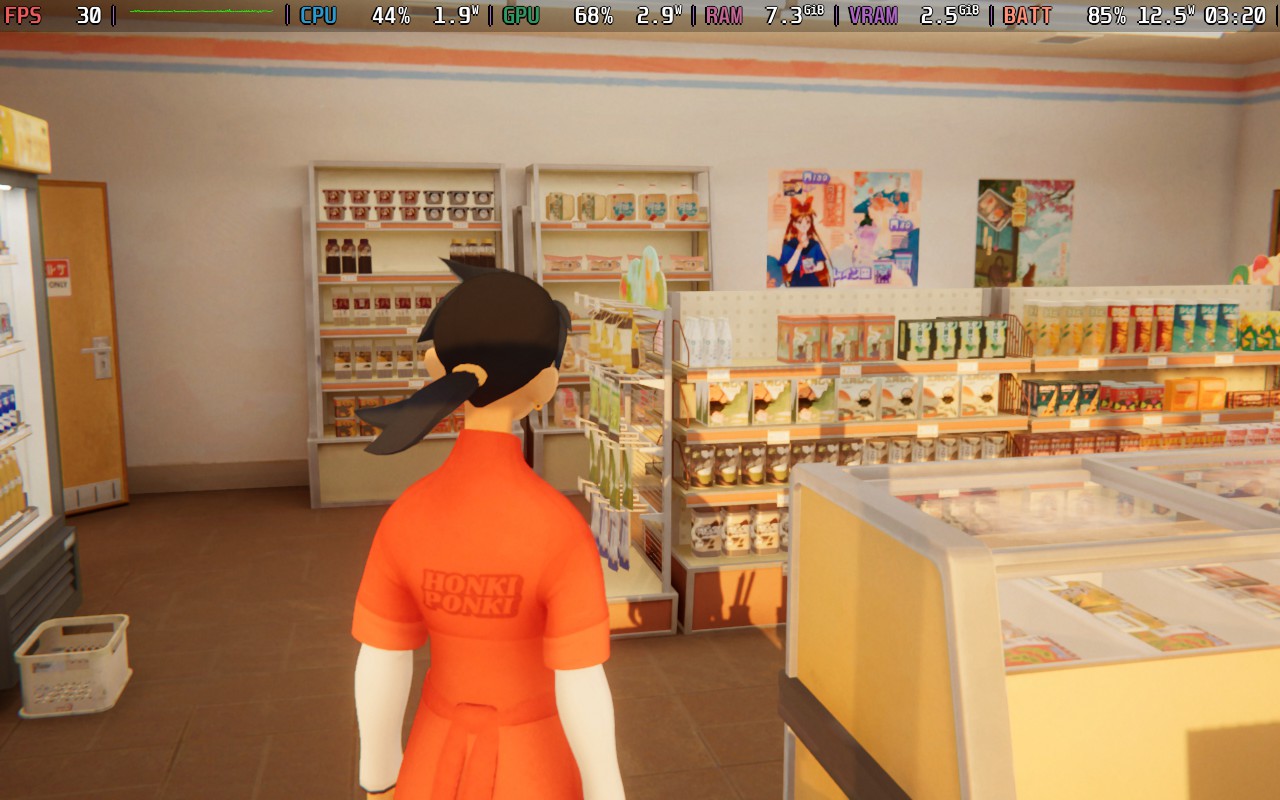
The gameplay is well on the basic side, as we will mostly be spending our time restocking, fixing, and organizing our Aunt’s store: Honki Ponki. There isn’t much depth to it, but I found it oddly relaxing to put items on the shelves. Holding down the right trigger to watch all of our items get put on the shelves was nice, and for the most part, we can go at our own pace. There’s no specific time window we have to finish and open the store; we just do our own thing.
There were times when the store would open automatically, so there was a bit of a rush to stock up, but I generally never felt like I had to rush around and stress out. The game is all about taking your time and relaxing, and it does it well.
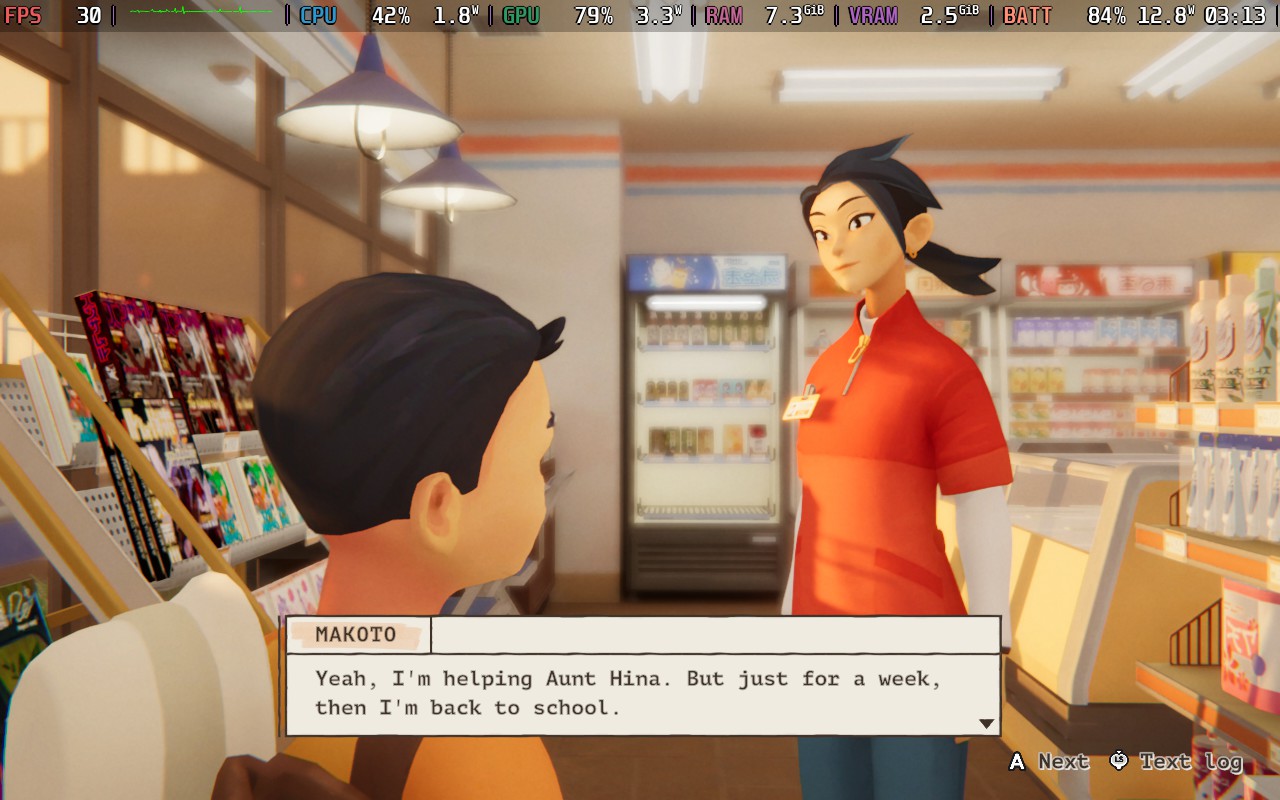
However, the best part of this game is easily the story. We play as Makoto, who is working at her aunt’s convenience store for a week while the aunt is on vacation. Over the course of that week, we will meet an enjoyable cast of characters, who all have a story to tell. There really wasn’t a customer who came in that I didn’t end up liking, and learning more about them as they kept coming in kept me curious about what would happen the next day. They can seem as clear as a boy who started his own business to afford capsule toys, while others become more engrossing as we investigate, like Chief's issues with your aunt.
On top of that, we have the overarching plot that involves Makoto. At first, she doesn’t really see the appeal of working at a store like this, but as time goes on, she starts to realize just how the seemingly mundane can actually be quite invigorating. It’s all about how life never really stops going forward, and how others deal with the changing tides. Ultimately, it culminates in a heartwarming, emotional experience that is well worth seeing until the end.
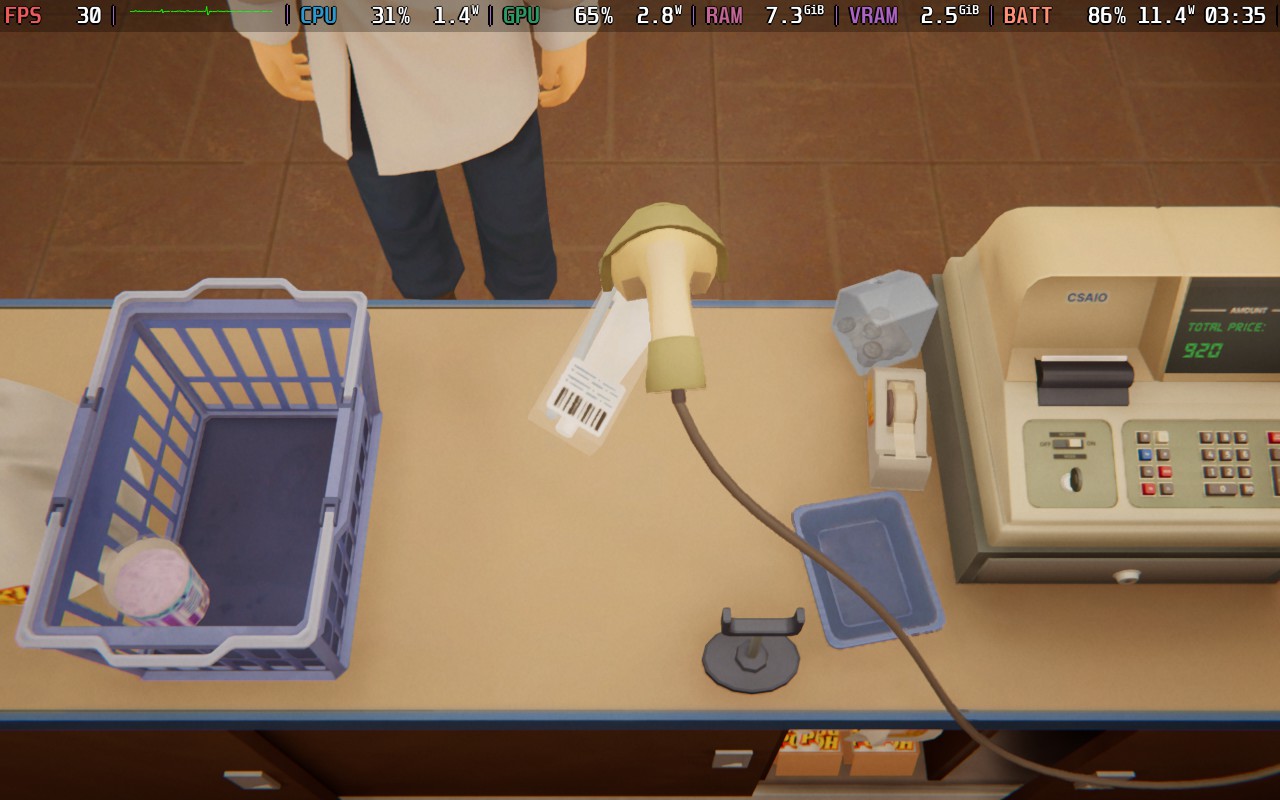
There are some little nuisances here and there, and it would’ve been nice to move a little bit faster to stock the store, but I understand why we were moving at our own pace with a game like this. There were also some little typos and grammatical errors here and there, but it was nothing that took away from the experience.
Ahead of its release, inKONBINI was given the Steam Deck Verified, and it really deserves it. The game feels perfect to play at the highest quality settings with a 30 FPS cap, and with how slow-paced this game is, it feels perfect this way. The visuals look beautiful, 30 FPS feels smooth enough, and battery life is much higher. Honestly, I don’t think anything needs to change outside of this. This genuinely feels perfect.
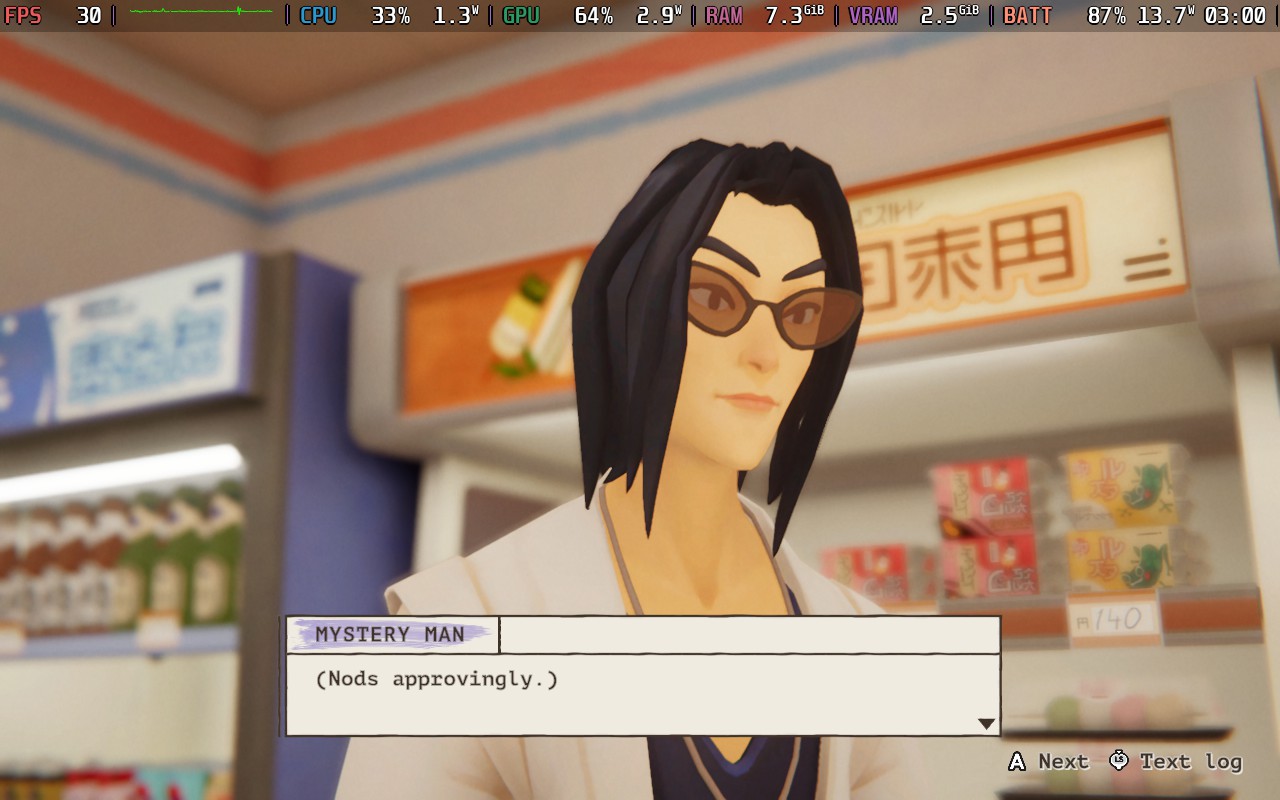
However, if you do want a higher frame rate, you could bring it up to 40 FPS while on high, but still get some slight drops when walking outside. This should be fixed if you bring it down to the medium quality preset, but I still don’t think anything needs to change to enjoy it to its fullest. There may be some spots where it drops, so it isn't perfect, but it's playable.
inKONBINI: One Store. Many Stories is quite possibly one of the most relaxing, heartfelt games I’ve played this year. The laid-back feeling of stalking the store, while talking to and getting to know the intriguing customers, is great. The gameplay is on the basic side, but it still feels enjoyable. There are some little nuisances here and there, but nothing takes away from how great it is to relax and play.
And it runs quite well on the Steam Deck. I loved playing it at the high-quality preset at 30 FPS, which I felt was perfect for a game like this. It has some malleability, but it feels wonderful playing this way.
このレビューはPC版に基づいています。
このレビューをお楽しみいただけたなら、SteamDeckHQ の他のコンテンツもぜひご覧ください!あなたのゲーム体験に役立つゲームレビューやニュースを幅広く取り揃えています。ニュース、ヒントやチュートリアル、ゲーム設定やレビューをお探しの方も、最新のトレンドを知りたい方も、ぜひご利用ください。
Collector's Cove was provided by VoodooDuck for review. Thank you!
Farming games are constantly evolving in the indie gaming market, with big profile releases including Fantasy Life, Rune Factory: Guardians of Azuma, Starsand Island, and Story of Seasons: Grand Bazaar. It is a genre I have been increasingly into over the past few years, although I wish more developers explored the potential for creative ideas. My favorite one in recent years is probably Fields of Mistria, which, despite being in Early Access, is one of the few farming sims I feel has the potential to eclipse the giant of modern farming sims: Stardew Valley.
Collector's Cove is a little different from what you might expect. It takes the classic formula we all know (and mostly love), and adapts it into something surprisingly fresh. While the game needs some improvements, I was surprised by how engrossed I got into it. Furthermore, it is playable on the Steam Deck, although it could benefit from better optimization.
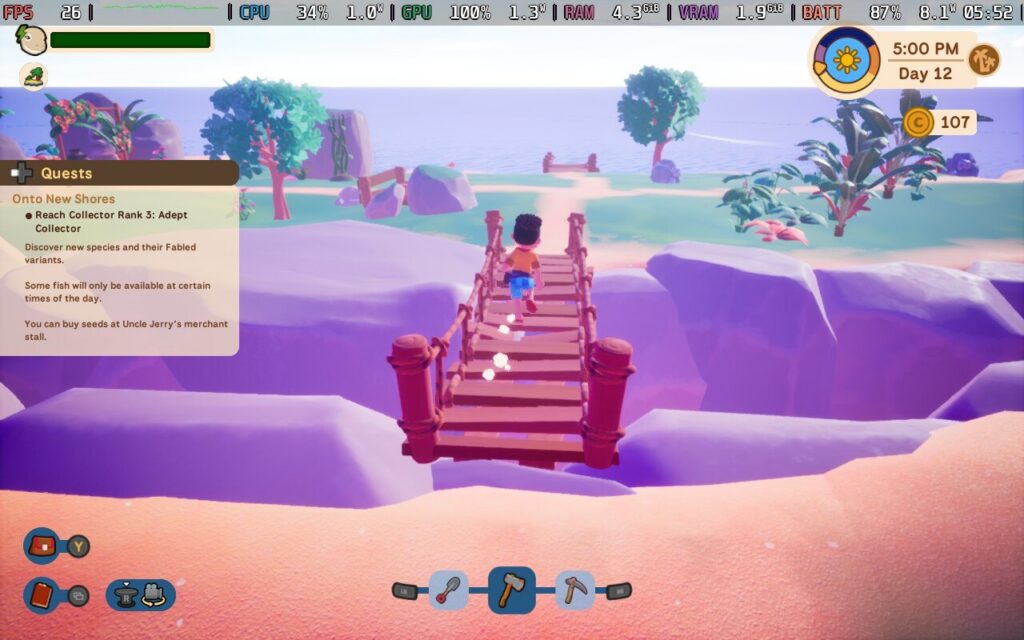
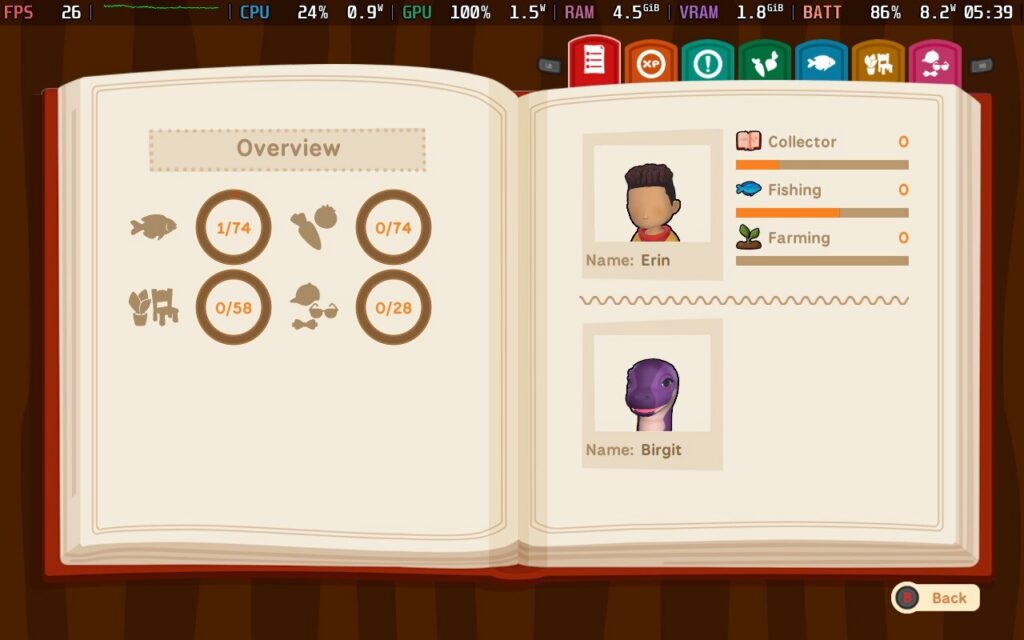
The store page and the promotion images are what sold me on the game. I get to explore the ocean with my adorable sea dinosaur pet. Where do I sign? The best way to describe Collector's Cove is if the Orange Islands saga from Pokémon crossed with Stardew Valley, although the game focuses more on fishing than farming.
Deliberately designed to be as wholesome and cozy as possible, it blends the usual mechanics with some lovely quality-of-life features to reduce irritation. The game is about developing a relationship with your pet, a Loch Ness monster, while making a name for yourself. Gathering information, collecting samples across the archipelago, and decking out your houseboat is the core gameplay loop here, and there is a lot to like.
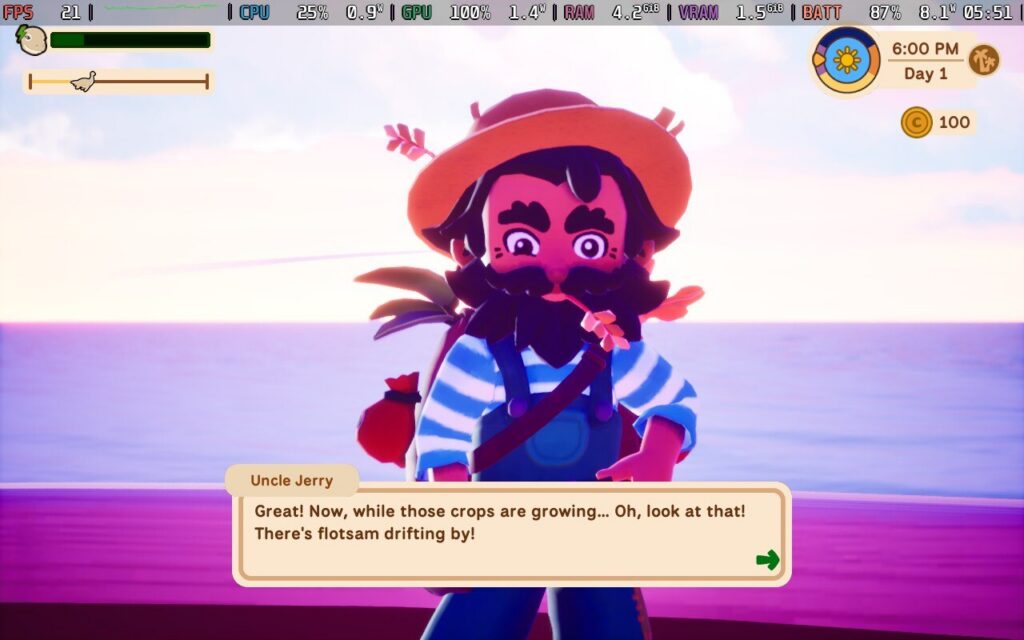
After a short tutorial on the basic controls and using traditional equipment to farm, fish, and the like, the game takes its foot off the pedal and lets you go at your own pace, which I really like. There is a degree of freedom I appreciate, and while there is a narrative about making a name for yourself as a young Collector with support from family, it is all done with no time constraints.
The game saves automatically as you play, and with no stamina mechanic for the player avatar, you can fish and farm to your heart's content without worrying about passing out at midnight, which is a mechanic I always found frustrating. The islands are randomly generated and have resources to gather, while others have treasure chests and small puzzles to solve.
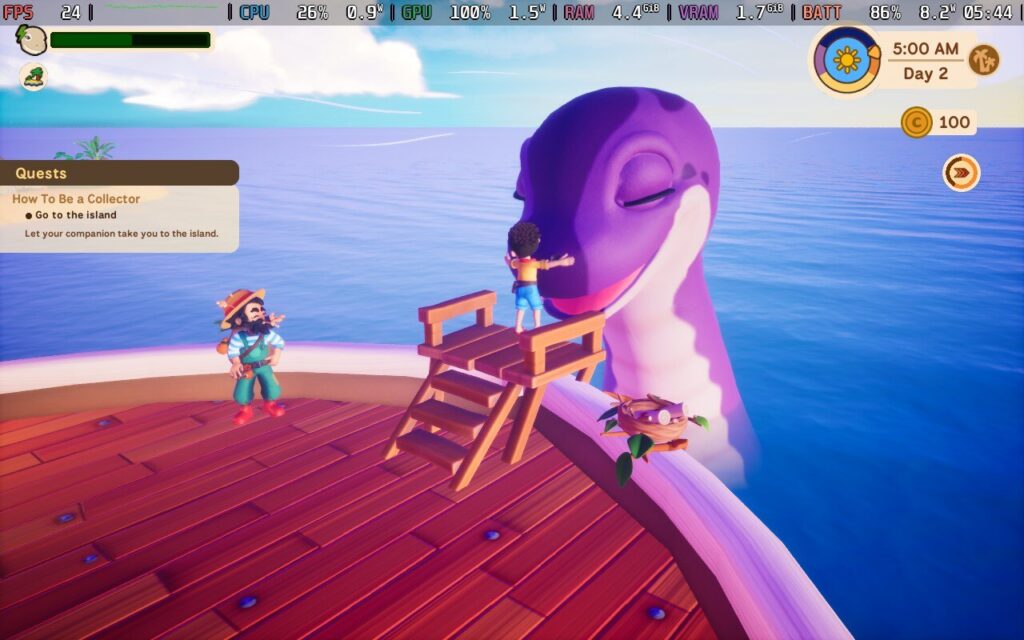
The key feature of Collector's Cove is the animal that pulls your houseboat: a lovely sea dinosaur you can customize and unlock cosmetic items for, like hats. Her squeaks when being petted and fed are adorable. The feeding mechanic is relaxing too, as it only applies when travelling between islands. Not-Nessie gets tired quickly when travelling and requires frequent breaks for sleep, and feeding her is how you keep her strength up.
I love how the core gameplay loops back into looking after your companion. Catching fish and growing crops allows you to sell or trade to the family ship, which provides blueprints and money for more seeds. It is very simple, but the best gameplay loops are. Eventually, you will build up that relationship with Not-Nessie, providing perks that further your goals and traveling to other regions.
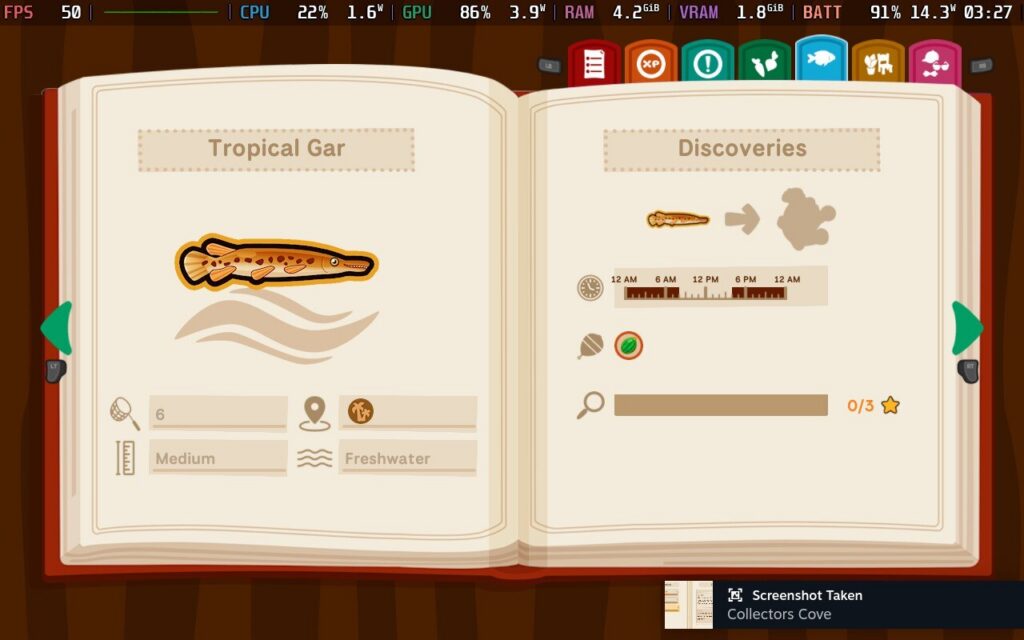
The relative lack of NPCs to develop bonds with is a surprising strength of the game, too. It is rare in the genre to ignore this, but focusing on your companion and the relationship there was a great idea. That is not to say there is no other character development. I enjoy the relationships the player avatar has with their family, but it is just another example of keeping things focused on a few core values. Nothing feels bloated, and Collector's Cove feels stronger for it.
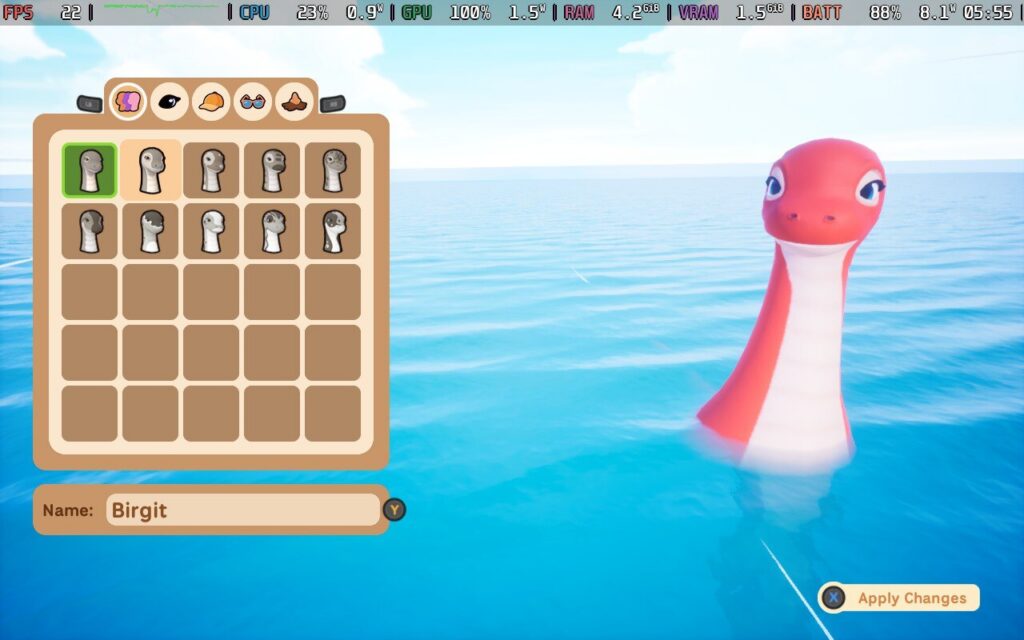
Overall, this is an incredibly solid game that feels refreshing in a genre that can feel stale. However, it does lack a couple of things I wish were in the game: no dealbreakers, just little annoyances. Being unable to jump feels like a weird oversight, which led to some frustrating moments when I wanted to get onto a rock that I should be able to reach easily, making me waddle up a ladder. It meant that exploring the little islands was more annoying than it should have been. It might be a petty thing to get irritated about, but I wish we had a jump button.
In terms of technical performance, Collector's Cove has no real complaints apart from the camera, which can get in the way sometimes. Apart from those two minor downsides, there is a lot to like.
Collector's Cove is currently Unknown by both Valve and ProtonDB regarding Steam Deck compatibility, but Deck fans should not be too worried about this one. I had a great overall time with this game on the Steam Deck.
Full controller support is available out of the box, and I had no real complaints about the performance, with text perfectly legible on the Steam Deck OLED. I will say that the game could use more optimization, though.
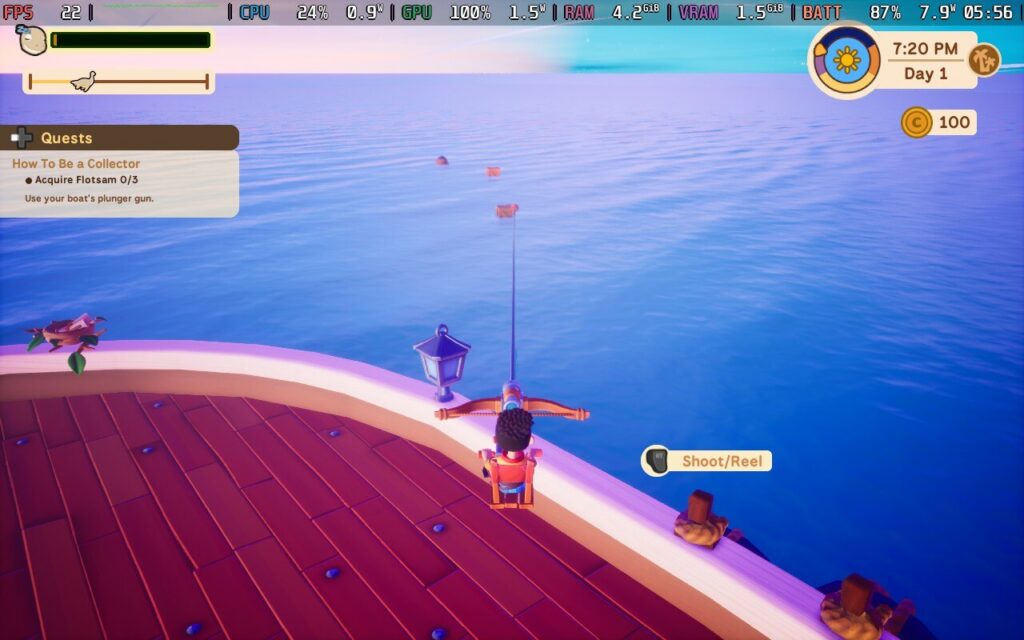
Collector's Cove comes with a decent selection of settings to tweak, including custom graphic modifiers. However, I was unable to achieve a steady 60 FPS at max settings. While the graphics won't win any prizes at the fidelity awards, they still look nice with some lovely animations from my pet Nessie.
I messed about with TDP settings to see how well it could run to improve battery life, but this is one of those games where you need all the power you can get. Collector's Cove is surprisingly power hungry, but I am chalking this down to it being pre-released, and the optimization is probably still in the works.
The best balance I found for optimal performance was using a Medium graphics preset across the board, and with this, I was able to push the average frame rate to a stable 60 frames per second. For a little extra battery life, I stuck to a 50Hz refresh rate. In terms of power draw, it can fluctuate a lot. I saw between 12 and 17 watts of power being used during normal gameplay and jumping between islands and my houseboat. With this in mind, I’d expect between 3 and 4 hours of battery life on the Steam Deck OLED.
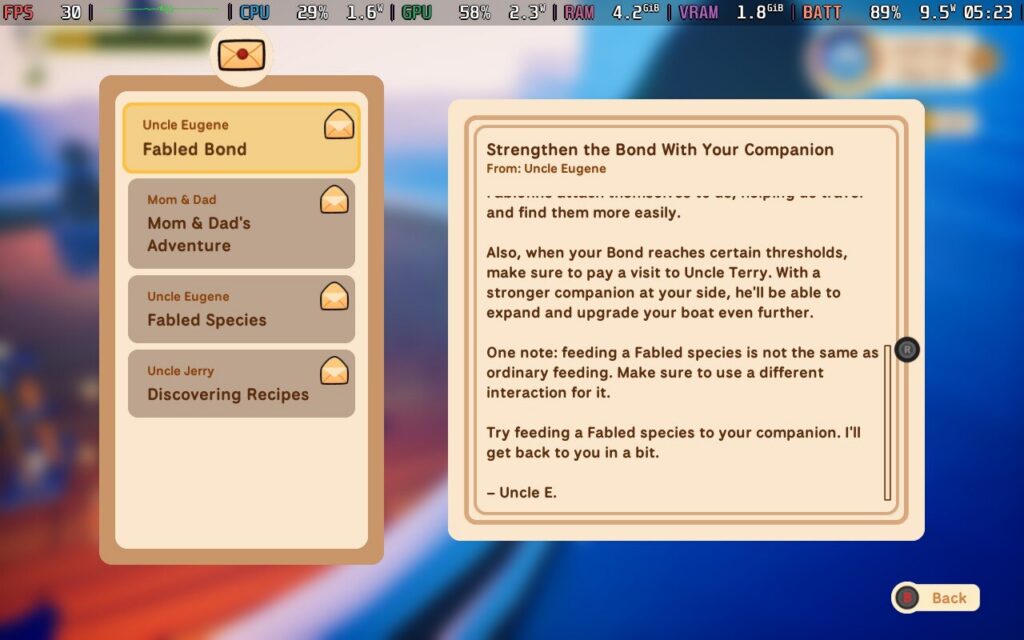
Overall, I have no complaints with performance on the Steam Deck, and even on medium settings, the game looks great.
Collector's Cove is available in English, French, German, Spanish, Portuguese, Simplified Chinese, Traditional Chinese, and Japanese.
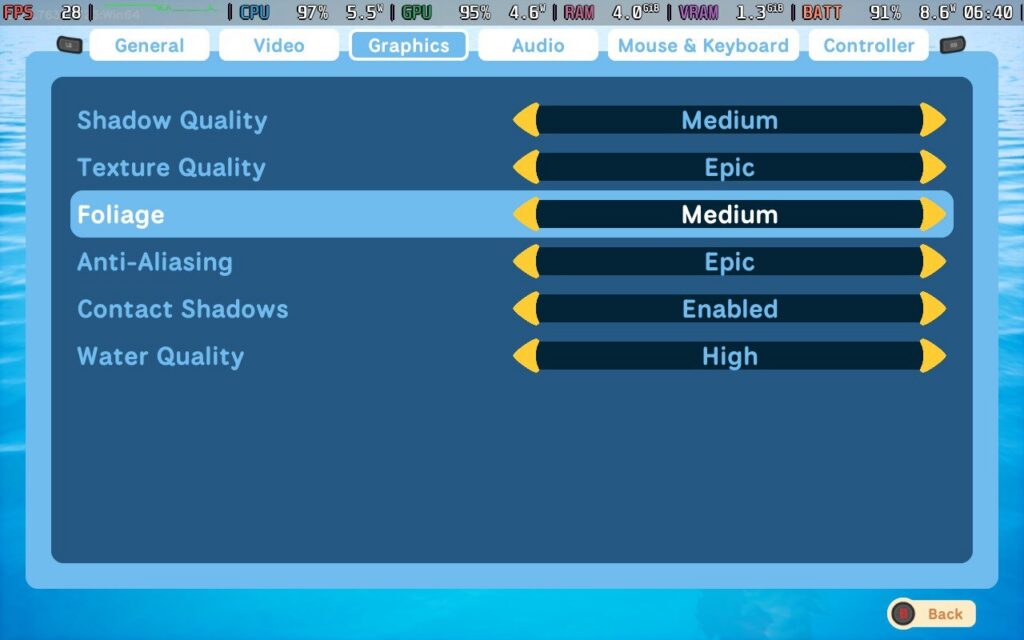
The game comes with a decent number of options, including remappable buttons and key bindings, vibration sensitivity, camera sensitivity on the x and y axes, invert camera, V-sync, and frame rate capping. No colorblind support is currently in the game, and there is no font scaling either. The latter is not a dealbreaker, though, as I found the text fairly easy to read on the Steam Deck.
I have played more wholesome games than someone like me would have expected, especially in the past year. Of them, Collector's Cove is one of the more unique concepts. While simple on the surface, I love the setting and the focus on just vibing with your animal friend while filling out a codex from the world. With its comfortable charms and focus on exploration, there is more than enough in Collector's Cove for fans of the genre who want something a little different.
While I hope they improve performance a little, this is an overall great package that runs well on the Steam Deck.
このレビューはPC版に基づいています。
このレビューをお楽しみいただけたなら、SteamDeckHQ の他のコンテンツもぜひご覧ください!あなたのゲーム体験に役立つゲームレビューやニュースを幅広く取り揃えています。ニュース、ヒントやチュートリアル、ゲーム設定やレビューをお探しの方も、最新のトレンドを知りたい方も、ぜひご利用ください。
Docked was provided by Saber Interactive for review. Thank you!
If Docked looks familiar to you in some way, it's quite possible you are familiar with the game RoadCraft, which we covered last year. While docks were merely a passing feature in RoadCraft, Docked puts you in charge of an entire docking area, which means lots and lots of moving containers from one place to another.
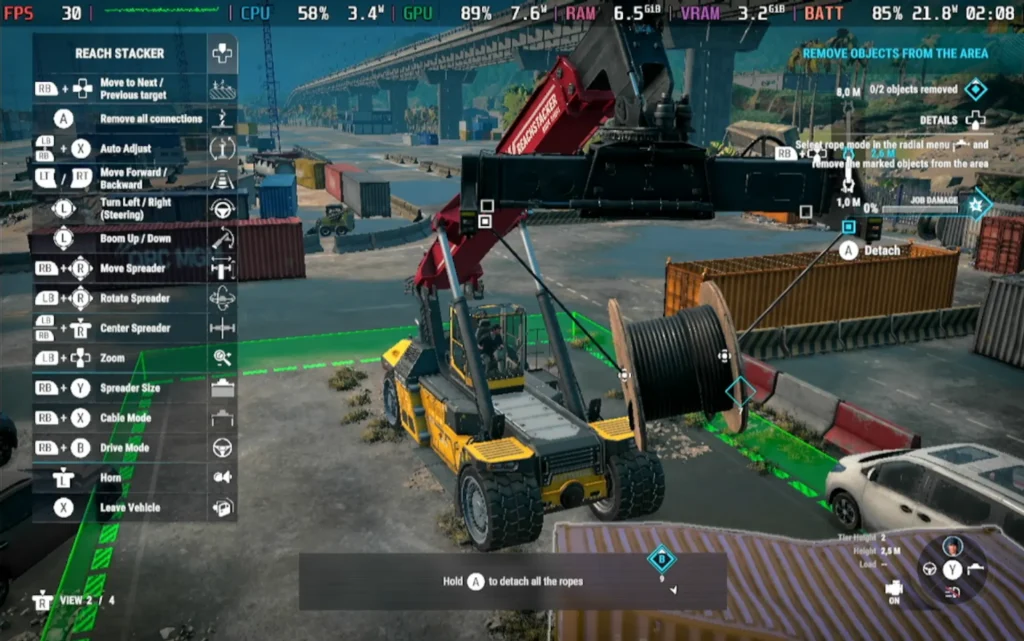
If repetitive tasks aren't your thing, then you can probably dismiss Docked right now, but there is a sense of satisfaction you get from familiarizing yourself with your machinery and becoming proficient at moving containers around your shipping yards. Which is just as well, because that's pretty much all you'll be doing in Docked.
The game begins when your port is struck by a storm, leaving machinery broken and cargo containers strewn over the yard, not to mention a stricken cargo vessel in your dock. There is some storyline that accompanies this, but it's very much in the background and quite shallow.
Using a variety of machinery, such as ground-based Reach Stackers, large shipping cranes, and smaller tractors, you ensure your shipping company runs smoothly. You'll do this by unloading ships, moving cargo containers around the yard, and clearing up debris left over from the storm.
The structure of Docked is separated into missions, which are of a nice length; they'll take you around 10-20 minutes each, depending on your skill, so they don't overstay their welcome, and they break up the somewhat monotonous job. The missions are casual/relaxed in their nature; there are no time limits, and pretty much the only failure condition is causing damage to your vehicles or cargo. While I appreciated that, fans of the genre may be disappointed by how basic the requirements for success are, with no bonuses for doing very well and essentially no penalties for performing somewhat poorly.
With the game being mission-based, there is also an "end" to the game. Docked is not a sandbox experience, so you should go into it with the idea that it will be a 20ish-hour experience and likely not replayable.
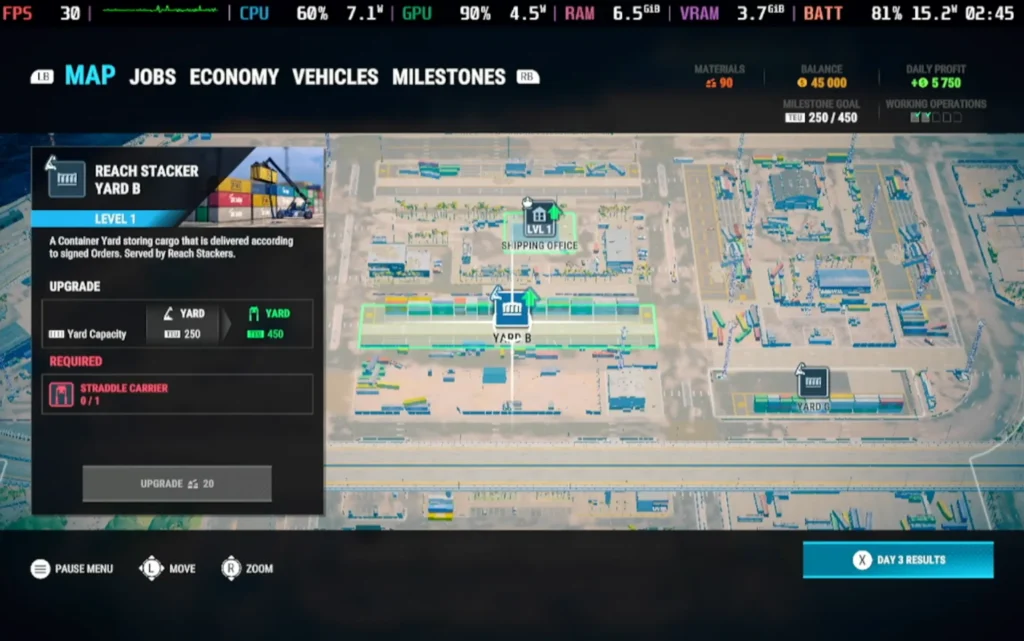
Between missions, you'll be managing your dock itself. This does break up the constant loading and unloading on containers, but it's a little on the shallow side. It mainly consists of upgrading your facilities, which either expands your cargo shipping capacity or garage capacity, allowing you to accept more shipment orders or purchase new vehicles, respectively.
While there is some logistics management, in that you have to sign contracts for shipment orders and then make sure you have enough vehicles assigned each day to take care of shipping enough to fulfill the orders, that's pretty much as deep as the management goes. I would have liked this process to be a little more involved, as the game essentially boils down to "cargo movement simulator", rather than a full-on dock simulator. And with the cargo movement portion being so forgiving, there wasn't much of a challenge, merely just ticking off a checklist of jobs.
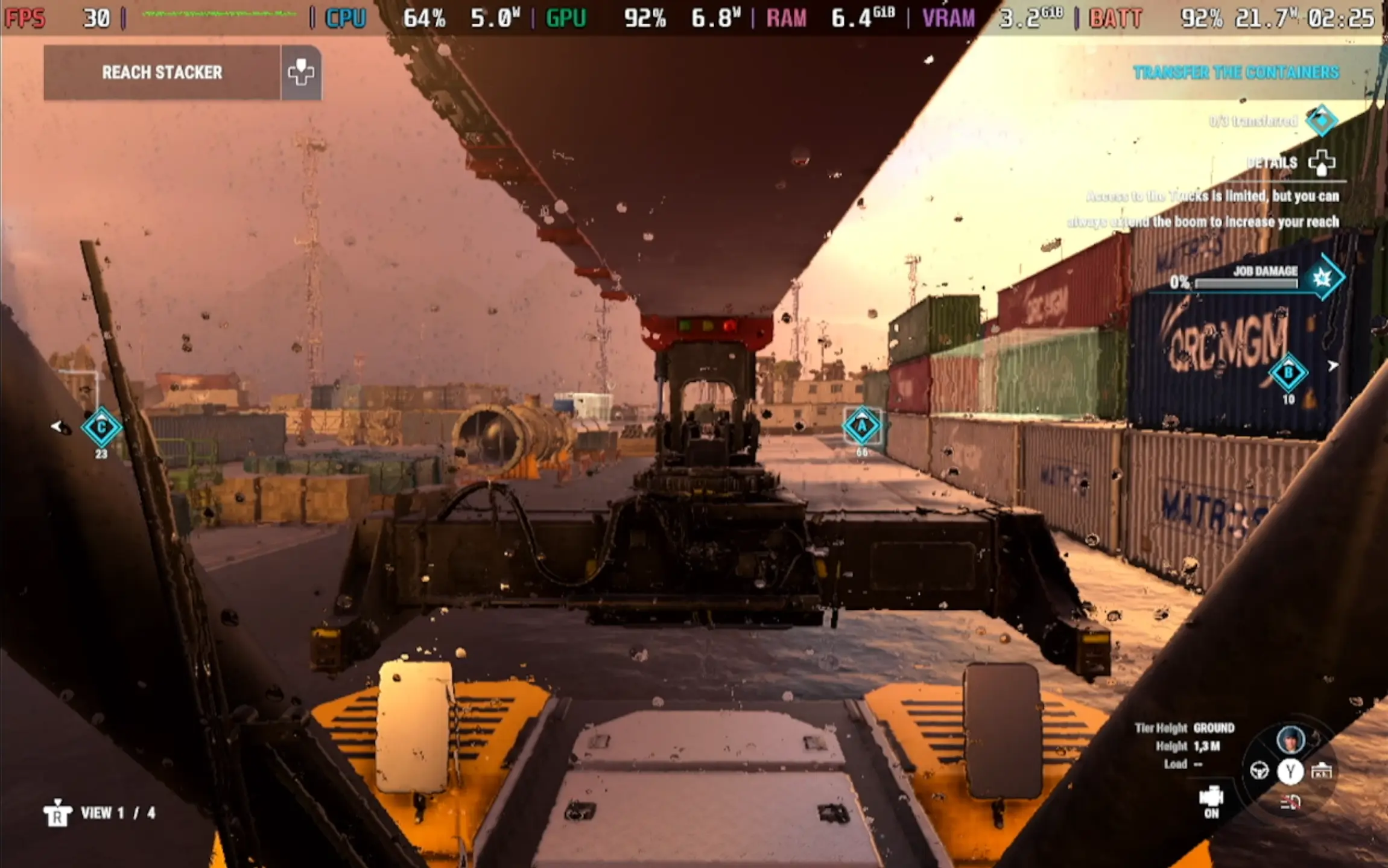
Hurting the game's repetitive nature is the environment. It remains largely unchanged throughout the game, with the entire game taking place within the same dock area. Any variety comes from unlocking new vehicles and trying out their different methods for transporting containers around the yard.
Visually, Docked doesn't disappoint, even on the lower settings, the game still looks decent, complete with ripple effects in puddles as you drive through them. The audio presentation is basic, largely made up of engine sounds and vehicle alarms as you move through the dock, but it works well enough for its purpose.
Docked runs surprisingly well on the Steam Deck. There are a lot of controls, but they're all plainly laid out for you and aren't too difficult to get used to on a controller. The game also supports 1280x800 as a resolution, so we have no black borders.
As for performance, we have to run at the Very Low preset to maintain a stable 30 FPS, but it is stable regardless, which is a positive for modern titles.
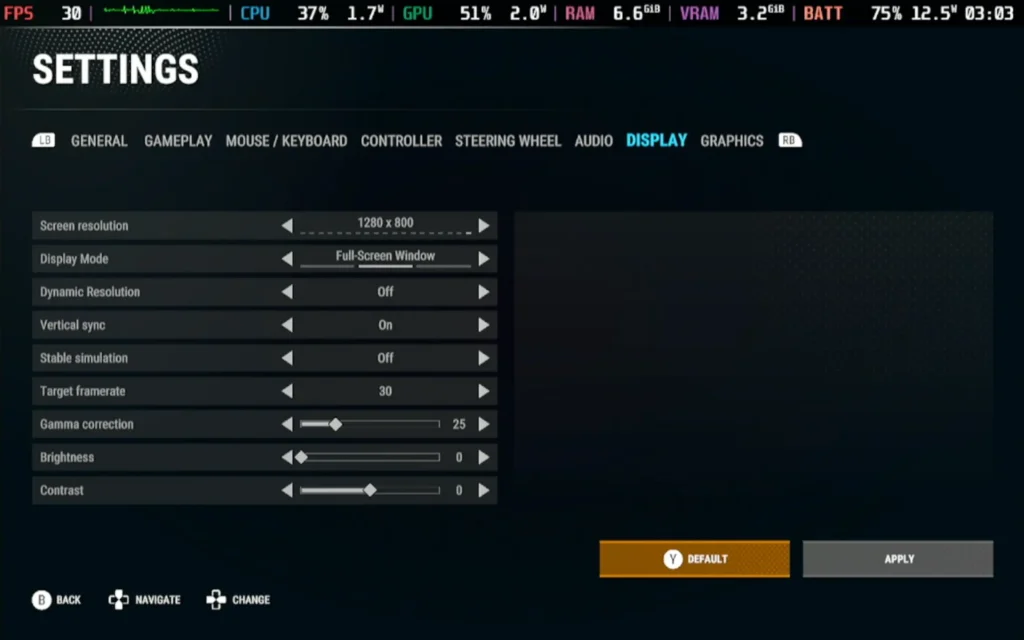
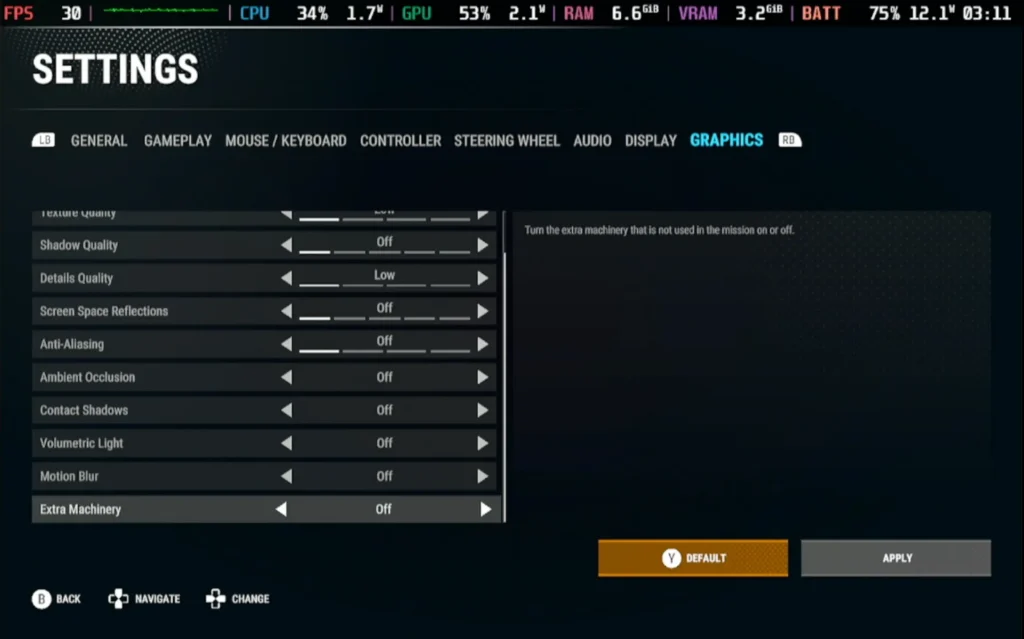
Power draw does vary a lot depending on the mission type; being close to the ground uses more power than using the crane, for example. But generally, expect a drain of about 17-21W on the battery, with some spikes up to 23W. For a Steam Deck OLED user, expect around 2.5 hours of battery life; for Steam Deck LCD users, expect around 1.5 hours.
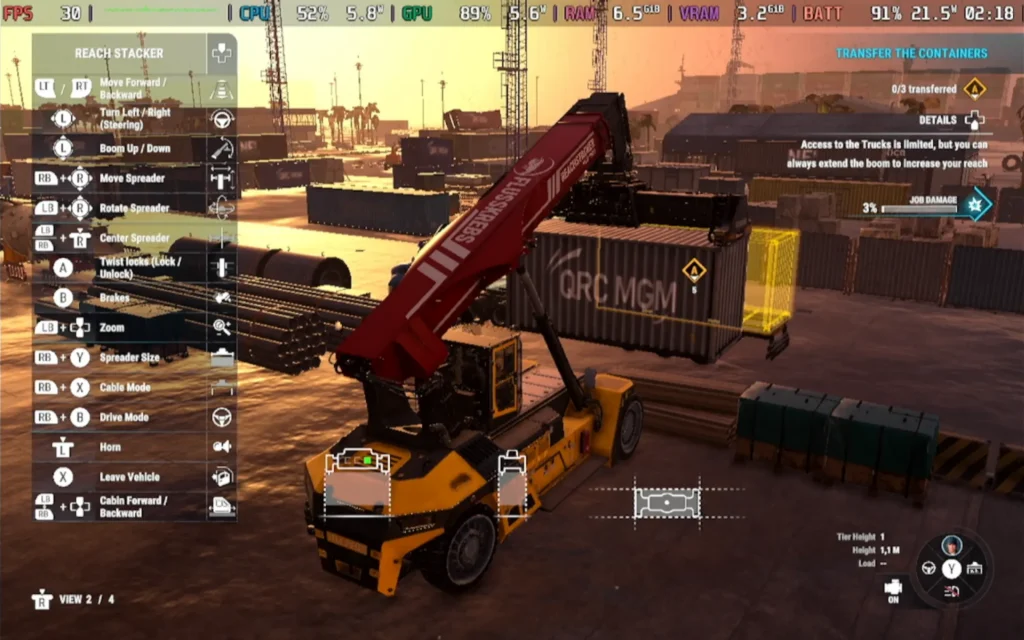
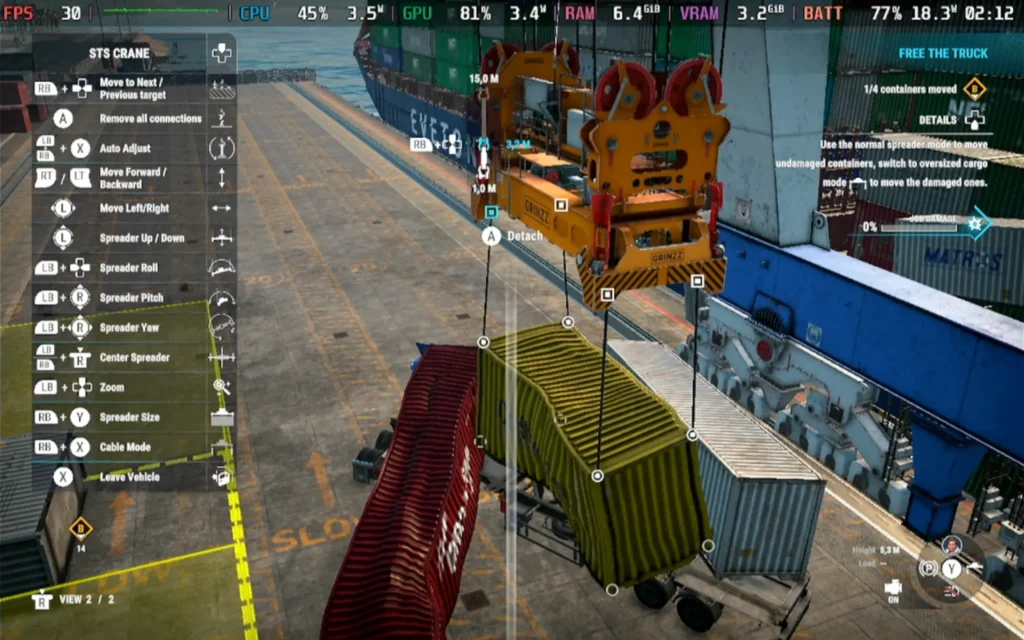
Docked features subtitles for all voiced dialogue and rebindable controls. There are no other accessibility options.
Docked presents a unique opportunity to manage your own shipping company; unfortunately, it ends up being more focused on moving containers than actual management, and a more balanced approach would have opened the way for a deeper gameplay experience. Unless you get a thrill out of moving container after container around the same dock area, this one may not be for you.
Docked is playable on the Steam Deck, though you will be limited to low graphics settings and 30 FPS. Given the nature of the game, though, the experience isn't hurt too much by this.
このレビューはPC版に基づいています。
このレビューをお楽しみいただけたなら、SteamDeckHQ の他のコンテンツもぜひご覧ください!あなたのゲーム体験に役立つゲームレビューやニュースを幅広く取り揃えています。ニュース、ヒントやチュートリアル、ゲーム設定やレビューをお探しの方も、最新のトレンドを知りたい方も、ぜひご利用ください。
Escape Simulator 2はPine Studio様よりレビュー用にご提供いただきました。ありがとうございました!
友人と一緒に遊べる素晴らしい協力プレイゲームを探し求める私の中で、ひときわ目を引いたゲームがあった:脱出シミュレーターだ。閉ざされた場所で友達と協力し、互いに何らかの関連性を持つ複数のパズルを解き、間一髪で部屋から脱出するのは、ここ数年で最も好きな協力プレイ体験のひとつだった。だから、『エスケープ・シミュレーター2』が発表されるやいなや、私は大賛成だった。明るい漫画のようなビジュアルから、よりダークで忠実度の高い美的感覚への転換は意外だったし、それでやる気をなくすことはなかったが、開発元のPine Studioがこの新作をどこに持っていくのか興味津々だった。彼らのゴールは、より大きなパズルと、より見栄えのする環境を作り出し、そのすべてを愛さずにはいられないパッケージにまとめることだったことがわかった。
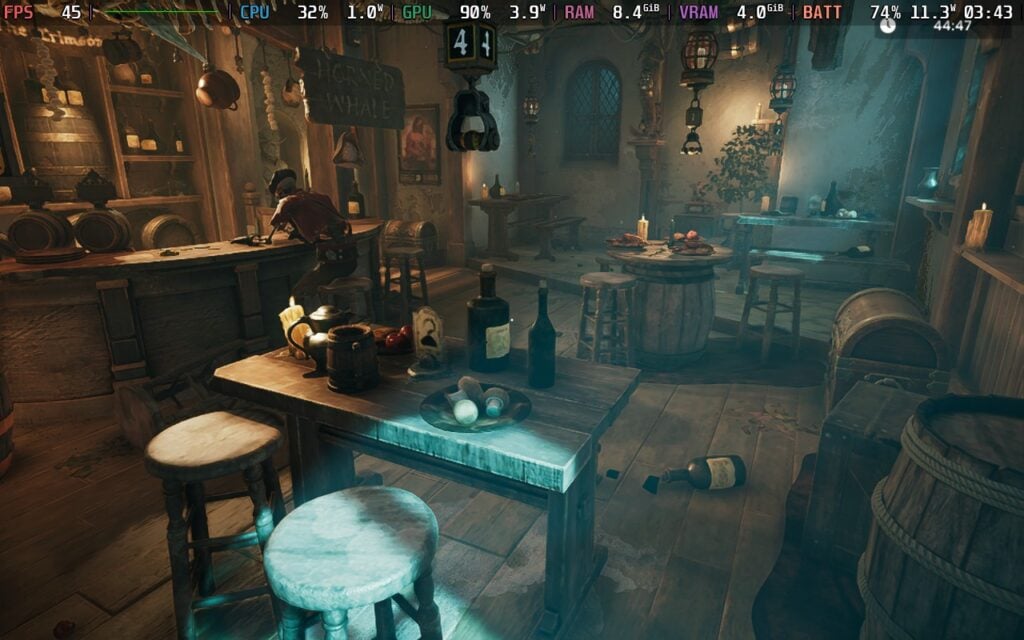
初代『エスケープ・シミュレーター』のオリジナル・レベルでは、もっとこじんまりとした感じだった。15分という制限時間のある小規模なレベルでは、すべてが簡単にたどり着け、パズルを素早く解くことができた。無料の追加レベルやコラボDLCのいくつかで、チームはより大規模なレベルの実験を始めたが、小さな部屋のメカニズムから進化したようには感じられなかった。
エスケープ・シミュレーター2』は、チームが前作から学んだことをさらに推し進めている。レベルが格段に大きくなり、より深く、よりクリエイティブなパズル、さらに面白い状況になっている。前作同様、ただ部屋に座らされるだけのレベルもあるが、脱出しなければならないシナリオから始まるものもある。冬眠ポッドから抜け出して船の名前を当てたり、クリプトで逆さまになったロックから抜け出す方法を見つけたり、中庭で閉じ込められた馬車から協力プレイの友人を助け出す方法を見つけたり、いくつかのレベルは、そのレベルにリアルに感じられるユニークな状況で始まる。
大きなレベルを歩き回るのは、特に前作からの流れで、最初は少し圧倒されたが、すんなり戻ってパズルをひとつひとつ解いていった。各パズルはよりクリエイティブで、今いるレベルに合わせて作られている。環境を見たり、耳を澄ましたり、本を読んだり、オブジェクトとインタラクトしたり。また、パズルは互いに関連しているように感じられた。あるパズルの部屋で見つけたアイテムが別のパズルで使えたり、そこらへんに転がっているアイテムが思いがけない形で役に立ったりする。

Escape Simulator 2』では、本当に困ったパズルが1つか2つあった。何をすればいいのかまったくわからなかったからだ。それ以外では、解決策を見つけるのはそれほど難しくはなかったが、間違いなく思考が必要で、終了までに45分の新しいタイマーが必要だ。前作と違って、各レベルを15分で解き終えるのは無理だった。各レベルのパズルの数が増え、より詳細でクリエイティブに感じられるので、もっと時間をかける必要があった。
パズルにはランダムな要素がないので、一度解いたパズルをもう一度プレイする理由はほとんどありません。しかし、これを解決し、すべてのパズルを終えた後に戻ってくる理由を追加するために、いくつかの機能が用意されています。各パズルにはコレクターズアイテムがあり、パズルをクリアすると、より難しいパズルの別バージョンに挑戦することができます。

カスタムパズルにも対応していて、エディタもあるので、コミュニティでパズルを作ってアップロードすることもできます。エディターはしっかりしていて、ちゃんと直感的に操作できます。私はプレイする価値のあるものは作れませんでしたが、他の人がパズルを作れるように門戸を開いてくれています。最初のEscape Simulatorでもそうでしたが、コミュニティが作ったパズルをプレイするのが大好きでした。この点はコミュニティに大きく左右されると思いますが、パインスタジオがオリジナルゲームと同じスケジュールで進めてくれれば、発売後も楽しめるパズルが増えるでしょう。
このゲームには12のパズルが用意されている。ゴシック風の「ドラキュラの城」、宇宙をテーマにした「失われた宇宙船」、海賊風の「呪われた財宝」などがある。各テーマの4つのレベルは、全体的な装飾や雰囲気を共有しているだけで、他のレベルとはまったく異なっている。
ビジュアル面では、よりカラフルでカートゥーン的な美学が好きだったので、チームがクールな見た目のレベルやエリアを作れるかどうか少し心配だったが、『エスケープ・シミュレーター2』をさらにプレイした結果、私の考えは間違っていたと言える。より忠実でリアルなスタイルはゴージャスで素晴らしく、当初予想していた以上に好きになった。

一般的なゲームプレイ以外では、キャラクターを少しカスタマイズすることができ、体型、髪型、目の色、服装を変えることができる。変更できる項目はそれほど多くないが、友達と一緒にプレイするときに自分の見た目を思い通りにするいい方法だ。
Steamデッキで『Escape Simulator 2』をプレイするのは、私にとって奇妙なことだった。うまく動かないからというわけではなく、実際、このクオリティレベルで予想以上によく動くのだが、設定がゲームにどう影響するのかが不可解だった。設定に関係なく、可能な限り低くしても、ゲームは特定の状況でフレームレートをスロットルする。時には60FPSになることもあるが、もっとフレームレートが高くなる余地があるのが明らかなときでも45FPSに落ちることもある。
それでも、Steamデッキでは非常にプレイしやすいゲームだと思う。最高画質設定では、ゲーム内のフレームレート制限をうまく使って45FPSでプレイでき、なかなかいい感じだ。ちょっとした不具合や吃音はあちこちにあるが、それは避けられないし、関係なく起こることだ。しかし、バッテリーの消耗が激しく、放っておいて特定の方向を見ると22Wになることもある。平均すると、この方法でプレーする場合、ほとんどのレベルで15W~17Wのバッテリー消耗が予想されますね。
個人的には、ダイナミック解像度を変更し、0.5で "固定 "にします。これは悪いように聞こえるが、ビジュアルにあまり影響を与えることなく、バッテリーの消耗を22Wから13Wに下げることができる。最初は、小さい画面では違いすら分からなかったが、ビフォーアフターの写真を見て初めて本当に違いが分かった。遠くの物体が少しピクセル化したり、地面のディテールが消えたりすることはあるが、一般的には、美的感覚と視覚的忠実度は十分に高く保たれており、高級感を感じることができる。
アンビエントオクルージョン、ボリューメトリック、スクリーンスペースリフレクションなどのエフェクトをオンにして、すべてを最高にしておくのがベストなプレイ方法だ。

ゲームをテストし始めた当初は、パズルの必要なピースを操作できないなど、コントローラーの問題がいくつかあったが、今日配信されたアップデートで修正されたようで、大喜びしている!
設定のAdvancedセクションで変更できるアクセシビリティ設定がいくつかある。酔い止めの有効化、移動速度の変更、レベル内のUIオーバーレイの無効化、チャットの冒涜フィルターのオン、アイテムヒントの非表示、カメラの反転、コントローラーの感度の変更、オーディオバーの変更が可能だ。
このゲームは16:10解像度、クラウドセーブ、コントローラーをサポートしている。HDR設定はない。
Escape Simulator 2』は、私が期待していた『Escape Simulator』の進化版だ。レベルはより大きくなり、パズルはよりクリエイティブで、レベル内に非常にうまく収まり、新しく、ダークで、より忠実度の高い美的感覚は、歩き回るだけで楽しい。コントローラーに関する小さな問題があちこちにあり、レベルをクリアした後にゲームに戻る理由のいくつかはコミュニティに基づいているだろうが、全体的には素晴らしい続編で、特に一緒にプレイする人がいれば、時間を費やす価値は十分にある。
Steamデッキでの動作も良好で、外出先でのプレイも問題ないだろう。最適なプレイのためにいくつか変更したい点があり、パフォーマンスが少しおかしい時もあるが、最終的には素晴らしい。コミュニティが作ってくれる新しいパズルをプレイするのが待ちきれない。
このレビューはPC版に基づいています。
このレビューをお楽しみいただけたなら、SteamDeckHQ の他のコンテンツもぜひご覧ください!あなたのゲーム体験に役立つゲームレビューやニュースを幅広く取り揃えています。ニュース、ヒントやチュートリアル、ゲーム設定やレビューをお探しの方も、最新のトレンドを知りたい方も、ぜひご利用ください。
PowerWash Simulator 2はFuturLabからレビュー用に提供されました。ありがとうございました!
汚れやシミを吹き飛ばし、くすんだ平凡な表面がピカピカに変身するのを見るのは、格別かつ奇妙な癒し効果がある。初代PowerWash Simulatorはその魅力を完璧に理解し、掃除という単純な行為を、ゲームの中でも最も思いがけない癒し体験に変えてしまった。PowerWash Simulator 2では、FuturLabはその不思議な満足感をもたらす方程式を再発明しようとはしていない。その結果、より野心的で、より詳細で、催眠術のようにリラックスできる続編が誕生した。
その核心 パワーウォッシュ・シミュレーター2は、車、トイレ、豪邸など、目に入るものすべてを冷静かつ几帳面に掃除することに変わりはない。ポイント、スプレー、すすぎ、繰り返しというシンプルなゲームプレイはそのままだが、前作で不当に招いた憤慨に対抗するため、大量のQOL(クオリティ・オブ・ライフ)修正と一緒にきれいにまとめられた、目に見えて改善されたプレゼンテーションの中に収められている。ビジュアルはよりシャープになり、水の物理描写はよりリアルに、汚れの粒子の挙動はより説得力のあるものになっている。確かにグラフィックの微調整としては最も些細なものだが、それでも歓迎すべきことだ。また、完成を切望するときにどうしても見逃しがちな面に印をつけるなど、さまざまなUIが随所に追加されているため、パッケージ全体が以前よりも負担が少なく感じられる。
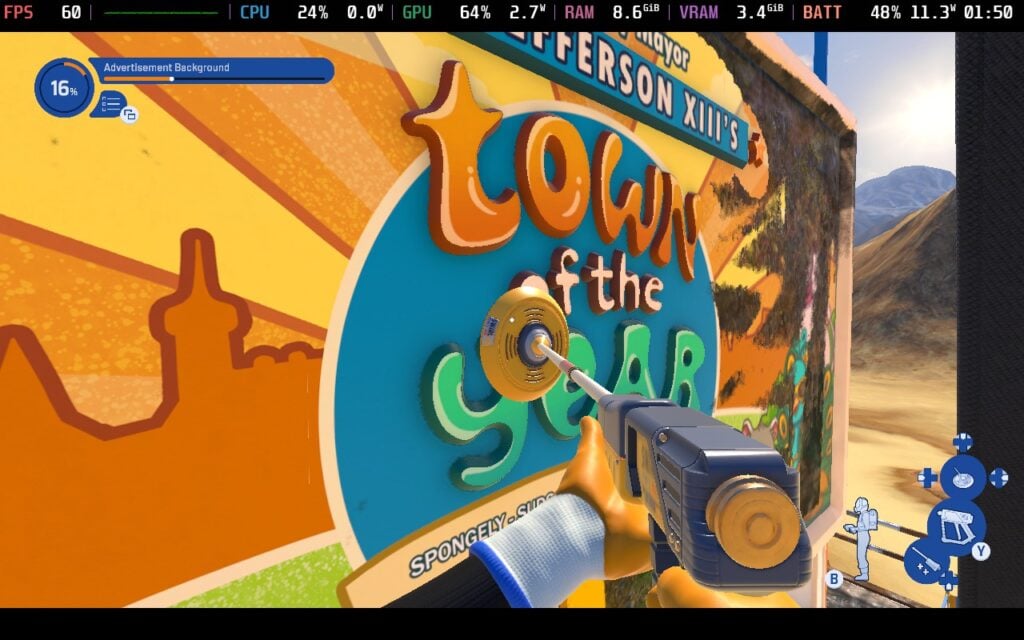
この感覚は、大幅に改善されたレベルデザインによってさらに高められている。環境はより広く、より変化に富んでいるが、多段階の掃除タスクが用意されており、前のエリアを完了すると徐々に新しいエリアがアンロックされるため、困難さが軽減され、よりダイナミックに感じられる。ラバーハンドで自由に使える新しい道具(道具そのものではない)が多数追加され、シザーリフトやアブセイリングなど、ハシゴや少々厄介なパルクールへの依存度も低くなっている。
当然ながら、FuturLabは掃除のベテランを飽きさせないよう、いくつかの新しい機器ベースのツールや機能を導入した。その最たるものがスクラバーで、平らな面用に設計された新しい道具で、大がかりで面倒な作業をスピードアップしてくれる。前作と同様、ノズルを伸縮させることができるため、角や届きにくい場所でも常に位置を変えずに掃除ができる。新旧両方のメカニズムを組み合わせることで、大きな仕事にもシームレスに取り組めることがわかる。
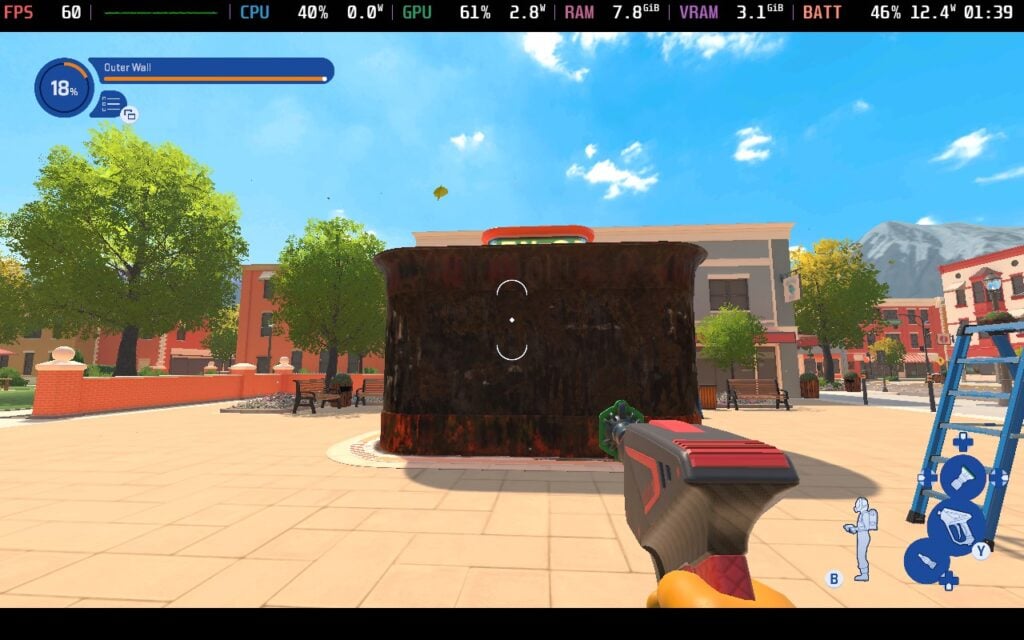
これらのツールはコアとなるゲームプレイを劇的に変えるものではないが、それを合理化し、プレイヤーに効率とセンスで汚れに取り組む新たな方法を与えてくれる。さらに、より一般的なクオリティ・オブ・ライフの改善も続編を通して光っており、操作のレスポンスと直感性が向上し、汚れのインジケーターが見やすくなった。このゲームのフィードバック・ループは、スプレー→進行状況が明らかになる→次のセクションへ進む、というものだが、あらゆることを考慮しても、これほどスムーズなものはない。
PowerWash Simulator 2』ではコアコンテンツ以外に新しいハブが導入され、仕事の合間に飾り付け、トロフィーを飾ったり、愛嬌のあるネコの仲間たちと触れ合ったりできるホームベースとして機能する。あなたの洗車キャリアに個性を加える魅力的なアイデアだが、実際にはコア体験の有意義な拡張というよりは、軽いドレッシングのように感じられる。自分の功績を反映した空間に戻れるのは嬉しいが、ハブがプレイ方法やプレイ理由を大きく変えることはない。
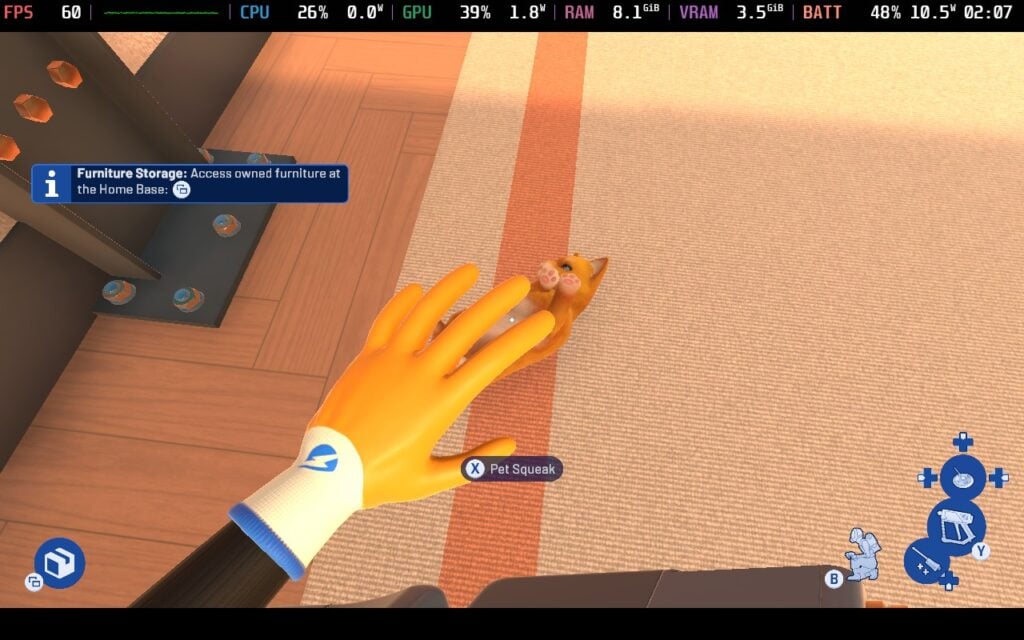
前作と同様 パワーウォッシュ・シミュレーター2は、穏やかな繰り返しのセンスで繁栄している。まったく不潔な環境をまっさらなものに変えることには、紛れもない喜びがある。加圧された水のヒュルヒュルという音、セクションが完了したときのパブロフのような「チーン」という満足感、そして穏やかなアンビエントミュージックが一体となって瞑想的な流れを作り出し、何時間でも没頭できる。とはいえ、もし前作に魅力を感じなかったとしても、ここであなたの考えが変わることはほとんどないだろう。この続編は体験に革命を起こそうとはしていないが、洗練されている。その改良は思慮深く歓迎すべきものだが、『PowerWash Simulator』のあり方を根本的に変えるものではない。それが強みだと感じる人もいれば、同じことの繰り返しに感じる人もいるだろう。
技術的な面では、PowerWash Simulator 2はほとんどの部分で印象的だ。解像度は1280x720で、バーモデルクオリティとウェットネスVFXという素晴らしいタイトルの設定はすべて低に設定されており、どちらも高に設定されている。これで80-90fpsを達成したが、ごくたまに発生するスタッターは55-60fpsの範囲だ。Model QualityをMediumに変更すると、ランダムな低下の深刻さがいくらか緩和され、以前より15%高い範囲に戻りますが、クオリティの低下がそれに見合うかどうかは、最終的にはあなた次第です。
ただし、私がお勧めするのは、SteamOSのフレームレートリミッター内でフレームレートを60に制限し、ゲーム内の設定を以下のように変更することだ:画面解像度を1280x720に、ターゲットフレームレートを60に、SSAOを「中」に、モデル品質/テクスチャ品質/ダイナミックシャドウ解像度/ウェットネスVFXを「高」に、ダイナミックシャドウ影距離/ソープ品質を「中」に、フォグを「低」に。これにより、前述の不規則な低下や吃音はあるものの、ほぼ安定した60が得られ、1分ごとに56程度まで低下し、バッテリーへの負担は大幅に軽減されたとはいえ、10W~14W(デフォルト設定の12W~20Wから低下)で、最大4時間半のゲームプレイが可能になった。

パワーウォッシュ・シミュレーター2は、自分たちの力がどこにあるのかをよく知っている続編だ。オリジナルの長所である、ひんやりとした雰囲気、満足のいくフィードバック、シンプルでありながら中毒性のあるループをベースに、新鮮さを感じるのに十分な新しいコンテンツと洗練された要素を盛り込んでいる。ビジュアルと性能は明らかにアップグレードされ、環境はよりクリエイティブに、ツールはクリーニングをより多彩で楽しいものにしている。
そして何より、FuturLabは値上げという業界のトレンドに抵抗している。規模も範囲も大きくなっているにもかかわらず、オリジナルの手に取りやすい価格帯を維持しており、続編は財布を圧迫することなく有意義に拡張できることを証明している。
このレビューはPC版に基づいています。
このレビューをお楽しみいただけたなら、SteamDeckHQ の他のコンテンツもぜひご覧ください!あなたのゲーム体験に役立つゲームレビューやニュースを幅広く取り揃えています。ニュース、ヒントやチュートリアル、ゲーム設定やレビューをお探しの方も、最新のトレンドを知りたい方も、ぜひご利用ください。
Baby Steps was provided by Devolver Digital for review. Thank you!
When I go to play video games, I usually play want to relax and enjoy the experience with compelling gameplay and a meaningful story. However, there are a group of people that want to be tested and challenged by ridiculously overpowered enemies where strategy becomes essential to overcoming these seemingly impossible battles. As for Baby Steps, it lands somewhere in the middle of relaxing and aggravating, which helps make it a more accessible game that will still make you want to throw your computer (or Steam Deck) outside a window.
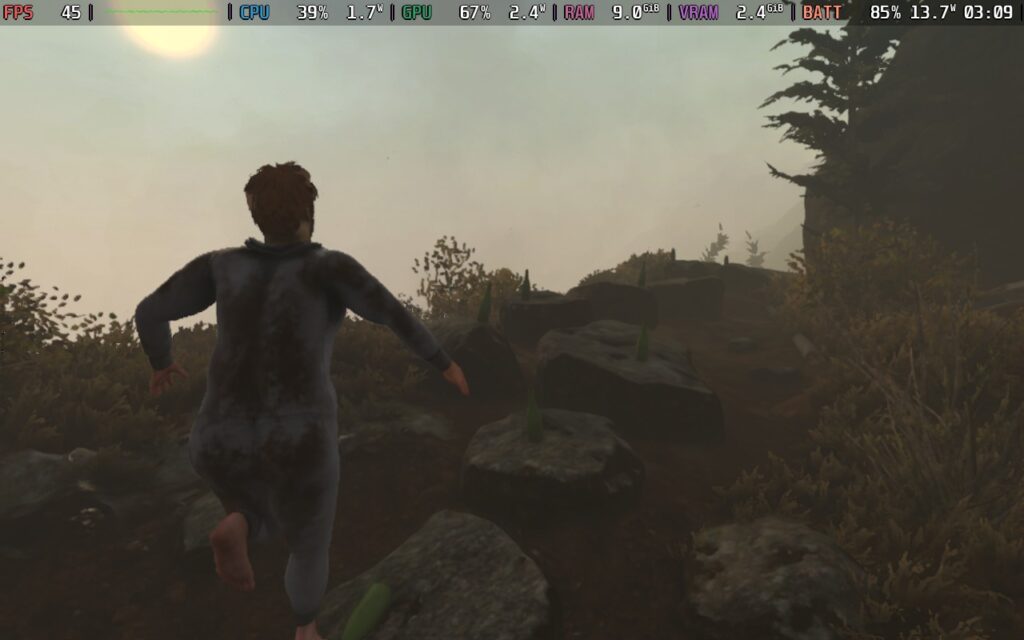
The entirety of the game sticks around the general concept of “just one more step” and truly encapsulates the meaning of the “walking simulator” genre. All you do is walk. You put one foot in front of the other, controlling each leg individually, and walking up a giant mountain by leaning forward. In a way, it feels like Bossa Studio’s surgeon simulator, but for legs, and nobody is being cut open.
It sounds simple on the surface. I mean, it is literally just walking, and there aren’t any other mechanics to master. However, mastering walking in Baby Steps is no walk in the park. Not only do you have to focus on putting one foot in front of the other without falling flat on your face, you also have to walk across wooden planks, climb over rocks, and slink up slopes and stairs to make your way to the top of this crazy, weird mountain. It requires some precision footwork, with strategic planning on how fast or slow to lift up your foot and move to get over the obstacles that come before you.
It’s really not as easy as it seems. Trying to walk over rocks or stay steady on a singular plank takes careful planning, and going slow is going to help a lot. However, there may also be times you need to act fast before you lose your footing. Environmental hazards like slippery mud and running water can cause your feet to move ever so slightly and force a tumble. Going faster gives a chance to get through it quickly, especially if there’s a more stable footing close by. It still poses a risk that could cost your balance, but at the same time, the right move at the right time can get up that impossible-seeming step of a tower of rocks to get down to the next campsite.
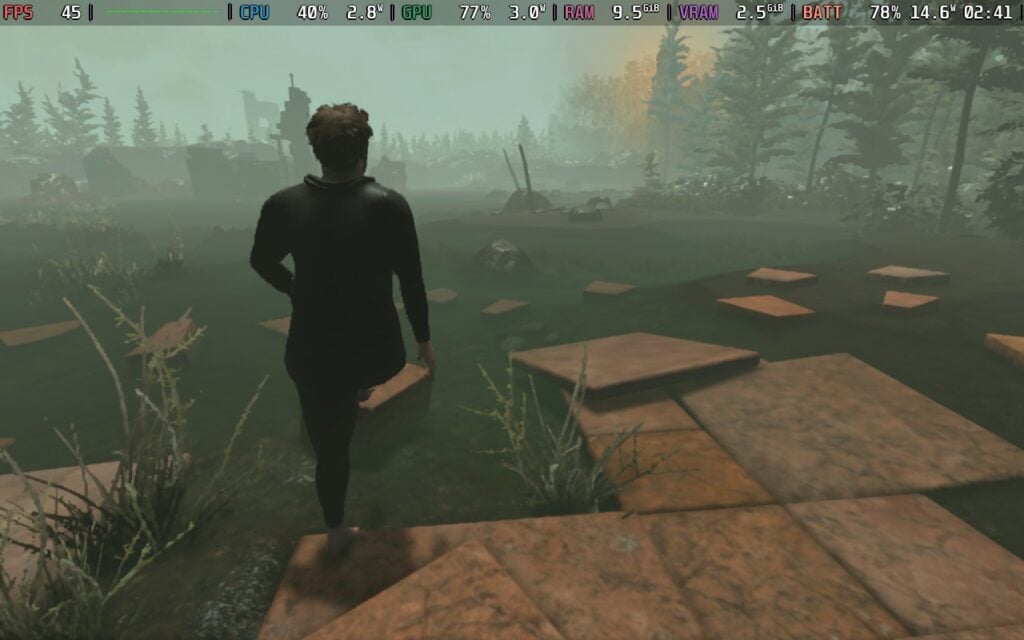
Sometimes, failing to step just makes you fall right down on your face, but because you ragdoll, the possibility of your lifeless body sliding down mud or falling off the cliff side further down the mountain is very real. If you’ve played Getting Over It With Bennett Foddy, you’ll know exactly what you’re getting into, and probably aren’t surprised that Baby Steps is also made by Bennett Foddy, along with Gabe Cuzzillo and Maxi Boch. That possibility of failing and having to re-climb is both a motivation to keep going and a curse that will haunt you. I found it hilarious whenever I fell down and just landed flat on my face or back, but sliding down just filled me with dread as I watched his lifeless body slowly shift downwards, and I prayed it wouldn’t fall too far, but it almost always did.
The gameplay is so simple, with complexity that stems from within, with precise movements and strategic speed. It’s why I love this game so much, even with the aggravating possibility of falling down and ragdolling until hitting the bottom of the mountain to climb my way back up. This team of three devs found a way to make walking feel engaging, while also perfecting that dread I now associate with Bennett Foddy’s works. Even still, it’s worth playing. The general mechanics are extremely fun to take advantage of, and the slower-paced strategic footing can make each challenge that is overcome feel like a victory. It’s true that it can be devastating when falling far down, and it is, but that worry helps make the experience feel worthwhile and heightens that sense of accomplishment.
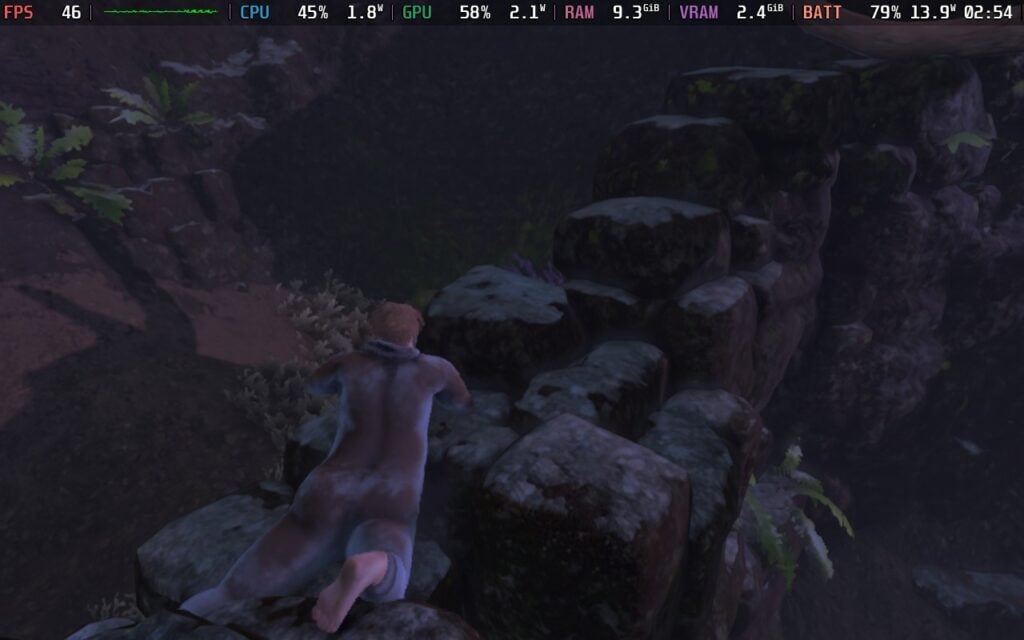
For a game like this, the controls need to be pretty tight and responsive to keep it enjoyable, and for the most part, it is. Controlling each foot is as easy as moving the joystick, combined with the right or left trigger (to note the right or left foot). There's a very small, but noticeable shadow of where your foot will drop, which makes it easy to figure out where it will be placed. The camera angle can get in the way at times, but we can switch which shoulder we are looking over. It ultimately helps a lot and makes the game enjoyable, despite its frustrating premise.
There aren’t any side quests or objectives, primarily just giving us freedom to walk around as we please, but there are random landmarks we can find outside the campsites that further the story along. Whole some could just be random sheds or buildings, others could be more special and trigger optional cutscenes, like the lovely Persimmon tree. It's a pretty open world and there's lots of paths to take, and there's always some challenge or interesting landmark to find. It was pretty fulfilling to just walk around and explore.
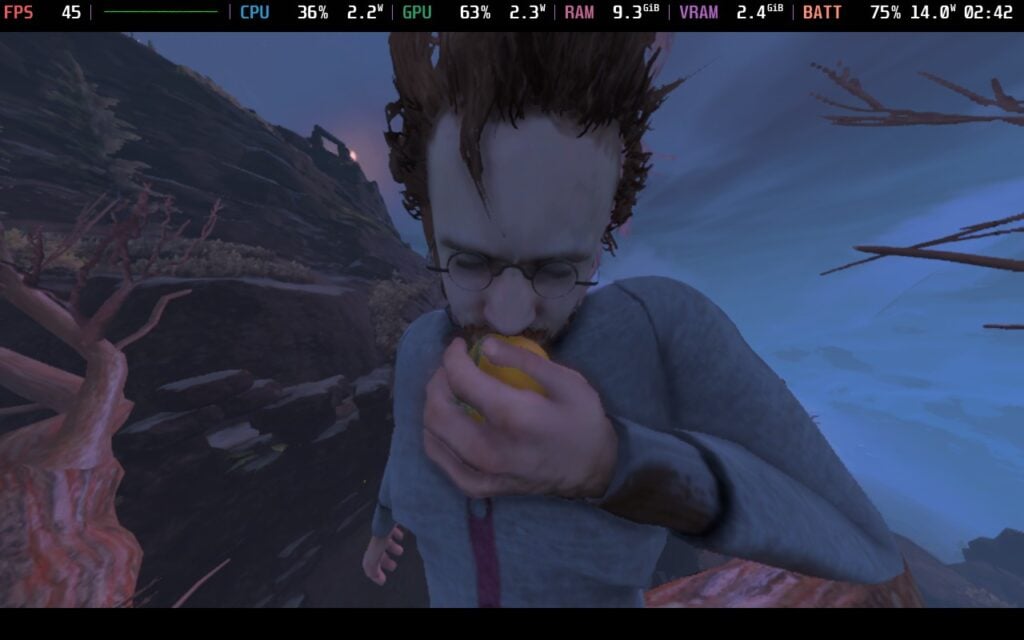
Baby Steps' story is a weird one, and serves mostly to set the scene about why a weird, basement-dwelling man-child is now climbing a mountain in a onesie. We play as Nate, and after being teleported to this mountain, we will need to climb it to hopefully find a way back home…and a bathroom.
The story was more of a means to an end, but it was very entertaining. There are random, short scenes that can play out at landmarks we find, and almost all of them are entertaining. Watching Nate struggle with basic communication adds to his man-child, basement-dwelling image, and it serves as an entertaining break from climbing. The people we will encounter are just as weird, but in wildly different ways. We will encounter an assortment of characters, including a guide who tries to be helpful, a newbie climber who has a grappling hook, and a horseman who just wants some cigarettes. And with each person, Nate will fumble through the conversation, trying to either appease them, get out of the convo, or assert his own confidence that he knows what he’s doing, even when he doesn’t.
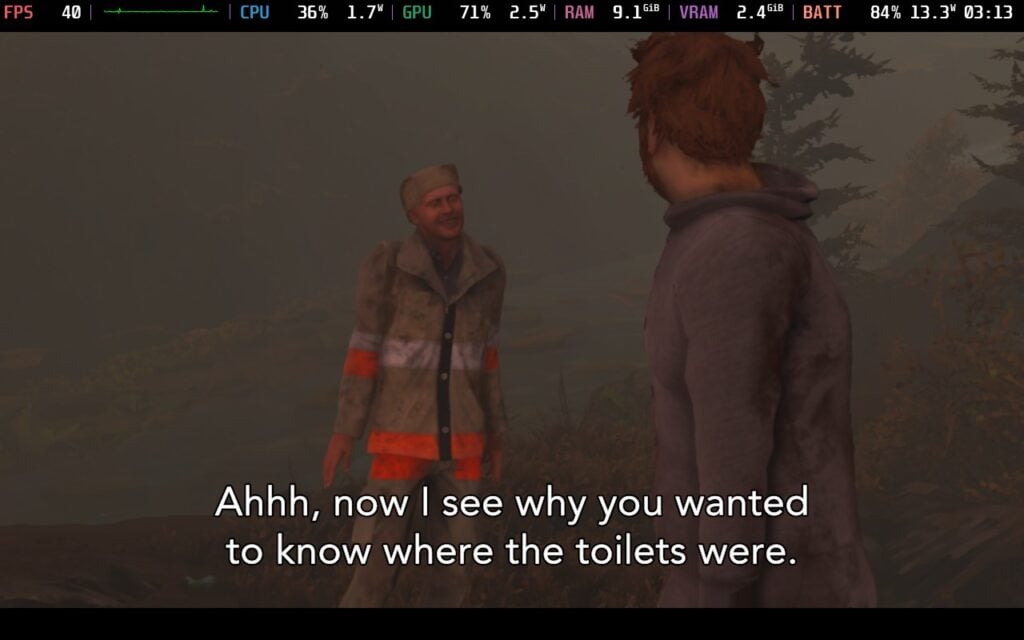
Baby Steps always felt like a game that could be perfect for the Steam Deck, especially when it recommends playing with a controller, and it really is. The game can be wonderfully enjoyable on the go, while still looking relatively good. Thanks to the game’s more basic visuals, it just fits, though there are a few interesting tidbits I discovered while playing.
We can’t change the specific graphical settings; we are only able to choose from Low, Medium, and High presets. After looking through all of them, I almost couldn’t tell the difference between them. Quality levels are very similar to each other, with the most noticeable change coming from view distance for optional objects like random beer bottles. It’s nothing major, though, and I felt running on Low still gave a good image, while saving some battery drain. Going from Medium to Low saved about 2W, while High to Medium saved about 5-6W. This allows us to run the game at 45 FPS and keep it stable as our ascent continues up the mountain.
We also have FSR upscaling that can be turned on, and it defaults to FSR Performance. This was another one where I didn’t notice major differences, and personally, I actually liked the blurriness that comes from it. It fits with the game, while trying to turn on SMAA anti-aliasing just makes everything too sharp.
There are some areas of the world that drain a bit harder than others, so a framerate limit will help. Turning everything onto max settings with no FSR upscaling and SMAA anti-aliasing on High is too much for the Deck, and it will regularly drop below 30. I personally prefer Low + FSR Performance with 45 FPS lock because there are some drops that could go below 60, so this keeps it smooth, battery drain lower, and visuals looking decent despite the lower settings.
Playing on Medium with higher FSR upscaling should be do-able for 45 FPS, while SMAA turned on with Low and Medium visuals should be okay for 30 FPS, but I ultimately preferred the default since the visual changes weren't major and I preferred a stable 45 FPS with lower battery drain.
We can change the language, toggle subtitles, hearing impaired subtitles, nudity, a center dot, modify the UI scale, invert the camera, toggle rumble, and change audio sliders.
The game supports 16:10 resolutions, cloud saves, and controller support. There are no HDR settings.
Baby Steps is a weird, basic game that finds an accessible balance between easy and aggravating. All you do is walk forward, going around or through obstacles, and it still finds a way to be so compelling and enjoyable that it's hard to stop. Even when falling down the mountain and having to climb up again, I still felt excited to get back on it and take a different route on the open mountain or take some extra time to strategically place my footing. The story may not be prominent, but it is entertaining, and I had a blast exploring to find other cutscenes to enjoy.
The game is also wonderfully playable on the Steam Deck at its default settings, and I didn't find many settings that could make it look better. Still, it's definitely worth playing, and it will absolutely be a blast on the go.
このレビューはPC版に基づいています。
このレビューをお楽しみいただけたなら、SteamDeckHQ の他のコンテンツもぜひご覧ください!あなたのゲーム体験に役立つゲームレビューやニュースを幅広く取り揃えています。ニュース、ヒントやチュートリアル、ゲーム設定やレビューをお探しの方も、最新のトレンドを知りたい方も、ぜひご利用ください。
Microsoft Flight Simulator 2024 was provided by Xbox Game Studios for review. Thank you!
After having such a long hiatus between 2006 and 2020, the Microsoft Flight Simulator series is back on track to become a regular release. At first glance, it might appear that Microsoft Flight Simulator 2024 doesn't have much more to offer over Microsoft Flight Simulator (2020), now called the 40th Anniversary Edition. Still, there's quite a lot of new content to sink your teeth into, especially if you are into more than just the planes themselves.

First, let's detail the differences between Microsoft Flight Simulator 2024 and Microsoft Flight Simulator 2020. I think Xbox did a fairly bad job of detailing the changes, and the two games really sort of blurred together for me.
The biggest change in this iteration is the career mode. There is some surprising depth to this part of the game, requiring players to learn some piloting basics, such as take-off and landing, taxiing, and following instructions from Air Traffic Control, before taking an exam to earn their private pilot's license. From here on, it's largely doing missions related to your current license level to earn money so you can afford to take the exam for the next license and upgrade to bigger and better aircraft.
It also feels quite personalized, as you can start from any airport or airfield worldwide. With subsequent missions being based in your area. It adds far more purpose to the game, and you aren't flying just for the sake of flying like in MSFS2020.
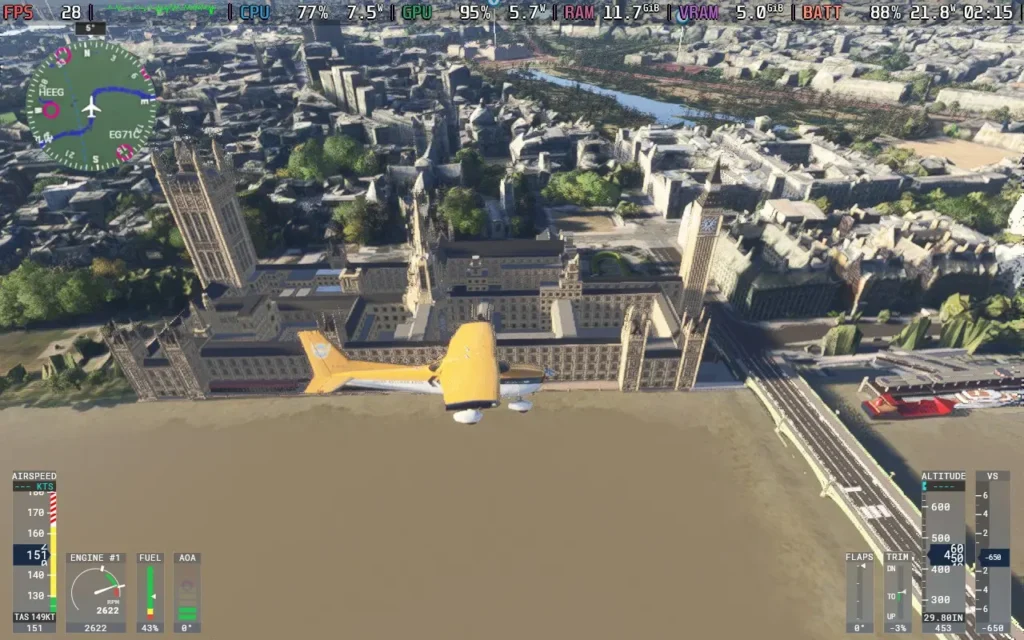
As you might expect, Microsoft Flight Simulator 2024 takes advantage of the same technology from the 2020 version, with satellite data providing information on the entire world, which is then read by the game and converted into buildings, trees, and sometimes hand-made landmarks and cities based on photogrammetry data. This impressive technology creates the best depiction of our earth in a video game I know. There aren't many games where you can fly over your house and pick it out.
The visuals also live up to match, provided you have a PC that can manage higher-quality settings. You can also walk outside your plane, do pre-flight checks, and admire whichever plane you are flying, all brilliantly detailed.
Microsoft Flight Simulator 2024 does what it sets out to do. And for those who want it to be, it fulfills the criteria of being a simulator. If you turn off the assists, the game expects a lot from you. You will be expected to manage ATC communications, follow procedures when taking off and landing, deal with real-time weather events affecting your aircraft, and navigate with other planes in the sky. But if you want a more relaxing time, you can always go in the free flight mode with assists turned on, allowing you to fly around without restrictions or expectations.
There are also scenarios, which are short missions that challenge you to complete a specific task well, ranking you on the leaderboards against others. These can involve pulling off a tricky landing or simply racing in planes to see who can set the best time.
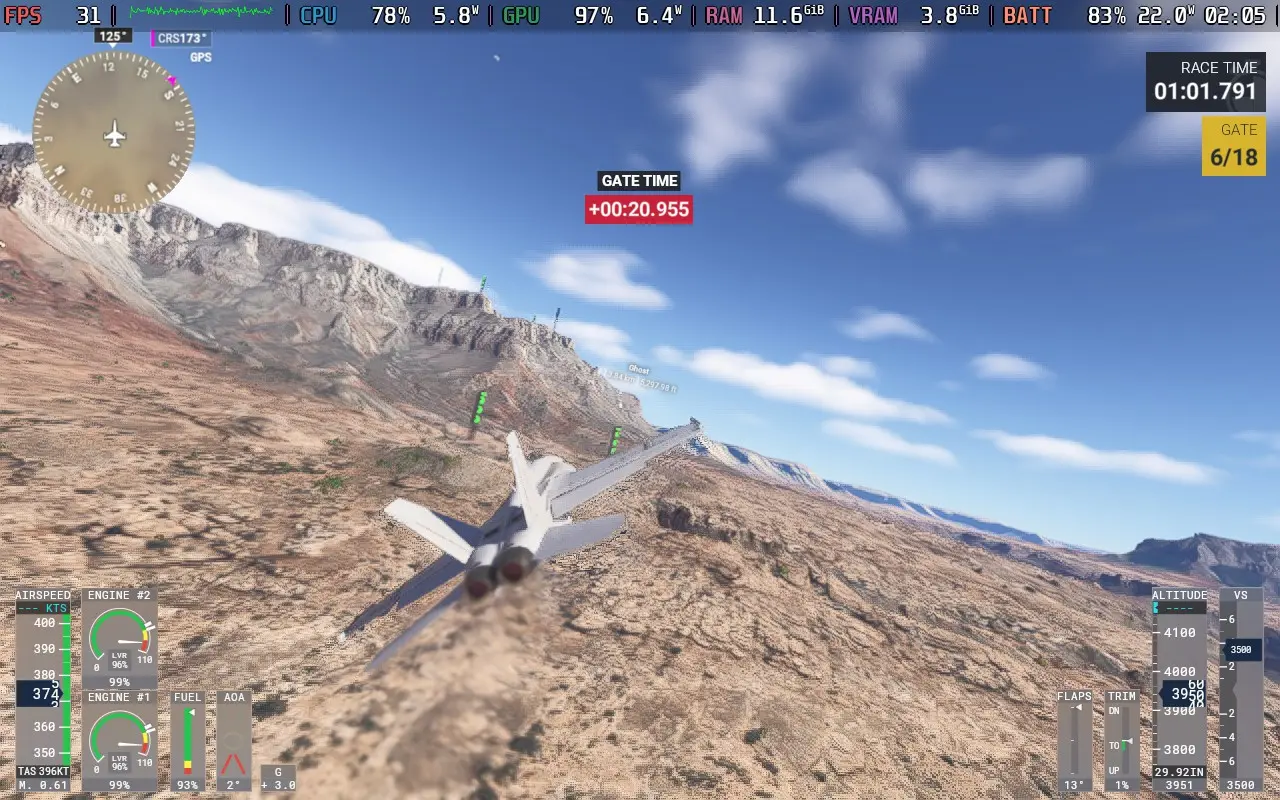
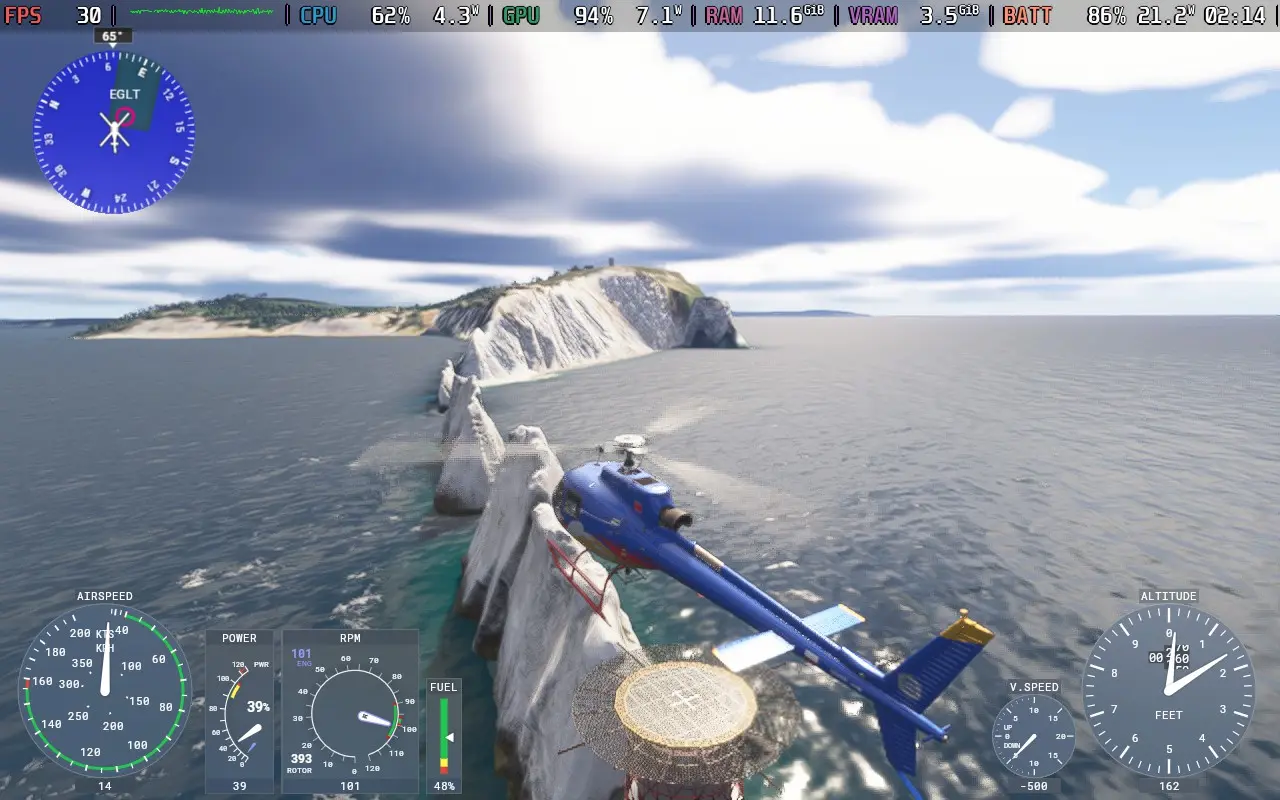
It's not all sunshine and rainbows, though. I'm not talking about the real-time weather here. I'm talking about the game's use of AI voices.
Regardless of your stance on the use of AI, in this manner, I think there's justification for it, as the game has to manage ATC communications everywhere across the globe. AI means that the voices can say the name of a tiny airfield in Australia without the developers recording tens of thousands of voice lines for each airfield, town, and city worldwide. The downside is that some of the AI voices are just bad.
I accept that the ATC needs to be AI. But does my trainer have to be voiced by AI? Does Chris, who I took on a tour flight around the city of Leeds, have to be voiced by AI? No, not really. The ATC and radio communications sound good for the most part, but every time someone speaks without the radio filter, it just doesn't sound great. And for a simulator where a lot of effort has been put into recreating the literal world, it's a shame that a single voice line can make you frown and bring you out of the game for a while.
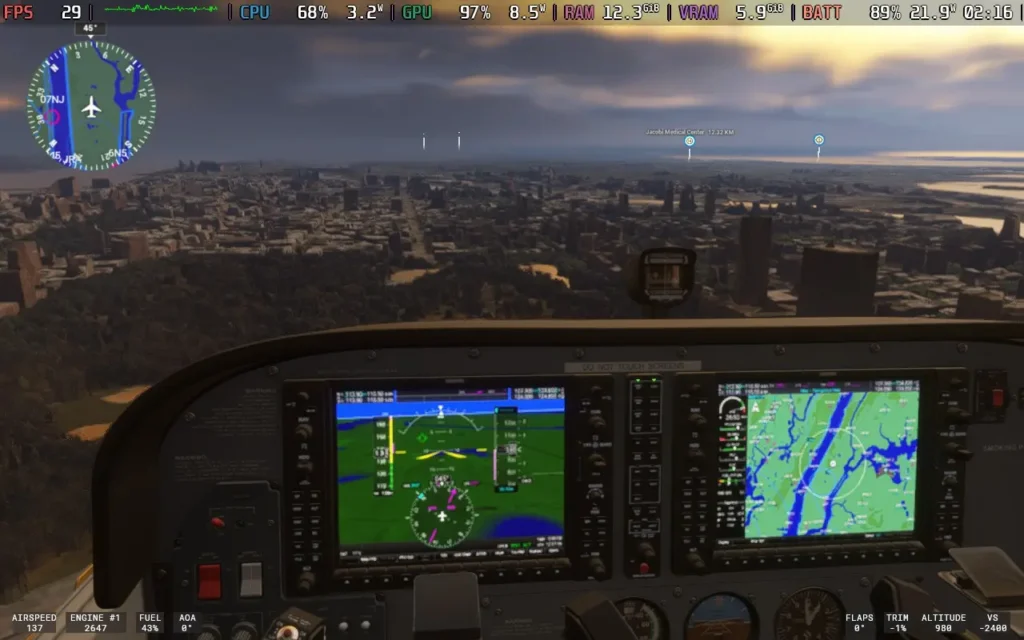
Microsoft Flight Simulator 2024 is a solid improvement on the 2020 edition. It adds more aircraft, double the amount, for the standard edition, with 70 aircraft being available. As well as 150 hand-crafted airports. You get the additional career mode and scenarios, which adds a lot more "purpose" to the game, rather than just flying around and crashing into your house for a laugh. Visually, some slight improvements, like dirt, will kick onto your plane, and there is more variety in scenery elements like the trees.
If you are into your flight simulators and want the latest and best thing, then Microsoft Flight Simulator 2024 should tick that box. There are some teething troubles here and there, especially as the game is online-only and a lot of data is streamed from the cloud as you play, so any hiccup in the internet connection can just kick you out of the session. I only had this happen to me once in my playing time, but I could see it being very frustrating at the end of a long mission.
Microsoft Flight Simulator 2024 had a bit of a rocky launch on Steam Deck and Linux in general, with the game being unplayable at launch on any Linux machine. Gradually, Proton updates have helped out with compatibility. As of writing this review (November 29th, 2024), you can play the game using the Proton Experimental [Bleeding Edge] version, with some caveats.
Also, if you are playing on a Steam Deck OLED, you may need to use DXVK_HDR=0 %command% as a launch command to get past the loading screen.
In SteamOS, apply a 30 FPS frame limit, and we don't want a TDP Limit for this one.
The game defaults to a "low-end" preset, but we can lower graphics even further, which we need to do. If you scroll down to the Advanced Graphics Settings, you can lower everything, such as plants, rocks, terrain shadows, etc. You'll also want to set the Upscaling Method to FSR 2 and then set that to Performance. Check out the images below to see the exact settings I used.
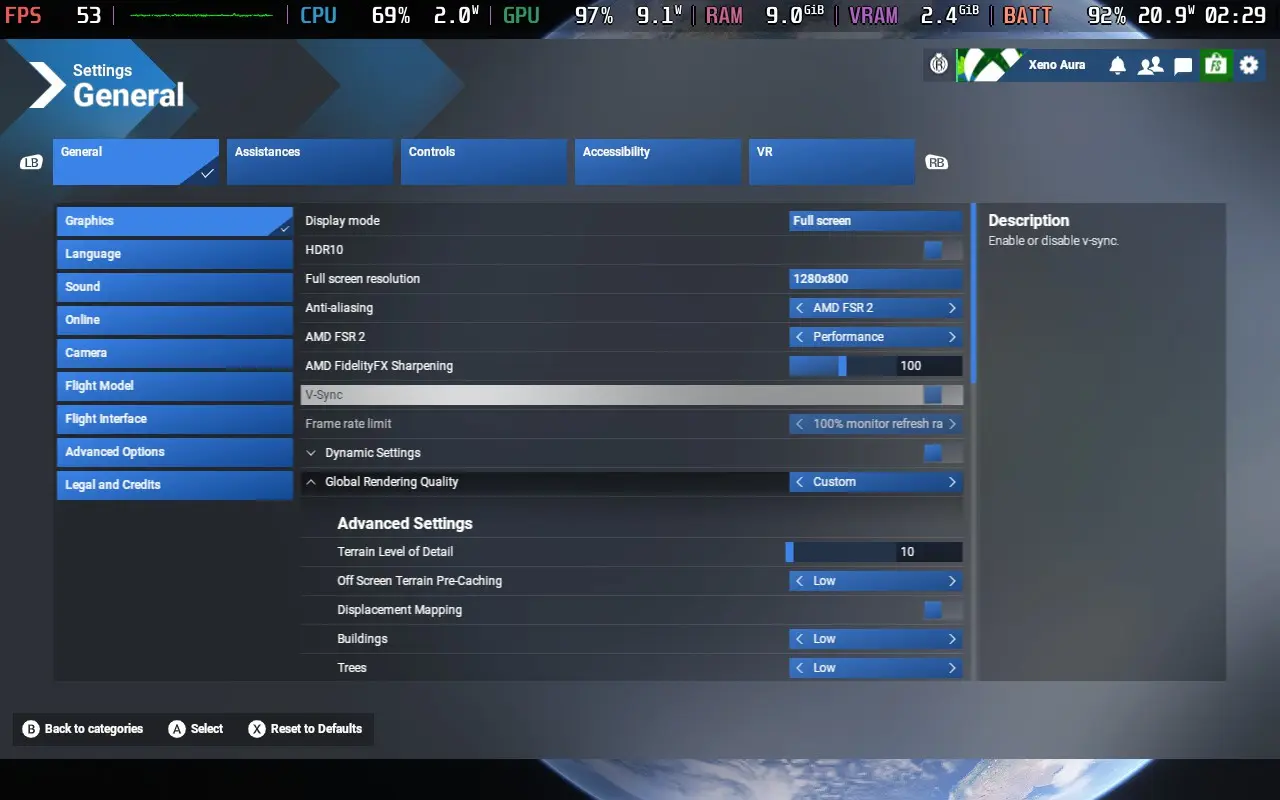
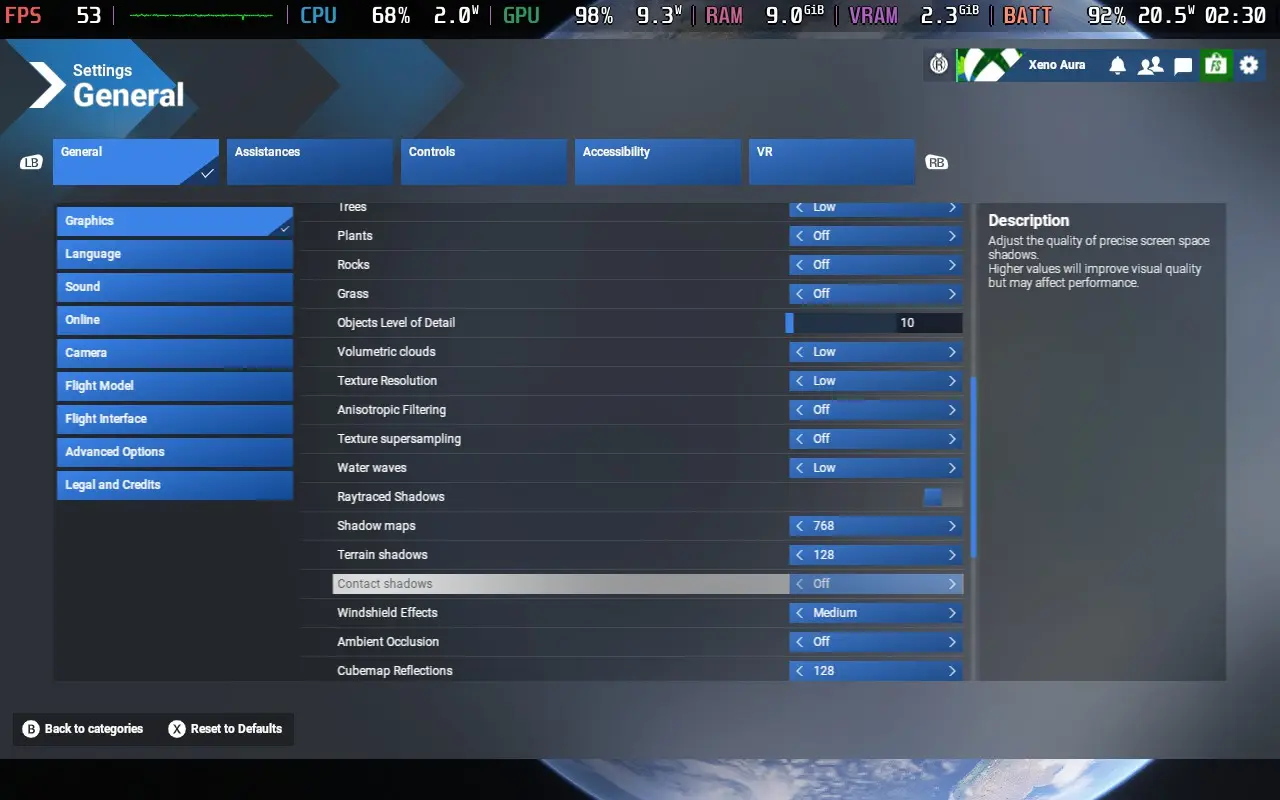
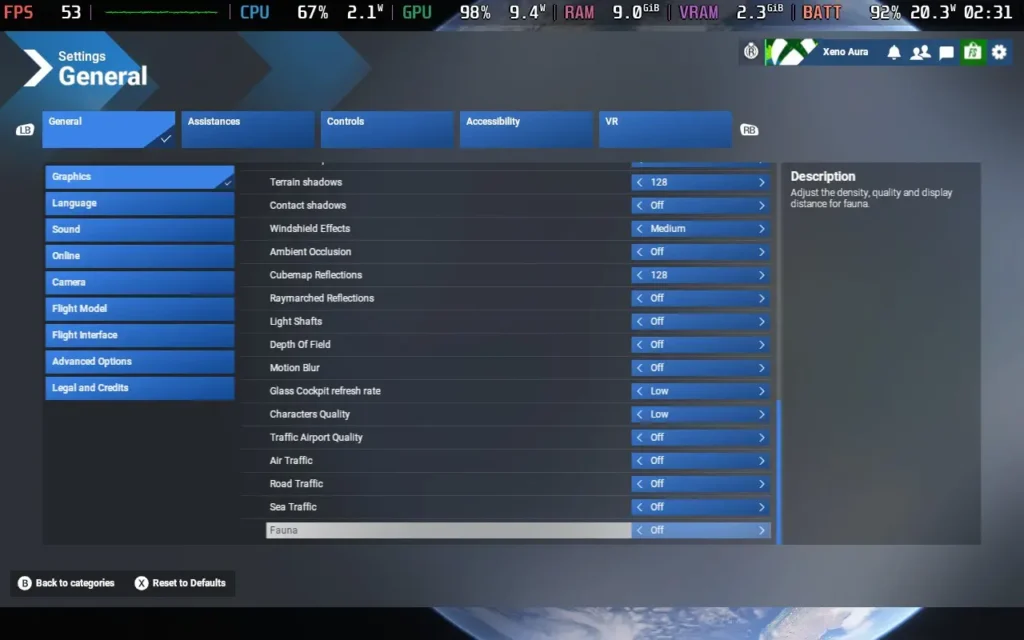
Playing with these settings, we get around 26-30 FPS flying around Central Park in New York City, one of the more intensive areas in the game. You can see the game get above 30 FPS in more rural areas and smaller towns. This, however, is in a small prop plane. The type of plane you're in heavily affects performance, and larger aircraft won't reach 30 FPS.
Flying larger aircraft in busy urban areas (Such as Kennedy International in New York) could cause the game to crash consistently. So, right now, I would say that the game is unplayable unless you just want to fly around in smaller planes.
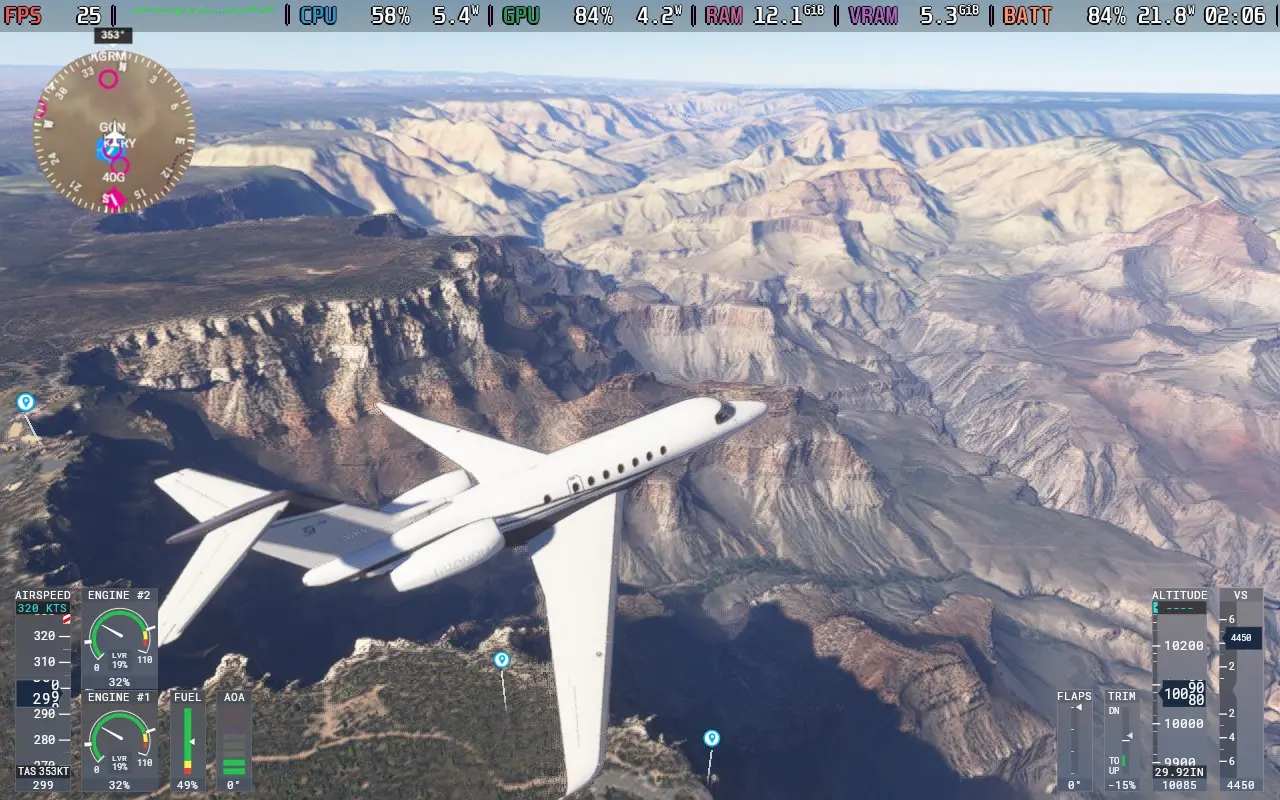
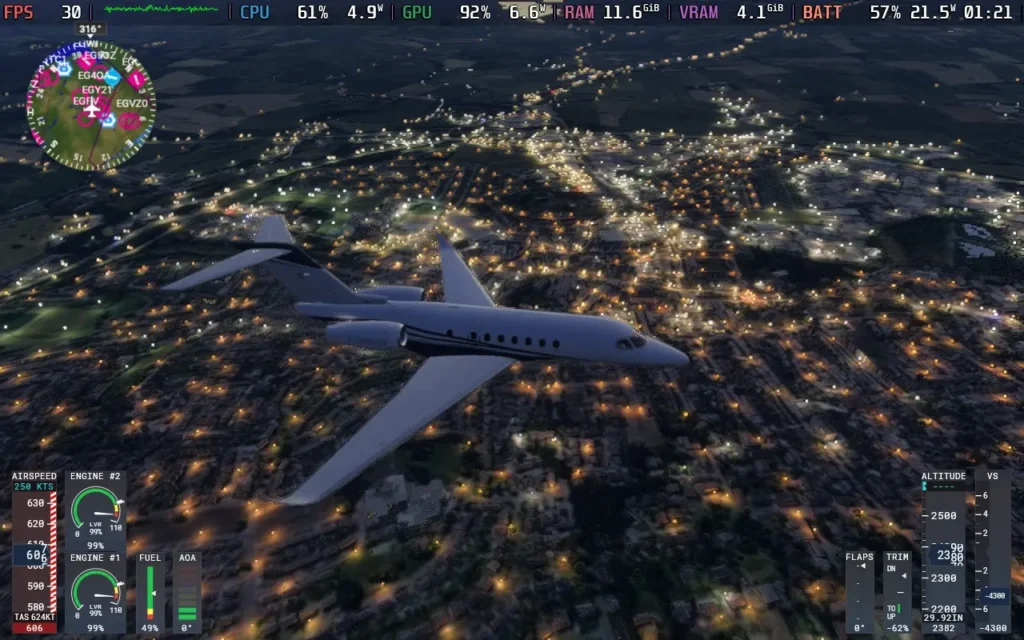
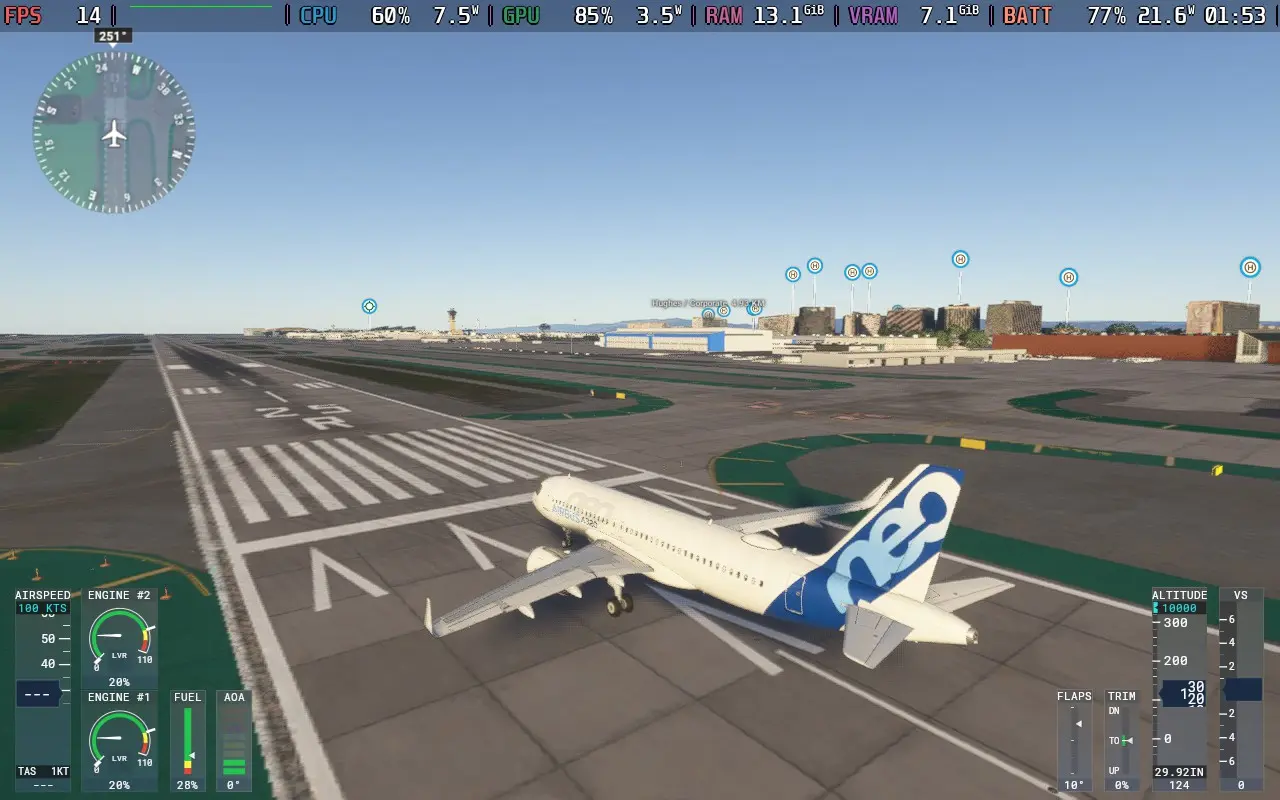
The power draw is very consistently high, always above 20W and usually in the 21-22W region. So Steam Deck LCD users should expect no more than 1.5 hours of battery life, with Steam Deck OLED users getting just over 2 hours.
The temperature of both the CPU and GPU held at around 70C.
As you would expect with a 1st party Microsoft title, there are plenty of accessibility options in Microsoft Flight Simulator 2024. There is speech-to-text and text-to-speech for communication with other players, allowing voice and text chat players to communicate. There is also the option to automatically translate text chat from players speaking another language.
You can also disable camera shaking, rebind controls, adjust the font size for all text (I set it to 22) as well as make HUD windows more opaque to aid with reading text. There is a screen narrator to read out menus audibly and subtitles for things like in-game transmissions between aircraft and Air Traffic Control.
Microsoft Flight Simulator 2024 is a solid improvement on the previous title. Whether or not the addition of the career mode, some new aircraft, and some new scenarios are worth the price tag of an entirely new game or not likely depends on how into this kind of game you are. If you are just into the free flight modes and seeing the world, the 2020 game edition does that almost as well.
When playing on the Steam Deck, it might initially seem fine. If you're flying a single prop plane, a fighter jet, or even a small private jet, the performance can be fine, often staying above 25 FPS. But if you try to fly a jetliner, you'll often be playing at around 15-20 FPS, with frequent crashes making the game unplayable. Hopefully, this is just an issue with Proton right now and can be fixed, as well as Asobo optimizing the game, but I wouldn't purchase Microsoft Flight Simulator 2024 to play on a Steam Deck.
このレビューはPC版に基づいています。
このレビューをお楽しみいただけたなら、SteamDeckHQ の他のコンテンツもぜひご覧ください!あなたのゲーム体験に役立つゲームレビューやニュースを幅広く取り揃えています。ニュース、ヒントやチュートリアル、ゲーム設定やレビューをお探しの方も、最新のトレンドを知りたい方も、ぜひご利用ください。
Moving Out 2 was provided by Team17 for review. Thank you!
I don't have many parties or times where I am playing local co-op with people in-person, but when I did, there were two games I always defaulted to: The Jackbox Party Pack and Moving Out. While Jackbox is more of a chill group of mini-games, Moving Out was a hilarious romp all about working together to move furniture out of the house, around obstacles, and into a truck. And with Moving Out 2, the sequel took everything that the original did right and made it even better.
Like the first game, this is a physics-based party game all about moving furniture around. Working alone or with friends, you will have to move large and small objects to where they need to go. You will have to not only help the citizens in your hometown of Packmore, but those in other dimensions too. Now, with the help of a cast of new and returning characters, you will travel to candy worlds, futuristic greenhouses, wizard towers, and many more unique locations to bring your moving skills to everyone! And yes, there is a story attached to it as well.
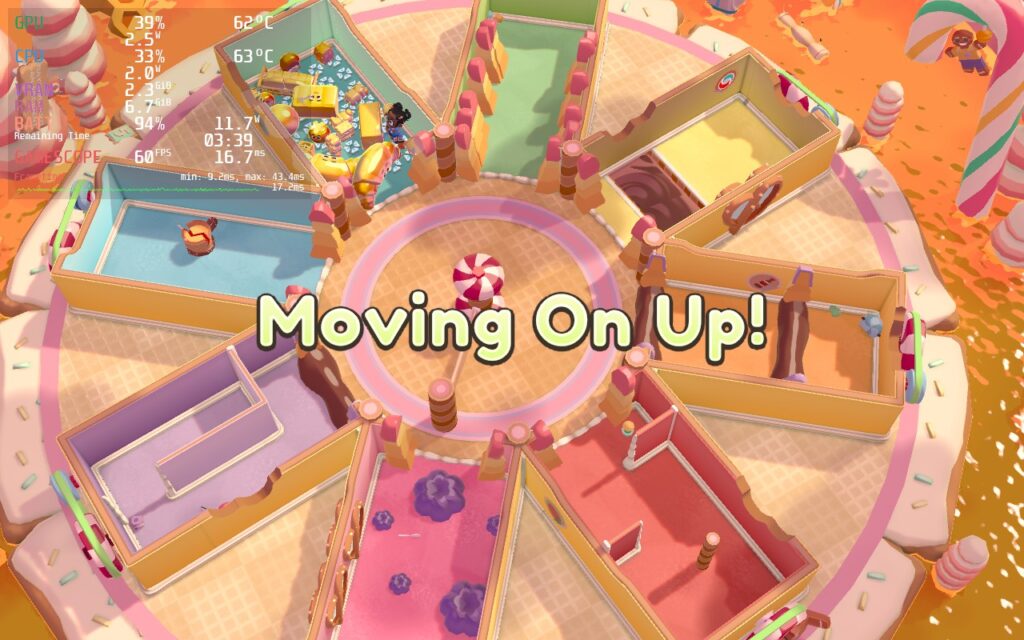
Moving Out 2 is just as addicting as the previous game, but thanks to its new features, this has become the party game to play! The brand new locations and mini-games add in some nice variety, and coupled with the ability to play online multiplayer as well as local, there's a lot of awesome moments to have both in-person and online with your friends. The game does an incredible job of expanding what made the first game so special and improved upon it. I love the game, and I love being able to play it on the Steam Deck without much issue!
Playing Moving Out 2 on the Steam Deck works quite well without changing anything, but I found changing 1 setting can help battery without hurting performance too much. Setting the overall quality setting to "Not Perfect" changing some minor shadows on the outside and such, which doesn't affect the overall quality, but it can save about an average of 2W of battery. This is especially nice when playing with others, which could make the screen show more of the map.
There is a little bit of framerate jittering when watching the framerate graph, but it isn't actually noticeable when playing. There are some minor dips when entering new areas or running around a lot, but this is pretty normal for games running via Proton, so it isn't a big deal. In general, you can expect 60 FPS at around 9W - 12W battery drain for around 4 hours of on-the-go play!
I did also force compatibility to Proton GE as the opening scene for the game did not play correctly. The community fork fixes that and has no issues at all! I put a GPU Clock Speed frequency of 1200 as well for slightly added stability, but this is pretty negligible and I only noticed it with the overlay on.
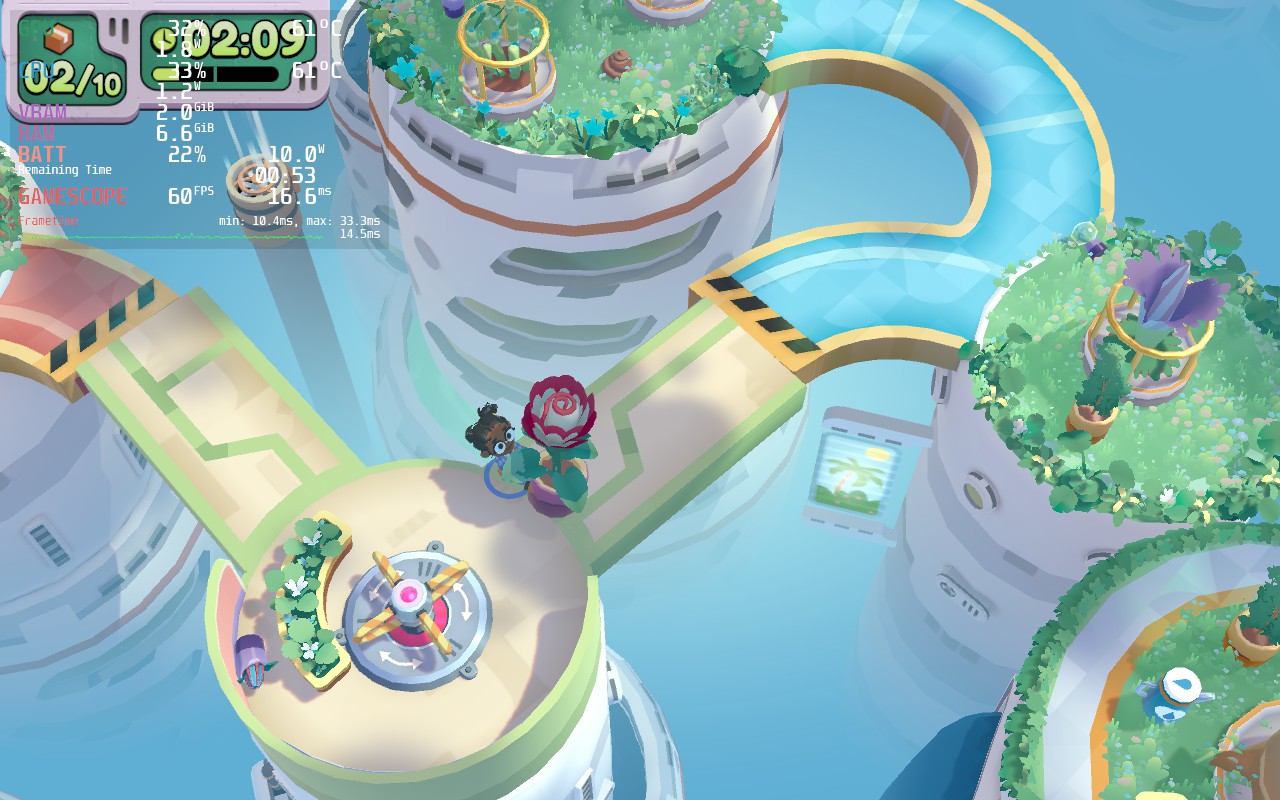
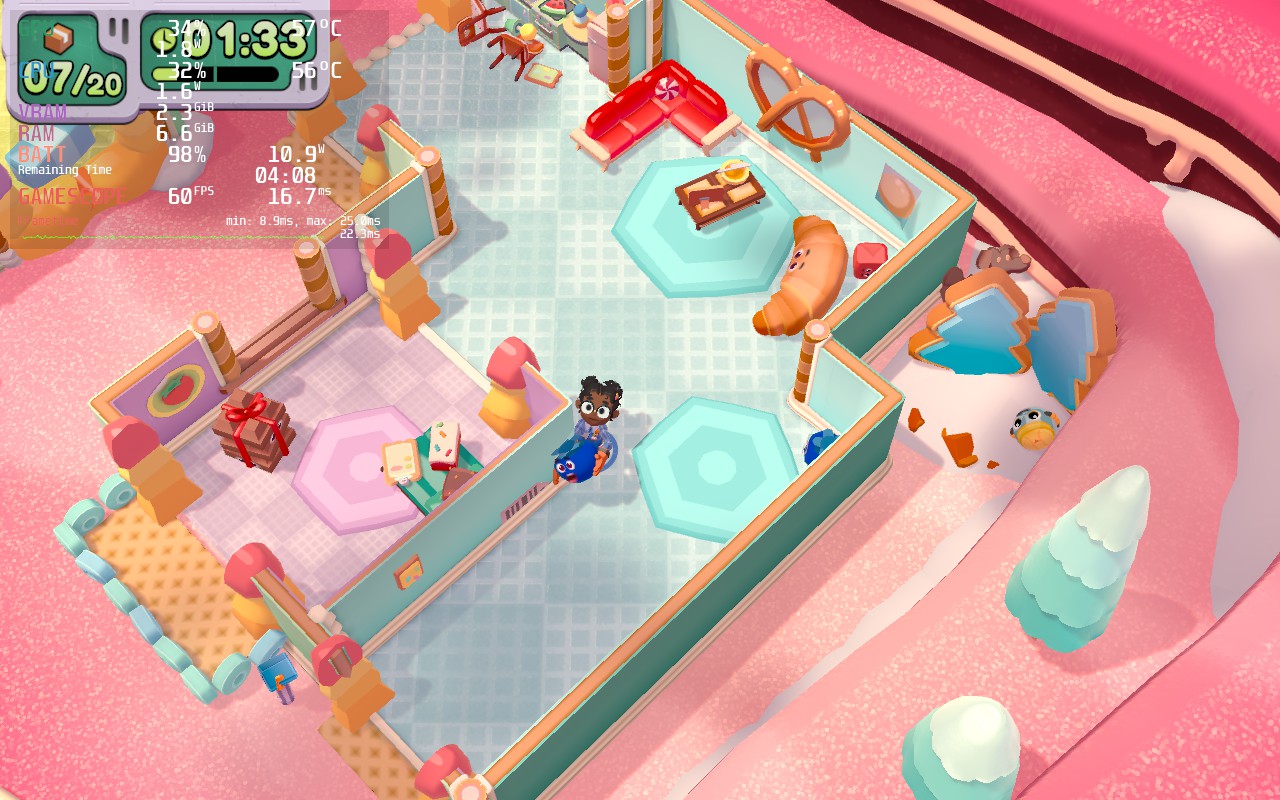
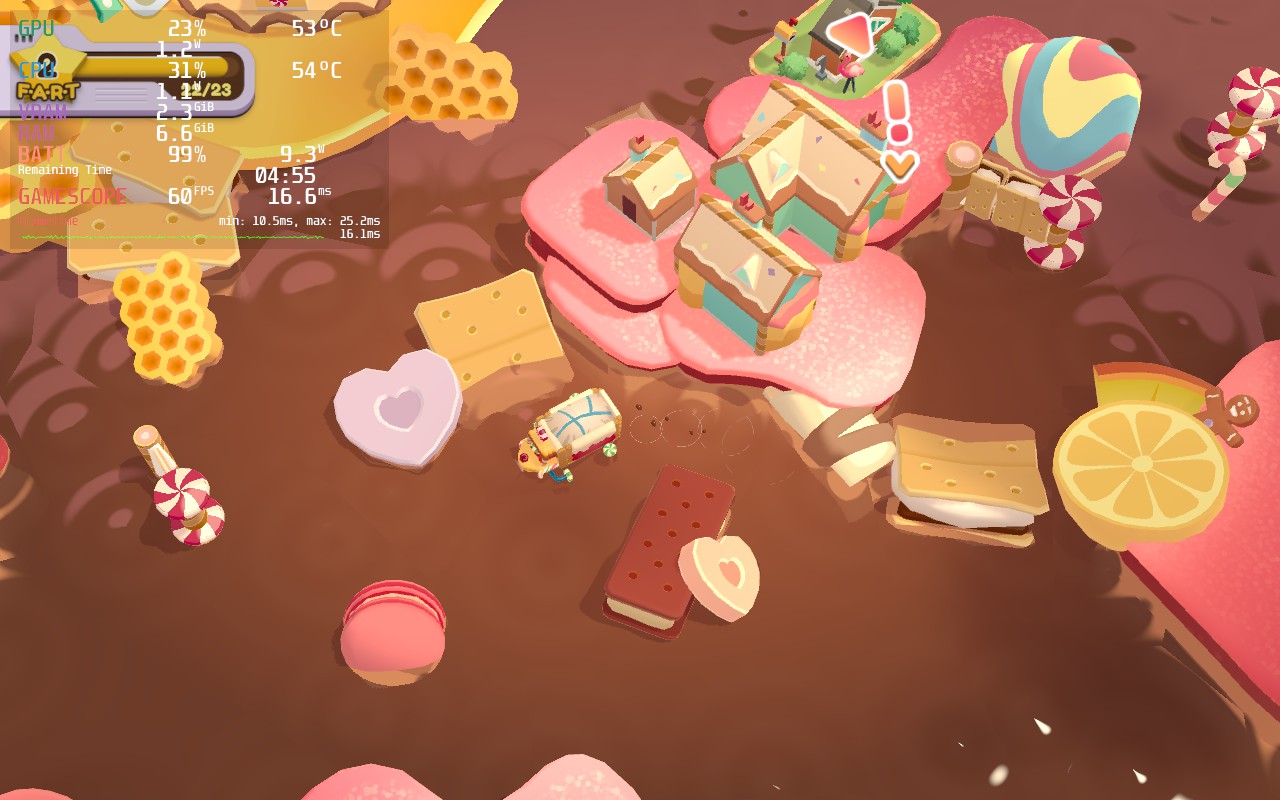
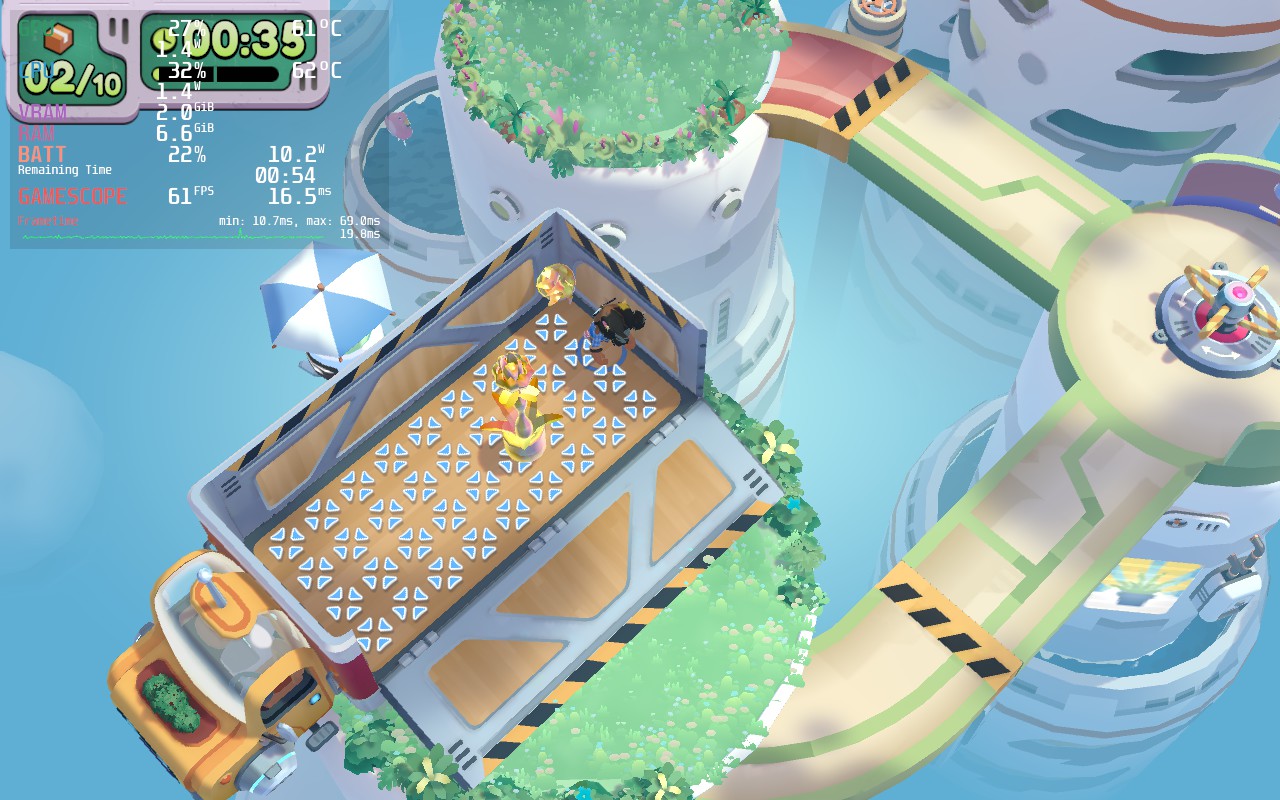
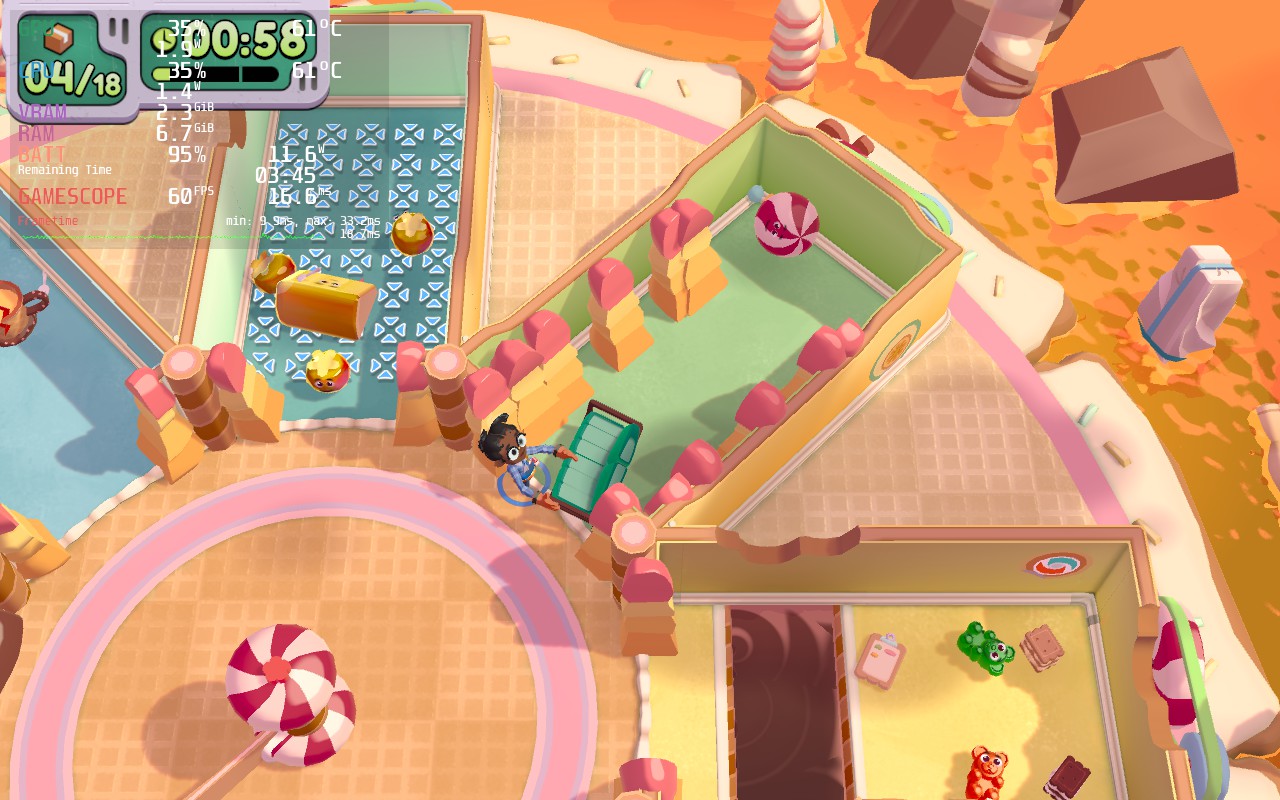
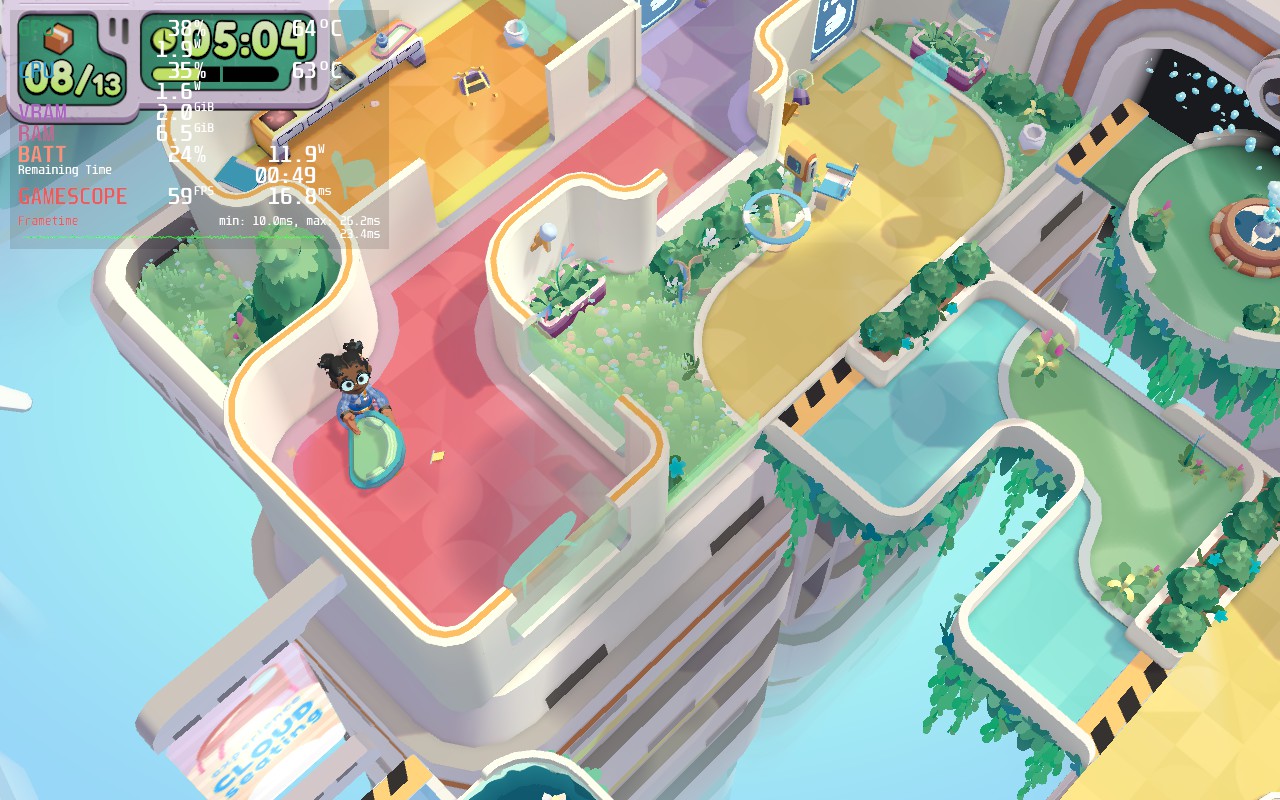
Moving Out 2 does support 16:10 resolutions, so the entire Deck screen will be filled, and it has full cloud save and controller support.
Moving Out 2 is a fantastic sequel to a wonderful party game that is a must-have. The physics-based antics are hilarious and so much fun and, thanks to the added online multiplayer, it is a great game to play in-person and over the internet. The new locations and mini-games add a nice variety to the levels while the humor and addicting gameplay loop keeps me hooked and wanting more. This is a must-have party game for me and with how well it works on the Steam Deck, I would consider this a must-have in general!
このレビューはPC版に基づいています。
このレビューをお楽しみいただけたなら、SteamDeckHQ の他のコンテンツもぜひご覧ください!私たちはあなたのゲーム体験に役立つこと間違いなしの様々なゲームレビューやニュースを取り揃えています。ニュース、ヒントやチュートリアル、ゲーム設定やレビューをお探しの方も、最新のトレンドを知りたい方も、ぜひご利用ください!



