Bus Bound was provided by Saber Interactive for review. Thank you!
Bus Bound comes to us from stillalive studios, and if that name sounds familiar, it's because they were the developers behind the popular Bus Simulator series, which last received a game back in 2021. With the new Bus Simulator 27 being handed over to a new development team, stillalive worked with Saber Interactive to bring us Bus Bound, the next evolution of bus simulators.
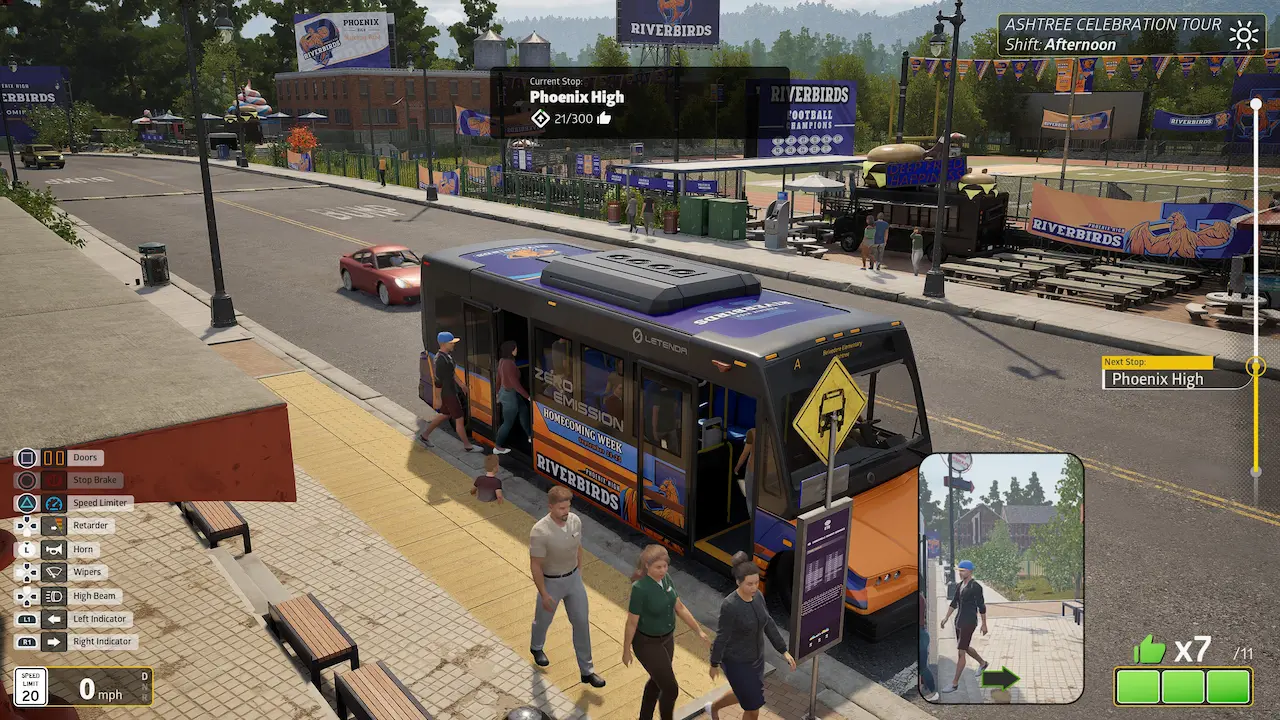
Bus Bound, however, takes a diversion from its predecessors. Instead, it presents a rather Utopian view of public transportation. All public transportation is free in Emmerville, the city where the game takes place. Rather than dealing in money, your service is measured in terms of "likes". Passengers will like your service if you arrive on time, drive safely, and obey the rules of the road.
Because no money is involved, the game's progression is entirely based on this "likes" system, which feels a little silly. You unlock new areas to service and, occasionally, new vehicles to use based on these likes, which is odd but acceptable. What is really strange, however, is that when you serve an area enough and gather enough likes, you can upgrade the area, which causes entire parts of the city to change; new infrastructure, new trees and parks are added, and buildings are updated.
From a purely gameplay perspective, that's pretty neat to have your actions change and update the city in such a way. But in the back of my mind, I'm wondering how a bus route to the neighborhood managed to create such a huge change and encourage the government and businesses to pour substantial money into the area. Maybe I'm thinking too deeply, and perhaps it's right that "Bus Bound" no longer carries the "Simulator" moniker, because in this regard, the game feels very idealistic, rather than having any sort of realism.
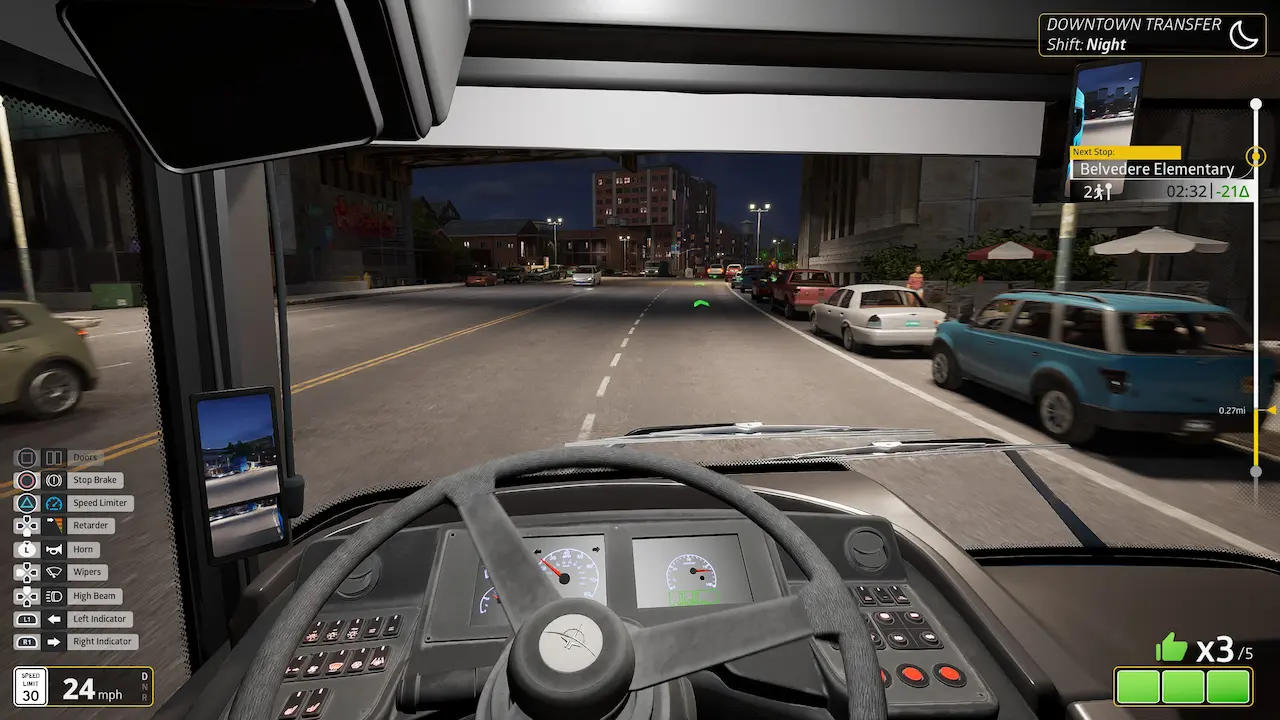
When you're actually driving the buses, we do see the development team's pedigree from their previous Bus Simulator days. The vehicles feel weighty; you need to plan your turns so you don't clip other traffic or roadside infrastructure with the corners of your bus, and you do need to obey traffic laws, such as traffic lights and stop signs, and slow down for speed bumps. I wouldn't say the driving is as involved or detailed as the Euro/American Truck Simulator games, but you do have to plan ahead.
There are also a variety of bus types. Some are smaller, almost minibus-like, holding only 15 or so passengers, making for an easier, more responsive drive. Then you have the mix of Diesel, Hydrogen, and Electric buses. Diesel buses are pretty sluggish, whereas Electric buses have a noticeable difference in how quickly they pull off the mark. It's nice to see the differences in how these buses drive represented in the game.
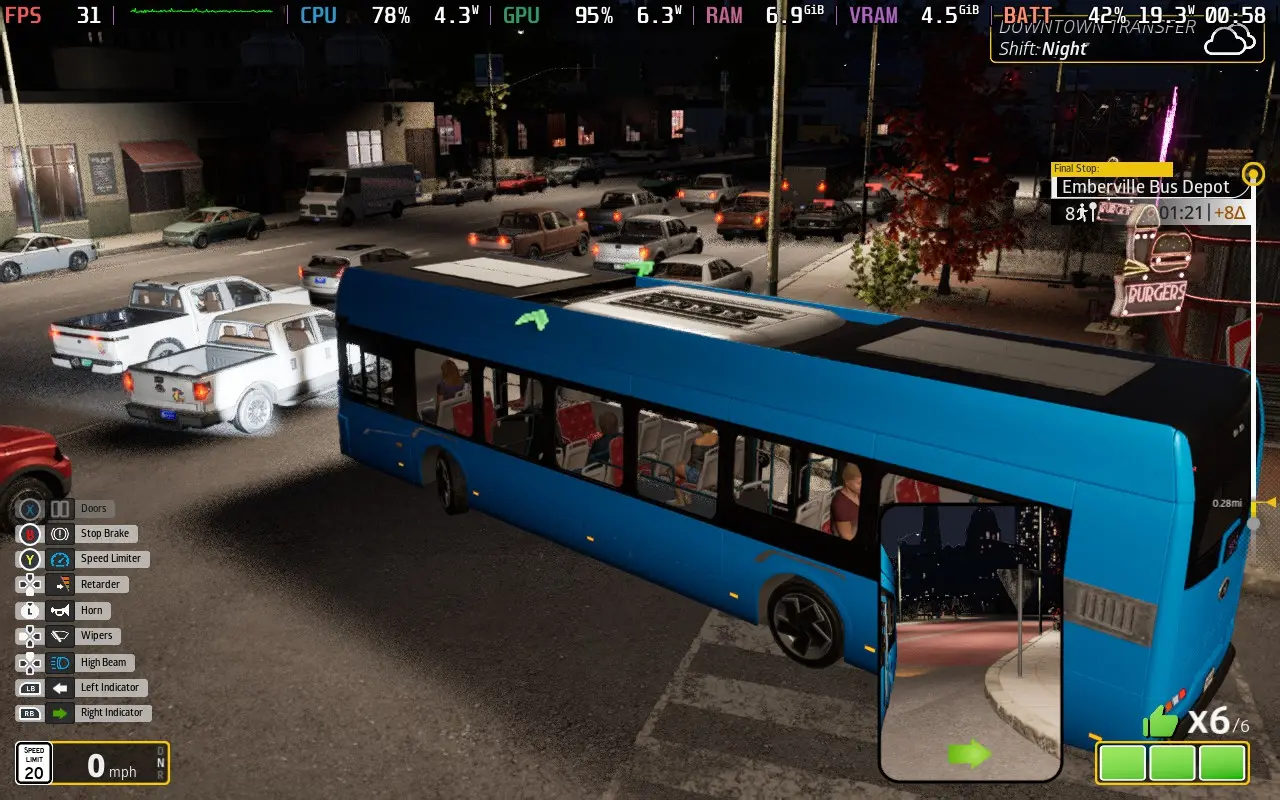
The AI traffic was an issue for me when I previewed Bus Bound, and I'm glad to say that the traffic behavior has improved, mostly. The AI still seems to struggle at junctions. The game uses the "Right on Red" rule, meaning traffic can still enter a junction on a red light if they are turning right. But AI following this rule shows some disregard for other traffic, often pulling out in front of other road users and causing traffic to stop at junctions, or sometimes giving way to other traffic in junctions, even though they have the right of way, causing needless traffic jams.
Arguably, these issues make the traffic appear more human-like and realistic, but it's a degree of unpredictability that is rare in simulation games and could annoy those who expect everyone to obey traffic laws as written. The developers are clearly aware of this issue, as I had seemingly endless traffic jams, with cars despawning right in front of me so I could continue playing.
Then, there's the management aspect of the game. Bus Bound is all about the betterment of the city, and to do that, you need to make sure your bus service covers all areas. Enter the Line Editor. From here, you can create custom bus routes that you will drive along and make sure that every part of the city is catered to. You'll complete objectives, mostly in the form of receiving enough likes at a specific bus stop, which in turn will unlock new vehicles and new areas to create lines in.
Unfortunately, that is about as deep as Bus Bound goes into management and logistics. I hesitate to call this game a simulator because, aside from the realistic driving physics, it presents a very idealistic worldview, aiming to transform the city into a pedestrianized, public-transport-centric metropolis. It's definitely a feel-good game in that regard, but I'm not sure who the target audience is, as it lacks the depth I would want from a simulator yet presents itself as one.
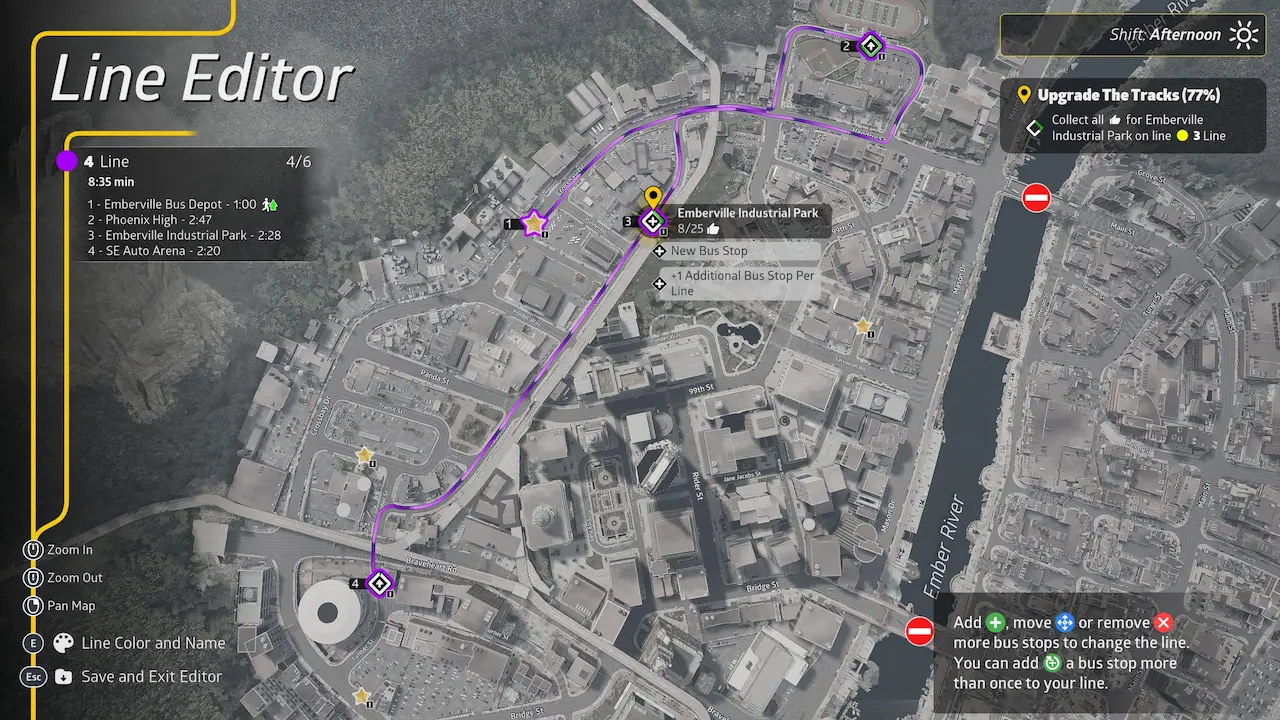
The gameplay loop is "build a line > drive the line until you get enough likes on those bus stops > upgrade the district > repeat these steps in the new district just unlocked". It's repetitive, and as you progress, the objectives become more difficult, meaning you have to repeat a line over and over to complete them, and the lack of management tasks in between makes it more tiresome than it otherwise would be.
The external camera is also awkward at some junctions, with street props/decoration interfering with the camera, pushing it very close to the bus, and making it difficult to see traffic when attempting to pull out.
Bus Bound does feature online co-op play for up to 4 players, which definitely helps break up what could be a somewhat tedious experience. It's worth bearing in mind that only the host will make progress on their save.
As is often the case with these simulators, controllers are well supported, and I would always recommend you use one over a keyboard. Bus Bound also supports 1280x800 as a resolution to take full advantage of the Steam Deck's display.
Bus Bound is quite intensive on both the CPU and GPU, but fortunately it also offers decent visual scalability, so we can get the game to a playable level on the Steam Deck.
Set all your quality settings to their lowest, then disable VSync, set the in-game frame limiter to Unlimited, disable Raytracing, and set upscaling to FSR Performance mode. You'll want to apply a 30 FPS limiter in your SteamOS settings.
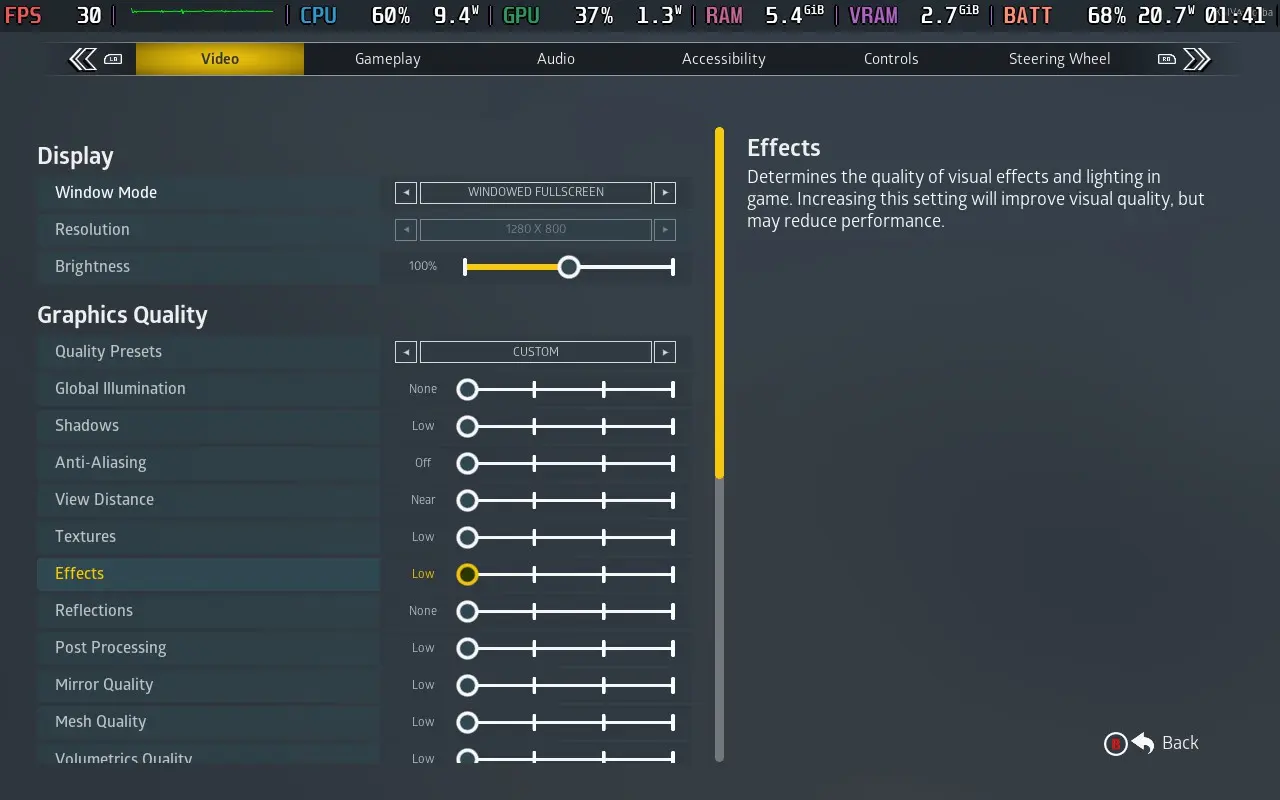
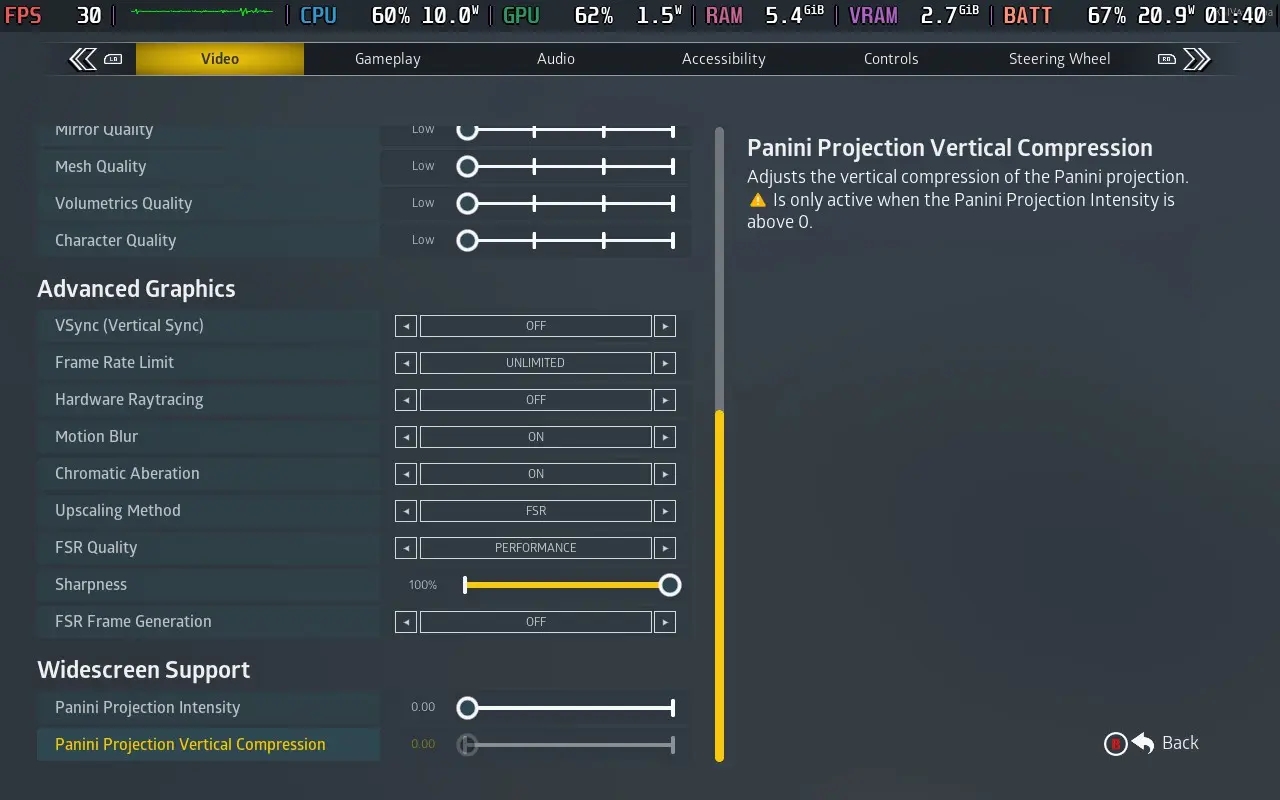
With these settings, most of the game will play at 30 FPS; some intensive areas of the city will drop into the mid-20s. Streets such as Mason Drive, which is several lanes wide with many parked cars, will drop you to 25-27 FPS for almost the entire stretch. For most areas, though, you will be hitting 30 FPS with occasional drops to 28 or 29, definitely playable given the slow-paced nature of driving a bus.
When the framerate got a little stuttery, sometimes the audio would cut out and resume a second or two later. It didn't happen often; I hit a patch every hour or so, but it is distracting when it happens.
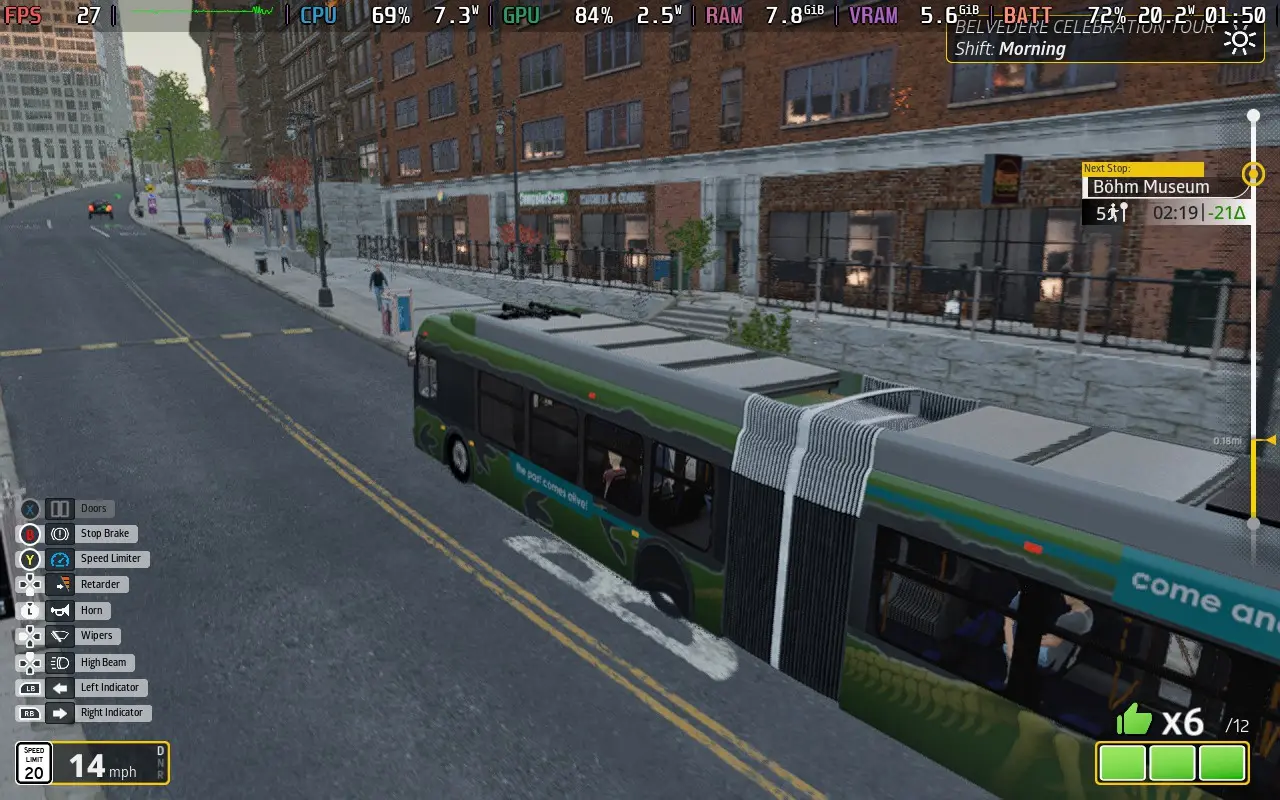
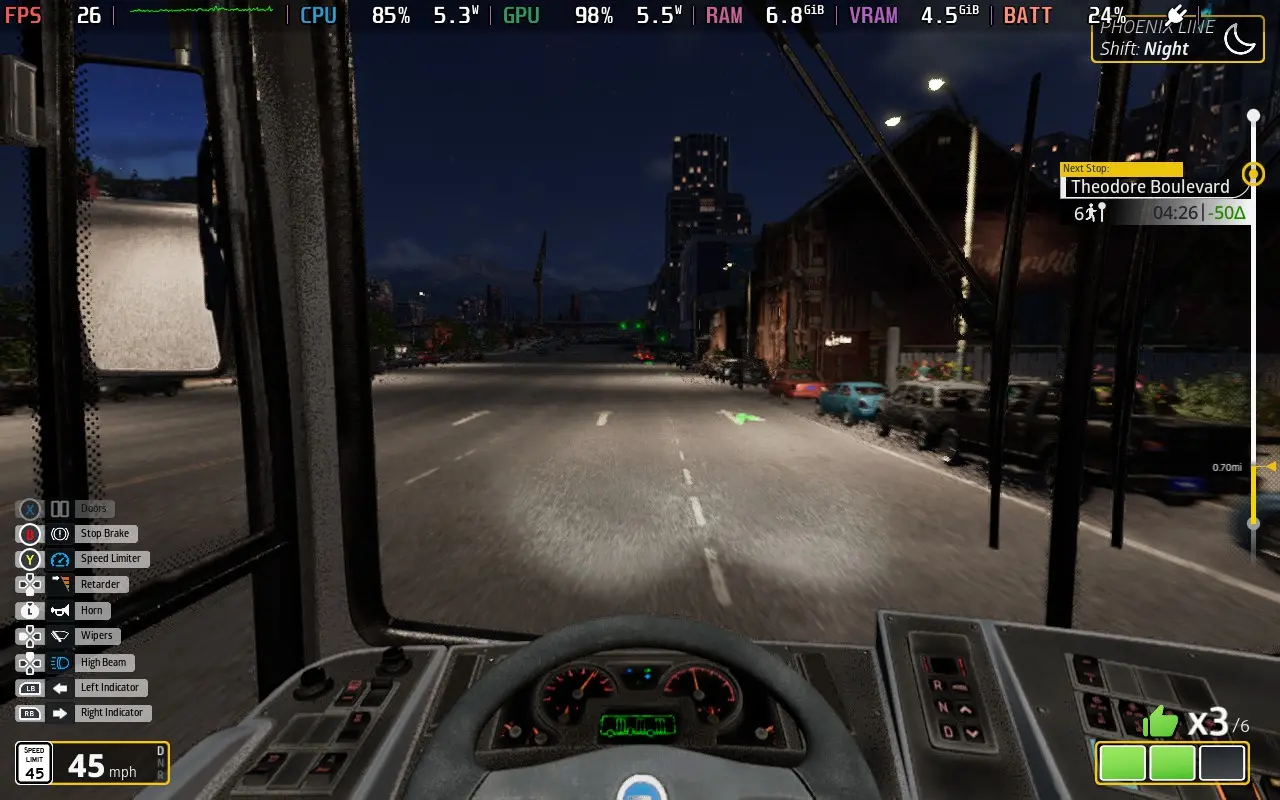
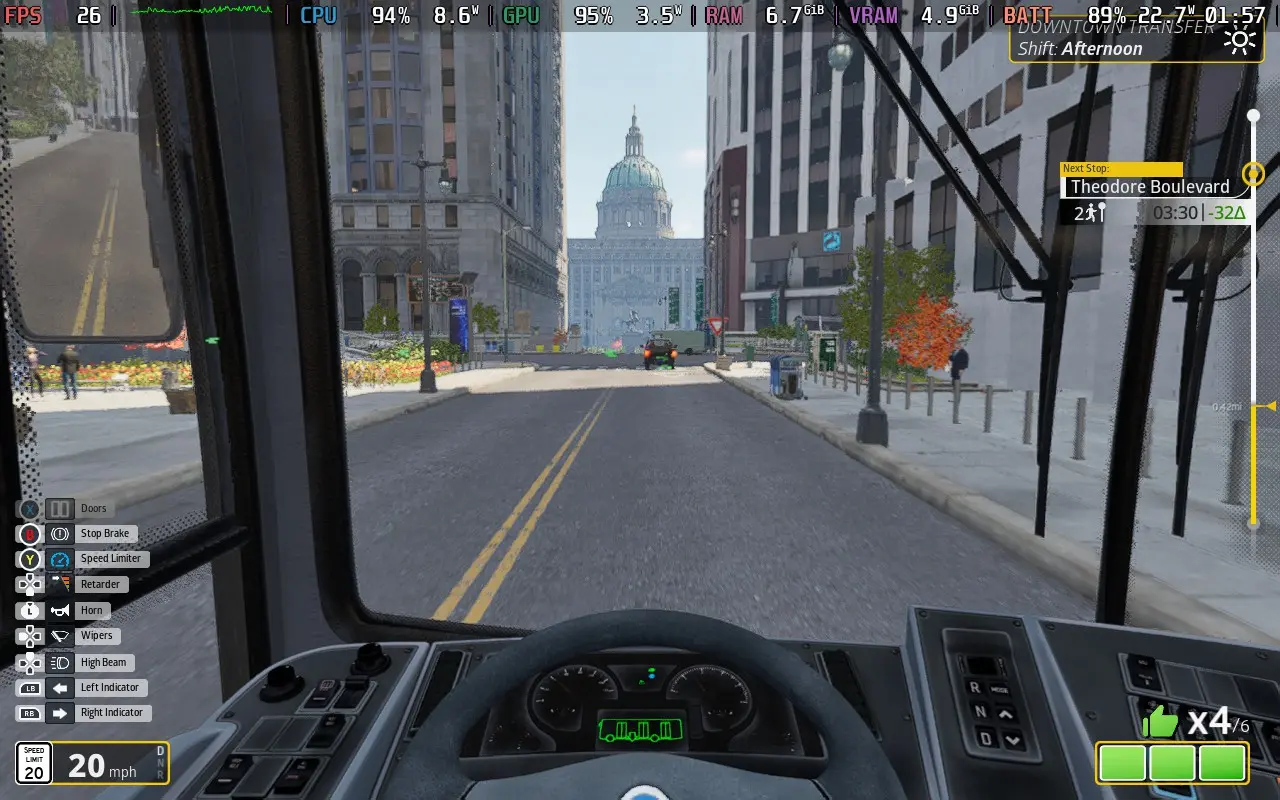
As for the power draw, expect it to be around 17W-22W, depending on where you are in the city, giving you around 2.5 hours of playtime on a Steam Deck OLED, and around 1.5 hours on a Steam Deck LCD. Temperatures were mostly around 65 °C - 70 °C.
Bus Bound features a UI Scale slider, color blind filters, and subtitle size adjustment.
Bus Bound feels like it has a conflicted identity. Presenting us with a somewhat realistic driving simulation, backed up by almost no management or logistics gameplay. Unless you want to drive a familiar path, day in, day out, then Bus Bound isn't the game for you.
Performance on the Steam Deck isn't great, but it's acceptable. If you can forgive the odd frame rate drops here and there, you can play through the game. The controller is a fine way to play driving games, too.
このレビューはPC版に基づいています。
このレビューをお楽しみいただけたなら、SteamDeckHQ の他のコンテンツもぜひご覧ください!あなたのゲーム体験に役立つゲームレビューやニュースを幅広く取り揃えています。ニュース、ヒントやチュートリアル、ゲーム設定やレビューをお探しの方も、最新のトレンドを知りたい方も、ぜひご利用ください。
Cairn was provided by The Game Bakers for review. Thank you!
Last year at Day of the Devs, I got to look at many different titles, but none stuck with me like Cairn. It was a short, simple demo of just climbing up a rock wall, but the amount of care needed to control each limb, the physics of the protruding rocks and cracks, and how they affect our body, and the need to watch over our food and water, while using special tools to help our climb, lured me right in. And now that I have played the full game, I can say that joy I felt playing last year is still there in its entirety.
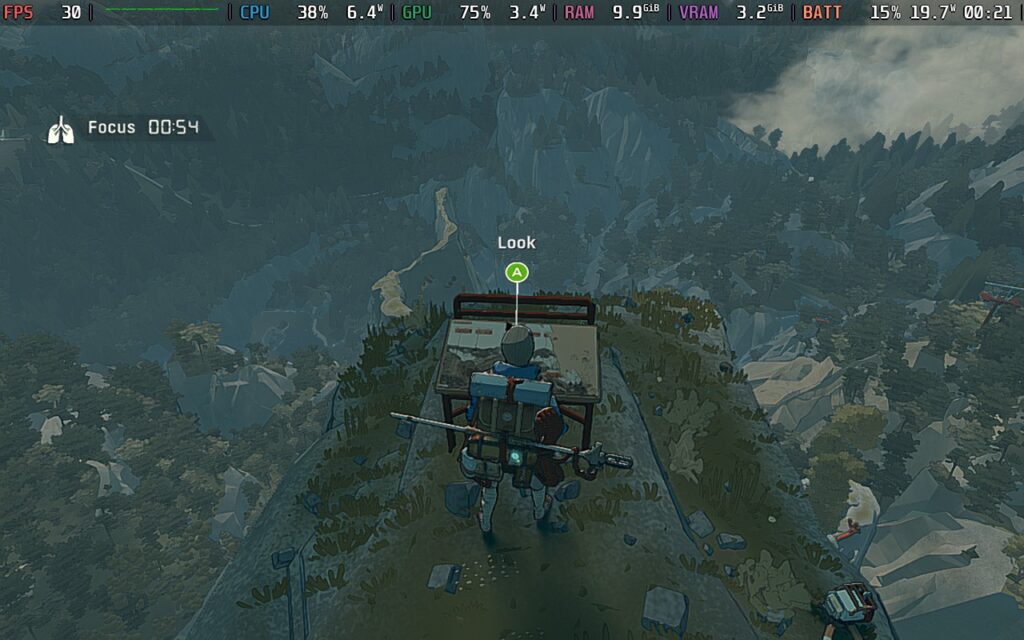
The story of Cairn follows Aava, a well-known climber who decided to tackle her most difficult mountain yet: Kami. As she goes up, she will encounter a unique cast of characters and confront her own demons while digging deep into her own psyche to discover why she can’t stop climbing. It’s quite an intriguing story overall, and I was very interested to figure out why Aava has this mentality. Combine that with a recurring Marco and his more “chill” attitude with climbing and the lore of Kami itself, and I was pretty satisfied. Ultimately, I felt it was worthwhile to stop at caves that were out of the way, finding documents and supplies to further push the story along in a neat way.
The beauty of Cairn comes from learning the most efficient ways to climb the mountain face and knowing what to do in dangerous situations. There are so many factors that can drastically affect your climax, like depleting stamina, needing food and/or water, and even weather conditions like rainfall. So, not only do you have to take some time to plan your route and ensure your path will have enough protruding rocks to get a grip on, but you’ll have to plan ahead of time for worst-case scenarios. Do you have enough pitons to use if worst comes to worst? Do you have a solid footing when your stamina starts to drop, and your entire body shakes? Do you have water and food on hand in case you start to get dehydrated? These will be constant questions that pop into your mind and can make or break your climb.
The balance of strategy and survival is key here. On one hand, you have to plan every single step of your journey. The location you place your hands and feet will factor into how you climb, and choosing spots to put less stress on your limbs will make or break your climb. Constantly looking around the mountain to discover cracks or protruding rocks will become an enjoyable norm. There's something so satisfying about finding a good foothold and watching Aava extend upwards to gain some solid momentum.
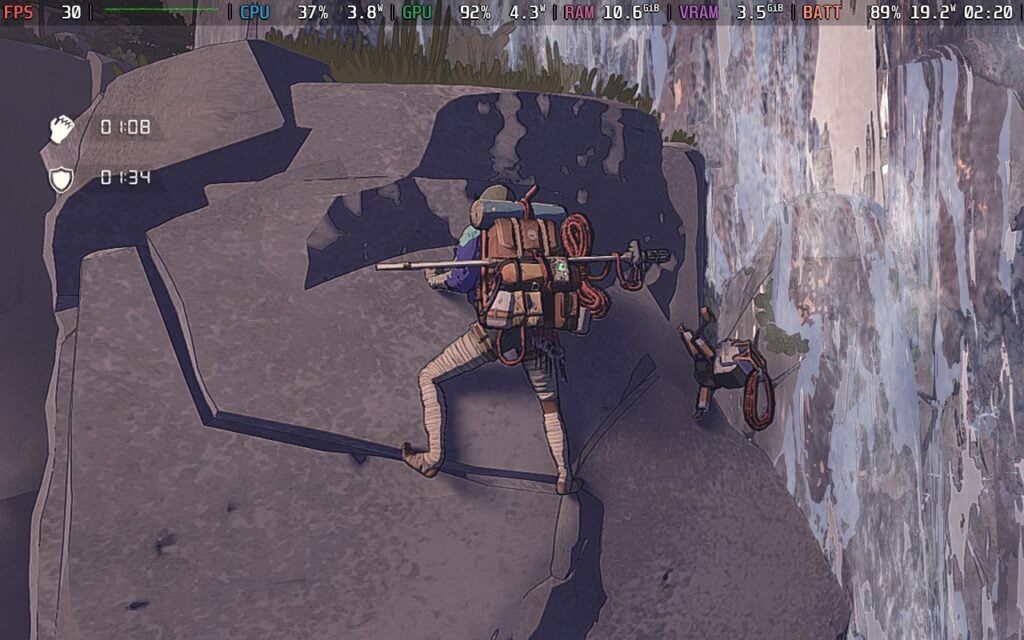
However, going too quickly or not finding footholds can lead to falling off the mountain quickly. This isn't a race to the top; taking your time is rewarded with the chance to actually stay on the mountain. We aren't completely left to our own vices either. We can put Chalk on our hands to increase grip strength (essential for spots without footholds, but cracks for grabbing on with our hands exist), and we have a limited number of Pitons to use. Pitons can act as checkpoints on the mountain, making it so that when we fall, our rope will latch onto the Piton instead of us falling to our deaths.
On the other hand, we will have to manage our health, hunger, thirst, and temperature using the assortment of foods and medicines available on the mountain. They can be found all across the mountain in leftover backpacks, cooling pots, and we can even find plants to eat. Most of what we find can be cooked in our tents to boost their effects, giving us extra buffs and more.
And, as with any survival game, supplies are limited. You can only carry a certain amount in your backpack, and you have a set amount of pitons, adding extra challenge and decisions that need to be made. It could end up being very helpful to go off the beaten path, maybe even going down to a new platform that has food or other items you can pick up. Scavenging for resources will give an edge, and it becomes necessary to stock up and prepare.
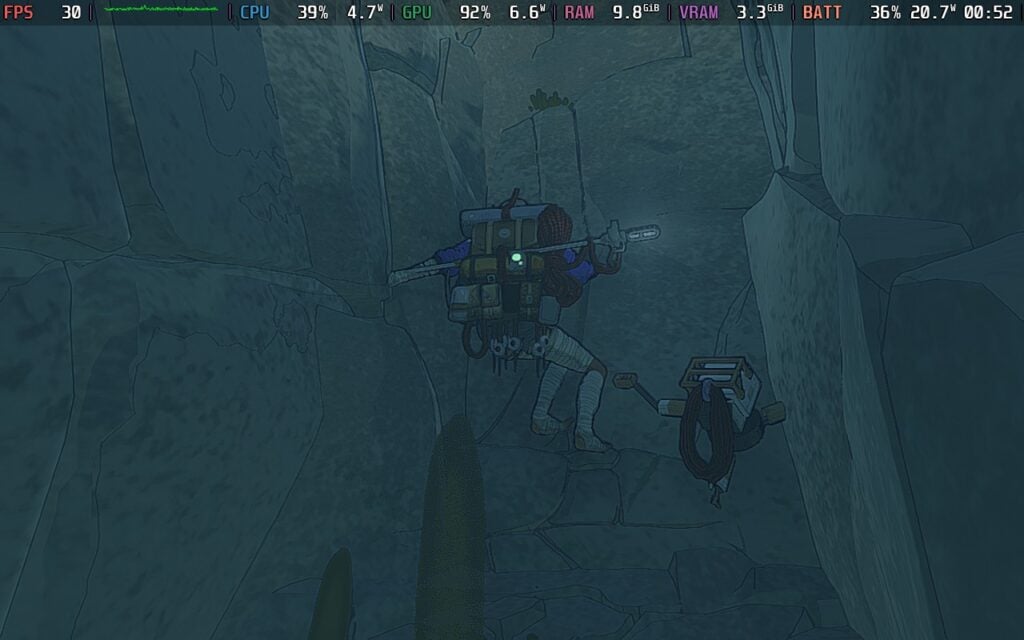
Kami is a huge mountain, and it would be tough to climb it without being able to save while going up. There are save points we can find throughout the caves and edges on the mountain, and it's at these points that we can set up our tent, sleep to regain health and pass through the night, cook food, tape up our fingers to increase our grip, repair our Pitons, and manage our backpack.
The save system is a hit or miss for me. There's a lot we can do at each point, which I appreciate, but there were more times than I could count that I died and was sent back so far. It could be devastating to lose all of that progress, and it reminded me of how I felt losing progress for games like Baby Steps or Getting Over It with Bennett Foddy. It can really suck, and it made me wish for a little more forgiving system. There are some cutscenes where we are hanging on the mountain in our tents, so I wish I could do that for cooking or saving mid-climb. It would make sense if this were limited to however many Pitons I have to keep the difficulty up, but the points can just feel a little too far from each other in some parts of the mountain.
Still, all of the gameplay elements work together nicely and create this wonderful combination of strategic survival that I found worthwhile. Taking the time to carefully plan out each move, one foot or hand at a time, became my favorite aspect of Cairn. I would sometimes even spend 5-10 minutes just inspecting the mountain to decide the route I would take to go up, and watching it work out (with careful Piton placement) became this euphoric experience.
Cairn may be Verified for the Steam Deck, but it does have some larger problems I didn't expect. The game can drop significantly when looking at more of the mountain than what's in front of us. Even with the game on the lowest settings, which is the default, it will drop below 30 FPS, sometimes even going down to 15 or 20, depending on how much of the mountain is in view. It's a little bit of a bummer, though I am thankful that the bulk of the gameplay will stick to 30 FPS when it needs to. The game doesn't really need a high framerate, which helps a lot, too.
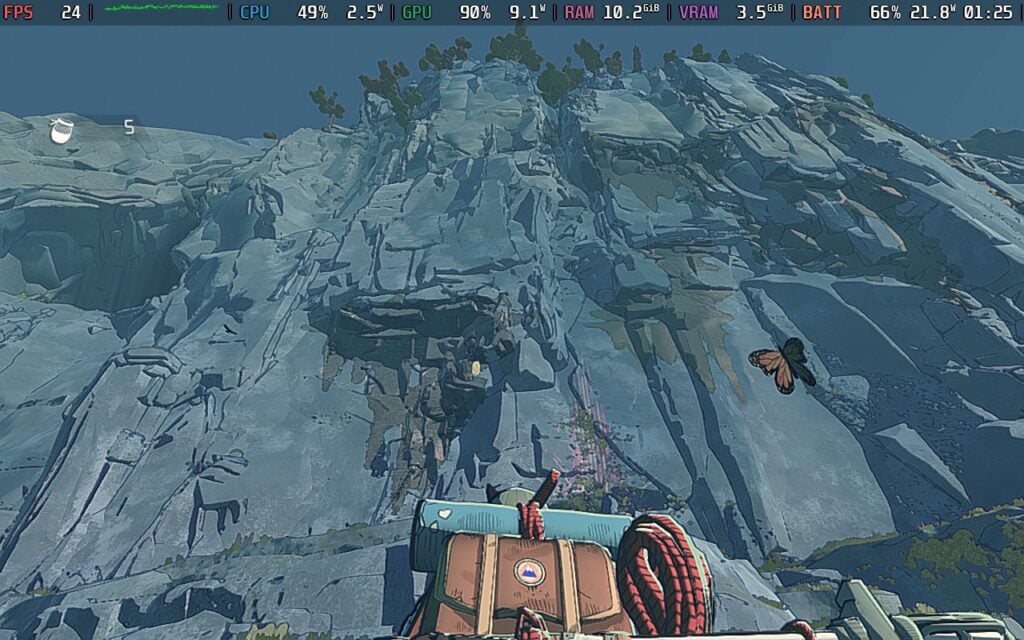
Still, I couldn't help but be a little disappointed with Cairn's performance. It seems to be rendering a little too far, so looking out at the mountain or in certain angles will bring performance way down. Climbing is more stable, since we are only looking at the mountain face in front of us, but even at the lowest settings possible, looking towards the mountain would bring performance down. Still, to stabilize it as much as possible, I do recommend bringing down the resolution and using SteamOS' FSR upscaling to supplement. The visuals make it blend in nicely, and it boosts performance enough to stay stable where it counts.
This also brings battery drain down when not climbing, without changing visuals too much. There is some extra detail on the rock faces and more foliage on the ground, but I wouldn't say the visuals suffer enough from High to Low to justify the extra battery drain and performance drops. And with there being throttling and framerate drops when looking at the whole mountain, even on Low, I would rather keep it at lower settings to minimize the moments of drops during actual gameplay.
There isn't a specific accessibility tab for Cairn, but it does have some nice assist options to help with our ascent, like fall rewinding, infinite gear, auto-saving, and turning off the survival elements. But we also have other settings, like manual limb selection, highlighting limbs, skipping quick reaction mini-games, displaying the in-game time, changing subtitles size, and remapping controls.
We do have 16:10 resolution support, as well as controller and cloud save support. There are no HDR settings.
Cairn combines strategy and survival to create a unique experience that I want to keep coming back to. The combination of strategy and survival in climbing a treacherous mountain is well-balanced, keeping gameplay engaging and fun throughout. It can be brutal and unforgiving with how quickly you can fall, and save points are a little too scattered in some areas, but it was hard to find any moment that didn’t make me want to try climbing again.
I do wish it ran better on the Steam Deck, but I would still consider it playable since it doesn’t need high framerates to be fully enjoyed. Still, I had a great time playing it in bed, and I can happily recommend it.
このレビューはPC版に基づいています。
このレビューをお楽しみいただけたなら、SteamDeckHQ の他のコンテンツもぜひご覧ください!あなたのゲーム体験に役立つゲームレビューやニュースを幅広く取り揃えています。ニュース、ヒントやチュートリアル、ゲーム設定やレビューをお探しの方も、最新のトレンドを知りたい方も、ぜひご利用ください。
Train Sim World 6はDovetail Gamesよりレビュー用にご提供いただきました。ありがとうございました!
Train Sim World 6』は、毎年発売されるトレインシミュレーターの最新作だ。新しい路線や列車が追加され、過去に発売された作品のDLCがサポートされ、おなじみのパッケージに新機能が追加されている。
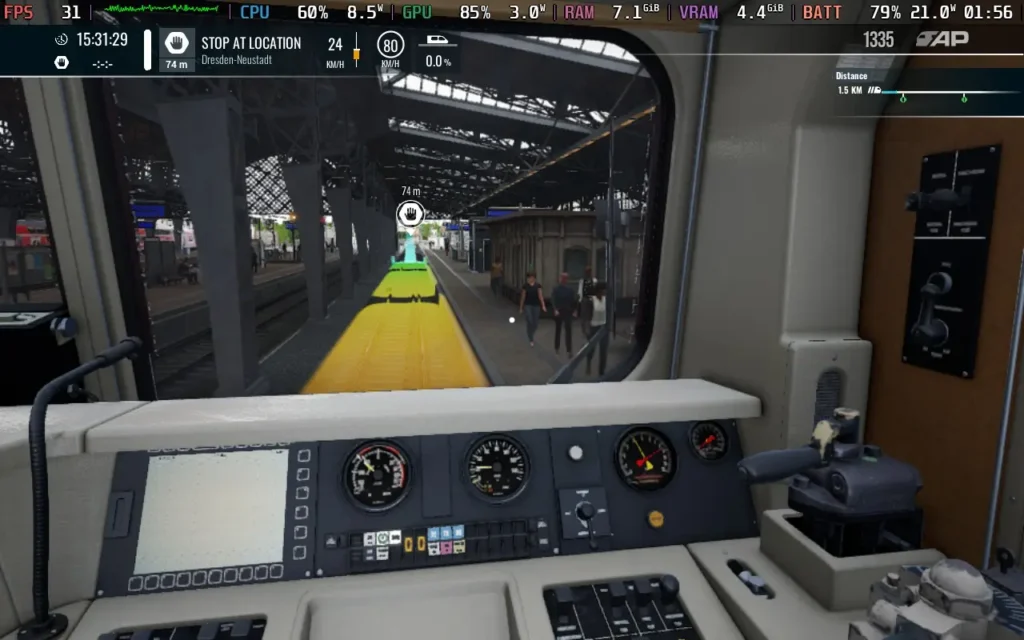
実際の列車のシミュレーションに関しては、『Train Sim World 6』を非難するのは難しい。列車の運転室は、ノブ、スイッチ、ダイヤルの多さで細部まで作り込まれている。最初は、本物の列車を想像するように、かなり圧倒されるが、列車を操作する手順を覚え、当たり前のようにスイッチを入れたりダイヤルを回したりできるようになると、気分がよくなる。
同様に、列車の物理演算も見逃せない。加速と減速は、使用している列車の種類や客車の重量を考慮して行われる。列車を運転する上で重要な要素のひとつは、このような大きな乗り物をスピードアップさせたり、減速させたりするのに時間がかかるため、自分がいる場所の先をよく読んで計画を立てることだが、このゲームではそれがよく伝わってくるし、次の信号や停車駅、制限速度の変更を警告する便利なタイムラインも提供される。
もちろん、特に自信がある場合は、HUDを完全に無効にして、視覚的な合図と列車のコントロールパネルに頼ることもできる。

ゲームプレイの中心は、路線を運行し、信号を守り、駅で正しい位置に停車し、時刻表を守ることである!これらはミッション/シナリオとして提示されるが、自分の列車を選んで「フリーローム」で好きなように運転することもできる。かなり単調かもしれないが、トレインシミュレーターのレビューを開いた時点で、できることは限られていることはおわかりだろう。
私が思うに、これに対抗する最善の方法は、走行中でも立ち上がって列車の周りを自由に歩き回り、車内や客車を自由に探索できるようにしたことだ。現在運転中でなくても、列車内を探検していろいろな列車がどんなものか見てみるのもいいものだ。
Train Sim World 6』では、単調さを解消するために信号や列車の故障といったランダムイベントを導入している。残念なことに、このシステムは中途半端な印象で、特定の列車に特定の故障しか起こらず、特定の路線に特定のイベントしか起こらない。これは1990年代のレース「シミュレーター」を彷彿とさせるもので、ランダムにエンジンが爆発したり、パンクしたりするのだが、何の理由も示されず、運転は問題なかった。願わくば、今後のバージョンアップで拡張・改善されるシステムであってほしい。
Train Sim Worldの無茶なDLCを抜きにしても、列車や客車の品揃えは豊富だ。しかし、路線の種類はやや少ない。特に、通常版を購入し、以前のバージョンを持っていない場合はなおさらだ。同じ路線を何度も移動することに抵抗がなければ、いずれDLCを購入したくなることを理解した上で『Train Sim World 6』に取り組んだ方がいいかもしれない。
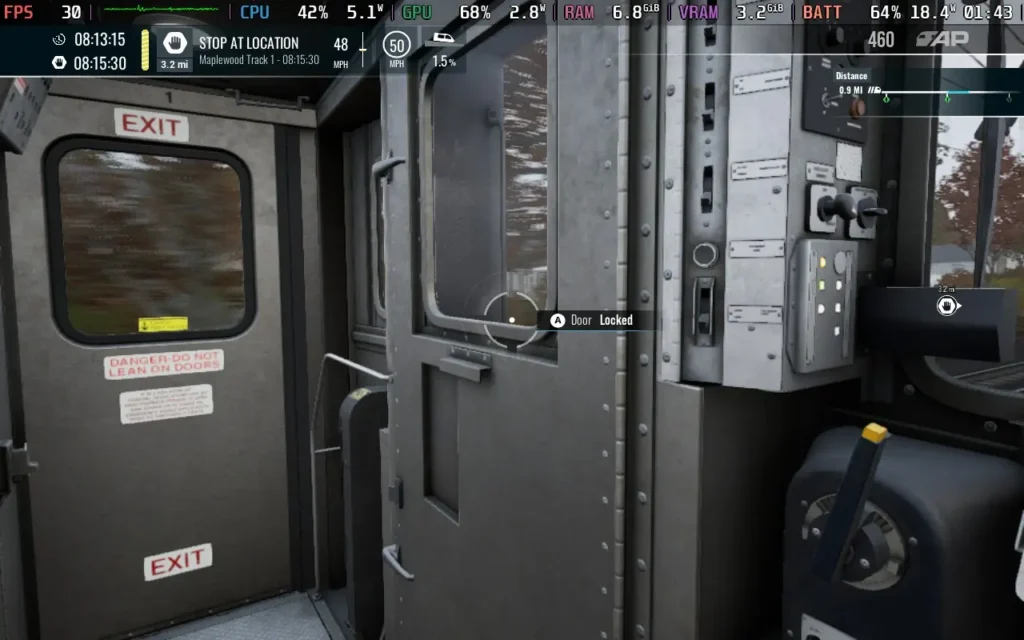
列車や路線のビジュアル・クオリティは、ちょっと微妙なところだ。Train Sim World 6は、まだUnreal Engine 4を使用しているようだ。プラス面では、これはゲームの実行がかなり簡単であることを意味する。マイナス面としては、少し古さが目立ち始めている。
Train Sim World 6』は細部へのこだわりが印象的で、車内のあちこちにステッカーが貼られていたり、運転台が細かく描かれていたり、駅がリアルに再現されていたりして、本物らしさを感じさせる。しかし、テクスチャの質はまだ低く、特に客車を徒歩で探索する場合はその傾向が強い。シェーディングもそこそこだが、ここ数年の最高設定のゲームに期待されるクオリティではない。建物やその他のレールサイドのアセットも、いくつかのエリアで繰り返されている。レイトレーシングも利用できず、列車の内部も外部も非常に金属的でガラス的な性質を考えると残念だ。
Train Sim World 6に入る前に、Vulkanシェーダーの処理にかなりの待ち時間がかかることが予想される。私のSteamデッキでは、ゲームを起動できるようになるまで、この処理に約20分かかった。幸いなことに、その後の起動はシェーダーの処理が早く、通常は1~2分で済んだ。
このゲームは1280x800の解像度をサポートしているため、Steamデッキに黒枠はない。シミュレーションとコントロールがいかに奥深いかにもかかわらず、コントローラーへの対応もかなり良い。
というのも、ボタンやスイッチの多くが小さく、十字キーでピンポイントに操作するのが難しいからだ。左手親指のスティックでズームすれば簡単にできるが、イライラすることもある。ありがたいことに、スロットルやブレーキなどのキー操作はショルダーボタンにマッピングされており、簡単にアクセスできる。
Steamデッキでの実際のパフォーマンスに関しては、ここでは30FPSで動作させることができます。Medium」プリセットを選択し、「General」設定メニューで「Volumetric Fog」と「Motion Blur」が有効になっていることを確認することをお勧めします。また、Texture Qualityを "High "に上げることもできます。
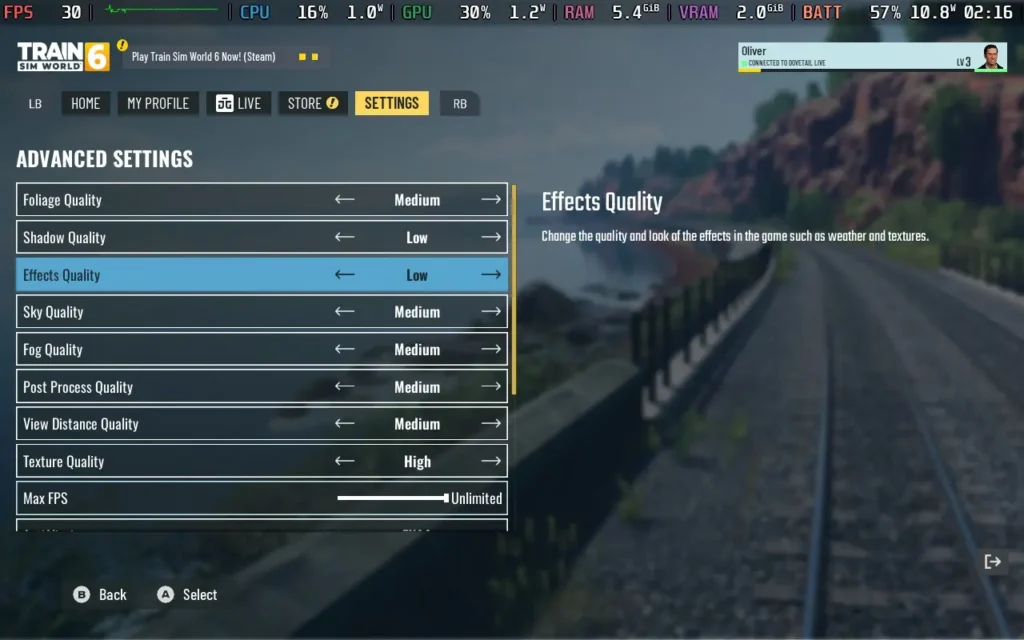
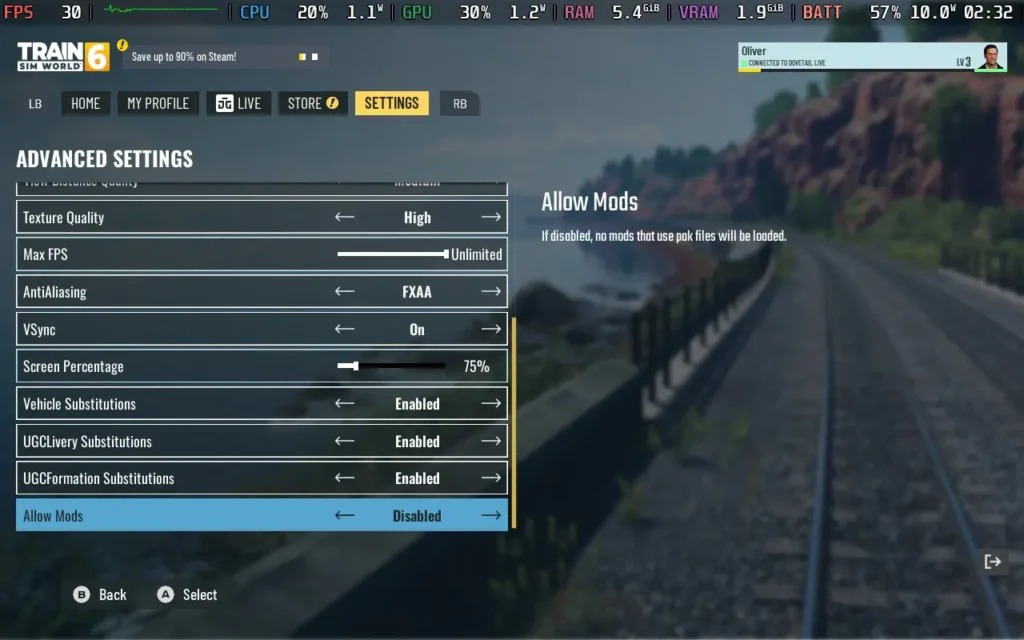
この設定で30FPSをキープしているが、特に高速走行時にはトラバース時のスタッターが発生することが予想される。時速50マイルを超えると、新しいオブジェクトがロードされるときに頻繁にスタッターが発生するのが気になった。しかし、ゲームはプレイ可能なままだ。
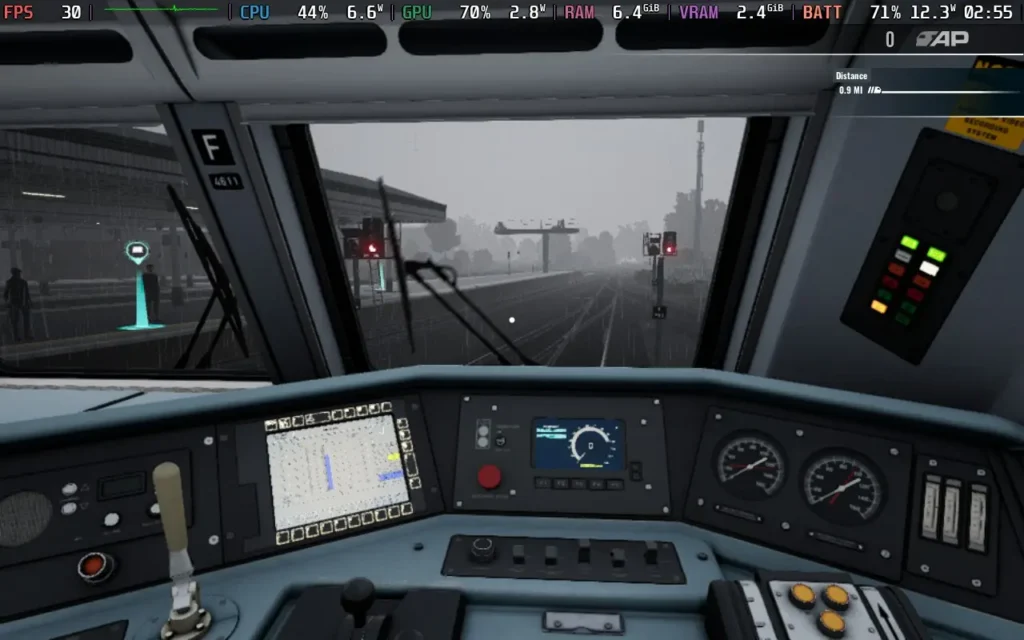
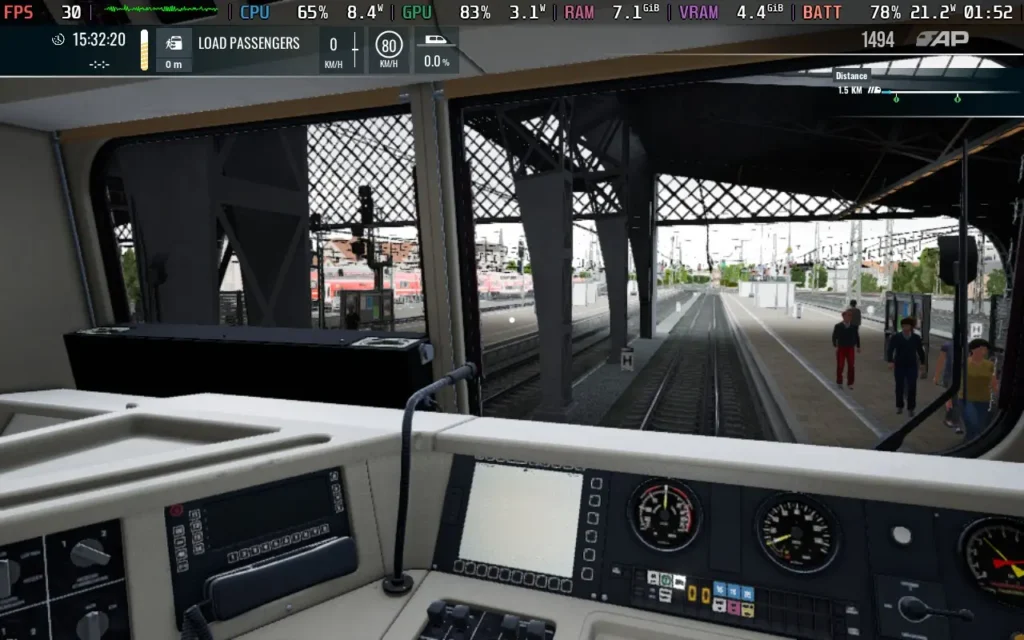
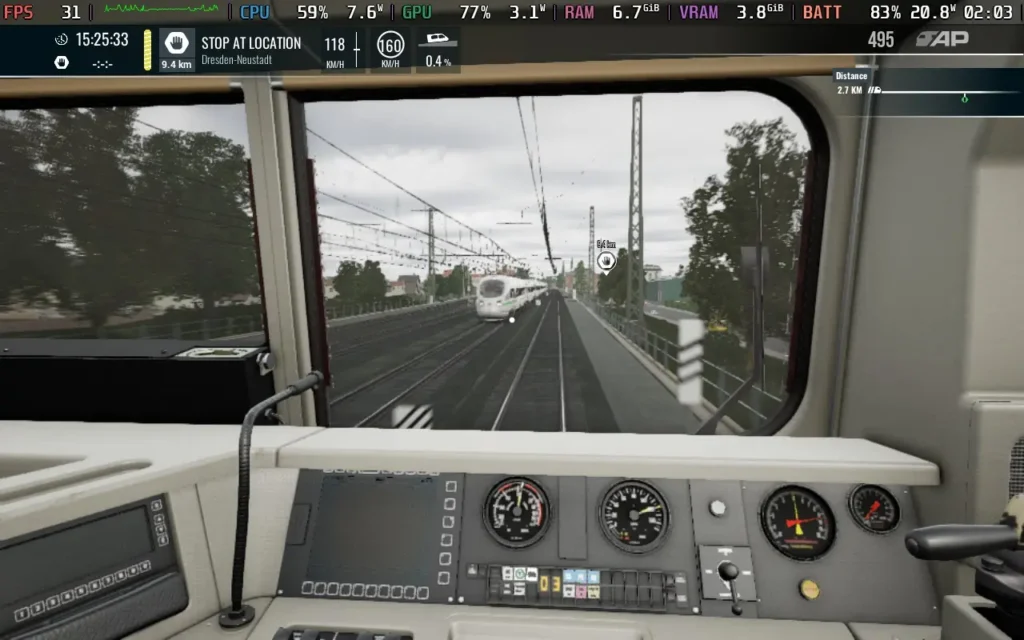
消費電力は約18W~21W、温度は約60℃~65℃だった。つまり、スチームデッキOLEDで約2.5時間、スチームデッキLCDで約1.5時間のバッテリー駆動が期待できる。
Train Sim World 6』にはアシスト機能が搭載されており、列車の操作をサポートしてくれる。これにより、運転に集中することができ、他のタスクに集中する必要がなくなります。また、特定のセリフには字幕が表示される。
トレイン・シム・ワールド6』は、今後1年間は鉄道シミュレーターのお供となるだろう。しかし、より新しい技術を使い、列車の内部構造をより深く追求した他のシミュレーターが登場すれば、その王座は簡単に奪われてしまうような気がしてならない。Train Sim World 6』は、列車の運転士がどのようなものかをよく教えてくれるが、「故障」が導入されたことで、故障の理由や 原因を知ることができたのはよかっただろう。
Steamデッキとの互換性については、『Train Sim World 6』は問題なく動作する。運転席でのボタンのハイライトや選択、トラバーサルのもたつきなど、最高の体験とは言えないが、最終的にはプレイ可能だ。
このレビューはPC版に基づいています。
このレビューをお楽しみいただけたなら、SteamDeckHQ の他のコンテンツもぜひご覧ください!あなたのゲーム体験に役立つゲームレビューやニュースを幅広く取り揃えています。ニュース、ヒントやチュートリアル、ゲーム設定やレビューをお探しの方も、最新のトレンドを知りたい方も、ぜひご利用ください。
TROLEU was provided by Critical Reflex for review. Thank you!
When I was at Gamescom last month, I had the pleasure of meeting with some of my good friends. As we were talking, they casually brought up a couple of games they were looking forward to, and one was described as Papers, Please-esque. Then I saw the game, and it was as they said, with way more kicking, dancing, and ridiculousness mixed in. That’s how I was introduced to TROLEU. Ultimately, it’s a simple game, with a simple goal, and it has so much hilarity thrown in that I couldn’t stop playing, even when it was 4 am and I desperately needed sleep. I just had to finish one more route.
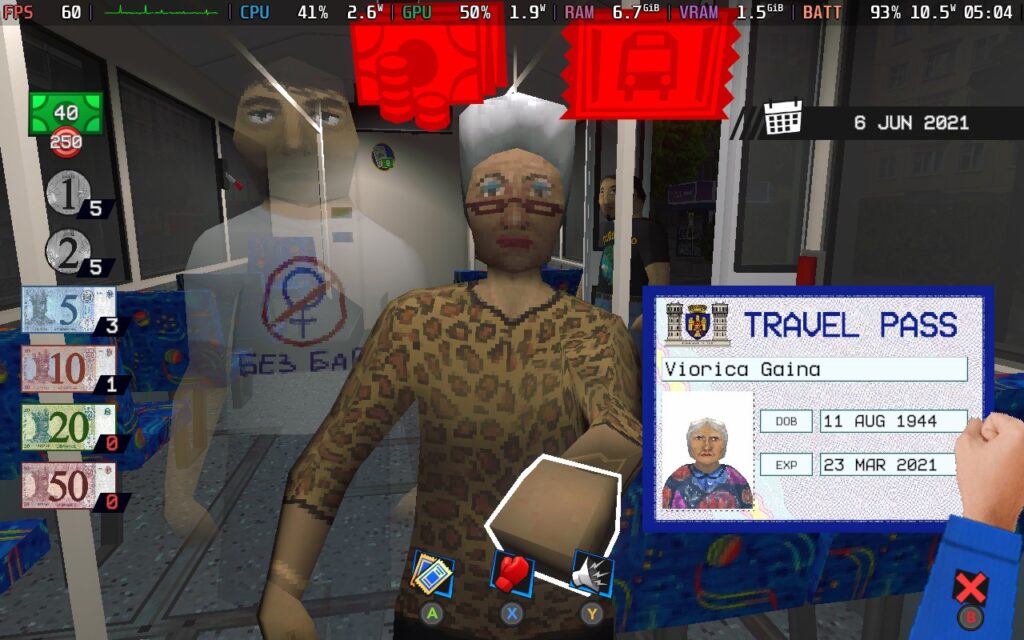
TROLEU’s goal is simple. You are a bus conductor, taking money, checking passes, and handing out tickets to passengers on your bus. Some passengers will have cash, and you need to give them the correct change, while others have a card that you have to swipe. And in Papers, Please fashion, some will have a bus pass that you need to check and make sure their picture matches, and it isn’t expired. At the end of our route, we need to have made a specific amount of money to succeed in completing the route effectively.
That’s the gist of it on the surface, but there’s more to keep in mind. TROLEU pushes the limits with new rules, mandatory stops, and consistent hazards that create this chaotic symphony that makes the experience feel unique. It becomes a game all about managing time, helping passengers while also cleaning up spills to keep them from slipping. Some get on holding items that can fall if they do, which can cause even more chaos, so it is very much in your best interest to keep everything tidy.
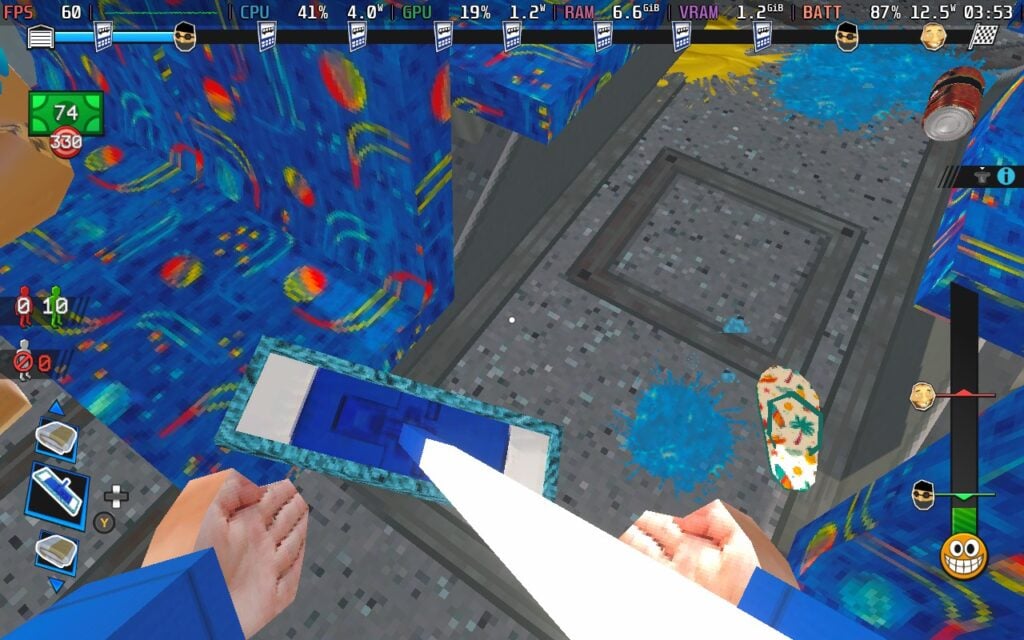
I like the combination of gameplay mechanics where we need to keep the bus tidy and move around like a normal first-person game, but as soon as we talk to customers, we get to move our hands individually to grab the specific items and tickets we need to. It does make helping them harder, but I like how much it adds to the chaos.
TROLEU also has a satisfaction bar that can go up and down depending on how your legal passengers are treated. The lower it is, the happier they are. Treating them well will lead to a shady person with a roguelike-esque shop to get on and offer us more tickets and upgrades to purchase. However, kicking them around, watching them slip, or forgetting to quiet loud passengers will bring the bar up and trigger an inspection. The inspector will come on and check every person there to make sure they are all legal passengers. If they are, he will leave in his own chaotic fashion by flinging himself out of the bus. But if he finds an illegal passenger, he’s coming for you. Now, you can kick and throw other passengers at him when he’s coming at you to stop him, so if you feel confident, you can let him get angry.
Mixed with the variety of environmental hazards that come with each of the six levels and their harder, night shift counterparts, there’s a lot to love. I found myself going back in and playing more of the endless mode just for fun, and getting new unlocks to make my playthrough more enjoyable and exciting. Even though the number of levels is limited, the variety and feel between them, with different passengers, hazards, and environments, keep it fresh.
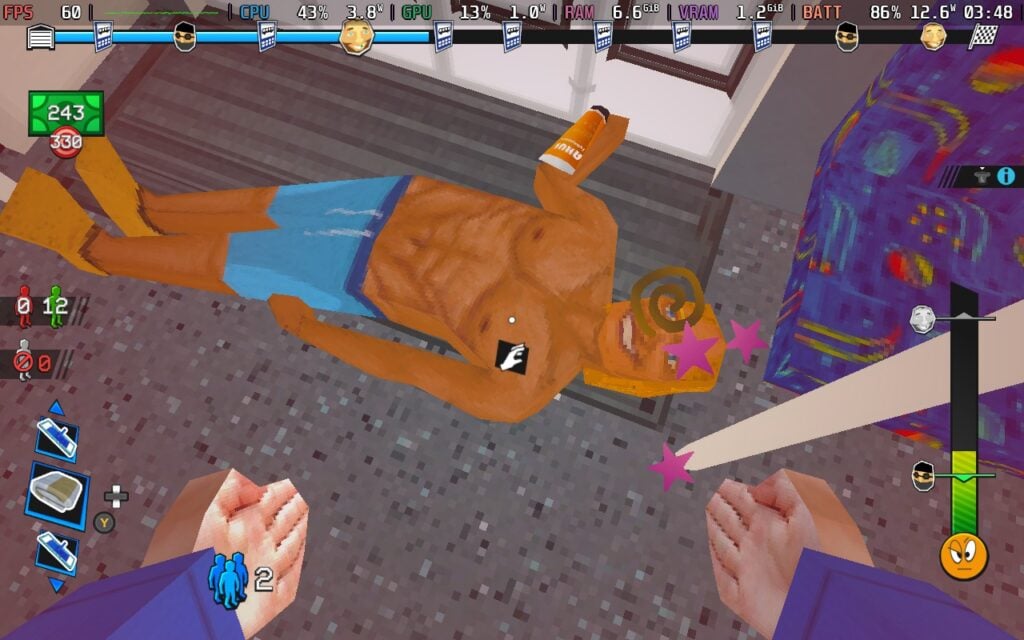
Now, I love the general gameplay; it’s fun, energetic, and chaotic in all the right ways. However, there are times it just gets way too chaotic, and can quickly lead to feeling very overwhelmed. All it can take is one mess up where a beach ball swings into everyone, knocking them down, while 5 new passengers come on board to feel completely overwhelmed. It got to the point where, as soon as this started to happen, I pretty much knew it was over and restarted the run to save me the frustration of bodies flying all around and the inspector kicking me off. Yes, we can throw bodies to stop the inspector when he’s coming after us, but my kicks sometimes completely missed, and I’d end up getting thrown out, or as I was frantically trying to help passengers who hadn’t been helped yet.
There are items we can buy that do help with that, like the ticket bomb, but that doesn't stop it from feeling a little overwhelming at times.
The fighting mechanics also feel a little off. They are using Guitar Hero-style prompts that need to be pressed at the right time. It’s a little unforgiving, and there wasn’t a lot of leeway if I was off timing by a little bit. It also wasted a lot of time, time I could have used to kick them off and start getting to other passengers. Ultimately, I found that just avoiding fights and kicking people off or paying them some money to pacify them worked better and saved me tons of time. For a game where we are frantically running around and trying to get everything done, locking us into a fight like this feels against what the core of TROLEU is all about.

For the most part, TROLEU is solid on the Steam Deck. It runs at 60 FPS nicely and won't dip downwards. However, it does tend to hit performance pretty hard when there are lots of people on the bus. I wouldn't expect a game that looks like this to hit 14W battery drain and over, but it does. It isn't unplayable by any means, and generally sticks below 15W the whole time, but I was still quite surprised. There really aren't any graphical settings to change, and we can reduce the framerate, but it's not as enjoyable.
While performance is solid, there is one big issue that stops me from wanting to play more on the Steam Deck. On the beach level, we are introduced to a new mechanic to check money using a magnifying glass to see if the banknotes are fake. The mechanic itself isn't that bad, but trying to play using the Steam Deck's gamepad just doesn't work. Every time I pick up the magnifying glass, it goes right into a corner that I can't get out of, stopping me from using it. It doesn't stop progression, but it is a nasty bug that means some people may give fake banknotes without me being able to tell. I was able to fix this by switching to the Keyboard and Mouse scheme, which could indicate this is a controller issue and not a Deck-specific issue.
Overall, it is playable, and the biggest issue will most likely be fixed in a patch post-launch, but it does stop my enjoyment a bit. I hope it gets fixed soon, because I genuinely feel like this is the perfect game to play on the go. There are some tutorials that seem to be missing their images or videos, but it's described well in the window, so it doesn't hurt the learning experience.

There are some options to change sensitivity for the camera and our hand, language, field of view, screenshake, and exit warnings, but that's about it.
The game does support 16:10 resolutions and has solid controller support, but no cloud saves. There are no HDR settings.
TROLEU is a comedic Papers, Please! that has the makings of being a must-have game. Balancing helping passengers with keeping the bus tidy to avoid the onslaught of chaos is enjoyable, and the little things like the people's designs, how they fling themselves out of the bus, and just the overall situation is hilarious. There are times when it can become too chaotic, and it does start to get overwhelming when mixing in the fighting mechanics, but it never completely frustrates.
It is playable on the Steam Deck, and I do find it enjoyable, but it drains more than I expected and has a key issue that makes checking banknotes impossible. It doesn't stop progression, but it can make it harder to get more money or a high score. And if that inspector comes in, it could be trouble. Still, it is playable, just needs a little love to get it into that essential status for portable play.
このレビューはPC版に基づいています。
このレビューをお楽しみいただけたなら、SteamDeckHQ の他のコンテンツもぜひご覧ください!あなたのゲーム体験に役立つゲームレビューやニュースを幅広く取り揃えています。ニュース、ヒントやチュートリアル、ゲーム設定やレビューをお探しの方も、最新のトレンドを知りたい方も、ぜひご利用ください。
RoadCraft was provided by Focus Entertainment for review. Thank you!
RoadCraft was a really intriguing game to me when it showed up last year. I was a big fan of SnowRunner and was looking forward to the Expeditions game. RoadCraft looked like another, unique spin on the franchise. But does it stick to what makes games like MudRunner and SnowRunner so appealing? Well, the answer to that is both yes and no.
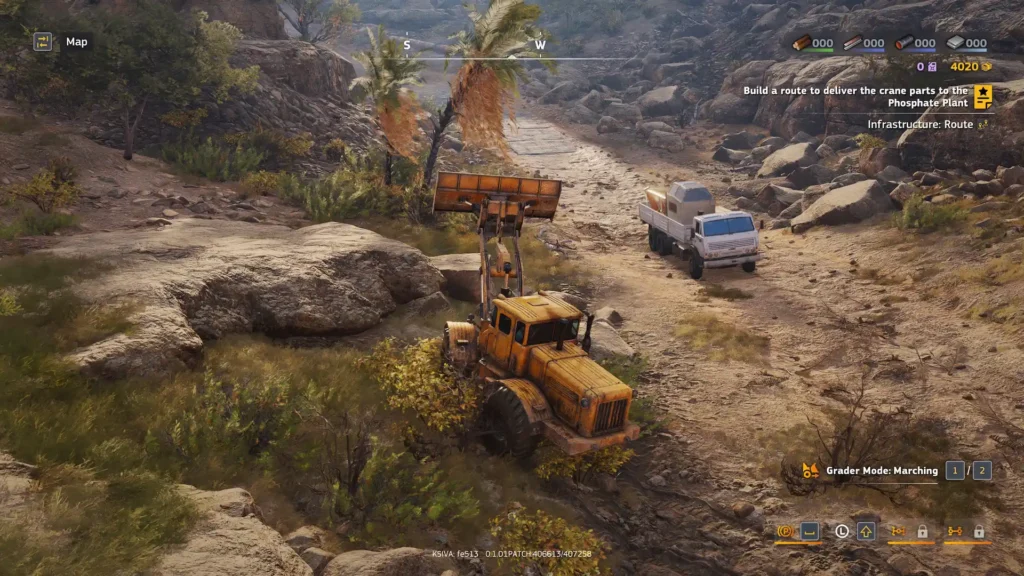
SnowRunner was all about you and your vehicle against the unforgiving terrain, you had to plan ahead and persevere through rugged terrain to reach your objective. RoadCraft, however, takes a different approach. Instead of focusing on your vehicle, RoadCraft puts the emphasis on infrastructure. Your vehicle cannot take damage, it does not have fuel, and the functions available to you are purely practical ones for the purpose of building roads or moving cargo; you can't even control your headlights in this one.
What you will mostly be doing in RoadCraft, then, is fixing roads and other infrastructure. While the game does feature almost identical vehicle and terrain physics to SnowRunner, the actual muddy and difficult-to-pass terrain in RoadCraft is in the minority, with most of the roads being fairly easy to traverse, relatively speaking. It's your job to fix up those difficult-to-traverse patches with the equipment on hand, so that supply lines (driven by AI drivers) can deliver goods to where they need to go.
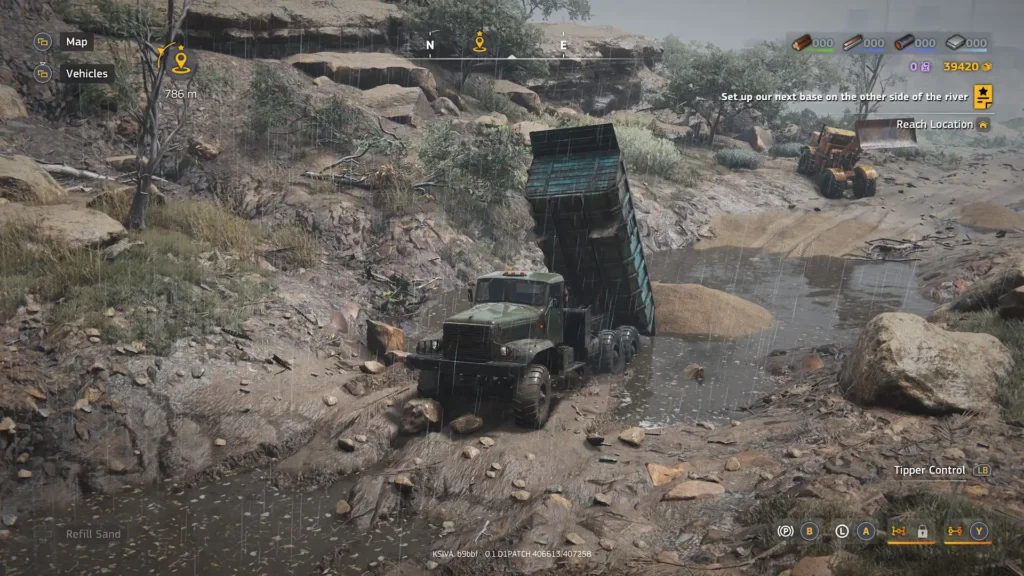
Unfortunately, I quickly found the work to become tedious. You first need to pour sand near the area you want to repair, so you'll need to drive a dump truck to the quarry to fill up with sand, then drive the dump truck to the road, deposit the sand, then get into a bulldozer, level the sand out, then go back into the dump truck, go back to the quarry to fetch more sand, drive back to the road, and rinse and repeat. In some cases, you need to do this a good 7 or 8 times. It becomes mind-numbing.
To combat this, the game allows you to hand over the task to the AI, but that, in turn, defeats the point of the game. You can just assign an AI to build the road, and they will, but then all you're doing is selecting a road to build and then selecting a truck to build it from the map, which isn't exactly much gameplay. The problem is, the AI doesn't play by the same rules as players have to (they have infinite sand, for example), so it's much quicker for the AI to build a road than the player, several times quicker, in fact. It's infuriating that you get punished for putting in all that hard work yourself.
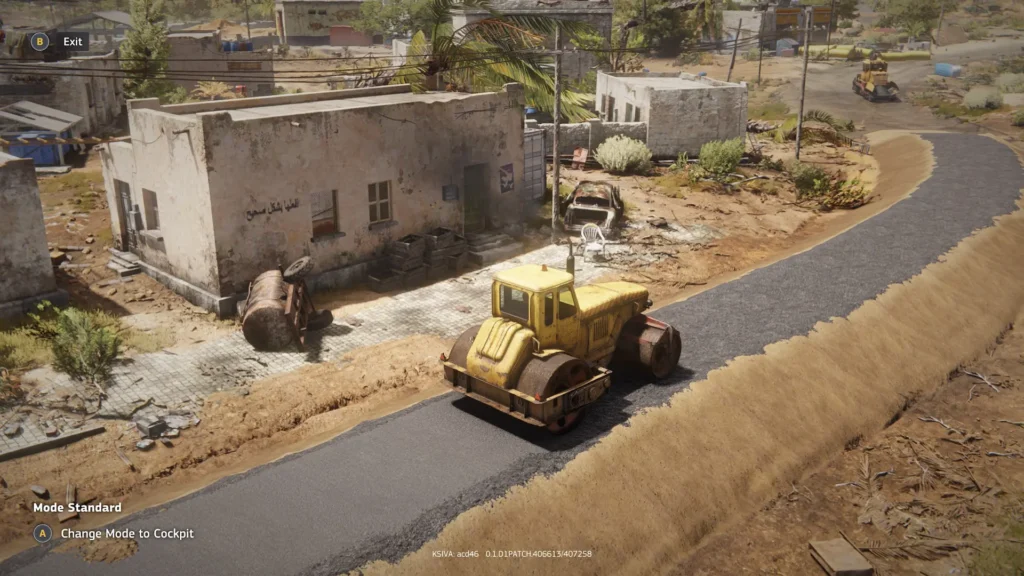
The actual satisfying part comes from when the job is all finished and you get onto plotting the route for the AI vehicles to follow. This is a pretty neat feature, and probably the most interesting part of the game for me, personally. I like seeing the AI make use of the work I've done and watch them travel through a previously impassable part of the map. They're a bit stupid and follow your route exactly, so they can't maneuver around obstacles, even little rocks or barrels, so you have to make sure the route is fully clear before they travel along it.
I did encounter an issue as at the start of maps, you have no equipment available except your pickup. I had to plot a route from a depot to a garage to get it working so I could access my vehicles. Unfortunately, the road between the two was in a poor state, and no matter what I did, the AI truck could not find a path through, as it constantly got stuck in mud, making each attempt more difficult, essentially soft-locking me from continuing. The developers put a "reset map progress" button in, probably for this reason, but it does mean you lose all progress you've made on that map up to that point, which is annoying.

Occasionally, RoadCraft switches things up a bit, requiring you to remove objects such as wrecked cars and miscellaneous scrap from the roads using your bulldozer or a crane, this is less tedious work, but I am super clumsy and usually ended up destroying the terrain while clearing the scrap, meaning I needed to go and fix the road anyway!
Besides repairing and clearing roads, you'll also be tasked with transporting supplies, laying cables, and performing other assorted tasks to get communities back on their feet following natural disasters. This varies the gameplay up a little, but you are essentially driving from point A to point B. Laying cables is both the most interesting and possibly most frustrating task, as it involves digging trenches. Sometimes, you have to dig trenches across roads, meaning you now need to go back and lay a road again; otherwise, supplies can't get through. RoadCraft truly does require the patience of a saint.
I also found that sometimes object locations don't save. I cleared a road of debris to allow traffic through before saving and quitting. Upon reloading the game later, the debris was back on the road, preventing traffic. Terrain deformation also isn't always saved, it seems.
The game has co-op for up to 4 players. Unfortunately, with the way that RoadCraft is structured, you often only have 1 main objective to do at any one time, meaning in a 4-player game, at least 1 of the players is probably twiddling their thumbs wondering what to do. If your objective is to repair a pipeline, only 1 vehicle is needed to carry the pipe, maybe a secondary vehicle with a winch to pull it out of the mud if you get stuck, but what are the other 2 players meant to do for 15 minutes while they fix the pipeline? Nothing, it seems.
There isn't really an exploration element to RoadCraft, as there seemed to be in SnowRunner, so if you aren't doing an objective, there's no real point in going off the beaten track, as it were.
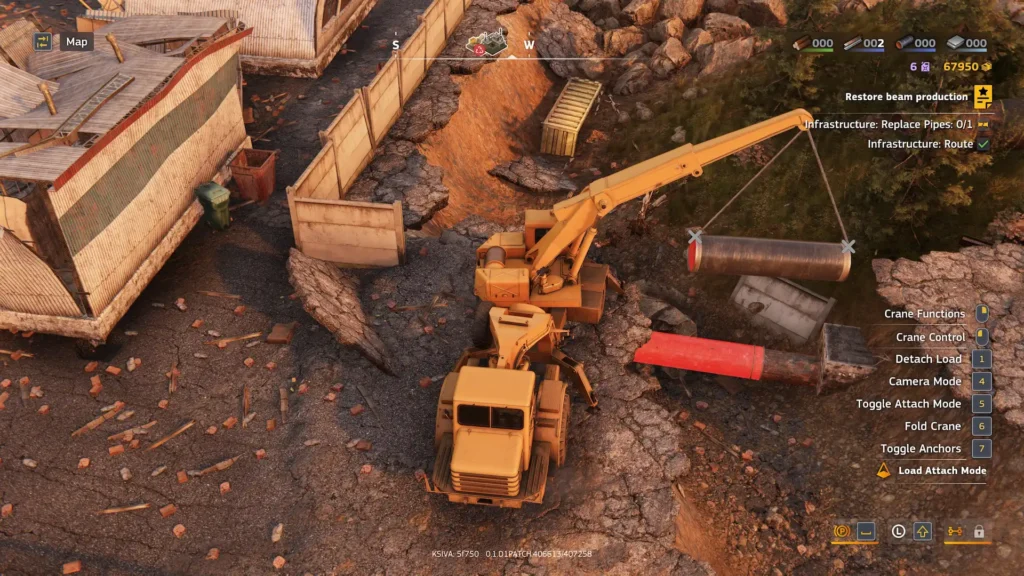
Visually, RoadCraft does look quite nice; it won't win any awards, but it certainly doesn't look bad, and when different weather effects roll in, it changes the overall atmosphere of the game quite well. Sound-wise, the game isn't as impressive, engine sounds quickly become irritating, and when using equipment like the bulldozer, you can hear specific audio files being played over and over; it's not great audio design. There is music in the game, but it's used sparingly as a sort of ambient sound that gets played occasionally and is very much in the background.
You'll also have plenty of content to get through, with 8 decent-sized maps, with increasingly complex terrain and objectives, plenty of vehicles to unlock, including bulldozers, cargo trucks, cable layers, cranes, steamrollers, dump trucks, and more!
I did have some graphical issues with the game on my PC, too. Textures sometimes did not load in fully, resulting in a blurry experience for several seconds before they loaded in, and I had flickering shadows. Hopefully, these issues will be fixed at launch.
RoadCraft runs reasonably well on the Steam Deck. We have good controller support, as well as 1280x800 as a resolution choice.
As for performance and settings, the game already applied the "Low" preset when it booted on my Steam Deck, and I think it's pretty much the best we can hope for out of the game. I also recommend you disable the "Mirrors" option that is left enabled on the Low Preset, too, or else using the cockpit view causes some serious slowdown. The game sets a 30 FPS in-game limit, so we don't need a frame limit set in SteamOS.


Using these settings, we can expect a somewhat stable 30 FPS. I did experience frame drops on occasion, as the CPU usage spikes and makes it vie for power with the GPU, causing drops to around 26 or 27 FPS from time to time, especially on foliage-dense maps. You also get occasional stutters. The game remains playable, though, and the FSR does a reasonable job of resolving a decent image, so it's not too bad to look at either.


Power draw is around 16 - 20W, so expect about 2.5 hours of battery life from a Steam Deck OLED, and around 1.5 hours from an LCD. Temperatures were also around 65C-75C.
RoadCraft supports a wide variety of languages, and all voiced dialogue is subtitled. You can disable camera shake and rebind controls.
Is RoadCraft a bad game? Not necessarily, I could see how some people might enjoy it. For me, the game doesn't have the feeling of "survival" that SnowRunner has, where you are constantly trying to plan your own route and trying to protect your vehicle and preserve fuel, and because of the frustrating traversal and nature of the tasks at times, it isn't relaxing like American/Euro Truck Simulator. The game just feels rather... shallow, with similar objectives that take an age to complete, that you have to do over and over.
The best parts of the game are watching your AI Trucks use the path you built/cleared, and the off-road terrain physics and deformation remain as good as ever. Sadly, the terrain deformation is losing its luster after 5 games, and the rest of the mechanics RoadCraft introduces aren't robust enough to support the game.
RoadCraft is playable on the Steam Deck, although we do have to make some visual sacrifices, and performance still isn't fully stable. While it can be enjoyed, you might want to look elsewhere for the best experience.
このレビューはPC版に基づいています。
このレビューをお楽しみいただけたなら、SteamDeckHQ の他のコンテンツもぜひご覧ください!あなたのゲーム体験に役立つゲームレビューやニュースを幅広く取り揃えています。ニュース、ヒントやチュートリアル、ゲーム設定やレビューをお探しの方も、最新のトレンドを知りたい方も、ぜひご利用ください。
MotoGP 25はMilestone S.r.l.よりレビュー用に提供されました。ありがとうございました!
スーパーバイクレースゲームの経験はかなり限られている。実際、私がプレイしたことのあるスーパーバイク・レースゲームはXbox 360の『MotoGP 06』だけで、そのゲームでの思い出は、何度も落車して舗装路を顔面滑走したことだ。過去20年間、私のレーススキルは向上しておらず、むしろ低下しているかもしれないが、MotoGPシリーズはいまだに健在であり、MotoGP 25はその遺産を受け継いでいる。
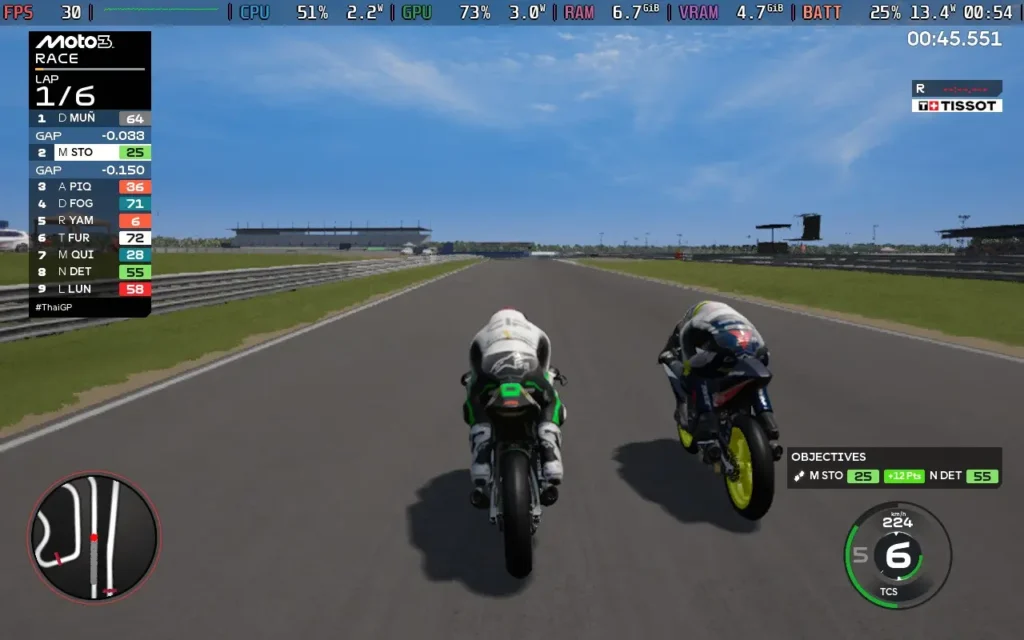
そのままライディングフィールを味わえるし、操作感は素晴らしいと言わざるを得ない。物理演算の "リアルさ "の拡張性も高い。レーシングラインを外れたり、ステアリングやアクセルをわずかに切りすぎたりすると、バイクからグラベルに投げ出されてしまう。
アーケード」設定は、『ロードラッシュ』や『バーンアウト・パラダイス』のようなゲームをプレイする意味でのアーケードではないが、一般的なプレイヤーにとってライディングをより身近なものにしてくれる。ステアリングを完全に切った状態でコーナーの頂点でアクセルを踏み込んでもバイクから投げ出されるので、ゲームではやはり細かいコントロールが要求される。それでも、レースゲームでクルマに慣れている私にとっては、このライディングスタイルのほうがずっと楽しい。
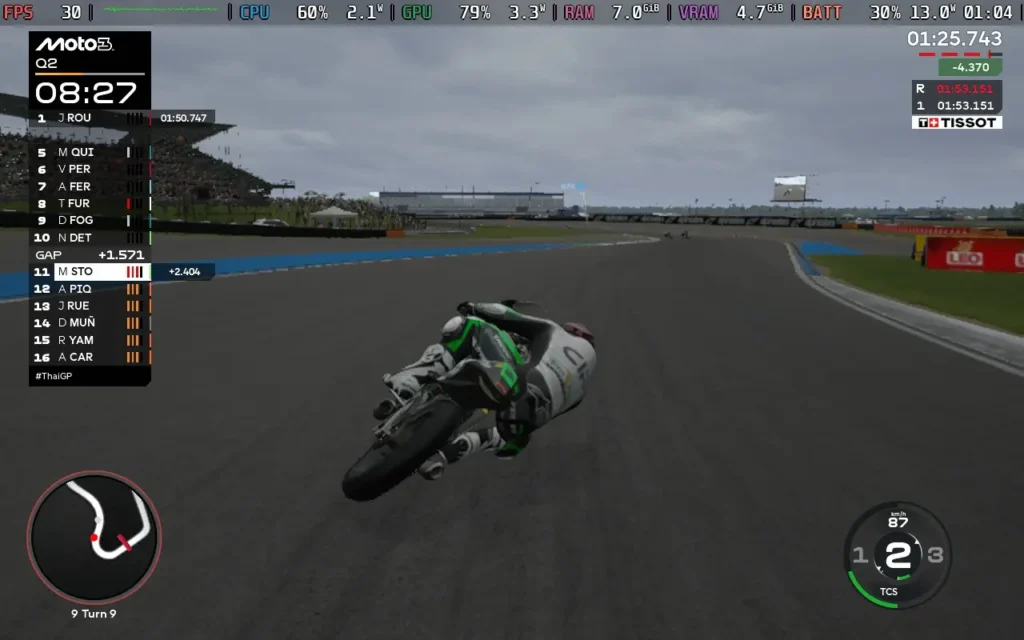
MotoGP 25で楽しめるモードはいくつかある。プラクティス、予選、レースとセッション全体を設定し、自分のための "クイック "レースを行うことができる。オンラインマルチプレイもできるし、短時間の腕試しであるMotoGPアカデミーもできる。
カートのようなサーキットをミニバイクで走ったり、ターマック・サーキットをモトクロスバイクで走ったりできる。小さいグリッドやユニークな環境など、ゲーム本編の楽しいお遊びにもなる。
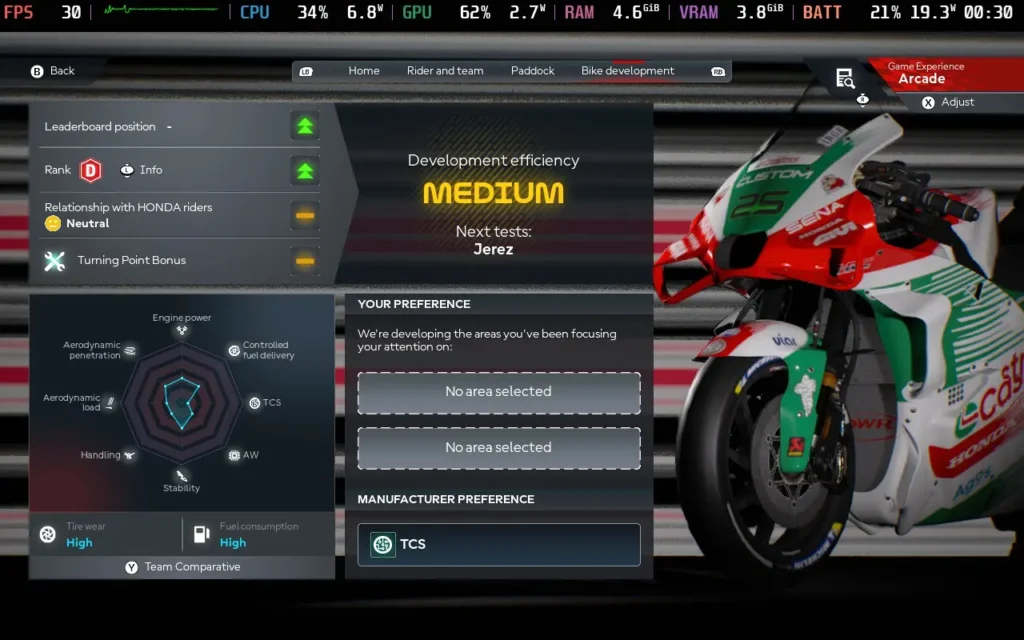
キャリアモードは、マイルストーンのレーシングゲームをプレイしたことのある人なら期待通りの内容だ。一連のレースをプレイしながら、徐々に他のライダーとの関係を築き、バイク開発を通じてマシンを改良していく。そうそう、MotoGP 25にはおバカな偽ソーシャルメディア・システムも搭載されており、コメントに対して肯定的または否定的なコメントを返すことで、他のライダーとの関係に影響を与えることができる。常に1つの選択肢の方が良いように思えるが、なぜこのシステムがゲームに組み込まれているのか、いまだに不可解だ。
しかし、かなり素晴らしいのは、このゲームではMoto3、Moto2、MotoGPのカテゴリーをプレイできることだ。あまり自信がない場合は、下位の車両クラスを選択して、もう少し扱いやすい走りを楽しむこともできる。それでも運転するのは楽しいが、MotoGPよりMoto3のほうが時速80kmほど遅くなる。
もうひとつ言いたいのは、AIはライディングフィジックスと同様、非常にフレキシブルだということだ。このゲームでは、AIの難易度をパーセンテージで選択することができる。つまり、20%まで下げることができ、平均して1周15秒ほど速く走ることができた。その違いを見るために40%まで上げてみたところ、ラップあたり5~6秒速くなった。50~60%くらいが、新米ライダーとしてはちょうどいい感じだった。しかし、彼らがもっと高いところに行けるということは、AIがほとんどのプレイヤーにとって適切なチャレンジになるはずだということを示している。
ビジュアルに関しては、MotoGP 25はかなり良くできている。設定を低くしても、素晴らしいビジュアルエフェクトが楽しめる。ライダーはよく動くので、ギアシフトやスロットル調整などの細かい動きを見ることができる。ヘルメット内カムを含む複数のカメラアングルから選択することもでき、想像通りの混乱が味わえる。
ただ、ひとつ気になったのは、レース中に音楽がまったくないこと。開発者がエンジン音を重視したかったのだろうとは理解できるが、同時に、レースゲームではレース中にBGMが流れるのが通例であり、それがないのは少し奇妙に感じる。メニューで流れる一般的な "Hype "ミュージックはある。

MotoGP 25は堅実な小さなレーサーだ。Milestoneのレースゲームに慣れている人なら、このゲームがどうなるかわかっていると思うが、彼らのフォーミュラやバイクレースが好きなら、MotoGP 25で楽しい時間を過ごせると思う。レース中の音楽など、いくつか欲しいものはあるが、それはかなり些細な問題で、それを望んでいるのは私だけかもしれない。
MotoGP 25は、Steamデッキの1280x800を含む16:10の解像度をサポートしているので、画面の周囲に黒い縁取りがない。また、コントローラーのサポートも充実しており、キーボードでのプレイはお勧めできない。
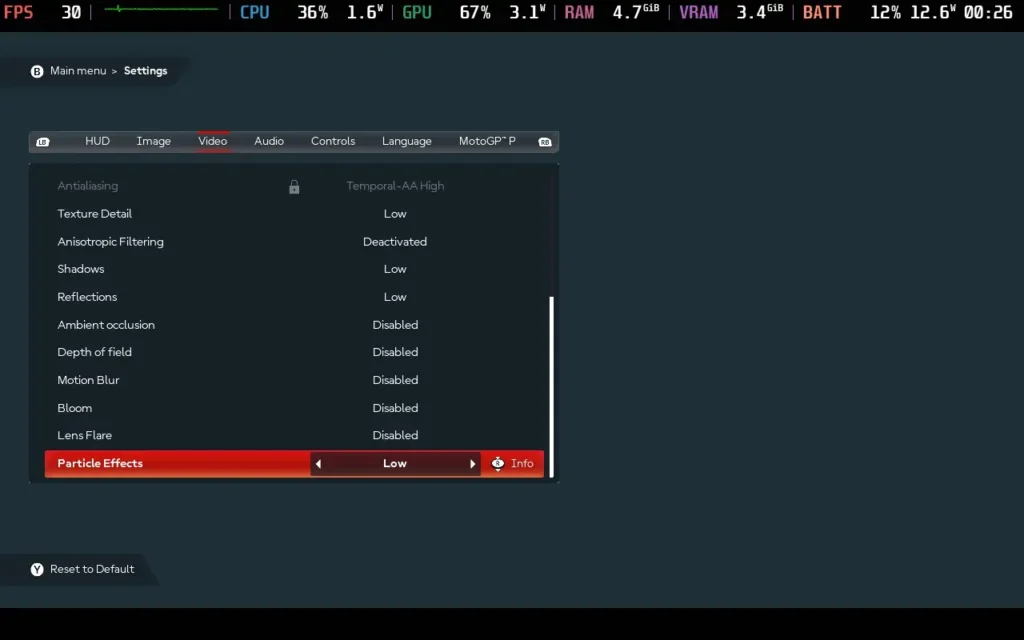
しかし、パフォーマンスに関してはそれほどバラ色ではない。このゲームには多くのグラフィック設定が用意されているが、スケーラビリティはないようで、LowとUltraのパフォーマンス差はかなり小さい。
結局、すべてのレースシチュエーションで30FPSをロックするには、グラフィック設定を可能な限り低く設定し、FSR3をパフォーマンスに設定する必要があった。雨のコースでスーパーバイクのフルグリッドを使ったストレステストでは、31FPSまでしか落ちなかったが、50FPSを超える場面もあった。

残念ながら、MotoGP 25は非常に精密なレーサーなので、フレーム落ちは絶対に避けたいゲームだ。時折スタッターが発生しますが、プレイアビリティには影響しません。
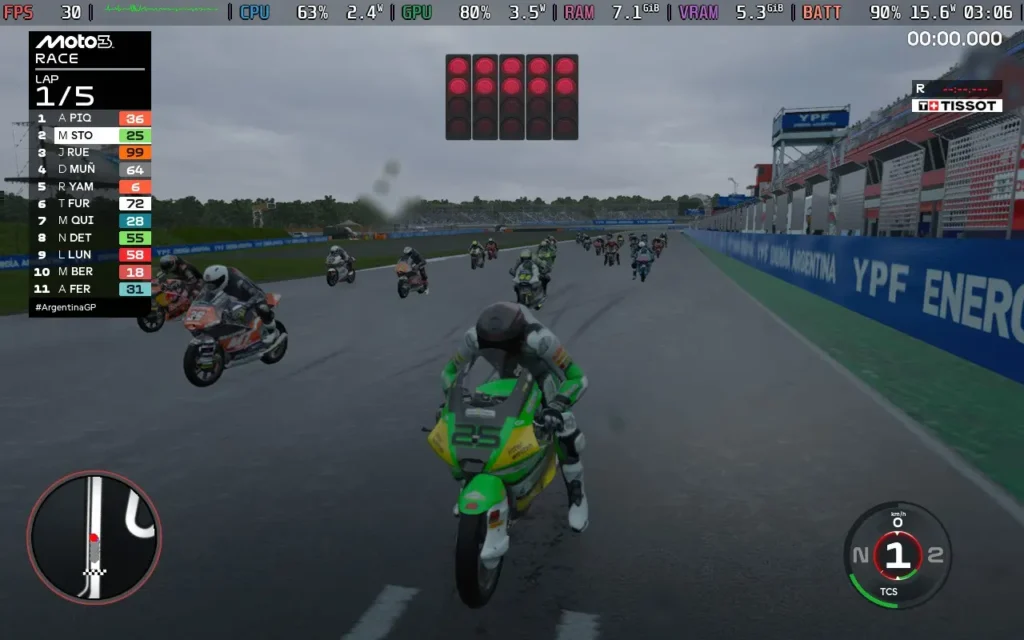
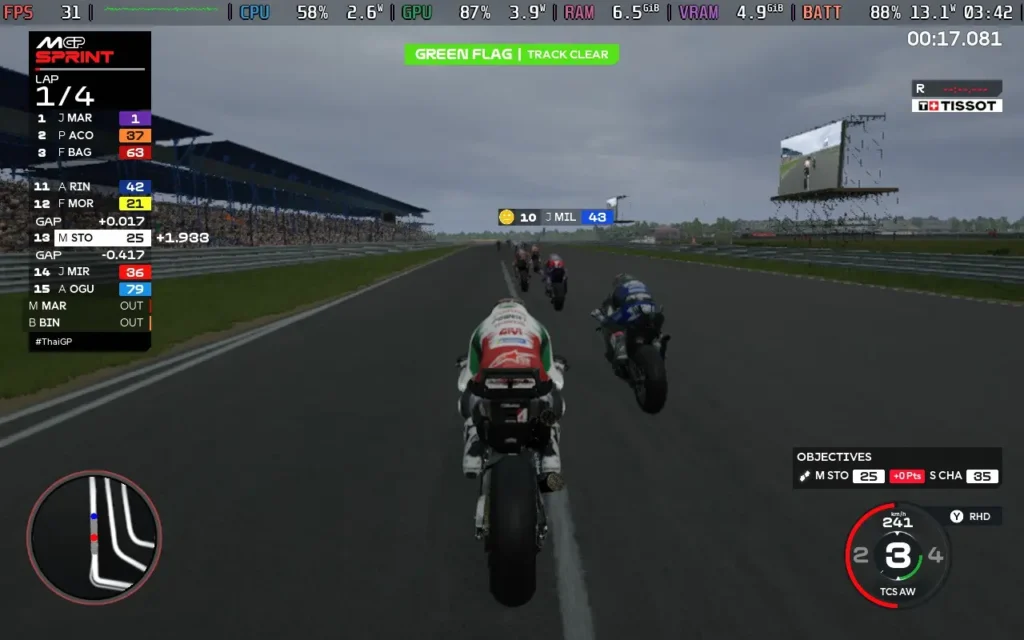
消費電力は13W~16W程度だが、コースや天候によって異なる。気温は65℃~75℃前後で、これも変動がある。バッテリー駆動時間は、スチームデッキOLEDで約3.5時間、LCDモデルで約2.5時間と予想される。
MotoGP 25には多くのドライビングアシストがあり、プロとアーケードのライディングスタイルが用意されています。自動スロットル、ブレーキング、ステアリング操作(コーナー走行中)をアシストしてくれる。また、オートマチックトランスミッション/クラッチ、推奨ライン、ミスをした場合の巻き戻しも可能だ。オフラインのゲームモードでは、スローモーションでプレイすることもできる。
MotoGP 25』もまた、長い歴史を持つゲームの1つだ。革命的な何かをやっているとは思わないが、安全策を取りつつわずかな改良を施しているので、しばらくMotoGPゲームをプレイしていないプレイヤーには十分かもしれない。MotoGP 25には目立った悪いところはないので、スーパーバイクのレースゲームを探しているなら、これは無難な選択だ。
ありがたいことに、プレイ可能なSteam Deckのパフォーマンスを得るのに十分なほど設定を下げることができる。画像は少しぼやけるが、30FPSを維持することが重要であり、なんとかなる。コントロールも問題なく動作しており、Steam Deckでも十分にプレイできると言える。
このレビューはPC版に基づいています。
このレビューをお楽しみいただけたなら、SteamDeckHQ の他のコンテンツもぜひご覧ください!あなたのゲーム体験に役立つゲームレビューやニュースを幅広く取り揃えています。ニュース、ヒントやチュートリアル、ゲーム設定やレビューをお探しの方も、最新のトレンドを知りたい方も、ぜひご利用ください。
プロレス関連のものなら何でも見る大のプロレスファンとして、『WWE 2K25』をプレイしてレビューするのはかなり楽しみだった。前作や前々作を体験したことはないものの、ユニバース・モードに数え切れないほどの時間を費やし、何百ものコミュニティ・クリエイションをダウンロードしたこともあり、WWE 2Kの前作に対する親しみはかなり高い。ここでも同じようなことはたくさんあるが、より良くなっている!

WWE 2K25は、Visual Conceptsが開発し、2K Sportsがパブリッシングする、長寿プロレス・ビデオゲーム・シリーズを引き継ぐものである。この最新作では、既存のメカニズムが改善され、新たなゲームプレイメカニズム、モード、そしてショーケースが更新された。今回は「血統王朝」が中心だ。次世代コンソールのプレイヤーは新たに盛り上がった "The Island "に独占アクセスできるが、PCとSteamデッキのユーザーは、カスタマイズ、魅力的なゲームモード、そして大量のリプレイアビリティが詰まった、かなり素晴らしい体験を得ることができる。
新メカニクスとゲームモードに飛び込む前に、WWE 2K25がSteamデッキでどれだけ素晴らしいゲームに見えるか、そしてどんなパフォーマンスを見せてくれるかという私の最初の期待を超えていたことを、早い段階で強調しておく価値がある。信じられないほどだ!詳しくはまた後ほど...。
新メカニクスを紐解くと、自由な三人称視点カメラモードが追加され、カメラマンとしての自由度が増し、入場時やアクションの最中にかなりクールなアングルを撮ることができる。これをオンにすると、右スティックで自由にカメラを動かせるようになる。典型的な右スティックのコマンド、例えば相手を挟んだり抱き上げたりするには、その横でRTを押し続ける必要がある。特にカオスな試合では、逆転やアクションのタイミングに集中するのが少し難しくなるので、スーパースターの動きを確認するのに使える。

この手のゲームで私がいつも気に入っていることのひとつは、あらゆるタイプのファンを満足させるために、実に多彩なゲームモードが用意されていることだ。WWE 2K25のすべての面に惚れ込む人は少ないだろうが、1つや2つは夢中になるものがあるはずだ。
チェーンレスリングは、ゲームのテクニカルなグラップリングにさらに磨きをかけ、歓迎すべき復活を遂げた。これは通常、テクニカルな能力を持つスーパースターが発動するもので、グラップルアクションを選択するミニゲームに放り込まれ、スティックを集中させる適切なアングルを見つけて相手を打ち負かし、優位に立とうとする。また、男女のレスリングも復活!しかし、これまでとは異なり、ミックスドタッグの場合は、無理にタッグを組む必要はなく、男女がそのままやり合うことができる!
MyFactionは、プレイヤーが過去と現在のレスラーカードを集め、男女4人のスーパースターからなる派閥を結成するという、中毒性の高いゲームモードである。カードのランクが異なるとユニークなステータスが得られるため、プレイヤーはさまざまな試合規定や裁定に適応することを余儀なくされ、コレクションを増やし続ける必要がある。WWEゲームではあまり馴染みのないオンラインプレイ以外でも、やることはたくさんある。
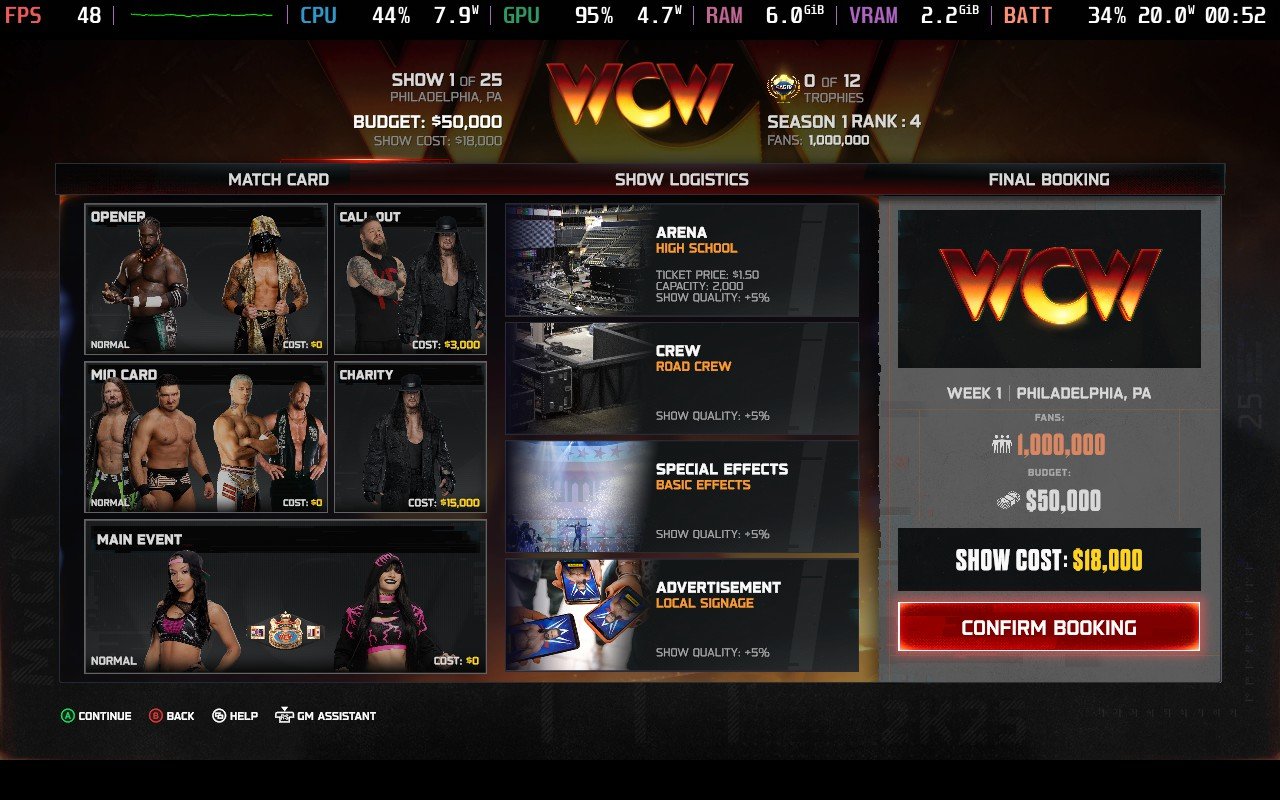
ワールドツアーはMyFactionの新エリアで、世界各地のテーマ都市を巡り、特定のタスクをこなすことで報酬や新しいカードを獲得できる。例えば、ECWの本拠地フィラデルフィアは、より過激な試合タイプが特徴で、ロブ・ヴァン・ダムはここで見つけることができる。また、試合ごとに体力がリセットされず、徐々に手強くなる "ボス・ファクション "と対戦するガントレット形式のモード「ファクション・ウォーズ」や、他のモードに比べて目的がシンプルで、クリアするとユニークなカードが手に入る「ウィークリー・タワー」もある。
序盤はマイクロトランザクションが存在し、非常に魅力的だが、リアルマネーを使わずにMyFactionモードをやり込むことは可能で、やりがいがある。このモードで私が気に入っているのは、ユニークなタッグチームを作ったり、他ではお目にかかれないようなスーパースターを使ったりできることだ!ソロ・シコアとジェイク "ザ・スネーク "ロバーツのタッグチームなんてどうだろう?
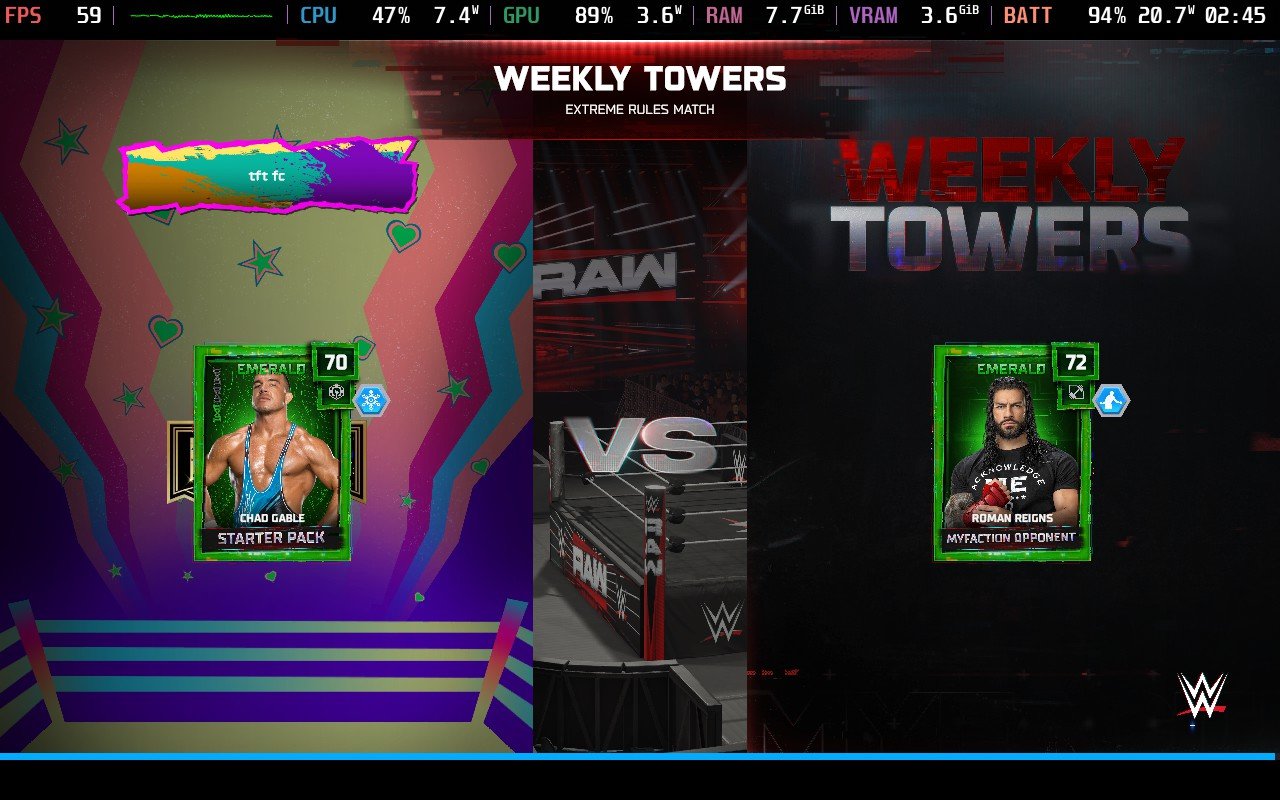
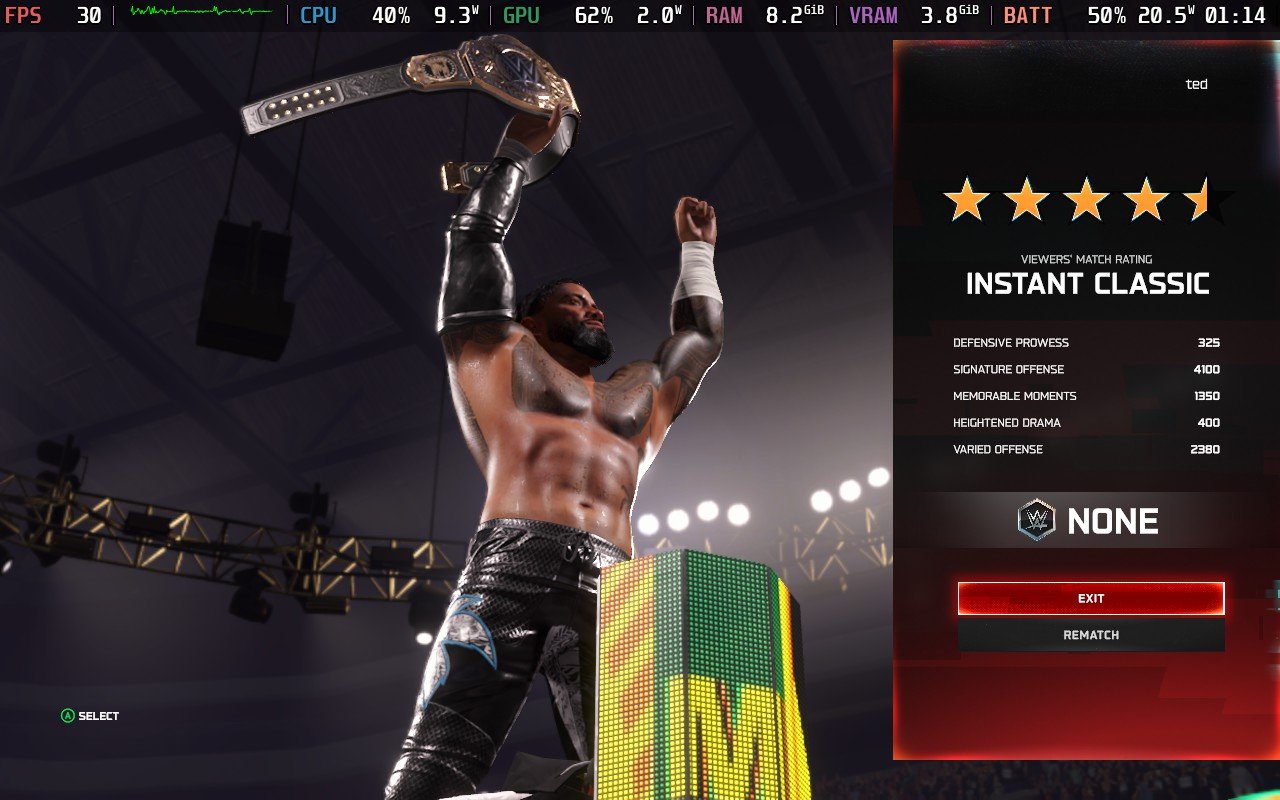
MyGMはまた、オンライン・マルチプレーヤーを導入するという、久しぶりに大きなアップデートで戻ってきた。それ以外の点では、このモードは過去のバージョンと似ており、予約の決定とフラストレーションのたまる制限のバランスが取れている。MyGMはおそらく、時間を費やすのが最も苦手な分野だろう。このモードは非常に軽く、制限が多いように感じる。しかし、それも挑戦の一部だと思うし、他の人たちもきっと気に入っている歓迎すべきモードであることに変わりはない。ただ、私には合わない。
より自由でサンドボックス・スタイルのファンタジー・ブッキング・シムがお望みなら、ユニバース・モードがうってつけだ。ここでも昨年とほとんど同じで、思う存分ファンタジーブッキングができ、好きな人をプッシュしたり葬ったり、WWEのスケジュールやウィークリーショーを完全にオーバーホールしたり、タイトルを追加したり削除したり、レジェンドを復活させたりできる。基本的には、好きなようにブッキングし、好きなようにプレイし、好きなストーリーを作り上げる。MyGMで必要とされる戦略や裁定は一切なく、あなたのストーリーテリングのための究極の空間として機能するだけだ。
そして、WWE 2K25のキャリアモードであるMyRiseがあり、自分のカスタムのスーパースターをインディーダーリンから将来の殿堂入り選手まで育て上げることができる。ここのストーリーは決して特別なものではなく、たいていは少しくだらないものだが、それでも楽しく、プレイするにはそれほど長くない。あなたのダイアログの選択がストーリーの方向性の小さな部分に影響を与え、それがさまざまな結果、さらに重要なことに、さまざまな報酬につながる。報酬には、異なるアリーナ、衣装、衣服のオプション、過去のスーパースター(スコット・スタイナー、アランドラ・ブレイズなど)、現在のスターの初期バージョン(2017年のレア・リプリー、2012年のジョン・シナ、さらにはコーディ・ローデスのスターダスト!)などが含まれる。
また、旅の途中で出会うMyRise限定のキャラクターたちもアンロック可能で、他のモードで使用できる。これらの報酬は、このモードをプレイしてクリアする動機付けとなる。唯一の欠点は、一部の報酬が2回目のプレイでしか手に入らないことだ。
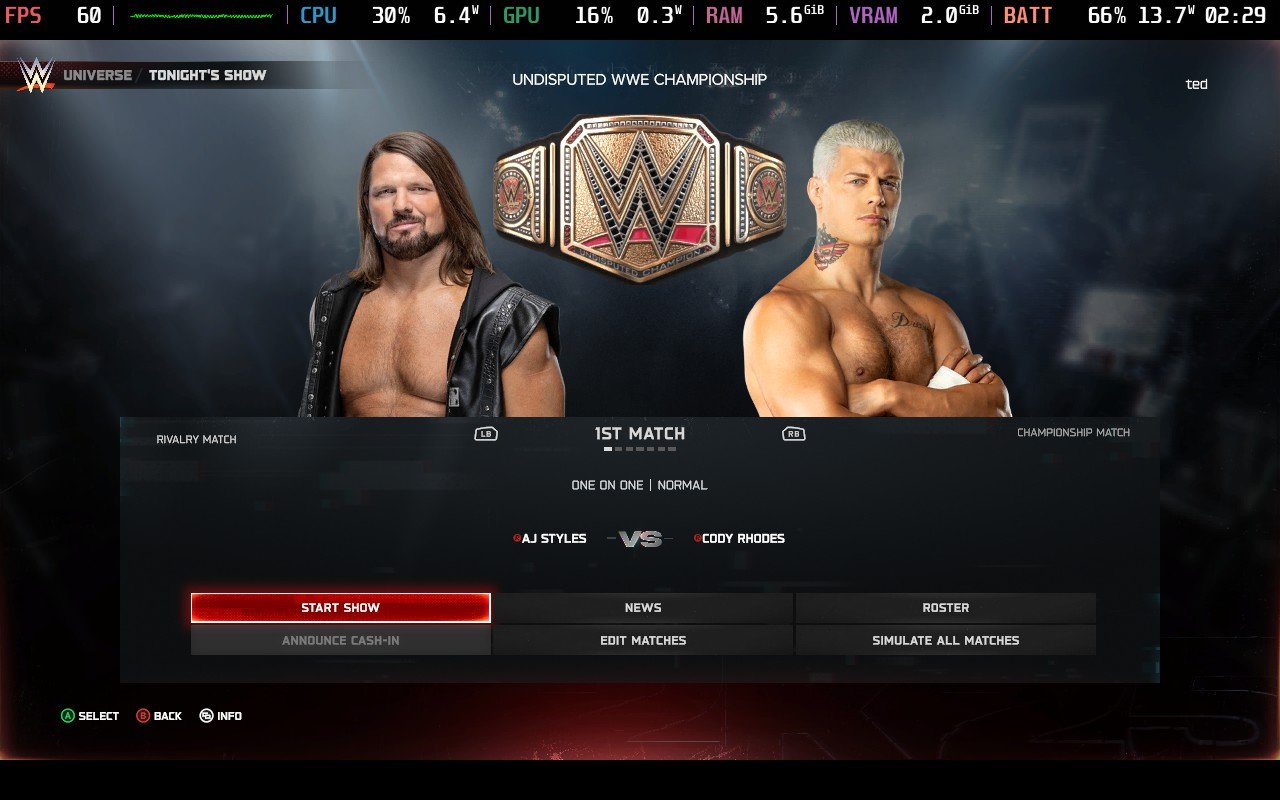
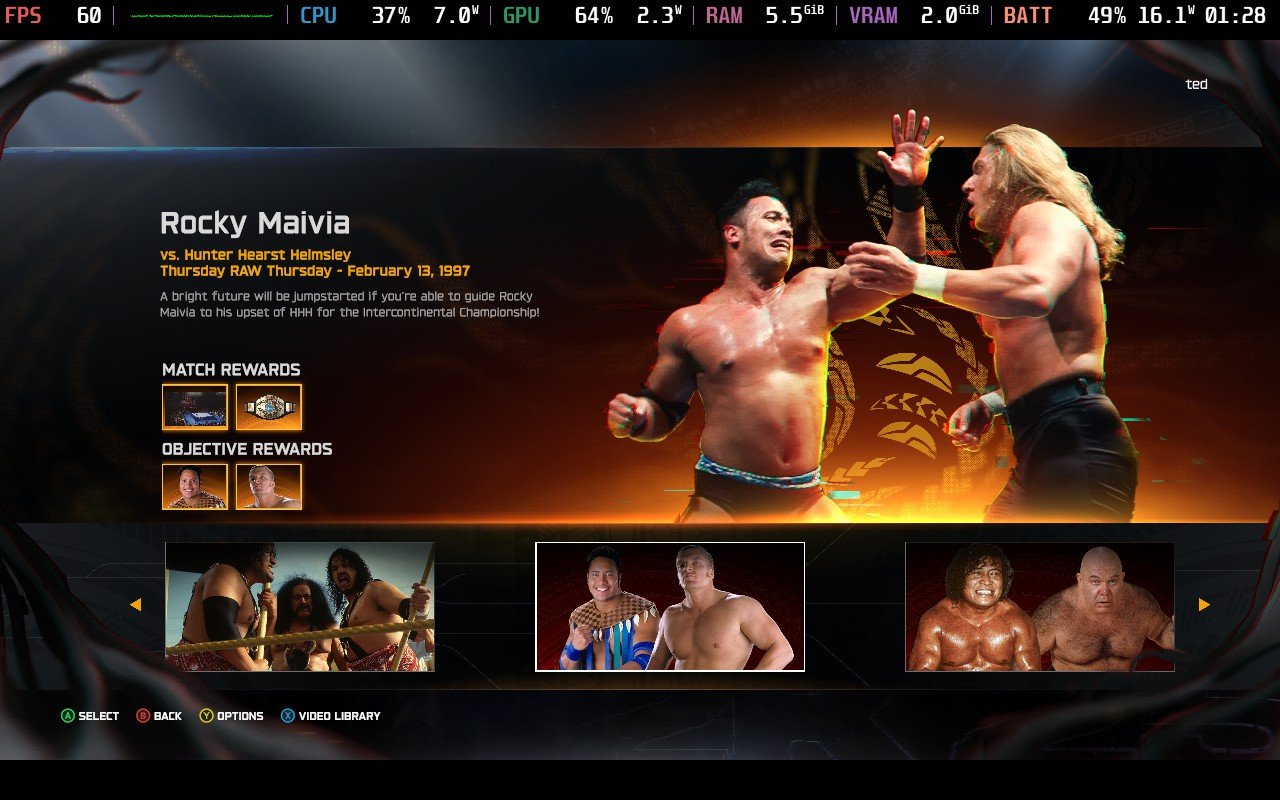
例年の定番である最後のモードはショーケース・モードで、今回は「血統王朝」だ。アノアイ・ファミリーやザ・ロックの系譜に詳しい人なら誰でも、このファミリーがWWEに常に存在していることを知っているだろう。このモードで私が好きなのは、ウマガをWWEチャンピオンにする手助けをしたり、タミーナを助けたり、横綱がハルク・ホーガンを全滅させたりといった歴史を書き換える能力とともに、リプレイできる現実の瞬間との統合だ。これらの試合はすべて、ポール・ヘイマンのナレーションのおかげでお互いの間に織り込まれており、彼は各試合のストーリーに吸い込まれるような素晴らしい仕事をすると同時に、毎回WWEの歴史の素敵な小ネタを教えてくれる。
すべてのシナリオには、長いミニ目標のリストと、試合中に達成すべき1つか2つの時間制限付き目標がある。すべてをクリアすれば、関係するスーパースター、レガシー・アリーナ、関係するタイトルがアンロックされるのが普通だ。しかし、時間制限のある目標をクリアするのは、ときどきとてつもなくイライラさせられる。まるでAIが、私が30秒以内にリングの外に連れ出してヘビーアタックを2発ヒットさせなければならないことを知っているかのようだ!
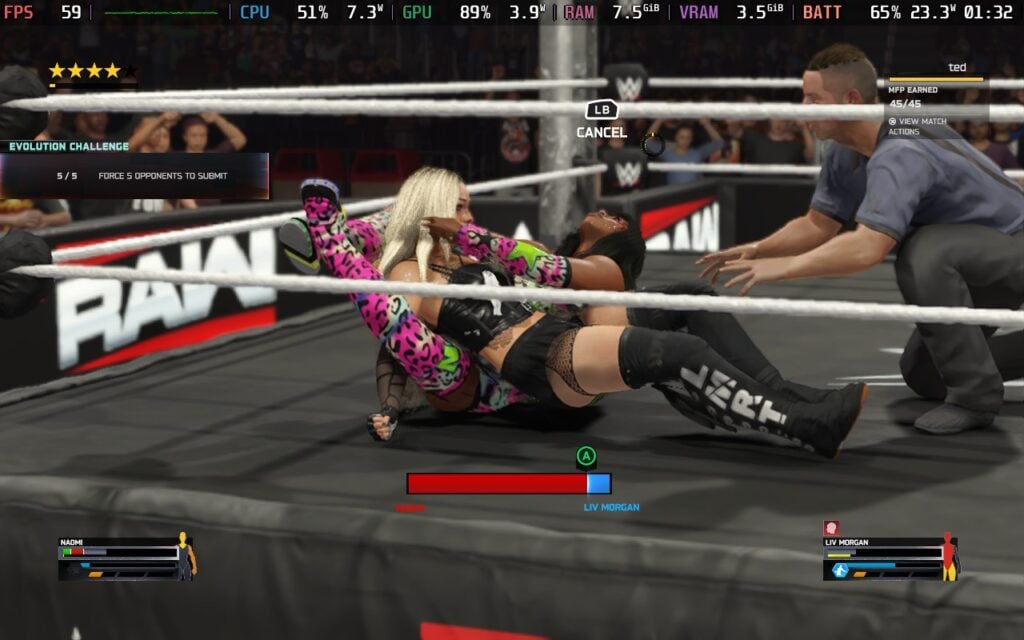
ロイヤルランブルやエリミネーション・チェンバーに飛び込んだり、血界戦線ルールに参加したりするだけなら、クイック・プレイ・モードでできる。今年の新しいマッチタイプで私が気に入っているのは、アンダーグラウンド・ルールの試合だ。ここではロープが外され、野次馬がリングを取り囲んでいる。目的は?サブミッションかノックアウトで勝つこと。レガシーのタイトルをかけたり、"アンダーグラウンド "の雰囲気に合うレスラーを試してみたりしながら、私はここで多くの時間を費やしてきた。レザーは私の頼みの綱だ。
基本的な操作方法を説明するパフォーマンス・センターがあり、それを進めるとゲーム内通貨が手に入るので、スタートダッシュを切ることができる。ゲームの難易度は調整可能で、とにかくかなり簡単だ。
先に触れたように、オンライン対戦は楽しいものだが、私はラグにかなり悩まされた。これは一部のプレイヤーにとっては既知の問題のようで、特定のプレイヤーはそれを自分の有利になるように操作することを学んでいる。これに出くわすと非常に腹が立つし、個人的にWWE 2K25をほとんどオフラインの体験にとどめがちな主な理由のひとつでもある。コミュニティ・クリエイションは例外で、実在の選手をベースにした素晴らしいカスタムレスラーがいて、ゲームの新鮮さを保つのに役立っている。
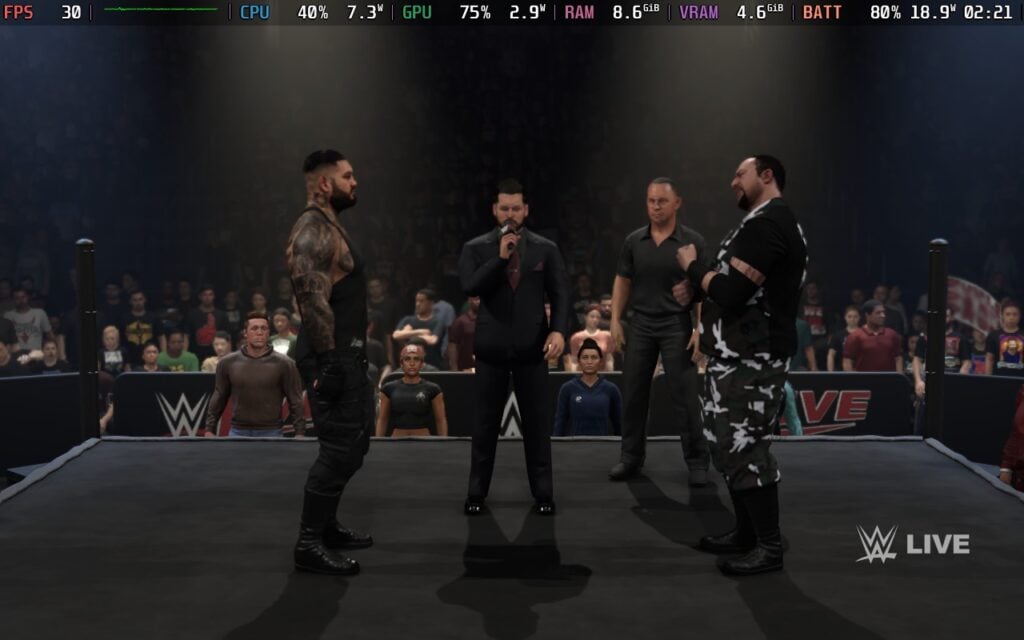
キャラクターモデルは鮮明で、ライティングとアニメーションは当初の期待を超えている。レスラーの入場、顔の表情、流れるような動き、強化された解説、観客のノイズは、ゲームプレイの体験を向上させ、WWE 2K25に高いレベルのリアリズムをもたらしている。
私はこのフランチャイズとスポーツの既存ファンであり、この手のゲームをプレイするのが大好きなので、当然ここには若干のバイアスがかかるだろうが、『WWE 2K25』は素晴らしいと思う。もちろん、ファンであり、会社やスター選手についてよく知っている人であれば、より特別なものになるだろうが、中立的な立場であっても、リアルさとシミュレーションのバランスが取れた楽しい試合エンジンやモード、大量のカスタマイズ、挽回してアンロックするための豊富な要素、柔軟性と多様な遊び方は、プレイヤーを飽きさせず、何度もプレイさせるのに十分すぎるほどだ。
コントロールはうまくマッピングされており、いじる必要はまったくない。ロード時間は驚くほど速く、すべてのモードで試合から試合へ移行する際に中断することはほとんどない。パフォーマンスの面でも、気に入る点がたくさんある。
Steamデッキでは、WWE 2K25は美しく動作する。60FPSのフレームレートをしっかり維持し、よりカオスな試合では57~59FPS程度まで落ちるが、これは少しも目立たない。デフォルトでは、画質は中程度に設定されているが、高画質にしてもまったくパフォーマンスは落ちない。これはゲーム内設定の他のすべての領域でも同じだ。あなたが望むなら、パフォーマンスの低下を心配することなく、すべてを最大にすることができる。
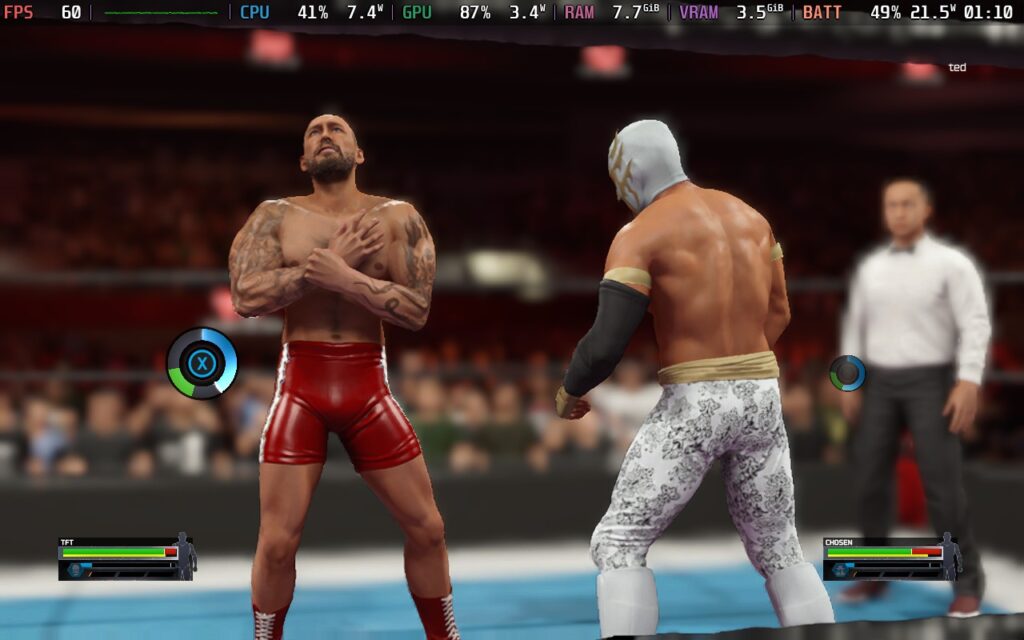
唯一最大にしなかったオプションは、ダイナミックアップスケーリング使用時のシャープネスだ。グラフィック設定のシャープネスを6に設定すると、キャラクターモデルのスイートスポットに当たることがわかった。しかし、これは私の個人的な好みであり、10でも問題なく見えると思うのであれば、そうすればいい!それでもバターのように滑らかなパフォーマンスが得られるだろう。
ゲーム内でベンチマークをテストすると、動きの多いカオスな8人ヘル・イン・ア・セルマッチに身を投じ、結果は平均59.6FPSと、ここで共有されていることを証明するだけで、Visual ConceptsがSteamデッキ用に最適化した素晴らしい仕事をしたことを意味する。FSRをオフにしてベンチマークモードで安定した60FPSを叩き出せるか試してみたが、クオリティやパフォーマンスの観点からは違いはなかったようだ。私の推奨はオンのままにしておくことだが、どちらでも構わない。ひとつ気づいたのは、ゲーム内の設定を60FPSに変更しても、カットシーンがデフォルトで30FPSになりがちだということだ。

WWE 2K25が"ベスト・オン・デッキ "ゲームになるのを阻む唯一の分野は、バッテリー性能だ。試合から試合へ、おそらくそうなるだろうが、試合から試合へを繰り返していると、バッテリーはあまり長持ちしないことがわかった。予想される寿命は1.5時間から3時間で、後半はメニューやユニバースやMyGMのような "管理 "に費やす時間が長くなる。しかし、もしあなたが私のようにMyFactionで次から次へと試合をこなしているのなら、バッテリーの消耗は早いだろう...。
フレームレートを下げてバッテリー寿命を少し延ばそうとしたが、ゲームプレイが劇的に遅くなることに気づいた。その結果、バッテリーの寿命は30分ほど延びたが、すべての動きが遅くなったため、審判が3カウントするのを待つ30分を失うことになるだろう!
正直なところ、不満はまったくない。WWE 2K25は見た目も動きも素晴らしい。どうやら「箱から出してすぐ」の設定が(唯一の)行き方らしい。WWE 2K25は私のSteamデッキの主力になるだろう。2K26が出るまではね。
WWE 2K25』には、「エクストラ」セクション内にアクセシビリティ関連のオプションがいくつか用意されている。難易度の調整、(試合中の解説を除く)ゲーム内の全エリアへの字幕追加、ゲーム内の操作レイアウトの完全カスタマイズ、サブミッション技やピンニングを使用する際の2つのミニゲームから1つを選択できる。1つはボタン連打、もう1つはより正確な方法だ。ただし、ショーケース・モードやマイファクションのようなイベントでは、これらのミニゲームのデフォルト・オプションが変更できないため、プレイヤーによっては適さない場合もある。
我々PCやSteamデッキのプレイヤーには「アイランド」が欠けているかもしれないが、それでも『WWE 2K25』は、あらゆるタイプのファンに向けたコンテンツが詰まった、素晴らしい体験を提供してくれる。MyFactionで対戦に熱中するもよし、Universe Modeでクリエイティブな自由を満喫するもよし、お気に入りのスーパースターとクイックマッチを楽しむもよし、遊び方には事欠かない。このゲームはカスタマイズ性、多様性、リプレイ性に優れ、特にSteamデッキでは印象的なゲームプレイ、ビジュアル、パフォーマンスで、近年最強の作品の1つとなっている。
とはいえ、ゲームは完璧ではない。オンライン・プレイはいまだにフラストレーションのたまるラグ問題に悩まされているし、MyGMは改善された部分もあるが、制限的でWWE 2K25の最も弱く、最も完成度の低い部分であることに変わりはない。Steamデッキのバッテリーの持ちも、外出先で長時間プレイを計画しているのであれば注意すべき点だ。しかし、ドウェイン・"ザ"・ロックばりのプロレスゲームであり、リアリズムとアーケード的な楽しさを見事に融合させている本作において、これらはすべて些細な不満点だ。
長年『WWE 2K』をプレイしている人なら、新鮮さを維持するための改良と新たな追加要素がたくさん見つかると思う。シリーズ初心者なら、ここ数年で最高の飛び道具の1つだろう。完璧とは言えないが、奥深いカスタマイズ、積み重ねられたゲームモード、揺るぎないゲームプレイで、WWE 2K25は面白くて病みつきになる体験を提供してくれる。
このレビューはPC版に基づいています。
このレビューをお楽しみいただけたなら、SteamDeckHQ の他のコンテンツもぜひご覧ください!あなたのゲーム体験に役立つゲームレビューやニュースを幅広く取り揃えています。ニュース、ヒントやチュートリアル、ゲーム設定やレビューをお探しの方も、最新のトレンドを知りたい方も、ぜひご利用ください。
Assetto Corsa EVOは505 Gamesよりレビュー用に提供されました。ありがとうございました!
Assetto Corsa EVOはアーリーアクセス版であり、ゲームの内容や性能は変更される可能性があります。このレビューは執筆時のバージョン0.1.4に基づいています。
Assetto Corsa EVOが発表されたとき、私はとても興奮した。このゲームは、前作『アセット・コルサ・コンペティツィオーネ(ACC)』とは少し異なるアプローチを取っている。ACCがオンラインリーグやトーナメントの開催に重点を置いていたのに対し、このゲームはシングルプレイヤー体験に重点を置いており、オリジナルの『Assetto Corsa』に近い。
実際、『アセットコルサEVO』には現在のところマルチプレイの要素はない。その代わり、完全なゲームというよりは、来るべきもののための土台が提示されている。
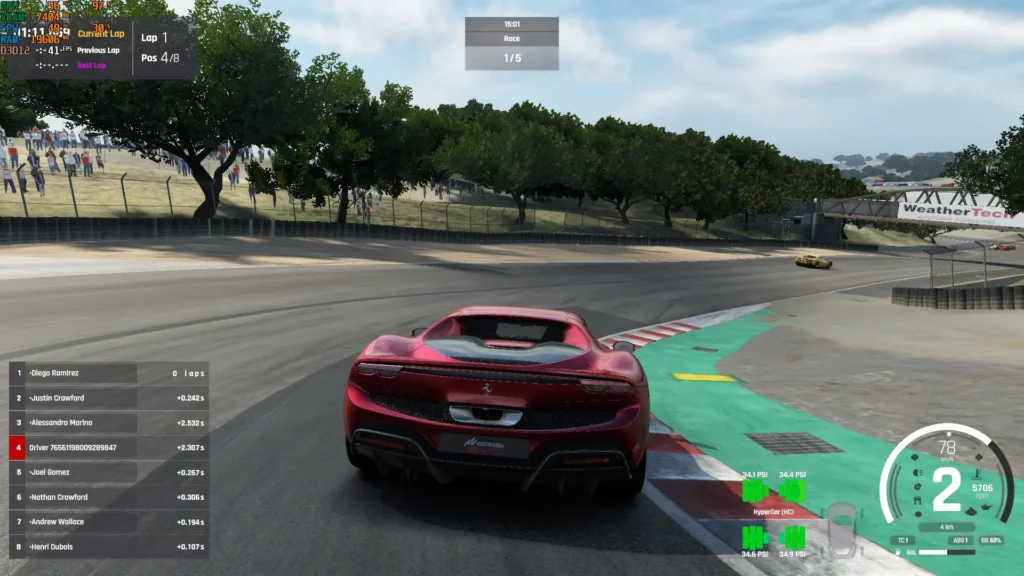
アセットコルサEVOのコンテンツを表現するのに最適な言葉は、"骨抜き "だ。遊び方としては、5つのロケーションに基づく8つのコースを選択するシングルプレーヤーの練習セッションと、それらのコースを走るクイックレースがあるだけだ。また、アバルト695からポルシェ911 GT3やフェラーリ488まで、20台のマシンを運転することができる。
アセットコルサEVOを購入するのは、開発者が言っているようなゲームになるための開発に投資するためであることは間違いない。
このようなドライビングシミュレーションゲームの主要な側面は、物理学である。アセットコルサEVOの物理演算は素晴らしい。私はXboxのゲームパッドでプレイしていたが、『ACC』のようなゲームはゲームパッドでプレイするのは難しいかもしれないが、『Assetto Corsa EVO』はそんな感じはしない。基本的なアシストさえあれば、うまく運転さえすれば、ゲームパッドだけでクリーンな(そして速い)レースをすることは完全に可能だ。特に、オンラインリーグだけでなく、シングルプレイ体験に興味がある人にも対応している点で、これはEVOにとって素晴らしいことだと思う。
だからといって、ホイールの方が速く安全だということにはならない。横滑りを始めたとしても、フォースフィードバックがあれば修正するのはずっと簡単だ。同様に、私のフェラーリ296がラグナセカでフィッシュテールを始めたとき、フォースフィードバックがないため、ゲームパッドでコントロールを取り戻すのは難しかった。何度か反応が悪くなると、クルマは完全にスピンしてしまった。
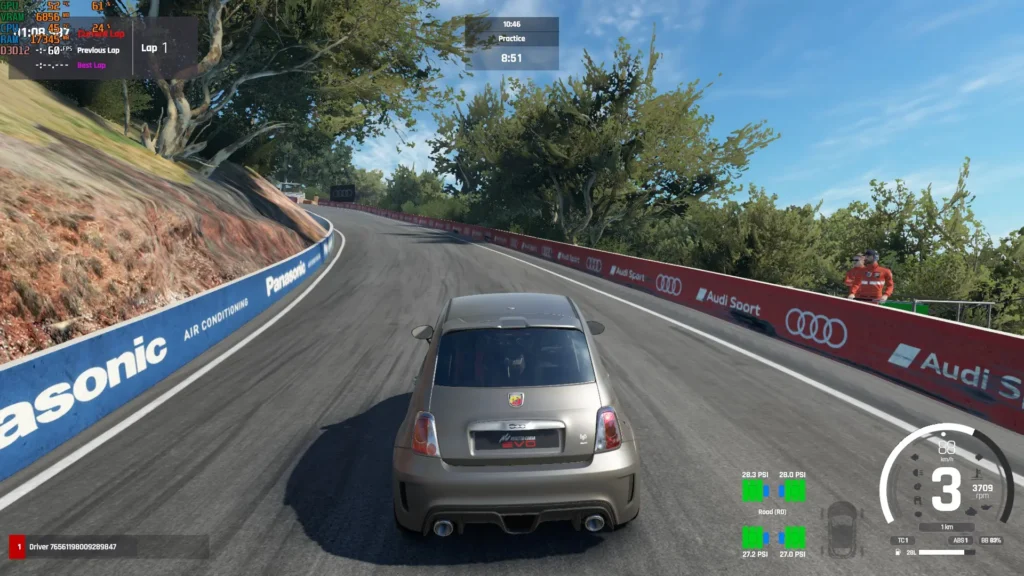
同様に、マシンの走りも路面によって大きく変わる。コース上ではコントロールを維持しやすいが、芝生や土の上に車輪を置くと、現実と同じようにトラクションが突然失われることが予想される。さらに悪いことに、地形はもう滑らかではなく、車は荒れた地形から簡単に空中にぶつかり、ブレーキングやステアリング操作が難しくなる。雨天の場合、クルマのコントロールも難しくなります。常にスロットル・コントロールをうまく保たなければ、ホイールをスピンさせる危険性がありますし、濡れた路面を補うために、予想よりもはるかに早い段階でブレーキングする必要があります。
物理演算はかなりしっかりしているようだが、『アセットコルサEVO』の主な(そして現在のところ唯一の)対戦相手であるAIはどうだろう?ちょっと複雑な顔ぶれだが、彼ら自身に任せておけば、かなりいい仕事をしてくれる。例えば、ラグナセカでピットウォールにこすりつける癖があり、その反動でスピンしたりコースを横切ったりすることがある。また、コースからわずかに外れたり、誤ってコーナーをカットしたりといった自然なミスを犯すこともあり、より人間らしく見える。
AIに問題があるのは、周囲のクルマと相互作用しなければならないときだ。サイド・バイ・サイドのレースではAIはかなりうまく対応しているように見えるが、コーナーではあまり有能ではないようだ。少しブレーキをかけすぎると、AIは反応しないようで、単に後ろにぶつかるだけだ。いったんスピンして押し込まれると、加速し続けるので、オンラインリーグでは追放されるような動きだ。
AIは周囲のクルマに対応してかなりうまくポジションを取るようだが、(真剣な)レースの一部である衝突を避けるために減速して自分のレースを妥協しようとはしないようだ。AIにはあまり厳しいことは言えない。おそらく人間の新人ドライバーをシミュレートするには十分な仕事をしてくれるが、熟練した人間同士のレースにはかなわない。
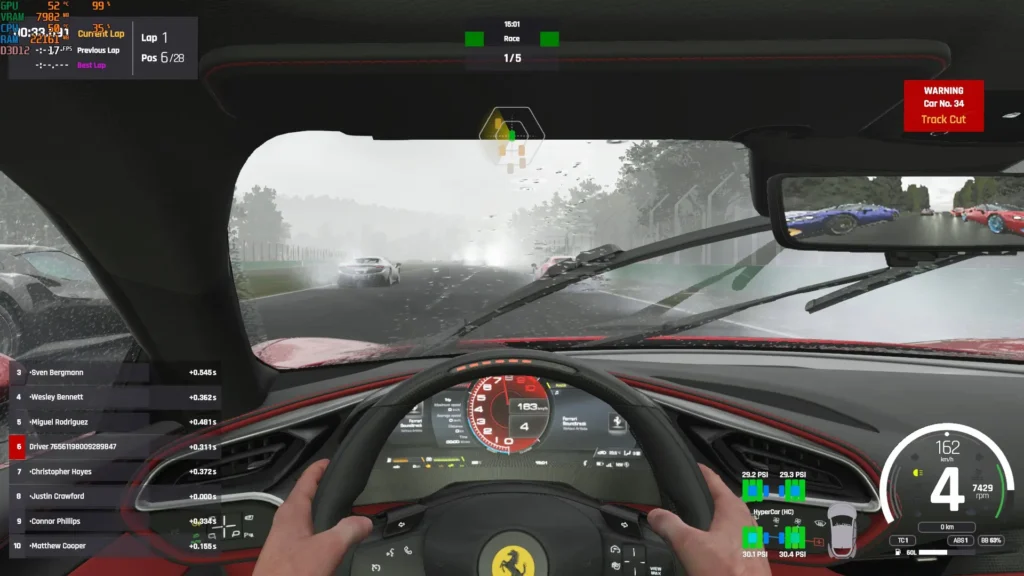
さて、次はAssetto Corsa EVOのプレゼンテーションだ。ゲームの見た目はかなり素晴らしく、最低設定でもグランツーリスモやフォルツァといった他のゲームに匹敵するクルマが登場する。高設定にすると、ディテールはそれらのゲームを凌駕する。トラック環境は詳細で、たくさんの木々や葉(グラフィック設定による)が生い茂り、雨はフロントガラスによく映える。サウンドも同様にディテールが細かく、単なる一本調子の効果音ではなく、エンジンに奥行きがあるように感じられる。
残念ながら、これには代償が伴う。このゲームはミドルレンジのゲーミングPCでも動作が難しい。私のRyzen 5 5600とAMD RX 6600 XT(8GB)では、雨の中のフルグリッド(30台)のレースは、1080pの最低設定でもプレイできない。グリッドを8台に下げれば、1080pのVery Low設定でも30FPS前後でプレイできる。メインメニューでさえ7GBのVRAMを使用しているので、これはVRAMの問題のようだ。ですから、少なくとも12GBのVRAMを搭載したグラフィックカードを持っていない限り、Assetto Corsa EVOを購入することはお勧めしません。
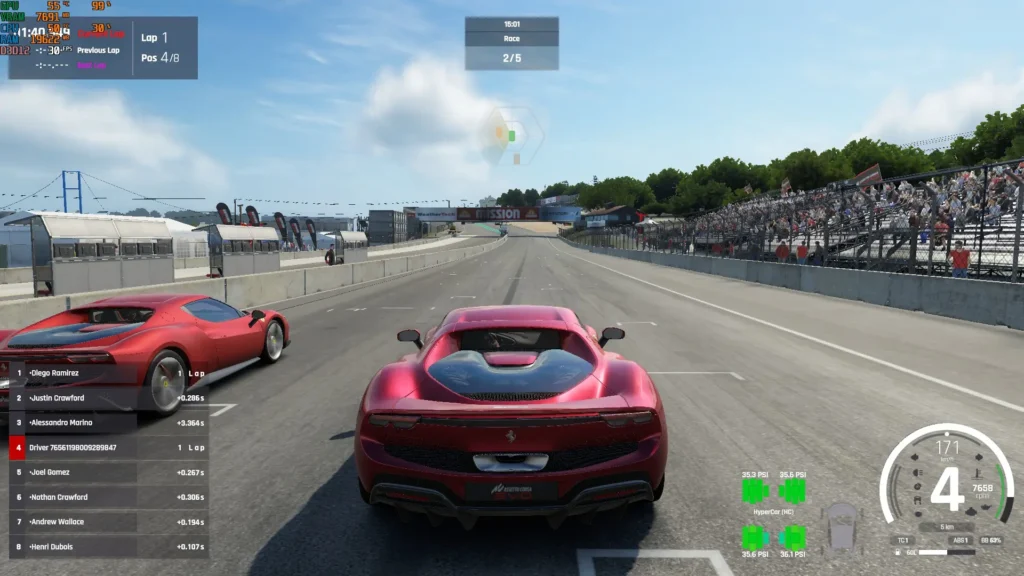
残念なことに、アセットコルサEVOはSteamデッキでは動作に苦労する。マウント・パノラマで練習セッションに参加することはできたが、これは設定を最低まで下げ、FSR 3をウルトラ・パフォーマンス品質で使用した場合に限られる。それでもゲームは7GB以上のVRAMを使用した。
フレームレートはそこそこで、しばしば50FPSを超えるが、VRAM使用量が多いためゲームが不安定になる。実際のレースを始めようとした途端、Steamデッキが完全にクラッシュして黒い画面になり、BIOSで4G UMA Bufferを設定してもハードリセットを余儀なくされた。
将来的には最適化されるかもしれないが、このゲームは7GBのVRAMを1台の車と天候を管理しないコースで使用しているため、Steam Deckでゲームがうまく動くとは思えない。
アセット・コルサEVOには、リバインド可能なコントロールと、ABSやトラクション・コントロールなどのドライビング・アシストがあるが、一般的なアクセシビリティ・オプションはない。
アセットコルサEVOは、現状では期待できる。アセットコルサEVOのドライビングフィジックスは印象的で、私が経験した中でも最高のものだ。グラフィックとサウンドも素晴らしい。しかし、今はコンテンツが薄く、AIを磨く必要があり、ゲームの最適化も悪い。40ドルの値札をつける価値があるのか?現時点ではノーだ。将来の開発を支援したい人だけが、今すぐこのゲームを買うべきだ。この記事を書いている時点では、「ゲーム」と呼べるものはあまりないからだ。
また、最適化が不十分でVRAM使用量が多いため、残念ながら『Assetto Corsa EVO』はSteamデッキではプレイできない。
このレビューはPC版に基づいています。
このレビューをお楽しみいただけたなら、SteamDeckHQ の他のコンテンツもぜひご覧ください!あなたのゲーム体験に役立つゲームレビューやニュースを幅広く取り揃えています。ニュース、ヒントやチュートリアル、ゲーム設定やレビューをお探しの方も、最新のトレンドを知りたい方も、ぜひご利用ください。
Zoochosis was provided by Clapperheads for review. Thank you!
This review was created using an LCD Steam Deck. OLED testing will be carried out at a later date.
Zoochosis is an intriguing little game. I like animals more than most humans, and a horror zoo simulation game grabbed my attention. Unfortunately, it is that unpleasant mix of great ideas and middling execution. It is a shame because the game’s atmosphere has some potential. However, I believe Zoochosis has a worthy player experience, although I recommend waiting for a deep sale before diving in.
Zoochosis isn't your average zoo simulator. Favoring a bodycam, from a first-person point of view, you take on the role of struggling father Paul, who is applying for the lucrative role of a zookeeper at a mysterious reserve called Pine Valley Zoo. With economic turmoil threatening the future of his family, Paul needs this job to secure a healthy life for his wife and daughter and is determined to go along with the job, even as things deeply go to shit.
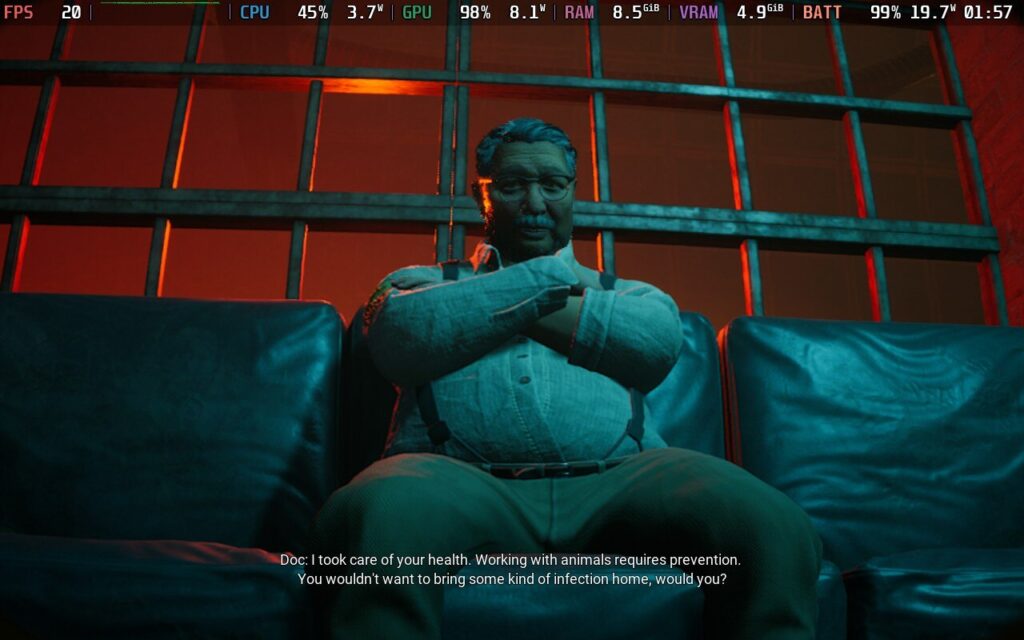
I appreciate how they approached the mechanics, although they could be better implemented. These could have been tutorial prompts, but players have an immersive way of learning how to play instead. Even with the game’s short runtime, I preferred this approach. For instance, when I failed to tranquilize the sick giraffe, I expected to have to repeat the attempt. Instead, Oliver finished the training, citing how he could not be bothered to tell me again. That made me laugh, even when I wanted to shoot him with the gun. Sadly, the game would not let me.
While the game's visuals are average, the creepy sound design and the oppressive lighting sell the mood of the place. I noticed some severe voice clipping in dialogue, as the characters responded to each other almost before the other finished their sentence. However, I liked the Doctor’s character: an impatient, passionless asshole that belittles you.
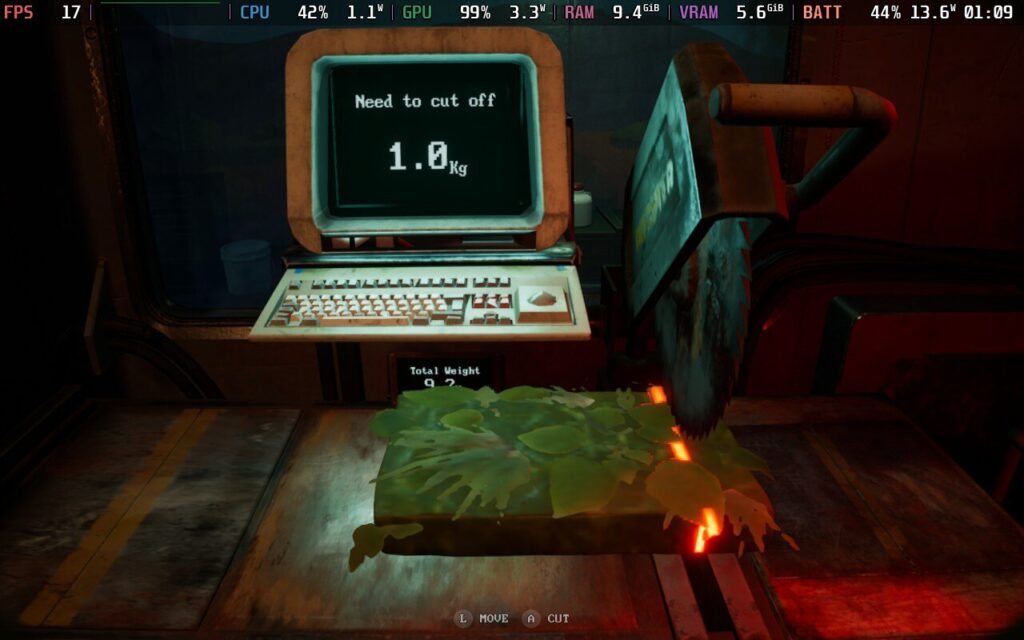
Despite the short runtime, Zoochosis's mechanics are quite detailed. Players have plenty to do during their trial night, including carrying food into the cart by hand, pulling it along tram tracks, storing it inside the train, chopping ingredients, and caring for the animals.
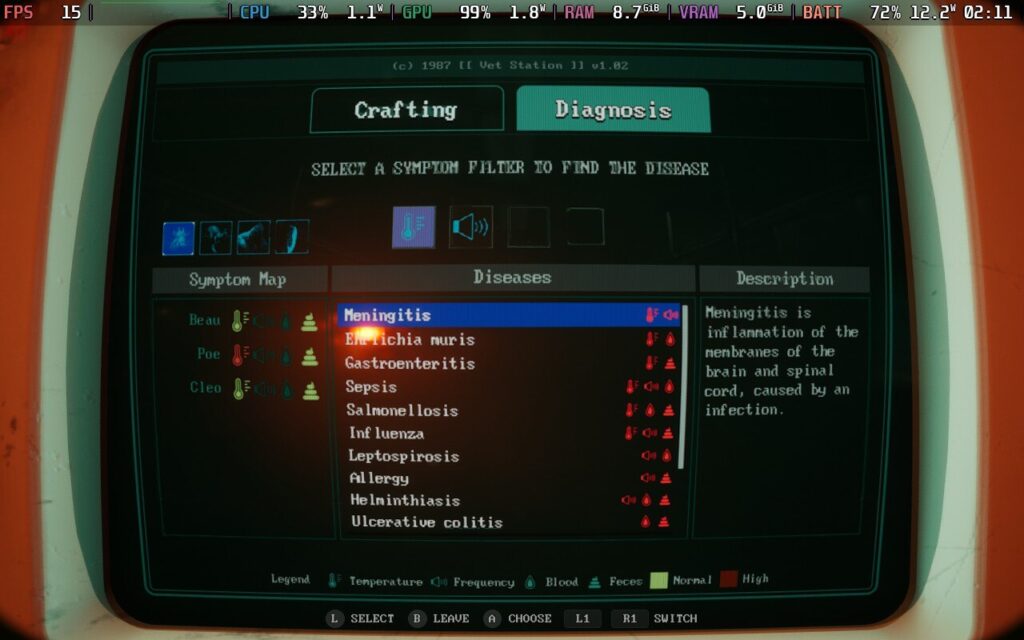
Caring for the animals involves making sure they have the correct food, sucking up their feces with the handy vacuum and storing it for analysis, keeping an eye on their temperature with the heat gun, correctly diagnosing their illnesses, and injecting them with the proper medications to keep them ‘healthy.’
If the animals get out of control, you must fight them into submission, which is quite a challenge given your limited tools. While it was clunky with little room for error, I appreciated how realistic it felt. Paul is a zookeeper, not a marine.
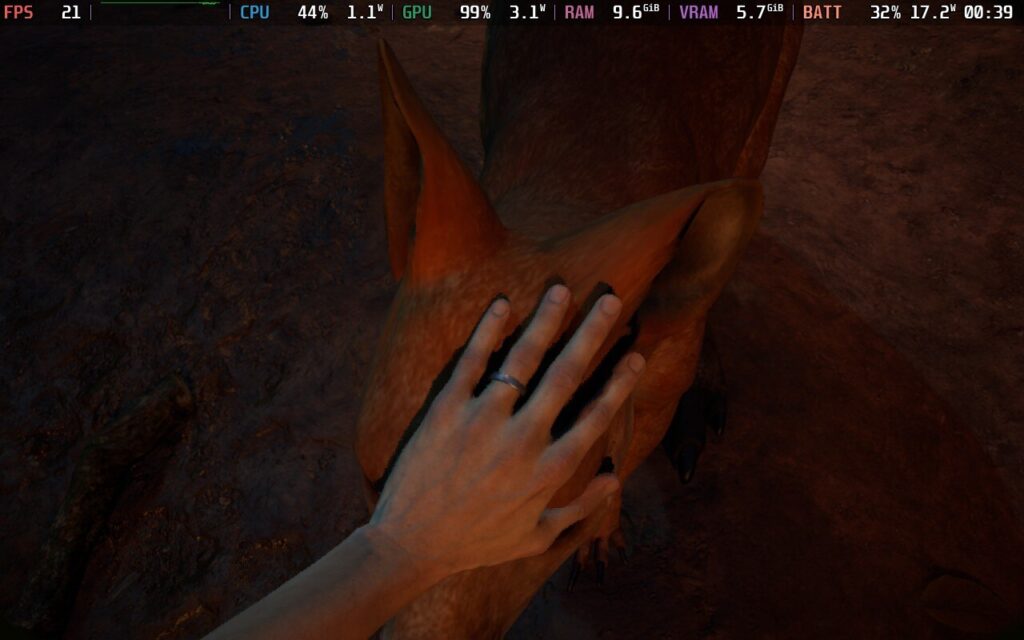
The tension and narrative of Zoochosis ramp up fast, and it becomes clear that this is a terrible workplace. Strange monsters climbing through walls, wild critters jumping out, and frantic phone calls about missing coworkers are some of the treats awaiting you. I don’t like the jump scares as a horror mechanic, but some moments made my flesh crawl.
For instance, I was ordered to bring in a fresh ‘supply’ of meat to be chopped up. That turned out to be a live, naked woman whose sedatives wore off by her screaming for help. Oh, and the Doctor has you injected with a parasite from some abomination called ‘The Mother’. It’s pretty unsettling, and Paul has to work with an outside journalist to work on a cure and expose Oliver’s horrific crimes.
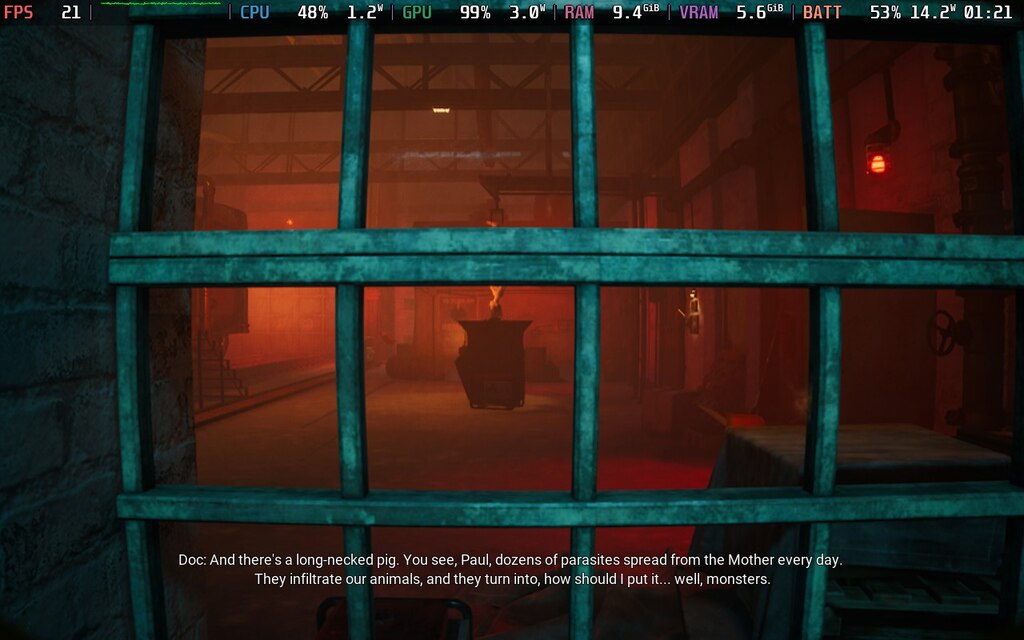
Zoochosis can be completed on a short weekend, and I appreciate it for not drawing things out past their welcome. The story did not surprise me at any point, but there are multiple endings to discover. Sadly, I got one of the bad endings. Players can only access the one good ending by curing all the sick animals, which makes sense. However, because of the game's autosaves, there is no way to return to a previous point, so players will need to start another game to see if they can get a different ending. While autosaving makes sense in short games, I do wish there were manual saves so I could go back to get a different ending without needing to restart entirely.
There aren’t any shortcuts, and the slow animations of accessing an interface, collecting and chopping food, depositing inventories, and moving the cart along the rails pad out the game far more than necessary. I like immersive games, but when that immersion is in the way of enjoying the game, I feel it’s a problem. I felt no desire to start a new game once I finished.
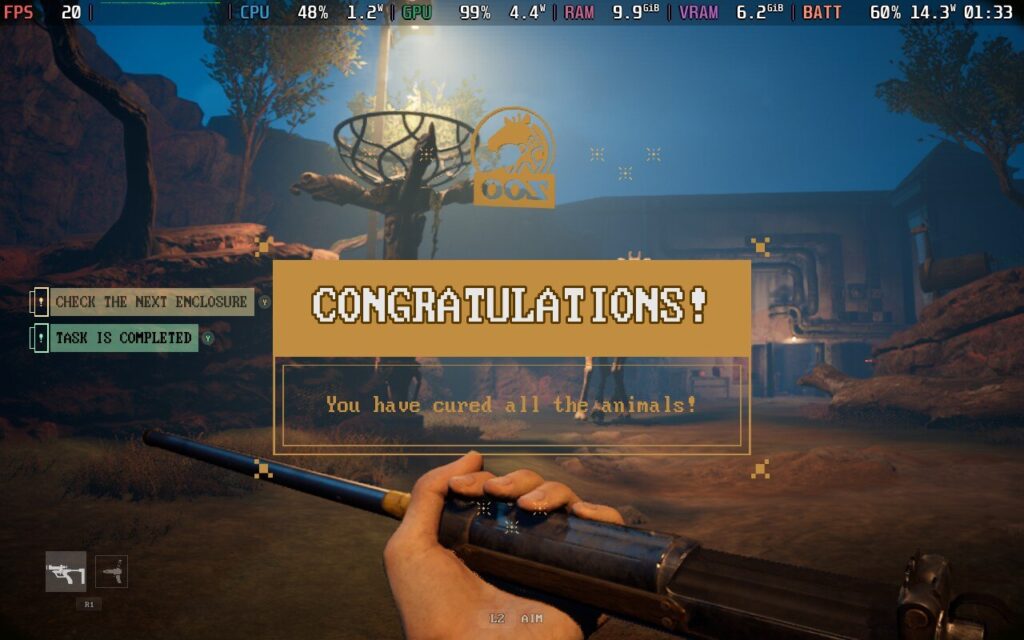
While I enjoyed Zoochosis' atmosphere, the gameplay felt like it was stumbling over its own feet. Despite the game’s handful of hours, most of that is taken up by the pacing of animations, which is plodding to the point of boring. That is probably the point because working in a zoo of horrors while trying to survive isn't riveting. Still, I grew increasingly frustrated with how long it took to complete anything.
In fairness, developer Clapperheads has been steadily improving the game since its launch with patches and content updates, but there is still a fair bit of jank to contend with. Most of these bugs were oddities like animals clipping through terrain or each other, floating objects, and the audio bugs I mentioned earlier. When moving into an animal enclosure, I had one infinite loading screen and a hard crash that forced me to reboot. While I only lost 20 minutes of progress, the lack of manual saving and tedious player actions made getting back to where I was more frustrating.
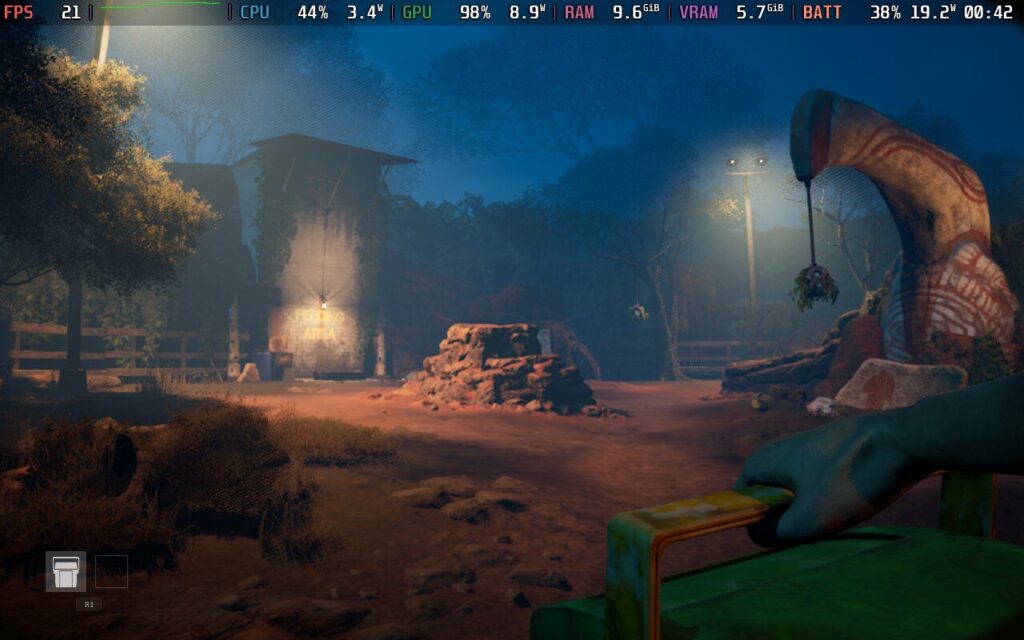
I also encountered a couple of navigation issues. This was more prevalent in the training montage, but the dark environments sometimes made it difficult to find what I needed.
Finally, the game needs more content. Zoochosis has some impressive management mechanics that could be applied to a free-play mode. The gameplay has a lot of depth, but the short story length is almost a detriment. I would like to see some free-play additions to the game, as it would add much-needed replayability. Its current offerings make it hard to justify the $25 price tag.
While Zoochosis is playable on the Steam Deck, I found it a woeful player experience. Things get off to a bad start on the main menu. The game is locked to 30FPS automatically, with no options to change that in the settings. Furthermore, no graphical options are showing on the Deck. Whatever performance you have is what you can get, which is even more unfortunate when the game struggles to hit 30 FPS, even without any limits.
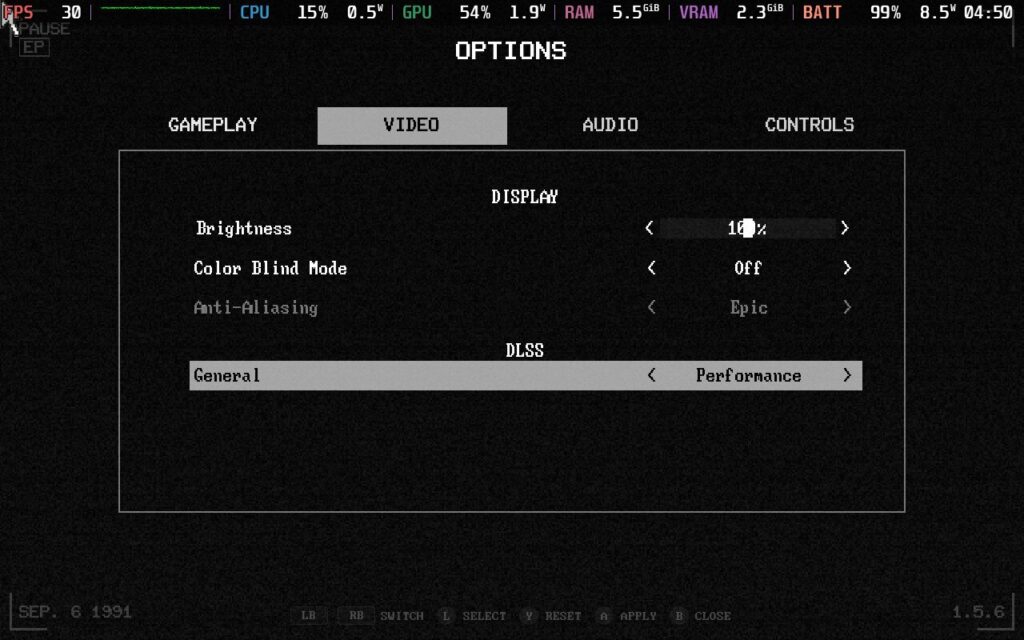
I found this baffling, given that the graphical settings are present in the PC version and that a patch in November was said to have improved the Steam Deck performance. I tried various things to get it to show up, including reinstalling the game, changing Proton versions, and adding the "SteamDeck=0 %command%" launch option in Properties. None of these attempts worked, which is unfortunate. I’m unsure what is happening, and perhaps someone else will have better luck than I did.
With few options available, I had limited choices on how to proceed. That doesn’t mean that Zoochosis is entirely unplayable, as the standard controls worked great, and I could still play through the game.
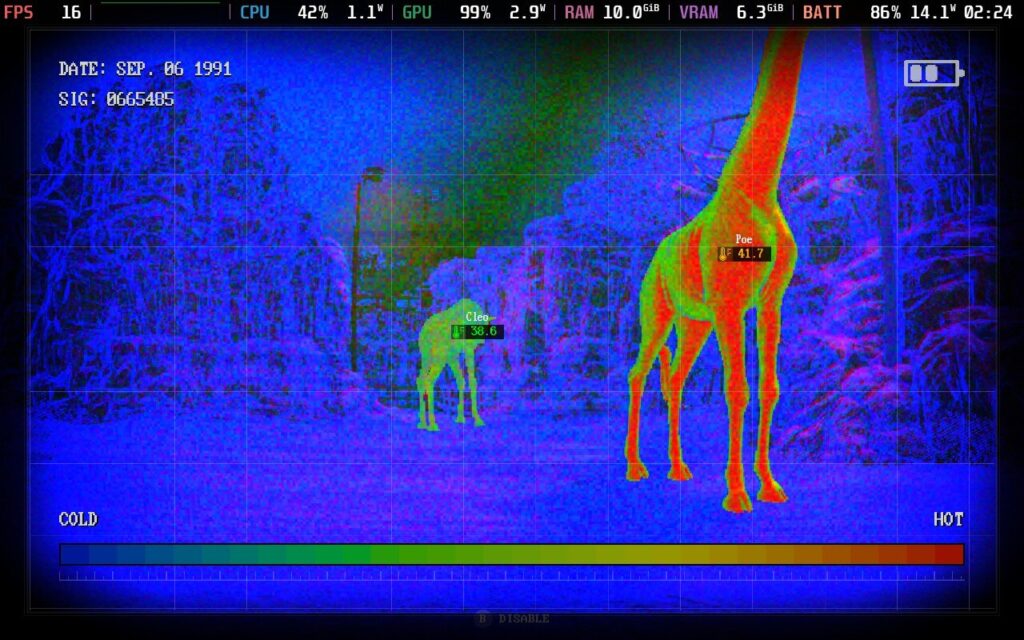
The power drain still surprised me, given how much the Steam Deck struggled with the game. I was pulling over 20 watts on average, which translated to less than 2 hours of battery life. I tinkered with TDP settings to find a decent battery life without sacrificing too much performance. Limiting the TDP with a 40hz refresh rate averaged around 20 FPS during gameplay while keeping the battery draw around 14 watts. This improved battery life significantly, but the performance drop is too steep to recommend.
So, the best way to experience the game is without changing anything. It is playable, but it won't particularly be enjoyable.
Zoochosis is available in English, French, Italian, German, Japanese, Korean, Polish, Portuguese - Brazil, Russian, Simplified Chinese, Spanish - Latin America, Turkish, Ukrainian, Spanish - Spain, Arabic, and Portuguese - Portugal. However, only English has full voice acting right now.
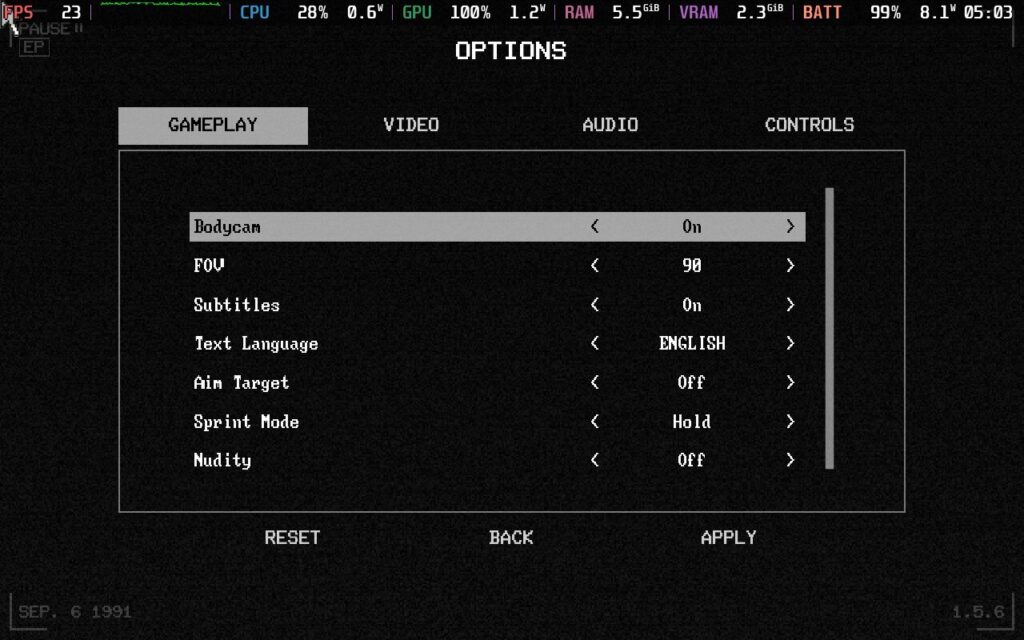
Players can toggle nudity, subtitles, bodycam, sprint mode, and auto-aim. You can adjust the brightness, toggle colorblind mode, change controller vibration, change gamepad sensitivity, and toggle the invert look vertically or not.
Zoochosis is a polarizing game as the reviews on the Steam Store suggest. It is an enjoyable horror sim with a great atmosphere. There are some truly disturbing moments throughout its story, and it puts quite the twist on a zoology game. I wish we had more games around managing zoos, and the developers have put a lot of heart into creating it.
Unfortunately, the ponderous gameplay and overall janky nature have brought down my enjoyment of the game. My shoddy experiences of Zoochosis on the Steam Deck do not help that. The mechanics are surprisingly in-depth for a bodycam game, but the short story means we do not have enough time to enjoy those mechanics without some free-play mode.
このレビューはPC版に基づいています。
このレビューをお楽しみいただけたなら、SteamDeckHQ の他のコンテンツもぜひご覧ください!あなたのゲーム体験に役立つゲームレビューやニュースを幅広く取り揃えています。ニュース、ヒントやチュートリアル、ゲーム設定やレビューをお探しの方も、最新のトレンドを知りたい方も、ぜひご利用ください。
Farming Simulator 25 was provided by Giants Software for review. Thank you!
It's time for a brand new Farming Simulator! But is brand new the right word for it? Or is Farming Simulator 25 merely a small upgrade over Farming Simulator 22? It's actually a story of two halves, so let's get into it and see what this iteration of the series is all about.
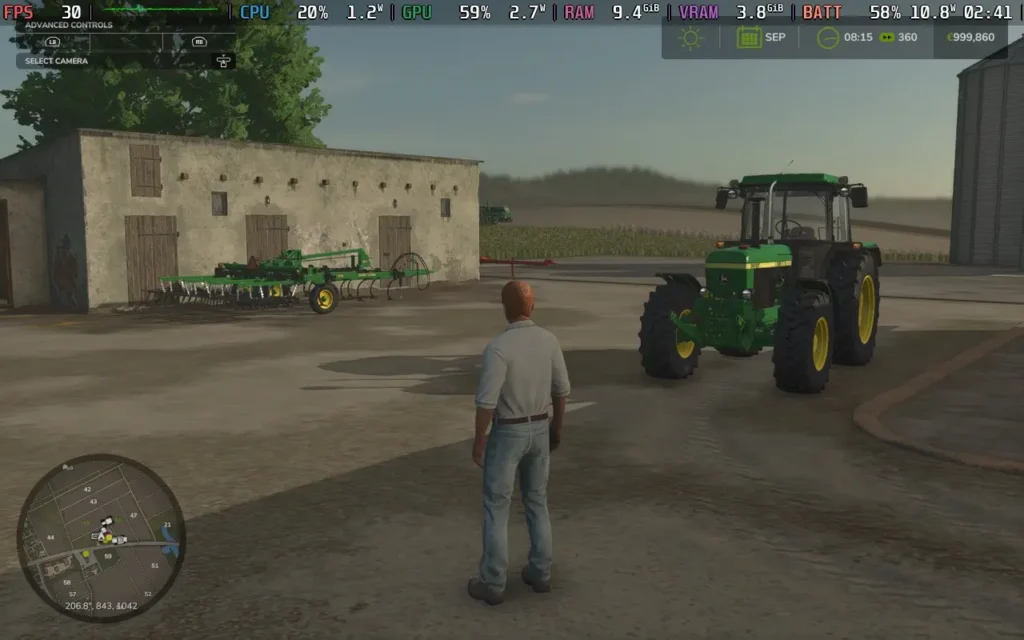
As you've come to expect from the series, Farming Simulator 25 brings a collection of new vehicles for you to own. Gone are the days of Farming Simulator 15 where you only had access to a paltry collection of 140 vehicles from over 40 manufacturers. Farming Simulator 25 boasts over 400 vehicles from over 150 manufacturers. I'm not quite sure why you need this amount of selection, but maybe that's because I'm not super into the whole farming ecosystem. If you're a farmer or are at least familiar with farming equipment, you can likely find your model in Farming Simulator 25.
One of the major new additions to the Farming Simulator franchise that was touted for Farming Simulator 25 was the addition of "Asian-style" farming. Farming Simulator has historically been focused on Europe and North America for its locations, but now the franchise has expanded to include an Asian map. So is this new map worth all the fuss?
I could take or leave the new map itself. The maps and world of Farming Simulator have always been a bit of a letdown for me, and the new Asian map is no exception. Largely, the map looks like any other map when you're out in the rural areas. Only once you enter the town does the game give an "Asian" vibe, mostly due to the neon signs outside the buildings. Unfortunately, the Asian map still uses many assets from the Western maps, meaning all signs are in English, and the neon-lit streets look dead due to a lack of pedestrians and traffic.
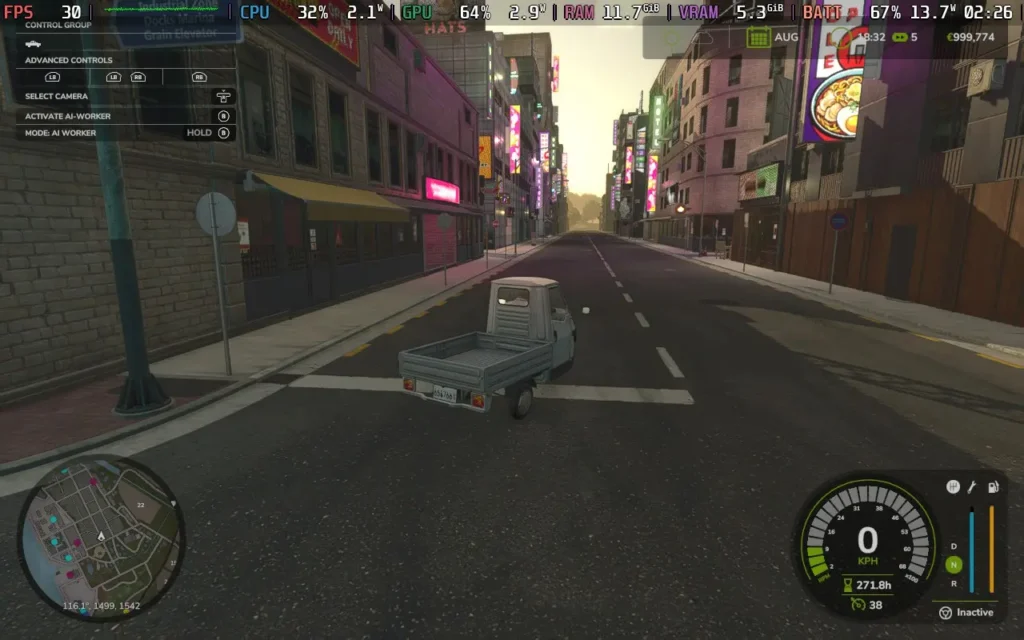
The exact location of where Hutan Pantai (the Asian map) is based isn't made clear either. The name is Indonesian, but the traffic drives on the right, which wouldn't be the case in a place like Indonesia or Japan, which drives on the left. So, instead of focusing on a specific country, the developers just focused on a large region with many cultures and designed the map around that. This design philosophy likely made the map feel generic and not very immersive. The majority of the map could easily be set in America or Europe.
Another set of improvements touted by the developers is the visual ones. While my ability to test these on the Steam Deck is somewhat limited, as we can't run at full graphical settings, the game does look pretty nice, and there are plenty of rendering techniques on display here, such as bloom, depth of field, good quality shading and lighting, as well as ambient occlusion. This combines to create a nice-looking image where metal reflects the sun, trees provide nice shading, and dirt adorns your vehicles as they work.
Ground deformation was also mentioned as an improvement to visuals and gameplay, although I didn't particularly notice this when I played. My trucks/tractors made slight grooves in the soil, but nothing that would actually affect the gameplay in any meaningful way, and it looked more like a tire track visual effect than actual deformation of the terrain.
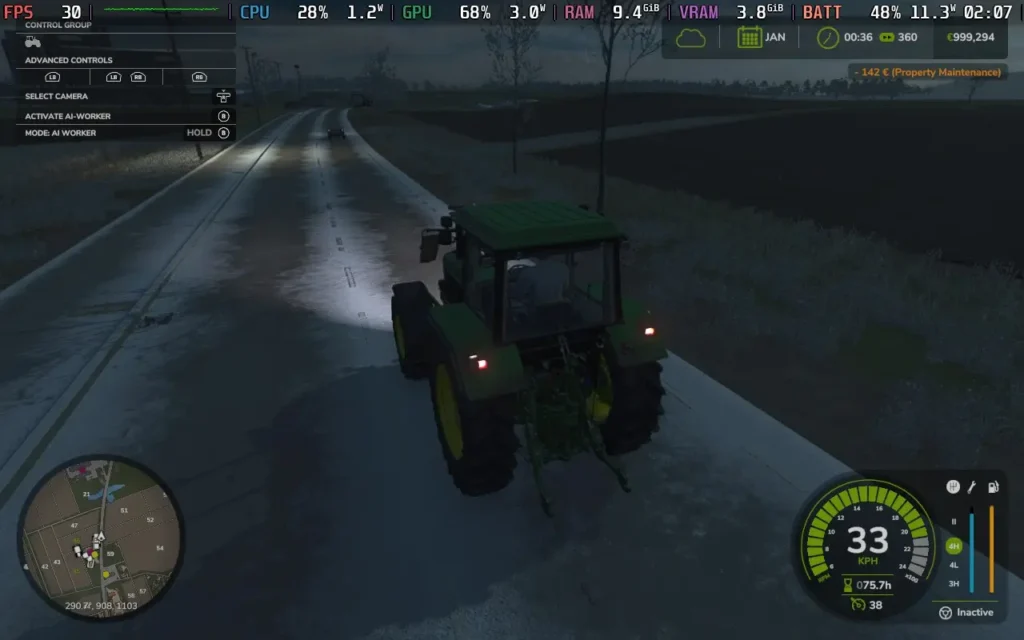
Farming Simulator 25 also brings in new weather effects, including disasters such as twisters and hail, which can damage your crops. I found these to be rare, however. After playing an in-game year, which is several hours of playtime, I only experienced 1 bout of snow and hail in an entire crop cycle, with probably <5% of playtime having a weather effect active. Even though the game is supposed to have settling snow and snow physics, the snow never truly settled on the ground, and the vehicles drive the same in wintry conditions as they do in summer. Overall, it's pretty disappointing.
New crops have been added, but they function the same as the other crops in the game, so getting too excited about them is hard. Likewise, baby animals have finally been added to the game, which has some impact on gameplay, but I found myself buying animals rather than trying to breed them. The time saved probably outweighs the money saved.
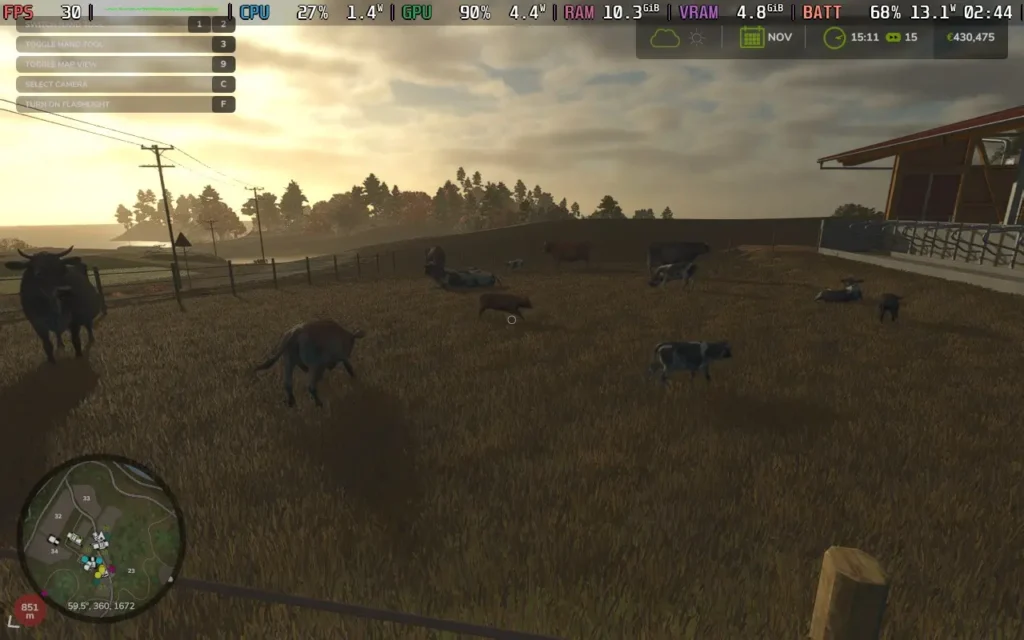
Aside from these aspects, it's largely "business as usual" for Farming Simulator 25. All of the features you enjoyed in Farming Simulator 22 have carried over, and it follows the same love-it-or-hate-it gameplay of... well, farming. You'll be planting and harvesting, all with that thrill of loading up your trucks with grain from your fields, then you'll be getting confused about where to sell your wheat, and then finally stumbling upon the place that's buying wheat and making 25 cents, only to rinse and repeat. You can also do all of this with up to 16 players in multiplayer.
The vehicles perform identically to Farming Simulator 22, with the same control scheme and physics. It's still a joy to manually adjust your harvesting head and switch it on/off to begin harvesting, and swing the pipe out of the side to load up a trailer truck driving beside you as you harvest. There are no changes here, but it was always a highlight, so no changes are good.
So, is Farming Simulator 25 a revolutionary improvement for the series? No, but I wasn't expecting it to be either. I will say that they don't seem to have made anything worse, which isn't always a given these days. The visuals are nicer, the game seems pretty well optimized aside from some stuttering, and you have more variety in what you can do, such as more crops to grow and additional ways to earn money, like construction projects.
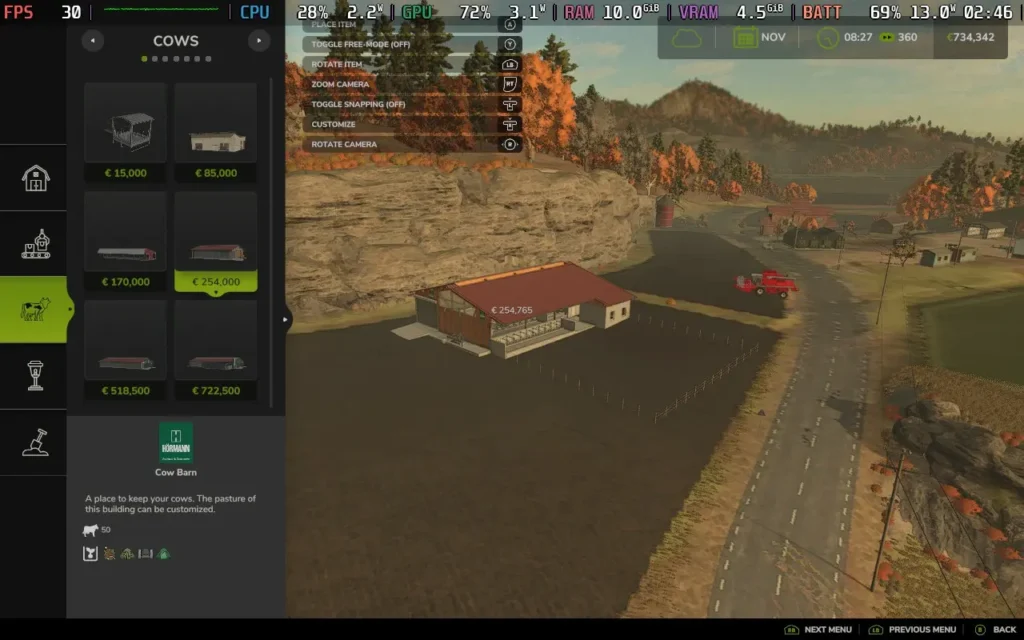
You also have access to a wider variety of vehicles and tools, and they are laying the groundwork for interesting features in the next Farming Simulator, even if they aren't there yet, such as natural disasters and terrain deformation.
Would I recommend you buy Farming Simulator 25 if you already own Farming Simulator 22? Probably not, the upgrades are marginal and unless you are a hardcore Farming Simulator fan, it's probably not worth the price right now. Running Farming Simulator 22 with mods can give you a nicer experience right now, but in a year, when Farming Simulator 25 mods catch up, some patches have been introduced, and the game is on sale, it might well be worth the upgrade.
Farming Simulator 25 covers the Steam Deck basics of having good controller support while supporting 1280x800 resolution, meaning no black borders around your screen. We also have some nice extra technologies like Intel's XeSS and AMD's FSR3.
There are many graphical options in Farming Simulator 25, but I've kept it fairly simple by choosing a preset and then modifying a couple of settings to make for a more stable experience. It should be easy for you to copy the settings yourself.
Set the SteamOS frame rate limit to 60, and there's no TDP Limit for this one.
I'm using a modified version of the Medium preset, so go ahead and set your game to the Medium settings, turn VSync to Off, set your Framerate Limit to 30, set your in-game HUD Scale to 125% for easier-to-read text, then press the "X" button to open the advanced graphics menu, and adjust the following settings:
Switch SSAO down to Medium, Terrain Quality down to Low, Light Quality to Medium, Max Mirrors to 0, Post-Process Anti-Aliasing to Off, and FSR 3 to Quality. The game does have frame generation, but as our FPS is on the lower side, it introduces too much input lag to be nice to play.
These settings smooth out the Medium preset a lot, especially disabling Mirrors, as with them on, you'll get severe stutters when switching to a cockpit view.
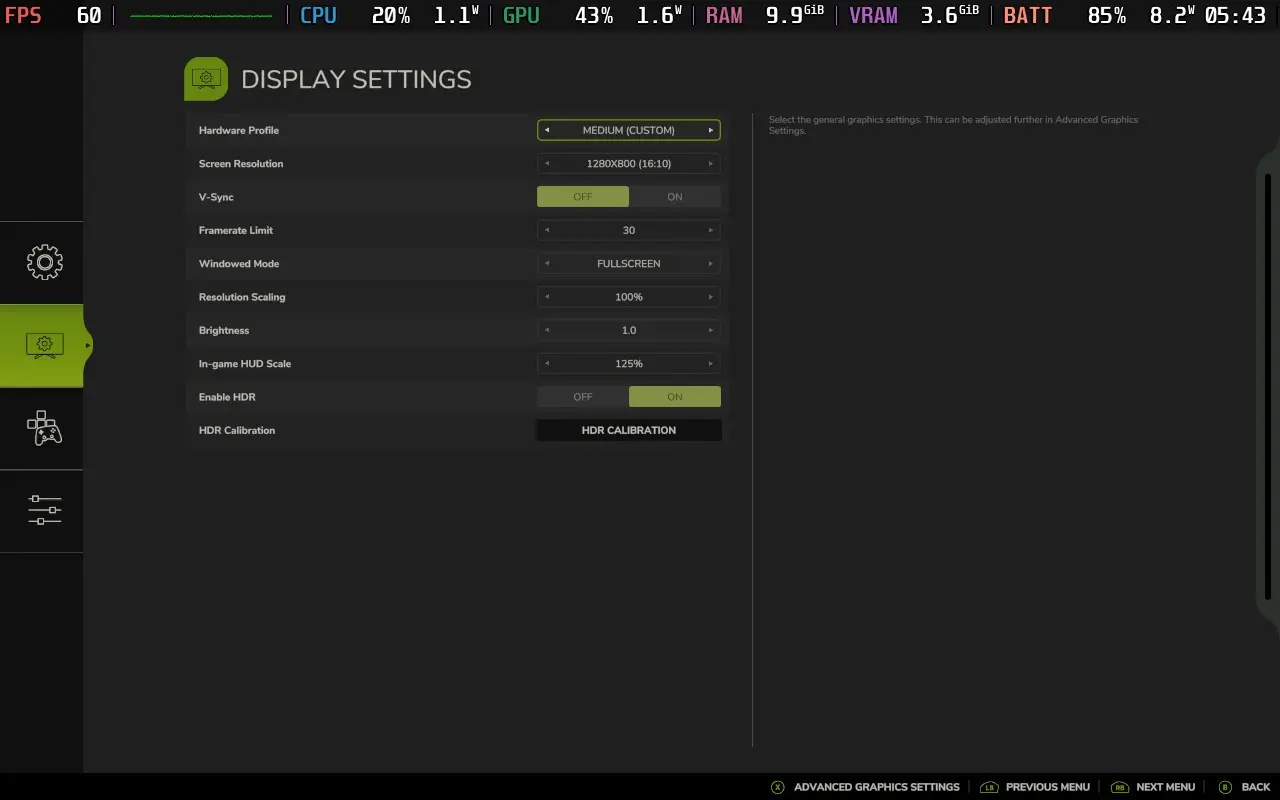

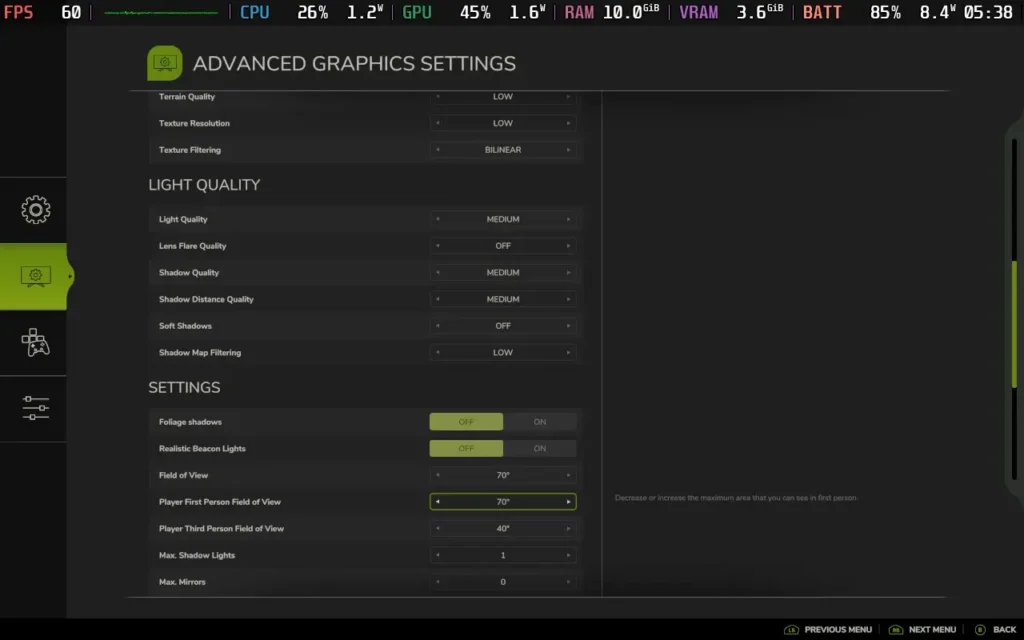
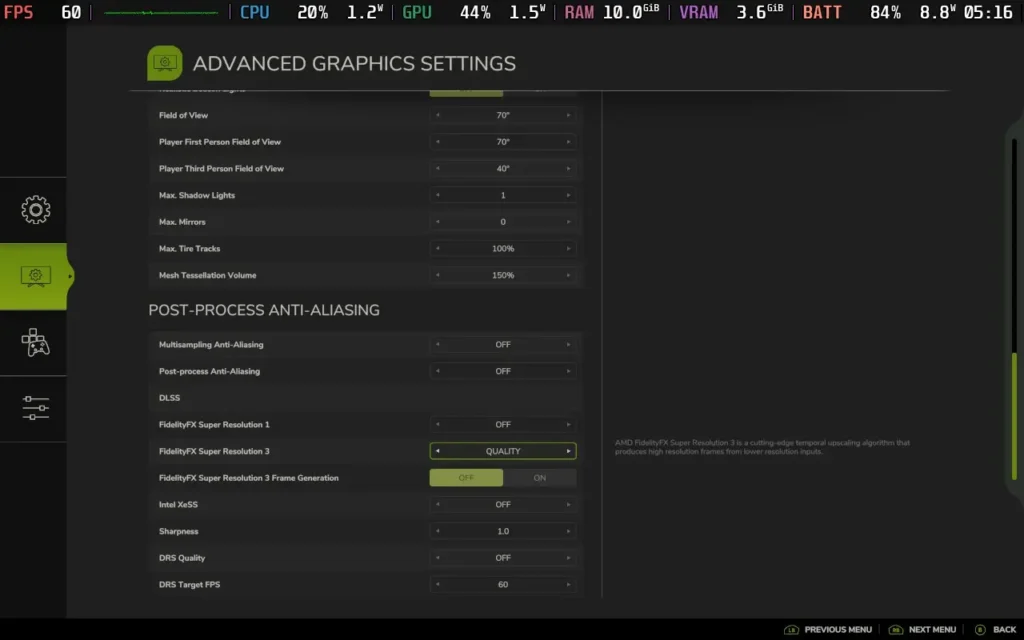
With these settings, I got a pretty constant 30 FPS during play. Very occasionally, the FPS dropped to 28 or 29 when in one of the cities, but the game remained perfectly playable.
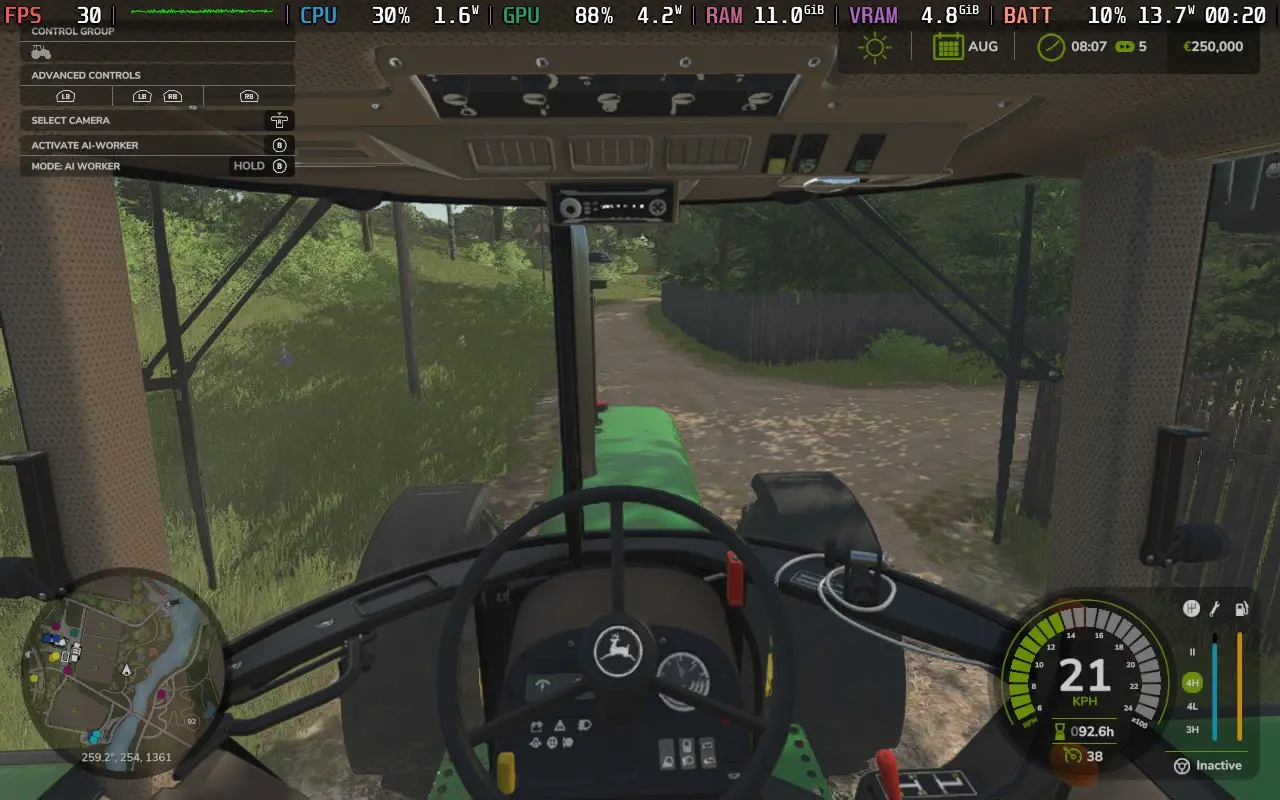
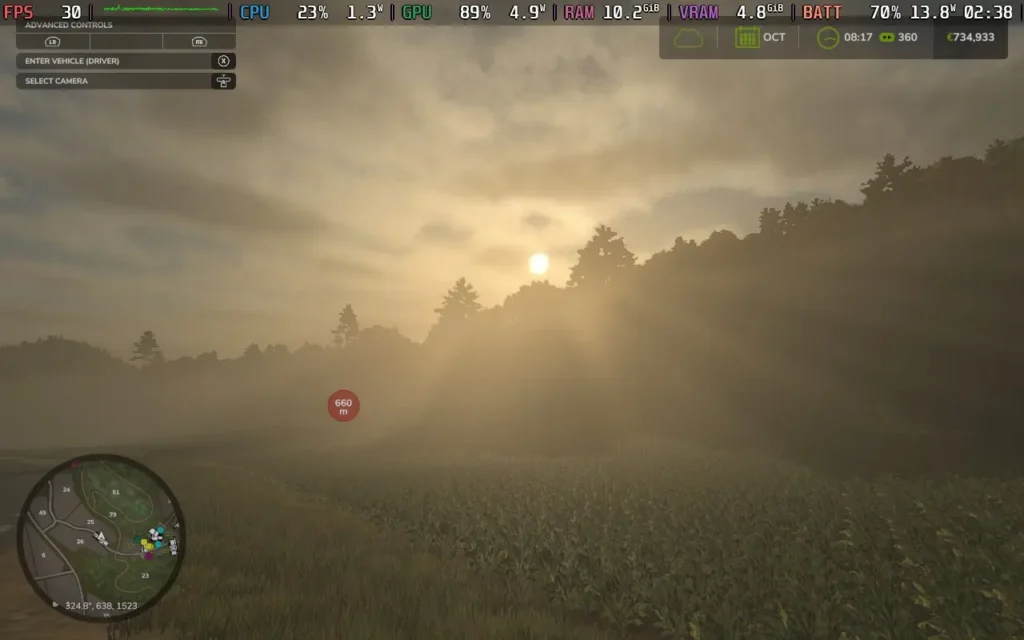
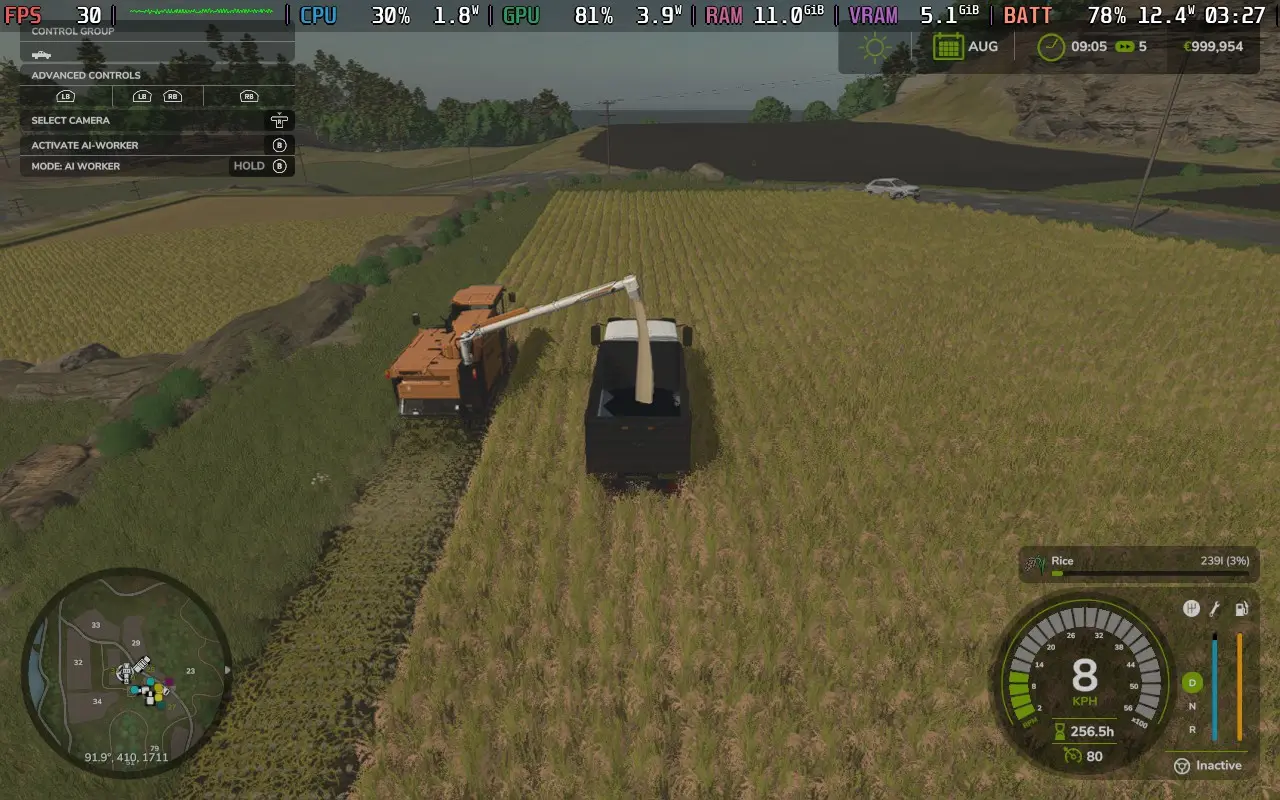
The power draw tends to stay around 12W-14W, but it can go as high as 16W in the towns. You can likely expect about 2.5 hours of battery life from a Steam Deck LCD and around 3.5 hours from the OLED.
Temperatures stay lower in the 60C-65C range, with slight fan noise.
Performance in multiplayer games seems considerably worse than single-player, with a much heavier load on a single CPU thread, seemingly caused by player activity when multiple players are driving. This means that you'll struggle to stay above 25 FPS in larger multiplayer games, although if you are just playing with 2-4 players, you might get away with it.
Farming Simulator 25 has a few accessibility options, such as adjusting the game's economic difficulty, simplifying the crop cycle, colorblind mode, disabling what is akin to camera shake/sway, and various assists/simplifications for controlling vehicles.
Farming Simulator 25 talks a big game about the new features it has over previous iterations of the series. But those changes aren't quite big enough for me to recommend that you dive in right now. Give mods some time to catch up to the level they are in Farming Simulator 22, fix a couple of collision bugs I encountered, and maybe go on a sale, and then it's worth the upgrade.
Farming Simulator 25 runs well on the Steam Deck for the most part. The controls are great, and while performance in larger multiplayer games borders on unplayable, if you play solo or with a small group, it should run just fine.
このレビューはPC版に基づいています。
このレビューをお楽しみいただけたなら、SteamDeckHQ の他のコンテンツもぜひご覧ください!あなたのゲーム体験に役立つゲームレビューやニュースを幅広く取り揃えています。ニュース、ヒントやチュートリアル、ゲーム設定やレビューをお探しの方も、最新のトレンドを知りたい方も、ぜひご利用ください。



