Road To Empress was provided by New One Studio for review. Thank you!
While never having played an FMV game before, I have watched them be played, and it's fascinating to see this niche genre expanding and essentially building interactive movies with deep narratives. Road To Empress is no different, with a story inspired by Wu Zetian, China's only female Empress.

While inspired by the story of Wu Zetian, and featuring real-life historical figures, the game is rightly "inspired by" and not "based on", so don't view it as a history lesson. The game is beautifully filmed, though, and the actors and actresses do an incredible job of portraying their characters; it all feels very authentic, and you definitely feel tense during certain moments as you get wrapped up in all the drama and political intrigue.
And the drama is pretty non-stop, there's not really anything I'd call "filler" here, and for an FMV game that is several hours long, that's impressive. Almost all of the 16 chapters introduce a new character or interesting plot point, and while it can be a little difficult to keep track of all the characters and their alliances, it is a well-constructed story.
I really ended up invested in the characters in Road To Empress, seeing what their next move would be and who I could really trust. You get an attachment to certain characters, only for them to betray you, while others may surprise you. The story isn't too emotional, but there are moments that pull on your heartstrings a little. Any "bad endings" are usually covered with quick text explaining what happened after your decision and possibly a short video, so you don't see too much of your "demise" at any point.
Ultimately, this is a story about ambition, trust, manipulation, and ruthlessness, usually all happening at the same time. Who can you manipulate to protect you from your current threat? Who can you trust, if anyone? How ruthless will you have to be to survive? It made me make choices that I perhaps wasn't comfortable with myself, but in the situation, something you would have to do if you wished to succeed. Wu Zetian wants to gain power and influence, and she increasingly doesn't care what she has to do in order to achieve it.

All of this is backed up by sets/environments that also feel like feudal China; this could just as easily be a modern film that you see in the cinema, but instead, it has some "choose your own adventure" options to spice things up.
There are the occasional "Quick Time Events", which are a tad annoying, requiring you to click an icon on the screen to succeed or fail some tasks; these took me out of the story a little bit, but they are quite rare.
That being said, some choices in the game can be rather arbitrary. You pick a seemingly innocuous choice, a 30-second video plays, and you're dead. This happens frequently, and the game often boils down to 1 good choice and 1 bad choice that immediately ends the game. It's kind of frustrating, and sadly makes the "game" not as open-ended or as branching as you might hope. It is, at least, quick to go back on the "timeline" and select where you want to keep playing from again.
Road To Empress is voiced in Chinese, and so if you aren't able to understand the language, you'll be relying on subtitles. Keeping up with the subtitles can be a challenge, though. Sometimes the game will only show 3 or 4 words at once, giving you less than a second to read them before another character interjects or the next sentence begins.
I would have loved for longer subtitles to be used so that I could focus more on the scene and characters, but as it is, I had to keep my eyes glued to the subtitles so I could understand what was going on. I also noticed a couple of times when lines were said and no subtitles were present, leaving me confused about what just happened. This is especially true for some endings, which are not translated at all.

The game did default to Chinese for me, so I needed to get past the main menu and into the game to access the settings menu, where I could select "English (US)" as a language.
It's also worth noting that Road To Empress does require an internet connection to play. Attempting to boot without an internet connection resulted in the game closing out for me. This is likely due to Micro-Transactions being present in the game, but it seems like the MTX might be entirely linked to "donating" gifts to the game's characters in order to gain places on the leaderboards, and has no actual impact on the game whatsoever.
Note: Upon first boot, the game does ask for you to confirm your age and agree to a privacy policy, and this page is blank on the Steam Deck, so I had to download and boot the game on another device to acknowledge the prompt, after which, I could play on the Steam Deck. (This may be fixed now, but I cannot test due to my account already being age-verified)
As Road To Empress is an FMV game, where all "graphics" are pre-rendered videos, there are no graphical settings in the game. The game tends to stutter when first playing a video. I recommend you click in the game once videos start playing and change the quality at the bottom right from "4K" to "FHD"; it still looks identical on the Steam Deck's display, but it helps reduce some stutters.
The game can be set to run at 30 or 60 FPS, which is odd, considering all the videos are 25 FPS files, but there's no harm in selecting 60 FPS on the Steam Deck.
Power draw is around 8-9W, and temperatures are around 50 °C- 55 °C. Battery life is around 6 hours on a Steam Deck OLED and around 4 hours on a Steam Deck LCD.
Road To Empress has no accessibility options. There are subtitles available for a few languages, including English, as all voice acting is in Chinese.
Road To Empress is a quality FMV game. Yes, it has some issues that are common to the genre, like a story that's a bit more linear than I'd like, but given the quality of the cinematography and acting, you can understand if the developers couldn't film a bunch of different outcomes. It's a thoroughly enjoyable and immersive time for the few hours you'll get out of it.
Performance on Steam Deck is almost perfect, just the minor stutters when a new video file starts playing are a little off-putting, and the age verification issue that can hopefully be rectified, but otherwise, you can definitely play from start to finish on the Deck just fine.
このレビューはPC版に基づいています。
このレビューをお楽しみいただけたなら、SteamDeckHQ の他のコンテンツもぜひご覧ください!あなたのゲーム体験に役立つゲームレビューやニュースを幅広く取り揃えています。ニュース、ヒントやチュートリアル、ゲーム設定やレビューをお探しの方も、最新のトレンドを知りたい方も、ぜひご利用ください。
Nikoderiko was provided by Knights Peak for review. Thank you!
Are you ready for some classic platformer action? Well, Nikoderiko: The Magical World is following textbook examples of successful platformers from years past, but that isn't always a recipe for success. However, that's not the case here.

As soon as you start Nikoderiko, you can see what I mean when I said they follow examples of previous platformers. The inspiration from Donkey Kong Country is unmissable. It might even go beyond inspiration. You start in a jungle-themed area on an island, the antagonists are somewhat reptilian, and the game's music composer is David Wise, who worked on the soundtrack for the Donkey Kong Country series. You even collect the letters N-I-K-O as you progress through each level.
The storyline is also pretty generic. You're treasure hunters trying to retrieve a treasure taken by an evil baron and his army. It's not too dissimilar to DK having his bananas stolen.
So, Nikoderiko doesn't exactly win points for originality. That being said, it's a solid platformer. The controls aren't necessarily tight; they're a bit floaty, but that seems to be by design, as the Donkey Kong Country trilogy also had some momentum when it came to physics in the air. Once you get used to it, though, Nikoderiko feels like a classic platformer from the 1990s, and that's not a bad thing in my book.
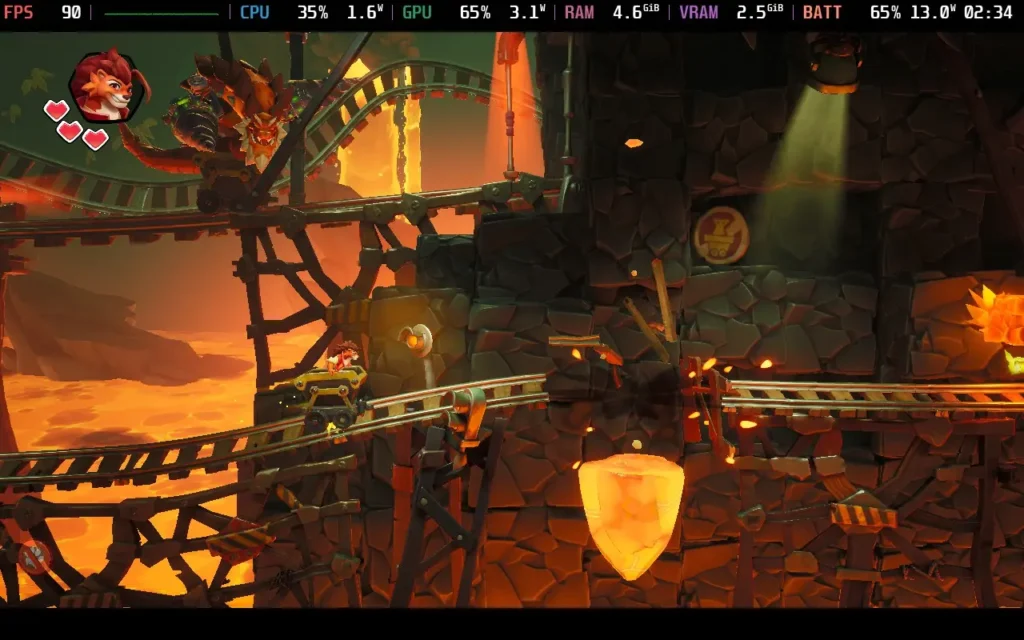
Enemies are also fairly typical platformer affairs. Some have defenses on the top, some on the side, some have none at all, and others take multiple hits to defeat. The variety and imagination behind these designs don't quite hit the heady heights of Mario games. Still, they do the job, considering that Nikoderiko is on the shorter side, with the game taking less than 10 hours to complete.
Surprisingly, the game does have difficulty options. I played through on the "Normal" option and found that the game provides a decent challenge. Most of the levels will be simple enough, but the odd one might trip you up, and the boss battles at the end of each world do require concentration and memorization of patterns to beat. I wouldn't say it's as difficult as the Donkey Kong Country (Returns) games, but it's not as easy as a Mario platformer.
Nikoderiko does tap into that sense of excitement you got from finding secrets in ye olde platformers, too. They are everywhere, and the newly released Director's Cut upgrade added even more to the game. Usually accompanied by a serotonin-boosting sound effect, coupled with pretty collectibles adorning your screen, it's a great feeling when you find a hidden passage or bounce off an enemy's head to reach an otherwise inaccessible area. The game beautifully captures the feeling my younger self got from these discoveries.
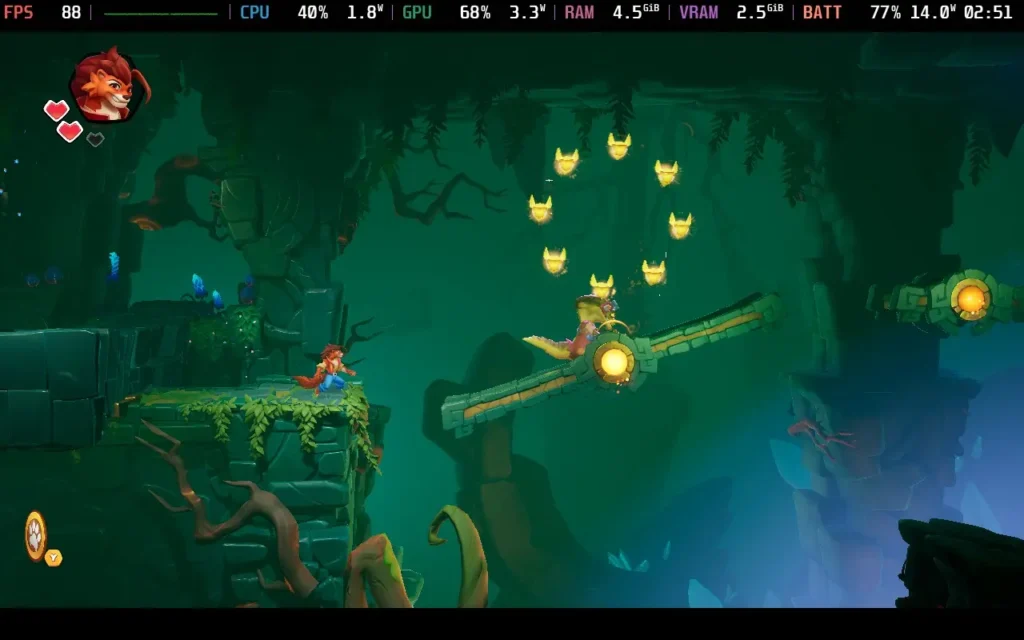
However, I feel like Nikoderiko lets you down in a couple of areas. There is a lack of clarity in some situations, particularly in levels where you are walking towards or away from the camera, like in old Crash Bandicoot games.
Depth perception is also a big issue. The game puts a blue circle below you while you are in the air, but from this camera angle, I still struggled to work out how close I was to enemies. Also, several times, you are in cannons (equivalent of Donkey Kong Country Barrel Cannons) and have to shoot through a circle of rotating items. The problem is that the game does not indicate whether you will hit the top or bottom item in the ring.
I wouldn't have minded if these game sections had been removed entirely. I get that the developers wanted to try something a bit different, but switching between a side view and a third-person view and adjusting to the controls mid-level doesn't feel the best, and the camera is even more work to get used to, just for a short 1-minute section of a level.
Unfortunately, many boss battles take place in this third-person-like camera angle, which can be pretty frustrating when they are the hardest parts of the game.
Another issue I had with the game was that sometimes the camera wouldn't follow the player closely, resulting in me walking into or hitting enemies offscreen. This usually happens with vertical movement, but it can happen horizontally too. Also, at a later level, I jumped into an automatic cannon that began a sequence that fired me straight into an enemy before I regained control of my character. It was probably just bad luck that the enemy had patrolled to where the cannon was placed, but it shouldn't be possible for an enemy to patrol there in the first place.

Spinning it back around to the positive, though, and that's the game's presentation. Although new and not relying on nostalgia, the characters have their charm. I wasn't sure if I would enjoy them being voiced in parts of the game, but it works out ok, if you don't mind a bit of cringeworthy dialogue here and there. The world is also lush, vibrant, and nicely stylized, with lighting put to good use in the levels. This is backed up by the music by David Wise, who does an excellent job capturing the feel, as you might expect given his reputation.
If you have an itch for a game that feels like a classic 90s platformer but with the visuals of a modern title, then Nikoderiko is worth your attention. You can also play through the game in a two-player local co-op mode.

Nikoderiko runs flawlessly on the Steam Deck. The only issue I noticed was that the game only runs in 1280x720, not 1280x800, so you will have black bars above and below the game. Controller support, however, is excellent, and it is the ideal way to play.
The graphical settings are combined into one Quality setting, which you can adjust, but it does have some scalability. Because of that, I'm offering two setting presets today, although one is mostly for Steam Deck OLED users.
For most users, this is probably what you'll want to run. Set your in-game quality setting to "Average, " then impose a 60 FPS frame limit in SteamOS.
With these settings, the game can run at about 70 FPS, but locking to 60 saves some battery life and makes the experience stable. Steam Deck LCD users get no benefit from anything above 60 FPS anyway.


The power draw depends on the stage, but it falls in the 13- 15W range for most levels. Some levels, especially at night and with water, can push it up to 20W, though. So expect around 3.5 hours of battery life on an OLED model and around 2-2.5 hours on an LCD. Temperatures were in the 60- 70 °C range.
If you really care about a smooth framerate in your platformers, Steam Deck OLED users can lower their graphics Quality to "Low" in the in-game settings and keep their frame limit at 90 FPS/Hz in SteamOS. The game will run at a stable 90 FPS, and although we lose some nice lighting and shadows, the stylized nature of the game means it still looks decent.


Power draw for these settings is similar, around 13W-15W, with spikes up to 19W on some levels, so your battery life will be about 3.5 hours on the Steam Deck OLED. Temperatures were again in the 60- 70 °C range.
Sometimes, dialogue on the world map causes severe performance issues, which heavily impacts FPS. Fortunately, no gameplay occurs during these scenes, but it can be a bit jarring. Expect sub-30 FPS in these moments.
Nikoderiko is a bit thin on the ground when it comes to accessibility. It just offers the option for subtitles and disabling camera shake.
Nikoderiko doesn't do anything new in the platforming space. But what it does do is combine multiple ideas from other successful platformers and bring them together to make a competent platformer in its own right. Does it match up to those that inspired it? No, it doesn't, but if you are a platforming fan, you'll still have a great time with this one.
As for Steam Deck performance, it's very good; the graphics settings mean we can comfortably run at 60 FPS, even bumping up to 90 FPS on the Steam Deck OLED. The controls work great, and although the battery life isn't the best, the game also isn't very long, either.
このレビューはPC版に基づいています。
このレビューをお楽しみいただけたなら、SteamDeckHQ の他のコンテンツもぜひご覧ください!あなたのゲーム体験に役立つゲームレビューやニュースを幅広く取り揃えています。ニュース、ヒントやチュートリアル、ゲーム設定やレビューをお探しの方も、最新のトレンドを知りたい方も、ぜひご利用ください。
Koira was provided by DON'T NOD for review. Thank you!
Sometimes it's nice to just kick back and get lost in a simple but heartwarming game. These are some of the best titles to play on the Steam Deck, allowing us to cuddle up in bed, dim the lights, grab some hot tea, and enjoy the adventure. Koira is going to be a perfect game for this, and while it is a bit on the simple side, it tells a compelling, emotional tale that I think is very worth experiencing for yourself.
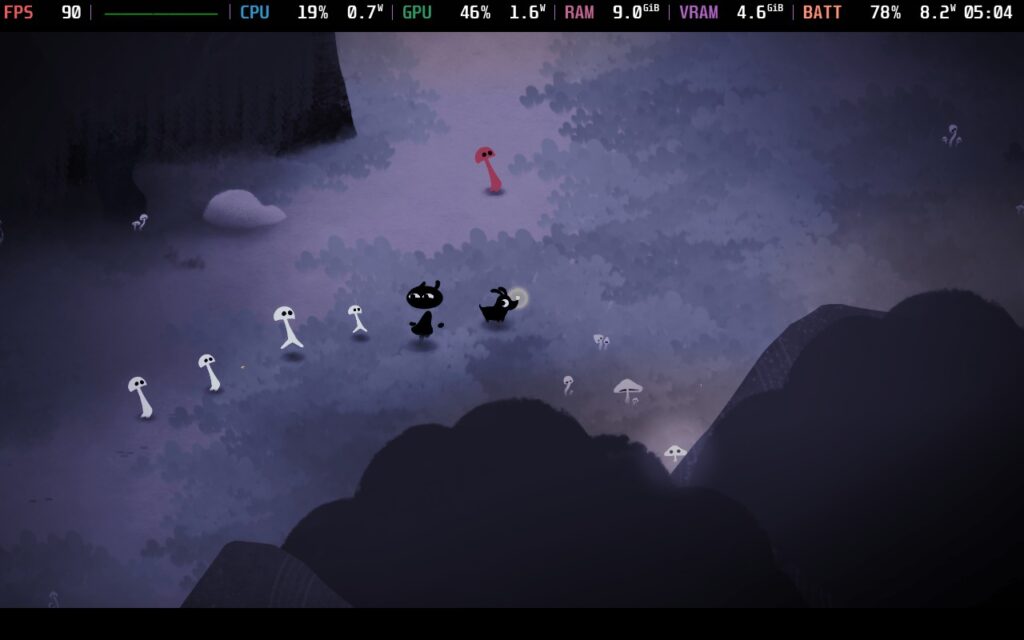
Koira is a simple game at its core. We control our unnamed protagonist as they wander through a forest with their new puppy. There isn’t much gameplay depth past the walking around, throwing objects, solving puzzles, and telling your pup to take certain actions, but there’s an alright amount of variety with the puzzles and little mini-games scattered throughout that is enough to please throughout its short runtime. I was actually a bit surprised by some of the extra activities you can partake in, like cloud watching, fetching, and hide and seek, which was quite nice.
There is no hand-holding in-game, so you’ll have to figure out where to go or what to do next. This largely wasn’t an issue, and I was able to figure out where to go and what to accomplish without difficulty. There were maybe one or two moments I got a little lost, and one time I felt a minigame overstayed its welcome, but it was never enough to completely detract from my enjoyment. It’s a mechanically simple game, and it never felt too challenging.

However, Koira truly succeeds in telling a moving story paired with some gorgeous visuals. That simplistic art style mixed with a watercolor-esque tone helps highlight the uniqueness of each location and brings out the tonal shifts in the story as you progress. It pairs especially well with the soundtrack to create the necessary atmosphere that kept me invested, while also making me curious about what I would see next.
The actual story itself also brought me close to tears as I realized the intricacies woven in. On the surface, this is a tale about befriending a dog and escaping the hunters chasing you through the forest. However, the way the bond develops is beautiful and what sold me on the story. Just as our puppy relies on us to feed and take care of it, the opposite is true and made obvious the more we play. Our controllable character relies on the pup to keep them sane as they struggle to keep emotions in check. I don't want to go into much more detail, but I like how Studio Tolima gave us both angles to show the symbiotic relationship between them and how they help each other out.
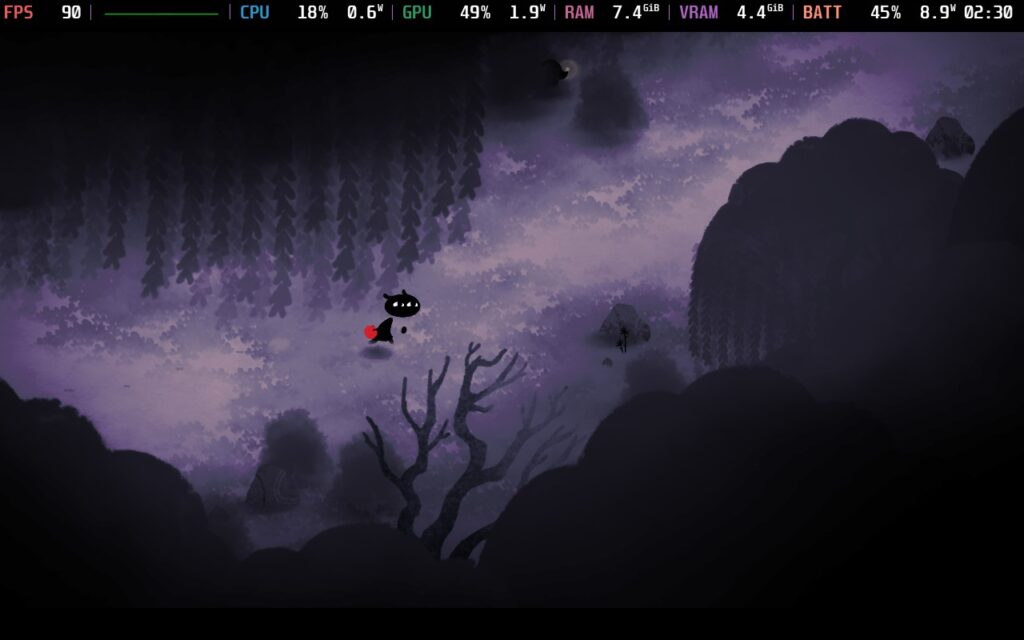
I found it odd how quickly they bonded in the very early moments of Koira's story, but as it continued, I started to see more of the puppy opening up and being more playful, which felt more realistic. By the end of the game, their bond was undeniable, and I love how the story concluded. It's a moving, heartwarming tale that made me start to miss my puppies, and I am even considering getting a pup of my own now.
As I initially expected, Koira will have no problems at all running on the Steam Deck! It runs out of the box at 90 FPS with around 8W - 10W battery drain, and stays stable the entire time. I did bring the framerate down to 60 FPS to see if that saved any extra battery, but it was around 1W of savings here and there, so I don't see a reason to reduce it if you are on an OLED Steam Deck. On OLED, you will most likely average around 6 hours of battery life on a full charge, while LCD will get around 4 hours.
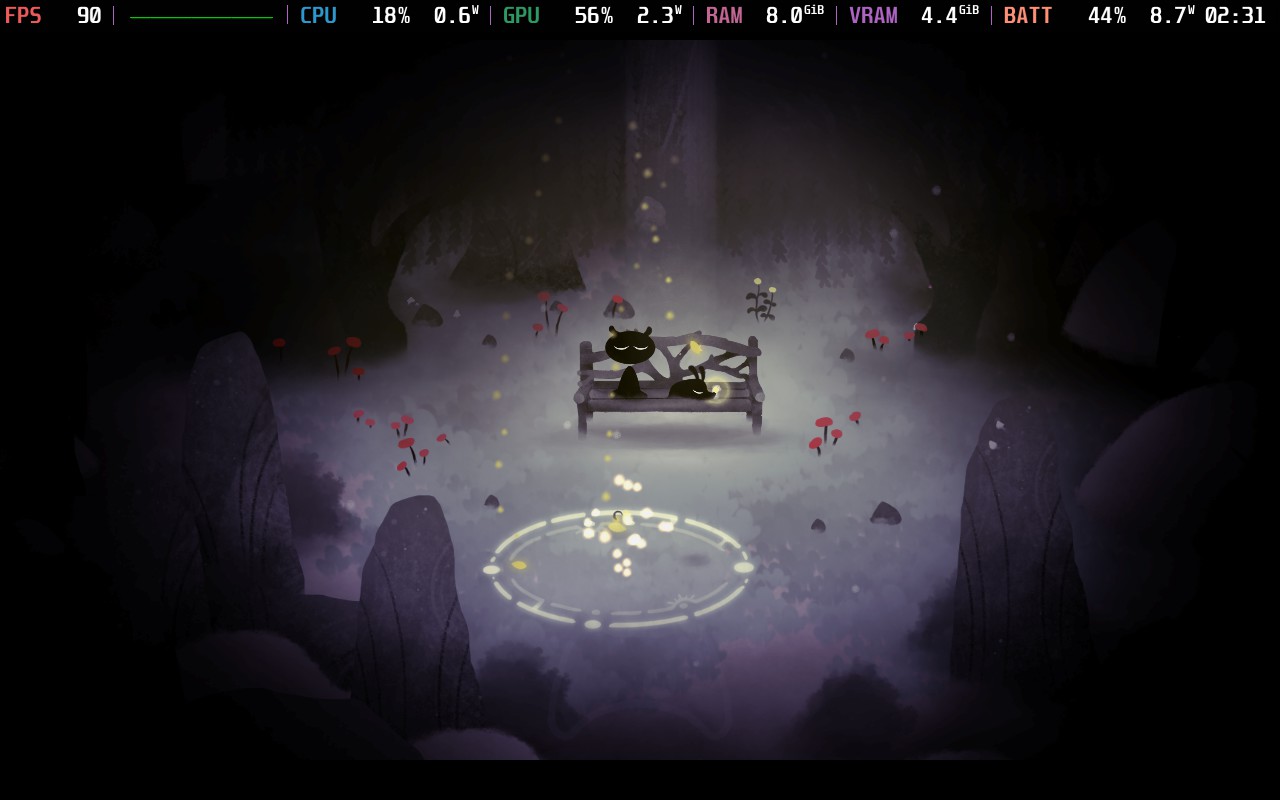

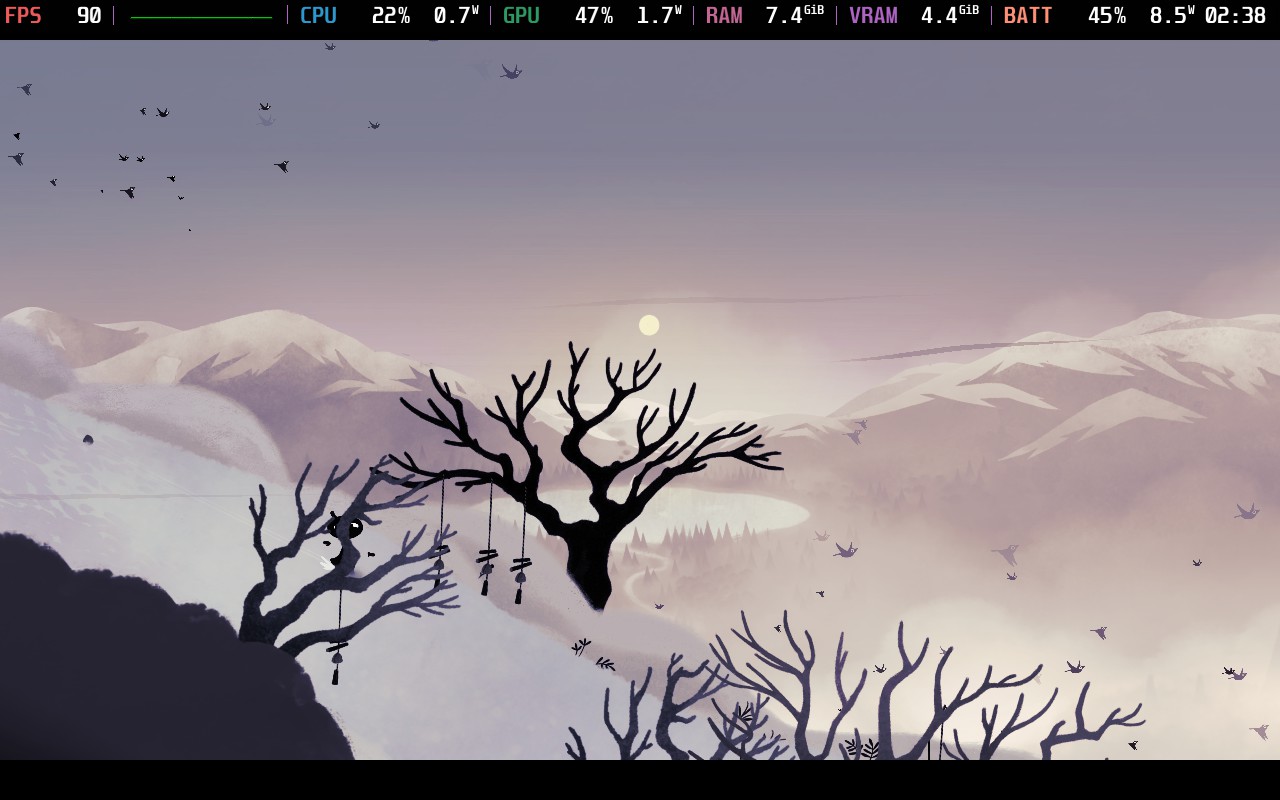
Koira doesn't have a ton of settings to choose from, but you can change the language, audio sliders, and toggle screen shake.
このゲームは16:10の解像度をサポートしていないが、クラウドセーブとコントローラーをサポートしている。HDR設定はない。
Koira is a beautiful game wrapped in a simple package. It tells an emotional tale about bonding with a dog and how they can affect us as we go through hardship. It's heartwarming to see how the friendship develops, and is highlighted by the gorgeous world and soundtrack. The gameplay is on the simple side, and it isn't perfect, but it does the job and keeps the story front and center.
It runs extremely well on the Steam Deck, getting to 90 FPS with ease and sticking around a 10W battery drain. This is definitely a perfect game to play in bed when you want to relax, and I can happily recommend it.
このレビューはPC版に基づいています。
このレビューをお楽しみいただけたなら、SteamDeckHQ の他のコンテンツもぜひご覧ください!あなたのゲーム体験に役立つゲームレビューやニュースを幅広く取り揃えています。ニュース、ヒントやチュートリアル、ゲーム設定やレビューをお探しの方も、最新のトレンドを知りたい方も、ぜひご利用ください。
WanderstopはAnnapurna Interactiveよりレビューのために提供されました。ありがとうございました!
ゲームプレイにそこそこ深みがありながら、リラックスできるゲームを探しているなら、Wanderstopはまさにうってつけのゲームかもしれない。このゲームをレビューしたとき、私は風邪をひいていたのだが、ストレスもなく、時間制限もなく、ただ植物を育てたり、お茶を入れたり、くだらないおふざけを楽しんだりと、体調が万全でないときにプレイするのにぴったりのゲームだった。

ご存じないかもしれないが、『Wanderstop』はアルタという名の成功したファイターの物語を描いている。まあ、今はそれほど成功していないのだが。戦闘力を取り戻すため、彼女は伝説のトレーナーを探しに森に入る。しかし、アルタは気絶してしまい、親切な茶店の主人ボロに助けられる。ボロはアルタに、最強の格闘家になるための探求から離れ、茶店の経営を手伝うよう勧める。こうして、アルタの人間としての変化を描いた物語『ワンダ・ストップ』が始まる。
このゲームの基本は "農業シム "であり、紅茶の材料を栽培することだ。しかし、ただ碁盤の目の上で農業をするわけではない。その代わり、欲しい材料を手に入れるためには、特定のパターンで特定の種を育てなければならない。このため、さまざまな組み合わせでどんなものが育つのか、探索するうちに仕組みに深みが出てくる。
材料を育て、収穫したら、いよいよ紅茶を淹れる!紅茶屋には様々なキャラクターが現れ、様々な種類の紅茶を注文してくる。どんな紅茶をリクエストするかはあなた次第。しかし、お茶を入れるのはボタンを押すほど簡単ではない。ルベ・ゴールドバーグのような紅茶製造機を操作し、水を入れ、加熱し、紅茶と特定の紅茶に必要な材料を入れ、最後にカップに注ぐのだ。
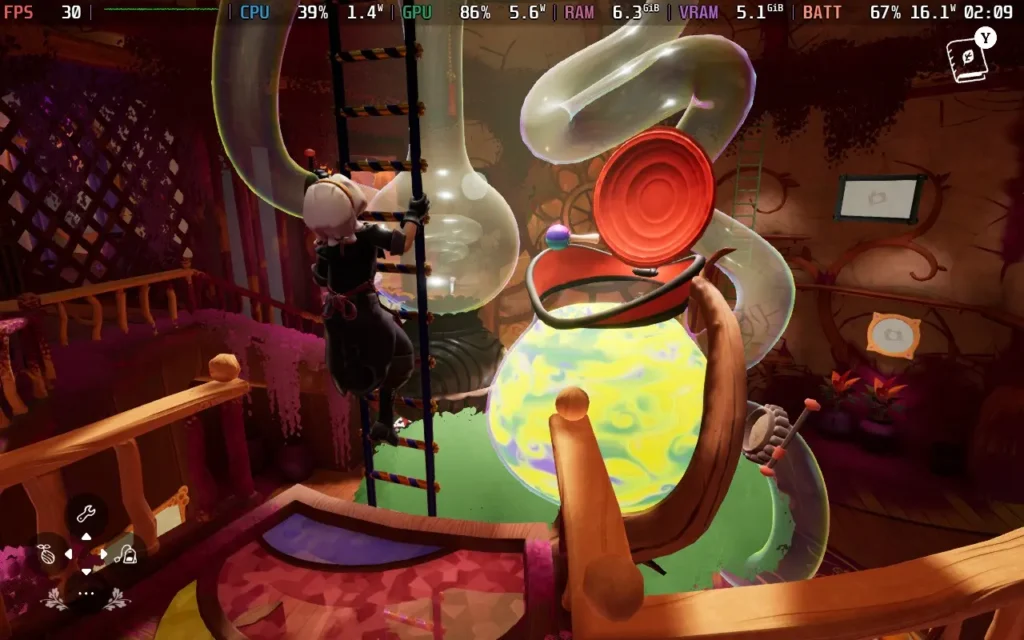
シンプルなプロセスであったかもしれないものに、またひとつ深みが加わった。お客さんからのお茶のリクエストは時間制限がないようで、手が空いたときに自由にリクエストに応えることができる。食材を手に入れるためには正しい順序で作物を植える必要があるし、お茶を作るプロセスには多少の注意が必要だが、プレッシャーやストレスを感じることはない。Wanderstopは、ゲームプレイに十分な奥行きを持たせつつ、プレイヤーに過負荷を与えない絶妙なバランスを保っている。
登場人物たちもよく書けている。彼らは「安っぽい」面もあるが、うんざりするほどではない。また、アルタ(主人公)とボロ(茶店の主人)の関係も、アルタはとても真面目で、ボロは想像以上にのんびりした人物で、とても微笑ましい。
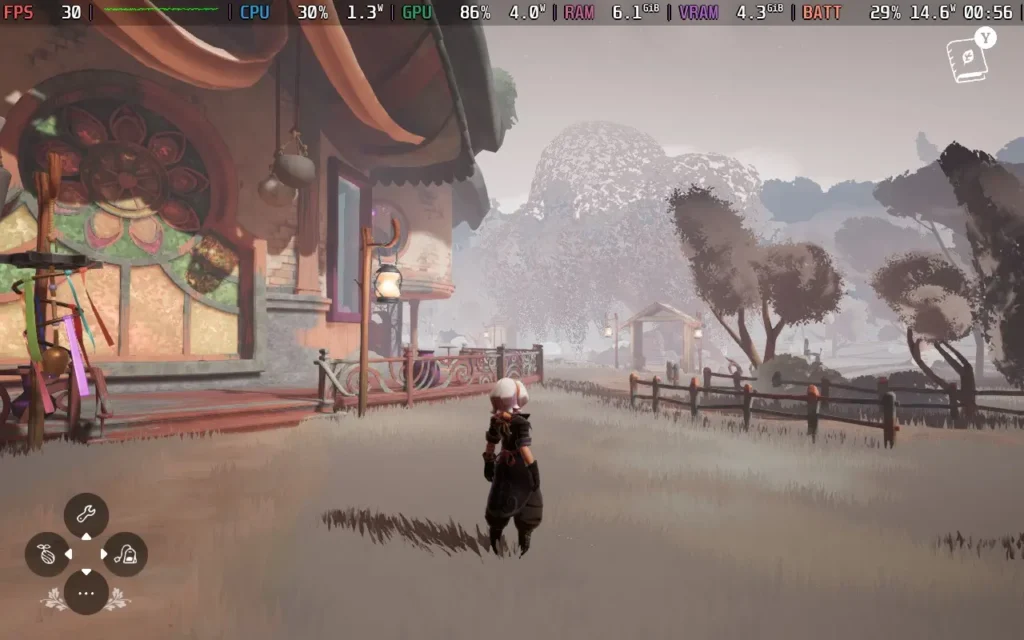
Wanderstopはファンタジーの領域にあるゲームとしてよく表現されている。メカニックの面ではかなり地に足がついているが、世界観のデザインには気まぐれな雰囲気が漂っており、特に出会うことになるキャラクターたちは、おかしな個性を放っている。色鮮やかな木々が生い茂る様式化された世界と、ファンタジーの世界を想像させるアートスタイルが、居心地の良い、それでいてクレイジーなWanderstopティーショップとうまく調和している。
それだけでなく、ストーリーを進め、アルタの旅が続くにつれ、新しい建造物、異なる作物、新しい顧客など、住むことのできるやや狭いプレイエリアが変化し、ゲームのバラエティーを増やしてくれる。
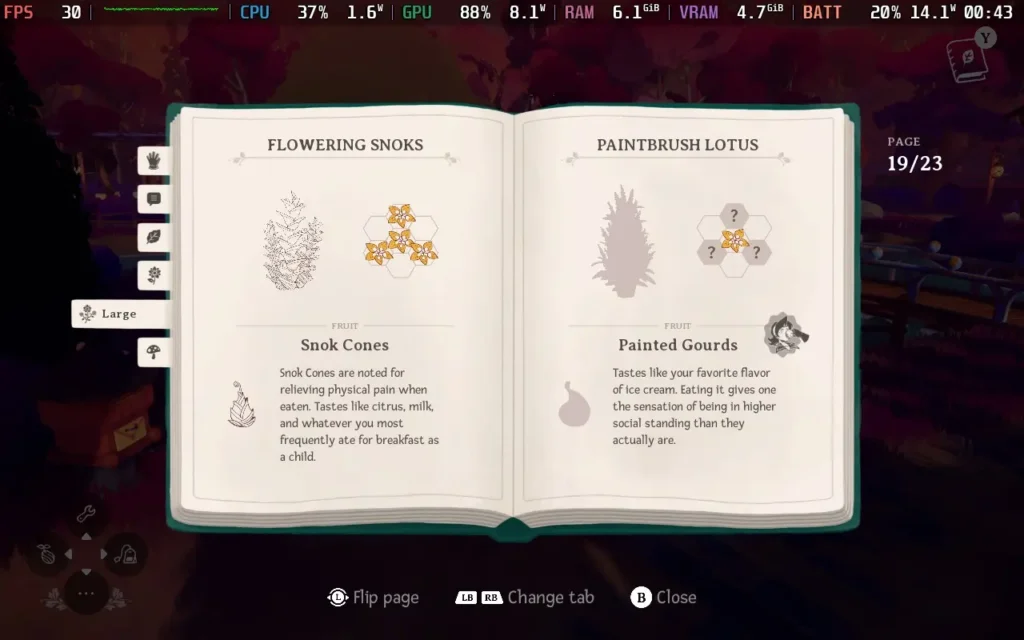
私がこのゲームで感じた唯一の問題は、お客さんが薄い空気の上に座ってしまうというバグがいくつかあったことだ。また、作物に水をやったり収穫したりするとき、ゲームはあなたが見ている場所がかなり正確であることを好み、常に対話させてくれるわけではない。
これらすべてが、Wanderstopをリラックスするのに最適なゲームにしている。最高の気分でないときや、一日の終わりにリラックスできるゲームを求めているのなら、ぜひあなたのライブラリーに。
Wanderstopはコントローラーとの相性も抜群で、Steam Deckの解像度1280x800にも対応しているので、黒枠の心配もない。
ゲームの実際のパフォーマンスに関しては、デフォルトが「Very High」になっている。今日は2つのプリセットを用意した。
ワンダーステップでの滞在をできるだけ長持ちさせたいのであれば、この設定にしてください。Texture Detail」以外のすべての設定を「Medium」に落とし、「Very High」のままでもよい。SteamOSの30 FPS制限と10W TDP制限を適用する。
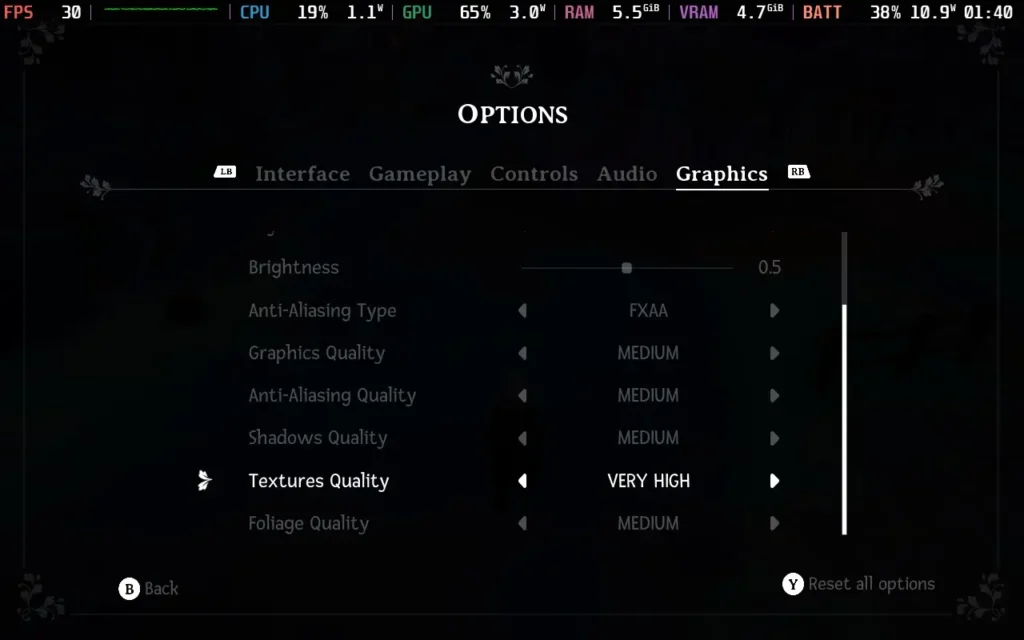
安定した30FPSを体験できるはずだ。以下の画質設定では、ライティングとシャドウのクオリティが低下し、ゲームの見た目はそれほど良くありませんが、消費電力は11W~13Wまで下がり、温度は55℃~60℃程度です。つまり、Steam Deck OLEDで約4時間、LCDで約3時間のバッテリー駆動時間が期待できる。
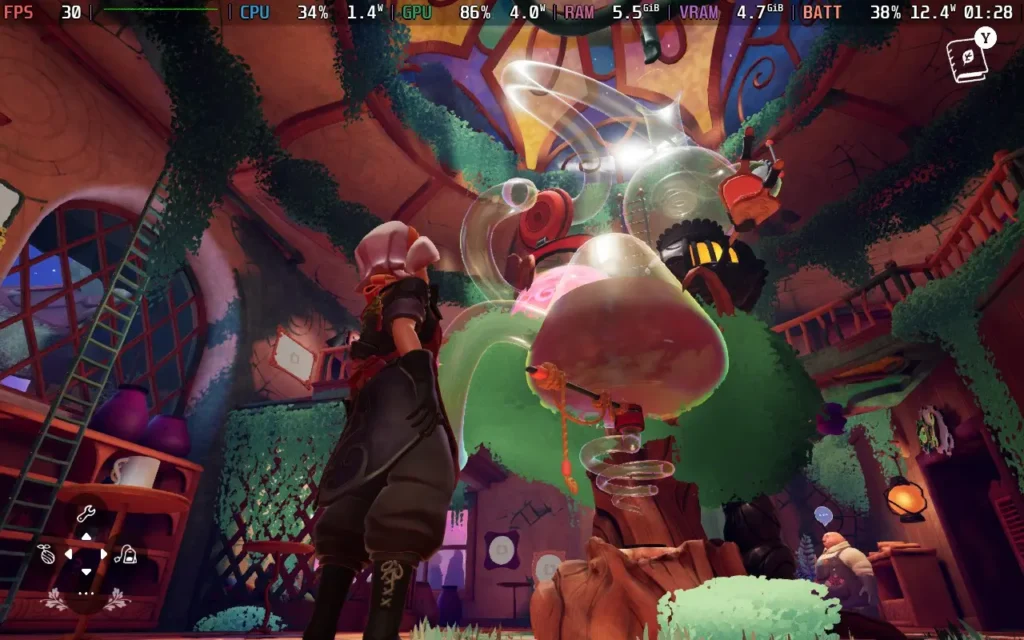

ゲームをSteamデッキでできる限り美しく見せたい場合は、Texture Detail以外の設定をすべて「High」にしてください。その後、SteamOSで30 FPS制限を適用し、TDP制限は適用しない。
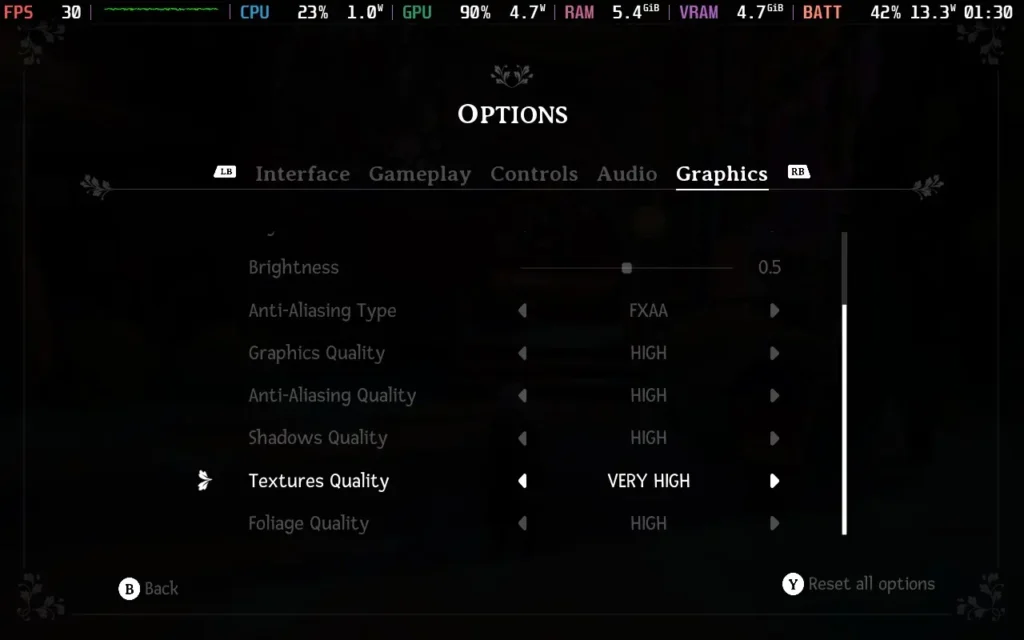
この設定で、ゲームは安定した30FPSを維持し、見た目もかなり良い。ただし、消費電力は14Wから19Wと高く、温度は55℃から65℃程度だ。バッテリー駆動時間は、Steam DeckのOLEDで約3時間、LCDモデルで約2時間と予想される。
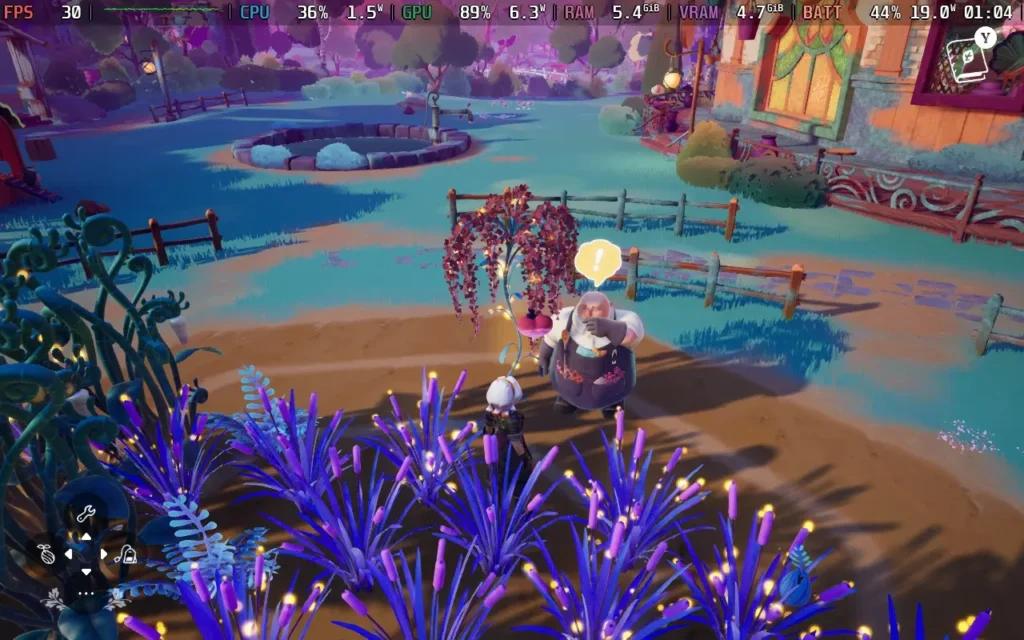
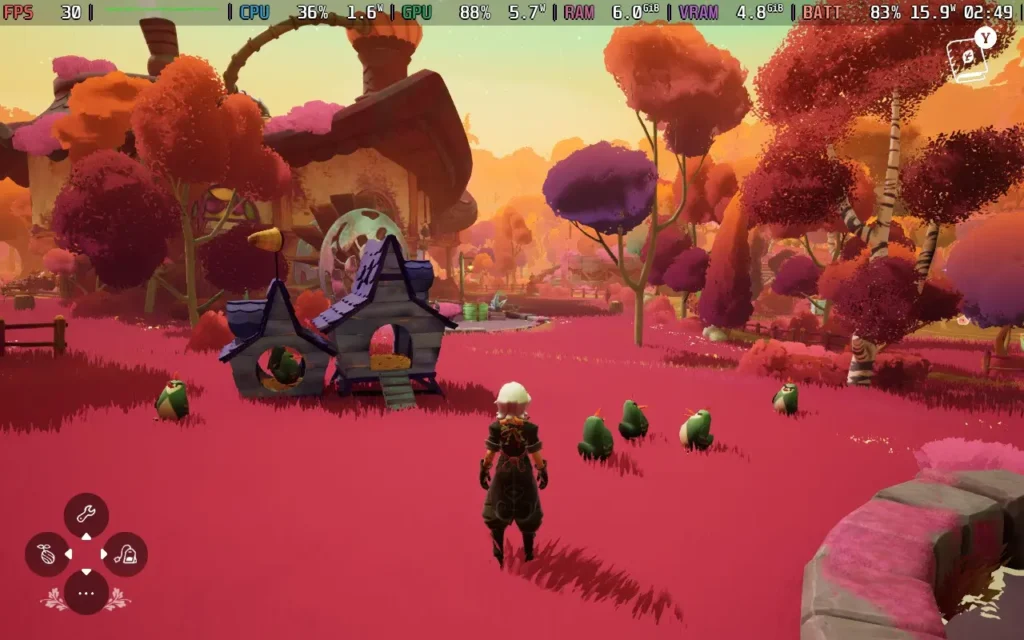
ゲーム中の会話にはすべて字幕が付き、フォントサイズも調整できる。失読症に配慮したフォントを有効にすることもでき、色覚障がい者用のフィルターも用意されている。デバイスを切り替えてプレイする場合は、クラウドセーブにも対応している。
Wanderstopはとてもリラックスできる。アルタと彼女の人生についての物語には、シリアスな注釈も含まれているが、だからといって、このゲームが私がここしばらくプレイした中で最も楽しい「居心地の良い」ゲームのひとつであることに変わりはない。紅茶を淹れたり、お客さんと交流したりする複雑な作業は興味深く、魅力的だ。
その上、このゲームはSteam Deckで見事に動作する。ビジュアルクオリティやバッテリー駆動時間を考慮してグラフィックを調整でき、コントロールも完璧に機能し、Deckのネイティブ解像度もサポートされている。
このレビューはPC版に基づいています。
このレビューをお楽しみいただけたなら、SteamDeckHQ の他のコンテンツもぜひご覧ください!あなたのゲーム体験に役立つゲームレビューやニュースを幅広く取り揃えています。ニュース、ヒントやチュートリアル、ゲーム設定やレビューをお探しの方も、最新のトレンドを知りたい方も、ぜひご利用ください。
Hello Kitty Island Adventure was provided by Sunblink for review. Thank you!
After countless decades of game developers trying to cash in by producing a low-quality game tied to a popular franchise, you could be forgiven for rolling your eyes when you first heard about Hello Kitty Island Adventure. It may even fill you with dread if you aren't a fan of Sanrio's iconic characters. But I'm very pleased to say that this is definitely not a game just trying to cash in on the Hello Kitty name. It's a fully functional, well-made product, and if you've got kids, it might just be one of the best games to play with them.
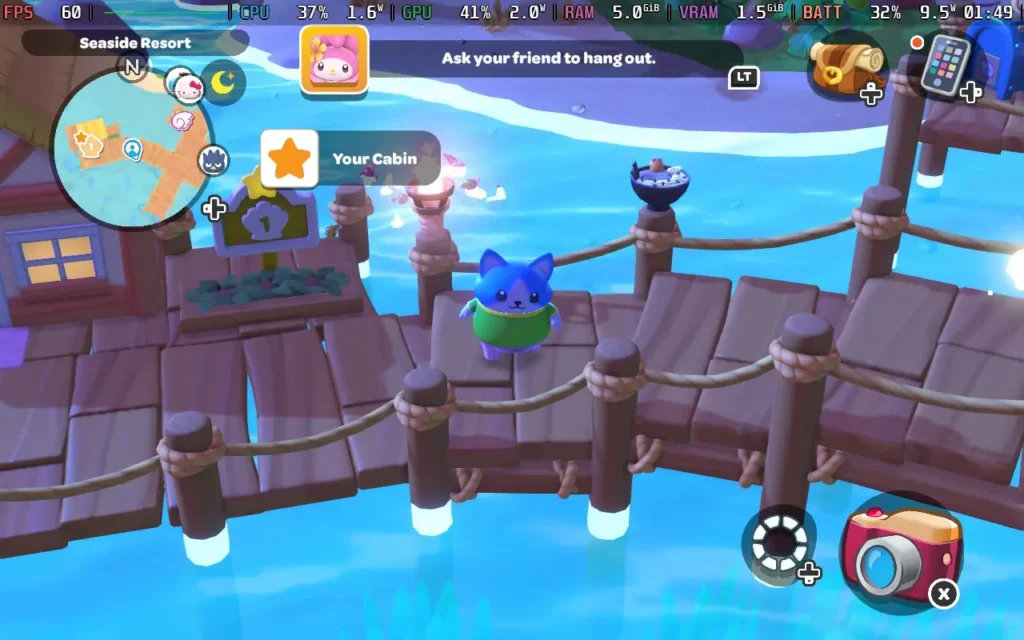
Hello Kitty Island Adventure places the Hello Kitty gang on a (mostly) uninhabited tropical island. While at first, all your favorite characters are scattered around the island, you will soon be reunited with them, and the team discovers that there are places that seem to have been built just for them on the island.
You'll get to create a character with some basic choices, namely, what species of character you want, such as making a character that's more cat-like, dog-like, bird-like, etc. Along with some choice of patterns, colors, body shapes, and clothing. You'll also be able to unlock new character customization options as you play through the game.
The core gameplay mechanics sort of fall into a blend of Animal Crossing and Disney Dreamlight Valley vibes. On the Animal Crossing side, we can fish and catch bugs with a net, and there's even a Nature Preserve where we can donate our bugs, much like Animal Crossing's Museum. Then, much like Disney Dreamlight Valley, a major part of the game is building friendships with all the other Hello Kitty characters by gifting them the items they like or helping them with things they need to do in the form of quests.
This all adds to the very cutesy feel of the game, with an emphasis on helping out your fellow residents with basic tasks such as baking a cake and more complex ones like restoring power to various parts of the island.
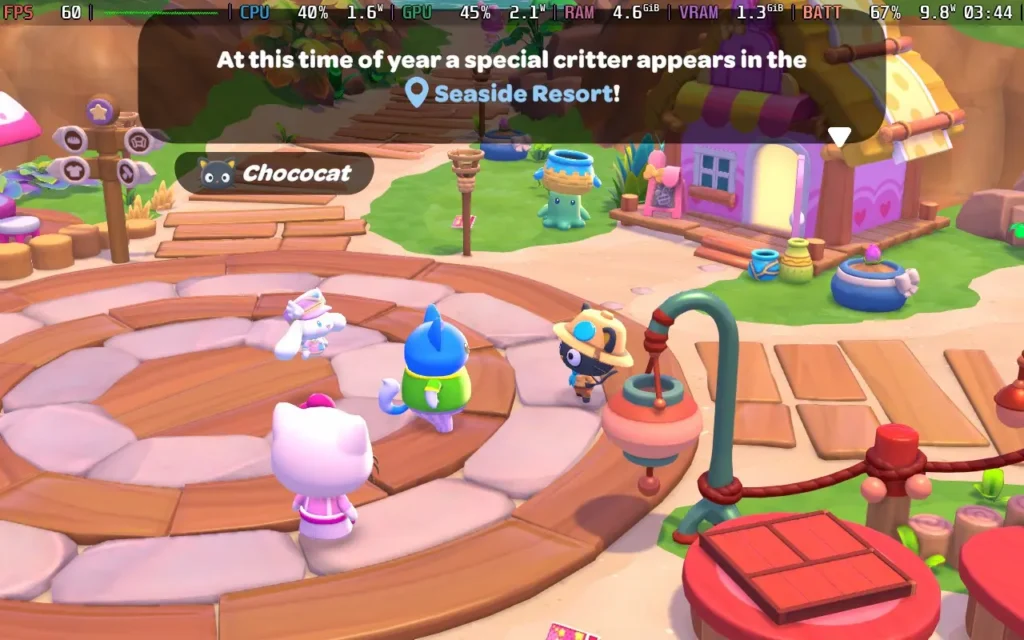
Although you're on a tropical island that largely has the sun shining, there is still plenty of variety in the environment, with a swamp biome, volcano biome, desert biome, and more, as well as a large portion of the map that contains water, in which you're able to freely swim and dive, once you've crafted some flippers for swimming and a snorkel for diving.
Invisible walls are employed around the map boundaries, but not so much in the playing area itself, so you do have pretty much free reign of the decent-sized island. It isn't overwhelmingly large, so younger players shouldn't have any trouble finding their way around and should still find the game world engaging and filled with activities to keep them busy.
The movement in the game is kept pretty simple, allowing players to walk, jump, and hold the jump button to glide. You can also climb mountains with a stamina bar ala Breath of the Wild, and as you progress through the game, you'll unlock flippers, which let you swim, and snorkels, which let you dive and explore more of the island's underwater sections.
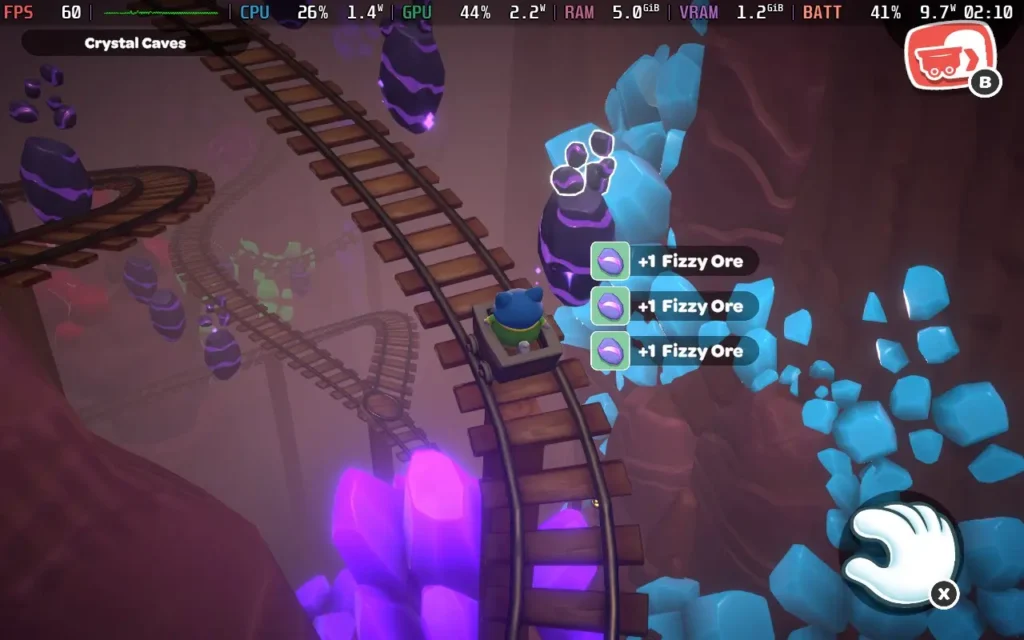
While Hello Kitty Island Adventure's progression is largely tied to you finding "Power Crystals" around the island and restoring the island to its former glory with them, there are plenty of unlocks and rewards you can get through other means, such as the aforementioned Nature Preserve donations.
Friendships are one of the key ways to get unlocks. As you give your fellow island residents gifts they like and help them with their quests, they'll gain friendship levels that can unlock new cosmetics for your character, additional quests for that resident, or even other surprises. It forms the basis for a lot of the progression in the game.
And if you were wondering if Gudetama, the lovable egg character that seemed to be all over the internet a few years ago, makes an appearance in the game, it does! There are Gudetama all over the island (over 100 in total), with the player tasked to photograph all of them to unlock rewards. It's a fun side quest, and they're in all sorts of locations, so you always have to watch for that cheeky egg!
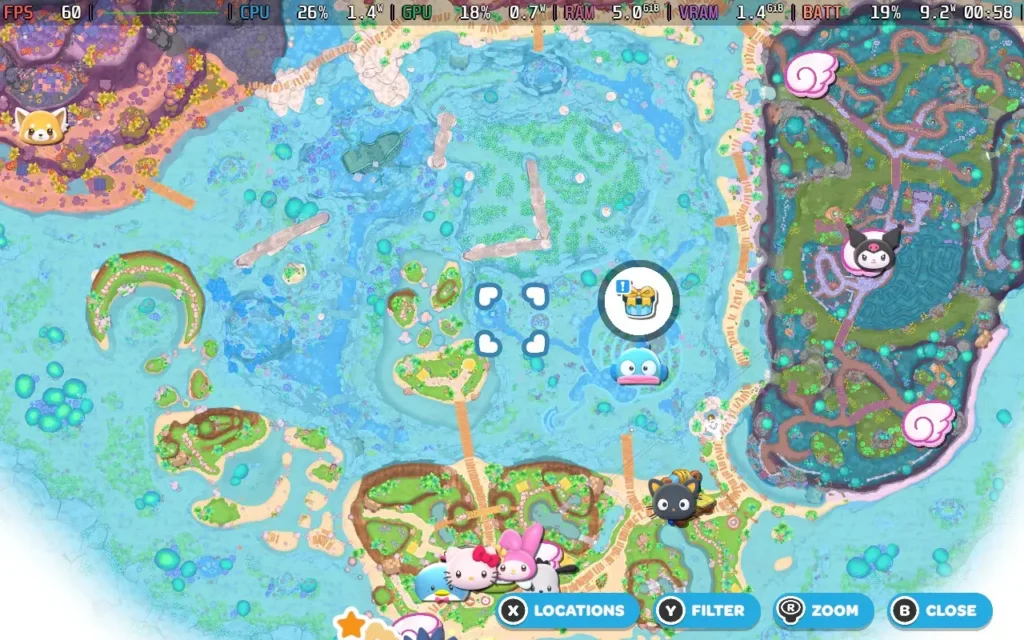
Visually, Hello Kitty Island Adventure won't be winning any awards, but it keeps things simple and cute. The world and objects are presented, and the vibrant and playful presentation makes even the "Spooky Swamp" not scary, which is good for me!
Plus, new events happen throughout the year, much like Animal Crossing. During my time playing for this review, events were running for the Lunar New Year and Valentine's Day, offering themed items you could unlock by completing in-game tasks.
Aside from a couple of issues with the camera not positioning itself well (you can't manually control it), there isn't much for me to dislike about Hello Kitty Island Adventure. Perhaps a couple of areas of the map feel a little empty and serve little purpose, but it's not always a bad thing to have some areas purely for aesthetics.
Hello Kitty Island Adventure is a great game for young children and isn't a bad shout for some adults too. The game is easy to play, has plenty of activities to keep you busy, and is just a good bit of innocent fun, and you can't say anything bad about that. The price of $39.99 is perfectly reasonable for this game, and it has online multiplayer, although we didn't have an opportunity to test this ourselves.
Hello Kitty Island Adventure was originally a mobile title, and that's evident in its ease of use. That's not to say that some enhancements haven't been made for the PC audience, though.
The game supports 1280x800 resolution, so there are no black borders, and it also has great gamepad support, meaning it controls perfectly on the Steam Deck. I'd recommend applying a 60 FPS Frame Limit in SteamOS and a 9W TDP Limit, along with higher graphical settings that I recommend:
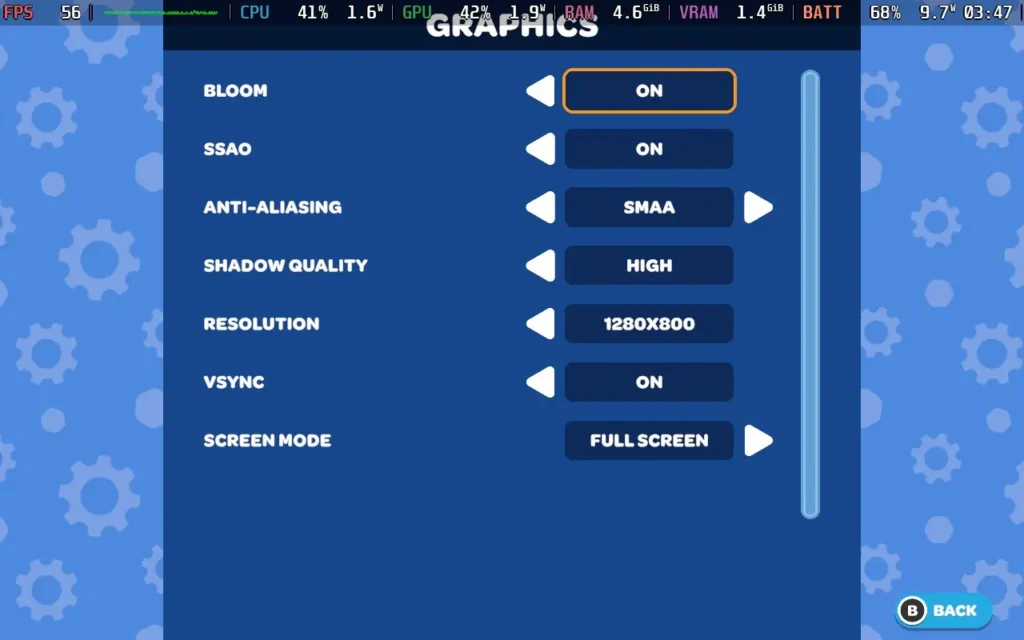
At these settings, the game holds 60 FPS the entire time. The one exception in the game world I found was at the bottom of a waterfall near the Swamp, where my FPS would drop into the mid-40s at specifically that point. Also, when opening a UI window, there appears to be a brief moment of slowdown, but it doesn't affect the gameplay at all.


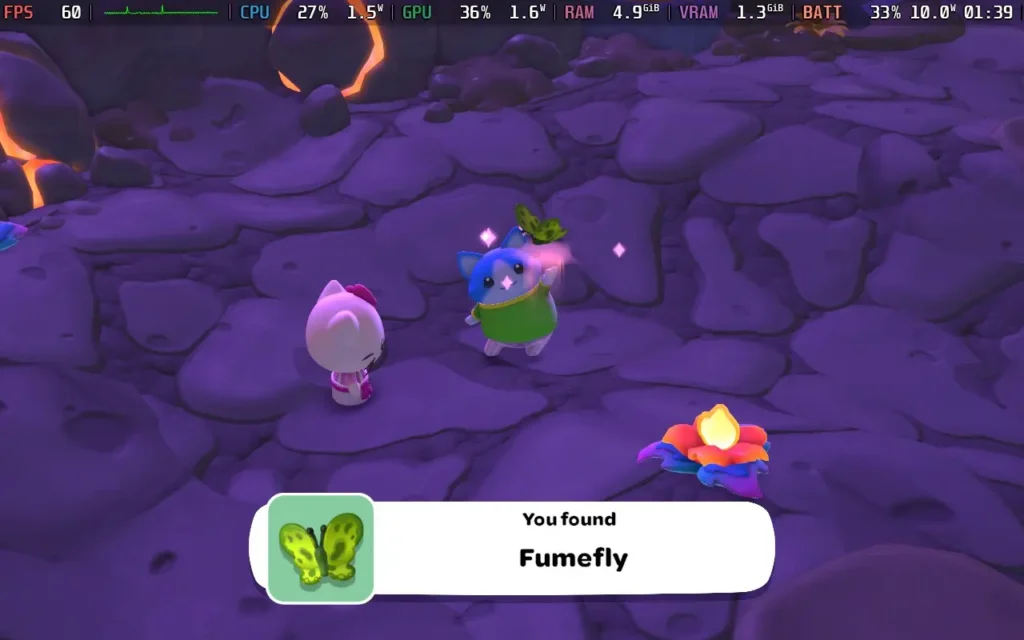
The power draw for this one was steady, around 9W-11W, with temperatures around 55-60C. So expect around 4.5 hours of battery life from a Steam Deck OLED and 3.5 hours from a Steam Deck LCD.
Hello Kitty Island Adventure has rebindable controls, although there are no other accessibility settings. All dialogue in the game is text, and for some puzzles, the game can complete them for you if you find them difficult.
Hello Kitty Island Adventure isn't just a quick cash-in on the popular IP. The game feels like it was made by a team that knew how beloved the IP was and has been careful to retain its charm while also offering a complete and competent game that's perfect for kids and that adults will likely enjoy, too.
It also runs great on the Steam Deck, with fully working controls and easy-going system requirements that mean you get plenty of battery life to explore your tropical island. It's a great way to relax at the end of the day.
このレビューはPC版に基づいています。
このレビューをお楽しみいただけたなら、SteamDeckHQ の他のコンテンツもぜひご覧ください!あなたのゲーム体験に役立つゲームレビューやニュースを幅広く取り揃えています。ニュース、ヒントやチュートリアル、ゲーム設定やレビューをお探しの方も、最新のトレンドを知りたい方も、ぜひご利用ください。
Citizen Sleeper 2 was provided by Fellow Traveller for review. Thank you!
Citizen Sleeper 2: Starward Vector is a curious one. While officially marketed as an "Adventure RPG," I would define it more as a Visual Novel with lite RPG elements. Normally, I'd be up for this mash-up of genres, but when you take into account all the other aspects of Citizen Sleeper 2, it left me feeling as though this game is one big missed opportunity.
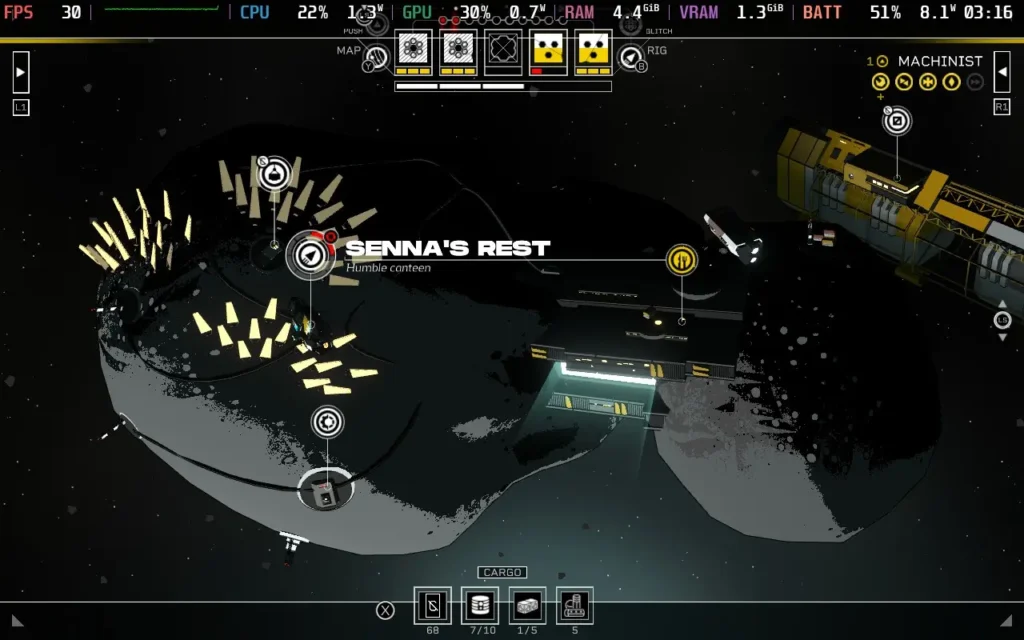
Citizen Sleeper 2 is incredibly text-heavy. I know it's an RPG, and they naturally tend to have an emphasis on story and text, but this falls into the realms of Visual Novel territory that sees you spending several minutes reading the non-voiced dialogue as it's displayed on the screen, with some occasional crucial choices through the dialogue screen.
Unfortunately, I wasn't a huge fan of the way this was handled. The fact that there are no voices for the characters is strange, considering that the game's main emphasis is the story, the characters, and their background. Perhaps even more strange is that there seems to be very little use of music or sound effects to match the situation. Something tense happens in the text on-screen, and the music carries on being a calm space ambiance. All characters are also represented by a still image, which doesn't alter depending on the situation.
While the text is fairly well-written from my point of view and can cause tension and sometimes make you think, the utter lack of atmosphere-building from a sound design and often visual perspective is quite baffling to me and harms the game's ability to tell its story.
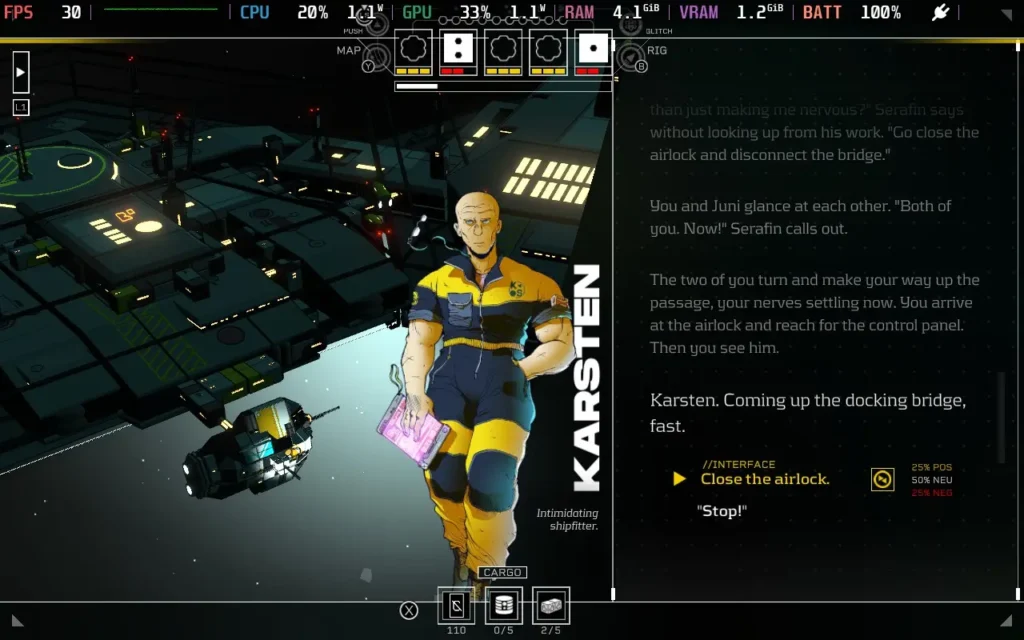
The story itself is... Well, it's fairly straightforward. You are a "Sleeper," a humanoid who emulates a human mind in an artificial body on the run from a corporation that built you and seeks to maintain control of you. Someone else enslaved by the corporation helps you escape, and the game is then focused on staying one step ahead of the corporation pursuing you by making sure your "Rig" (spaceship) is spaceworthy and assembling a crew to take on new contracts and earn that coveted Cryo (the game's currency).
The story isn't anything outlandish, and to be honest, I found many people online saying that Citizen Sleeper 1 was quite an emotional game, and I didn't find that to be the case with Citizen Sleeper 2. The writing is descriptive, but I wasn't finding myself getting attached to any of the characters, possibly due to the already-mentioned issues. You also don't get to dive deep into the character's backgrounds, so they can sometimes feel shallow.
You can't name yourself in the game either; everyone merely refers to you as "Sleeper." This made me start to wonder whether people were just saying it as a kind of derogatory term at points; it seems like an alienating design choice for the player. It really made me struggle to care about a player character who seems inhuman and essentially has no dialogue in the game beyond the actual choices you are given.
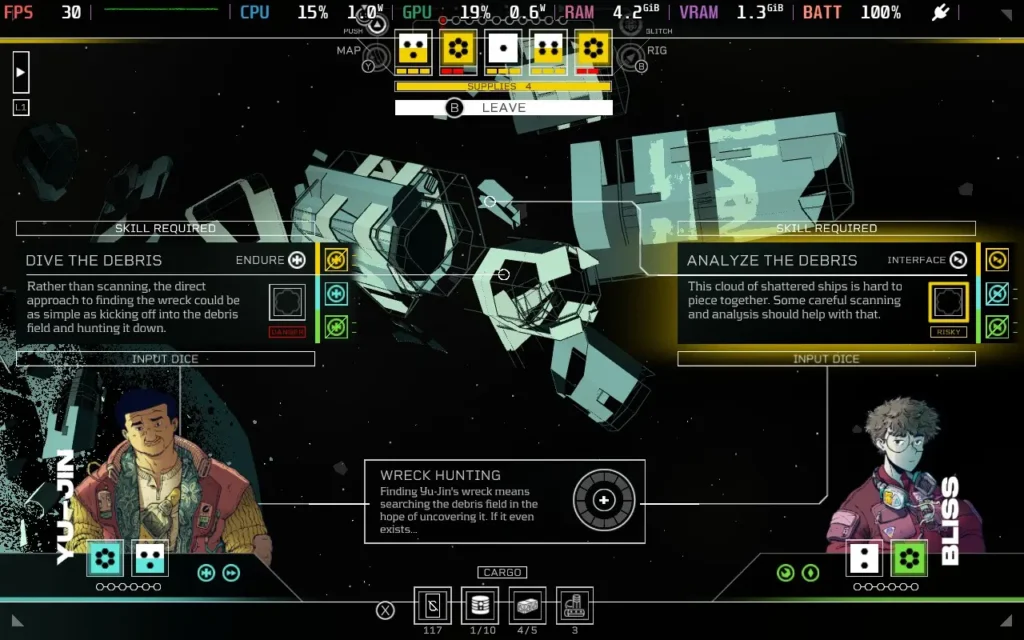
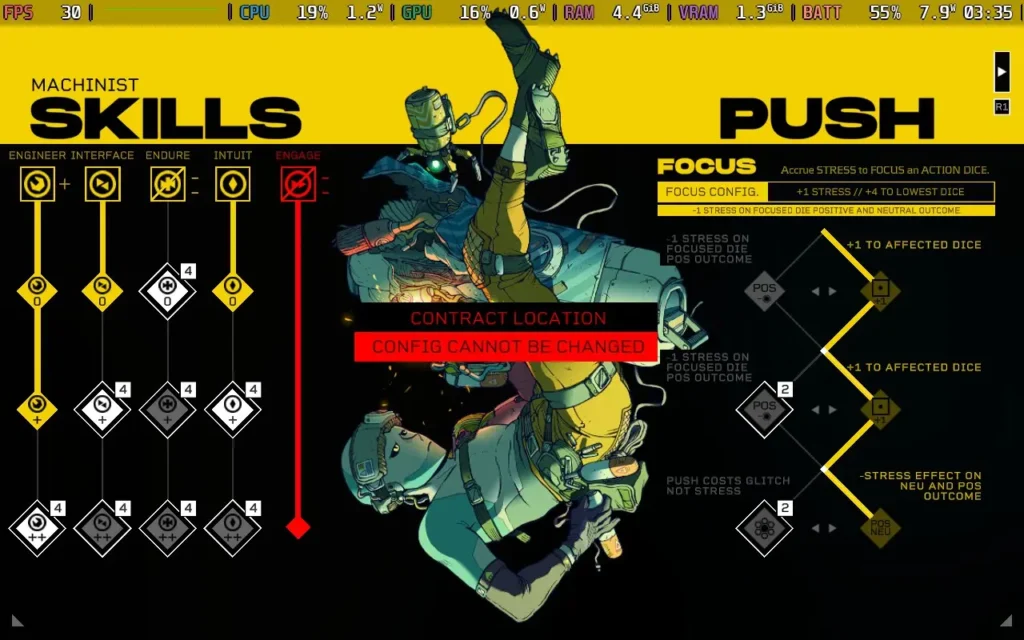
As for the gameplay, Citizen Sleeper 2 employs an interesting mechanic where the dice that you roll at the start of each "cycle" (day) can be used to perform certain actions. It goes a bit more intricate than that, with certain characters having dice that can use their skills to boost the value of their dice. Still, ultimately, the gameplay hinges on RNG, with the random numbers on your rolled dice at the start of the cycle largely dictating how your next few actions will go.
It's a curious choice to add RNG to a largely story-based game, where players might feel that they lose the game through no fault of their own, especially considering the game has a hardcore mode where your save is lost upon death. As I said above, you can mitigate the RNG by leveling up your character and giving yourself an advantage, but there will always be a reasonable amount of randomness that impacts your gameplay and the choices you decide to make.
Aside from the dice rolls, you'll also be doing resource management. Citizen Sleeper 2 has key resources for you to balance, such as fuel, supplies, and Cryo. Fuel allows you to move around the map and increase the timer before your pursuers catch up to you. Supplies are used to keep your energy levels up and thus stave off "stress," which is a mechanic that can negatively impact your dice rolls. Cryo is money, which is used to buy fuel, supplies, and other resources, such as components that can fix dice that have been broken by stress, for example.
This does add some amount of strategy to the game, requiring players to prioritize what resources they want to gather at that particular time, mostly to keep extending the number of cycles until you are caught by your pursuers while still having crucial resources available to progress the game's storyline. In my opinion, this is the most well-executed part of the game, and having to think about your next few moves helped keep me engaged, even if it was disappointing how much RNG could affect my plans.
In terms of presentation, Citizen Sleeper 2 is pretty basic. The UI is laid out clearly and boldly, which I was thankful for. The "background" is a 3D rendered environment that is pretty low poly, but it does a decent job of representing your world. The sound design, as I mentioned before, is a little lackluster. The game's audio is largely just space ambiance, with the occasional slight adjustment depending on what's happening on screen, but there's no real music or sound effects present in the game.
Citizen Sleeper 2 works well for the most part on Steam Deck. The game supports 1280x800 as a resolution, so there are no black borders around the screen. The game also has controller support, although sometimes navigating the UI on a controller can be a little frustrating. Some text is small but generally readable. You can also increase the size of dialogue text, which I recommend.
The graphical settings are non-existent, so we cannot adjust them. I recommend you limit your Steam Deck to 30 FPS in the SteamOS frame limiter. Otherwise, the CPU goes into overdrive to hit 60 or 90 FPS, and at points, I dropped below 60 when playing. Given the game's style, 30 FPS is perfectly fine.
A TDP Limit of 5W generally works fine, but you may need 6W for some environments.
With a 30 FPS limit, the game tends to use around 8-10W on my Steam Deck OLED, meaning you should see around 5 hours of battery life, while the Steam Deck LCD would manage around 3.5 hours. Temperatures largely stayed around 55C.


There is an ability to increase the text size of dialogue in the options menu, which I recommend, as well as the choice of 3 difficulties, Story mode, Normal, and Hardcore. Aside from that, there are no accessibility options in Citizen Sleeper 2.
Citizen Sleeper 2 is a curious game. While billed as an Adventure RPG, it plays far more like a Visual Novel with light RPG elements. Is it well-written? Absolutely. The text is descriptive and does help build some word pictures in your mind, but that's not a replacement for the lack of graphic and audio design that lets the game down. The story also failed to grab my attention, as I struggled to care about the player character due to how "inhuman" the game portrays them and their interactions with others.
Making the game quite reliant on RNG was also a curious choice for a story-based game, particularly one that penalizes death heavily. While it can add some extra tension to the game, it can also feel cheap when your "25% chance to fail" keeps failing repeatedly. It can make you feel helpless through no fault of your own.
As for how Citizen Sleeper 2 runs on the Steam Deck, aside from some control issues selecting the right buttons on the UI and some overly CPU-intensive scenes, the game runs well when locked to 30 FPS, and you can fully enjoy the game on the Steam Deck.
このレビューはPC版に基づいています。
このレビューをお楽しみいただけたなら、SteamDeckHQ の他のコンテンツもぜひご覧ください!あなたのゲーム体験に役立つゲームレビューやニュースを幅広く取り揃えています。ニュース、ヒントやチュートリアル、ゲーム設定やレビューをお探しの方も、最新のトレンドを知りたい方も、ぜひご利用ください。
Mythwrecked: Ambrosia Island was provided by Polygon Treehouse for review. Thank you!
This review was created using an LCD Steam Deck. OLED testing will be carried out at a later date.
While the concept of a shipwreck is a familiar trope in survival games, Mythwrecked: Ambrosia Island offers a different experience. Rather than expecting players to run around punching wood while scavenging for food, it is a more comfortable exploration game with light puzzles. And the fact that it runs well on the Steam Deck is just the cherry on top.
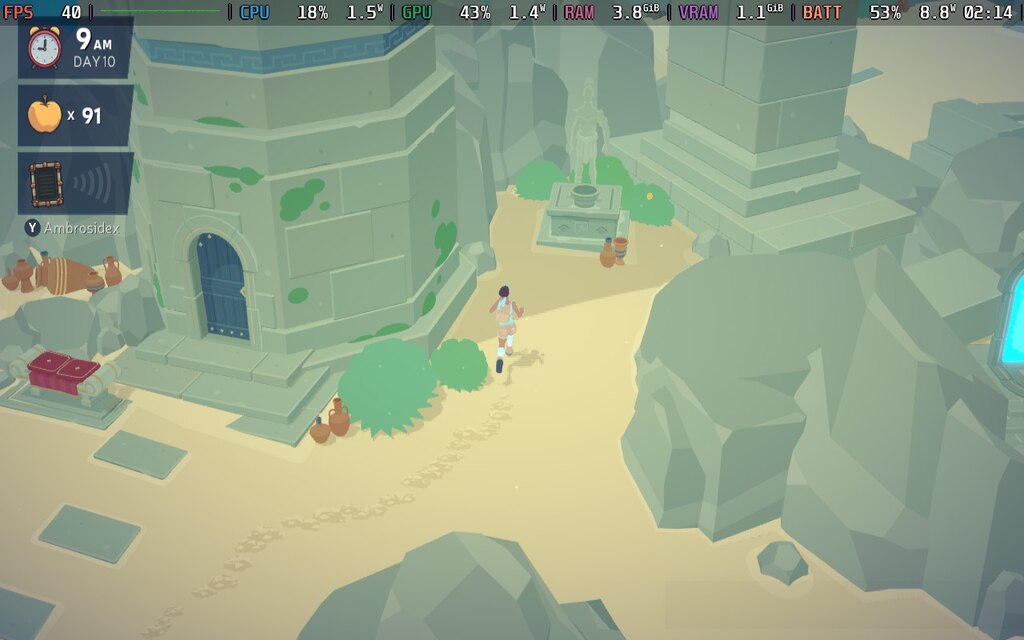
Mythwrecked: Ambrosia Island kicks things off with our playable character, Alex, on a boat with a charming captain. After a short cutscene, things turn out poorly for the crew, and the ship is wrecked in a mysterious storm. Alex finds herself on a bizarre island filled with magic and Greek mythology. As you can imagine, this is a problem for Alex, who has yet to learn where the captain is or if she can return home.
The island is full of lost people who have no idea how they got there and no way to return home, so Alex is stuck for the time being. The game begins in earnest after finding the lighthouse to spend the night in. Players must explore the mystical island with Alex, meet the many strange inhabitants, make connections, and learn how things work in this world.
I appreciate Polygon Treehouse for not making this a survival game, and Mythwrecked: Ambrosia Island favors a more relaxed experience. While a day and night cycle is in effect, that only impacts the inhabitants’ actions. Some won’t talk to you in the evening and prefer to spend the nights at home, while others are only available at midnight. Alex does not need to eat, drink, or sleep, although sleeping is essential for passing the time, so you can talk to people during their waking hours.
As Alex is a newcomer to the island, the inhabitants don’t blindly trust them. After all, they barely trust each other anymore, although they do not know why: just one of many mysteries to the strange island. That means you can’t just barge into their private homes until they know you well enough to visit them.
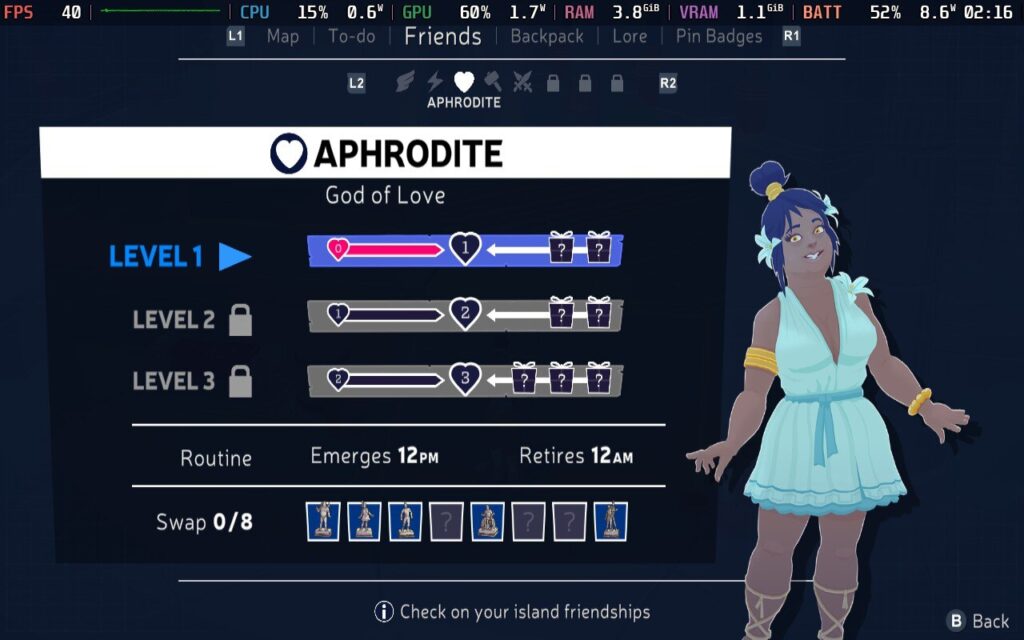
Navigating the island takes a lot of work. Alex moves slowly, favoring a slow jog to explore the surroundings. Fast travel through portal doors becomes available once befriending residents and trading ambrosia fruit for the necessary keys, significantly improving the experience. Ambrosia Island is not very large, but it is brimming with secrets, requiring additional tools or special seals to discover, and both are picked up by helping the locals.
This creates a nice gameplay loop where you return to previously locked parts of the map and find new things. Exploration, fetch quests, and small puzzles are Mythwrecked’s bread and butter. Sometimes, all I want to do is sit back with a simple video game, and this game is more than up to the task.
The eight island inhabitants are all from the Greek pantheon, brought to life in a modern and… dare I say—weird way! For example, Hermes looks like an overgrown cherub in a big diaper, Ares is a grouchy, one-eyed guy with a passion for gardening, and Hephaestus is a hip, grumpy bloke with plenty of love for his forge.
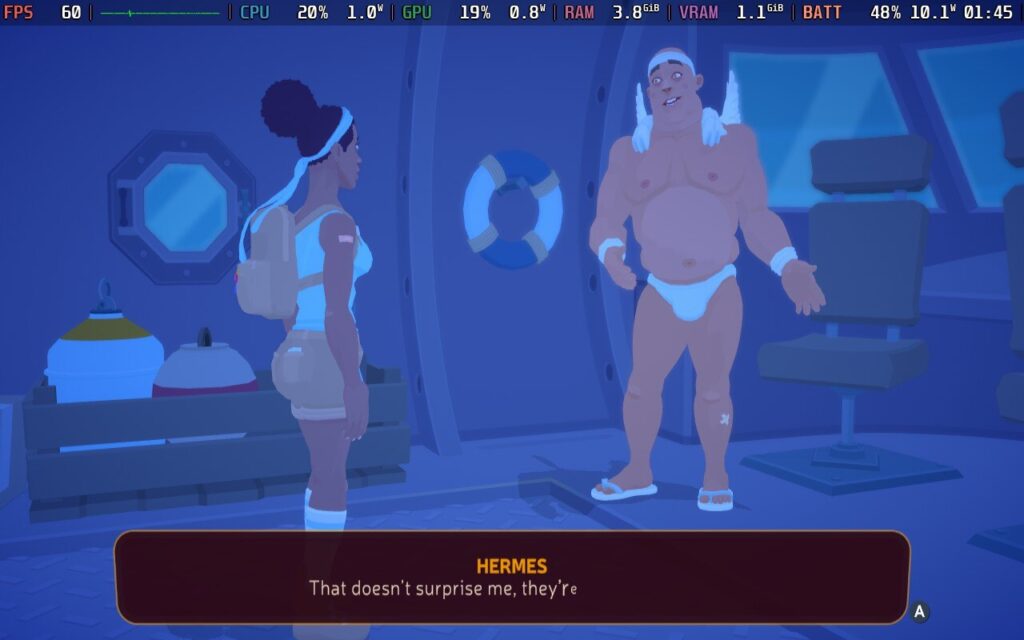
I have to shout out how Mythwrecked approaches its characters, as it showcases how building relationships can be challenging. Most people don’t tell the first person they meet their life story and the contents of their clothing drawers, and Alex has to earn their trust to learn about them. Players will unlock more dialogue options through kindness and helping these characters recover their memories. I recommend people keep autoplay off and fast messaging on, as the auto dialogue advances pretty slowly, even at maximum speed. There are snails in the Animal Olympics who move faster than the dialogue in this game. Characters also make odd little noises, like Animal Crossing, while talking, which I found irritating, but unlike Animal Crossing, the characters have real depth.
As much as I enjoyed getting to know Mythwrecked’s mystical cast, I had far less attachment to Alex as a character. That wasn’t the game's fault or writing, but I got frustrated with her internal monologue, constantly commenting on everything. This is probably my frustration from my experience with Farmagia’s characters in my last review, but I was more interested in knowing the inhabitants than learning about Alex.
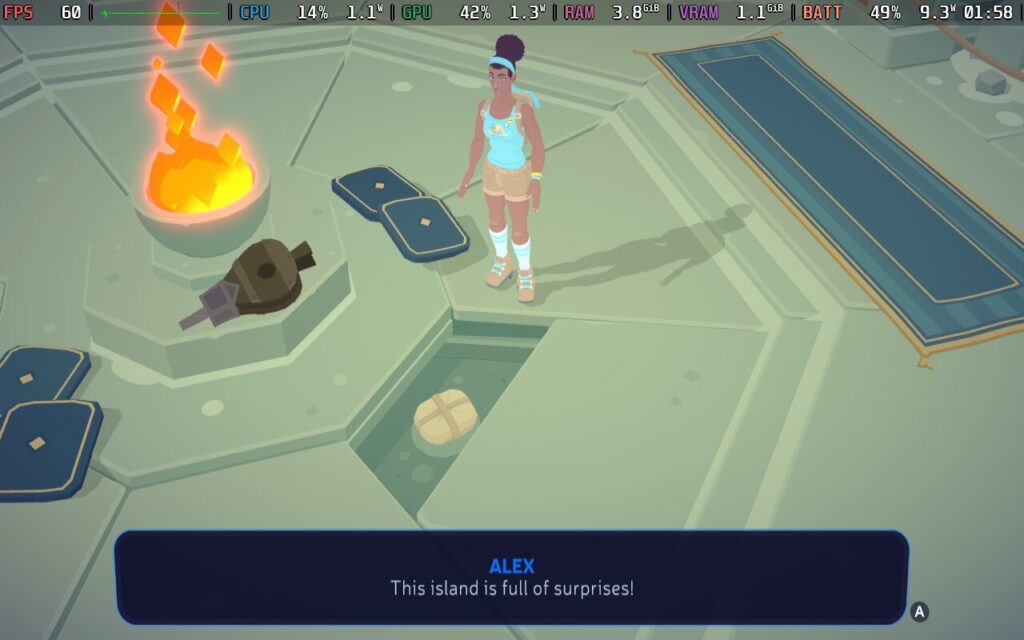
The gameplay loop is easy to fall into despite the simplicity of the tasks. You can save through the many benches scattered across the map, and these are frequent. I wonder why Mythwrecked doesn’t have a dedicated save function in the menu. The game has controller support, and I had no problems with any of the controls on the Steam Deck. I am also happy to report that Mythwrecked: Ambrosia Island is a polished experience. I only experienced one crash while experimenting with TDP limits, which was my fault. I did not encounter any bugs, although Alex occasionally got stuck on the terrain for a few seconds.
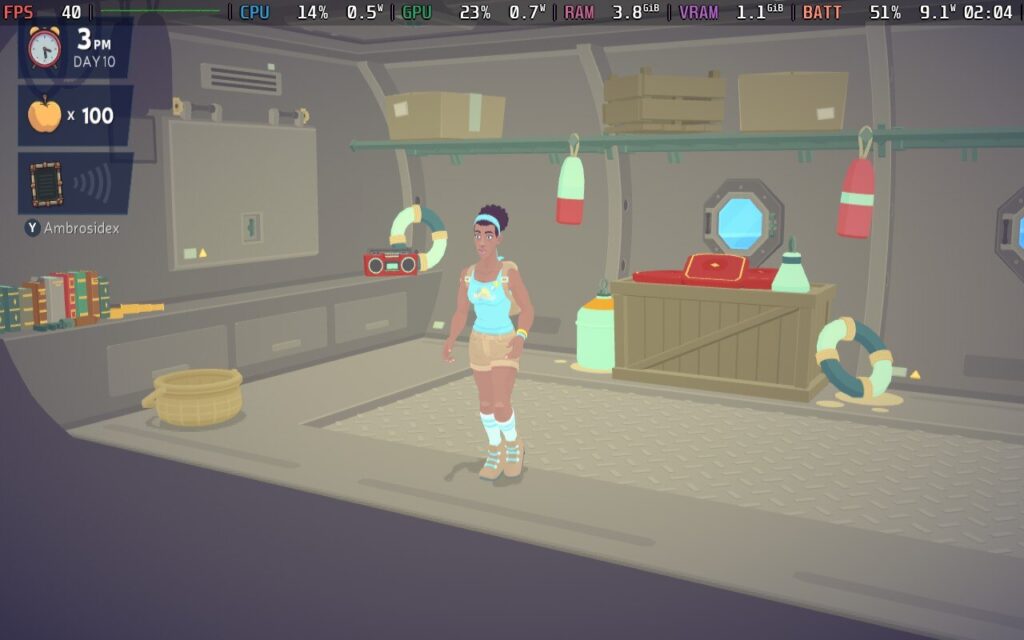
Mythwrecked’s gameplay is repetitive. There is no getting around that; I imagine it would bore many people. Between that, the sluggish player movement, and my indifference towards Alex as a character, it has flaws. I also wish the game didn’t have so many loading screens when moving between parts of the island. Despite those issues, I couldn’t help but get engrossed in the game. I enjoyed the slow burn, even with the repetition, and the music gave it a relaxing vibe.
Mythwrecked: Ambrosia Island was just what I needed after some rough days.
Mythwrecked: Ambrosia Island is a very recent title, and its relative lack of press has made its Steam Deck verification murky. However, it is now rated Verified, and I am happy to say that my experience with it on the Steam Deck is positive!
However, Mythwrecked: Ambrosia Island doesn't have any graphical options to tweak. The only relevant option players have is changing the screen resolution, which offers little difference in performance. This is a prime example of a game that doesn’t scale well with TDP limits, and to maintain the smoothest performance, I recommend keeping it unlocked.
While our options for tweaking are severely limited, the good news is that the performance is solid! With an unlocked TDP and 60hz refresh rate, I maintained a steady 60fps in nearly all cases. There are minor framerate dips while the game saves, but this is a common issue for many games, so I do not regard that as a significant problem.
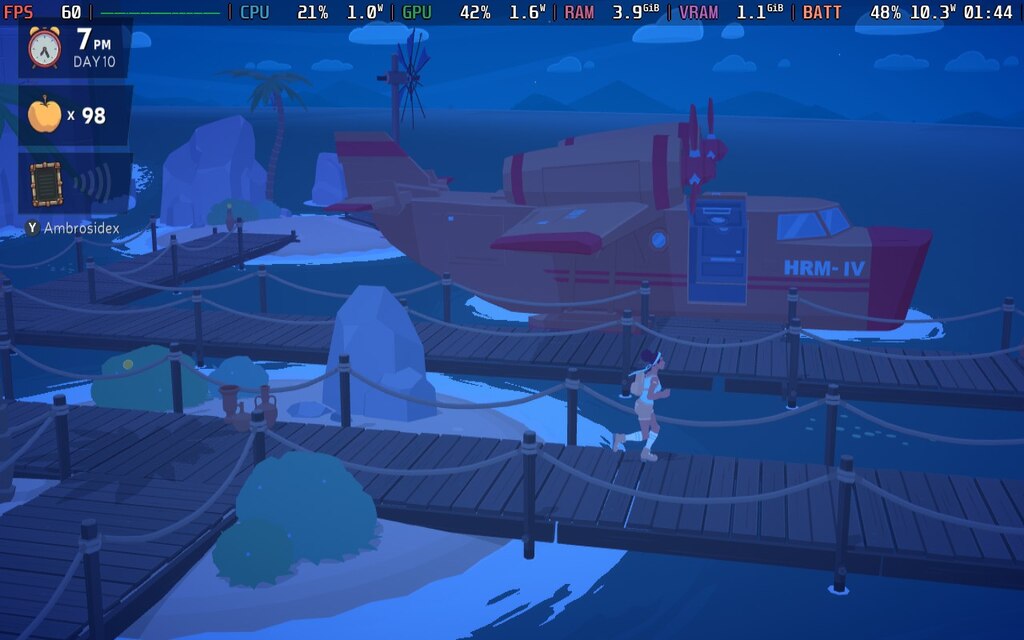
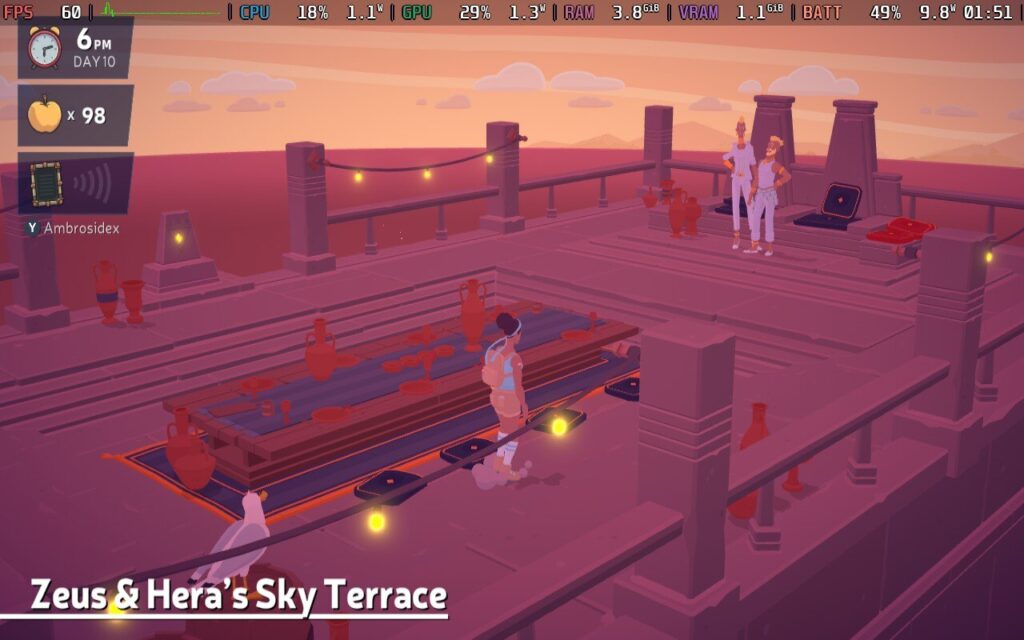
The battery drain is reasonable despite the unlocked TDP. It might not be the most beautiful game, but it has some pleasant environments. I ran around as fast as Alex’s tiny legs could carry her across the map to test the performance, and the battery draw maxed out at around 12 watts. This was usually during the more active parts of the Orchard, especially the balcony where Hera and Zeus lurk. The average battery draw hovered around 11 watts, giving an overall life of under 4 hours on the LCD Steam Deck. I imagine the battery life on the OLED model will be significantly better, but I found the battery life pretty impressive nonetheless.
If you need to squeeze a bit more battery life from the Steam Deck while being the Greek pantheon’s errand girl, you can save some battery by locking the refresh rate to 40hz. I still recommend leaving the TDP unlocked, but with the lower refresh rate and Half Rate Shading turned on, I found the power draw to drop to an average of 10 watts without sacrificing performance. That extra half-hour battery life can help in many cases, so the option is there if you require it.

I tried my usual methods of determining how well the game played at the lowest TDP possible, but my results could have been better. Capping the TDP resulted in many stutters, especially during loading screens, and while the battery drain was significantly lower, it wasn’t worth the performance degradation.
Mythwrecked: Ambrosia Island is available in English, French, German, and Spanish - Latin America.
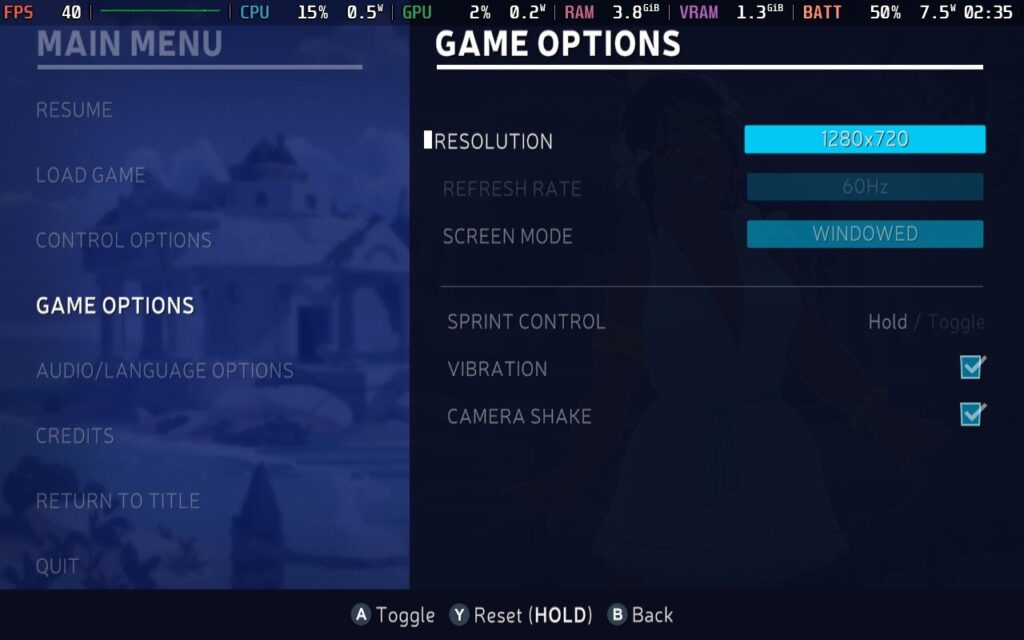
As accessibility options go, it is more of a deserted island than one filled with Greek deities. Players can adjust the screen resolution, toggle vibration, toggle camera shake, turn on V sync, change the font color, toggle dialogue autoplay, and change the speed of dialogue scrolling.
I went into Mythwrecked: Ambrosia Island with modest expectations, and my needs for a comfortable gaming experience have been met. Despite my ambivalent feelings towards Alex, I was invested in the story. I enjoyed the dialogue minigames and getting to know the characters, and I kept laughing every time I spoke to Hermes. How that guy flew on those tiny wings is anybody's guess. I enjoyed the little collectathon mechanics, such as finding furnishings for my little home in the lighthouse, and when I needed a break from the game, I could sit on a mat and listen to the audio cassettes.
The lack of challenge and simple gameplay won’t be to everyone’s tastes, but it is relaxing enough to play and a solid Steam Deck performer. If you have time to kill and want to explore an ancient Greek island without many stakes, Mythwrecked might surprise you.
このレビューはPC版に基づいています。
この記事を楽しんでいただけたなら、SteamDeckHQ の他のコンテンツもチェックしてみてください!あなたのゲーム体験に役立つゲームレビューやニュースを幅広く取り揃えています。ニュース、ヒントやチュートリアル、ゲーム設定やレビュー、最新のトレンド情報など、あらゆる情報をお届けします。 カバーしています!
VED was provided by Fulqrum Publishing for review. Thank you!
With a name like VED, you're not able to glean much from just the title, so what exactly is VED? Well, to use the developer's own words, it's a hand-drawn, story-driven RPG with turn-based combat. And it's one of the more unique games I've had to review as a video game journalist.
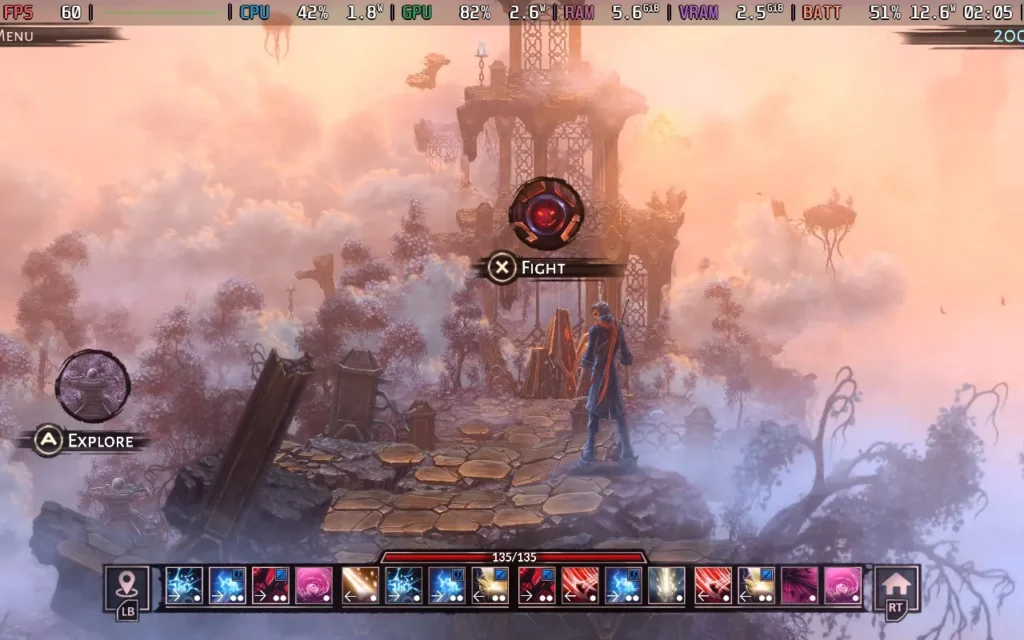
The basic premise of VED is that there exist two worlds: the one in which humans reside and another magical world where spirits, demons, and other fantastical creatures live. Our protagonist, Cyrus, can traverse between them. By your dialogue choices, you'll then decide how the story progresses, which faction Cyrus will end up with, and who his friends will be.
VED falls into an interesting position where it's quite hard to define exactly what genre it is. It's heavily story-driven, with a good chunk of time spent in cutscenes in the Human World with voiced dialogue and critical choices to be made, which will affect the story and your relationships with various people and factions. It plays quite similarly to a visual novel.
But you will be teleported to the Magic World at points in the story, introducing more RPG and rogue-lite elements to the game. When you are teleported, you are confronted with your "base," a small village run by Troglodytes. Defeating enemies in the Magic World grants you Energy, which you can spend to build structures in the village, which grants Cyrus new abilities to use in battle. It's very basic, and a simple level-up system could have easily done the same here, but it's quite neat to see the village being built up and interacting with some of the Troglodytes there.
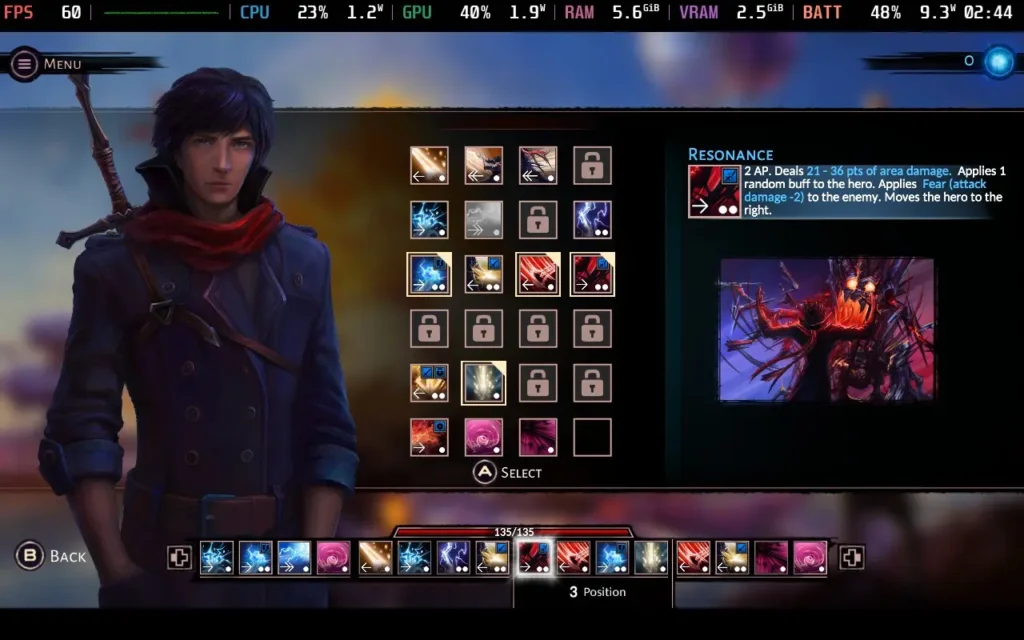
Once you've set your abilities in the base, you can head out into the Magic World proper, where the game allows you to travel along branching paths with events and battles. The events are straightforward and will include choices that rely on your Magic, Strength, or Dexterity abilities, done in a very Dungeons & Dragons-esque manner with a D20 die.
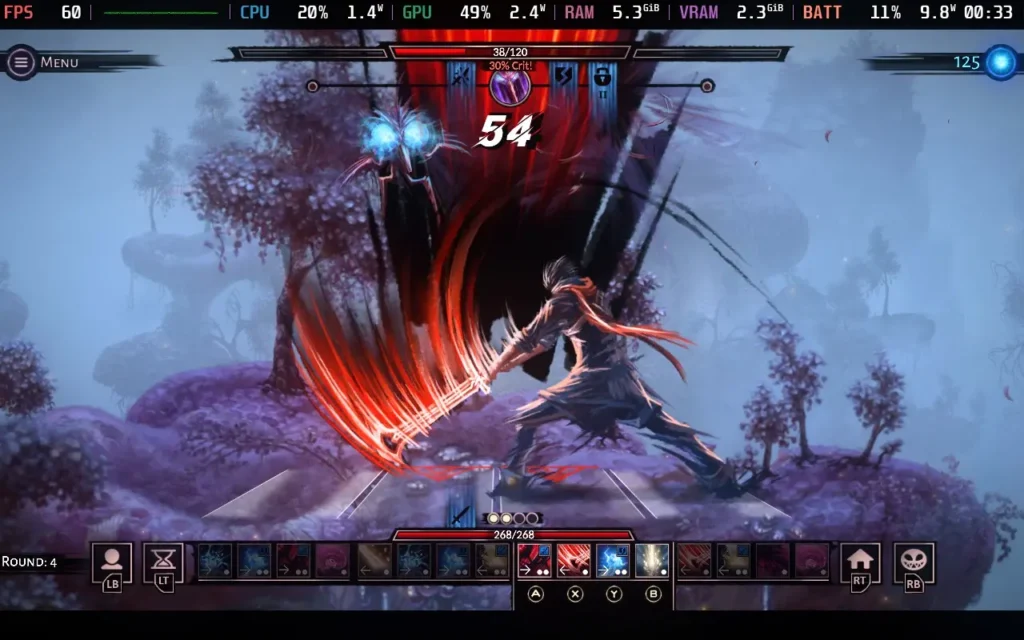
The combat in the game is entirely turn-based and relies on the abilities you selected while at your base. This is the most interesting part of VED, with your player character changing position on the battle grid with each move. You need to think tactically about what attacks you will use and in what order. Abilities must be put in 1 of 4 positions, and some abilities only work in certain positions. Hence, you need to work out what position an ability will put you in so you know what abilities you can use next. The game's difficulty is also pretty tough.
There is an option to enable a "Story Mode" difficulty, which makes combat incredibly easy, but as the combat is the highlight of the game for me, I wouldn't recommend that you use it. This option also makes it almost impossible for dice rolls to fail.
Unfortunately, the story in VED fell pretty flat for me. The game places you in a world with very little world-building and quickly introduces the game's 4 factions without establishing much of a backstory. It's all surface-level stuff, and it's hard to decide what faction you wish to support when you don't know the reasons behind their actions for a good portion of the game. You aren't even sure why Cyrus should care about any of this.
Pacing is a huge issue with VED's storyline, with remarkably little information presented to the player at certain points, even when crucial choices need to be made. Then the game loves to lore-dump you with a several-minute conversation explaining a ton of backstory with dialogue that cannot be slowed down or paused. It's just a bit too much, and it feels like the developers didn't know as and when to give the player certain information that they had prepared. The game is shorter, and I think the developers had a bigger story to tell, but only a few hours to fit it all in.
The game also suffers from being a bit disjointed, with Cyrus able to switch sides between chapters and the characters seemingly being perfectly fine with it. It creates a confusing situation to try and figure out whose side they are on. For example, I could side with a faction late in the game despite having terrible relationship stats with their leader. Even the timestamps when the scene changes make no sense, often using a 12-hour clock, others using a 24-hour clock, and using AM or PM is also sometimes incorrect.
Cyrus is also supposedly meant to be blind, or at least severely vision impaired, which is why I presume the human world is presented in such a bland manner, and the magic world is so vibrant, as he has his sight in the magic world. Despite this, however, Cyrus' vision impairment almost seems to come and go as and when it's convenient to the plot for him to have the issue or not.
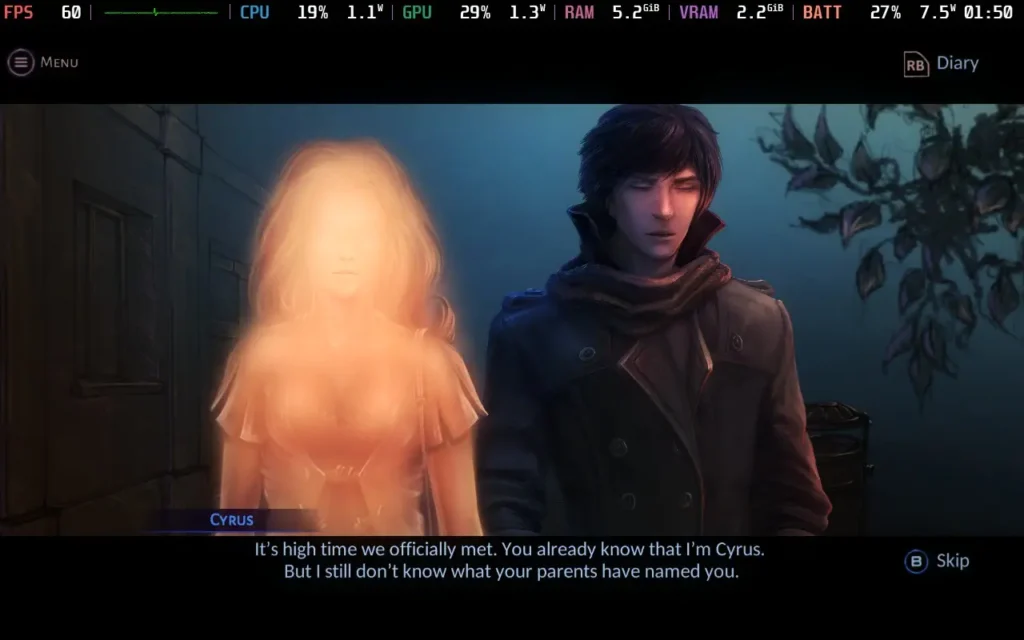
Cyrus himself remains an enigma. He is teleported to the Magic World early on in the game and seems remarkably chill. Fighting demons, meeting a race of Troglodytes whom he helps build a village, and then returning home to the Human World and proceeding to go and book a job interview. It's just a standard day for Cyrus! Just who is this guy? It's hard to care about a character who seems hard to relate to.
Some of the dialogue also borders on... being rather strange. A conversation between Cyrus and a woman a few chapters in is quite cringe-inducing to listen to, and although the woman does comment that Cyrus is being a bit weird, she seems far more ok with it than anyone I know would be. It makes Cyrus come across as a bit obsessive, and he's like it with other female characters, too, and you start to wonder just what his backstory makes him the way he is. But just who Cyrus is is never explained to the player.
All of this isn't helped by the fact that the game's voice acting at some points is... just not very good. I thought that the voices were AI-generated at first, so I went and checked the game's credits and saw that several different people were listed as voice actors for the game. But, the voices distracted me from enjoying the game's story. Emphasis is frequently placed on the wrong words, some words (and the subtitles) are spoken/written incorrectly, and the intonation in the sentence structure can often be wrong as if the voice actor sounds like they intended to say more when the sentence has finished.
It's possible the voice actors were reading a script and aren't native English speakers, as sometimes, the subtitles are written in poor or incorrect English, and the voice actors say it word for word despite it being quite a glaring grammatical error to a native speaker. The game is also available in Russian voices, possibly voiced better than English if you can understand it. You can also disable voices in the settings menu, but it's paired with the rest of the sound effects, sadly.
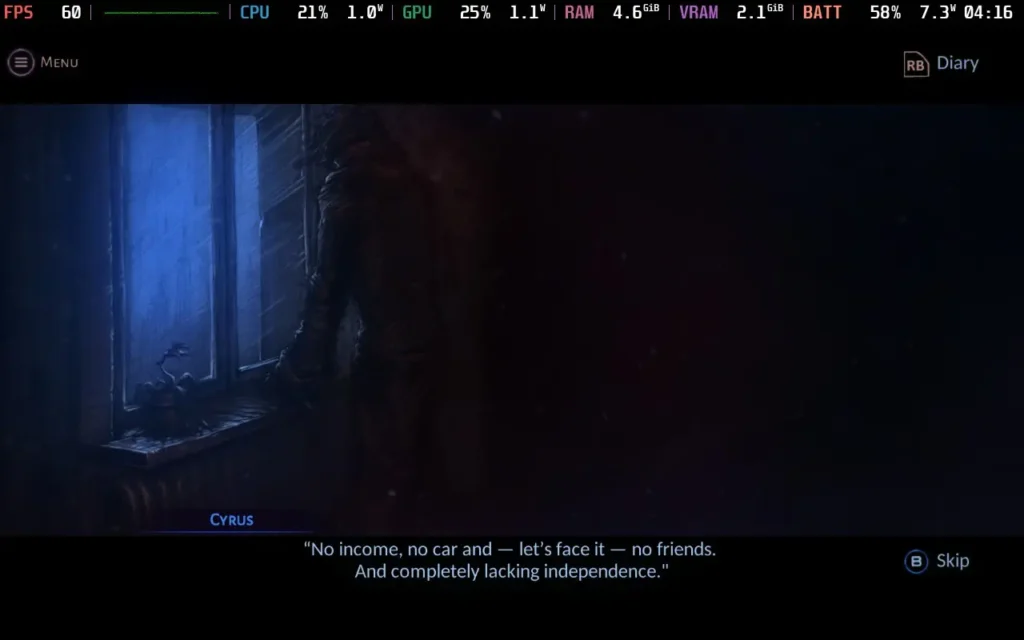
Visually, the game has an interesting hand-drawn art style. It really shines in the Magic World, with vibrant colors, beautiful visuals, and animations for the combat. Sadly, the Human World is depicted as very drab, almost presented in a monochromatic style. I would assume this is done to portray Cyrus' view of the two worlds, but I find it harms the world-building even further when you can't see the world you're in. The title screen depicts Micropolis as a neon-lit city, but you won't find a neon light anywhere once you're in the game.
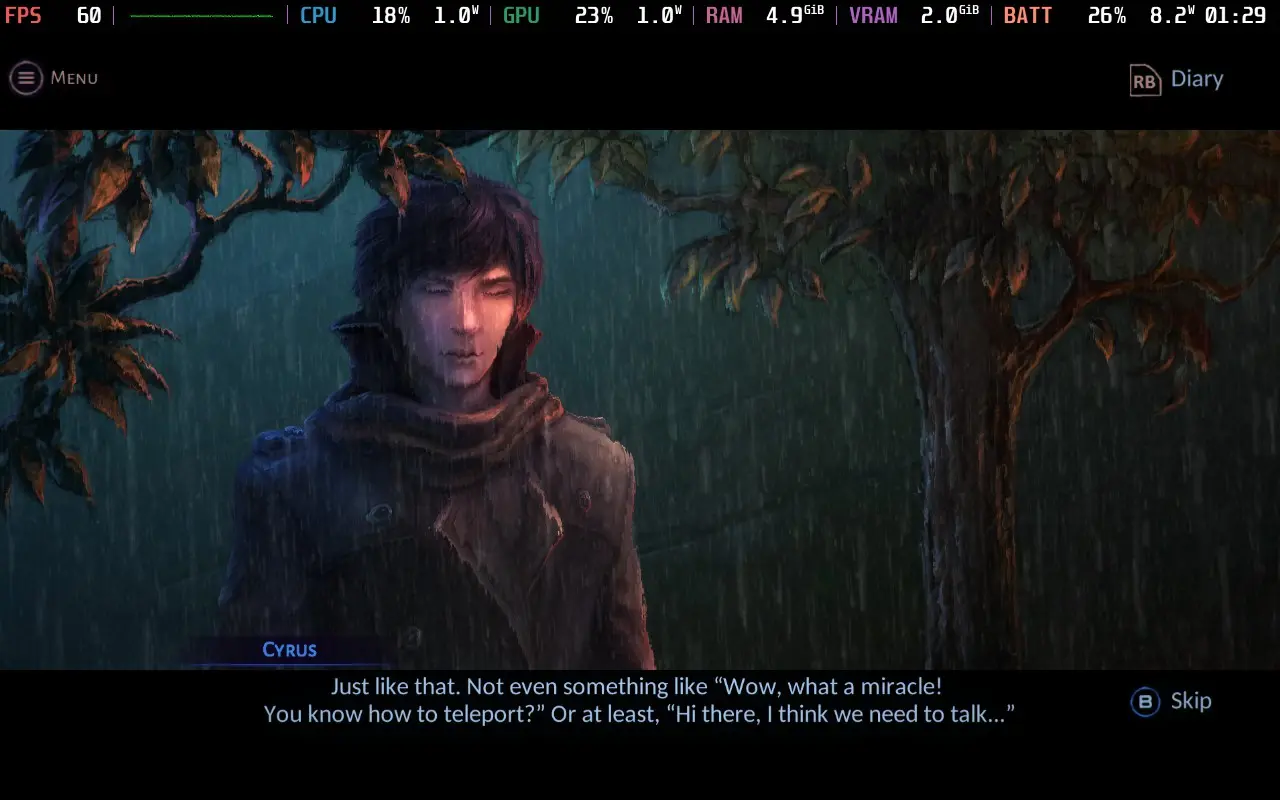
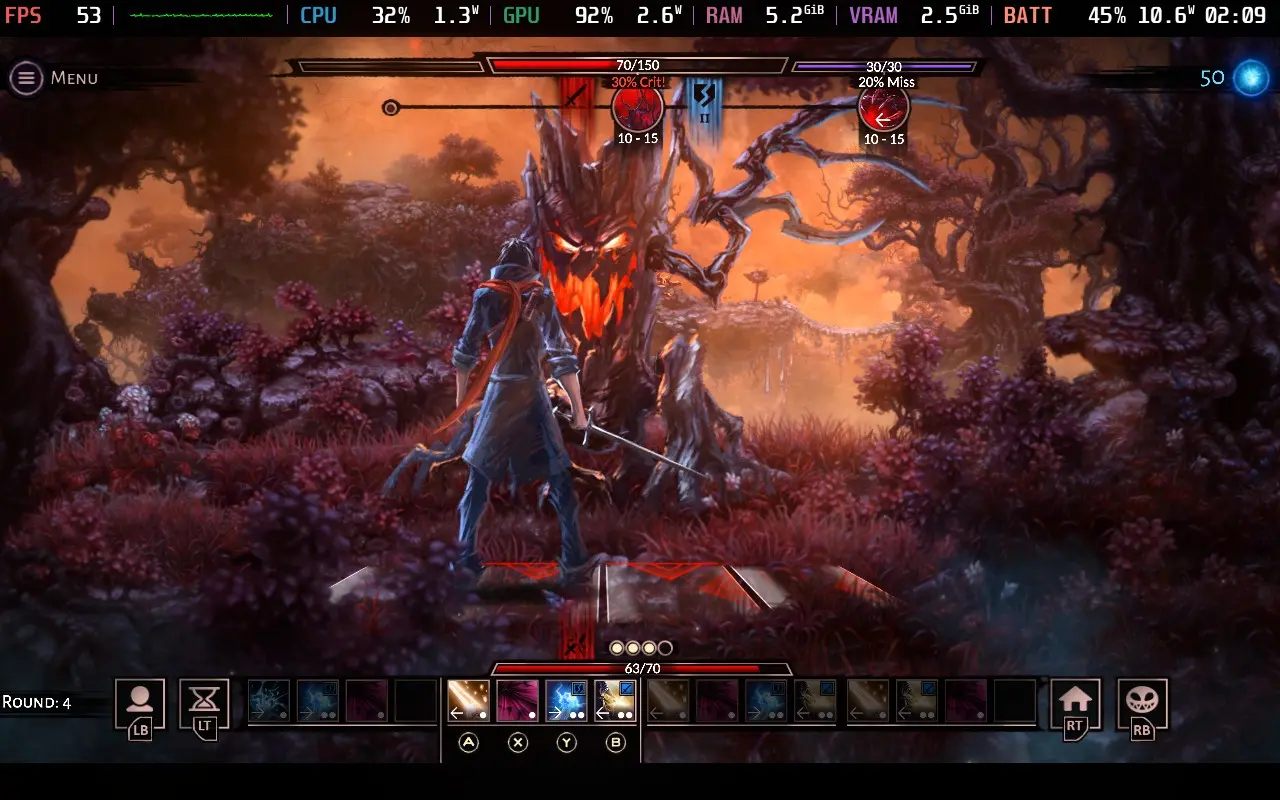
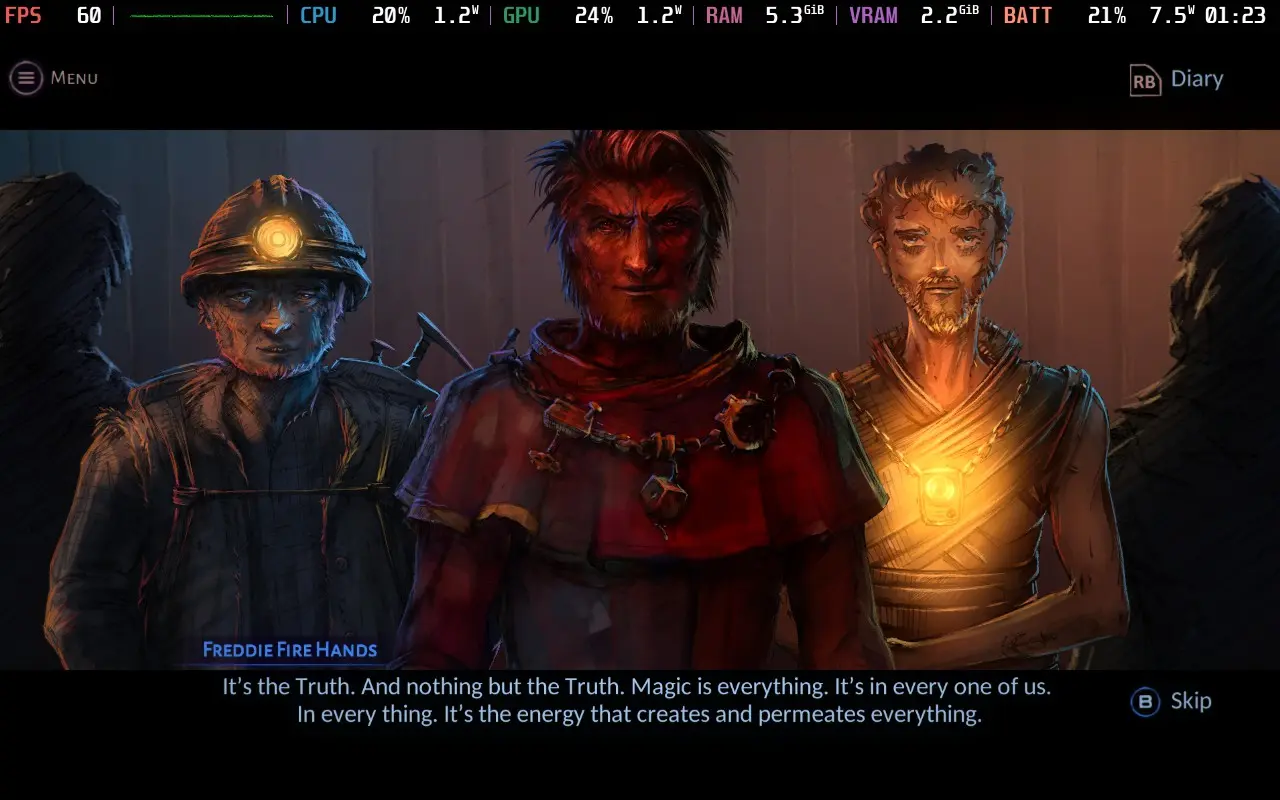
VED is a story-driven game where the story just lacks the power to pull the rest of the game with it. The combat is fun, but it's a minor part of the game, and I'm not even 100% sure why we're in this magical world fighting all these fantastical creatures and building a village for the Troglodytes. We didn't even know any of this existed 24 hours ago! That sentence alone pretty much sums up VED. It's a solid premise for a storyline, but the game rushes the story along and provides only shallow explanations for everything.
VED is a bit of an interesting one on the Steam Deck. It has excellent controller support, so you have nothing to worry about. The game does allow you to select 1280x800 as a resolution in the settings, but it seemingly just runs at 1280x720 with black borders anyway. At one point, the game did seem to randomly change to 1280x800 after a transition, but it scaled incorrectly and cut off some UI elements, so I recommend you just play at 1280x720.
We're setting the SteamOS frame rate limit to 60, and we can get away with a TDP Limit of 8W.
VED has a simple "Graphic Quality" option in the options menu, which we'll set to "High."
With these settings, the game should hold 60 FPS for the vast majority of play. There are slight dips here and there, but given the nature of the game, they don't affect play at all.
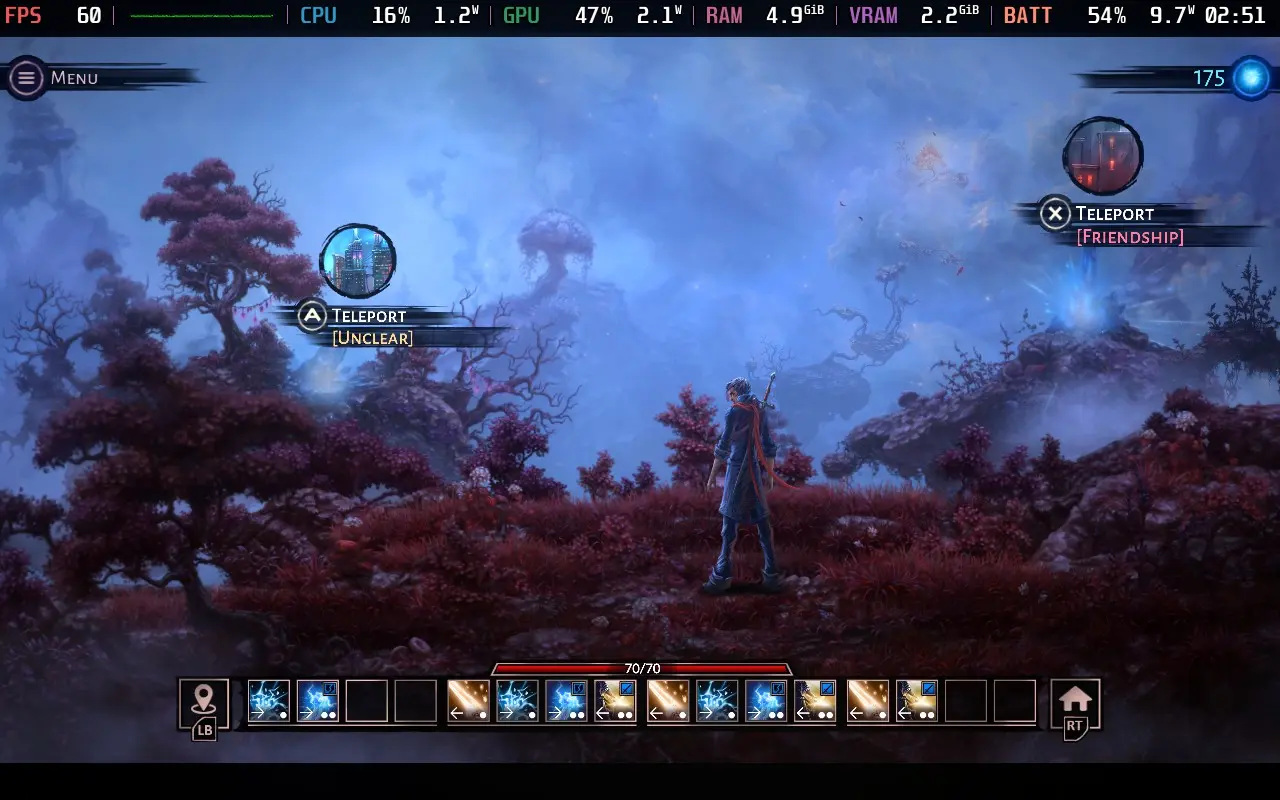
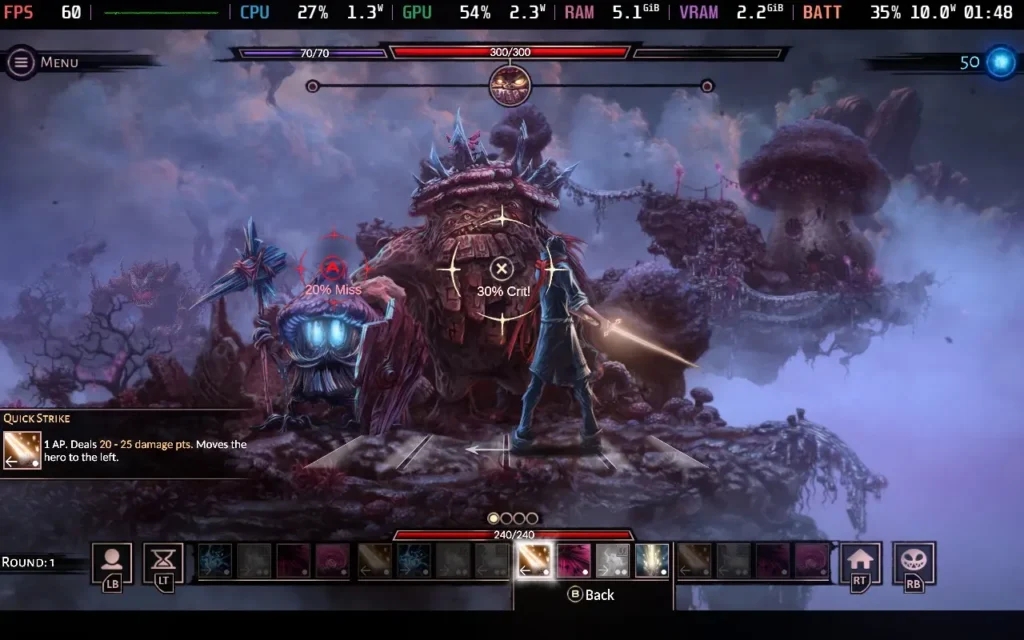
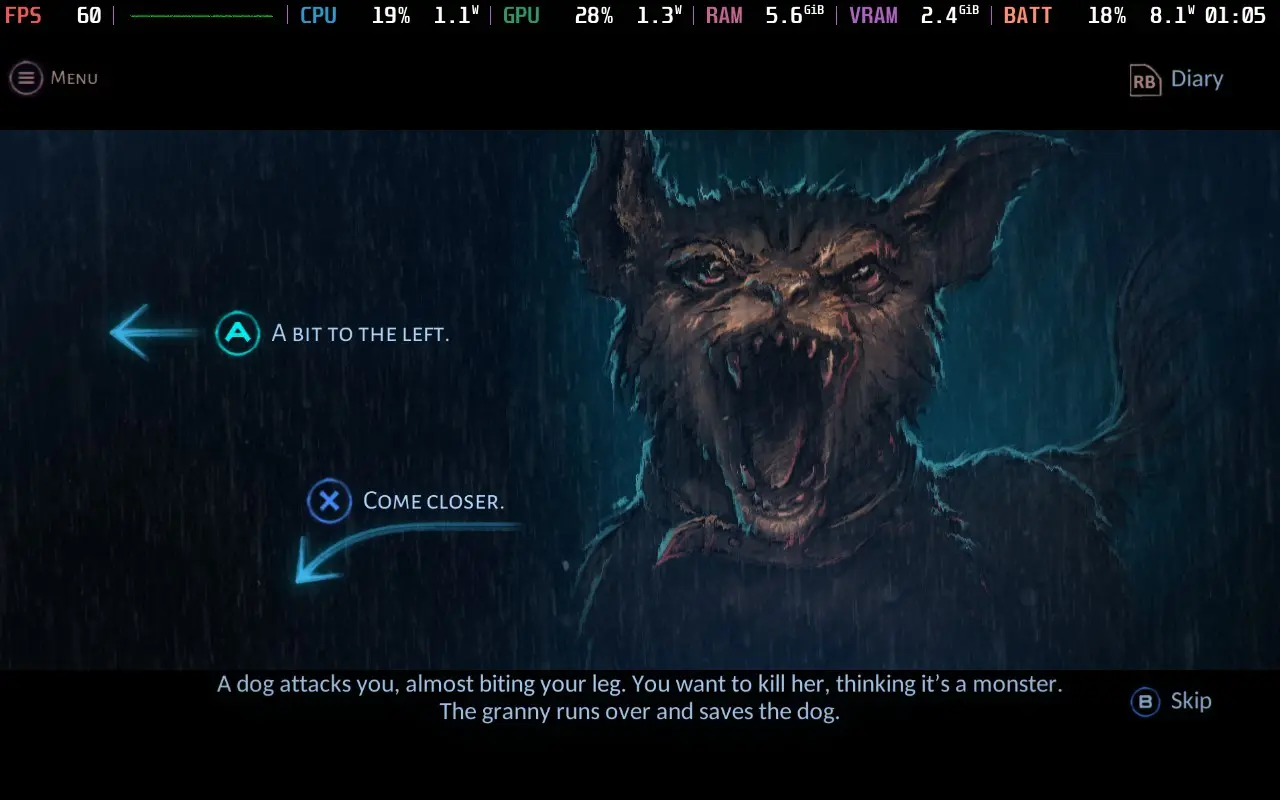
The power draw is kept pretty low. When the game is just showing a pre-rendered scene, such as the many story sequences in the game, expect a draw of around 7W. In the gameplay segments, such as the turn-based battles, the power draw rises to around 10-11W. Very rarely, it can spike up to 13W.
Temperatures are low, mostly in the 55-60C range, and the fan never becomes audible during play.
There are no accessibility options in VED, although all dialogue is subtitled. You can also enable a "Story Mode" difficulty, making the game's combat much easier.
VED has an interesting premise both for the storyline and for the gameplay mechanics. Sadly, the story suffers from poor pacing and inconsistencies. It really feels like the game would benefit from being a slightly longer adventure, not an 8-hour one, but I suppose the developers have to draw the line at some point. Poor voice acting and somewhat repetitive, if well-drawn, art also let the game down for its world-building.
One thing you can't fault VED on, however, is how it runs on the Steam Deck. It provides an essentially flawless experience with great battery life, even on the highest settings. Controller support is also top-notch here.
このレビューはPC版に基づいています。
このレビューをお楽しみいただけたなら、SteamDeckHQ の他のコンテンツもぜひご覧ください!あなたのゲーム体験に役立つゲームレビューやニュースを幅広く取り揃えています。ニュース、ヒントやチュートリアル、ゲーム設定やレビューをお探しの方も、最新のトレンドを知りたい方も、ぜひご利用ください。
Dave the Diver was provided by MINTROCKET and EvolvePR for review. Thank you!
Get ready for an adventure RPG where getting addicted to the gameplay loop is quite common. Dave the Diver will put in the role of Dave, a professional diver who took on a new job. During the day, you will put your diving to use and capture fish, as well as gather resources to complete missions and improve your gear. As night falls though, you will need to help man the sushi restaurant. Set the menu, enhance the meals, and wait on customers to make money and fund your expenditures. All of this while discovering the secrets of the Blue Hole.
I can’t remember the last time a review has been put off a little bit due to how addicting the game can be, but Dave the Diver definitely did. This game is phenomenal, the two styles of gameplay weave into each other in fantastic ways that highlight each one’s importance. The diving not only brings the fish you will be serving, but you can find new weapons, artifacts, gear, and complete missions to keep the interesting story going. Then we head to the sushi bar management where you will be setting the menu, waiting tables, and giving drinks to keep the money flowing. The more money you make, the more you can upgrade in both the restaurant and the diving.
Cover all of this with a gorgeous pixel artstyle with smooth animations and you get an addicting experience that’s very pleasing on the eyes. And then we have the fantastic humor injected in as well. There have been a good chunk of food enhancement cutscenes and dialog that threw me on the floor laughing. Dave the Diver is a fantastic game that I loved gameplay-wise, though when it comes to performance on the Steam Deck, that’s where things get a little iffy at times.
At nights, manning the sushi restaurant had no drops and runs flawlessly, which is fantastic. There were no issues I had during the night time, but diving was another issue. At first, I didn’t see many issues and diving was going well at a solid 60, but as I got deeper, that’s when trouble started brewing.
Going down into the depths of the waters brings in much more complex backgrounds, which end up taking a toll on the Deck. The framerate will start to fluctuate, getting close to the 50 FPS range. This can feel a bit jarring as the framerate dips, so setting the refresh rate to 50hz and using 50 FPS solves this for the most part. There are some areas that may dip to 48 with a 17W drain, but this isn’t that bad overall. 50 does feel quite smooth when it’s set correctly, so I’d definitely recommend keeping it this way.
Dave the Diver doesn’t have many graphical settings, really only resolution and that can’t be changed, so we are stuck with the default settings in-game. We can force the resolution down through Steam, however, the game looks arguably worse with minimal performance increases.
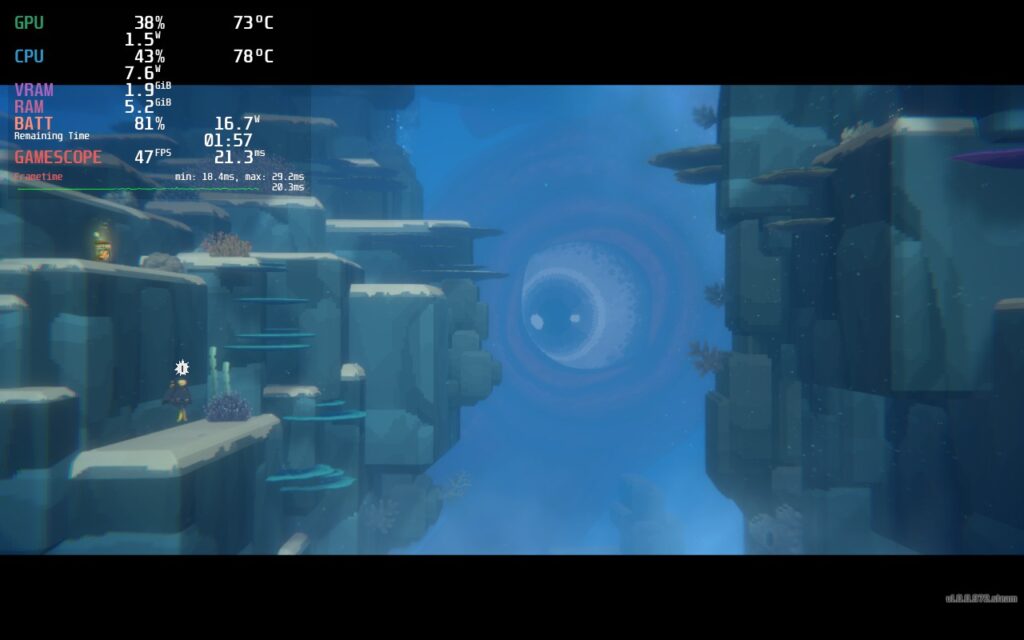
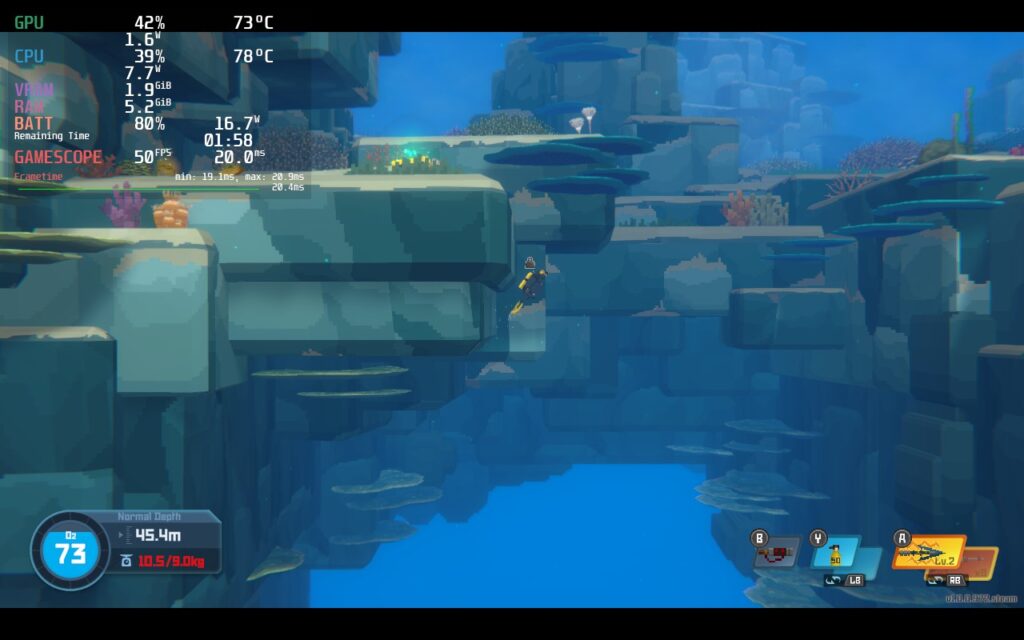
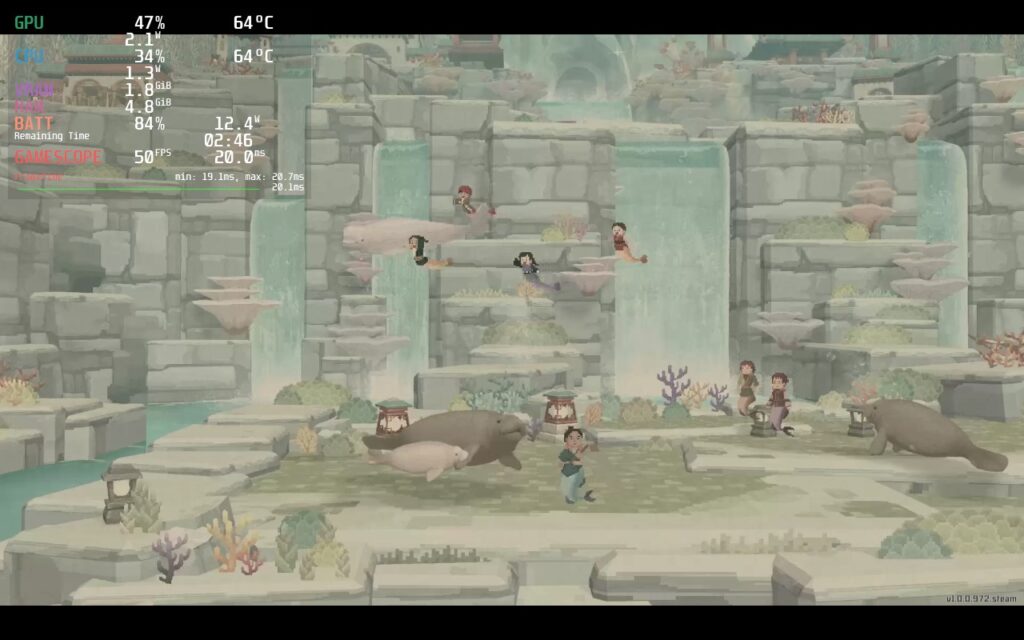
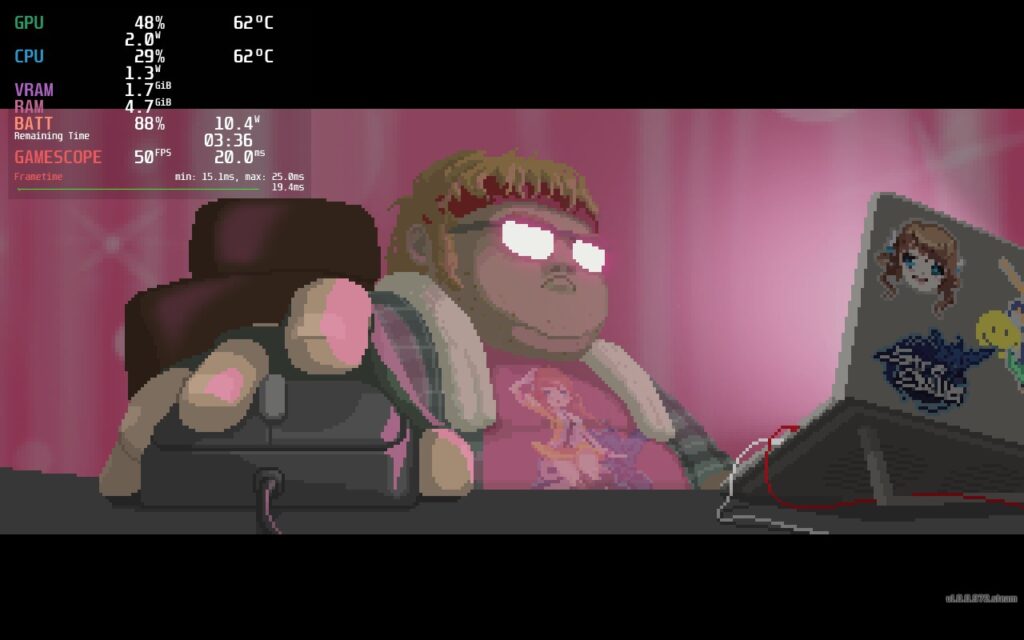
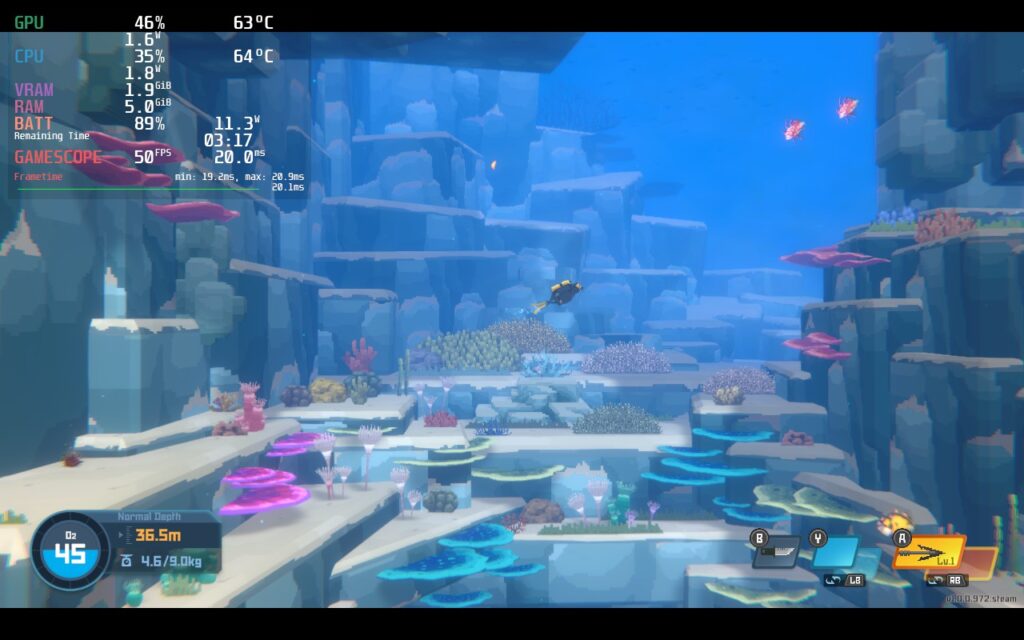
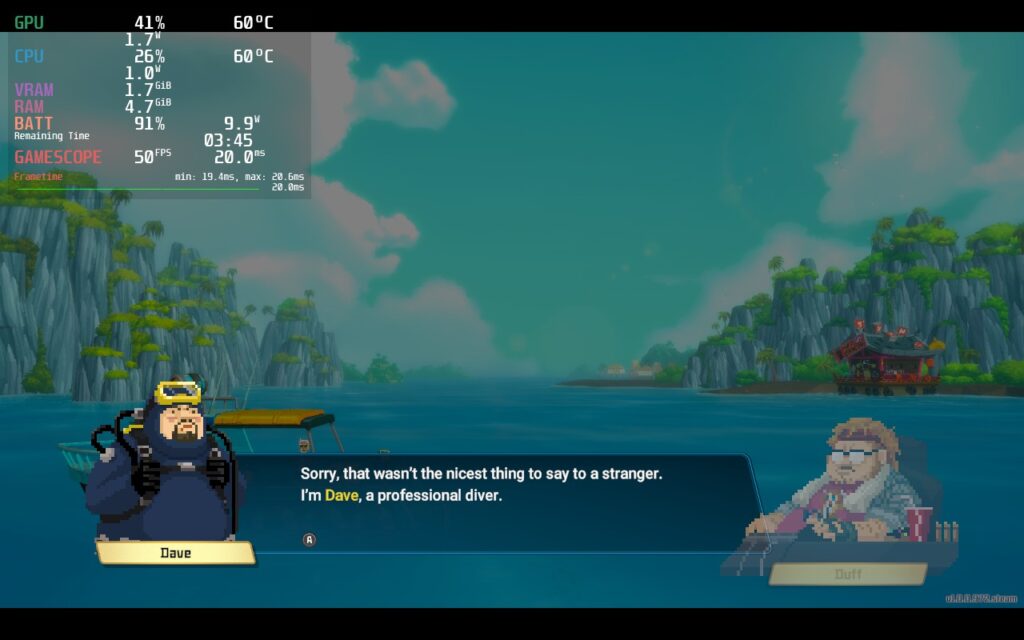
You can also bring it down to 40 FPS, which will be completely stable, but not as smooth. Personally, I preferred the smoothness and the few sacrifices were worth it, but if you want something fully stable with slightly better battery, bring the refresh rate and framerate lock to 40.
The game doesn't support 16:10 resolutions, but it supports cloud saves and Gamepad controls.
Dave the Diver is a fantastic casual adventure/management RPG that oozes with humor and a great visual style. Both of the main elements of the game are fantastic and really complement each others well, emphasizing making each affect the other in meaningful ways. Performance on the Steam Deck could be a bit better at lower depths, which is unfortunate, but it’s totally playable otherwise. Even with this, I would recommend the game due to how addicting the gameplay loop is.
このレビューをお楽しみいただけたなら、SteamDeckHQ の他のコンテンツもぜひご覧ください!私たちはあなたのゲーム体験に役立つこと間違いなしの様々なゲームレビューやニュースを取り揃えています。ニュース、ヒントやチュートリアル、ゲーム設定やレビューをお探しの方も、最新のトレンドを知りたい方も、ぜひご利用ください!
This game was provided to us by NIS America for review. Thank you!
Labyrinth of Galleria: The Moon Society is a turn-based JRPG dungeon crawler about commanding a brigade of puppet soldiers to unearth the Curios hidden within an underground labyrinth. After being hired for a special job, you will investigate the nooks and crannies of the maze with your created heroes that you will level up, equip, and customize to power your way through gorgeously designed monsters at Galleria manor. Put together a team of up to 40 fighters and explore over 50 hours of content as you discover the secrets that lie beneath.
Labyrinth of Galleria is a game I had to really pry myself away from. If you are a fan of other NIS America titles like Disgaea or turn-based JRPGs with customizable fighters like Octopath Traveler or Etrian Odyssey, you will love this game. The combination of using witch's pacts and assigning your warriors to them felt like a nice merging of team building and strategy, while finding loot and crafting items to get the best gear. I also didn't think I would enjoy the story as much myself, but it grew on me the more I played as well. I would say the voice acting is a little bit much, especially the consistent quips from warriors when they're using Special Crest skills, but it isn't something worse than other JRPGs. Overall, this is a game I can see myself sinking 80+ hours into, and luckily, I will be able to enjoy it fully on the Steam Deck.
With absolutely no tweaking at all, Labyrinth of Galleria runs perfectly at 60 FPS staying under a 9W drain with no changes in settings whatsoever. Granted, this game is half visual novel and half static 3D maps, but I have seen un-optimized games with similar quality do much worse. This game feels like it was made for the portable platform with the way it is structured and the content it has!
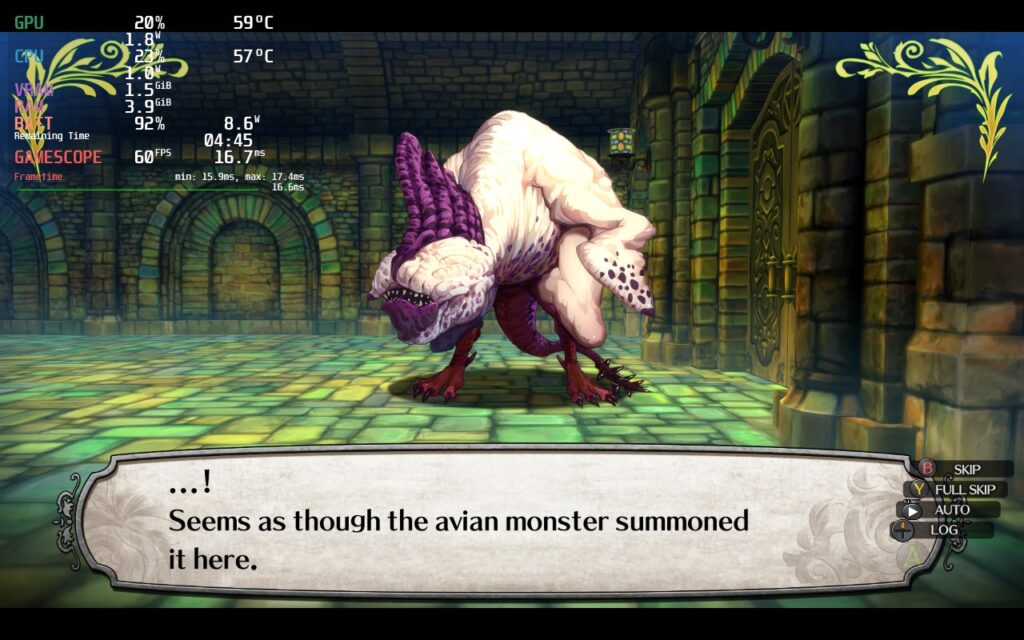
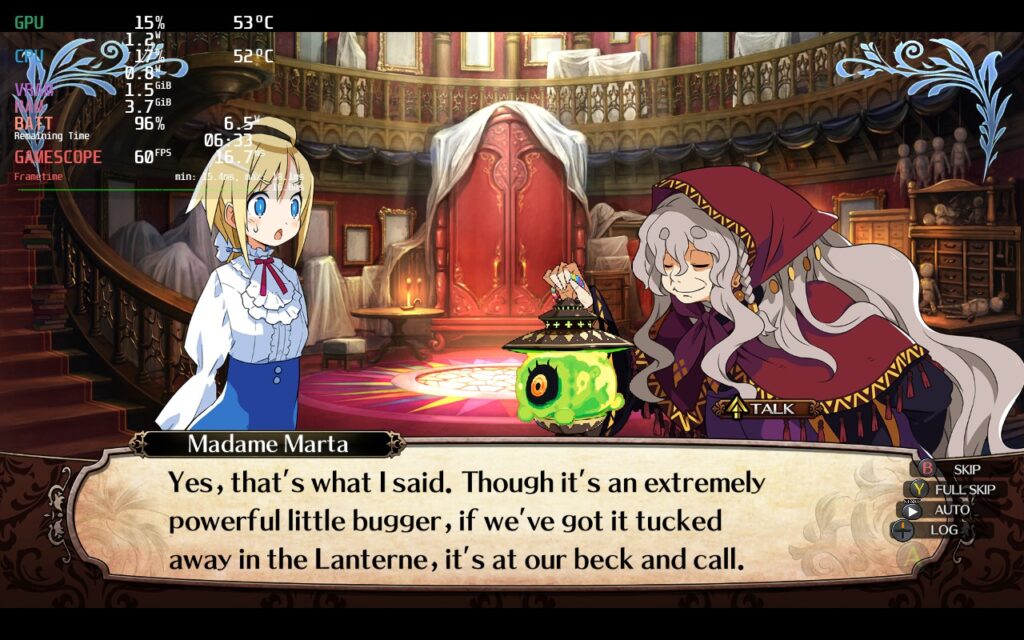
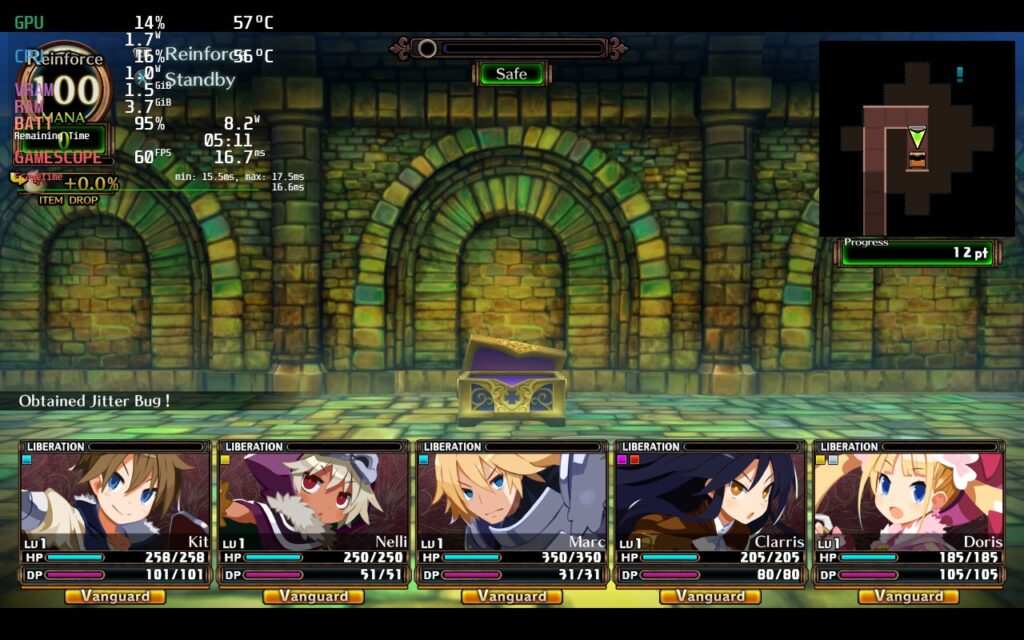
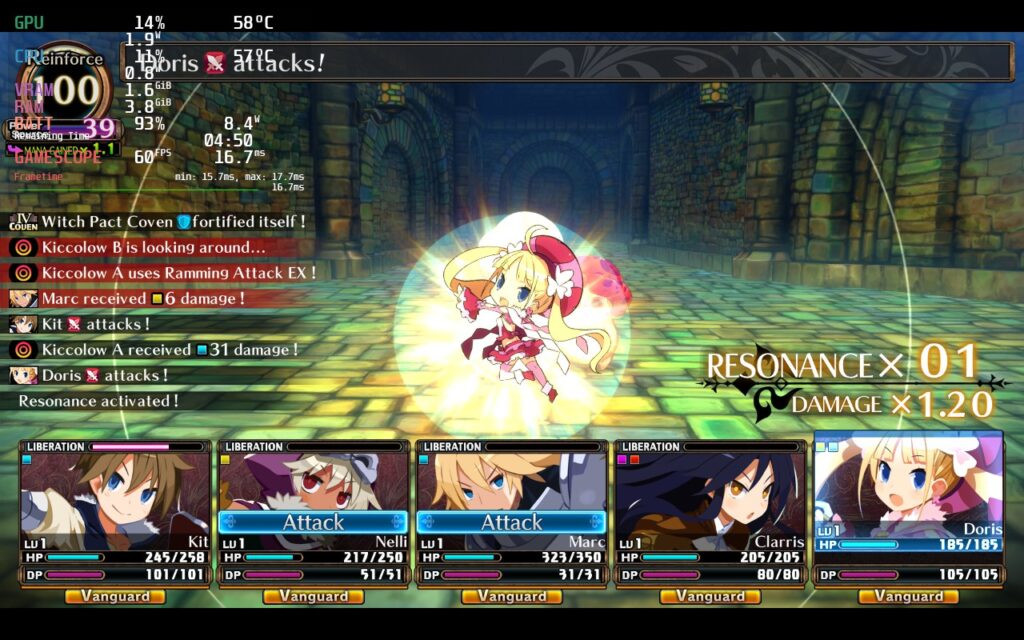
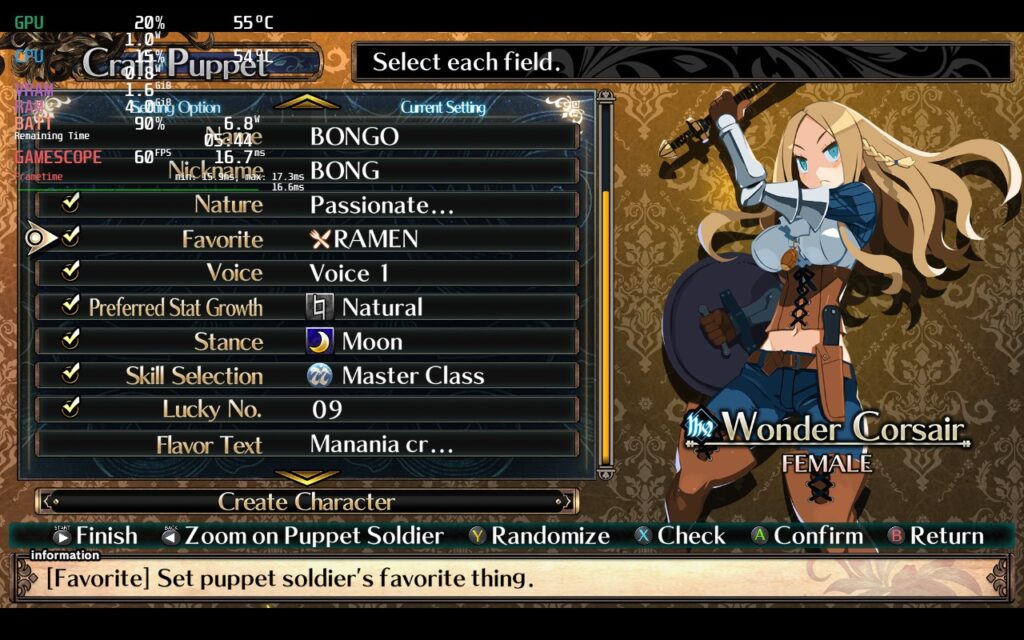
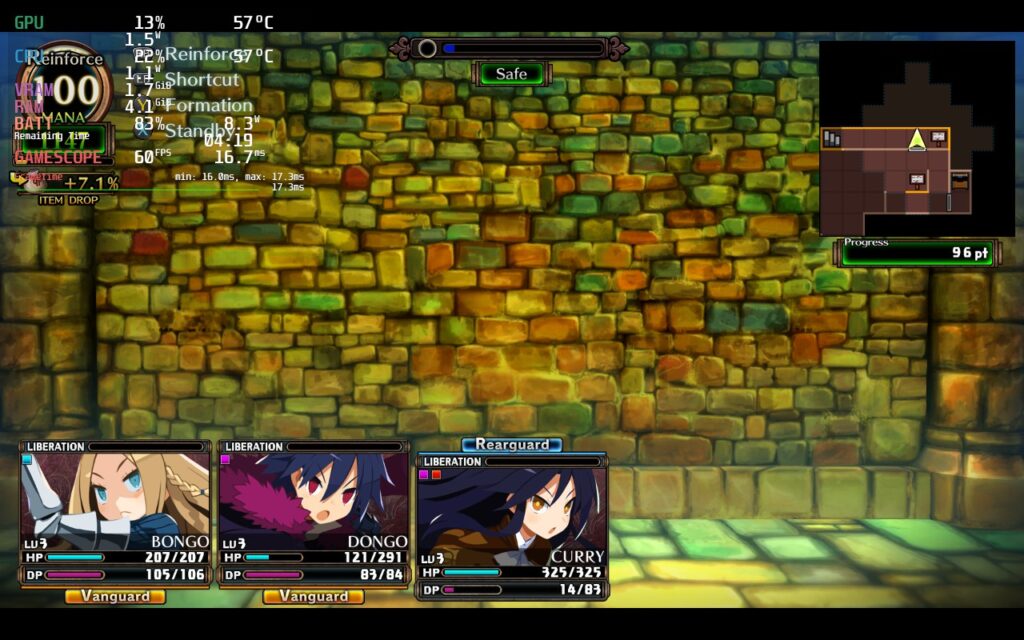
I didn't have any problems with controls and the visuals looked crisp and clear. It also has some nice accessibility features to go along with it including cursor size, guide display, auto saves, and battle speed (my favorite one). The game only has 1280x720 native display and not 1280x800, so you will have the black bars at the top and bottom, but this is me being nit-picky.
Labyrinth of Galleria: The Moon Society is a game that continued my love for more in-depth JRPGs. The visuals are gorgeous and the gameplay is enjoyable with some complexity to it. It felt like a very good balance between simple and intricate, walking that fine line to keep me playing the game without mulling over every single decision and scratching my head. With a nice blend of unit building, crafting, and exploring, Labyrinth of Galleria ticked all the boxes I want to see in a game like this.
And if you're hoping for playing this on-the-go as well, performance on the Steam Deck will be a near-perfect guarantee! This is one I am happy to add to our Best on Deck catalogue! The game is releasing on the Nintendo Switch as well, but since the game uses cloud saves through Steam, you will be able to enjoy this one on PC and Deck without losing any progress. This is the premiere way to play Labyrinth of Galleria!
このレビューをお楽しみいただけたなら、SteamDeckHQ の他のコンテンツもぜひご覧ください!私たちはあなたのゲーム体験に役立つこと間違いなしの様々なゲームレビューやニュースを取り揃えています。ニュース、ヒントやチュートリアル、ゲーム設定やレビューをお探しの方も、最新のトレンドを知りたい方も、ぜひご利用ください。



