


Mortal Shell 2 was provided by Playstack for review. Thank you!
I have played many soulslikes in my day, and while I do love them, it takes a lot for me to get hooked on them. My perfect soulslike has solid mechanics, an interesting progression system, unique ways to tune to my preferred playstyle, and a fulfilling world. A lot of the games I’ve played have some of these aspects, but none have held all of them. However, Mortal Shell 2 has become the closest to my version of a perfect soulslike, and it had me hooked as soon as I ventured out into the open world.
Unlike a lot of other soulslikes, I was actually able to follow along and enjoy the story to some degree. We play as the Harbringer, a being that has been tasked to recover the Ova. To do this, we will inhabit shells of other humans who have passed and have to defeat enemies that are guarding the Ova and free them from the corruption.
The deep story was relatively easy to follow, which was surprising since most soulslikes feel very complicated. So, it does well to feed into the creepy atmosphere that they created.
The base mechanics of every soulslike feel almost exactly the same, but they still need to be fundamentally tight. For the most part, Mortal Shell 2 has that. We have light and heavy attacks, blocking, dodging, and parrying, and using them at the right time makes a huge difference. The parrying window is a little larger than a lot of other games I’ve played, but not too much to the point where I felt it was too easy. It was still challenging, but felt appropriately rewarding to continually parry and build up the enemies' stun bar for a Riposte. We also have a sidearm for ranged attacks, but they don’t do nearly as much damage as our main weapon.
There’s nothing new in this regard, but the fundamentals do feel tight. Dodging and parrying were precise, attacks landed and staggered enemies appropriately, and I didn’t feel like any of my deaths were caused by attacks that just didn’t land. What ultimately makes combat so satisfying comes from the customization we have to modify it.
As the name of the game suggests, we will inhabit shells when fighting. Not only does this give us a special skill and passive ability, but it also gives us a second chance at life. Once we are killed with the shell on, we break out of that shell and have a chance to get it back. And with each shell tuned for different playstyles and elemental resistances, they serve some worthwhile purpose that can help significantly against certain enemies and bosses.
Each shell has its own little skill tree that we can pour points into as we level up to improve and augment their abilities. We can only have one shell equipped at a time, but there is a quick way to respec our points to fill out the new skill tree. It’s completely free and easy to do from the click of a button, and I often use this whenever I switch shells to prepare myself for the challenge ahead. If I was entering an area with lots of enemies that can debuff with Frost, I would put enough points in Eredrim to make sure I am immune to Frost. Going up against a boss? I put extra points towards skills that will enhance my Shoulder Bash and Riposte damage.
The only complaint I found with the Shells is that they are difficult to find. I got towards the end of the game and ran around the entire map, but I only found 3 shells. It’s very possible that I missed some areas, but as I did have clear goals to cleanse the gates, I was heading in that direction. I did make a lot of twists and turns, so I did take time to explore the map, but I wasn’t able to find the other shells as easily.
The same feeling extends to extra weapons. We do have multiple different weapons we can use in Mortal Shell 2, and they can be upgraded with the right materials and gold. Finding the materials in gold wasn’t difficult, but as I was playing, I only naturally found 2 weapons and 3 sidearms. A lot of these are hidden in the little dungeons across the map that are a little hard to miss, but I did go into many of them. The only difference that makes this better is that we can buy maps from the shop in our home base that reveal the approximate location of the weapons. The maps are fairly cheap, so it's worthwhile to invest in them.
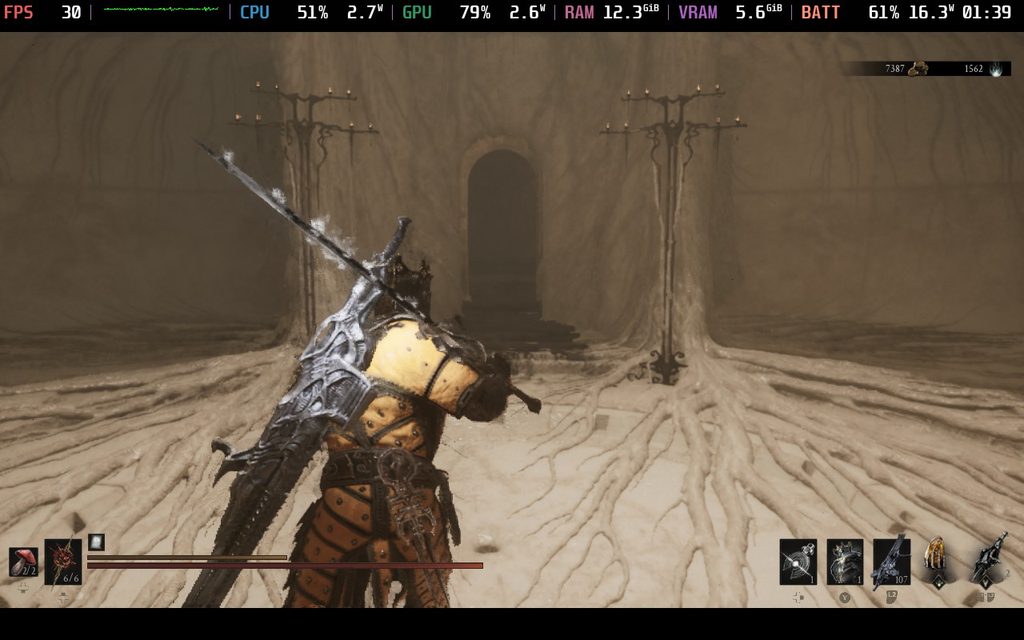
And finally, we have Tarstones. We can equip 10 Tarstones at any time to give us extra abilities, infuse our weapons with different debuffs, or give us passive buffs. There are so many to find, and combining them can completely change or enhance our playstyle. They can also be enhanced, which is done in a way that encourages trying other Tarstones and experimenting.
In my playthrough, I focused on a build to maximize break damage and continually Riposte. So, I had a stone to give me a special light finisher to do break damage, a special move to deal more break damage, a support to deal more Riposte damage, a stone to infuse my weapon with Curse debuff, and a support stone to increase my crit chance. With this setup, I would deal massive damage with extra crits, while building up the break bar and ultimately Riposte. And with Eridrim, we have abilities that give even more break damage and Slaughterer stacks, which also provide damage reduction thanks to a skill I invested in.
That’s just one example of a build. There are tons of options and Tarstones that can also affect the sidearm, giving it extra abilities and infusions. Some of these cost Resolve, an extra resource that we need to manage, but we can get more back when striking the enemy. It’s a careful balance that works exceptionally well. I loved experimenting and changing things up; it always felt rewarding to some degree.
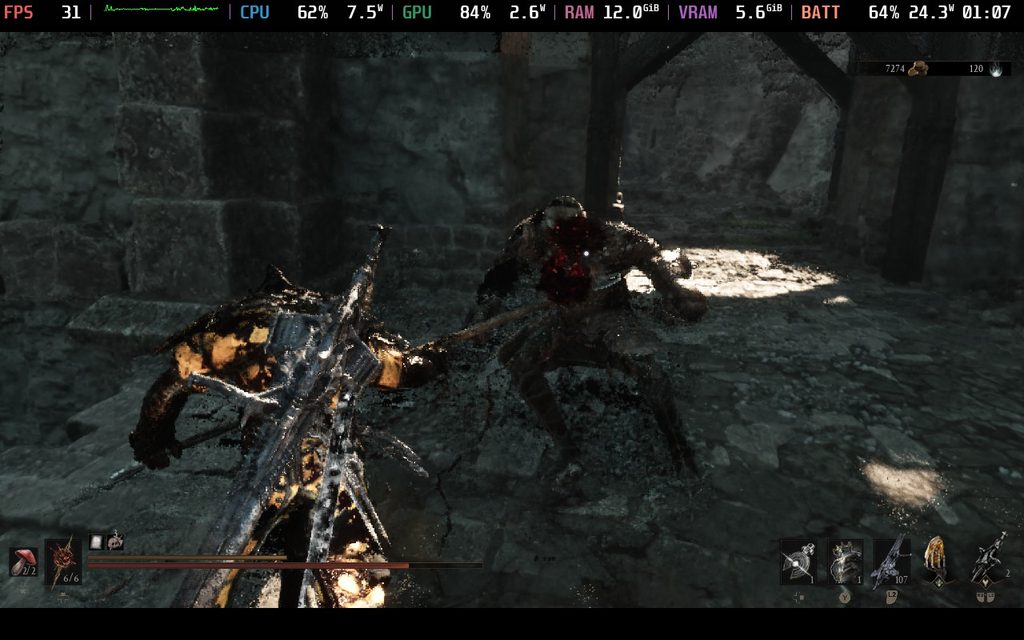
The only issue I can think of that continually popped up during combat was the camera. Most of the time, the camera angle was great, and I had no problems. However, there were a good chunk of times where the camera angle was so poor, and I ended up dying. I would be backed into a corner and beaten by enemies. I could barely see because the camera zoomed in way too much. I understand this can happen, but it happened enough times to make note of it.
There were also a few enemy types that were just way too obnoxious, like the Spider hybrids that can shoot webs out of their stingers and the fencing woman in red that can quickly attack, but there was a left variety in the enemy types that kept me on my toes.
The world itself feels massive and filled with trinkets to find. It almost felt like there was always something to do, and the path I would take almost always felt worthwhile. From the groups of enemies defending a chest with a Tarstone, mini dungeons spread throughout, or even finding beacons to cleanse by going through their own mini dungeon, I was always rewarded with materials, items, or Tarstones that made the extra time I spent getting lost in the world rewarding.
If you want to see how the game runs on the Steam Machine and our recommended settings, check out its dedicated article.
I’m actually quite surprised by how Mortal Shell 2 runs on the Steam Deck. I completely assumed that it wouldn’t be great based on the response I got when I requested the game, but to my surprise, it seems to be optimized for the device in multiple different ways.
One of the first things I realized when booting up the game without changing anything is that there is no graphical menu. The developer seems to have locked it, similar to what we’ve seen in other games where they just want to make it as easy as possible to boot it up and play. This is further evidenced by the fact that the controller menu shows a Steam Deck for reference.
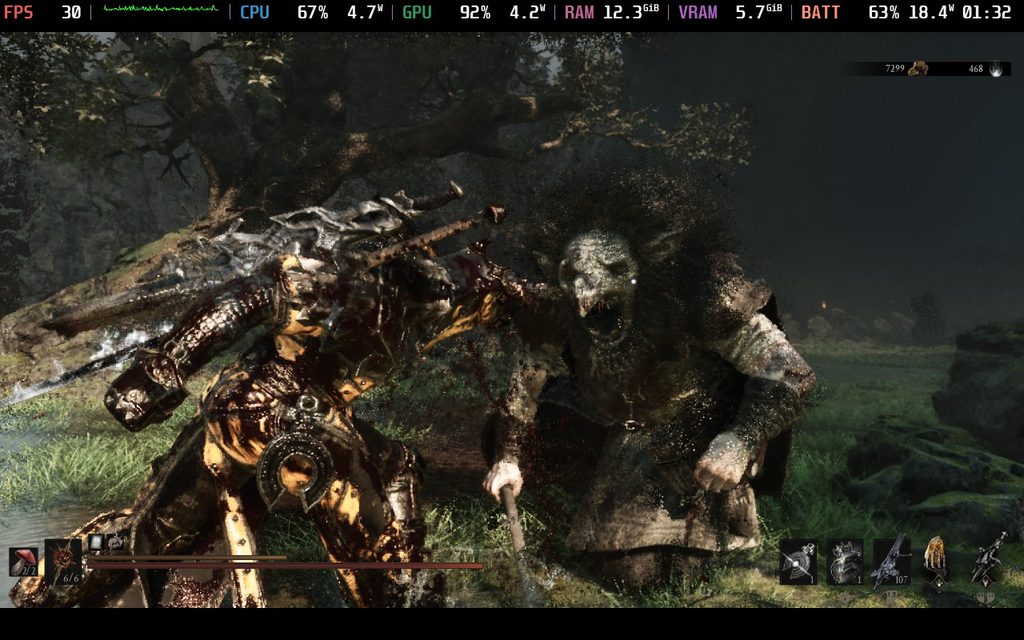
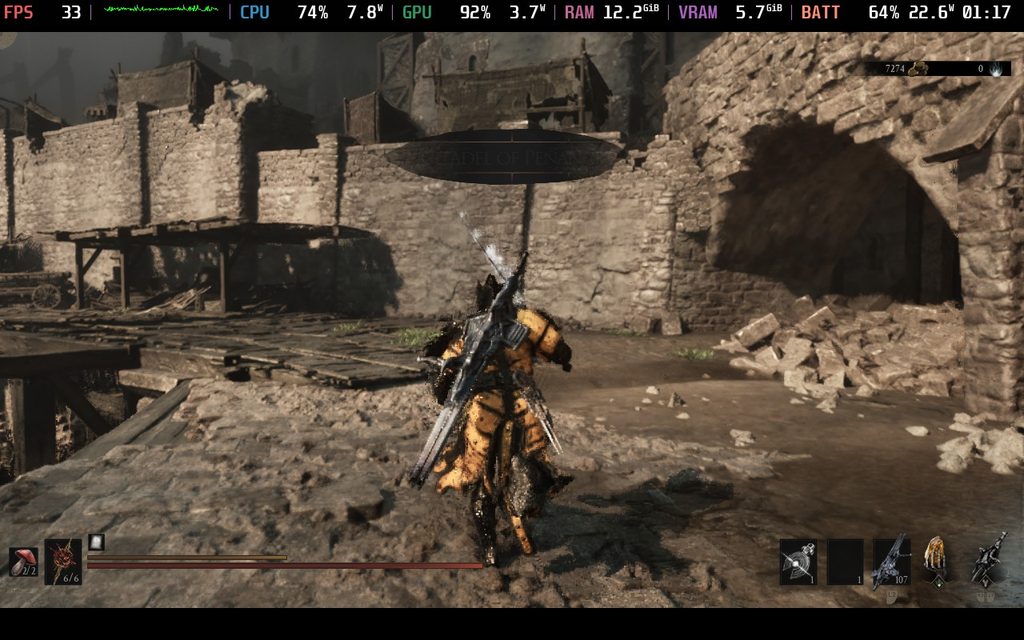
With the default settings, we have a locked 30 FPS that stays there quite often. There were a few times here and there where there would be slight stutterers, or running around very quickly through crowded areas could lead to some drops here and there, but it’s stuck to 30 during combat, which I appreciate.
However, the visual quality is a mixed bag. On one hand, the image is clear, but the lighting takes a huge hit. The quality settings seem to be a mix of Medium and Low, with Global Illumination sitting on Low. This makes some places look unusually bright, which is very much against the atmosphere that’s being built. If I didn’t see how it was supposed to look, I may have been able to turn a blind eye. However, it’s hard to go back after seeing the extremely bright dungeon turn into a dark and broody one.
I also noticed that the UI was a little cut off at the bottom. It may have just been my copy, because I couldn’t replicate it, but there is a way to fix this as well.
Despite all of this, it is the best way to play Mortal Shell 2 on the Steam Deck. There are some visual issues that I wish weren’t there, but it’s still the most stable. As much as I would want better lighting and overall smoother gameplay, for a new game like this made on Unreal Engine 5, there's only so much we can expect.
However, we can fix the visuals for the most part. To fix this, we can use the SteamDeck=0 %command% launch option. This trick makes the device think it’s not being played on a Steam Deck, which brings back the graphical menu. Once there, go to the Display settings and turn Global Illumination to Medium. This will fix the lighting. I also recommend changing the upscaler to TSR, since it makes the fog look better. It looks a bit grainy in general, and the only way to completely fix it is to turn off upscaling completely. This will kill performance, so changing to TSR will improve it.
And if you are seeing issues with the UI, change the Display Window to Windowed Fullscreen. It should fix the UI and automatically adjust to 1280x720 resolution.
At the settings, the game will run pretty well and can even go above 40 FPS. However, to accommodate some of the larger fights and bosses, I still recommend keeping the 30 FPS limit. I found that running around can cause some CPU spikes that ultimately drop the performance below 40, so keeping it at 30 will be the smoothest possible way to play. It will also reduce some battery drain, giving us about 3 hours of battery life, but there will be a few extra drops due to the lighting looking better.
Still, I would consider it playable. The only reason why this isn’t my recommended setting is purely because of fog. With Global Illumination set to Medium, the fog becomes much more visible and very pixelated. It makes the world look uglier, counteracting the better lighting. This is definitely a way to play; dungeons look significantly better, but the extra pixelation from the fog is enough to ruin parts of it.
Mortal Shell 2 is a fantastic soulslike that felt rewarding to play through and experiment with. The way the progression systems work encourages trying new ways to play, and I can feel the differences as we continually try new things and get stronger. The story is easier to follow than others in the genre, and the world is creepy and beautiful. Some of the camera angles can be a little obnoxious, but at the end of the day, this is one of the best soulslikes out there.
It’s also surprisingly playable on the Steam Deck. I didn’t have high hopes for it, but it runs decently. I can’t say I would play through the entire game this way, but if I didn’t have any other way to play, I would still feel satisfied.
このレビューはPC版に基づいています。
このレビューをお楽しみいただけたなら、SteamDeckHQ の他のコンテンツもぜひご覧ください!あなたのゲーム体験に役立つゲームレビューやニュースを幅広く取り揃えています。ニュース、ヒントやチュートリアル、ゲーム設定やレビューをお探しの方も、最新のトレンドを知りたい方も、ぜひご利用ください。
Mortal Shell 2 is one of my favorite soulslikes out there, with great ways to customize our playstyle, a gorgeous world, and surprisingly solid Steam Deck performance.