



Microsoft Flight Simulator 2024 was provided by Xbox Game Studios for review. Thank you!
After having such a long hiatus between 2006 and 2020, the Microsoft Flight Simulator series is back on track to become a regular release. At first glance, it might appear that Microsoft Flight Simulator 2024 doesn't have much more to offer over Microsoft Flight Simulator (2020), now called the 40th Anniversary Edition. Still, there's quite a lot of new content to sink your teeth into, especially if you are into more than just the planes themselves.
First, let's detail the differences between Microsoft Flight Simulator 2024 and Microsoft Flight Simulator 2020. I think Xbox did a fairly bad job of detailing the changes, and the two games really sort of blurred together for me.
The biggest change in this iteration is the career mode. There is some surprising depth to this part of the game, requiring players to learn some piloting basics, such as take-off and landing, taxiing, and following instructions from Air Traffic Control, before taking an exam to earn their private pilot's license. From here on, it's largely doing missions related to your current license level to earn money so you can afford to take the exam for the next license and upgrade to bigger and better aircraft.
It also feels quite personalized, as you can start from any airport or airfield worldwide. With subsequent missions being based in your area. It adds far more purpose to the game, and you aren't flying just for the sake of flying like in MSFS2020.
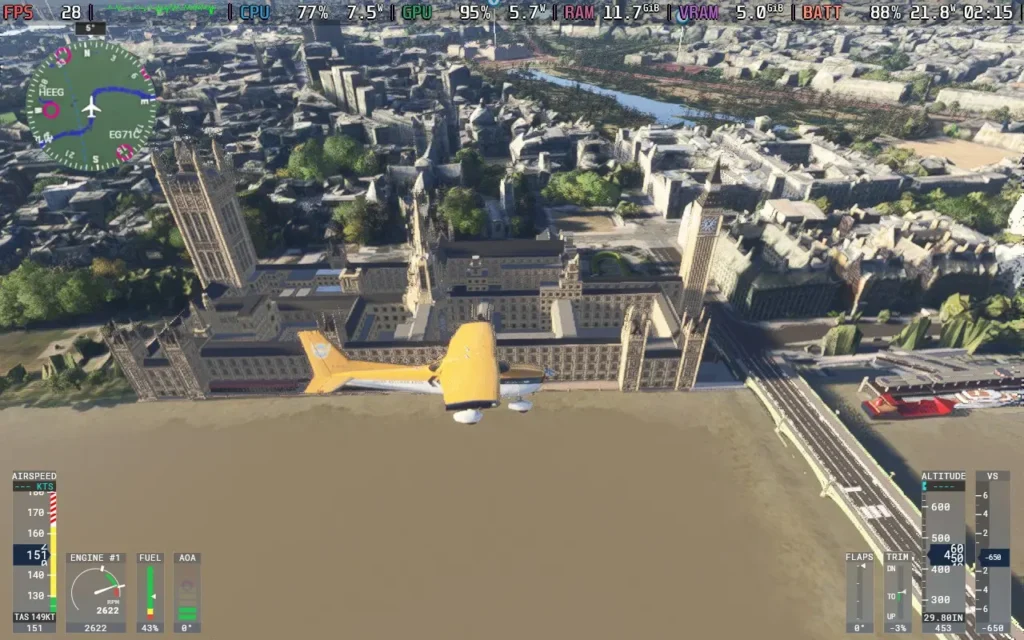
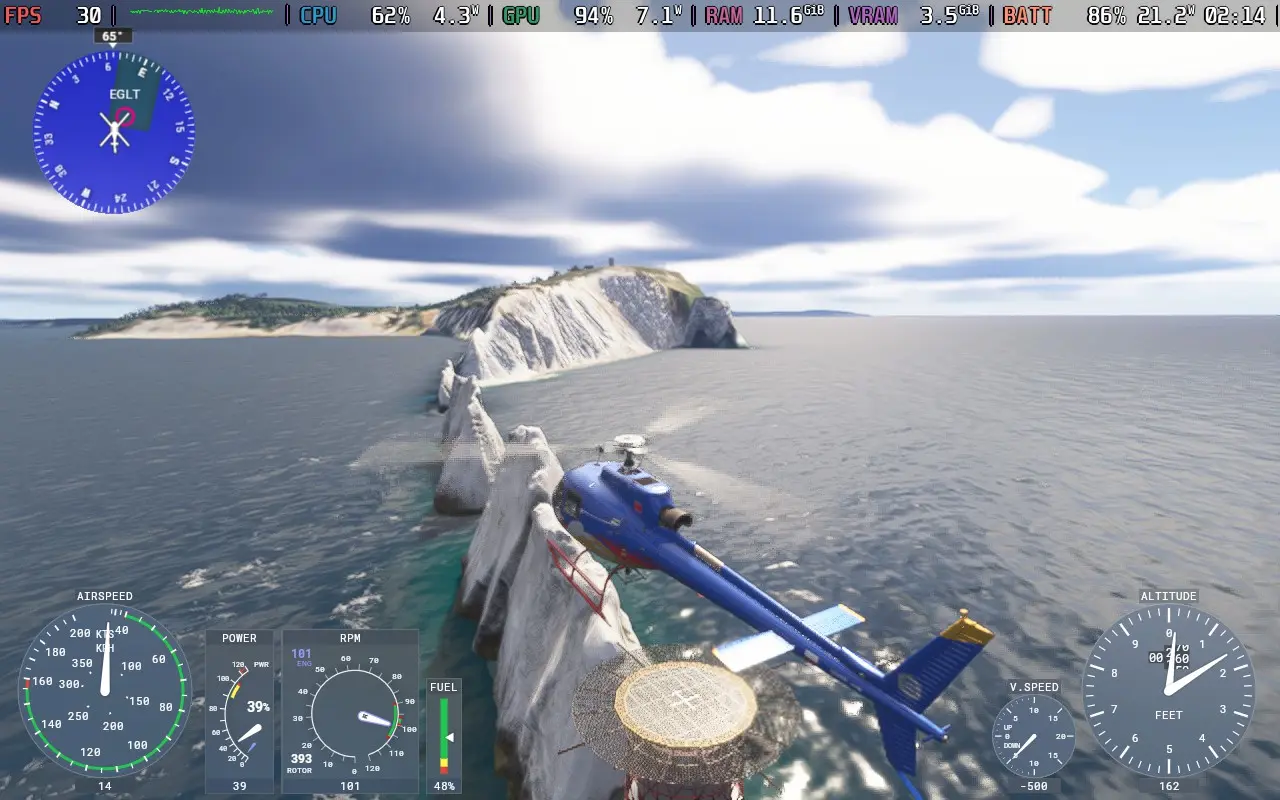
As you might expect, Microsoft Flight Simulator 2024 takes advantage of the same technology from the 2020 version, with satellite data providing information on the entire world, which is then read by the game and converted into buildings, trees, and sometimes hand-made landmarks and cities based on photogrammetry data. This impressive technology creates the best depiction of our earth in a video game I know. There aren't many games where you can fly over your house and pick it out.
The visuals also live up to match, provided you have a PC that can manage higher-quality settings. You can also walk outside your plane, do pre-flight checks, and admire whichever plane you are flying, all brilliantly detailed.
Microsoft Flight Simulator 2024 does what it sets out to do. And for those who want it to be, it fulfills the criteria of being a simulator. If you turn off the assists, the game expects a lot from you. You will be expected to manage ATC communications, follow procedures when taking off and landing, deal with real-time weather events affecting your aircraft, and navigate with other planes in the sky. But if you want a more relaxing time, you can always go in the free flight mode with assists turned on, allowing you to fly around without restrictions or expectations.
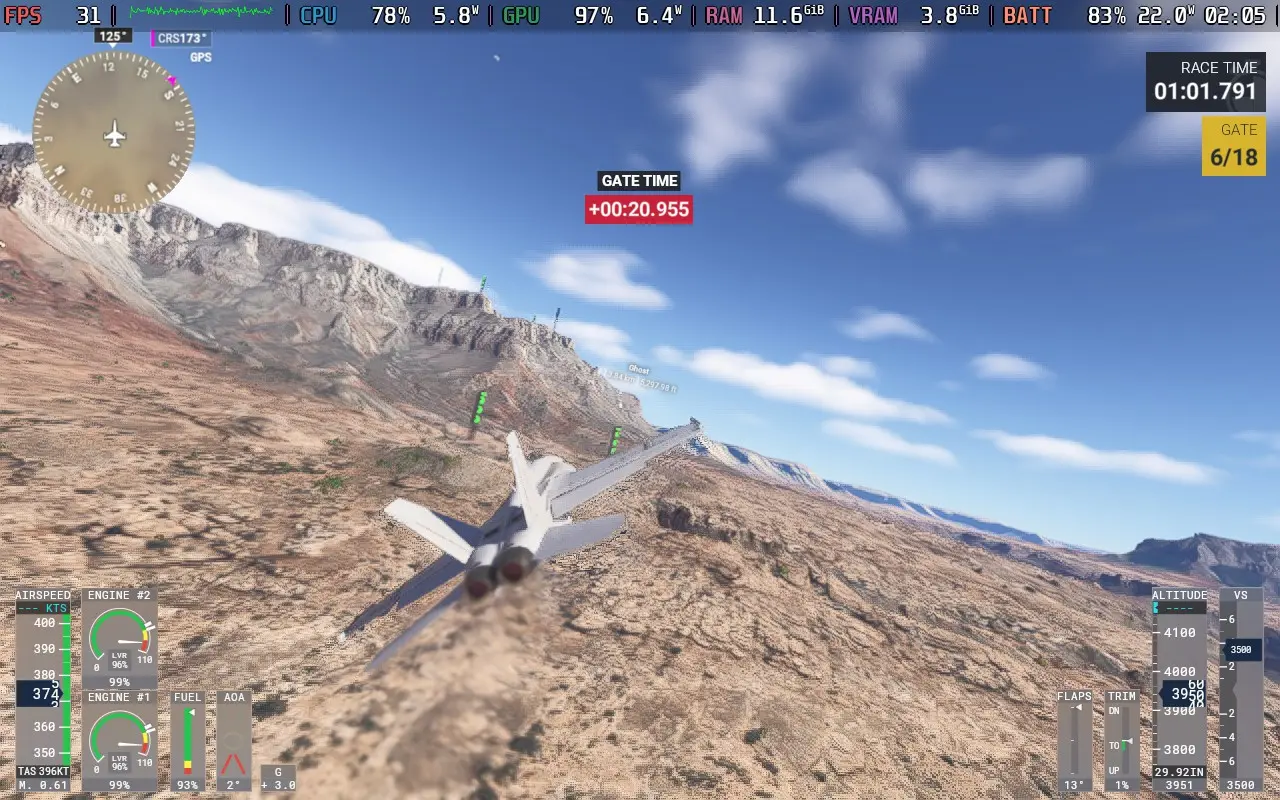
There are also scenarios, which are short missions that challenge you to complete a specific task well, ranking you on the leaderboards against others. These can involve pulling off a tricky landing or simply racing in planes to see who can set the best time.
It's not all sunshine and rainbows, though. I'm not talking about the real-time weather here. I'm talking about the game's use of AI voices.
Regardless of your stance on the use of AI, in this manner, I think there's justification for it, as the game has to manage ATC communications everywhere across the globe. AI means that the voices can say the name of a tiny airfield in Australia without the developers recording tens of thousands of voice lines for each airfield, town, and city worldwide. The downside is that some of the AI voices are just bad.
I accept that the ATC needs to be AI. But does my trainer have to be voiced by AI? Does Chris, who I took on a tour flight around the city of Leeds, have to be voiced by AI? No, not really. The ATC and radio communications sound good for the most part, but every time someone speaks without the radio filter, it just doesn't sound great. And for a simulator where a lot of effort has been put into recreating the literal world, it's a shame that a single voice line can make you frown and bring you out of the game for a while.
Microsoft Flight Simulator 2024 is a solid improvement on the 2020 edition. It adds more aircraft, double the amount, for the standard edition, with 70 aircraft being available. As well as 150 hand-crafted airports. You get the additional career mode and scenarios, which adds a lot more "purpose" to the game, rather than just flying around and crashing into your house for a laugh. Visually, some slight improvements, like dirt, will kick onto your plane, and there is more variety in scenery elements like the trees.
If you are into your flight simulators and want the latest and best thing, then Microsoft Flight Simulator 2024 should tick that box. There are some teething troubles here and there, especially as the game is online-only and a lot of data is streamed from the cloud as you play, so any hiccup in the internet connection can just kick you out of the session. I only had this happen to me once in my playing time, but I could see it being very frustrating at the end of a long mission.
Microsoft Flight Simulator 2024 had a bit of a rocky launch on Steam Deck and Linux in general, with the game being unplayable at launch on any Linux machine. Gradually, Proton updates have helped out with compatibility. As of writing this review (November 29th, 2024), you can play the game using the Proton Experimental [Bleeding Edge] version, with some caveats.
Also, if you are playing on a Steam Deck OLED, you may need to use DXVK_HDR=0 %command% as a launch command to get past the loading screen.
In SteamOS, apply a 30 FPS frame limit, and we don't want a TDP Limit for this one.
The game defaults to a "low-end" preset, but we can lower graphics even further, which we need to do. If you scroll down to the Advanced Graphics Settings, you can lower everything, such as plants, rocks, terrain shadows, etc. You'll also want to set the Upscaling Method to FSR 2 and then set that to Performance. Check out the images below to see the exact settings I used.
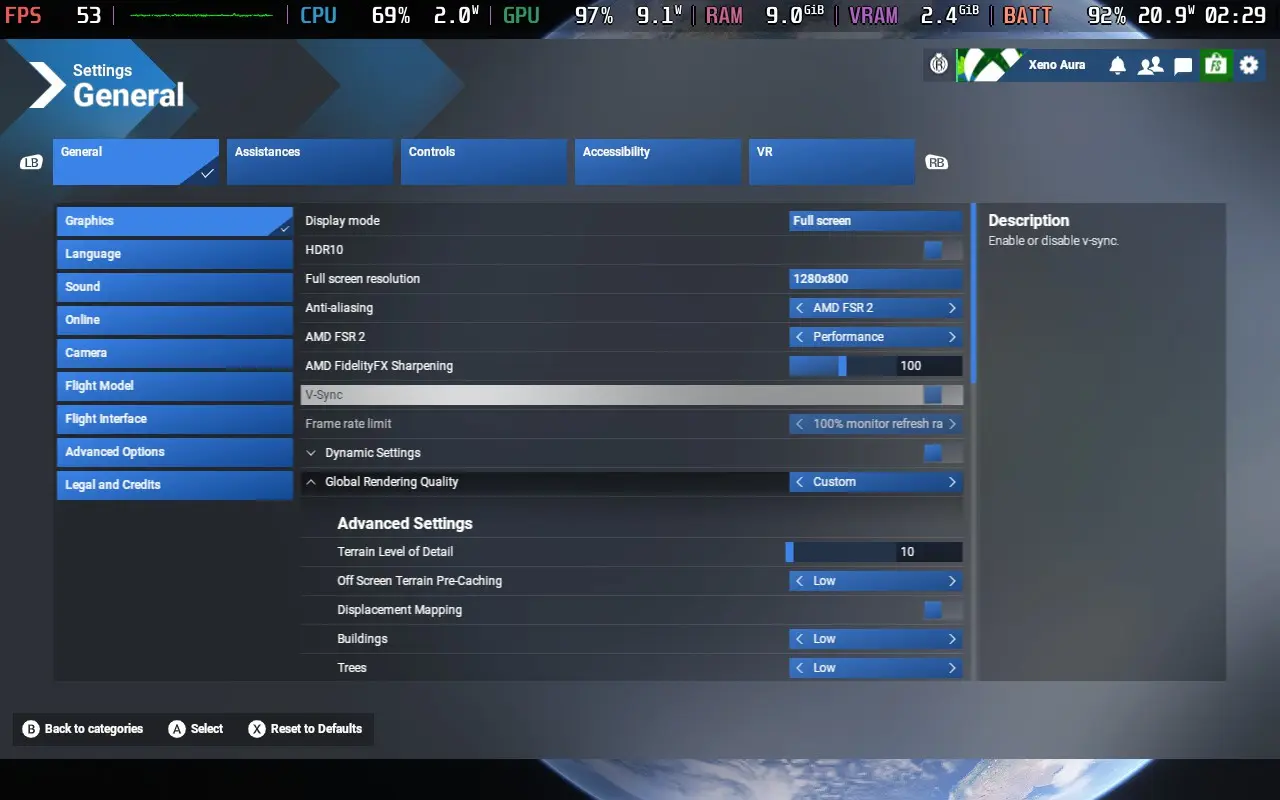
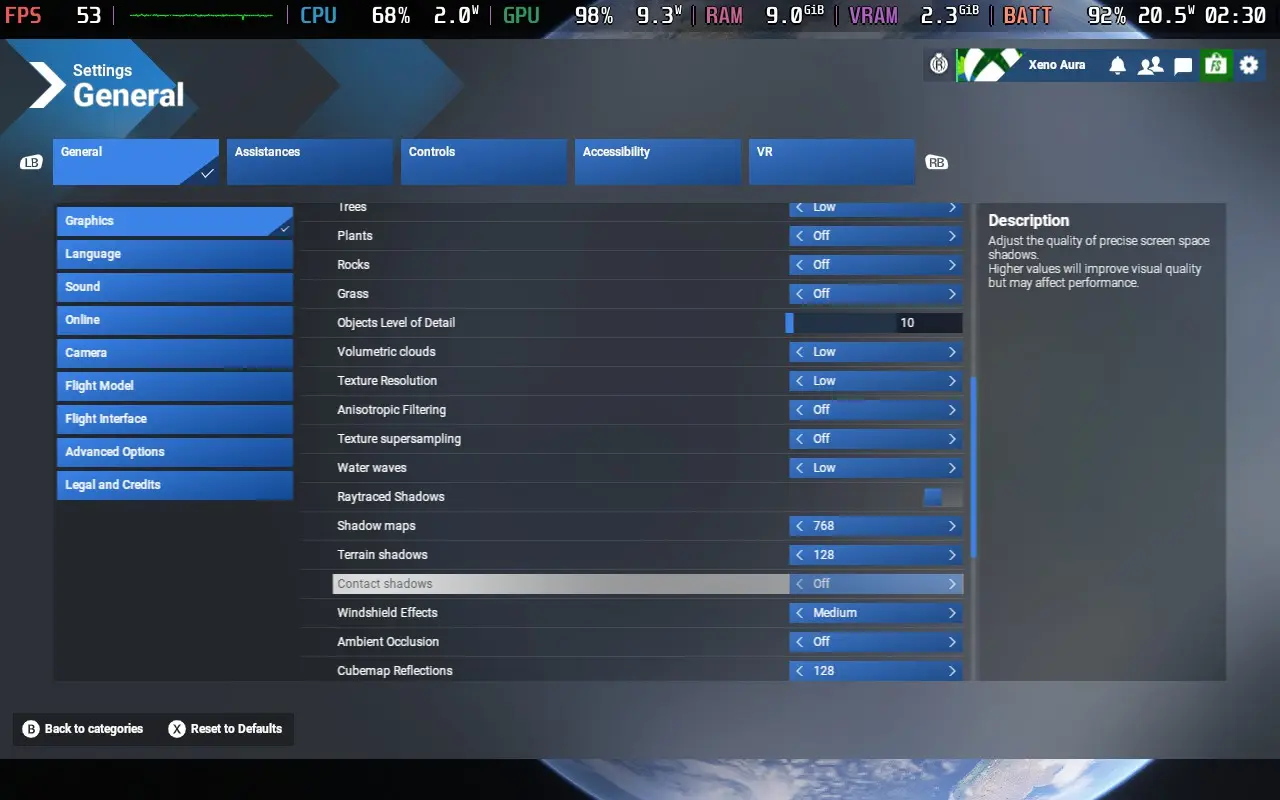
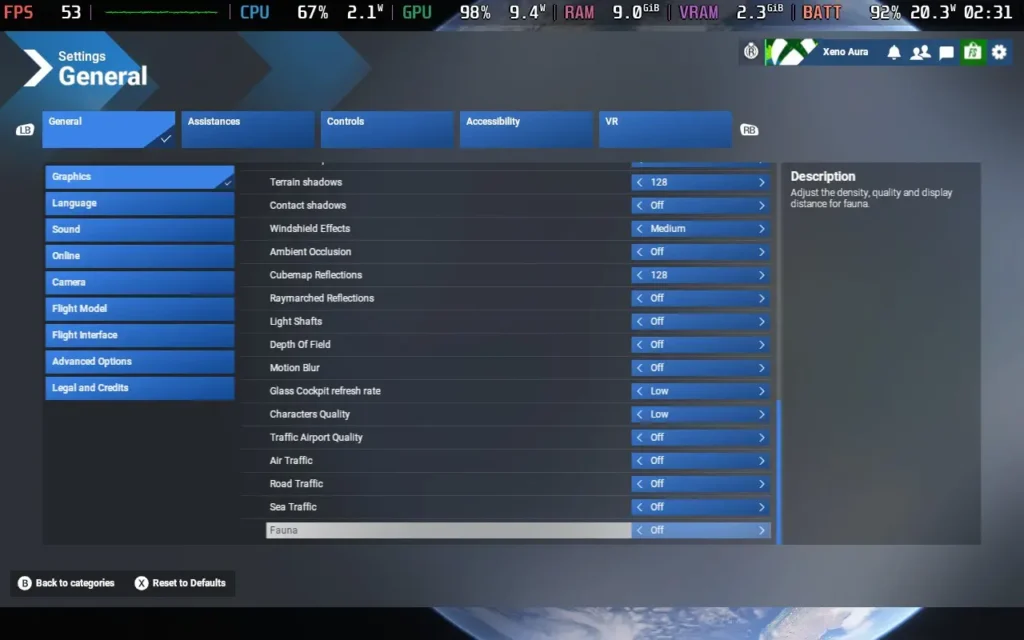
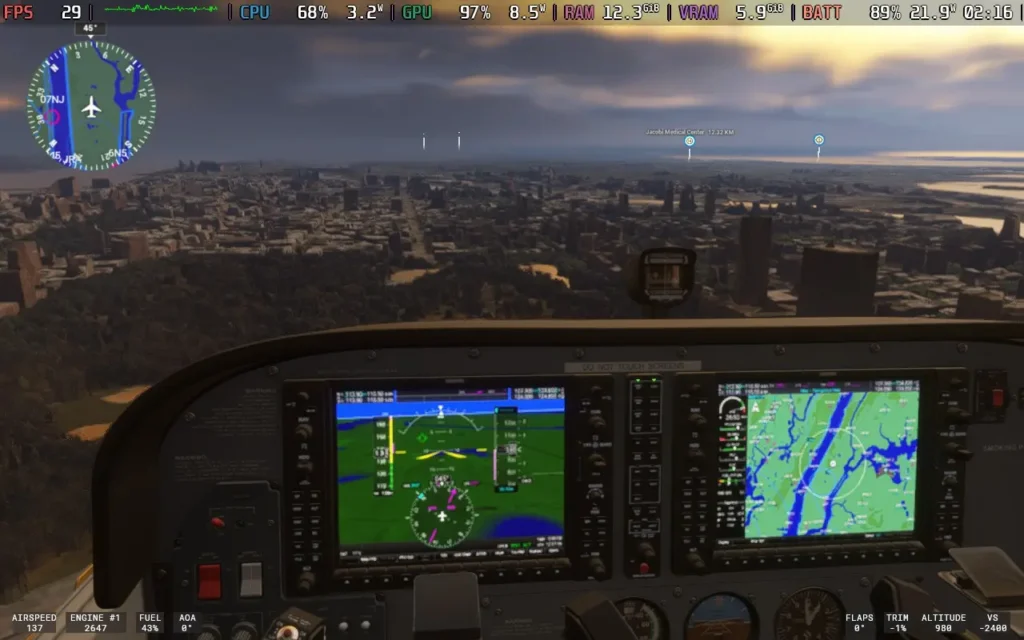
Playing with these settings, we get around 26-30 FPS flying around Central Park in New York City, one of the more intensive areas in the game. You can see the game get above 30 FPS in more rural areas and smaller towns. This, however, is in a small prop plane. The type of plane you're in heavily affects performance, and larger aircraft won't reach 30 FPS.
Flying larger aircraft in busy urban areas (Such as Kennedy International in New York) could cause the game to crash consistently. So, right now, I would say that the game is unplayable unless you just want to fly around in smaller planes.
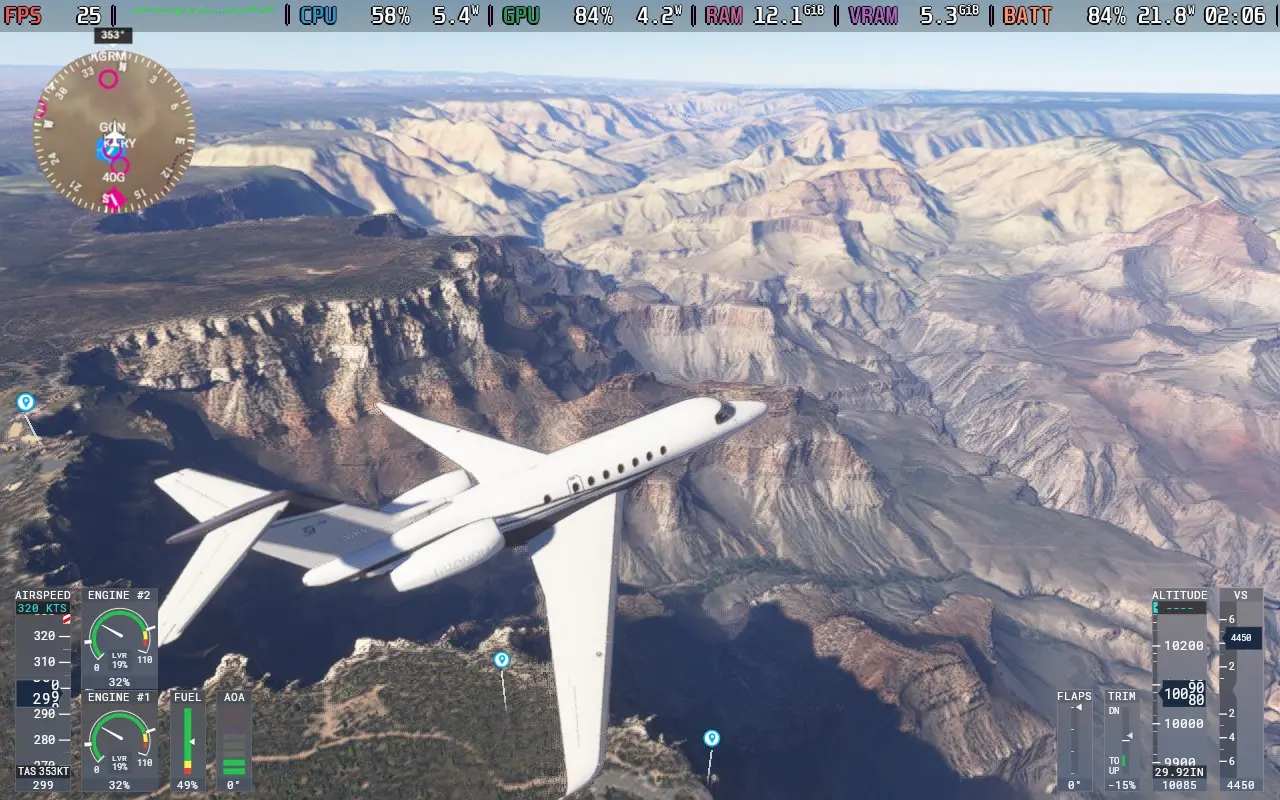
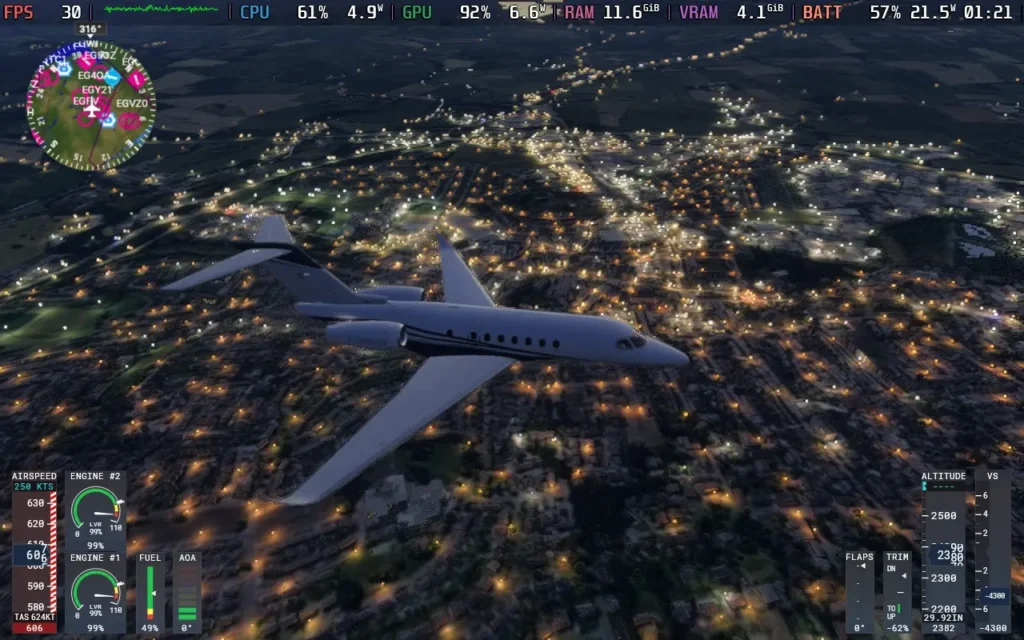
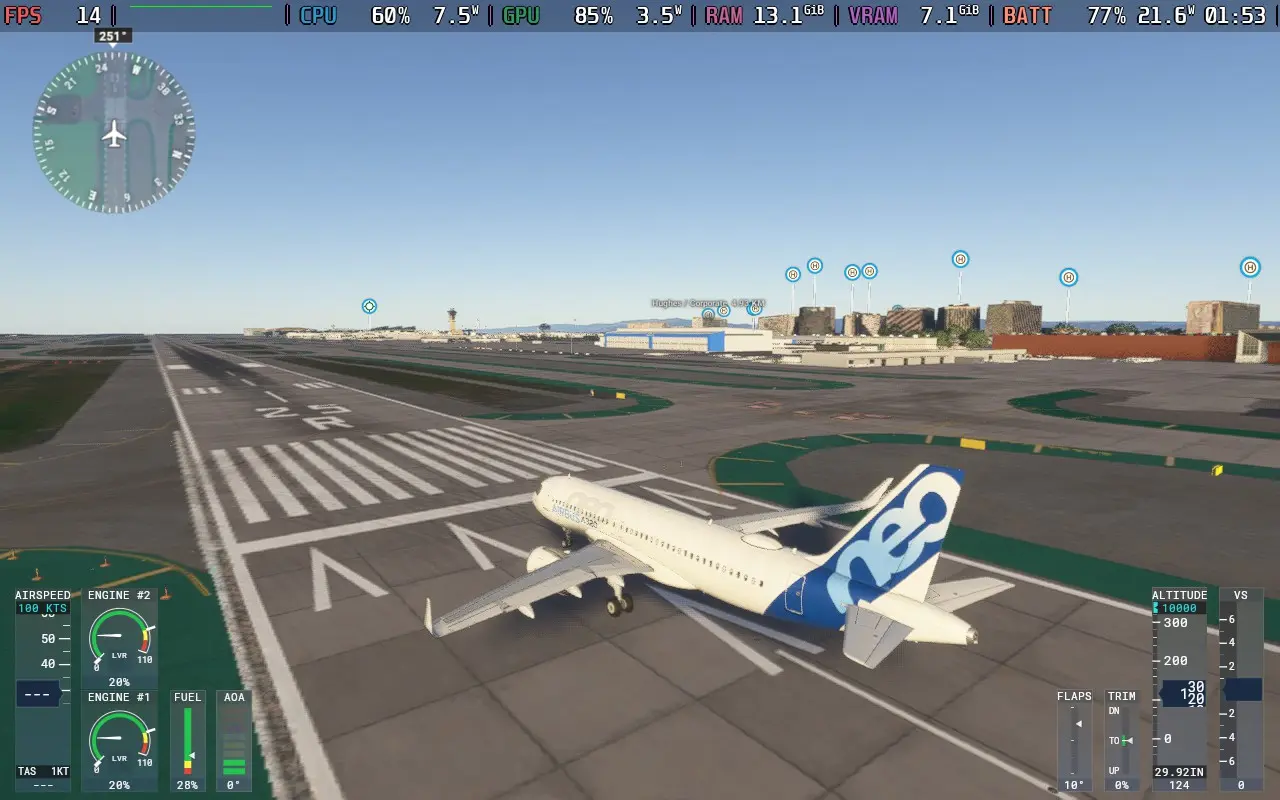
The power draw is very consistently high, always above 20W and usually in the 21-22W region. So Steam Deck LCD users should expect no more than 1.5 hours of battery life, with Steam Deck OLED users getting just over 2 hours.
The temperature of both the CPU and GPU held at around 70C.
As you would expect with a 1st party Microsoft title, there are plenty of accessibility options in Microsoft Flight Simulator 2024. There is speech-to-text and text-to-speech for communication with other players, allowing voice and text chat players to communicate. There is also the option to automatically translate text chat from players speaking another language.
You can also disable camera shaking, rebind controls, adjust the font size for all text (I set it to 22) as well as make HUD windows more opaque to aid with reading text. There is a screen narrator to read out menus audibly and subtitles for things like in-game transmissions between aircraft and Air Traffic Control.
Microsoft Flight Simulator 2024 is a solid improvement on the previous title. Whether or not the addition of the career mode, some new aircraft, and some new scenarios are worth the price tag of an entirely new game or not likely depends on how into this kind of game you are. If you are just into the free flight modes and seeing the world, the 2020 game edition does that almost as well.
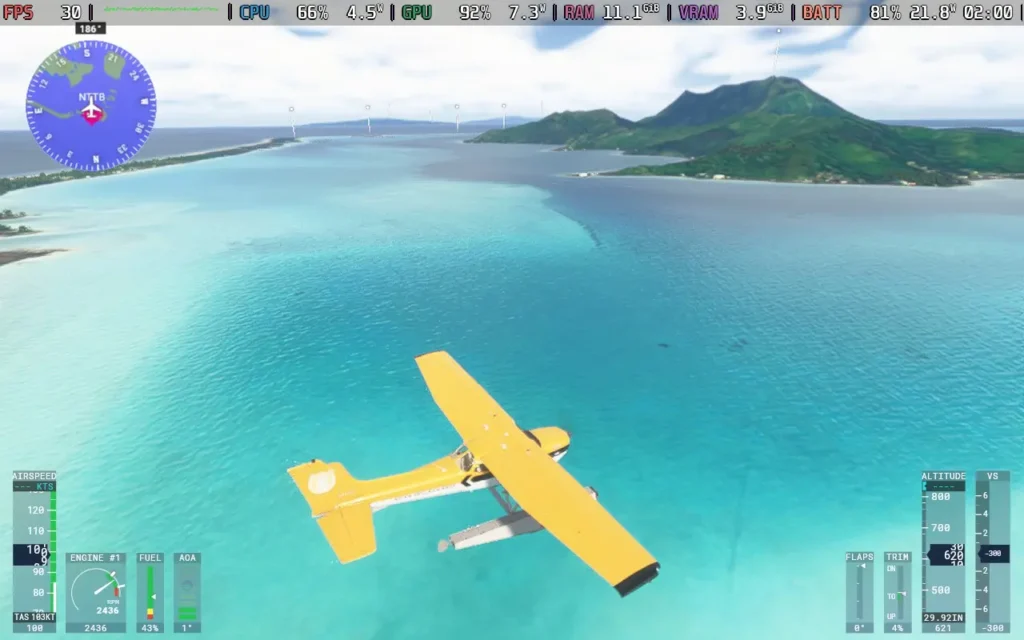
When playing on the Steam Deck, it might initially seem fine. If you're flying a single prop plane, a fighter jet, or even a small private jet, the performance can be fine, often staying above 25 FPS. But if you try to fly a jetliner, you'll often be playing at around 15-20 FPS, with frequent crashes making the game unplayable. Hopefully, this is just an issue with Proton right now and can be fixed, as well as Asobo optimizing the game, but I wouldn't purchase Microsoft Flight Simulator 2024 to play on a Steam Deck.
このレビューはPC版に基づいています。
このレビューをお楽しみいただけたなら、SteamDeckHQ の他のコンテンツもぜひご覧ください!あなたのゲーム体験に役立つゲームレビューやニュースを幅広く取り揃えています。ニュース、ヒントやチュートリアル、ゲーム設定やレビューをお探しの方も、最新のトレンドを知りたい方も、ぜひご利用ください。
Microsoft Flight Simulator 2024 is a nice improvement over the 2020 edition, which may or may not be worth the price for you. But poor performance and frequent crashes make the game unplayable on the Steam Deck.

Proton Experimental [Bleeding Edge] Beta
Full Screen Resolution: 1280x800
Anti-Aliasing: AMD FSR 2
AMD FSR 2: Performance
Vシンクオフ
Dynamic Settings: Off
Terrain LOD: 10
Off Screen Terrain Pre-Caching: Low
Displacement Mapping: Off
Buildings: Low
Trees: Low
Plants: Off
Rocks: Off
Grass: Off
Objects LOD: 10
Volumetric Clouds: Low
Texture Resolution: Low
Anisotropic Filtering: Off
Texture Supersampling: Off
Water Waves: Low
Raytraced Shadows: Off
Shadow Maps: 768
Terrain Shadows: 128
Contact Shadows: Off
Windshield Effects: Medium
Ambient Occlusion: Off
Cubemap Reflections: 128
Raymarched Reflections: Off
Light Shafts: Off
被写界深度:オフ
モーションブラー:オフ
Glass Cockpit Refresh Rate: Low
Characters Quality: Low
Traffic Airport Quality: Off
Air Traffic: Off
Road Traffic: Off
Sea Traffic: Off
Fauna: Off