Abyssus was provided by The Arcade Crew for review. Thank you!
The Roguelike FPS genre has brought us plenty of good games in the past. Gunfire Reborn and Roboquest are two that I've tried and enjoyed. In the same vein as a co-op FPS roguelike, Abyssus enters the arena, and it's packing some heat.
While roguelike shooters like Abyssus don't tend to have much of a storyline, there is some background lore and worldbuilding that you can glean from journals that are left around in various levels. Sometimes they're quite in your face, tucked away, but if you want to learn more about this unique world, they offer some insights into it. It's always nice to find a little nook with some goodies in it.
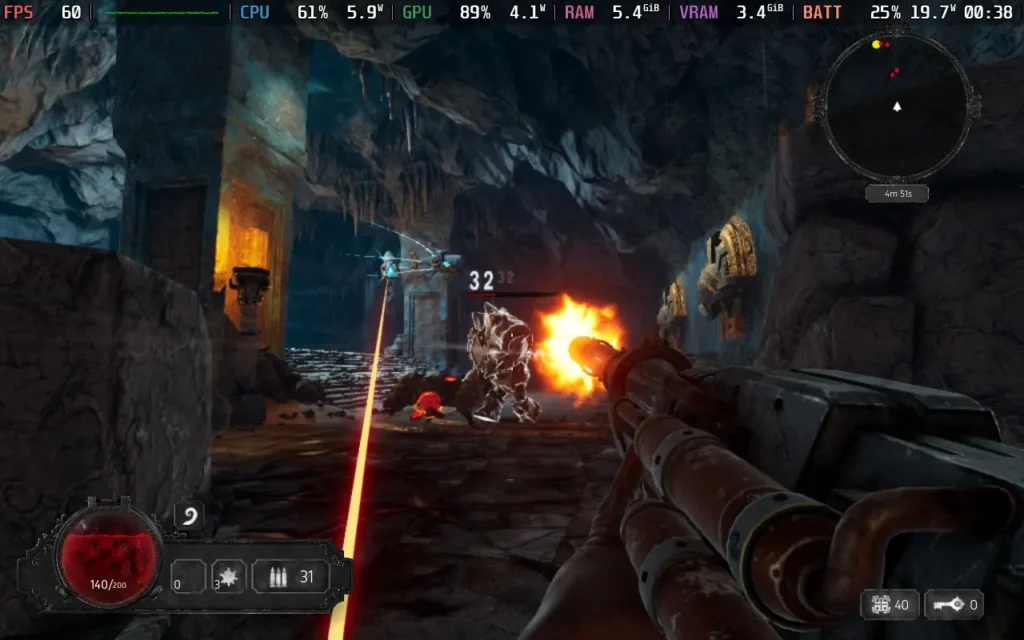
The gunplay in Abyssus feels pretty great. The game is quite reliant on fast movement and dodging to stay alive. Enemy attacks often deal high damage, so you want to avoid getting hit. A large part of the game is familiarizing yourself with enemies and their attacks, so you know how to handle each one, plus every enemy has its weak point that lets you get critical hits if you shoot it.
Guns don't feel too weighty, but they're backed up with plenty of those shiny floating damage numbers when you hit your shots, which adds to the satisfaction factor. Juking an enemy, getting to their weak point before unloading a clip into it, and watching all the yellow numbers flash up is a satisfying moment, especially when clearing rooms without taking a hit.
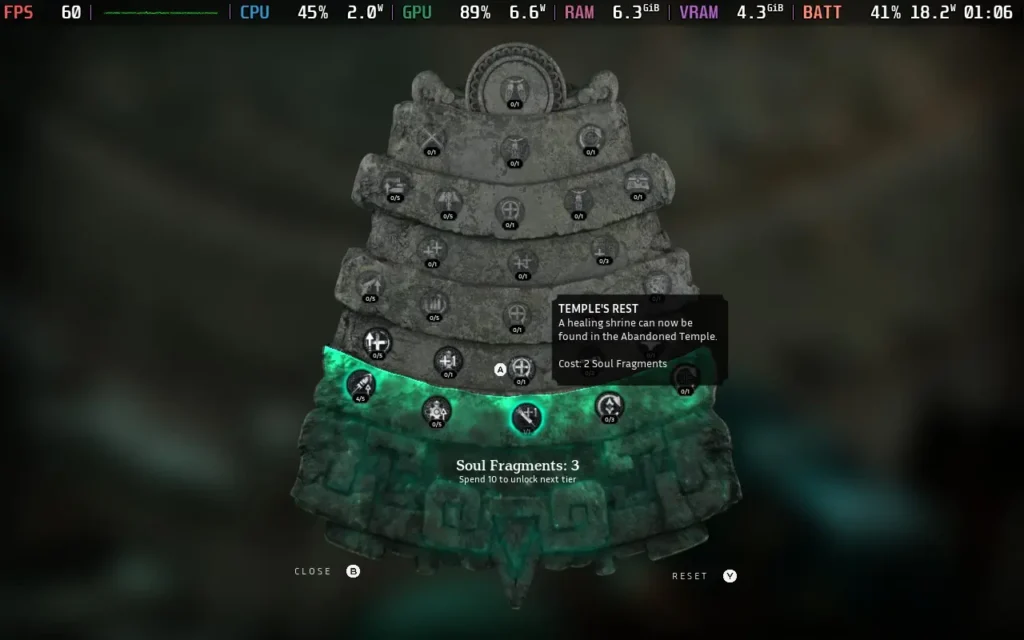
The upgrades are where the fun lies for me, though. Like most roguelike games, Abyssus has a mixture of permanent and temporary upgrades. Some carry between runs, and others last just for your current run.
Temporary upgrades are earned for every few rooms. They are usually based on your primary/secondary fire and your ability (such as a grenade) to improve its damage or add some effect. Some are more beneficial than others, with me enjoying an upgrade that made my secondary fire spawn tentacles around enemies, allowing me to deal damage even when I was out of sight.
The permanent upgrades, however, give you a real sense of progression and power. Some upgrades affect you personally, such as improving your damage, reload speed, or max health. Others can make your journey easier by placing interactables throughout the dungeons, such as healing shrines, weapon upgrades, etc.
Unlike other games, you don't loot guns in Abyssus. You can find different types, but once you've seen them, they are permanently unlocked in your loadout. This isn't Gunfire Reborn, where you can find a sub-machine gun with special traits and elemental effects; those are all added to your base gun type you choose to enter with via the temporary upgrades. The plus side is that you get to use your favorite gun on every run, and don't have the headache of hoping for it to drop as loot.
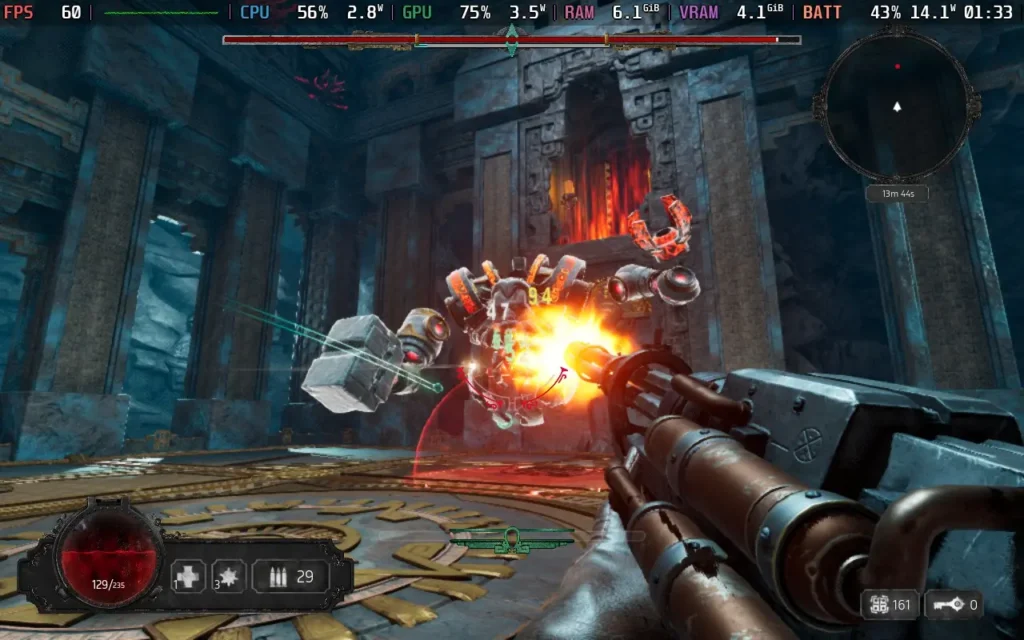
Visually, Abyssus continues to be quite a treat. The game opts for more "darker" environments, but that means the use of lighting and reflections works well, and it doesn't seem like it's overly taxing on systems either, which is a great thing. The sound design is pretty basic; there's some voice acting for one-liners here and there, and the guns sound decent, but there is nothing to write home about.
If I were to level one criticism against Abyssus, it would be that sometimes it can get a little disorienting with the amount of enemies strewn across the arena. It's very easy to get hit by an enemy you weren't aware of, and the game isn't great at telling you what just hit you, so backing up into enemies is quite common.
Abyssus does support the Steam Deck's 1280x800 resolution, giving us a full display. According to the Steam store page, the game does not offer full controller support, but there is, with the developer-recommended layout using gamepad controls and gamepad icons when describing the controls in-game.
Abyssus also seems well optimized for performance. Running the Medium preset on Steam Deck seems to be the way to go, as it manages to hold a stable 60 FPS while giving us some great visual effects like reflections and good lighting.
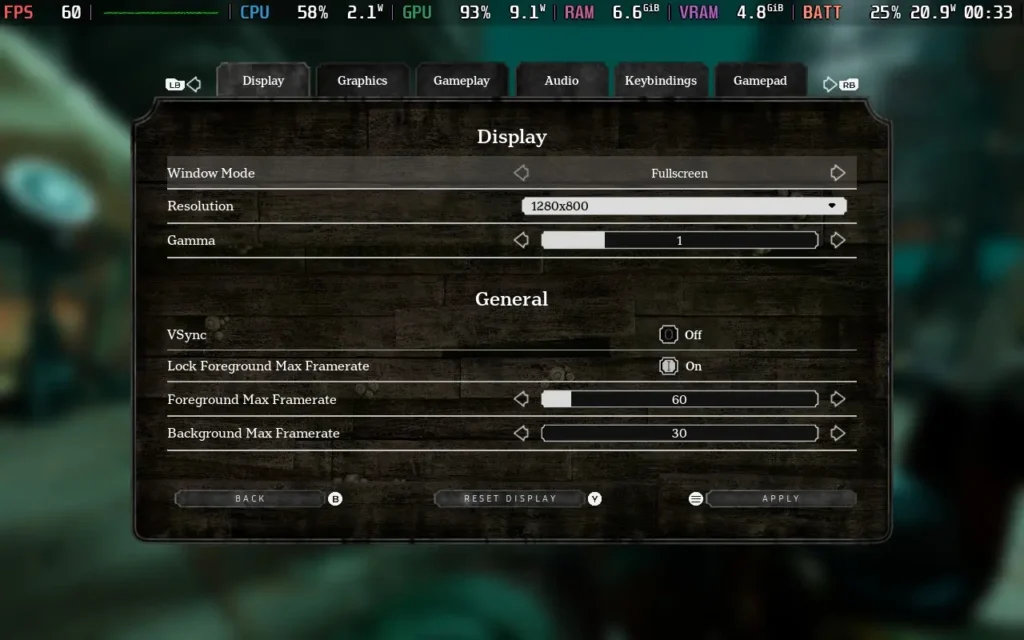

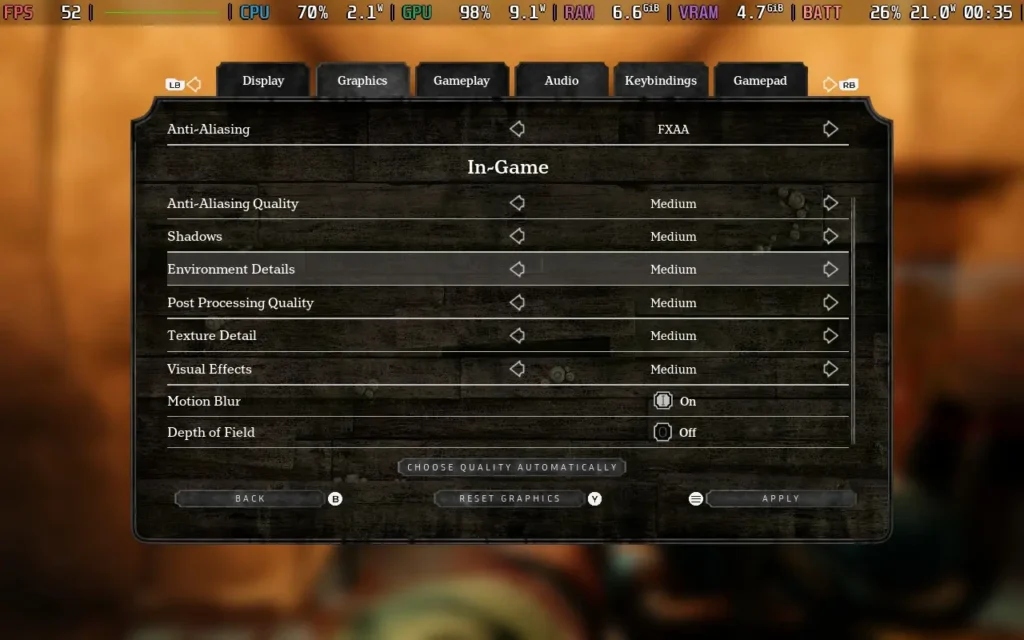
You may see slight dips from 60 on occasion, but they were rare for me. If it bothers you, you may want to reduce resolution scaling down from 80 to 75.
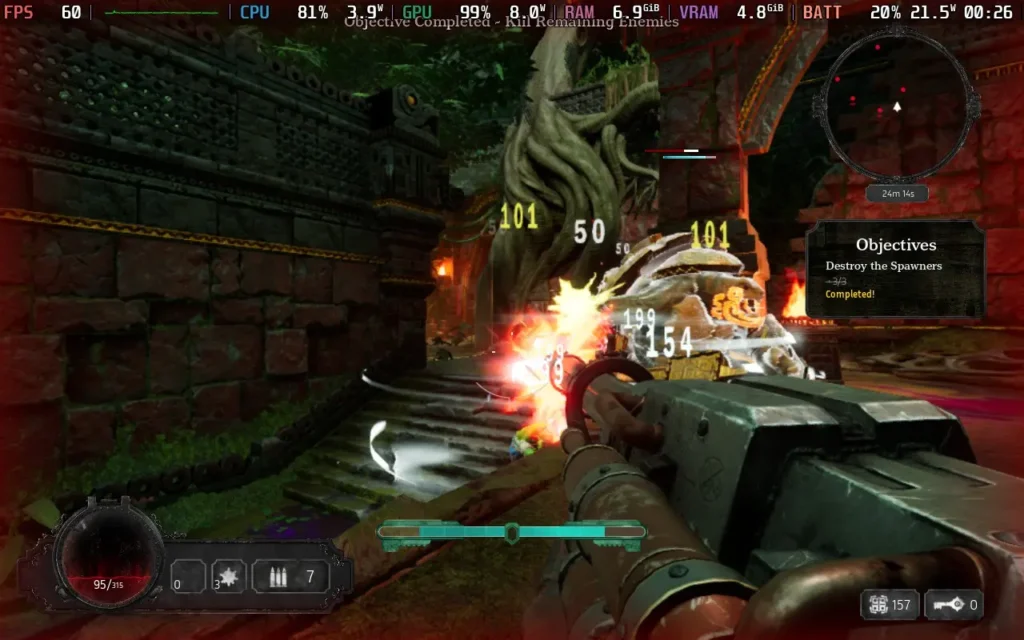
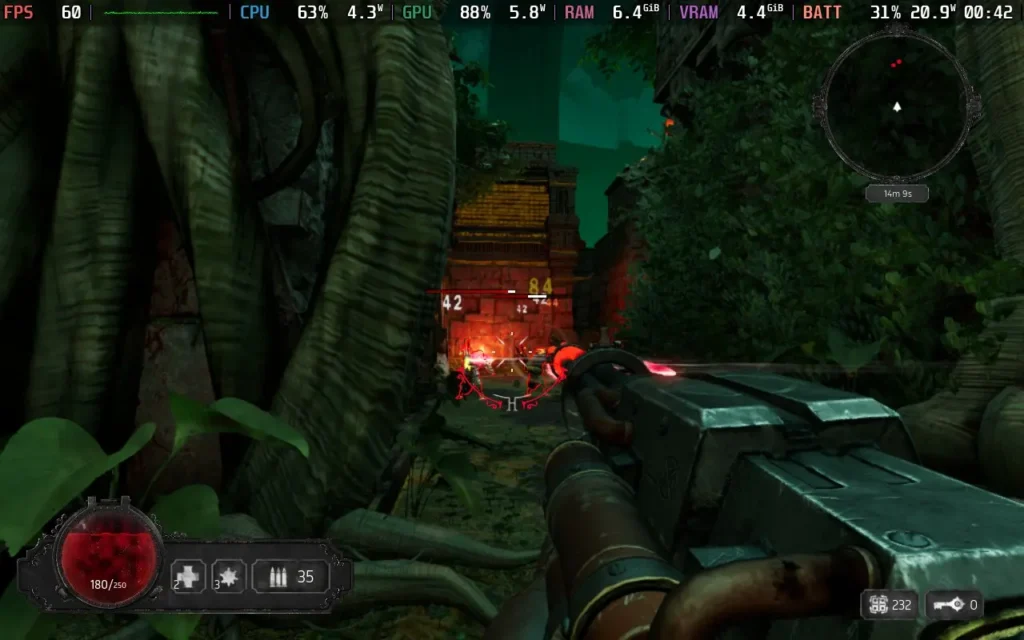
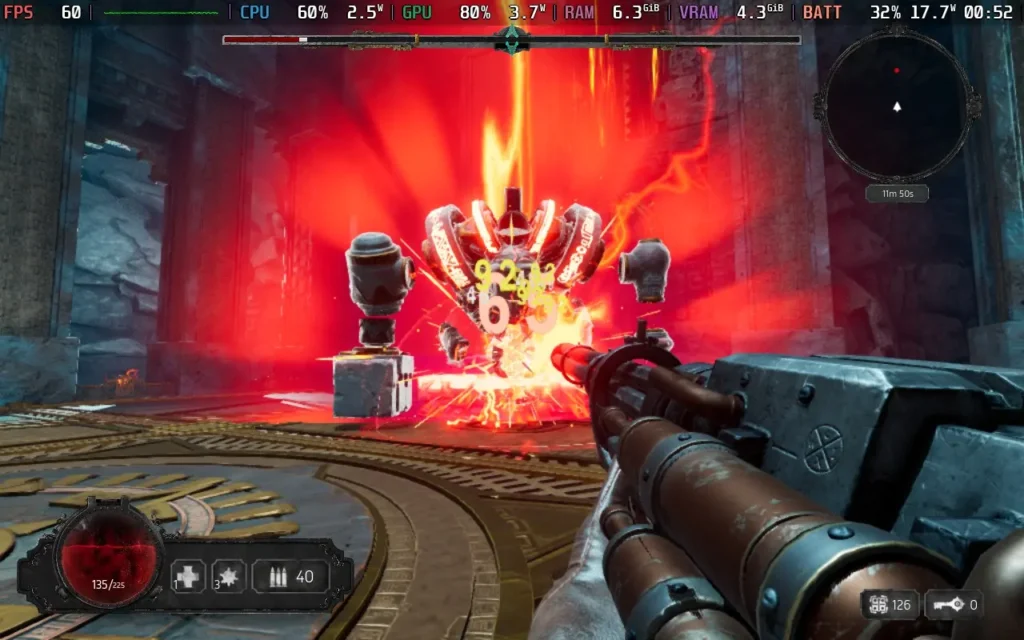
The power draw is around 14W-20W, depending on the environment, so don't expect much battery life. An OLED model takes 2.5-3 hours, and an LCD takes 1.5-2 hours. Temperatures were around 60C-65C.
Abyssus allows you to disable camera shaking and adjust FoV for motion sickness. It also supports subtitles and rebinding of controls.
Abyssus is a fine addition to the co-op roguelike FPS genre. It doesn't throw a plethora of guns at you with different stats, but it does have that addictive gameplay loop that challenges you to get farther in with each run, with a little help from some upgrades each time, of course.
Performance on the Steam Deck is solid, allowing us to have a good 60 FPS experience while not compromising image quality. The controls also work well, despite the game not advertising controller support.
Our review is based on the PC version of this game.
If you enjoyed this review, be sure to check out the rest of the content on SteamDeckHQ! We have a wide variety of game reviews and news that are sure to help your gaming experience. Whether you're looking for news, tips and tutorials, game settings and reviews, or just want to stay up-to-date on the latest trends, we've got your back.
Ra Ra BOOM was provided by Gylee Games for review. Thank you!
Ra Ra BOOM is a brand new brawler on the block. Admittedly, I don't have much experience with the beat 'em up genre, but I had an absolute blast with Ra Ra BOOM, and I think it's a great entry point for people into the genre.

By being a great entry point into the genre, I mean that the balancing is on point here. There are no difficulty options, but even as someone not overly experienced in this type of game, the game still manages to be easily accessible without being frustrating. Enemies are slightly on the "bullet-sponge" side, taking multiple hits to defeat, but it isn't egregious, and the game never floods the screen with enemies.
Ra Ra BOOM allows you plenty of both vertical and horizontal movement. It feels smooth, with jumping and dodging mechanics giving you more opportunities to try out new combos and stay on your toes.
I did find that I greatly favored using my ranged ability. Each character has a melee and a ranged option, with some characters being better at one or the other. The ranged option generally does less damage but is much safer, as the majority of enemies are melee attackers. There could have been more incentive to use melee attacks, but there seemed to be a few downsides to just holding down the right trigger and dodging enemy attacks, a bit like an old shoot 'em up.
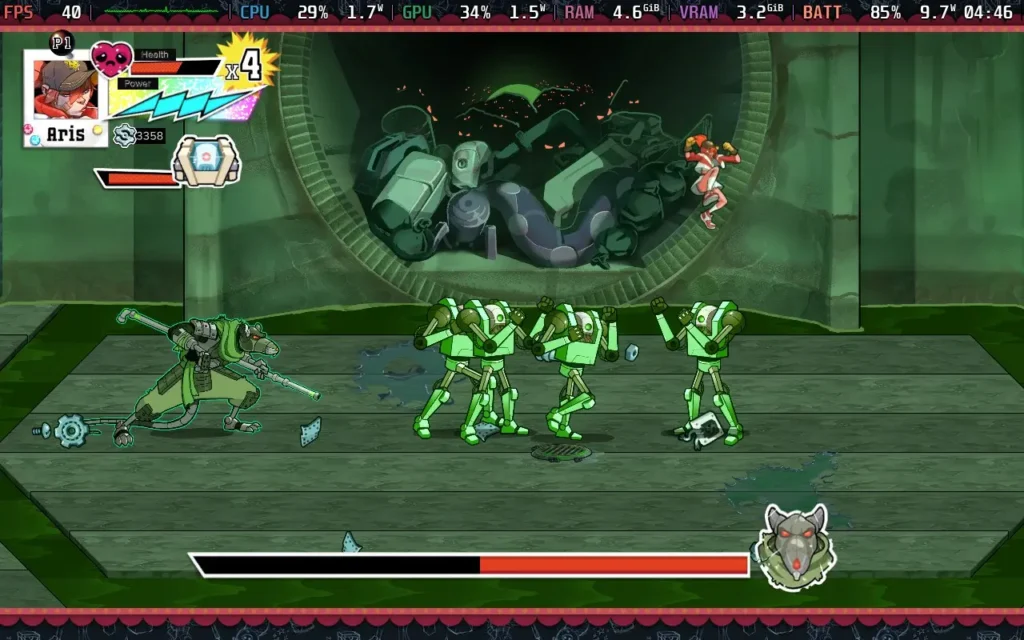
The story is generic. It's told in drawn slides between missions, of which there are nine. The general gist is that the Zoi, a rogue group of AI robots, has taken control of the Earth, and it's down to your team of four to liberate the planet. On your journey, you'll navigate through the different levels, each with its own separate environment.
9 levels isn't a lot, and with each level only taking around 20-30 minutes to complete, you can finish the game's storyline in less than 5 hours. The replayability here comes from the "challenge" objectives from repeat playthroughs. For example, once you've completed a level, you can replay the level again with a "melee only" rule.
The only problem is that Ra Ra BOOM provides little reason to go back and beat the special objective levels. By the time I finished the main storyline, I had already bought all the upgrades to stats as well as all the combo upgrades you can unlock too, so there was no more progression to be made by going back through the levels again unless you want that "Cleared" text besides each objective.
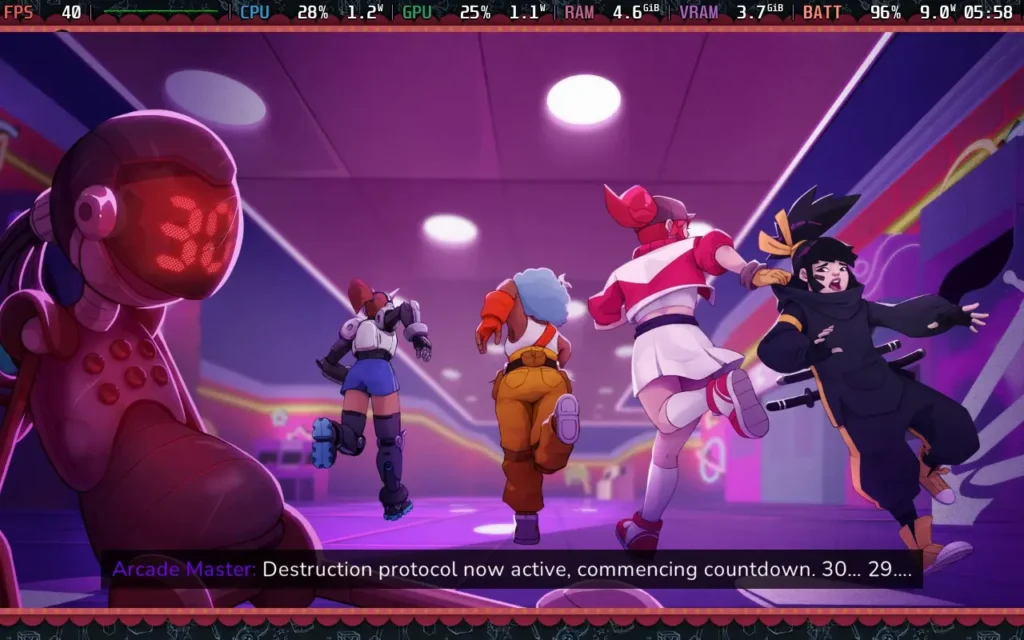
Ra Ra BOOM features a 4-player co-op, but only locally, not online, which is a bit of a shame. The game does support Remote Play Together, so you could technically stream the game from your Steam Deck to friends and play it, but that does come with the expectation of some input lag for your buddies. Alternatively, you can always dock your Steam Deck and plug in some controllers.
At one point, I did manage to fall through the world, resulting in the game freezing for about 15 seconds before the game killed me and prompted me to spawn as the next character. Other than that, I didn't notice any gameplay bugs; some issues seemed to happen on lower-resolution screens.
UI elements can get bunched up, causing things like your available currency to be shown slightly off-screen in the menus and menu controls, likewise, to overlap. Also, certain subtitles in cutscenes go off the edges of the screen at lower resolutions.
All of this being said, though, Ra Ra BOOM is a good time. It's a little on the easy side, and any beat 'em up veterans will probably breeze through this one, but it's fun nonetheless. It has a simple storyline to keep pushing you along, the game is short enough that the environments and enemy varieties mostly stay fresh, and there's also the benefit of local co-op play if you want to play with friends.
Controls-wise, Ra Ra BOOM works perfectly on the Steam Deck, and the developers recommend a controller for playing anyway. Unfortunately, performance is a bit mixed on the Steam Deck, thanks to the single-thread CPU usage.
I also had an issue with the resolution selector in the options menu. The resolution amount is not actually shown, but just select one that fills the entire Steam Deck's screen, and you should be golden.
I ran the game at 1280x800 resolution, disabling Anti-Aliasing and VSync, and turned off the in-game frame limiter. I recommend you limit the game to 40 FPS in SteamOS, as the frame rate is rather unstable.
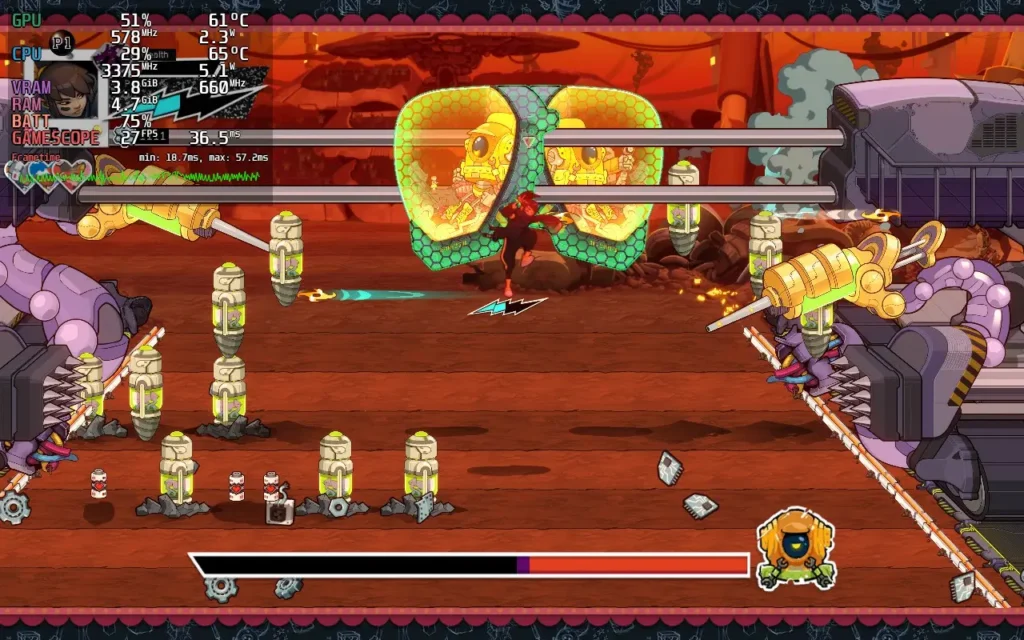
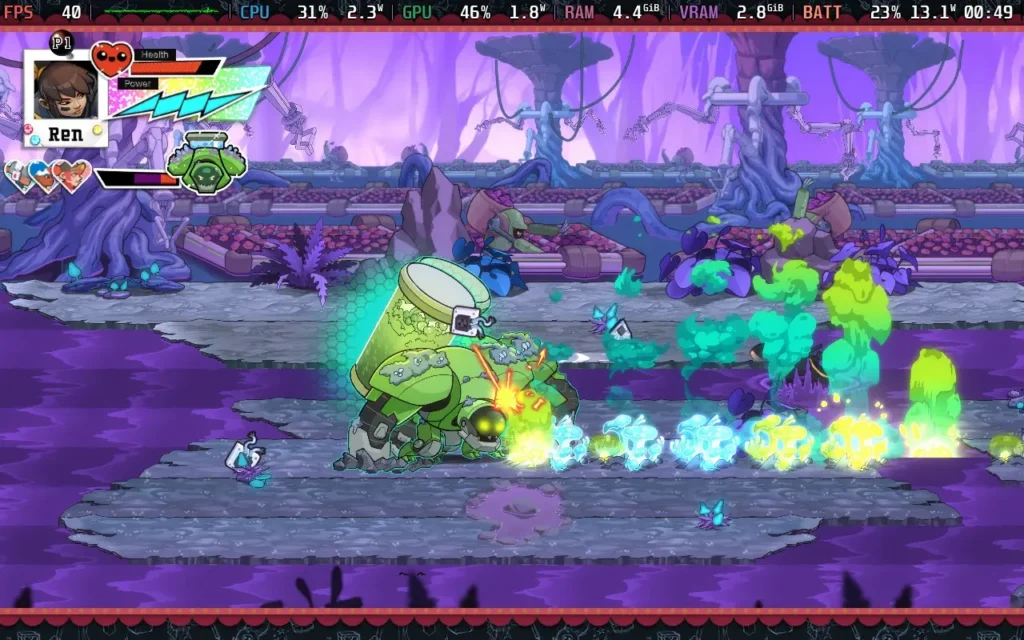
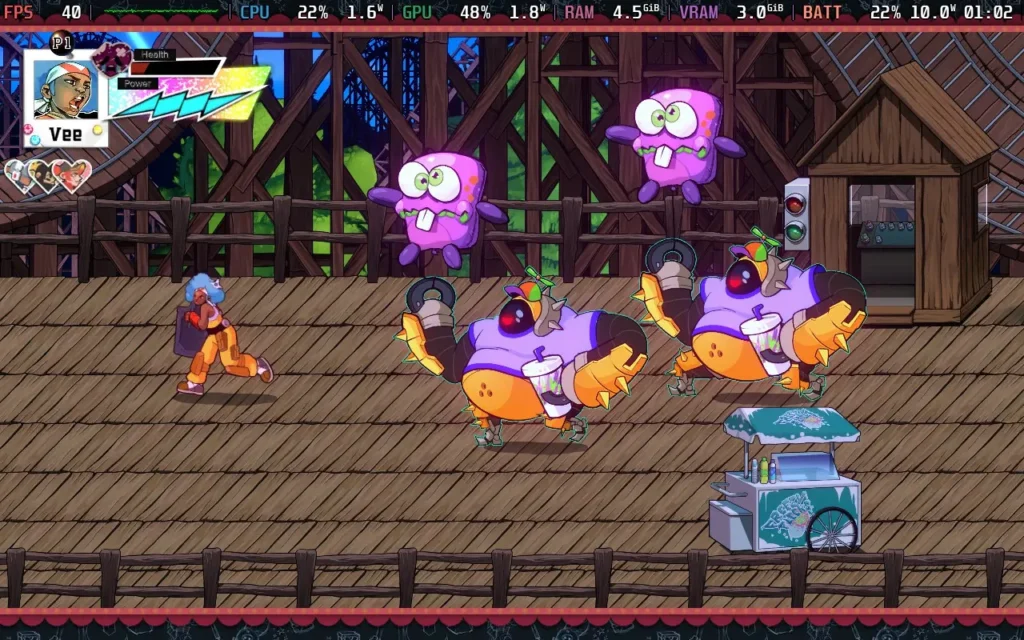
Unfortunately, the performance, as mentioned, is mixed. Quiet areas will run at 60 FPS without issue. But getting into areas with more enemies and action can drop the frame rate as low as 30 FPS, which is a pretty unpleasant experience. This is a CPU issue, so we can't improve it by adjusting settings. Hence, I recommend we stick to a 40 FPS lock and deal with the occasional drops.
The power draw is around 9W-13W, meaning you'll get a pretty long battery life: around 4.5 hours on a Steam Deck OLED and around 3.5 hours on a Steam Deck LCD. Temperatures were around 60-65C.
Ra Ra BOOM has no accessibility options. All dialogue is subtitled.
Ra Ra BOOM is a fun, albeit short, time. This fits the bill if you want a fairly short and entertaining game that you can play in 1 session with a few friends. This might not be for you if you're looking for a game with depth and replay value.
Steam Deck performance is a little disappointing. We can mostly maintain 40 FPS, and the game is fully playable, but some performance issues and UI issues detract from what could be a great experience.
Our review is based on the PC version of this game.
If you enjoyed this review, be sure to check out the rest of the content on SteamDeckHQ! We have a wide variety of game reviews and news that are sure to help your gaming experience. Whether you're looking for news, tips and tutorials, game settings and reviews, or just want to stay up-to-date on the latest trends, we've got your back.



